

Managed WordPress hosting sounds like the answer until a store starts taking real orders. Then the weak point usually isn't the server spec sheet, it's the architecture, because WooCommerce turns simple page serving into session handling, database work, and checkout concurrency. If the host treats ecommerce like a brochure site, cart behavior gets flaky, checkout slows down, and “fast enough” collapses under normal traffic bursts.
The practical fix is to align the stack with transactional behavior, not marketing labels. That means current PHP, selective caching, enough PHP workers, persistent object cache, and a database layer that isn't starved when customers add items and pay.
Table of Contents
- Why Most WordPress Hosting Fails Ecommerce Stores
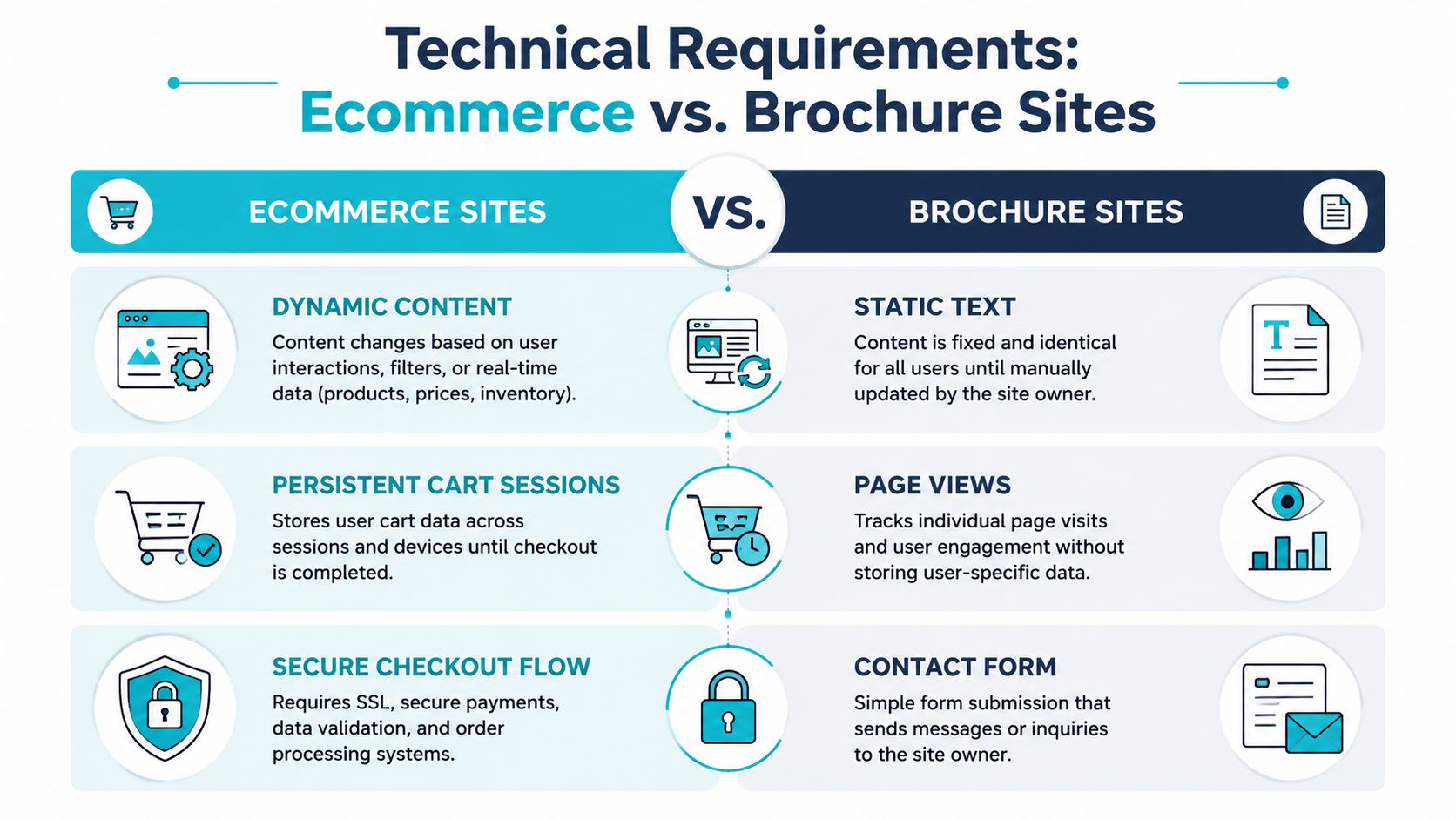
- Technical Requirements That Separate Ecommerce from Brochure Sites
- Hosting Types Evaluated for Ecommerce Workloads
- Configuring PHP Workers and Caching for Transactional Load
- Security Hardening for Exposed Ecommerce Stacks
- Migration Checklist for Live Ecommerce Stores
- Preventing Platform Churn Through Architecture Fit
Why Most WordPress Hosting Fails Ecommerce Stores
The common mistake is assuming managed WordPress hosting automatically means ecommerce-ready. That breaks the first time a store handles concurrent carts, logged-in customers, or a plugin that turns one page view into several database lookups. WooCommerce is a huge part of the WordPress ecosystem, with W3Techs reporting 11.7% of all websites with a known CMS, 48.1% of all ecommerce systems, 8.1% of all websites overall, and WordPress itself at 40.7% of all websites
Brochure-site hosting hides the core bottleneck
Brochure sites lean on full-page caching and can tolerate latency behind the scenes. Ecommerce cannot. Cart, checkout, my-account, and add-to-cart requests stay dynamic, so the host has to keep PHP workers, object cache, and database concurrency healthy even when page cache is doing its job. That is why store owners often blame traffic when the actual problem is request shape.
I see this pattern constantly. A site looks fine on a cached homepage, then stalls the moment a product filter, coupon, or checkout step adds backend work. The web server is up, but the application is queuing because the wrong layer is being optimized. If you need a reference point for what a store needs from the platform layer, the best hosting for an online store page is a better fit than generic WordPress marketing copy.
Practical rule: if checkout errors show up before CPU maxes out, the failure is usually worker starvation, cache misuse, or database pressure, not raw compute shortage.
Marketing language doesn't describe runtime behavior
WooCommerce changes request behavior because it keeps state, runs hooks, and touches the database more often than static content does. That is why teams can outgrow “unlimited” hosting without seeing explosive traffic growth. The store becomes more interactive, and the host was not built for that shape of load.
Operationally, product teams start asking for real instrumentation. If you need structured feedback from shoppers before the platform starts failing in production, the demo for ecommerce product teams can help validate where friction starts, while the hosting team checks logs, queue depth, and backend latency. In multi-tenant hosting, a noisy neighbor or an undersized PHP pool stops being an abstract concern and starts showing up as abandoned carts.
Technical Requirements That Separate Ecommerce from Brochure Sites
Brochure traffic can hide weak hosting. Ecommerce traffic exposes it. Product pages and marketing pages usually ride on full-page cache, but the transactional path depends on object cache, PHP execution efficiency, and database responsiveness. Benchmarks show why that matters. The same test set showed WooCommerce moving from 44.20 requests/sec on PHP 7.4 to 71.02 requests/sec on PHP 8.5, while a standard WordPress homepage moved from 139.06 requests/sec to 148.30 requests/sec
PHP version choice matters more on WooCommerce than on a blog
A blog page mostly renders content. A checkout request runs more code paths, more hooks, and more plugin logic, so newer PHP runtimes usually matter more there than on static content. The same benchmark set showed WooCommerce at 54.67 requests/sec on PHP 8.2 and 53.37 requests/sec on PHP 8.4 before jumping to 71.02 on PHP 8.5, which is a reminder that performance gains do not always move in a straight line (Kinsta benchmark).
Another independent test reported PHP 8.2 at 67.2 ms in its benchmark table, which shows that runtime version selection affects latency, not just compatibility (Pressidium test). Independent hosting guidance also notes PHP 7.4 is end-of-life and recommends PHP 8.3 as the target, with PHP 8.2
Storage, workers, and caching have to match the workload
NVMe storage matters because transactional requests wait on backend reads and writes more often than brochure sites do. PHP worker limits matter just as much. If a promotion sends 30 customers into checkout at once and the pool is too small, you do not get a graceful slowdown, you get queues.
Production note: on multi-tenant hosts, a “fast” storefront often falls apart because one merchant's plugin stack consumes PHP workers while another merchant's cached pages stay fine. The infrastructure looks healthy right up until the dynamic paths pile up.
That is why the operational question is usually architecture fit, not plan labels. A practical reference point for store requirements is the hosting guidance for online stores, because it separates performance tuning from marketing language. The decision is whether the fix is a cache rule, a larger worker pool, or a different host class altogether.
Hosting Types Evaluated for Ecommerce Workloads
Choosing between shared hosting, VPS, managed WordPress, and bare metal is not a feature comparison, it is a decision about where the operational pain lands. Shared hosting pushes nearly all the complexity away from you, which works until WooCommerce starts fighting other tenants for CPU, PHP workers, and database time. VPS gives you isolation and root control, but now you own patching, cache behavior, and process tuning. Managed WordPress reduces routine work, yet it still has to handle plugin-heavy commerce and odd checkout flows without breaking under load.
Hosting Type Suitability for WooCommerce Stores
| Hosting Type | Best For | Typical Limits | Migration Trigger |
|---|---|---|---|
| Shared hosting | Very small stores, low transaction volume, simple catalogs | Tight CPU and worker ceilings, noisy-neighbor risk, limited tuning | Cart or checkout slowdowns that line up with other sites on the server |
| VPS | Small to mid-size stores that need isolation and root control | You own patching, cache design, and process tuning | Repeated PHP queues, database waits, or admin time spent babysitting the stack |
| Managed WordPress hosting | Teams that want less operational load and predictable WordPress support | Plugin and stack constraints, less freedom for custom architectures | Checkout rules, caching exceptions, or integrations the platform will not accept |
| Bare metal | Large catalogs, high concurrency, custom backend needs, multi-store operations | More responsibility, higher ops maturity required | Worker contention, storage bottlenecks, or database pressure that virtualized layers cannot absorb |
The practical pattern is simple. Shared hosting fails when the workload turns stateful. VPS fails when nobody is willing to run the machine properly. Managed WordPress fails when the store outgrows the host's assumptions. Bare metal becomes attractive when the database, PHP workers, and I/O need direct control, and virtualization overhead is just another layer to manage.
That is why the choice should follow operational fit, not labels like “faster” or “cheaper.” Whether the store needs a larger worker pool, stricter cache exceptions, or a different host class altogether is the key question. For simpler stores that still need WordPress optimization, a VPS hosting layer can be enough if it is configured correctly. For stores with more demanding backend needs, bare metal or a private cloud can make sense, especially when the architecture has to support both ecommerce and internal services.
A good way to compare those paths is to look at the trade-off surface. Shared hosting is cheap to start, but it gives you the least room to correct bad assumptions. Managed WordPress lowers the day-to-day burden, but only within the boundaries of its platform rules. Bare metal gives the most control, and it also gives you the most to own when something stalls at 2 a.m.
Configuring PHP Workers and Caching for Transactional Load
Start by checking whether PHP is queueing. On a systemd-based host with PHP-FPM, this is the first command I run:
systemctl status php8.3-fpm
Expected output includes a line like:
Active: active (running)
If the service is up but checkout still stalls, inspect the pool settings:
grep -E 'pm =|pm.max_children|pm.max_requests' /etc/php/8.3/fpm/pool.d/www.conf
A sane starting point often looks like:
pm = dynamic
pm.max_children = 20
pm.start_servers = 4
pm.min_spare_servers = 4
pm.max_spare_servers = 8
pm.max_requests = 500
Tune workers before you touch page cache
The wrong response to slow checkout is usually “turn on more caching.” That breaks dynamic paths. Product pages and category pages can benefit from page caching, but cart, checkout, and my-account should be excluded. If you don't do that, customers see stale carts or broken sessions.
A straightforward nginx pattern is:
set $skip_cache 0;

if ($request_uri ~* "/cart|/checkout|/my-account|wp-admin|wp-login.php") {
 set $skip_cache 1;
}

fastcgi_cache_bypass $skip_cache;
fastcgi_no_cache $skip_cache;
For object caching, Redis is the usual fit because WooCommerce leans heavily on transient and session data. A minimal wp-config.php addition looks like this:
define('WP_CACHE', true);
define('WP_REDIS_HOST', '127.0.0.1');
define('WP_REDIS_PORT', 6379);
Verify checkout stays dynamic
Run a cache-bypass check against the cart route and confirm it isn't coming from full-page cache:
curl -I
You want headers that indicate the request is not cached, or at least isn't being served from the static page layer. Then tail PHP-FPM while loading the checkout flow:
journalctl -u php8.3-fpm -f
If you see repeated slow requests or child exhaustion, the pool is too small or the code path is too heavy. The fix is usually to raise worker count carefully, reduce plugin overhead, or move the database to lower-latency storage.
For stores that want managed tuning instead of hand-built process control, the VPS web hosting security bundles and managed services pages are the relevant paths. In practice, the right answer is whatever keeps the dynamic path fast without caching the cart into nonsense.
Security Hardening for Exposed Ecommerce Stacks
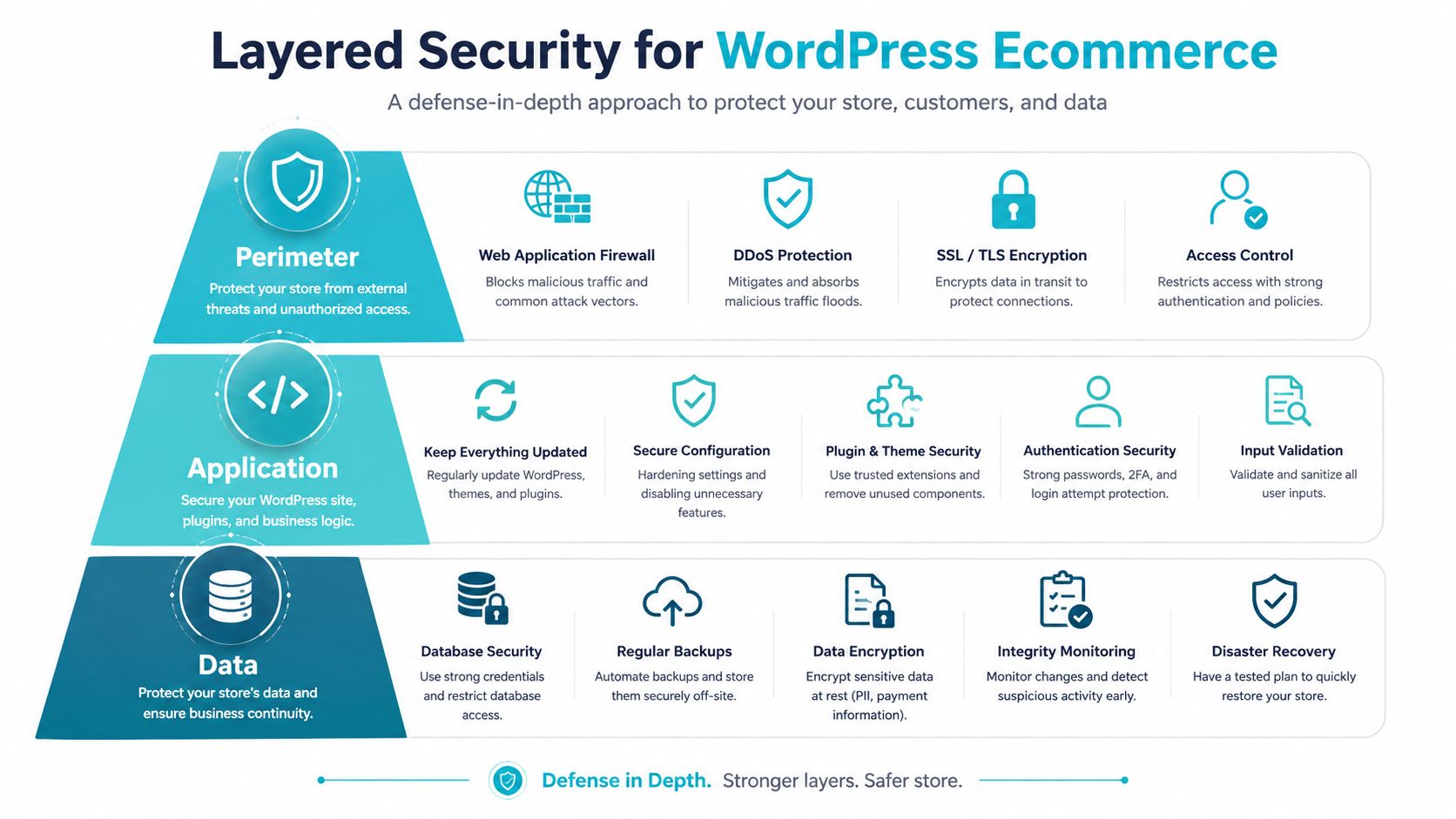
Security on ecommerce hosting has to be layered because no single control covers web attacks, malware, file tampering, and reputation issues. CloudLinux's Imunify360 documentation describes a bundle that combines antivirus, firewall, WAF, PHP security layer, patch management, and domain reputation features, which maps well to a WordPress ecommerce stack that's exposed to the public internet (Imunify360 security model). That's the right mental model, perimeter, application, and data all need different controls.
Perimeter controls stop noisy attacks first
A WAF should understand WordPress and WooCommerce request patterns, not just block everything aggressive. Legitimate add-to-cart and login traffic can look noisy. If the WAF is too blunt, you'll spend more time whitelisting real buyers than blocking attackers.
At the file layer, keep permissions tight enough to prevent random writes, but not so tight that plugin updates fail. The usual breakage point is image uploads or cache writes, so test those paths after any hardening change. If your team is handling payment-adjacent data or compliance scope, the PCI DSS compliant hosting page is the right place to sanity-check the infrastructure side.
Data and mail controls close the loop
Email security matters because commerce platforms leak through support workflows, password resets, and admin inboxes as often as they do through the storefront itself. For store admins, compromised email often becomes the path to compromised WordPress credentials.
WooCommerce backup guidance also deserves to be implemented as policy, not as a vague promise. The baseline is the 3-2-1 rule, keep 3 copies of data, on 2 storage types, with 1 off-site, and it explicitly recommends MySQL or MariaDB binary logs with binlog_format = ROW and binlog_expire_logs_seconds = 604800
A short production observation. Security failures on ecommerce hosts rarely start as dramatic breaches. They usually start as one bad plugin update, one overbroad permission, or one missed patch window. That's why the stack has to be monitored as a system, not as isolated services.
Migration Checklist for Live Ecommerce Stores
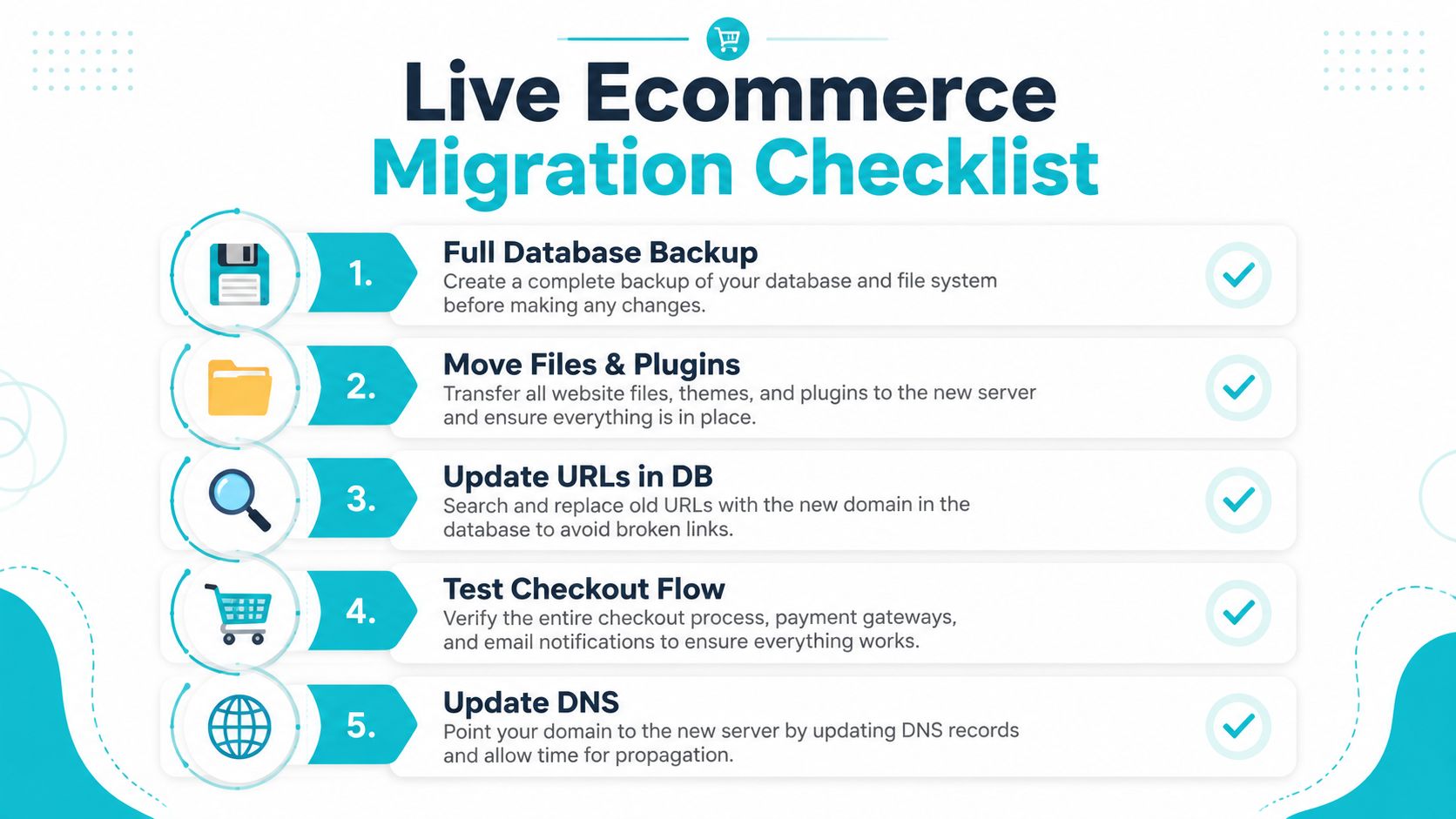
The failure mode during migration is almost never the copy itself. It's the cutover. If carts are active while files and the database move, you can lose sessions, break checkout state, or leave the site pointing at mixed versions of code and content. The safest move is still a staged copy, a quiet window, and a rollback plan that doesn't depend on guesswork.
Move files and database in a controlled window
Use rsync for files so you can do an initial bulk sync and a second delta pass later:
rsync -aHAX --delete /var/www/html/ user@newhost:/var/www/html/
For the database, a plain mysqldump is fine for smaller stores:
mysqldump --single-transaction --routines --triggers wordpress_db > wordpress_db.sql
That --single-transaction flag matters because it reduces write interruption during the dump. After import, verify table counts and make sure WooCommerce order tables are present and readable.
Test checkout before DNS moves
Before traffic shifts, log into staging and walk the checkout flow. Confirm coupon use, shipping selection, payment gateway handoff, and order confirmation emails. If cron jobs run subscription renewals or stock updates, make sure they're firing on the new host and not stalled.
A quick sanity check for scheduled tasks is:
wp cron event list --allow-root
If that returns events but nothing is executing, the platform may be missing a real system cron entry. That's one of the most common missed pieces during migration.
Rollback rule: if payment, email, or order creation fails after cutover, stop debugging production first and revert traffic. A broken checkout is worse than a slightly stale storefront.
The website migration checklist is the right adjacent reference if you want a broader move plan that includes the non-commerce edge cases. On live stores, the last thing you want is a host switch that finishes technically but fails operationally.
Preventing Platform Churn Through Architecture Fit
The wrong hosting decision usually doesn't fail immediately. It creates drift. The store works, then slows a bit, then needs another plugin, then needs more workers, then needs a second migration. That churn burns developer time, disrupts SEO, and makes every future change harder because the team stops trusting the platform.
The cleanest way to avoid that is to match architecture to the store's actual shape. Small stores usually need isolation and sane defaults more than exotic infrastructure. Mid-market stores need predictable worker behavior, database headroom, and careful caching rules. Larger operations, especially ones with custom catalogs or multiple storefronts, usually need direct control over compute and storage, which is where bare metal or private cloud starts to make sense.
For teams choosing between keeping WooCommerce and moving up-stack, the question isn't whether WordPress can run ecommerce. It's whether the current host can support the store after plugins, reporting, checkout logic, and operational overhead all pile on. That's where a platform like ARPHost, LLC can be evaluated alongside your current stack, especially if you need VPS, bare metal, colocation, or managed services that map to the actual workload instead of a generic hosting category.
If your WooCommerce store is already showing queueing, checkout lag, or migration anxiety, get the architecture checked before the next traffic spike forces the issue. Review your PHP-FPM pool, caching exclusions, and backup path now, then talk to ARPHost, LLC about infrastructure that fits the way your store runs.
