
Windows has no Disk Management RAID 10 type; use four or more disks, expect about 50 percent usable capacity, and build it as hardware RAID 10 or a Storage Spaces two-way mirror. Selecting "New Striped Volume" isn't a shortcut to the same protection.
The useful question isn't whether Windows RAID 10 is universally fastest. It's whether your actual layout can keep serving data after a disk drops, and whether you can finish the rebuild without losing its surviving copy.
Table of Contents
- Windows RAID 10 Capacity and What One Failure Does
- How a Stripe Across Mirror Pairs Stores Data
- Choose Mirror or Parity by Workload
- Controller RAID Versus Storage Spaces and DiskPart
- Create and Verify a Two-Way Mirror on Storage Spaces
- Find a Degraded Array and Finish the Rebuild
- Decide Whether the Host Can Survive a Rebuild
Windows RAID 10 Capacity and What One Failure Does
RAID 10 writes two copies of each block, so a four-disk layout yields about 50 percent of raw capacity: roughly 8 TB usable from four 4 TB drives, or about 4 TB from four 2 TB drives, before overhead.
Windows RAID layouts, capacity, and one-disk survival
| Layout | Min disks | Usable capacity | One disk fails | Write behavior |
|---|---|---|---|---|
| RAID 0 stripe | 2 | 100 percent of equal-sized member regions, before overhead | Volume lost | Parallel writes, no second copy |
| RAID 1 mirror | 2 | 50 percent | Volume stays online | Two copies, no stripe across pairs |
| RAID 10 or two-way mirror | 4 for stripe plus mirror | 50 percent | Volume stays online if the mirror partner is healthy | Striped I/O plus a mirror copy |
| Storage Spaces parity | 3 | Capacity remaining after parity and metadata allocation | Volume remains accessible with reduced protection until repair completes | Extra parity calculation on writes |
| Three-way mirror | 5 | About 33 percent | Volume stays online and tolerates a second failure | Three copies of each block |
Parity and three-way mirroring are Storage Spaces layouts, not Disk Management RAID 10 choices. Microsoft's Storage Spaces overview describes these resilience options, including the five-drive minimum and approximately 66 percent storage overhead for three-way mirroring.
Count surviving copies, not failed disks
In controller RAID 10, a failed member leaves its mirror partner serving the affected data. Failures in separate pairs can be survivable. If both members of one pair fail, part of the striped address space is lost, and the logical drive may become unavailable.
Storage Spaces does not use a fixed pair diagram. A two-way mirror protects against a single drive failure, but don't assume an additional failure is safe just because other drives remain in the enclosure.
Practical rule: Redundancy depends on whether every required block still has an accessible copy, not on how many disks are still working.
Budget capacity that you can actually maintain
Usable volume capacity is only part of the storage calculation. Leave room for filesystem metadata, application growth, and pool repair instead of allocating every available byte immediately.
A full pool can prevent you from restoring redundancy after a failure without adding capacity. Existing data does not disappear as soon as free space runs out, but the host may have to operate without its intended protection.
For a four-disk layout, choose the stripe-plus-mirror arrangement for its duplicate copies. A plain stripe uses the capacity reserved for those copies but provides no protection when a disk fails.
How a Stripe Across Mirror Pairs Stores Data
Say disks A and B form a mirror pair, and disks C and D form another. The controller alternates stripe units between those pairs, writing each unit to both members of its destination pair.
The physical drives are straightforward; their configured relationship is what determines resilience.
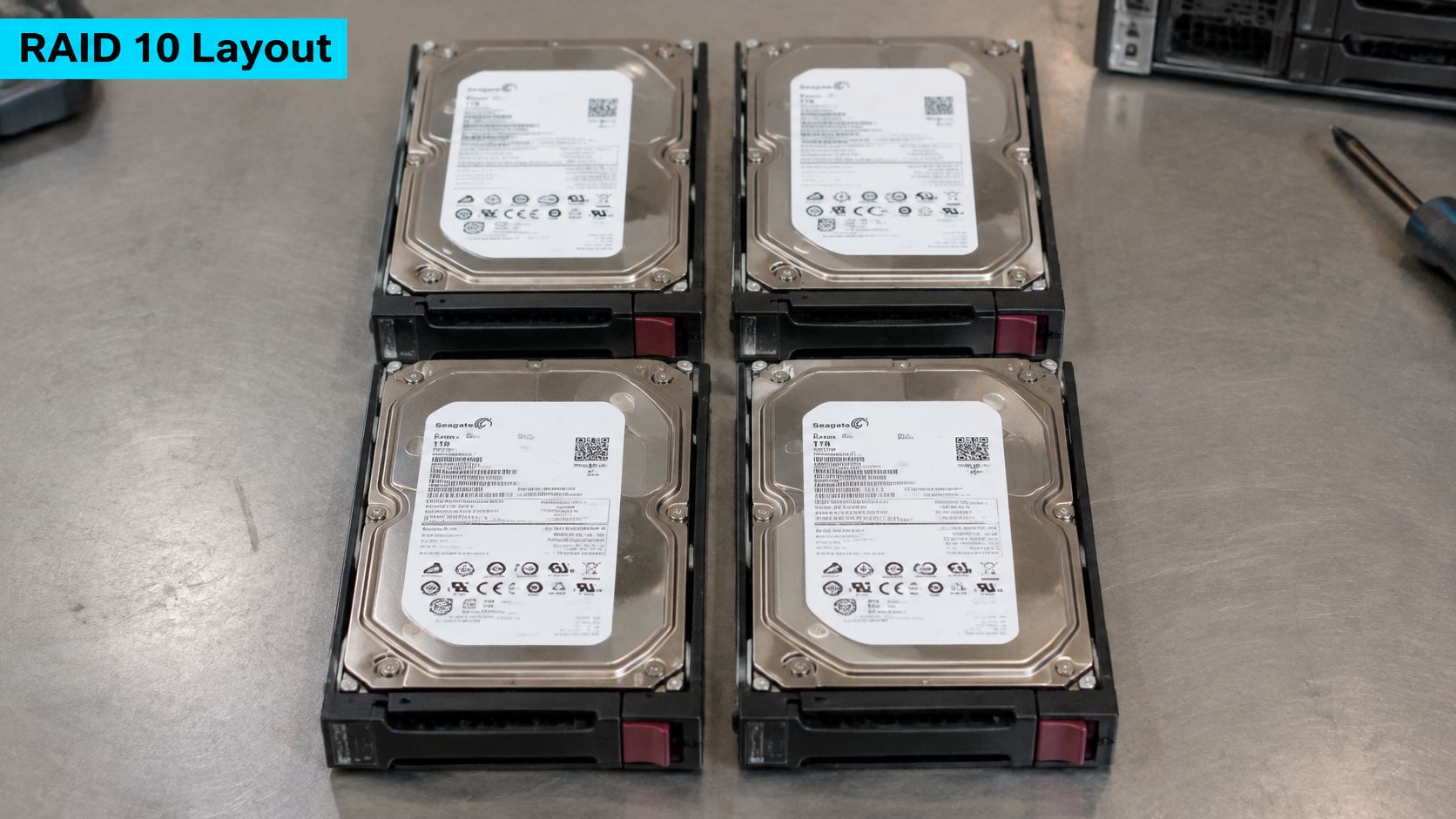
Conventional controller RAID 10

Stripe unit    Pair 1                 Pair 2
               Disk A    Disk B       Disk C    Disk D
Unit A         A         A
Unit B                                B         B
Unit C         C         C
Unit D                                D         D
A write goes to both members of the relevant mirror. The implementation may distribute reads between copies, while different stripe units can be processed across pairs concurrently. Read balancing, cache policy, and queue depth affect the result, so don't promise a fixed performance gain.
DiskPart exposes separate operations
Microsoft's DiskPart create command reference distinguishes mirrored volumes from striped volumes. These are separate operations, not commands to run consecutively as a RAID 10 recipe.
For a mirror on suitable, prepared dynamic data disks, the operation is:
create volume mirror disk=1,2
This creates RAID 1 only. It doesn't add striping across additional mirrored pairs.
A separate striped-volume operation is:
create volume stripe disk=1,2
That creates a plain stripe without a recovery copy. Losing a member can make the volume unavailable, and there's no mirror partner from which to rebuild it.
Dynamic disks supplied these software-storage building blocks in the Windows 2000 Server and Windows Server 2003 era. Their long history doesn't turn a striped dynamic volume into a protected layout.
Verify below the drive letter
A mirrored dynamic volume can continue serving from its surviving plex. A controller RAID 10 should instead report a degraded logical drive and rebuild the affected redundancy relationship after replacement.
Check the controller's configuration utility or Storage Spaces properties. A drive letter, volume label, or application path doesn't identify the underlying resilience model.
The following video offers additional visual context for the disk layout.
Choose Mirror or Parity by Workload
Choose mirroring for latency-sensitive SQL databases, virtual machine disks, and active application volumes. Choose parity for sequential archives and backup repositories when capacity efficiency matters more than write latency.
The decision belongs to the workload, not to a blanket claim that RAID 10 is fastest.
Layout by workload
| Workload | Recommended layout | Min disks | Usable from raw | Reason |
|---|---|---|---|---|
| SQL databases and active application volumes | Two-way mirror or controller RAID 10 | 4 for stripe plus mirror | 50 percent | Writes skip parity math; controller mirror rebuilds copy from the partner |
| Virtual machine disks | Two-way mirror or controller RAID 10 | 4 for stripe plus mirror | 50 percent | Mixed random I/O; reads can be served from either copy |
| Sequential archives and backup repositories | Storage Spaces parity | 3 | Raw capacity less parity and metadata allocation | Capacity matters more than write latency |
| Must survive two simultaneous disk failures | Three-way mirror | 5 | About 33 percent | Three copies of each block |
Microsoft's Storage Spaces guidance describes mirror spaces as performance-oriented and two-way mirroring as writing two copies with 50 percent storage efficiency. A requirement for 10 TB usable therefore needs at least 20 TB physical capacity before overhead.
Measure the maintenance workload too
Test application latency during sustained writes, not just a short sequential benchmark against an empty volume. Include a repair or rebuild in the acceptance test, because recovery traffic competes with customer I/O.
A conventional RAID 10 rebuild usually copies from the surviving mirror member rather than reconstructing data through parity. Storage Spaces can distribute repair work differently, so monitor the pool rather than assuming a fixed source-and-destination pair.
Record application response time, storage latency, queue depth, and repair progress together. A rebuild that completes while applications time out isn't an acceptable operational result.
Check what the disks share
Where the chassis and supported storage design allow it, separate redundant members across backplanes and power feeds. Don't improvise placement that the controller or enclosure topology doesn't support.
On multi-tenant hosts, the dangerous arrangement is every customer VM sharing a drive cage, a controller cache battery, and a single backup job. That topology concentrates failure and recovery load even when the RAID configuration is correct.
A disk-resilient volume isn't automatically a server-resilient service.
If the requirement includes surviving an entire server failure, evaluate clustered storage with explicit server fault domains. Adding disks to a standalone host doesn't remove its shared controller, motherboard, or enclosure.
Controller RAID Versus Storage Spaces and DiskPart
Choose the layer your team can diagnose and recover. Hardware RAID keeps the layout behind a controller; Storage Spaces exposes pooling and resilience to Windows; dynamic volumes belong mainly to existing legacy configurations.
Where to build Windows RAID 10
| Path | Real RAID 10 | Min disks | Best fit | Still loses data when |
|---|---|---|---|---|
| Hardware RAID controller | Yes, if the logical drive is RAID 10 | 4 | Databases and VM datastores that need protected cache | Both disks in a pair fail; controller or enclosure failure can also block access |
| Storage Spaces two-way mirror | Closest native equivalent | 4 for stripe plus mirror | General-purpose app and hypervisor storage | Both copies of required data are lost; insufficient repair space prolongs exposure |
| Storage Spaces parity | No, parity not mirroring | 3 | Sequential archives and backup repositories | Failures exceed parity protection; write latency alone isn't data loss |
| Dynamic disk mirror | No, RAID 1 only | 2 | Legacy two-disk mirror | The remaining plex fails or the volume is deleted |
| Dynamic disk stripe | No, RAID 0 only | 2 | Scratch data you can recreate | Any single member disk fails |
Microsoft's standalone Storage Spaces deployment documentation is the primary reference for the native Windows Server approach. It also explains integrity considerations for ReFS on mirrored storage.
Hardware RAID makes controller recovery part of the plan
A controller presents a logical disk to Windows. Protected write cache can help absorb bursts, but only if its battery or flash-backed protection is healthy and its policy is appropriate.
Document the controller model, firmware, array geometry, disk serial numbers, and configuration export. A replacement card may report a foreign configuration; don't clear or initialize it just to make the warning disappear.
Controller failure can make intact data inaccessible without necessarily destroying it. Recovery may require compatible hardware and a supported import procedure, which is why spare-controller planning matters.
The server RAID configuration guide is useful when checking how provisioning choices map to the storage Windows sees.
Storage Spaces requires direct visibility and deliberate geometry
Windows 10 and Windows 11 editions that support Storage Spaces provide a client path; Windows Server 2016 through Windows Server 2025 provide the server path discussed here. Feature availability, filesystem choices, and management interfaces differ, so validate the target edition before deployment.
Expose suitable physical disks directly through a supported HBA or pass-through configuration. Avoid layering Storage Spaces over hidden controller arrays unless the complete design is explicitly supported.
Microsoft's Storage Spaces FAQ documents the two-way mirror's 1:2 column-to-disk relationship. Columns describe layout geometry, not a guarantee of permanently fixed physical pairs.
ReFS can improve integrity handling on a mirror, but it isn't a historical recovery copy. Storage Spaces Direct is also a separate clustered project with server and network requirements, not a setting that converts a standalone pool into host-level high availability.
Create and Verify a Two-Way Mirror on Storage Spaces
Use an elevated PowerShell session on a standalone Windows host. The following example assumes dedicated, empty data disks, a tested backup, and no existing pool named Pool1.
Don't use it on a cluster, a Storage Spaces Direct deployment, or disks containing data you intend to keep.
1. Identify the disks before pooling them
Record disk numbers, serial numbers, exact sizes, sector sizes, and pooling eligibility.
Get-Disk |
    Select-Object Number,FriendlyName,SerialNumber,Size,IsBoot,IsSystem,PartitionStyle

Get-PhysicalDisk |
    Select-Object FriendlyName,SerialNumber,Size,CanPool,LogicalSectorSize,PhysicalSectorSize
Match serial numbers to physical bays. A friendly name alone may be identical across every drive.
If a disk can't be pooled, investigate its partitions, existing pool membership, and operational state. Don't erase it merely because the eligibility field is false.
2. Create the pool only after reviewing the eligible set
This command takes every poolable disk. Run it only when the displayed eligible set contains exactly the intended data disks and no unrelated storage.
Get-PhysicalDisk -CanPool $true |
    Format-Table FriendlyName,SerialNumber,Size,CanPool

New-StoragePool -FriendlyName Pool1 `
    -StorageSubSystemFriendlyName (Get-StorageSubSystem)[0].FriendlyName `
    -PhysicalDisks (Get-PhysicalDisk -CanPool $true)
On a host with multiple storage subsystems, identify the correct subsystem explicitly instead of assuming the first result is appropriate.
Verify membership before continuing:
Get-StoragePool -FriendlyName Pool1 | Get-PhysicalDisk |
    Format-Table FriendlyName,SerialNumber,Size,HealthStatus
3. Create the striped mirror geometry
For a hypothetical lab with four nominal 2 TB data disks, the following 3 TB fixed virtual disk leaves allocation headroom. Confirm the actual pool capacity before using this example.
New-VirtualDisk -StoragePoolFriendlyName Pool1 `
    -FriendlyName Data10 `
    -ResiliencySettingName Mirror `
    -NumberOfDataCopies 2 `
    -NumberOfColumns 2 `
    -ProvisioningType Fixed `
    -Size 3TB
The explicit column setting requests striping across mirrored data columns. PowerShell's capacity suffixes and drive manufacturers' advertised units aren't identical, so don't calculate a production allocation from labels alone.
4. Initialize and format the new virtual disk
This operation creates a filesystem. Confirm you're targeting the newly created, empty virtual disk.
Get-VirtualDisk -FriendlyName Data10 |
    Get-Disk |
    Initialize-Disk -PartitionStyle GPT -PassThru |
    New-Partition -UseMaximumSize -AssignDriveLetter |
    Format-Volume -FileSystem NTFS -NewFileSystemLabel DATA -Confirm:$false
5. Verify resilience and mounting
Get-VirtualDisk -FriendlyName Data10 |
    Select-Object FriendlyName,HealthStatus,OperationalStatus,
        ResiliencySettingName,NumberOfDataCopies,NumberOfColumns
Expected output for this example:
FriendlyName          : Data10
HealthStatus          : Healthy
OperationalStatus     : OK
ResiliencySettingName : Mirror
NumberOfDataCopies    : 2
NumberOfColumns       : 2
Confirm the filesystem and drive letter separately:
Get-VirtualDisk -FriendlyName Data10 |
    Get-Disk |
    Get-Partition |
    Get-Volume
Common failures and rollback
| Failure | Check before retrying |
|---|---|
| Disk isn't poolable | Existing partitions, pool membership, and operational state |
| Replacement won't provide enough capacity | Exact usable bytes, not the marketing label |
| Layout creation fails | Available disks, supported sector sizes, columns, and remaining pool capacity |
| Wrong disks entered the pool | Stop before formatting or placing data on the virtual disk |
Before production data exists, remove the example objects in dependency order:
Remove-VirtualDisk -FriendlyName Data10
Remove-StoragePool -FriendlyName Pool1
These commands are destructive and prompt for confirmation. Once data is present, rollback means restoring or migrating it safely, not converting the pool into a stripe.
Find a Degraded Array and Finish the Rebuild
HealthStatus Warning, Lost Communication, or a volume disappearing after a disk drop means you need to establish the layout before changing anything. Identify the failed member, preserve the surviving data, replace with a compatible equal-or-larger disk, and repair the redundancy.
Pause discretionary migrations and full scans. Don't cancel an essential recovery copy blindly if it's the only current backup.
Establish what actually failed
Start with the virtual disk:
Get-VirtualDisk |
    Select-Object FriendlyName,HealthStatus,OperationalStatus,ResiliencySettingName
An illustrative degraded result is:
FriendlyName HealthStatus OperationalStatus ResiliencySettingName
------------ ------------ ----------------- ---------------------
Data10       Warning      Degraded          Mirror
Inspect physical members:
Get-PhysicalDisk |
    Sort-Object FriendlyName |
    Format-Table FriendlyName,MediaType,Size,HealthStatus,OperationalStatus
Example output, with identifiers and capacities differing by host:
FriendlyName MediaType Size          HealthStatus OperationalStatus
------------ --------- ----          ------------ -----------------
DataDiskA    HDD       2000398934016  Healthy      OK
DataDiskB    HDD       2000398934016  Warning      Lost Communication
DataDiskC    HDD       2000398934016  Healthy      OK
DataDiskD    HDD       2000398934016  Healthy      OK
Investigate a dropped member first, then replacement compatibility and repair capacity. If the entire volume disappeared, verify whether it was protected before assuming a normal rebuild is possible.
Degraded Windows RAID symptoms and fixes
| What you see | Likely cause | Fix |
|---|---|---|
| HealthStatus Warning, one physical disk Unhealthy | Single member dropped | Replace with an equal-or-larger disk and repair the virtual disk |
| Repair fails, new disk a bit smaller | Usable size doesn't match requirements | Use equal-or-greater exact bytes, not just the same marketing label |
| Volume gone after one disk loss | It was a stripe, RAID 0 | Restore from backup; there's no mirror partner |
| Detail volume shows one plex failed | Dynamic RAID 1 lost a member | Restore the mirror onto suitable equal-sized dynamic-disk space |
| Second disk in the same pair fails during a long rebuild | Remaining copy is lost | Stop extra jobs and restore; the pair cannot be recalculated |
For a legacy dynamic mirror, inspect the affected volume:
diskpart
list volume
select volume R
detail volume
exit
Repair only after matching the physical member
Identify the bad disk by serial number and bay, not by enumeration order. Check cabling and enclosure events before declaring a disk failed, especially when several members disappear together.
The rack hard drive handling guide provides adjacent context for physical replacement work.
For Storage Spaces, use an interactive selection to avoid embedding a guessed disk identifier:
$bad = Get-StoragePool -FriendlyName Pool1 |
    Get-PhysicalDisk |
    Out-GridView -Title "Select the confirmed failed disk only" -PassThru

if (@($bad).Count -ne 1) { throw "Select exactly one confirmed failed disk." }
$bad | Set-PhysicalDisk -Usage Retired
After installing the replacement, review and select only that disk:
$replacement = Get-PhysicalDisk -CanPool $true |
    Out-GridView -Title "Select the verified replacement disk only" -PassThru

if (@($replacement).Count -ne 1) { throw "Select exactly one replacement disk." }
Add-PhysicalDisk -StoragePoolFriendlyName Pool1 -PhysicalDisks $replacement
Repair-VirtualDisk -FriendlyName Data10
Get-StorageJob
Out-GridView requires a graphical session with that cmdlet available. On Server Core, select by the serial number captured in your inventory instead.
Remove the retired member from pool metadata only after repair completes and the surviving allocation is healthy.
Confirm controller recovery separately
On a Broadcom controller with StorCLI installed, inspect the logical drives:
storcli64 /c0 /vall show
An abbreviated state view may look like this:
Phase              DG/VD TYPE   State
Rebuild active     0/0   RAID10 Dgrd
Rebuild complete   0/0   RAID10 Optl
Confirm actual progress with the controller's rebuild-status view. A degraded state alone doesn't prove a rebuild has started, and controller output formats differ.
A SNIA presentation on storage recovery notes that rebuilding drives of 8 TB or more can take days or even weeks. Keep repair headroom, alert on degraded states, and schedule supported integrity checks.
Escalate when a foreign controller configuration appears, repair won't progress, or another required copy is unhealthy. Don't initialize disks or clear metadata while recovery remains possible.
Decide Whether the Host Can Survive a Rebuild
A healthy array is only one part of a recovery plan. Approve the host when its configuration, replacement path, and recovery evidence show that the workload can survive a disk failure and the repair process.
Make the go or no-go check explicit
- Layout confirmed: The controller reports RAID 10, or Storage Spaces reports the intended mirror geometry.
- Members documented: Serial numbers, bay locations, usable sizes, and replacement compatibility are recorded.
- Repair resources available: Spare capacity or a compatible replacement is available without an emergency purchase.
- Recovery tested: A restore test covers the current application configuration and its latest risky change.
- Shared failures understood: The controller, backplane, enclosure, power path, and backup destination are not mistaken for independent protection.
A mirror can remain healthy while the latest backup is stale. Use the data backup best practices guide to review retention, separation, and restoration, rather than treating a successful storage-health query as proof of recoverability.
Go or no-go: Do not approve a rebuild plan that assumes the surviving disk will stay healthy while nobody knows whether the backup restores.
Choose the next action
Build the mirror when the disks and operational checks are ready. Replace an undersized or incompatible spare before it becomes an incident.
If the host has a shared failing backplane, no repair capacity, or an untested restoration path, move the workload through a controlled maintenance plan while it remains readable. Adding parity does not remove those dependencies.
The acceptance test is practical: someone can identify the failed member, replace it safely, monitor repair progress, and restore the service if repair fails.
For help maintaining that recovery path, ARPHost, LLC offers managed monitoring and rebuild support and colocation services in the Tampa data center. Provide the controller details, disk inventory, and backup status so the next step is a verified replacement or recovery plan, not a guessed rebuild.

Leave a Reply
You must be logged in to post a comment.