

At its core, server provisioning is the end-to-end process of preparing a server to execute its designated workload. It encompasses the entire setup lifecycle, from initial hardware allocation and OS installation to network configuration, software deployment, and security hardening. This foundational process transforms a raw computing resource into a fully functional, secure, and integrated component of an IT environment.
Without a well-defined provisioning workflow, deployments become inconsistent, error-prone, and slow, inevitably creating security vulnerabilities and significant operational overhead.
Defining the Server Provisioning Workflow

Think of provisioning a bare metal server like commissioning a new factory floor. You don’t just install the machinery; you must connect power, calibrate controls, implement safety systems, and integrate it into the primary production line. Server provisioning follows a similar systematic approach, preparing a server for a specific role, whether that’s hosting a mission-critical database, running a private cloud, or supporting a web application.
A systematic, repeatable process is non-negotiable for achieving efficiency, consistency, and scale in modern IT operations. It establishes a standardized baseline, making infrastructure easier to manage, monitor, and maintain.
Key Stages in Provisioning
The server provisioning lifecycle breaks down into several core stages. Each stage builds upon the last, taking a server from a blank slate to a fully operational asset that meets both technical and business requirements.
Here is a breakdown of the typical stages involved:
Core Stages of the Server Provisioning Lifecycle
| Stage | Objective | Key Activities |
Resource Allocation | Assign necessary computing resources | Define and allocate CPU, RAM, storage, and network bandwidth. |
System Installation | Deploy the base operating environment | Install the chosen OS (e.g., Debian, RHEL, Windows Server) and essential drivers. |
Network Configuration | Connect the server to the network securely | Assign IP addresses, set up DNS, configure firewall rules (e.g., using Juniper SRX), and establish VLANs. |
Software Deployment | Install and configure application stacks | Deploy required applications, services, databases, and middleware. |
User and Security Hardening | Secure the server and grant access | Apply security policies, create user accounts with least-privilege permissions, and lock down unused ports. |
These steps ensure every server deployed is a predictable, secure, and compliant component of your infrastructure.
A well-structured provisioning process is the best defense against configuration drift. It standardizes your environment, making everything easier to manage, monitor, and maintain.
A well-structured provisioning process ensures that every server deployed is a predictable, secure, and compliant component of your infrastructure. It eliminates configuration drift and standardizes your environment for easier management.
Whether you’re dealing with physical machines or virtual environments, these fundamentals don’t change. The tools might differ, but the goals of consistency and readiness are always the same. To see how this applies directly to physical hardware, it’s worth understanding what is a bare metal server and the unique role it plays.
From Racking Servers to Running Code: The Evolution of Provisioning
Not long ago, “provisioning a server” meant a sysadmin spent a day in a cold, loud data center. It was a hands-on, manual grind: physically racking the new machine, inserting an OS installation disc, and then clicking through endless setup screens for hours. Every network setting, security policy, and software package had to be configured by hand, a process as tedious as it was prone to human error.
This manual approach was a significant bottleneck. A development team needing ten new VMs for a project might have to wait days or even weeks. Worse, no two servers were ever truly identical. This “configuration drift” made troubleshooting a nightmare and was a major roadblock to scaling operations securely and efficiently.
The Rise of Automation and Infrastructure as Code
The constant demand for faster, more reliable deployments forced a fundamental change. Virtualization technologies like KVM and VMware were the first big step, letting admins clone servers from templates. But the real game-changer was the adoption of automation and a philosophy called Infrastructure as Code (IaC).
IaC treats server configuration not as a manual task, but as a software development problem. Instead of clicking buttons in a GUI, engineers write declarative code that defines the desired state of their infrastructure. This simple idea transformed provisioning from a repetitive task into a programmable, version-controlled, and repeatable process. This evolution has been vital in supporting the booming global server market, which was valued at around $136.69 billion and is expected to hit $237 billion by 2032. You can dig into the market growth data to see just how massive this shift has been.
With Infrastructure as Code, provisioning becomes a predictable, automated workflow. Teams can now spin up complex environments in minutes, not days, guaranteeing every server is a perfect, compliant clone of the last.
This shift to automation is the bedrock of modern DevOps and IT operations. Configuration management and orchestration tools are no longer optional; they are essential for managing infrastructure at any scale.
Key Drivers of Modern Provisioning
Several key trends drove the industry away from manual setups and toward fully automated workflows. Each one increased the pressure for the speed, consistency, and scale that define modern IT.
- Virtualization and Cloud Computing: The abstraction of hardware made creating virtual servers with code possible. This unlocked on-demand resource allocation and laid the groundwork for private and public cloud infrastructure.
- The DevOps Culture Shift: To bridge the gap between development and operations, applications needed to be deployed faster and more reliably. Manual provisioning could not keep up with continuous integration and continuous delivery (CI/CD) pipelines.
- Insane Scalability Demands: As applications scaled to serve thousands or millions of users, the ability to add or remove servers on the fly became a core business requirement.
Ultimately, this evolution is why a single engineer today can manage hundreds—or even thousands—of servers. Automation has turned provisioning from a bottleneck into a strategic advantage, enabling businesses to react to market changes and innovate without being constrained by their infrastructure.
Choosing Your Server Provisioning Method
Not all workloads are created equal, and neither are the methods for preparing servers to run them. Selecting the right provisioning method involves balancing performance, cost, and agility. The optimal choice depends on the specific workload requirements—whether that’s maximizing raw hardware performance or enabling rapid, on-demand resource scaling.
Each approach has distinct advantages and trade-offs. Understanding these differences is the first step toward building an infrastructure that supports your applications and business goals.
This graphic breaks down the core choice between manual and automated provisioning.
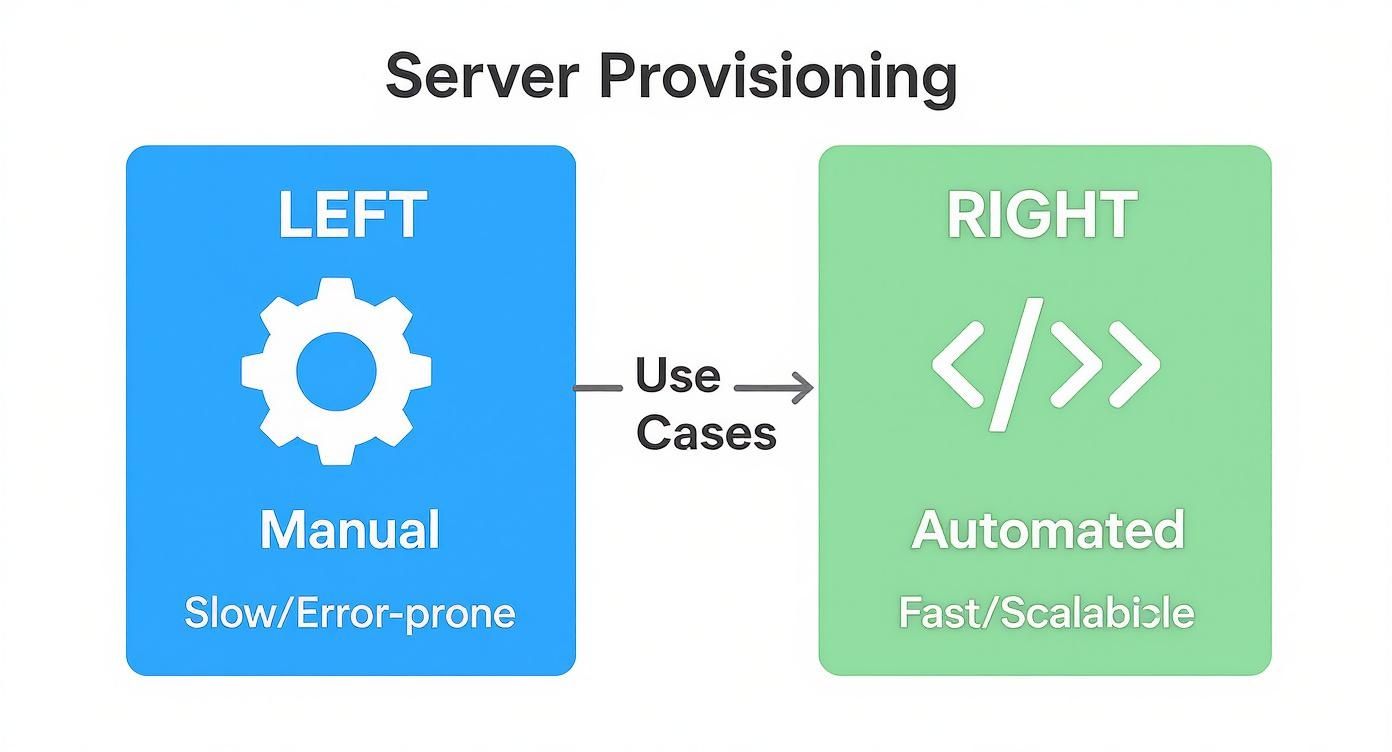
While manual provisioning may be suitable for one-off tasks, automation is the clear winner for the speed, consistency, and scale that modern operations demand.
Bare-Metal Provisioning For Maximum Performance
When a workload requires every available CPU cycle and maximum I/O throughput, bare-metal provisioning is the solution. It provides direct, uncontested access to physical hardware without a hypervisor layer consuming resources. This makes it the undisputed choice for performance-sensitive applications.
It is the go-to architecture for workloads such as:
- High-frequency trading platforms where the lowest possible latency is non-negotiable.
- Large-scale relational databases (e.g., Oracle, PostgreSQL) that require direct, high-speed access to storage I/O.
- Big data analytics clusters processing enormous datasets that demand maximum computational power.
The primary trade-off is reduced flexibility. Bare metal deployments are typically slower, and reallocating resources often requires physical changes or complex automation.
Virtual Server Provisioning For Balanced Flexibility
Virtual server provisioning offers an optimal balance of performance and efficiency. It uses a hypervisor—such as the open-source Proxmox VE (based on KVM)—to partition a single physical server into multiple, isolated virtual machines (VMs). This approach is a cornerstone of the modern data center.
Virtualization maximizes hardware utilization by running multiple independent workloads on a single physical host. This dramatically increases resource density and operational agility compared to the traditional one-server, one-application model.
This method is ideal for hosting multiple web applications, creating isolated development and testing environments, or running containerized workloads. It simplifies deploying new servers from templates, creating snapshots for instant rollbacks, and managing resources efficiently. For a practical walkthrough, check out our guide on creating a Debian cloud-init template in Proxmox, a key skill for automating virtual server setups.
Cloud Server Provisioning For On-Demand Scale
Cloud provisioning extends virtualization by offering infrastructure as a service (IaaS) through an API. Instead of managing physical hardware, you can request and configure virtual servers from a massive, shared resource pool on demand. This model provides unparalleled scalability and a pay-as-you-go financial structure.
It’s the obvious choice for applications with unpredictable traffic, startups seeking to avoid large upfront capital expenditures, and organizations building out disaster recovery solutions. As you weigh your options, it’s also smart to think about different cloud migration patterns to make sure your provisioning strategy lines up with your long-term goals. While convenient, the potential downsides can include higher long-term costs and less control over underlying hardware and network performance.
Comparison of Provisioning Methods
To help you see how these methods stack up, here’s a side-by-side comparison across the criteria that matter most for technical and business decisions.
| Attribute | Bare-Metal Provisioning | Virtual Server Provisioning | Cloud Provisioning |
|---|---|---|---|
| Performance | Highest; direct hardware access with no overhead. | High; minor overhead from the hypervisor. | Variable; subject to “noisy neighbors” and provider infrastructure. |
| Scalability | Low; requires physical hardware changes. | Medium; can scale within the limits of the physical host. | Highest; near-infinite resources available on-demand. |
| Deployment Speed | Slowest; manual or complex automation required. | Fast; deploy from templates in minutes. | Fastest; spin up instances via API in seconds. |
| Cost Model | High initial capital expense (CapEx) for hardware. | Medium CapEx, but high hardware utilization. | Operational expense (OpEx); pay-as-you-go model. |
| Resource Control | Full control over hardware, network, and storage. | High control over VM resources and host configuration. | Limited control; abstracted from the underlying hardware. |
| Best For | High-performance computing, large databases, latency-sensitive apps. | General workloads, web hosting, dev/test environments, consolidation. | Variable workloads, startups, disaster recovery, web-scale apps. |
Each method serves a distinct purpose. Bare-metal offers raw power, virtualization provides a flexible balance, and the cloud delivers ultimate scalability. Your choice will depend entirely on the specific needs of your application and your business strategy.
Essential Tools for Your Provisioning Toolkit
Effective server provisioning is not about manual checklists; it’s about leveraging the right tools to automate processes, enforce consistency, and increase velocity. A well-curated toolkit is what separates a frustrating, error-prone deployment process from a predictable and scalable workflow.
These tools are not monolithic; they fall into distinct categories that address specific stages of a server’s lifecycle. By combining tools for initial deployment, infrastructure definition, and ongoing configuration, you build a robust pipeline that can provision and manage servers with minimal human intervention.
OS Deployment and Initialization Tools
Before you can install software, you must deploy an operating system. Modern tools have transformed this once-painful step into a seamless operation.
- PXE (Preboot Execution Environment) is a foundational technology for bare-metal provisioning. It enables a physical server to boot from its network interface card (NIC), automatically download an OS installer, and apply an installation script (like a Kickstart file for RHEL or a Preseed file for Debian).
- cloud-init is the industry standard for initializing cloud instances and VMs. On first boot,
cloud-initruns scripts to set the hostname, configure network interfaces, install SSH keys, and perform other critical first-run tasks based on user-provided metadata.
These tools handle the heavy lifting of taking a server from a blank slate to a baseline state, ready for configuration management.
Infrastructure as Code (IaC)
Infrastructure as Code (IaC) is a transformative practice. Instead of manually configuring servers, you define your entire infrastructure in declarative code files. This makes your setup repeatable, version-controlled, and easy to audit.
Terraform is a leading open-source IaC tool that supports numerous cloud providers and on-premises systems, including Proxmox VE. You describe the desired end state in a simple, readable format, and Terraform’s engine calculates and executes the steps to achieve it.
For example, this Terraform snippet defines a Proxmox VM:
provider "proxmox" {
  # Configuration for Proxmox API connection
}

resource "proxmox_vm_qemu" "web_server_01" {
  name        = "web-server-01"
  target_node = "pve-node-1"
  clone       = "debian-12-template"

  cores    = 2
  sockets  = 1
  memory   = 2048

  network {
    model  = "virtio"
    bridge = "vmbr0"
  }
}
This code block instructs Terraform to create a VM named “web-server-01” by cloning a template, assigning it 2 CPU cores and 2048 MB of memory, and connecting it to the vmbr0 network bridge. This process is simple, clear, and repeatable.
Configuration Management Tools
Once a server is running with a base OS, configuration management tools take over. They install software, enforce security policies, and ensure the server remains in its intended state throughout its lifecycle.
Ansible is a powerful and simple automation engine. It uses easy-to-read YAML “playbooks” to describe the steps required to configure a system. A key advantage is its agentless architecture—it connects via standard SSH to manage nodes, eliminating the need to install client software on your servers.
Here is a basic Ansible playbook that installs and starts the Nginx web server on a Debian-based system:
---
- hosts: webservers
  become: yes
  tasks:
    - name: Install Nginx
      ansible.builtin.apt:
        name: nginx
        state: present
        update_cache: yes

    - name: Start and enable Nginx service
      ansible.builtin.service:
        name: nginx
        state: started
        enabled: yes
This drive toward automation is fueling server demand worldwide. The Asia-Pacific region is currently seeing the fastest expansion, with server demand growing at a CAGR of 9.2%. This growth is powered by digital shifts in sectors like banking and healthcare. Unsurprisingly, Linux continues to dominate the enterprise space, holding a 54.87% deployment share thanks to its strengths in containers and AI. To streamline these automated deployments, checking out a tool like the Freshservice Workflow Automator can offer great ideas for improving your IT operations.
Best Practices for Secure and Efficient Provisioning

Deploying servers quickly is one thing; deploying them securely and reliably is what separates a fragile setup from resilient infrastructure.
Adopting battle-tested best practices ensures your provisioning process is not just fast but also fundamentally sound. This means building security and consistency directly into your automated workflows, not applying them as an afterthought. A strong foundation prevents security breaches, configuration drift, and late-night troubleshooting sessions, transforming provisioning into a strategic advantage.
Start with Hardened Golden Images
The most effective way to minimize a server’s attack surface is to ensure it starts from a secure state. This is the role of golden images. A golden image is a standardized, pre-configured server template that has been hardened according to security best practices.
Instead of provisioning a generic OS and then applying patches and security settings, you clone a trusted, pre-hardened template.
This approach ensures that every new server starts with:
- The latest security patches already applied.
- Unnecessary services and ports disabled by default.
- Baseline security configurations (e.g., firewall rules, logging, audit policies) already in place.
Using golden images drastically reduces configuration drift and guarantees a consistent, secure baseline across your entire server fleet.
Embrace Idempotency and Least Privilege
In automated provisioning, idempotency is a critical concept. An idempotent operation can be run multiple times without changing the result beyond its initial application. This prevents accidental misconfigurations and ensures your infrastructure state remains predictable—a core principle of reliable automation.
For a deeper dive, check out our guide on Infrastructure as Code best practices.
Equally important is the principle of least privilege. Every component in your provisioning pipeline, from automation service accounts to user credentials, should only have the minimum permissions necessary to perform its function. This strategy contains the potential damage from a compromised tool or credential, limiting an attacker’s ability to move laterally through your systems.
A secure provisioning pipeline is not an afterthought; it is a prerequisite for modern IT operations. By embedding security into every step, from image creation to final deployment, you build an environment that is resilient by design.
The rise of cloud computing and AI has intensified the need for specialized, secure provisioning. A key trend is deploying GPU-equipped servers for AI workloads, which demands a sharp focus on high-performance computing. This means integrating hardware, virtualization, and AI management tools to handle the entire server lifecycle securely and efficiently, a major factor in global server market trends. This shift makes practices like integrated security scanning and automated compliance checks more critical than ever.
Frequently Asked Questions About Server Provisioning
To wrap things up, let’s address some common questions about server provisioning and its relationship with other core IT concepts.
What Is the Difference Between Server Provisioning and Configuration Management
This is a classic distinction. The easiest way to think about it is building a house versus furnishing it.
Server provisioning is the act of building the house. It’s the one-time, foundational work: creating the server (physical or virtual), installing the base operating system, and connecting it to the network.
Configuration management, on the other hand, is furnishing the house and performing ongoing maintenance. Using tools like Ansible or Puppet, you continuously ensure the server remains in its “desired state” by installing software, applying security patches, and managing configurations throughout its lifecycle.
Provisioning creates the server and brings it to a baseline state. Configuration management then takes over to install applications and ensure that state remains consistent over time.
How Does Infrastructure as Code Relate to Server Provisioning
Infrastructure as Code (IaC) is the practice of managing infrastructure with definition files, just as developers manage application code with source control. This philosophy is the engine behind modern, automated server provisioning. Instead of using a GUI to create a VM, you write a script that defines its specifications.
Tools like Terraform are built for this. They interpret your declarative code and automatically execute the provisioning steps. This approach makes your entire setup:
- Repeatable: Spin up an identical server or an entire environment with a single command.
- Versionable: Track every infrastructure change in Git, enabling audit trails and rollbacks.
- Scalable: Deploy one hundred servers as easily as you deploy one.
In short, IaC is the modern methodology for executing server provisioning reliably and at scale.
Can You Automate Bare-Metal Provisioning Like Virtual Servers
Absolutely. Modern tools have brought cloud-like automation to physical hardware. Technologies like PXE (Preboot Execution Environment) allow a server to boot over the network, retrieve its OS, and apply an initial configuration script without any manual intervention.
Platforms like MAAS (Metal as a Service) orchestrate the entire workflow, providing a completely hands-off provisioning process for bare-metal servers, from OS installation to final software deployment. This makes deploying physical hardware nearly as fast and repeatable as spinning up a VM in a private cloud.
What Are Golden Images and How Do They Help in Provisioning
A “golden image” is a pre-configured server template that serves as a master clone. It contains the base operating system, all current security patches, essential applications, and any required security hardening configurations. Instead of building every new server from scratch, you simply deploy a copy of this master template.
This practice is a cornerstone of efficient provisioning because it dramatically reduces deployment times. More importantly, it guarantees that every new server starts from a known, trusted, and secure state, providing your best defense against configuration drift and inconsistencies.
At ARPHost, we don’t just talk about these concepts; we put them into practice every day. Whether you need the raw power of a bare-metal server, the flexibility of a Proxmox private cloud, or a fully managed solution that handles all the provisioning for you, our team has the infrastructure and expertise to help you scale confidently. Explore our hosting solutions today!