

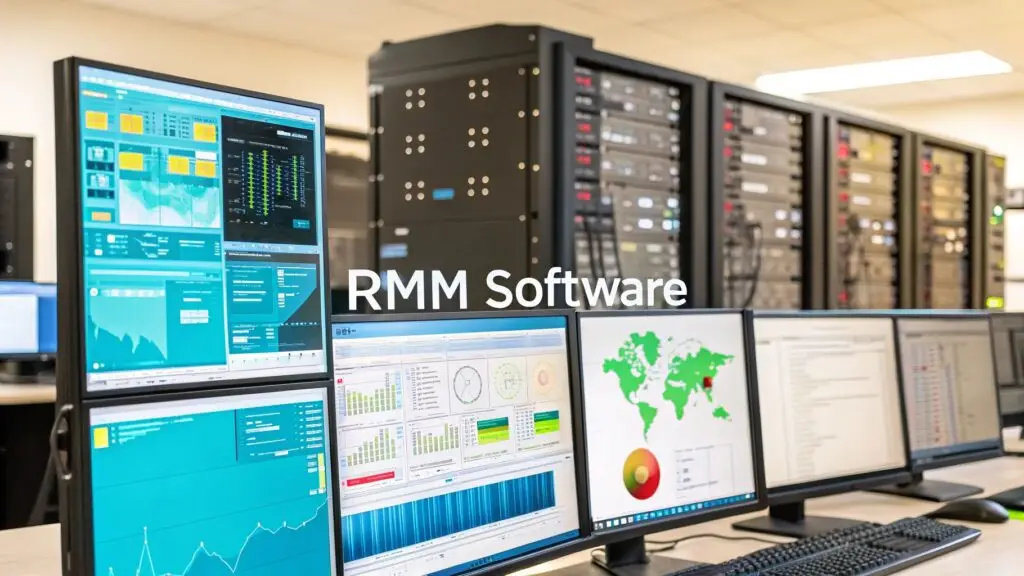
RMM (Remote Monitoring and Management) software is the centralized command and control platform for modern IT infrastructure. It provides technicians with a single-pane-of-glass view to monitor, manage, and secure hundreds—or even thousands—of endpoints, including servers, virtual machines, and workstations, regardless of their physical location. This technology transforms IT operations from a reactive, break-fix model into a proactive, automated, and highly efficient framework.
What is RMM Software, Technically?
At its core, RMM software is the central nervous system for an organization’s technology stack. Instead of waiting for a service outage or a support ticket about a crashed server, RMM tools enable administrators to identify and remediate potential issues before they impact operations.
The mechanism is straightforward: a lightweight software component, known as an agent, is deployed to every managed endpoint, from Proxmox VE hosts and bare metal servers to employee laptops. These agents act as local data collectors, continuously streaming real-time performance metrics and system health status back to a central RMM server. If a server’s disk I/O latency spikes or a critical service stops, the RMM dashboard generates an immediate, actionable alert, allowing technicians to intervene before end-users are affected.
This agent-based, hands-off approach became mission-critical with the rise of distributed workforces and complex hybrid cloud environments. The manual overhead of patching remote devices or troubleshooting infrastructure over VPN became untenable. As a result, demand for RMM tools surged through the 2010s and became a standard component of enterprise IT in the 2020s. You can explore these trends in recent analyses on the remote management software market.
The Foundation of Proactive Management
For both in-house IT departments and Managed Service Providers (MSPs), an RMM platform is the engine that drives operational efficiency. It automates the routine, time-consuming tasks that consume engineering resources, such as applying security patches, running system maintenance scripts, or deploying software.
This automation frees up skilled IT professionals to focus on high-value initiatives like infrastructure optimization and strategic planning. The key technical benefits include:
- Centralized Control: Manage every managed endpoint—from on-premise bare metal servers to remote virtual machines—from a single, unified console.
- Proactive Alerting: Receive automated, threshold-based alerts for critical performance indicators like low disk space, high CPU utilization, or network latency.
- Improved Efficiency: Leverage automation to manage a larger and more complex infrastructure footprint with fewer manual interventions.
RMM is a cornerstone of modern Information Technology Managed Services, where the primary objective is to maintain system uptime and performance without constant manual oversight. It fundamentally shifts the paradigm from “break-fix” to a continuous cycle of monitoring, maintaining, and securing systems to ensure operational resilience.
How RMM Architecture Works
To fully grasp the power of RMM software, it’s essential to understand its core design: the agent-based architecture. This model is what enables a small IT team to effectively manage a large-scale, geographically dispersed IT environment.
The entire system is built upon a small, low-overhead software program called an agent. This agent is installed on every endpoint designated for management, whether it’s a critical bare metal server in a data center, a VM in a Proxmox cluster, or a developer’s laptop. It runs as a background service, consuming minimal system resources while serving as a persistent monitoring and execution point.
The Agent and Server Data Flow
Once deployed, the agent’s primary function is to collect a continuous stream of vital telemetry from the host system. This is not a simple “ping” check; it includes granular data points crucial for assessing system health and performance.
This data is securely transmitted to a central RMM server, typically hosted in the cloud and accessed via a web-based dashboard. This dashboard aggregates data from every agent across the entire IT estate, providing administrators with a unified, real-time view of infrastructure health. Instead of using SSH to connect to dozens of individual servers, a technician can monitor everything from one interface.
This simple yet powerful architecture is the foundation of proactive IT management.
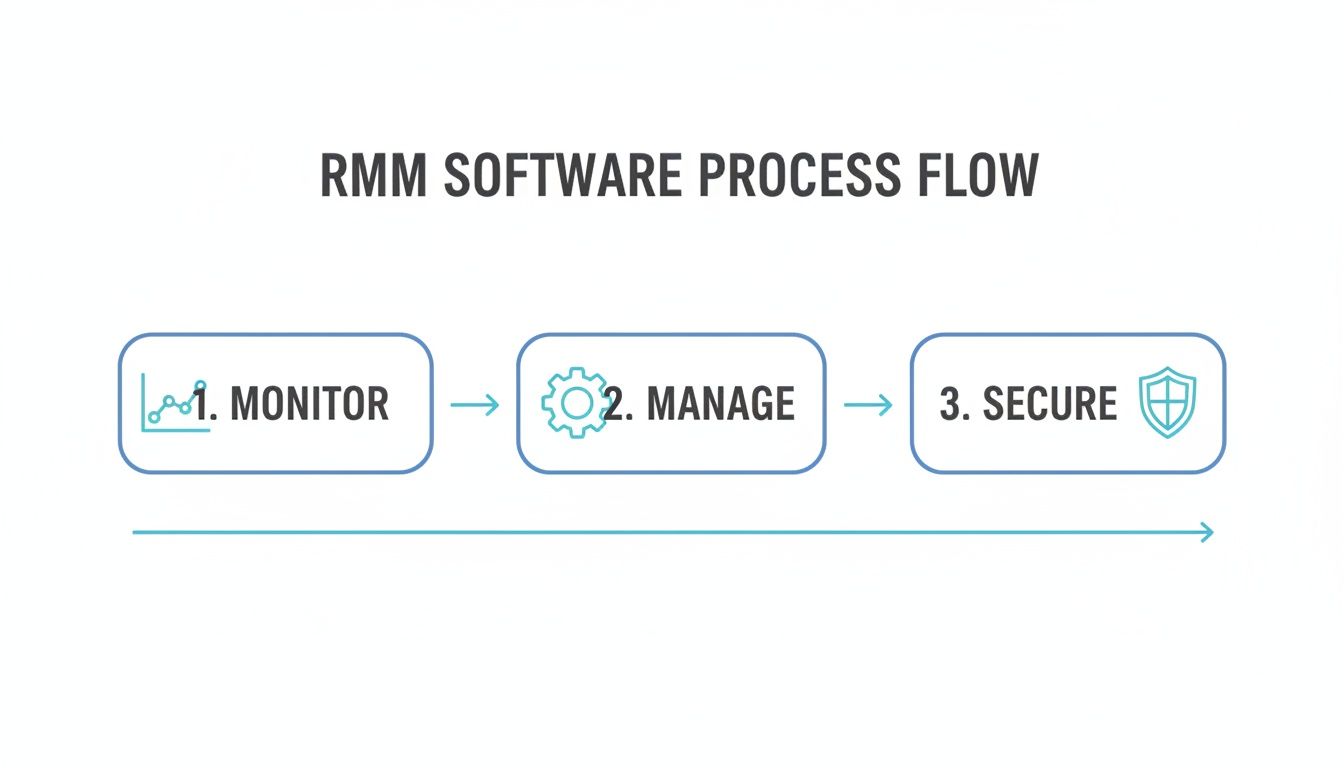
As the diagram illustrates, the agent on the endpoint (Monitor) feeds data to the central console. From there, an IT administrator can (Manage) and (Secure) the system, often automating remediation without user intervention.
From Data Collection to Automated Action
The true value of RMM lies not just in data visibility but in automated action. Administrators define rules, or policies, on the central server that instruct agents on how to respond to specific conditions. This capability is what enables the transition from reactive IT support to a proactive, preventative operational model.
A policy is essentially a conditional, automated workflow applied at scale. It follows an “if this, then that” (IFTTT) logic, where the agent’s observation of a predefined trigger initiates an automated response.
Here are technical examples of how policies function in a real-world environment:
- Automated Patch Management: A policy can be configured to scan all Windows Server instances for missing critical security patches every Tuesday at 02:00. Upon detection, it automatically downloads and installs the patches (e.g.,
KB5039217), followed by a conditional reboot, ensuring vulnerabilities are closed without manual effort or business-hour disruption. - Performance-Based Alerting: An administrator can set a threshold-based rule: “If the free space on any Proxmox host’s
/var/lib/vzvolume drops below 15%, create a high-priority ticket.” The moment an agent reports this condition, an alert is triggered in the integrated ticketing system. - Proactive Self-Remediation: A more advanced policy for a Linux-based web server might state: “If the
nginxservice process is not running, execute the commandsystemctl restart nginx. If the command fails, escalate with a P1 ticket.” This automated first-level response can resolve an outage before a monitoring system even flags the HTTP service as down.
This continuous feedback loop of data collection, policy evaluation, and automated action is the core mechanism that makes RMM software an indispensable tool for IT efficiency and infrastructure reliability.
Core Features of a Modern RMM Platform
Today’s RMM platforms have evolved far beyond simple monitoring tools. They are comprehensive IT operations hubs that integrate automation, security, and deep system visibility into a single management console, serving as a powerful force multiplier for technical teams.
A primary feature is automated patch management. Manually updating operating systems (Windows, Linux) and third-party applications (e.g., Adobe, Java) across a large fleet of servers and workstations is not only inefficient but also a significant security risk. RMM software automates this entire lifecycle, allowing administrators to schedule, approve, and deploy patches to thousands of devices simultaneously, typically during designated maintenance windows to minimize operational impact.
This ensures that critical vulnerabilities are remediated promptly across the entire infrastructure, drastically reducing the organization’s attack surface.
Proactive Automation and Scripting
Beyond patching, the most powerful RMM feature is its scripting engine. A robust RMM platform provides the capability to execute custom scripts, PowerShell for Windows, Bash for Linux/macOS, on any managed endpoint or group of endpoints.
The applications are virtually limitless. For example, instead of manually connecting to a server to clear old log files, an administrator can deploy a script to do so automatically across all servers when disk space falls below a certain threshold. It’s about applying programmatic solutions to operational challenges, aligning perfectly with the principles outlined in our guide on infrastructure as code best practices.
Other key automation capabilities include:
- Deep Performance Monitoring: Track granular metrics beyond simple uptime, such as CPU temperature on bare metal servers, network latency between nodes in a Proxmox cluster, and application-specific performance counters to preemptively identify bottlenecks.
- Secure Remote Access: Provide technicians with one-click, secure shell (SSH) or remote desktop access to any managed device for advanced troubleshooting, eliminating the need for VPNs or insecure protocols.
- Automated Asset Inventory: Maintain a real-time, detailed inventory of all hardware (CPU, RAM, storage configurations) and installed software across the network, completely eliminating manual asset tracking.
Security and Integration Capabilities
The distinction between IT operations and cybersecurity has blurred, and modern RMMs reflect this reality. A primary driver for RMM adoption is its role as a unified platform for deploying and managing security tools. Market analysis confirms that robust security and automation features are key purchasing drivers, influencing as much as 45% of adoption decisions. Learn more about current RMM market trends and adoption drivers.
A modern RMM is not just an operational tool; it’s a foundational component of an organization’s security posture. It provides the mechanism to enforce security policies and respond to threats at scale.
This is most evident in endpoint security management. An RMM can automate the deployment, configuration, and monitoring of Endpoint Detection and Response (EDR) or antivirus solutions across the entire fleet. If a threat is detected by the EDR, the RMM can be used to execute response actions, such as isolating the infected machine from the network or running remediation scripts to remove malware. This creates a seamless, powerful workflow between IT operations and security response teams.
RMM vs. PSA vs. EDR: Decoding the IT Management Toolkit
In IT infrastructure management, several acronyms represent distinct but related functions. While RMM is a technical workhorse, it operates most effectively as part of a broader toolkit that includes Professional Services Automation (PSA) and Endpoint Detection and Response (EDR).
These three platforms form a triad for modern IT operations: RMM handles technical execution, PSA manages business operations, and EDR provides advanced security. Each has a specific function, and they are designed to integrate and work in concert.
RMM vs. Professional Services Automation (PSA)
The distinction between RMM and PSA is fundamental. While often integrated, they serve completely different purposes.
- RMM (Remote Monitoring and Management) is the technician’s tool. It is focused on the technical health, performance, and security of endpoints. Its functions include monitoring server metrics, deploying patches, executing automated scripts, and providing remote access for troubleshooting.
- PSA (Professional Services Automation) is the business management tool. It orchestrates the processes around the technical work, including helpdesk ticketing, client contract management, billing and invoicing, project management, and reporting on service level agreements (SLAs).
Here is a practical workflow: An RMM alert is triggered because a server’s RAID controller reports a failing drive. This alert automatically generates a ticket in the PSA. The PSA then tracks the engineer’s time to replace the drive, manages client communication, and generates the final invoice for the hardware and labor. The RMM performs the technical monitoring and alerting; the PSA manages the business process.
In short: RMM manages the machines. PSA manages the business of managing the machines. One is about technical execution, the other is about operational clarity.
RMM vs. Endpoint Detection and Response (EDR)
Another critical distinction is between RMM and EDR. While modern RMMs have foundational security capabilities, they are not a substitute for a dedicated EDR solution.
- RMM’s Security Role: An RMM is primarily a policy enforcement and management engine. It excels at deploying the EDR agent to all endpoints, ensuring antivirus definitions are up-to-date, and applying security patches to close known vulnerabilities. It establishes a secure baseline configuration. Learn more about system setup in our guide on what is server provisioning.
- EDR’s Security Role: An Endpoint Detection and Response tool is a specialized threat-hunting and incident response platform. It uses behavioral analysis, machine learning, and threat intelligence to detect and mitigate advanced threats—like ransomware, zero-day exploits, and fileless malware—that traditional security tools would miss.
An RMM ensures the doors are locked and windows are shut by keeping systems patched and properly configured. An EDR is the advanced security system inside, actively monitoring for anomalous behavior and neutralizing intruders who bypass perimeter defenses. Platforms like the ServiceNow platform often integrate data from both RMM and EDR systems to provide a comprehensive view of IT and security operations.
RMM vs. PSA vs. EDR vs. NOC A Functional Comparison
This table clarifies the distinct roles of these tools and a related service, the Network Operations Center (NOC).
| Tool/Service | Primary Focus | Core Functions | Typical User |
|---|---|---|---|
| RMM | Technical Management & Automation | Monitoring, patching, remote access, scripting, asset inventory, software deployment. | IT Technicians, System Admins |
| PSA | Business & Client Operations | Ticketing, billing, project management, time tracking, client relationship management (CRM). | Service Managers, MSP Owners |
| EDR | Advanced Threat Detection & Response | Behavioral analysis, threat hunting, incident investigation, endpoint isolation, remediation. | Security Analysts, SOC Teams |
| NOC | Infrastructure Monitoring & Escalation | 24/7 network/server monitoring, alert validation, incident triage, level-1 troubleshooting. | IT Teams, MSPs (as a service) |
These are not competing solutions but complementary components of a mature IT management strategy. An effective IT operation leverages RMM for technical execution, PSA for business organization, EDR for advanced security, and often a NOC for 24/7 monitoring and response.
How RMM Is Used in the Real World
The true value of RMM software becomes clear when applied to solve real-world technical and business challenges. From managed service providers to enterprise IT departments, RMM is the engine driving operational efficiency and infrastructure stability.
Its widespread adoption reflects its utility. Market studies indicate that by 2024-2025, 60-63% of small and medium-sized businesses were leveraging RMM as a core component of their IT strategy. Adoption is also strong in larger organizations, with approximately 52% of enterprises and 57% of cloud providers integrating RMM into their operations. For a detailed analysis of these figures, see the market research on remote monitoring and management software.
Use Case 1 For Managed Service Providers
For any Managed Service Provider (MSP), an RMM platform is the central nervous system of its service delivery model. It is the technology that enables a small team of engineers to efficiently and profitably manage the IT infrastructure of hundreds of clients from a single dashboard.
Without an RMM, an MSP would require a massive team of field technicians to manually patch servers, troubleshoot workstations, and respond to incidents on-site. With an RMM, these critical tasks are automated and executed remotely across the entire client base.
- Problem: Patching hundreds of workstations across disparate client networks is logistically complex, and missed updates create significant security vulnerabilities.
- RMM Solution: The MSP defines a standardized patching policy and applies it to all managed client devices. Critical OS and third-party application updates are deployed automatically during off-hours, ensuring consistent security posture across all clients. This proactive security is a core tenet of effective managed IT services for small business.
Use Case 2 For Corporate IT Teams
Internal IT teams face the challenge of managing a distributed workforce. With employees located in home offices, remote branches, and co-working spaces, maintaining the security, compliance, and performance of company-owned devices is a significant hurdle.
RMM provides an IT team with the necessary visibility and control to manage any endpoint, anywhere in the world, with the same level of precision as if it were on the corporate network.
An RMM agent on a remote employee’s laptop empowers the IT team to resolve issues without disrupting productivity.
- Problem: A remote user is experiencing application crashes that are impacting their productivity. The IT team has no physical access to the machine for troubleshooting.
- RMM Solution: A technician uses the RMM’s secure remote access feature to connect to the laptop’s command line or graphical interface. They can review system logs, run diagnostic scripts, and reinstall the problematic software, all with the user’s permission and without requiring the device to be shipped back to the office.
Use Case 3 For Backend Infrastructure Management
RMM is not limited to end-user devices. It is exceptionally powerful for managing backend infrastructure, including Proxmox VE clusters, bare metal servers, and virtual server farms. Uptime and performance of this core infrastructure are critical for business operations.
An RMM provides a unified dashboard to monitor the health of these systems and automate routine maintenance.
- Problem: A Proxmox host server is experiencing high disk I/O, threatening the performance of all hosted VMs.
- RMM Solution: The RMM triggers an automated alert when the disk latency metric exceeds a predefined threshold (e.g., >20ms for 5 minutes). It can then automatically execute a Bash script to identify the VM causing the high I/O using tools like
iotop, providing the administrator with immediate, actionable data to resolve the performance degradation.
How to Choose the Right RMM Solution
Selecting an RMM platform is a critical decision that will shape the efficiency and effectiveness of your IT operations. The market is crowded, but focusing on key technical and business criteria will help you identify a solution that empowers your team rather than creating additional overhead.
A well-chosen RMM acts as a force multiplier, automating routine tasks and providing deep infrastructure visibility. A poorly chosen one becomes a source of friction and inefficiency.
Define Your Technical and Operational Needs
Before evaluating vendors, conduct an internal needs analysis. A clear list of technical requirements is the first step toward selecting the right tool.
- Integration Capabilities: Does the RMM offer robust API support or pre-built integrations for your existing tools? Seamless connections to your PSA, EDR, and backup solutions are critical for creating efficient, automated workflows and avoiding data silos.
- Scripting and Automation: A powerful and flexible scripting engine is non-negotiable. Ensure the platform provides native support for the languages your team uses, such as PowerShell for Windows environments and Bash for Linux. This is the key to unlocking true automation for tasks like software deployment, configuration management, and custom health checks.
- Cross-Platform Support: Modern IT environments are heterogeneous. Your RMM must provide comprehensive support for all your operating systems, from Windows workstations and macOS laptops to the Linux servers running your Proxmox clusters and containerized workloads.
Evaluate Security and Scalability
Security must be a primary consideration. An RMM has privileged access to every managed endpoint, making the platform itself a high-value target for threat actors.
The RMM platform is a “keys to the kingdom” application. If compromised, it can be used to deploy ransomware or other malware across your entire managed fleet, as demonstrated in several high-profile supply-chain attacks.
Prioritize platforms with a strong security posture. Look for these essential features:
- Multi-Factor Authentication (MFA): This is a mandatory baseline requirement for securing administrator and technician accounts against credential theft.
- Role-Based Access Control (RBAC): Granular permissions ensure that technicians only have access to the specific tools and endpoints required for their roles, adhering to the principle of least privilege and minimizing the internal attack surface.
- Immutable Audit Logging: A comprehensive and tamper-proof log of all actions taken within the platform is essential for security forensics, incident response, and compliance auditing.
Finally, consider future growth. Select a platform with a transparent pricing model that scales predictably with your business, whether based on the number of endpoints or technicians. This prevents unexpected cost increases as your operations expand.
Got Questions About RMM? We’ve Got Answers.
When evaluating RMM software, several key questions consistently arise. Understanding the nuances of how these powerful tools fit into a broader IT strategy is crucial for making an informed decision. Here are answers to some of the most common queries from IT professionals.
Can RMM Software Manage Mobile Devices?
This is a common point of confusion. While some RMM platforms offer basic mobile device inventory and monitoring, they are not a substitute for a dedicated Mobile Device Management (MDM) solution.
RMM is optimized for traditional endpoints like servers, desktops, and laptops, where it provides deep system-level control. For comprehensive management of smartphones and tablets—including enforcing security policies, managing applications, and remotely wiping lost or stolen devices—an MDM is the appropriate tool. RMM and MDM are complementary technologies that work together to provide complete endpoint coverage.
How Secure Is RMM Software, Really?
Because RMM software has privileged access to every managed system, its security is paramount. Reputable RMM vendors implement robust security controls, including multi-factor authentication (MFA), role-based access control (RBAC), and end-to-end encryption for all agent communications. Comprehensive audit logging is also a standard feature.
However, the security of the tool is only part of the equation. The RMM platform itself is a high-value target for threat actors. Therefore, implementing strong internal security policies for managing the RMM—such as strict RBAC, regular access reviews, and secure administrative practices—is absolutely critical to prevent the tool from being compromised and used as a vector for an attack.
An RMM has privileged access to every managed endpoint. That means securing the RMM platform itself is just as important as securing your network perimeter. A compromised RMM can become a single, catastrophic point of failure.
Should We Go with an On-Premise or Cloud-Based RMM?
The choice between an on-premise and a cloud-based RMM solution involves a trade-off between control and convenience. The best option depends on your organization’s specific technical, security, and financial requirements.
- Cloud-Based (SaaS) RMM: This is the most common deployment model. The vendor manages all backend infrastructure, resulting in rapid deployment, lower initial capital expenditure, and no server maintenance overhead for your team. This model offers excellent scalability and accessibility.
- On-Premise RMM: Hosting the RMM server on your own infrastructure provides maximum control over data residency, security configurations, and integrations. This option requires a significant upfront investment in hardware and the ongoing operational resources to manage, patch, and secure the server, but it may be necessary for organizations with stringent data sovereignty or regulatory compliance requirements.
Ready to enhance your IT infrastructure with robust, managed solutions? ARPHost, LLC provides a full stack of services, from high-performance bare metal servers to secure Proxmox private clouds, backed by 24/7 expert support. Discover how we can help you scale confidently at https://arphost.com.