

A RAID configuration is the strategic blueprint for how your server's disk drives will cooperate. It dictates how data is distributed across those disks to solve a critical puzzle: do you need lightning-fast speed for your applications, bulletproof protection against drive failure, or a balanced mix of both?
Understanding RAID: The Core Concepts
At its heart, RAID (Redundant Array of Independent Disks) is all about teamwork. Instead of relying on a single disk, RAID combines multiple drives into a single logical unit. The configuration is the set of rules that governs how this team of drives works together.
Should they all grab a piece of the data and run as fast as possible to move it quickly (performance)? Or should some carry the data while others stand by, ready to take over if one fails (redundancy)? Understanding this is fundamental, whether you’re running a small business website on a secure web hosting plan or deploying a heavy-duty database on one of ARPHost’s Bare Metal Servers. Your choice here has a direct impact on your data's safety and your application's speed.
Performance vs. Redundancy: The Core Trade-Off
Every RAID setup is a balancing act between two competing goals. You almost always have to lean one way or the other.
Performance: This is all about speed—how quickly can you read or write data? Certain RAID levels boost your I/O (Input/Output) by striping data across multiple disks, letting your system grab different parts of a file at the same time. This is critical for high-transaction databases or virtualization environments.
Redundancy: This is your safety net. It's the ability to have one (or more) disks completely die without losing a single byte of data. Redundant arrays achieve this by either making exact copies of your data (mirroring) or by using clever math (parity) to rebuild lost data on the fly, ensuring high availability.
It's critical to remember that RAID is not a backup. It's a strategy for high availability. It keeps your server online if a hard drive fails, but it won't save you from accidental deletion, a ransomware attack, or file corruption. Always, always pair your RAID setup with a solid, managed backup plan.
A Brief History of RAID
The idea of RAID isn't some new flash in the pan; it has been a cornerstone of data storage since 1987. Researchers at the University of California, Berkeley, published a paper titled, 'A Case for Redundant Arrays of Inexpensive Disks (RAID),' and it completely changed the game. They proposed using a bunch of cheap, off-the-shelf disks to deliver the kind of performance and reliability that was previously only possible with incredibly expensive, single drives.
This principle is still shaping modern infrastructure today. To see just how much, you can explore insights into the evolution of the RAID controller card market.
Getting these fundamentals right is the first step toward building a storage system that's both fast and resilient. If you'd rather not get bogged down in the technical details, ARPHost offers solutions that handle it all for you.
Discover our Fully Managed IT Services at arphost.com/managed-services/ and let our experts design the perfect storage configuration for your needs.
A Practical Guide to Common RAID Levels
Picking a RAID configuration is like choosing the right tool for a specific job. Each RAID level offers a unique balance between raw speed and data safety, and the one you choose directly impacts how your server performs and protects your data. There's no single "best" option—it all comes down to what you're trying to accomplish, whether that's lightning-fast scratch disk access for video editing or bulletproof protection for a critical production database.
At its core, every RAID setup forces you to make a choice: are you optimizing for performance or for redundancy?
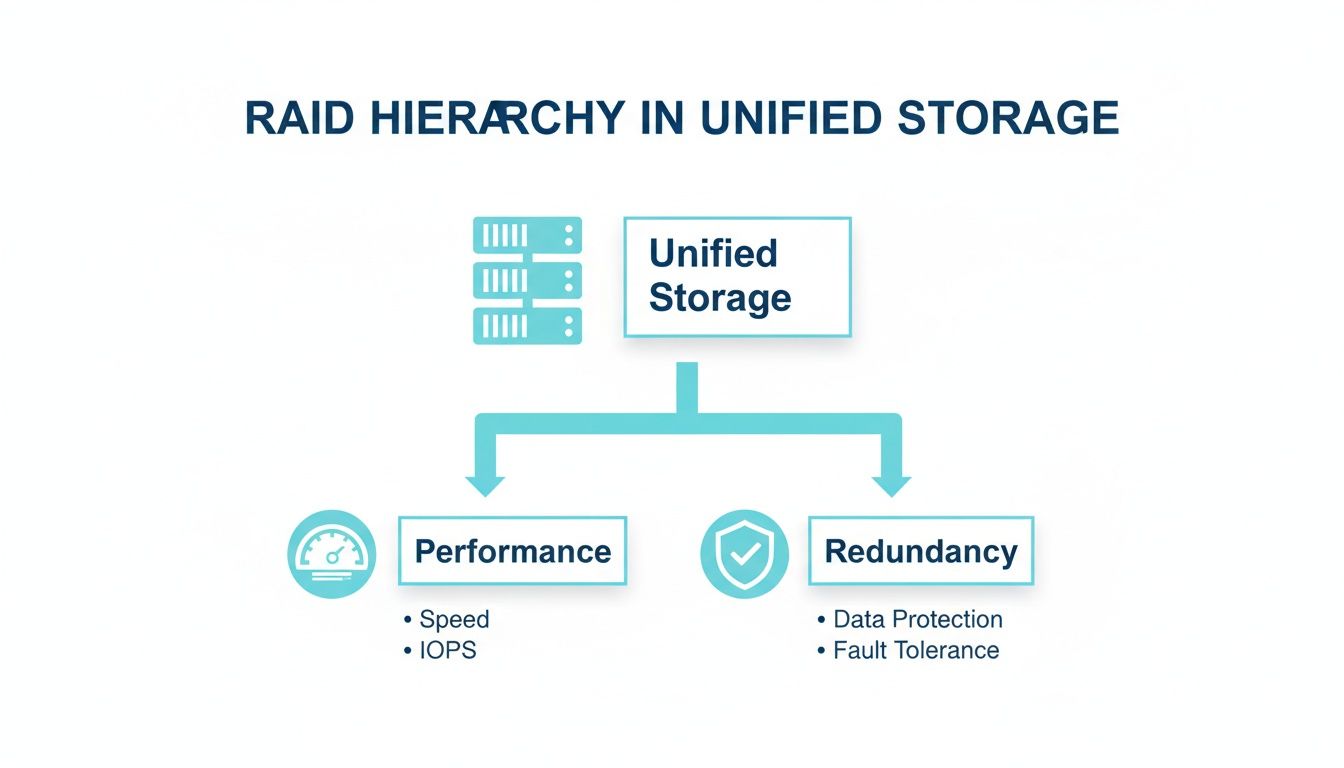
You're always leaning toward one of these two pillars. Understanding this trade-off is the first step to making a smart decision for your infrastructure. Let's break down the most common levels you'll encounter in professional IT environments.
RAID 0: Striping for Pure Speed
RAID 0 is the speed demon of the bunch. It takes at least two disks and stripes data across them, treating them as one single, massive volume. Think of it like writing a book with two pens at once; you're writing alternating words on two separate pages simultaneously, effectively doubling your writing speed.
This parallel action gives you a massive boost in read and write performance. It’s fantastic for things like video editing scratch disks or temporary caching—anywhere performance is king and the data itself is disposable.
But that speed comes with a serious catch: there is zero redundancy. If a single drive in a RAID 0 array fails, it's game over. All the data across every drive is instantly gone. For this reason alone, you'll almost never see it used for critical production data.
RAID 1: Mirroring for Absolute Redundancy
RAID 1 runs on a simple but powerful idea: mirroring. Using a minimum of two disks, it writes the exact same data to both drives at the same time. It’s like having a real-time, perfect carbon copy of everything you do.
The big win here is fault tolerance. If one drive dies, the other just keeps on trucking without missing a beat. Your server stays online, and your data is safe. This makes RAID 1 a rock-solid choice for systems where uptime is everything.
- Operating Systems: On an ARPHost Bare Metal Server, a RAID 1 configuration for the OS drives ensures the server can still boot even if one of the disks fails.
- Databases: For a small but critical database on a High-Availability VPS, RAID 1 provides that essential layer of data protection.
While you might see a small bump in read speeds (since data can be pulled from either disk), write speeds are limited by the performance of a single drive. The main drawback is capacity—you only get the usable space of one disk from the pair.
Why ARPHost Excels Here
Our High-Availability KVM VPS plans are built on enterprise-grade hyperconverged storage systems that provide redundancy across the entire infrastructure. You get the peace of mind of RAID 1 without having to manage it yourself, ensuring your applications are protected against hardware failure right out of the box.
RAID 5: Striping with Distributed Parity
RAID 5 is often the go-to for a solid middle ground, balancing performance, usable capacity, and data safety. It needs at least three drives and stripes data across them like RAID 0, but it adds a clever safety net called parity.
Think of parity as a mathematical checksum. For every chunk of data written, a parity block is calculated and stored on a different drive in the array. If one drive fails, the system can use the data on the surviving drives plus that parity information to perfectly reconstruct what was lost.
This setup delivers good read performance and makes efficient use of your disk space, making it a cost-effective workhorse for file servers and general application servers. The trade-off? Write performance takes a hit because of the overhead of calculating parity for every single write.
RAID 6: Striping with Dual Parity
Think of RAID 6 as RAID 5's more paranoid, tougher older sibling. It works the same way—striping data with parity—but it calculates and writes two independent parity blocks for every stripe of data. This means you need a minimum of four drives to get started.
Why the extra parity? It gives you significantly better fault tolerance. A RAID 6 array can survive the simultaneous failure of any two drives without losing a single byte of data. This is huge for large arrays with lots of disks, where the odds of a second drive failing during the lengthy rebuild of a first failed drive are a real concern.
Of course, that extra security comes at a cost. The write performance penalty is even greater than RAID 5's, and it demands a more powerful RAID controller to handle the complex calculations. RAID 6 is best reserved for large-scale archiving and data warehousing where data integrity is the absolute top priority.
RAID 10: A Stripe of Mirrors
RAID 10 (also called RAID 1+0) is where you get the best of both worlds: incredible performance and rock-solid redundancy. It requires a minimum of four disks and cleverly combines RAID 1's mirroring with RAID 0's striping.
Here’s how it works: first, disks are paired up into mirrored sets (RAID 1). Then, the system stripes data across those mirrored pairs (RAID 0). The result is an array that’s both blazing fast and highly resilient. It can survive a disk failure in each mirrored pair without breaking a sweat.
This makes RAID 10 the gold standard for high-transaction workloads that can't afford to slow down or go offline:
- Busy Databases: Guarantees snappy query responses and write operations.
- E-commerce Platforms: Ensures customer transactions are processed instantly and reliably.
- Virtualization Hosts: Provides the high I/O performance needed to run multiple virtual machines smoothly in a Proxmox private cloud.
The primary downside to RAID 10 is the cost. Since everything is mirrored, you only get 50% of your total raw disk capacity for usable storage. But for mission-critical applications where performance and reliability are non-negotiable, it's an investment that pays for itself.
For the ultimate in performance and control, consider a custom private cloud solution. View ARPHost's Dedicated Proxmox Private Cloud plans starting at $299/month at arphost.com/proxmox-private-clouds/ and build your infrastructure on a foundation of high-performance RAID 10 storage.
RAID Level Comparison: Performance vs Redundancy
To make things easier, here’s a quick-reference table breaking down the key differences between these common RAID levels. It's a simple way to see the trade-offs at a glance and match the right level to your specific needs.
| RAID Level | Minimum Disks | Fault Tolerance | Performance Benefit | Best For |
|---|---|---|---|---|
| RAID 0 | 2 | None (0 failed disks) | Excellent Read/Write | Temporary storage, scratch disks, video editing. |
| RAID 1 | 2 | Good (1 failed disk) | Good Read, Slow Write | OS drives, small databases, critical applications. |
| RAID 5 | 3 | Good (1 failed disk) | Excellent Read, Moderate Write | File servers, application servers, backups. |
| RAID 6 | 4 | Excellent (2 failed disks) | Good Read, Slow Write | Large archives, data warehousing, high-capacity storage. |
| RAID 10 | 4 | Excellent (1 disk per mirror) | Excellent Read/Write | High-transaction databases, virtualization, e-commerce. |
Choosing the right RAID level is a foundational decision. By understanding how each one balances the need for speed against the need for safety, you can build a storage infrastructure that’s perfectly suited for your workload.
Hardware RAID vs. Software RAID: Choosing Your Path
When you're mapping out your server's storage, one of the first big decisions you'll hit is whether to go with hardware or software RAID. This isn't just a technical detail; it's a critical fork in the road that directly impacts your server's performance, reliability, and bottom-line cost. The right choice really comes down to what your workload demands and what your budget can handle.
So, what's the difference? At its core, it's pretty simple. Hardware RAID uses a dedicated, physical controller card—a specialized mini-computer with its own processor and memory—to manage the entire RAID array. On the other hand, software RAID skips the extra hardware and uses your server's main CPU and system RAM to do all the heavy lifting.
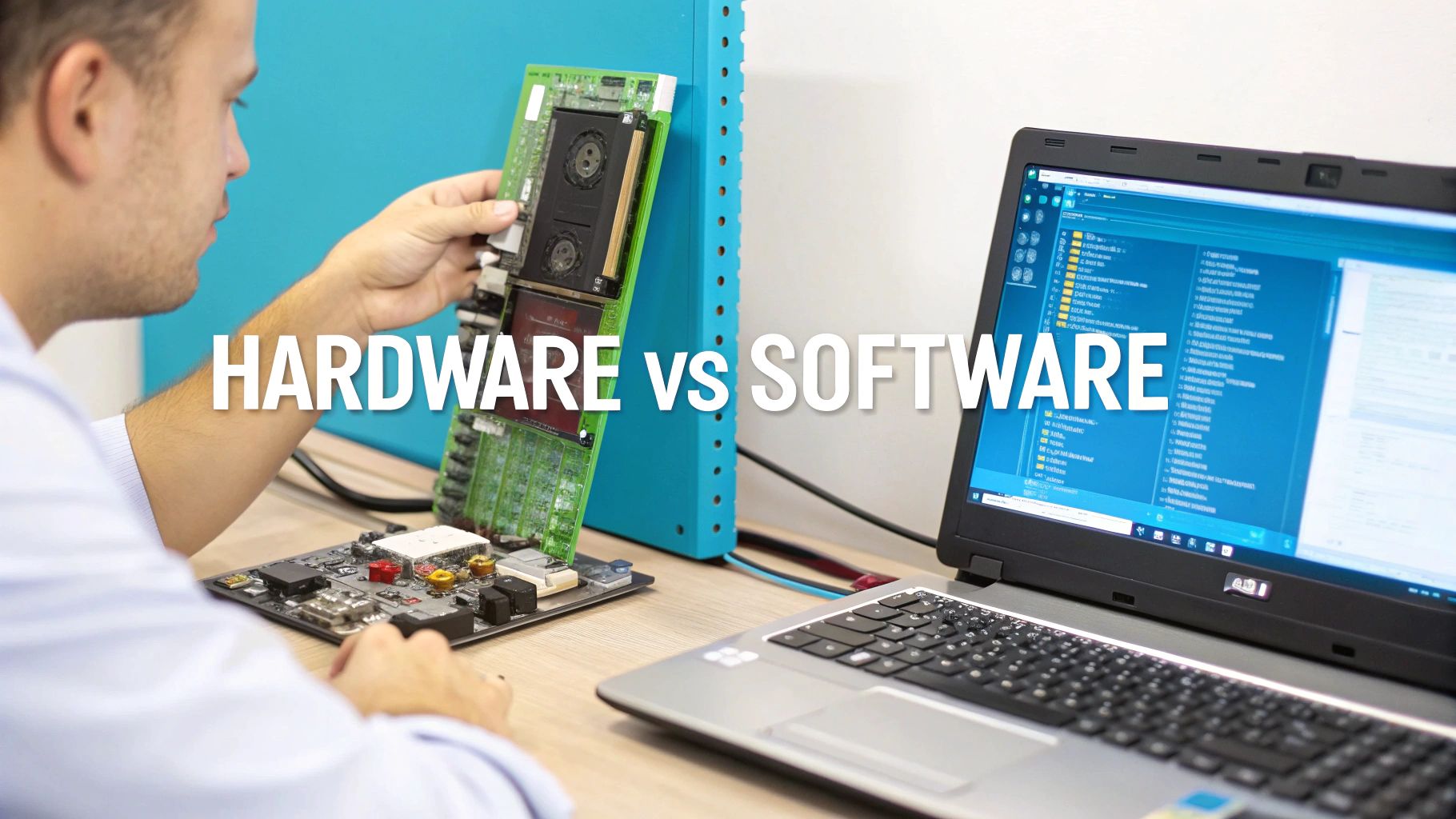
This fundamental difference creates a classic trade-off: performance and reliability versus cost and simplicity.
The Case for Hardware RAID
If you're after pure performance and rock-solid reliability, hardware RAID is the undisputed champ. By offloading all the storage-related calculations to a dedicated card, it frees up your server's CPU to do what it does best: run your applications. For high-stakes environments, this isn't just a nice-to-have; it's a necessity.
Here’s why it’s the go-to for demanding setups:
- Dedicated Processing: The RAID card's onboard processor handles all the complex parity calculations and data management. Your main CPU never gets bogged down with storage chores.
- Battery-Backed Cache: Top-tier controllers come with a battery backup unit (BBU) or a flash-based cache. This is a lifesaver. It protects any data that's "in flight" during a sudden power loss, preventing corruption before it can happen.
- Blazing-Fast Performance: With its own dedicated resources, hardware RAID delivers significantly faster read and write speeds, especially in complex arrays like RAID 5, 6, or 10.
- OS Independence: The operating system sees the entire RAID array as just a single, simple drive. This makes installing your OS, and more importantly, recovering it, much more straightforward.
This is exactly why hardware RAID is the standard for ARPHost's Bare Metal Servers and Dedicated Proxmox Private Clouds. When you're running heavy virtualization or database-driven applications, that maximum I/O performance is non-negotiable.
The Case for Software RAID
Software RAID is the flexible, budget-friendly alternative. Since it's built right into most modern operating systems—think Linux's mdadm or Windows Storage Spaces—you don't need to shell out for an expensive, specialized card. It just uses the server's existing CPU and RAM.
This approach is perfect for:
- Cost-Sensitive Setups: You get the benefits of redundancy without the upfront cost of a dedicated controller.
- Less Intensive Workloads: For a file server, development environment, or a low-traffic website, the performance hit on the CPU is often so small you'd never notice it.
- Simple Configurations: It works great for straightforward arrays like RAID 0 and RAID 1, which are often used in entry-level VPS hosting environments starting at just $5.99/month.
Still, the market speaks volumes. The industry overwhelmingly trusts dedicated hardware for enterprise-level reliability. The RAID controller card sector is projected to hit $2,966.13 million in revenue by 2025, which accounts for a staggering 92.78% of the market. It’s clear that for serious business, offloading critical storage tasks to specialized hardware is the proven path to robust performance. You can dig into more market analysis on the RAID controller card sector to see the growth drivers.
Why ARPHost Excels Here
We get it—the "right" RAID configuration depends entirely on your application. Our experts help you navigate this choice, making sure your solution is a perfect match for your goals. Need a high-performance database? We'll provision a Bare Metal Server with a hardware RAID 10 setup. Launching a budget-friendly web server? Our secure VPS plans offer cost-effective, redundant storage. We build the solution that fits your business, not the other way around.
Ultimately, choosing between hardware and software RAID is about aligning your infrastructure with your business objectives. You can learn more about how ARPHost implements these strategies by exploring our guide on configuring a server with RAID.
Ready to build a high-performance server with the perfect RAID setup? Explore our powerful Bare Metal Server options at arphost.com/bare-metal-servers/ and let our team help you configure a solution for maximum speed and reliability.
Actionable RAID Configuration and Best Practices
Knowing the theory behind RAID is one thing, but building a truly resilient storage system happens in the real world. Once you move past the concepts, setting up a RAID array is all about making specific, deliberate choices that will directly impact its speed, stability, and lifespan.
Getting these settings right from the very beginning is critical, whether you're managing a single secure VPS or a whole fleet of bare metal servers.
This is where the rubber meets the road. Let's dig into the actionable steps and best practices that turn a pile of disks into a high-performance foundation for your business.
Choosing the Right Stripe Size
One of the most powerful—and most frequently overlooked—settings in your RAID configuration is the stripe size. This number defines how large the "chunks" of data are that get written to each disk in a striped array like RAID 0, 5, or 10. The right size depends entirely on what you're doing with your server.
Get this wrong, and you can create a major performance bottleneck. Here’s a simple way to think about it:
- Large Stripe Size (e.g., 256KB or 512KB): This is your go-to for applications handling big, sequential files. Think video streaming, large file archives, or media editing. A bigger chunk size means a request for a large file can often be pulled from a single disk, which cuts down on overhead and boosts throughput.
- Small Stripe Size (e.g., 64KB or 32KB): This is perfect for environments hammered with small, random I/O requests. We're talking database servers, virtualization hosts running tons of VMs, or busy web servers juggling countless tiny files. Smaller stripes allow more requests to be processed in parallel across all the drives, maximizing concurrency.
Nailing this setting is a huge part of performance tuning. If you want a deeper dive, our guide on how to set up a RAID system walks you through the entire process.
The Importance of Matching Drives
Technically, some RAID controllers might let you mix and match drives of different sizes, speeds, or even brands. Don't do it. An array is only as strong—and as fast—as its weakest link.
Best Practice: Always use identical drives when building a RAID array. Same manufacturer, same model, same capacity, and even the same firmware version if you can. This guarantees predictable performance and avoids weird compatibility issues that can cause instability or even drive failure.
When you mix drives, the controller is forced to dumb everything down to the lowest common denominator. If you pair a 10TB drive with a 4TB drive in a RAID 1 mirror, you only get 4TB of usable space. A fast 7200 RPM drive will be stuck waiting for a 5400 RPM drive in the same array.
Configuring Hot Spares for Automatic Recovery
A hot spare is a lifesaver. It’s an extra, idle drive you install in your server that the RAID controller keeps on standby. The moment a disk in your redundant array fails, the controller automatically flags it, takes it offline, and immediately starts rebuilding the lost data onto the hot spare.
This hands-off recovery is essential for maintaining redundancy without someone having to physically intervene. It drastically shortens the time your array is running in a vulnerable, degraded state, which seriously lowers the risk of a second drive failure wiping you out completely. For any mission-critical server, having at least one hot spare is non-negotiable.
Of course, best practices also apply to the end of a drive's life. When it's time to retire disks from an array, make sure you understand proper data sanitization to protect your information.
Monitoring RAID Health with Linux CLI
If you're managing your own ARPHost VPS or dedicated server, you need to keep tabs on your RAID array's health. The Linux command line has some fantastic tools for this. On systems using mdadm (the standard for software RAID in Linux), one simple command gives you a full status report.
To see what's going on with all active RAID arrays, just run this:
cat /proc/mdstat
This command gives you a real-time snapshot. It shows which devices are in the array, whether it's "clean" and healthy, and if a rebuild is in progress. A healthy three-disk RAID 5 array, for instance, might show a status of [UUU], meaning all three drives are up. If one fails, you'll see something like [UU_], an instant red flag that the array is degraded.
Master these configuration practices, and you'll build a storage system that's not just fast, but rock-solid.
Keeping Your RAID Array Healthy with Proactive Monitoring and Maintenance
A RAID configuration isn't something you can just set up once and forget about. Think of it like a car's engine; it's a dynamic system that needs regular check-ups to keep running smoothly and protect your data. Neglecting it is one of the fastest ways to turn a single, manageable drive failure into a full-blown data catastrophe.
This is where ongoing vigilance really pays off. It's also where the value of a managed service provider becomes crystal clear. While you're busy running your business, a dedicated team can handle the nitty-gritty of keeping your storage resilient and performing at its best.
Essential Monitoring Practices
You can't manage what you can't see. Effective RAID management starts with total visibility into the health of your array at all times. Adopting robust infrastructure monitoring best practices is non-negotiable for the long-term health and performance of your storage.
- Automated Health Alerts: Your RAID controller or software should be your first line of defense. Configure it to fire off immediate email or system notifications the moment something is wrong. This includes obvious things like drive failures, but also predictive warnings (S.M.A.R.T. errors) that a drive is on its last legs.
- Regular Log Reviews: Don't sleep on your controller logs—they're a goldmine of information. They track everything from normal operations to subtle errors that hint at a failing drive. A quick review can help you spot a pattern and swap out a problematic drive before it tanks your array.
- Data Scrubbing and Consistency Checks: Silent data corruption, often called "bit rot," is a sneaky threat where data degrades on the disk without triggering any obvious errors. Regular data scrubbing is the cure. It involves the RAID controller systematically reading all data blocks and checking them against parity data to find and fix these silent errors before they become a real problem.
The Role of Managed Services
This is exactly where ARPHost’s Fully Managed IT Services step in to provide serious peace of mind. Instead of burdening your internal team with these critical but time-consuming checks, you can hand the entire process over to our experts.
We provide 24/7 proactive monitoring that keeps a constant watch over your RAID arrays. Our systems are tuned to catch predictive failure alerts and immediately notify our engineering team, often before you even know there's a potential issue.
When a drive does eventually fail, our rapid-response hardware replacement service kicks into high gear. We manage the whole process from start to finish—sourcing the correct drive, performing the physical swap, and initiating the array rebuild. This drastically shortens the critical window when your array is vulnerable in a degraded state, massively reducing the risk of a second drive failure wiping out your data. Understanding how these drives are integrated is key; for more on the basics, our guide on how to mount a drive in Linux is a great place to start.
Letting ARPHost manage your infrastructure means you get enterprise-level resilience without the day-to-day operational headaches.
Ready for total peace of mind? Request a managed services quote at arphost.com/managed-services/ and let our experts ensure your infrastructure is always protected.
How We Turn RAID Theory into Your Scalable Infrastructure
Understanding RAID isn't just an academic exercise—it's about building a storage foundation that actually aligns with your business goals. At ARPHost, our job is to translate this technical know-how into practical, high-performance hosting solutions that grow right alongside you. We specialize in architecting the right RAID setup for your specific workload, ensuring your infrastructure is both blazing fast and resilient.
For a nimble startup, for instance, diving deep into RAID management isn't necessary. Our High-Availability VPS hosting plans use distributed storage systems like CEPH to protect your data across multiple servers. It's an excellent, cost-effective way to get enterprise-grade resilience without the complexity. But as your business grows, your needs will definitely evolve.
From a Single VPS to a Full Private Cloud
What happens when a booming e-commerce site or a busy database server starts pushing the limits of a single VPS? That’s the perfect time for a strategic upgrade. Moving to one of our Bare Metal Servers configured with a hardware RAID 10 array is the logical next step. This setup delivers the raw I/O performance and rock-solid redundancy needed for high-transaction workloads, making sure your operations never skip a beat.
For ultimate scale and control, our Dedicated Proxmox Private Clouds are the final word. We build these environments on clusters of high-performance bare metal servers, typically using RAID 10 for the primary virtual machine storage and RAID 6 for massive backup nodes. This creates a powerful, hyperconverged private cloud tailored precisely to your performance and security requirements.
Why ARPHost Excels Here
We don't just rent out servers; we build custom solutions. Our team works with you to design the ideal RAID configuration, whether it's for one server or a complex private cloud. We handle the hardware, the setup, and the ongoing monitoring so you can focus on your applications, not your infrastructure.
It's no surprise that the Internet Industry is the primary consumer of RAID technology, projected to command 24.08% of the market by 2025. This just underscores how critical RAID is for powering the services you rely on daily, from shared web hosting and Virtual PBX systems to the managed IT services we provide right here. You can dig into the market trends in RAID controller technology to see just how vital these configurations have become.
Whether you need the optimized performance of a dedicated server or the complete control of a private cloud, we have the expertise to build it right from the ground up.
Explore our Dedicated Proxmox Private Cloud plans at arphost.com/proxmox-private-clouds/ and take the first step toward building a truly scalable infrastructure.
Common RAID Questions, Answered
Once you get the hang of the basic RAID concepts, a few practical questions almost always pop up. Let's tackle the most common ones head-on to help you build a smarter, more resilient storage setup.
Does RAID Replace My Backups?
No, and it's dangerous to think so. This is one of the biggest and most costly misconceptions about RAID.
RAID is all about redundancy—it protects you from a single disk failing so your system can stay online. Backups, on the other hand, protect you from everything else: accidental file deletion, data corruption, a nasty malware attack, or a full-blown disaster. Think of it this way: if ransomware encrypts a file on your RAID 1 array, the array will dutifully mirror that encrypted, useless file to the other disk. Both copies are now toast.
A real backup strategy, such as one provided with ARPHost's managed services, creates separate, time-stamped copies of your data. It's a true safety net that lets you restore clean data, no matter what happens to the live system.
Can I Use Mismatched Drives in a RAID Array?
Technically, some controllers might let you get away with it, but you absolutely shouldn't. It's a recipe for wasted space and poor performance.
If you mix drives of different sizes, the RAID array will treat every disk as if it were the size of the smallest drive in the group. That bigger, more expensive drive you threw in? All that extra capacity just vanished. Even worse, mixing drives with different speeds or from different brands creates a performance bottleneck—the entire array will be dragged down to the speed of its slowest member. For the best performance and reliability, always stick with identical drives.
What Happens When a Drive Fails in a Redundant Array?
This is where redundant arrays like RAID 1, 5, 6, or 10 really shine. When a single drive dies, your system doesn't crash. It simply enters a 'degraded' mode.
Your users can keep working and accessing their data, though you might notice a performance dip. The system will immediately send out an alert, letting you know there’s a problem. Your job is to swap out the failed drive with a new, healthy one. Once you pop the new drive in, the RAID controller kicks off a 'rebuild' process, using the parity data and the remaining drives to perfectly reconstruct all the missing data onto the new disk.
At ARPHost, we take the guesswork out of complex storage. Whether you need a lightning-fast bare metal server or a fully managed private cloud, our team makes sure your RAID setup is perfectly tuned for your workload. We build for both speed and resilience. Explore our Secure VPS Bundles at arphost.com/vps-web-hosting-security-bundles/.