

Incident response is the structured process of detecting, containing, eradicating, and recovering from cyber incidents. In practice, that means you get a Microsoft 365 sign-in alert at 8:47 a.m, your admin is already on a call, and someone has to decide whether to disable an account, preserve logs, notify leadership, and keep the business running.
By 2022, incident response had already become a measurable security discipline, not a vague support task. IBM's incident responder study found that 68% of responders were handling two or more incidents at the same time, 39% of U.S. responders said incidents often lasted more than four weeks, and 67% experienced daily stress or anxiety, which is a good reminder that IR is an operational function with real human pressure behind it (IBM Security incident responder study). For a small or mid-sized company, that pressure shows up fast when identity, email, SaaS, and cloud systems all sit in the same blast radius.
What Incident Response Really Means in 2026
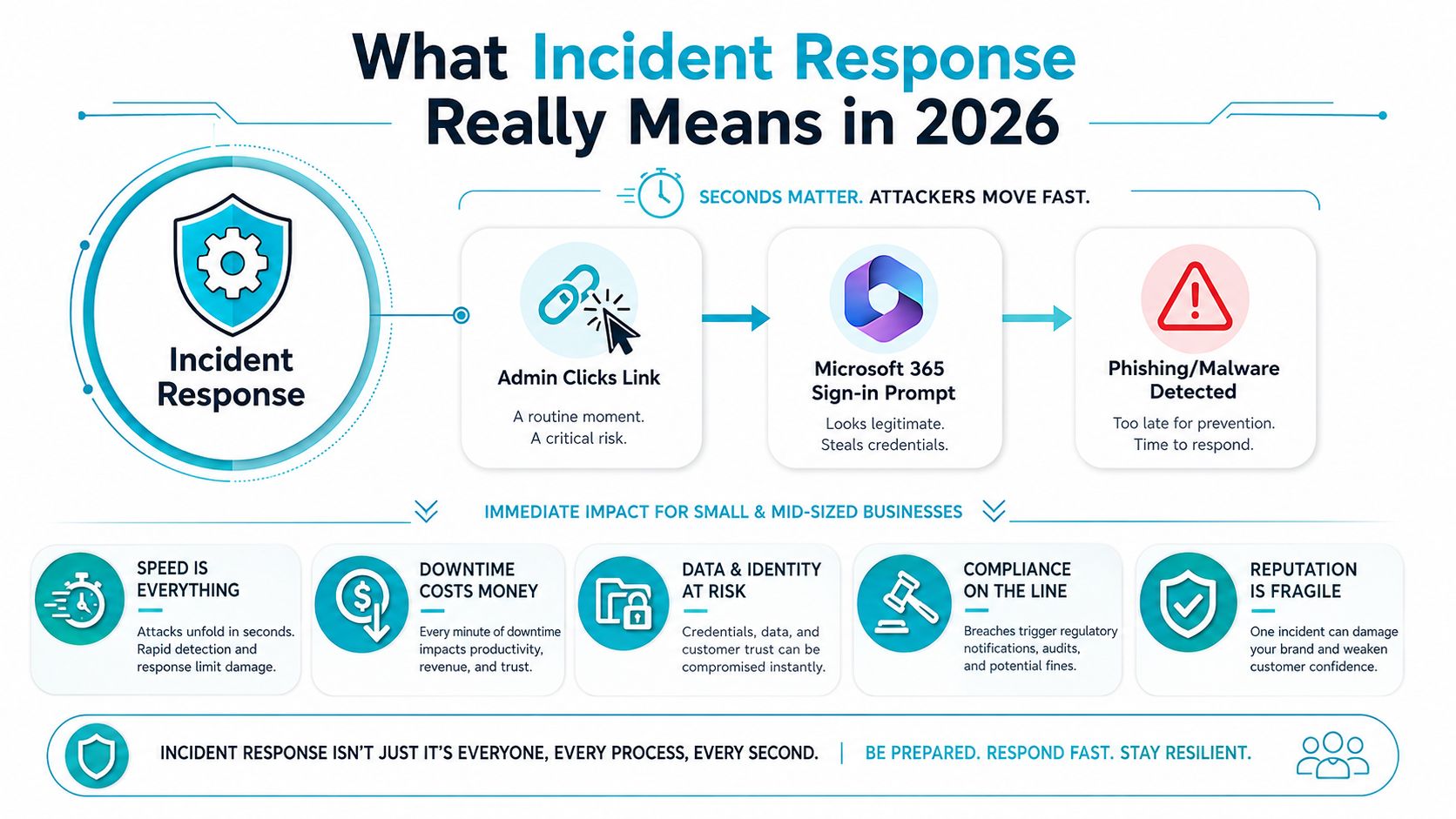
A Monday morning ticket can turn into an incident before the first coffee cools. An admin clicks a link, sees a Microsoft 365 sign-in prompt, and then gets a suspicious login alert from another region. At that point, the business doesn't need a vague “security issue” label, it needs a team that can detect, contain, eradicate, and recover without making the blast radius worse.
That is why incident response is better understood as a business capability than a single tool. IBM describes it as the technical part of incident management, using processes and technologies to detect, analyze, contain, eradicate, and recover from cyberthreats, security breaches, or cyberattacks, with the goal of limiting damage and business disruption (IBM incident response overview). The language matters because the work is no longer just about infected laptops. It now covers identity compromise, SaaS abuse, and cloud infrastructure exposure too.
Practical rule: if the question is “what got touched, what still might be touched, and how do we prove it,” you're already doing incident response.
That broader scope is where many SMBs get stuck. Their endpoint tooling might be fine, but a stolen session token, a misconfigured cloud app, or an attacker living in email can create the same business problem as malware on a workstation. If you want a broader security posture view, the layered approach in ARPHost's security in layers overview is a useful companion, because IR works best when detection, access control, and recovery are designed together.
The value there isn't the tooling list, it's the operational mindset: the faster you identify the actual event, the less time you spend cleaning up a mess that grew while you were debating what it was.
The Six Phases of the Incident Response Lifecycle
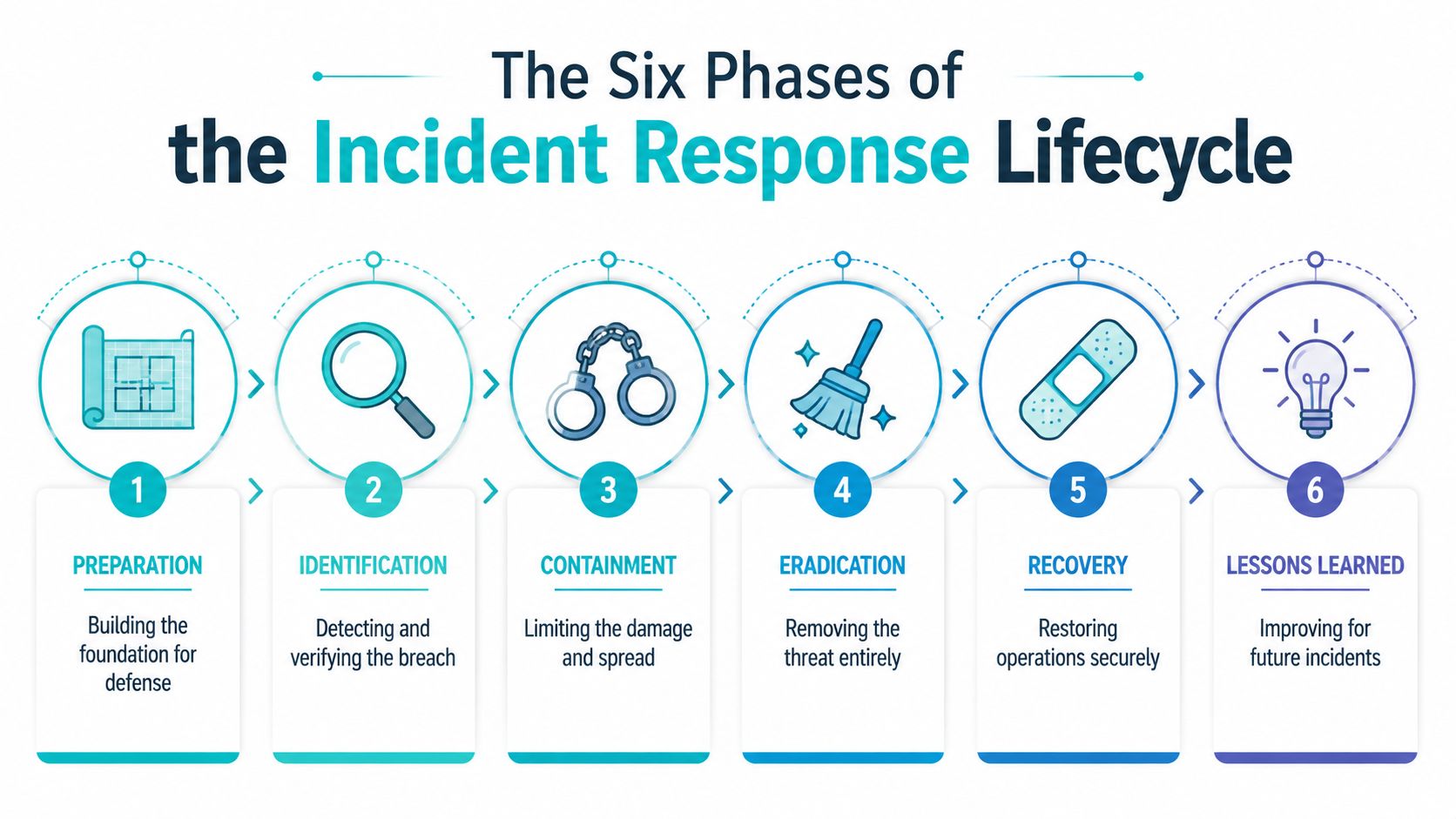
The standard lifecycle is six phases, and it's useful because it gives everyone the same map. This can be compared to a building fire response, where the alarm, evacuation, suppression, repair, and inspection all happen in a known order. Atlassian and Acronis both present the same six-step model: preparation, identification, containment, eradication, recovery, and lessons learned, and Acronis ties it to NIST SP 800-61 (Atlassian incident response lifecycle).
Preparation is the fire drill. You decide who gets called, what logs matter, and which systems are too important to guess about under pressure. In practice, that means playbooks, contacts, access paths, and backup verification.
Identification is the smoke alarm. Someone has to verify whether the alert is noise, a false positive, or a real incident. TechTarget's guidance emphasizes that this phase depends on detection, analysis, and evidence collection, not gut feel (TechTarget incident response guide).
Containment is the building lockdown. You stop movement before the problem spreads to more systems, users, or data stores. That can mean isolating an account, segmenting traffic, or cutting access to a compromised app.
Eradication is removing the fire source. You clear the malicious persistence, revoke the attacker's access, and patch the weakness they used.
Recovery is restoring normal operations. The important part is restoring safely, not just quickly. If the attacker still has a foothold, a rushed restart just gives them another entry point.
Lessons learned is the inspection after the incident. TechTarget notes that this phase should review what happened, when it happened, how it happened, and which controls failed, so the next response is better informed (TechTarget incident response guide).
The mental shift is that this is a loop, not a checklist you file away. Every incident should make the next one easier to identify, contain, and recover from.
Why Modern Incidents Hit Identity, Endpoints, and Cloud First
Modern incidents are often ugly because they start where trust lives, not where the malware is easiest to see. Palo Alto Networks' 2026 Unit 42 Global Incident Response Report found identity-related attack surface factors in 89% of incidents, endpoints in 61%, and networks in 50%, while phishing and vulnerability exploitation each accounted for 22% of initial access across 2025 incidents (Unit 42 Global Incident Response Report). That means the first place attackers show up is often an account, a session, or a cloud control plane, not a noisy endpoint alert.
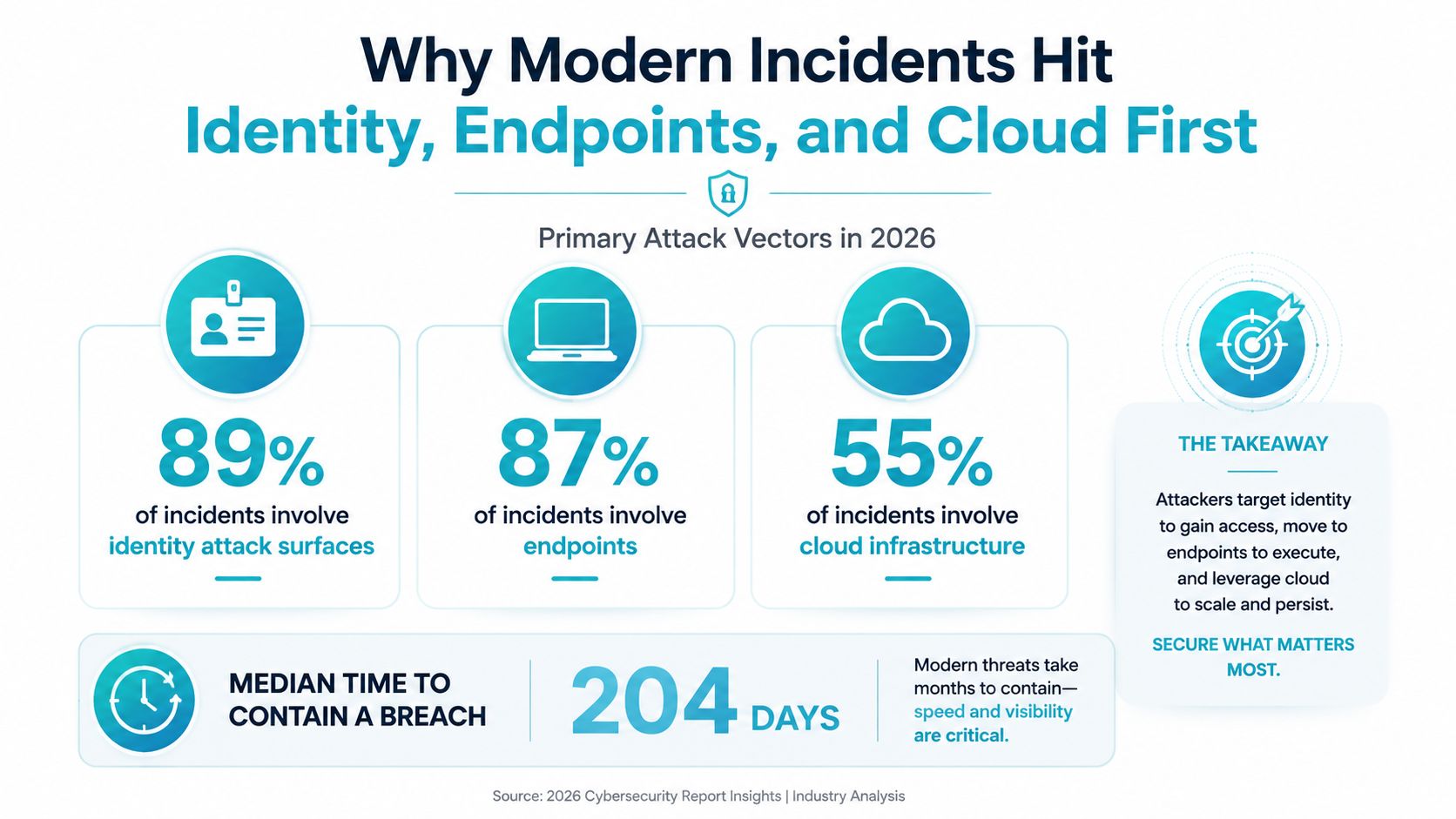
That's why the order of the lifecycle matters. Preparation should include identity logs, SaaS audit trails, and cloud admin visibility, because identification can't move fast if the team has to ask three vendors for access. Containment is also different now, because a stolen identity can reach far beyond one device. In cloud-heavy environments, the blast radius may be hidden behind normal-looking sign-ins and admin actions.
The speed problem is just as important. PT Security reported a median time to detect a security incident of 17 days, an average incident duration of 23 days, and an average time to contain of 3 days (PT Security incident-response research). Even if your environment is smaller, the lesson is clear. If you wait on weak signals, the attacker gets time to move from one identity to many systems.
The fastest incident response programs don't just react faster, they see earlier.
For an IT manager, the practical takeaway is simple. If your logs, identity controls, and cloud admin alerts aren't part of IR from day one, the rest of the workflow will always feel late. The lifecycle only works when it starts before the breach does.
Roles and Team Structure Inside an IR Program
An IR program breaks when everyone assumes someone else owns the response. A small team can combine roles, but the functions still need to exist. NIST defines an incident response team as the group responsible for receiving incident reports, investigating them, and taking action to minimize damage, which is why IR is an organizational capability, not a ticket queue (NIST SP 800-61r2).
Incident commander is the decision coordinator. That person doesn't need to be the deepest technical expert, but they do need enough authority to prioritize the response, keep scope under control, and prevent contradictory actions.
Triage analysts sort signal from noise. They verify whether the alert is real, what systems are involved, and whether the issue is isolated or spreading. In a small shop, that might be one senior administrator with security context.
Forensics lead preserves the story. This role captures logs, timelines, and relevant artifacts so the team can reconstruct what happened later. Without that function, the incident becomes a memory contest.
Communications lead keeps executives, users, and partners aligned. You don't want technical staff writing every update while they're also trying to stop the attack.
Legal and compliance liaison handles notification and evidence needs. That person makes sure the response doesn't create a second problem by mishandling records or missing required actions.
Executive sponsor removes blockers. When a response needs emergency access changes, shutdown decisions, or outside support, the sponsor gives the approval path real speed.
Practical rule: if one person is both operating the system and approving the response, you'll feel fast right up until you need a second opinion.
For SMBs, the hardest trade-off is coverage versus depth. A 10-person IT team can't keep every role separate, but it also can't let one administrator own triage, containment, evidence, and communication at once without others knowing.
In-House, Hybrid, or Fully Managed Incident Response
Most SMBs end up choosing among three models, and each one trades control for coverage in a different way. A full in-house CSIRT gives you the most direct command of the process, but it also means you own staffing, training, tooling, and after-hours coverage. A hybrid model keeps coordination internal while leaning on an external retainer for specialist work. Fully managed response hands the heavy lifting to a provider that already has processes and people in place.
The right choice usually comes down to three questions. How often can your team respond during off-hours, how much specialized forensics do you really need, and how predictable do you want the cost and coverage to be? If your environment is simple and your risk is moderate, a small internal team plus retainer support often makes more sense than trying to build a miniature SOC from scratch.
A fully managed option becomes more attractive when the business has identity-heavy systems, cloud sprawl, or a small IT staff that already wears too many hats. ARPHost's managed IT services for businesses fit that conversation when the underlying problem is operational coverage, not just isolated tooling.
| Model | Strength | Trade-off |
|---|---|---|
| In-house CSIRT | Direct control and faster internal context | Harder to staff around the clock |
| Hybrid model | Internal ownership with outside expertise on call | Coordination has to be rehearsed |
| Fully managed IR | Broader coverage and less staffing pressure | Less day-to-day control |
If you're choosing this quarter, use the simplest rubric that works. Small team, limited after-hours coverage, and cloud or identity complexity point toward hybrid or managed support. Larger compliance pressure and heavier data sensitivity push you toward stronger in-house ownership, even if the tooling still comes from a provider.
Metrics That Tell You Whether IR Is Actually Working
If a response program can't be measured, leadership will treat it like a feeling. That's why mature teams track a small set of operational metrics, especially Mean Time to Detect (MTTD), Mean Time to Acknowledge (MTTA), Mean Time to Contain (MTTC), and Mean Time to Recover or Resolve (MTTR). SecurityScorecard also notes that CISA guidance emphasizes collecting evidence like affected IPs, detection method, affected processes, and timeline information, because those details support analysis and coordination during the response (SecurityScorecard on incident response metrics).
| Metric | Lifecycle Phase | Data Source | Target for SMB |
|---|---|---|---|
| MTTD | Identification | SIEM, EDR, cloud audit logs | As low as your team can consistently support |
| MTTA | Identification and triage | Ticketing and alerting system | Minutes, not hours, for high-priority events |
| MTTC | Containment | Response tickets and case notes | Fast enough to stop spread before business impact grows |
| MTTR | Recovery | Change records, restore logs, service desk | Restore safely without reopening the incident |
The point of each metric is different. MTTD tells you how long the bad thing sat unnoticed. MTTA shows whether someone owned the alert. MTTC proves whether the team can stop the spread. MTTR shows whether the business got back to a stable state.
A useful dashboard doesn't stop at timing. Add incident frequency and a simple severity tier, such as low, medium, and high, so leadership can see whether the team is dealing with one noisy stream or repeated serious events. Raw alert counts are easy to misread, but a weekly view of open incidents, severity, and time-to-action tells a much clearer story.
Practical rule: if you can't show the timeline of one incident in under a minute, your reporting is too abstract for executives.
Legal, Compliance, and Evidence Handling Essentials
A security incident becomes a business event the moment protected data, customer trust, or contractual obligations enter the picture. CISA-aligned evidence handling starts early, and the operational details matter, because the team needs affected IPs, detection method, affected processes, and timeline information to support reliable analysis and external coordination (SecurityScorecard on incident response metrics). That's why legal and compliance work belongs inside the response, not beside it.
Chain of custody sounds formal, but the idea is simple. If you collect a log, disk image, export, or case note, you need to know who touched it and when. That matters even when the incident is fully internal, because later review, insurance conversations, or outside counsel may depend on the integrity of that evidence.
The practical collection list should start during identification and containment. Capture the user or admin account involved, the affected system names, the first alert time, the containment action taken, and any logs that show what changed. Keep the notes factual, because the lessons-learned review is much easier when the timeline is clean.
If your business handles regulated health data, HIPAA-compliant hosting becomes part of the larger response conversation, because the hosting layer can affect both evidence handling and recovery design. Compliance isn't a separate queue. It's part of the same control system that keeps the incident from becoming a reporting failure too.
Your 30/60/90-Day Plan and the ARPHost Next Step
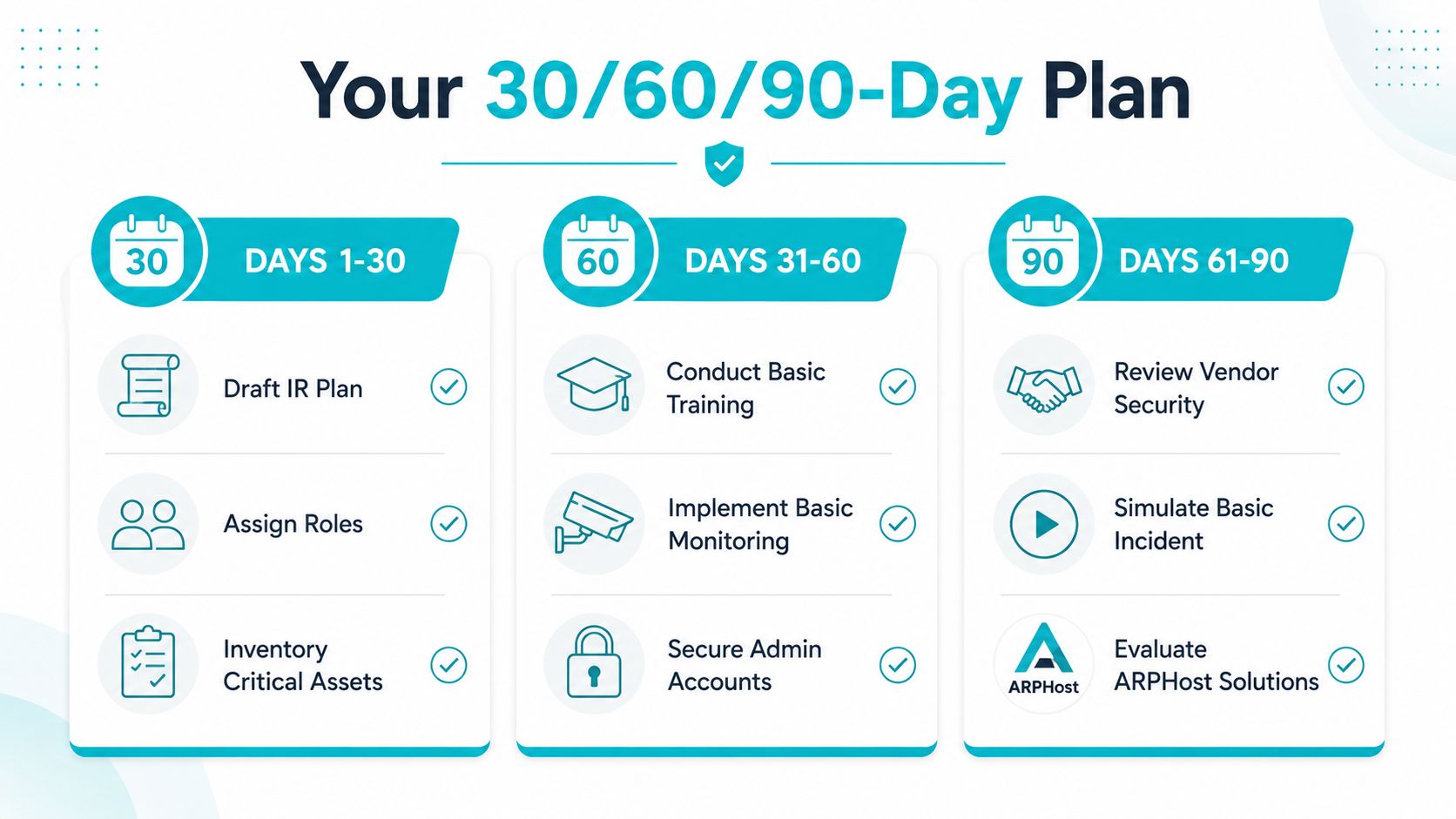
A small team doesn't need a perfect program on day one. It needs a response shape that works, gets tested, and improves. The fastest path is to build the minimum viable program in 90 days, then tighten it with real incidents and tabletop exercises.
| Timeframe | Focus | Key Deliverables |
|---|---|---|
| Days 1 to 30 | Foundation | Draft the IR plan, assign roles, inventory critical assets |
| Days 31 to 60 | Practice | Build the top playbooks, conduct basic training, implement monitoring |
| Days 61 to 90 | Validation | Run a simulated incident, review vendors, establish metric baselines |
In the first 30 days, write the plan in plain English and make the owner of each function obvious. In the next 30, turn the three most likely incidents into playbooks, often identity compromise, phishing, and exposed admin access. By day 90, those playbooks should look like runbooks, with real tool checks, real approval paths, and a clear way to measure response time.
A few checklist items keep the work grounded:
- Draft the core plan: list who declares an incident, who approves containment, and who handles updates.
- Inventory the signals: identify where logs come from, including identity, email, cloud, and endpoint systems.
- Test one real workflow: walk through a login compromise from alert to containment to recovery.
- Review your backup and restore path: recovery falls apart fast if restore steps are assumed, not tested.
When the team is ready to move from planning to infrastructure support, ARPHost, LLC offers managed services, secure VPS bundles, Proxmox-based private clouds, bare metal servers, colocation, and 24/7 U.S.-based support for businesses that need stronger operational coverage around servers and recovery. If you want a concrete next step, visit ARPHost, LLC and map your response plan to the hosting and managed services you use.
