

Ever wonder how an enterprise manages hundreds of phone lines without a dedicated copper pair for every desk? The technology behind this is the PBX, or Private Branch Exchange. For an IT professional, understanding what a PBX system is goes beyond basic call routing; it's about mastering a core piece of network infrastructure.
A PBX functions as a private, internal telephone network for an organization. It's the central controller of your voice communications, acting as an intelligent, automated switchboard. It connects all internal endpoints (like desk phones and softphones) to each other and manages their access to the external public telephone network.
How a PBX System Works: The Technical Breakdown
At its core, a PBX is designed for resource optimization and control. Instead of provisioning and paying for 100 individual public phone lines for 100 employees, a business can leverage a PBX to share a smaller pool of external lines, known as trunks. The PBX server intelligently routes calls based on predefined rules, whether the destination is an internal extension or an external number.
This centralized architecture enables critical business features:
- Internal Extensions: Facilitates free, direct communication between internal users via short 3- or 4-digit extension numbers.
- Intelligent Call Routing: Configurable rules direct incoming calls to specific departments, hunt groups, or individuals, optimizing call flow.
- Trunk Sharing: Allows multiple users to make and receive external calls concurrently using a limited number of shared lines, significantly reducing telecom costs.
This diagram illustrates the PBX as the central hub, managing voice traffic between internal endpoints and the Public Switched Telephone Network (PSTN).
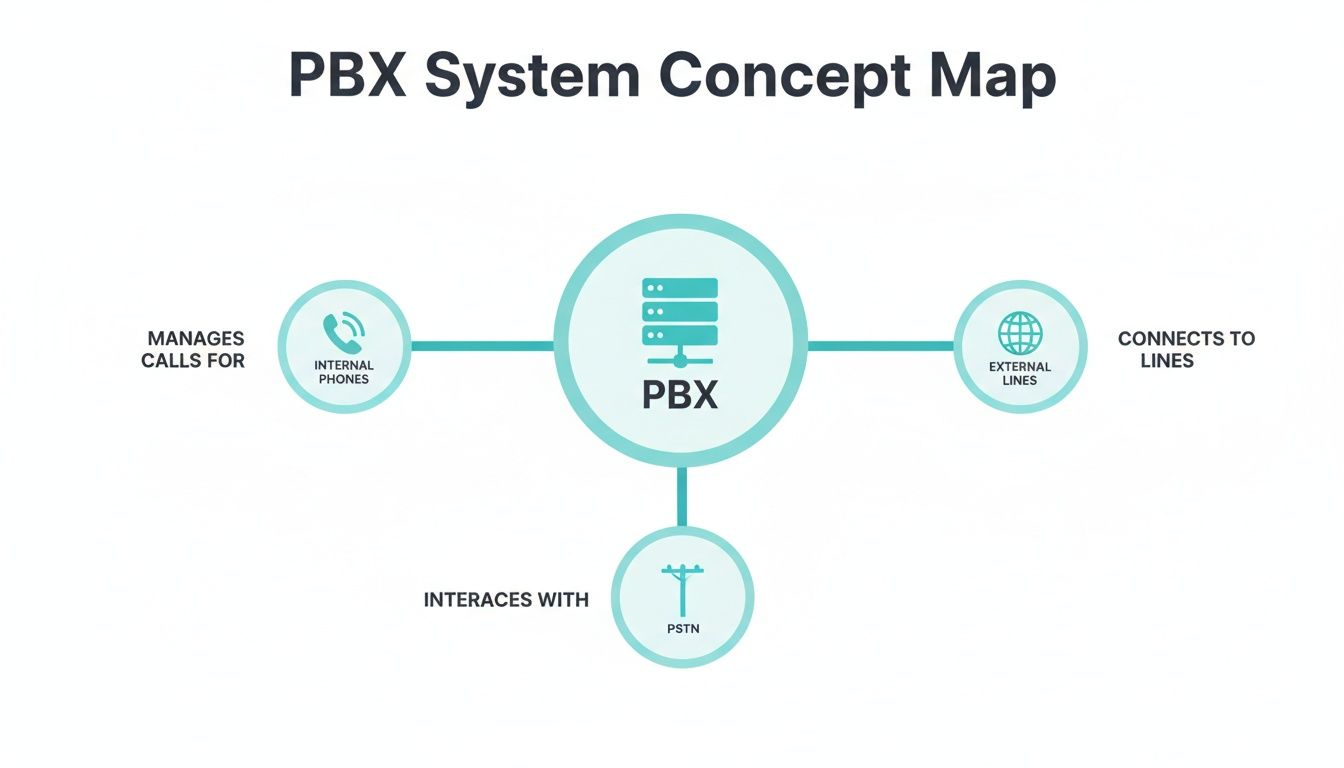
As you can see, all voice traffic is processed by the PBX, establishing it as the single point of management and control for an organization's telephony.
The Lifecycle of a Call
When an employee initiates a call, the process varies based on the destination:
- Internal Call: The user dials an internal extension. The PBX receives the request, identifies the destination endpoint on the local network, and establishes a direct connection. This transaction is entirely internal and consumes no external resources.
- External Call: The user dials an external number. The request is sent to the PBX, which seizes an available trunk line. The PBX then connects the call to the Public Switched Telephone Network (PSTN), which handles the final leg of the call routing. This entire process is transparent to the user. Properly configured trunking and routing rules are vital, as the real cost of missing calls underscores the business impact of telephony failures.
To execute these functions, a PBX relies on several core components working in concert.
Core Components of a Modern PBX System
Here’s a breakdown of the key hardware and software elements that constitute a typical enterprise PBX architecture.
| Component | Function | Technical Example |
|---|---|---|
| PBX Server | The central processing unit running the PBX software (e.g., Asterisk, FreePBX). It manages all call signaling, routing logic, and features. | An on-premise bare metal server or a KVM virtual machine in a private cloud. |
| Trunks | External communication channels connecting the PBX to the PSTN. | Traditional T1/PRI circuits or, more commonly, modern SIP trunks over an IP network. |
| Endpoints | The user-facing devices for making and receiving calls. | Hardware IP phones (e.g., Poly, Yealink), softphones (software on a PC), or mobile VoIP apps. |
| Internal Extensions | The private lines connecting endpoints to the PBX server. | Physical Cat5/6 wiring in an office or a logical connection over a VLAN. |
| Management Interface | A web-based GUI or command-line interface (CLI) for system administration. | A web portal for configuring extensions, dial plans, and security rules. |
These components form the backbone of your business communication, whether they reside in your on-site data center or are managed by a hosting provider.
The Industry Shift to IP-Based Systems
The enterprise telephony landscape has undergone a seismic shift away from legacy hardware toward flexible, IP-based PBX systems. Market data confirms this trend: the global IP PBX market was valued at $21,045.2 million in 2021 and is projected to reach $66,773.1 million by 2033.
The primary drivers are cost and capability. Migrating to a Voice over IP (VoIP) infrastructure can reduce telephony-related operational expenditures by 50-60%, a compelling value proposition for any organization.
From Analog Lines to IP PBX: A Technical Evolution
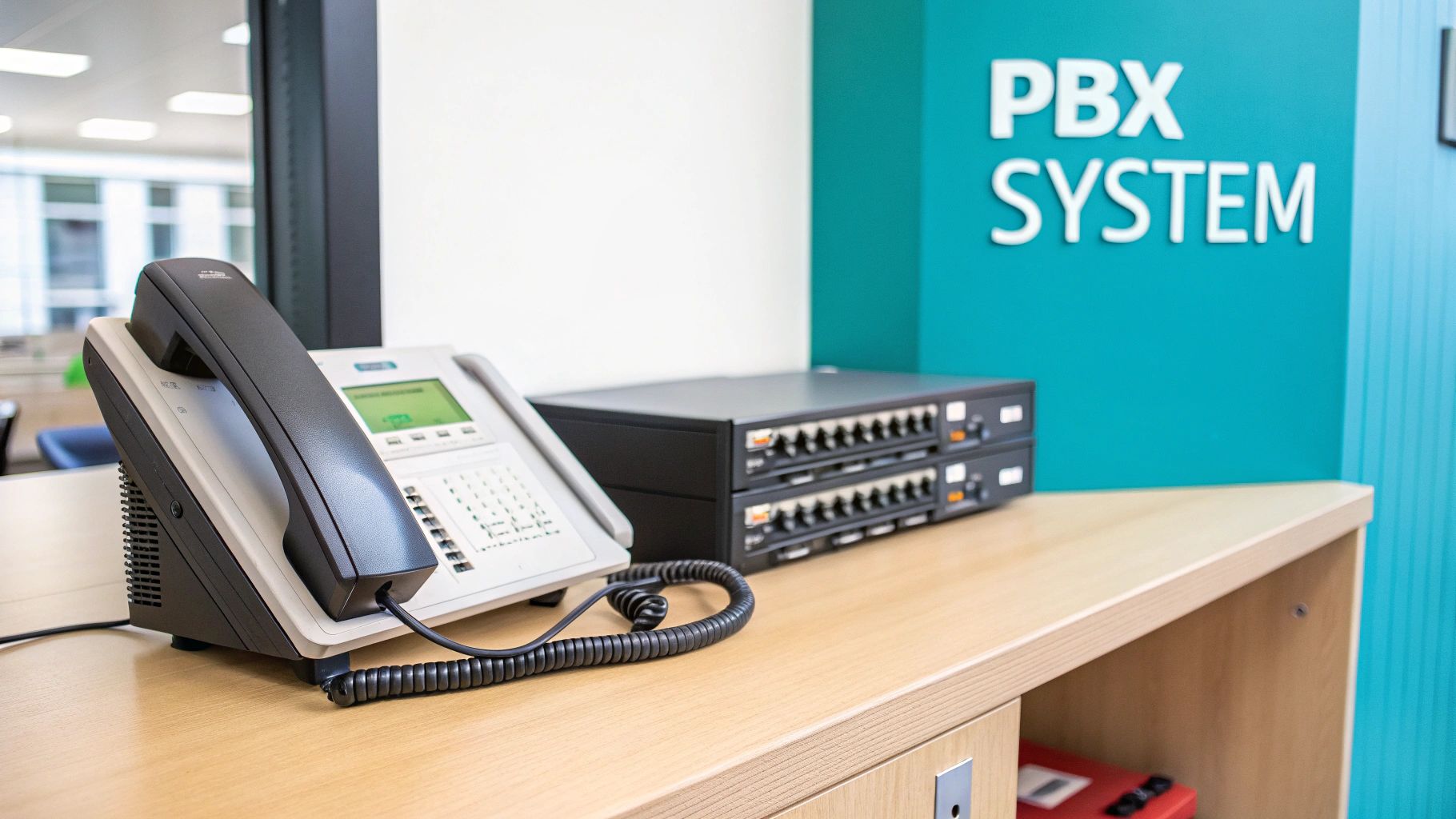
The evolution of business communication reflects a broader IT trend: the move from rigid, proprietary hardware to flexible, software-defined solutions. For decades, the analog PBX dominated—a physical appliance in a server rack, connected to the Public Switched Telephone Network (PSTN) via cumbersome copper PRI or T1 lines. While functional, these systems were operationally and financially burdensome.
Legacy PBX systems were notoriously inflexible. Adding new users required physically installing new line cards and contracting technicians for expensive, disruptive wiring jobs. Maintenance demanded specialized skill sets, and the feature set was limited to basic functions like voicemail and call transfers. For IT managers, they represented a significant source of operational overhead and capital expenditure.
The IP PBX Paradigm Shift
The introduction of the IP PBX revolutionized the field by leveraging an organization's existing Local Area Network (LAN). This fundamental change, enabled by Voice over IP (VoIP) technology, converted voice into just another data type on the network.
With an IP PBX, analog voice signals are digitized, encapsulated into IP packets, and transmitted over the network. For internal calls, these packets remain within the local network, making them instantaneous and free of charge.
The technological leap from circuit-switching (analog) to packet-switching (IP) is the defining innovation of the modern PBX. It transforms voice from a standalone utility into a manageable, scalable, and secure data application, just like any other IT service.
Why IT Departments Champion the IP PBX
This evolution delivers tangible benefits that address the primary pain points of legacy systems, providing clear advantages for system administrators and the business's bottom line.
- Significant Cost Reduction: By utilizing internet-based SIP trunks for external PSTN connectivity, organizations can drastically reduce or eliminate long-distance and international calling charges. Most businesses realize 30-50% in cost savings immediately following migration.
- Simplified Management: Legacy systems often required cryptic command-line interfaces. Modern IP PBX platforms are managed via intuitive web-based GUIs. IT staff can provision users, modify call routing logic (dial plans), and monitor system health with ease.
- Enhanced Mobility and Business Continuity: An IP PBX is not geographically constrained. It enables remote and hybrid workforces by allowing employees to connect to the corporate phone system from any location with an internet connection, using softphones or mobile apps.
- Seamless Scalability: Provisioning a new user is a software configuration task—create an extension, assign credentials, and connect an IP phone. This eliminates the need for hardware upgrades and expensive technician visits, allowing the system to scale in lockstep with business growth.
Choosing Your PBX Deployment Model
Selecting the right deployment model is a critical architectural decision that impacts cost, control, scalability, and security. For any sysadmin or IT leader evaluating what a PBX system is and how it fits their strategy, understanding the three primary options—on-premise, hosted, and hybrid—is the first step. Each presents a distinct set of technical and financial trade-offs.

The deployment path dictates everything from initial capital outlay to the daily operational workload of your IT team. Let's analyze each model to determine the best fit for your organization's technical requirements and operational philosophy.
On-Premise PBX: Complete Control and Ownership
An On-Premise PBX is the traditional model where the entire system—hardware and software—resides within your own data center or server room. You run the PBX software on a dedicated bare metal server or a virtual machine within your private cloud, granting you absolute control over system configuration, security hardening, and third-party integrations.
This level of control requires a significant upfront capital expenditure (CapEx) for hardware and software licensing, plus the ongoing operational expenditure (OpEx) for maintenance, security patching, and system administration. Your IT team is solely responsible for uptime, disaster recovery planning, and capacity management.
Hosted PBX: The Cloud-Native, As-a-Service Model
A Hosted or Cloud PBX abstracts the underlying infrastructure entirely, offloading it to a third-party provider. You connect to the phone system via the internet, eliminating the need for on-site servers and maintenance. This model operates on a predictable subscription fee (OpEx), drastically reducing initial capital investment.
The adoption of hosted PBX solutions has been rapid. The global market is projected to grow from $15.08 billion in 2025 to $71.26 billion by 2035. The key drivers are flexibility and efficiency, with businesses often reducing telephony costs by 40-70%.
A Hosted PBX effectively delivers telephony as a managed service. You gain access to enterprise-grade features, inherent redundancy, and elastic scalability without the associated maintenance overhead. This makes it a highly attractive option for organizations of all sizes.
This model is ideal for businesses with limited IT staff, multiple geographic locations, or a large remote workforce. A specialized PBX system for small business often leverages the cloud to deliver enterprise features without the enterprise price tag.
Hybrid PBX: A Strategic, Best-of-Both-Worlds Approach
The Hybrid PBX model strategically combines on-premise infrastructure with cloud-based services. This allows organizations to retain control over critical internal functions while leveraging the cloud for flexibility, advanced features, or disaster recovery.
A common implementation involves an on-premise PBX server for internal call routing—ensuring local communication remains active during an internet outage—while utilizing cloud-based SIP trunks for external PSTN connectivity. This approach enables a phased modernization, allowing businesses to maximize the value of existing hardware while integrating cloud benefits.
On-Premises PBX vs Hosted PBX vs Hybrid PBX
To clarify the decision-making process, this table compares the models across key technical and business criteria.
| Feature | On-Premises PBX | Hosted/Cloud PBX | Hybrid PBX |
|---|---|---|---|
| Cost Model | High CapEx (hardware, licenses) | Predictable OpEx (monthly subscription) | Blended CapEx and OpEx |
| Maintenance | Full responsibility of in-house IT team | Managed entirely by the service provider | Shared responsibility between internal team and provider |
| Control | Absolute control over security, configuration, integrations | Limited control; configured via provider's platform | High control over on-premise components, less on cloud |
| Scalability | Manual, potentially costly (requires new hardware/licenses) | Elastic; scale users and features on demand | Flexible; scale cloud services easily, on-premise requires planning |
| Reliability | Dependent on your infrastructure and redundancy design | High; provider offers built-in redundancy and SLAs | Can be very high; local survivability during internet outages |
| Best For | Large enterprises with strict security/compliance needs | SMBs, distributed teams, businesses seeking low overhead | Organizations transitioning to the cloud or with unique resiliency needs |
Ultimately, a hybrid solution often provides a practical path forward for established businesses, while a hosted PBX offers undeniable advantages for companies prioritizing agility and cost-efficiency. The key is to align your choice with your long-term business goals.
Essential PBX Features That Drive Business Operations
Modern IP PBX systems are more than call routers; they are communication platforms packed with features that solve specific business challenges. For an IT professional, understanding how these tools translate into operational efficiency and improved customer experience is key.
A PBX serves as the central nervous system of your communications. Its features are the applications that manage interactions intelligently, enhance team productivity, and project a professional image to the outside world.
Automated Call Handling and Routing
One of the most impactful features is the Auto-Attendant (also known as a Digital Receptionist or IVR). It greets callers with a professional, pre-recorded message and provides a menu of options ("Press 1 for Sales, Press 2 for Support"). This immediately routes callers to the correct resource without manual intervention, improving efficiency for both customers and staff.
Working in tandem are Call Queues. For high-volume environments like contact centers or support desks, this feature is essential. Instead of encountering a busy signal, callers are placed in a virtual line, typically with on-hold music or status updates. This prevents lost calls and manages caller expectations effectively.
A well-configured PBX transforms communication from a simple utility into a strategic asset. Features like call recording and CRM integration aren't just add-ons; they are essential for compliance, quality assurance, and creating a unified view of customer interactions.
Productivity and Connectivity Tools
For distributed and mobile workforces, Voicemail-to-Email is a critical productivity tool. It converts voice messages into an audio file (e.g., .wav or .mp3) and delivers it directly to the user's email inbox. This allows personnel to access and respond to messages from any device, anywhere.
Call Recording is another powerful feature, often used for training, quality assurance, and dispute resolution. In many industries, it's a mandatory tool for regulatory compliance. Having a secure, searchable archive of conversations is a non-negotiable legal and operational requirement. The demand for such advanced capabilities is fueling massive industry growth; the IP and cloud PBX market, valued at $32.72 billion in 2025, is projected to reach $101.3 billion by 2035, according to Business Research Insights.
Finally, many systems offer deep CRM integration. When an inbound call arrives, the PBX can query the CRM via an API and display the caller's record on the agent's screen (a "screen pop"). This provides immediate context, enabling a more personalized and efficient interaction. Of course, all external connectivity relies on technologies like SIP trunking. To understand the underlying protocol, our technical guide explains in detail how SIP trunking works.
A Technical Look at PBX Implementation and Management
A successful PBX deployment requires meticulous planning and precise execution. For any IT professional, a smooth rollout depends on a deep understanding of network architecture, security protocols, and ongoing system administration. This section provides a technical roadmap for deploying and maintaining a robust business phone system.

The first and most critical step is a network readiness assessment. VoIP traffic is highly sensitive to network impairments such as latency, jitter, and packet loss. Before deployment, you must validate that your network can support the demands of real-time voice data.
Prepping Your Infrastructure for VoIP
To achieve high-fidelity audio quality, prioritizing voice traffic is non-negotiable. This is accomplished by configuring Quality of Service (QoS) on your network switches and routers.
QoS policies use classification and marking (e.g., DSCP) to identify voice packets, instructing network hardware to prioritize them over less time-sensitive data like bulk file transfers or email. This is the single most effective technique for mitigating jitter and preventing choppy audio.
Next, consider the hosting environment. For maximum performance and resource isolation, a dedicated bare metal server is an excellent choice. However, for greater flexibility, rapid deployment, and easier scalability, deploying your PBX on a KVM VPS (Kernel-based Virtual Machine) offers a powerful and cost-effective alternative.
Securing Your PBX System
An unhardened IP PBX is a prime target for attackers seeking to commit toll fraud or launch Denial-of-Service (DoS) attacks. System hardening is a critical, ongoing responsibility.
Begin with these foundational security measures:
- Firewall Configuration: Implement a restrictive firewall policy. Create explicit rules that only permit traffic from trusted IP addresses to access the PBX management interface and SIP/RTP ports. For example:
# Example using iptables to allow SIP from a trusted provider iptables -A INPUT -p udp -s 203.0.113.50 --dport 5060 -j ACCEPT iptables -A INPUT -p udp --dport 5060 -j DROP - Intrusion Prevention: Deploy tools like
fail2ban. This utility actively monitors log files for malicious activity, such as repeated failed authentication attempts, and automatically blocks the source IP address at the firewall. - Secure Protocols: Enforce the use of SRTP (Secure Real-time Transport Protocol) for call media and TLS (Transport Layer Security) for SIP signaling. This encrypts all voice and signaling data, preventing eavesdropping and session hijacking.
Proactive security is a multi-layered strategy. Combining network-level controls (firewalls, ACLs), application-level hardening (fail2ban), and strong user authentication policies creates a defense-in-depth posture that mitigates the most common threats targeting modern PBX systems.
Configuration and Day-to-Day Management
With a secure foundation, you can establish PSTN connectivity by configuring SIP trunks. Your provider, such as ARPHost, will supply the necessary credentials, registration domain, and proxy server details for integration.
Once live, system administration becomes an ongoing task, including:
- User Provisioning: Adding, modifying, and deleting user extensions, as well as configuring features like voicemail, call forwarding, and find-me/follow-me.
- Call Quality Monitoring: Regularly analyzing call detail records (CDRs) and utilizing network monitoring tools to identify and troubleshoot issues impacting call quality, such as high latency or packet loss.
- Patch Management: Diligently applying security patches and software updates to the PBX's underlying operating system and the application itself to protect against emerging vulnerabilities.
Managing these complexities is why many businesses partner with a specialized cloud PBX provider. This approach offloads the burden of security, maintenance, and carrier management, freeing up internal IT resources to focus on strategic initiatives. It transforms the complex question of "what is a PBX system?" into a simple, reliable service.
Frequently Asked Questions About PBX Systems
Even for seasoned IT professionals, specific questions often arise when evaluating or implementing a PBX. Here are concise answers to common technical queries.
What Is the Difference Between PBX and VoIP?
This is a fundamental point of clarification. Think of it in terms of function versus transport:
- PBX is the "brain": It is the system (software and hardware) that provides features like call routing, extensions, auto-attendants, and voicemail.
- VoIP (Voice over IP) is the "transport method": It is the protocol used to convert analog audio signals into digital packets and transmit them over an IP network.
A modern IP PBX is a system that uses VoIP as its underlying transport technology. You can have VoIP without a PBX (e.g., a simple peer-to-peer call via Skype), but a modern IP PBX cannot function without VoIP.
Can I Keep My Existing Business Phone Numbers?
Yes. The process for this is called Local Number Portability (LNP). LNP is a regulated process that allows you to transfer your existing telephone numbers from your current carrier to your new PBX service provider.
This is critical for business continuity, as it ensures customers and partners can continue to reach you using the same numbers they have always used. Your new provider will manage the entire porting process on your behalf.
How Much Bandwidth Does a PBX VoIP Call Use?
The bandwidth consumed by a single VoIP call depends on the audio codec used. The most common codec in enterprise telephony is G.711, which provides uncompressed, high-quality audio. A call using G.711 typically consumes about 87 Kbps of bandwidth in each direction (upload and download) after accounting for IP overhead.
As a network planning best practice, budget 100 Kbps per concurrent call. This provides a sufficient buffer to absorb minor network fluctuations. Therefore, if you anticipate a peak of 10 simultaneous calls, you should allocate at least 1 Mbps of dedicated, stable upstream and downstream bandwidth for voice traffic to prevent jitter and packet loss.
Is a Hosted PBX System Secure?
A reputable hosted PBX provider designs its platform with security as a primary architectural principle. They employ a multi-layered security posture that often exceeds what a typical small or medium-sized business can implement and maintain in-house.
Key security features to expect from a quality provider include:
- End-to-end Call Encryption: Use of SRTP and TLS to encrypt both call media and signaling data, preventing eavesdropping.
- Geographically Redundant, Secure Data Centers: Facilities with redundant power, cooling, and network connectivity, protected by stringent physical security measures.
- Continuous Network Monitoring and Threat Mitigation: Proactive monitoring for malicious activity like DoS attacks and toll fraud, with automated systems to block threats.
While an on-premise PBX places the security burden entirely on your team, a high-quality hosted provider delivers enterprise-grade security as an integral part of their service.
Ready to modernize your business communications with a reliable, scalable, and secure phone system? ARPHost, LLC offers powerful Virtual PBX solutions and SIP trunks designed to integrate seamlessly with your IT infrastructure, providing crystal-clear quality and enterprise-level features. Explore our business voice solutions today.