

NVMe wins decisively under concurrent I/O, with PCIe 4.0 drives exceeding 1 million random IOPS and about 7 GB/s, while SATA SSDs typically top out near 550 MB/s. For a lightly loaded, single-threaded website, however, the visible gain can be small, so CPU, RAM, and network quality may matter more than the storage label.
You're probably seeing slow database queries, high iowait, or deployments that sit at “extracting files” longer than they should. Choose NVMe for concurrent databases, caches, bursty APIs, and workloads with many small reads and writes. SATA SSD remains sensible for light websites, modest control panels, staging systems, and cron-driven applications where storage rarely queues.
The useful comparison isn't just “NVMe is faster.” You need to separate IOPS, latency, throughput, endurance, cost per gigabyte, queue depth, and virtualization behavior. The commands below will show whether your VPS is waiting on storage, whether another tenant is creating contention, and whether migration is justified.
Table of Contents
- Your VPS Feels Slow and Storage Might Be Why
- How NVMe and SATA SSD Differ Inside a VPS Host
- Head to Head Performance Throughput IOPS and Latency
- Why Peak Benchmarks Mislead Low Queue Depth Reality
- Which Workloads Benefit Most From NVMe on a VPS
- How to Diagnose Storage Bottlenecks and Migrate Safely
- Choosing the Right VPS Storage and Next Steps
Your VPS Feels Slow and Storage Might Be Why
The symptom usually appears as a combination of slow queries, high iowait, laggy deployments, delayed backups, or an application that feels inconsistent rather than permanently slow. A VPS can have available CPU and memory yet still pause while the virtual disk waits for the host storage layer.
The direct fix is straightforward: move database-heavy or highly concurrent workloads to NVMe, but keep SATA SSD for light, mostly single-threaded web workloads where additional CPU or RAM will produce a more noticeable improvement. Don't migrate solely because a provider advertises higher peak IOPS.
Start with the workload, not the label
A web server serving cached HTML may perform little storage I/O after startup. A WooCommerce site, PostgreSQL application, mail server, or CI runner repeatedly touches indexes, logs, temporary files, sessions, and small configuration files. Those operations are sensitive to random I/O and latency, not only sequential transfer speed.
NVM Express was formally completed on March 1, 2011, as a protocol designed around PCIe parallelism and lower software overhead, rather than the older SATA-era path. The historical shift matters because a VPS backed by NVMe isn't using a faster flash chip alone. It may be using a storage interface designed to handle more parallel work. The NVM Express historical presentation documents that transition.
A provider may present your VPS with /dev/vda even when the physical host uses NVMe, so the guest device name alone doesn't prove the underlying media. Virtual disks can sit on RAID, an I/O scheduler, a quality-of-service policy, or a shared pool. Ask what physical storage backs the virtual disk, how workloads are isolated, and whether backups run on a separate system.
What matters in production
| Decision factor | NVMe VPS | SATA SSD VPS |
|---|---|---|
| Concurrent random I/O | Strong fit | Adequate until queues build |
| Single-threaded light website | Often limited visible gain | Usually sufficient |
| Database and cache activity | Better latency and IOPS headroom | Can stall under contention |
| Sequential file work | Much higher potential throughput | Interface remains limiting |
| Cost per gigabyte | May be higher | Often more economical |
| Provider dependency | Still depends on QoS and RAID | Still depends on QoS and RAID |
In multi-tenant infrastructure, the storage device is only one part of the path. Redundant power and network design affect availability, including the operational realities of a Florida facility, but they don't reduce the microseconds a database spends waiting for a block. Storage latency, host contention, CPU scheduling, and network round trips need separate measurements.
How NVMe and SATA SSD Differ Inside a VPS Host
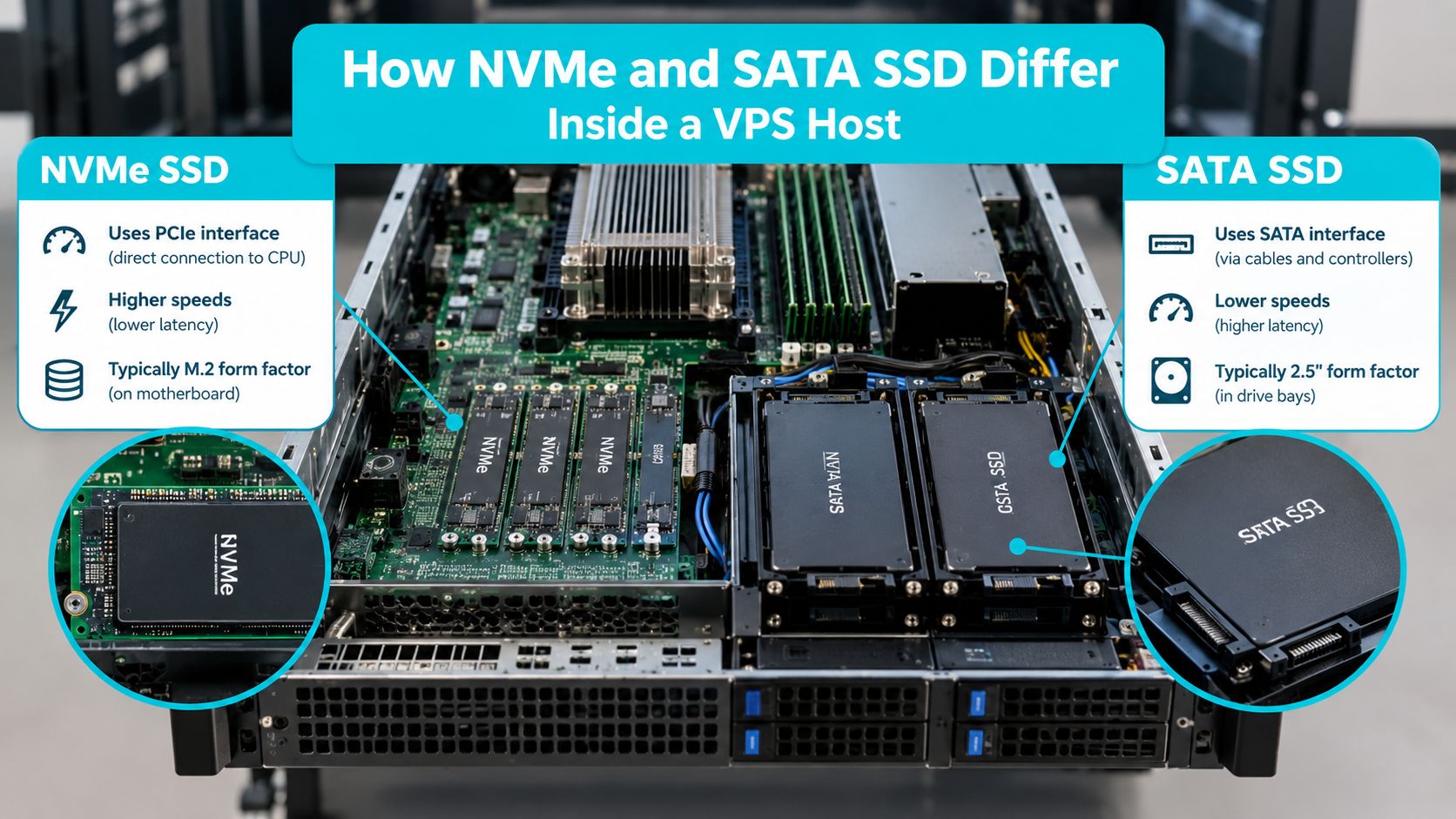
SATA SSDs use a storage path originally built around the SATA interface and AHCI command model. NVMe communicates across PCIe and was designed specifically for nonvolatile flash storage, with much more parallelism and lower software overhead. That difference becomes meaningful when many requests are active at once.
A physical server may have NVMe devices attached through PCIe lanes or SATA SSDs connected through a SATA controller. The virtualization layer then exposes virtual disks to guests. The tenant sees a block device, not necessarily the actual protocol, so a command such as lsblk can identify the guest layout without revealing the complete host topology.
Queue depth changes the result
Queue depth describes how many I/O operations are outstanding. A queue depth of one represents a request arriving, being completed, and then being followed by the next request. A higher queue depth gives the storage stack more work to schedule concurrently.
That distinction explains why synthetic benchmarks can look dramatic while a small website feels nearly identical after migration. A database with many active connections, cache misses, background flushes, and concurrent writes can create meaningful queue depth. A lightly loaded WordPress installation may not.
On the host, multiple VMs create contention even when each VM appears quiet in isolation. One tenant's backup, log rotation, or database checkpoint can compete for the same physical device. NVMe's parallelism and lower latency provide more room before the queue becomes visible, but they don't eliminate a poorly configured I/O policy or an overloaded RAID pool.
What you should ask a provider
Ask whether “NVMe VPS” means local NVMe, a networked NVMe array, or a virtual storage pool backed by mixed media. Request the NVMe generation, RAID design, backup location, restore process, and any per-VM IOPS or throughput limits.
A PCIe 4.0 device can exceed 1 million random IOPS and about 7 GB/s when using four lanes, according to the protocol and storage overview cited above. Those are physical-device capabilities, not a promise that an individual VPS will receive them. Virtualization, fair-use controls, filesystem behavior, and neighboring tenants determine the result you measure.
Practical rule: Treat the advertised device type as a starting point. Validate the virtual disk's latency under your own workload and ask how the provider controls noisy neighbors.
Head to Head Performance Throughput IOPS and Latency
The clearest comparison separates physical-host figures from measurements taken inside a VPS. A server comparison reports SATA SSD performance around 540 MB/s read, 500 MB/s write, 98,000 random-read IOPS, and 88,000 random-write IOPS. The same comparison reports a PCIe 4.0 NVMe SSD at about 7,050 MB/s read, 6,400 MB/s write, 1,200,000 random-read IOPS, and 950,000 random-write IOPS, with latency changing from roughly 120 to 180 microseconds on SATA to about 15 to 20 microseconds on NVMe. The server benchmark comparison provides those figures.
Inside a virtual server, the gap is smaller than the physical-device headline but remains substantial. Independent VPS-focused testing reports a SATA VPS at 62,000 random-read IOPS and 20,500 random-write IOPS, with 1.03 ms read latency and 5.80 ms write latency. Its NVMe PCIe 4.0 VPS reached 425,000 random-read IOPS, 142,000 random-write IOPS, 0.12 ms read latency, and 0.45 ms write latency. The VPS storage benchmark reports the virtualization-inclusive results.
NVMe vs SATA SSD VPS Performance Comparison
| Metric | SATA SSD Host | NVMe PCIe 4.0 Host | SATA SSD VPS | NVMe PCIe 4.0 VPS |
|---|---|---|---|---|
| Sequential read | 540 MB/s | 7,050 MB/s | Not specified | Not specified |
| Sequential write | 500 MB/s | 6,400 MB/s | Not specified | Not specified |
| Random read IOPS | 98,000 | 1,200,000 | 62,000 | 425,000 |
| Random write IOPS | 88,000 | 950,000 | 20,500 | 142,000 |
| Read latency | 120 to 180 microseconds | 15 to 20 microseconds | 1.03 ms | 0.12 ms |
| Write latency | 120 to 180 microseconds | 15 to 20 microseconds | 5.80 ms | 0.45 ms |
The sequential figures matter during large file copies, image extraction, database imports, and backup operations. They matter less when an application waits on thousands of small index, session, or log operations.
IOPS describes how many individual operations the device can process. A database doesn't usually read one giant contiguous file for every request. It reads pages, indexes, WAL or redo records, temporary tables, and metadata. Higher random IOPS helps when those requests overlap.
Latency determines how long each operation waits before completion. Lower latency can reduce stalls in request paths, especially when the application issues synchronous operations. In a multi-tenant host, lower tail latency also helps contain the effects of other VMs generating bursts.
A separate server comparison cites traditional enterprise SATA latency above 2.75 ms and Data Center NVMe latency above 0.75 ms, illustrating that interface choice can change queueing delay before CPU or network tuning is considered. KIOXIA's server interface brief discusses that distinction.
The decisive advantage appears when your application creates concurrent random I/O and cannot keep its working set in memory. For a quiet, single-threaded site, peak NVMe throughput can remain unused.
Why Peak Benchmarks Mislead Low Queue Depth Reality
A benchmark configured for high concurrency measures what the storage system can do with many outstanding requests. That is useful for capacity planning, but it doesn't represent every VPS workload. At queue depth one, one comparison places SATA 4K read responses around 100 to 150 microseconds and NVMe around 80 to 100 microseconds. The low-queue-depth VPS explanation notes that the practical difference can be modest even when peak synthetic results show a much wider gap.
This is why a small brochure site may not feel transformed after moving from SATA SSD to NVMe. The request may spend more time in PHP execution, database processing, TLS, network transfer, or an external API call than waiting for a block. A control panel, a lightly used staging VPS, and a cron job that runs occasionally may never build a meaningful storage queue.

Measure queueing on the guest
Start with the tools already available on most Debian 12, Ubuntu 22.04 or 24.04, and RHEL-compatible systems.
sudo apt-get update
sudo apt-get install -y sysstat fio
iostat -xz 1 10
A representative iostat line might look like this:
Device     r/s   w/s  r_await  w_await  aqu-sz  %util
vda       42.0  18.0      4.8      7.2    0.31   38.0
Focus on await, aqu-sz, and %util, but don't interpret one sample in isolation. A high await during a backup may be expected. A high value during ordinary traffic, paired with application stalls and high iowait, points to a persistent bottleneck or a host-side limit.
vmstat 1 10
pidstat -d 1 10
vmstat shows CPU wait behavior, while pidstat identifies processes issuing reads and writes. If mysqld, postgres, or a backup process dominates writes, changing storage may help. If CPU saturation or memory reclaim appears first, storage isn't the primary fix.
Choose by concurrency
Use SATA when the application is mostly cached, has low request concurrency, and has no sustained write bursts. Use NVMe when database connections overlap, cache misses are frequent, deployments manipulate many files, or storage wait appears in normal operation.
Don't replace a CPU or RAM shortage with an NVMe migration. A database that is constantly evicting useful pages because it lacks memory may still perform poorly on faster storage. Likewise, an API blocked on a remote service won't become faster because its local virtual disk changed.
Which Workloads Benefit Most From NVMe on a VPS
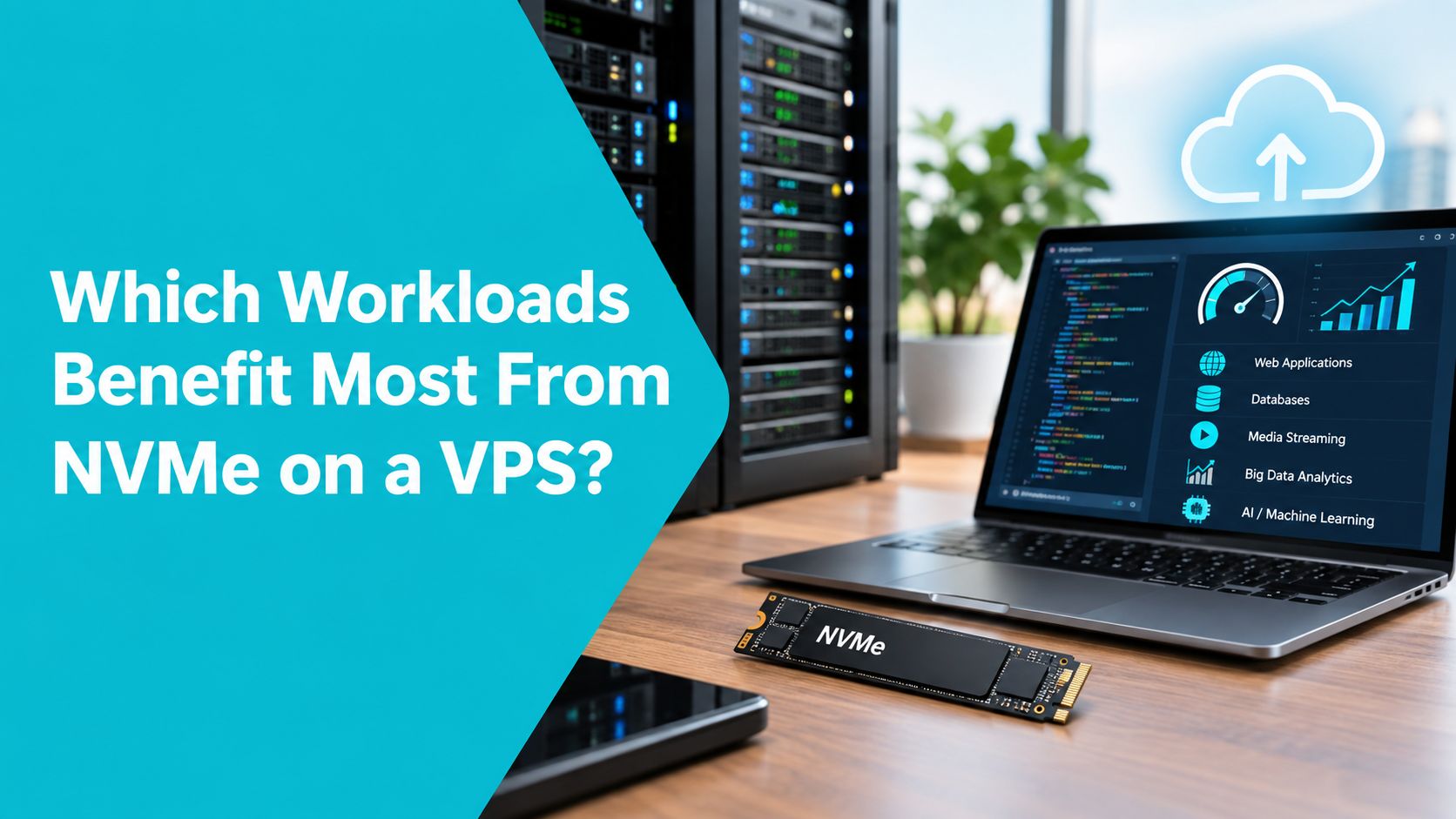
The best NVMe candidates share one trait: they generate enough simultaneous storage work to keep the underlying device busy. The application may be database-heavy, write-heavy, bursty, or sensitive to tail latency. A static site with an effective page cache usually doesn't meet that condition.
Databases and dynamic commerce
MySQL, MariaDB, and PostgreSQL benefit when indexes, table pages, temporary files, transaction logs, and checkpoints compete for I/O. WooCommerce and Magento add catalog searches, sessions, inventory changes, checkout writes, and administrative jobs. These requests can overlap, so random IOPS and latency become more important than a simple sequential read figure.
A small database with a working set that remains in RAM may show little immediate change. A growing database with concurrent reads and writes is different. NVMe gives the storage queue more headroom, but proper indexes, query plans, buffer sizing, and transaction design still come first.
Web, email, APIs, and file operations
A cached Nginx site may remain network-bound. A cache-cold PHP request that opens many files, a bursty API writing request logs, or an email server handling many small messages can expose SATA latency more readily. File extraction, dependency installation, image processing, and database restores also benefit from higher throughput when they run concurrently with ordinary traffic.
For those workloads, an NVMe VPS option from ARPHost is one configuration to evaluate, but the provider should still explain host sharing, backup traffic, RAID, and resource controls. Storage hardware cannot compensate for an overloaded vCPU allocation or an unbounded neighbor.
Endurance is part of the decision
Sustained writes require more than a fast interface. The SNIA endurance guidance distinguishes client-drive testing at 40°C for 8 hours per day with a 30°C, 1-year profile, from enterprise-drive testing at 55°C for 24 hours per day with a 40°C, 3-month profile. The KIOXIA and SNIA endurance brief shows why an endurance rating must be read with its workload and environment assumptions.
In production, the noisy-neighbor pattern is usually visible during backups, log bursts, or scheduled maintenance. A tenant may report that the application is fast all day and then stalls at a predictable time. Moving that VPS to NVMe can reduce the queue, but separating backup traffic and enforcing host-level QoS may address the cause more directly.
Proxmox private clouds, game servers, large databases, media transcoding, and dense virtualization often outgrow the guarantees of a shared VPS. Those workloads may justify dedicated hardware, such as the bare metal server configurations available from ARPHost, where storage, CPU, and memory behavior can be measured and controlled more directly.
How to Diagnose Storage Bottlenecks and Migrate Safely
Before migration, take a current backup, record application latency, confirm free space, and make sure you have console access. Don't run destructive benchmarks on a production filesystem. Use a test file inside the target filesystem, and understand that a VPS provider may restrict fio or throttle it.
1. Identify the guest disk and current pressure
lsblk -o NAME,TYPE,SIZE,FSTYPE,MOUNTPOINTS
df -hT
free -h
Typical output may look like this:
NAME  TYPE  SIZE FSTYPE MOUNTPOINTS
vda   disk   80G
├─vda1 part   79G ext4   /
└─vda2 part    1G swap   [SWAP]
A vda device is virtual and doesn't prove whether the host uses SATA or NVMe. Confirm the storage tier with the provider rather than inferring it from the guest name.
2. Observe wait and process behavior
sudo apt-get install -y sysstat
iostat -xz 1 15
pidstat -d -p ALL 1 10
vmstat 1 10
Look for repeated increases in await, queue size, and CPU wa during the exact period users report slowness. Compare ordinary traffic with backups, imports, log rotation, and scheduled jobs. If wa is low while the application remains slow, inspect CPU, memory, locks, PHP workers, database plans, and network timing instead.
A controlled fio test can establish a baseline:
mkdir -p /var/tmp/fio-test
fio --name=randread --filename=/var/tmp/fio-test/testfile
  --size=512M --bs=4k --rw=randread --ioengine=libaio
  --direct=1 --iodepth=1 --runtime=30 --time_based
  --group_reporting
Run a separate test for concurrency only during an approved maintenance window:
fio --name=randread --filename=/var/tmp/fio-test/testfile
  --size=512M --bs=4k --rw=randread --ioengine=libaio
  --direct=1 --iodepth=32 --runtime=30 --time_based
  --group_reporting
rm -f /var/tmp/fio-test/testfile
The first test approximates low queue depth. The second tests whether parallel requests expose the storage difference. Results vary with virtualization and QoS, so compare them with iostat and application timings rather than treating them as a provider score.
3. Plan, migrate, and verify
Capture a restorable copy. Use your provider's snapshot or backup system, and verify that a restore can boot. For Proxmox environments, confirm the backup job completed and that the target storage has enough capacity.
Record configuration. Save package lists, service configuration, database settings, cron entries, firewall rules, and application secrets in a protected location. The ARPHost server migration checklist can help organize the operational sequence.
Migrate during a controlled window. Stop writes or place the application in maintenance mode, perform the final sync, stop the old services, and start the target services. Keep the original VPS intact until verification passes.
Validate behavior. Repeat
iostat,vmstat, and the low-depthfiotest. Check database logs, web error logs, queue workers, backup completion, and application response timing.Remove temporary data. Delete test files and old snapshots only after the rollback period ends.
Common failures include measuring an idle disk, filling the filesystem during a benchmark, assuming vda identifies the media, or migrating without addressing a noisy neighbor. Misaligned partitions can also hurt performance on physical systems, while a virtual disk may hide that detail. Ask the provider about RAID, QoS, backup traffic, and whether the VPS has a per-tenant I/O ceiling.
If the target performs worse, stop application writes, restore the final backup or snapshot, point services back to the original instance, and compare host-side metrics with support. Don't destroy the source until the new storage has survived normal traffic and at least one verified backup cycle.
Choosing the Right VPS Storage and Next Steps
Choose NVMe when your VPS runs a concurrent database, transactional commerce application, bursty API, mail workload, CI pipeline, or file operation that routinely produces storage queues. Choose SATA SSD when the site is light, mostly cached, single-threaded, and limited by application execution, RAM, or network latency rather than disk wait.
Consider bare metal when you need predictable high-core CPU, large memory, sustained database I/O, game-server consistency, media processing, or a Proxmox cluster. Shared VPS storage can be fast, but dedicated hardware gives you more control over contention and workload placement.
Before ordering, ask:
- What physical media backs the virtual disk?
- Is it PCIe 3.0 or PCIe 4.0 NVMe?
- What RAID and failure-recovery design is used?
- Are backups isolated from production storage?
- What QoS or I/O limits apply per VPS?
- How are restore testing and support escalation handled?
Use the VPS hosting details and current configuration information to compare the storage option with the CPU and RAM you need. After deployment, verify with iostat, low-depth fio, application logs, and database latency during both normal traffic and scheduled jobs. Tampa location can also matter when users or recovery staff are regional, but it doesn't replace storage measurement.
ARPHost, LLC offers VPS hosting backed by enterprise NVMe storage, along with bare metal infrastructure for workloads that need more predictable hardware behavior. Review ARPHost, LLC and bring your I/O measurements, concurrency profile, and backup requirements to the infrastructure team before choosing a storage tier.

Leave a Reply
You must be logged in to post a comment.