 Windows 11on ARPHost VPS
Get a VPS that comes with Windows 11 installed and ready to log in over Remote Desktop. Use it as a desktop you can reach from anywhere, or as a clean machine for testing. Pick a plan, order, and connect a few minutes later.
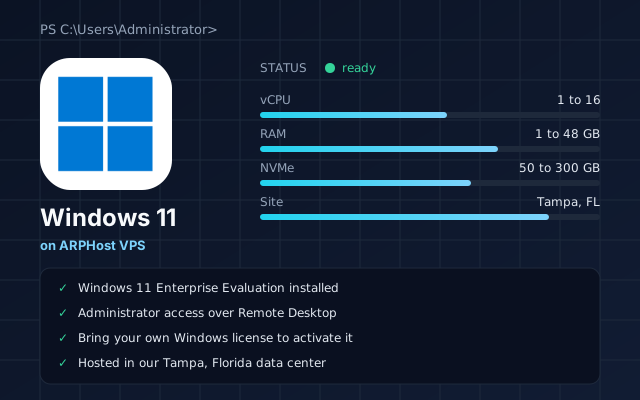
- Windows 11 Enterprise Evaluation installed
- Administrator access over Remote Desktop
- Bring your own Windows license to activate it
- Hosted in our Tampa, Florida data center
5 to 10 min
Typical time from order to a working desktop
1 to 16 vCPU
Intel or AMD EPYC cores
1 to 48 GB
RAM across the plan range
50 to 300 GB
Local or Ceph NVMe storage
Windows 11 VPS Plans
Every plan below is a full KVM virtual server in Tampa, Florida with administrator access. Click Order and Windows 11 is already selected when the order page opens. Choose the /30 IP block at checkout, which the order form marks for Windows. You can still change the bandwidth, managed services and billing term before checkout.
Intel Local NVMe
- $4.25/moPlans from
- 5Plans
- 16Most vCPU
- 48 GBMost RAM
| State | Bandwidth | Order | |||||
|---|---|---|---|---|---|---|---|
| [ OK ]Available | Intel 1 vCPU | 1 vCPU | 1 GB | 50 GB local NVMe | 1 TB | $4.25/mo | order >> Intel 1 vCPU |
| [ OK ]Available | Intel 2 vCPU | 2 vCPU | 8 GB | 75 GB local NVMe | 2 TB | $5.99/mo | order >> Intel 2 vCPU |
| [ OK ]Available | Intel 4 vCPU | 4 vCPU | 16 GB | 100 GB local NVMe | 3 TB | $15.75/mo | order >> Intel 4 vCPU |
| [ OK ]Available | Intel 8 vCPU | 8 vCPU | 32 GB | 200 GB local NVMe | 4 TB | $31.25/mo | order >> Intel 8 vCPU |
| [ OK ]Available | Intel 16 vCPU | 16 vCPU | 48 GB | 300 GB local NVMe | 4 TB | $62.50/mo | order >> Intel 16 vCPU |
No plans match.
5 plans · Tampa, FL · live prices from the cart
Intel 1 vCPU
Starting from $4.25 USD / month
- Tampa, FL
- 1 IP Address
- 1 vCPU Cores
- 1 GB RAM
- 50 GB LOCAL SSD NVMe
- 1 TB Bandwidth
Intel 2 vCPU
Starting from $5.99 USD / month
- Tampa, FL
- 1 IP Address
- 2 vCPU Cores
- 8 GB RAM
- 75 GB LOCAL SSD NVMe
- 2 TB Bandwidth
Intel 4 vCPU
Starting from $15.75 USD / month
- Tampa, FL
- 1 IP Address
- 4 vCPU Cores
- 16 GB RAM
- 100 GB LOCAL SSD NVMe
- 3 TB Bandwidth
Intel 8 vCPU
Starting from $31.25 USD / month
- Tampa, FL
- 1 IP Address
- 8 vCPU Cores
- 32 GB RAM
- 200 GB LOCAL SSD NVMe
- 4 TB Bandwidth
Intel 16 vCPU
Starting from $62.50 USD / month
- Tampa, FL
- 1 IP Address
- 16 vCPU Cores
- 48 GB RAM
- 300 GB LOCAL SSD NVMe
- 4 TB Bandwidth
Intel Ceph NVMe
- $5.53/moPlans from
- 5Plans
- 12Most vCPU
- 48 GBMost RAM
| State | Bandwidth | Order | |||||
|---|---|---|---|---|---|---|---|
| [ OK ]Available | Intel 1 vCPU | 1 vCPU | 2 GB | 25 GB Ceph NVMe | 1 TB | $5.53/mo | order >> Intel 1 vCPU |
| [ OK ]Available | Intel 2 vCPU | 2 vCPU | 4 GB | 50 GB Ceph NVMe | 2 TB | $7.79/mo | order >> Intel 2 vCPU |
| [ OK ]Available | Intel 4 vCPU | 4 vCPU | 8 GB | 75 GB Ceph NVMe | 4 TB | $20.48/mo | order >> Intel 4 vCPU |
| [ OK ]Available | Intel 8 vCPU | 8 vCPU | 32 GB | 150 GB Ceph NVMe | 4 TB | $40.63/mo | order >> Intel 8 vCPU |
| [ OK ]Available | Intel 12 vCPU | 12 vCPU | 48 GB | 150 GB Ceph NVMe | 4 TB | $81.25/mo | order >> Intel 12 vCPU |
No plans match.
5 plans · Tampa, FL · live prices from the cart
Intel 1 vCPU
Starting from $5.53 USD / month
- Tampa, FL
- 1 IP Address
- 1 vCPU Cores
- 2 GB RAM
- 25 GB SSD NVMe CEPH
- 1 TB Bandwidth
Intel 2 vCPU
Starting from $7.79 USD / month
- Tampa, FL
- 1 IP Address
- 2 vCPU Cores
- 4 GB RAM
- 50 GB SSD NVMe CEPH
- 2 TB Bandwidth
Intel 4 vCPU
Starting from $20.48 USD / month
- Tampa, FL
- 1 IP Address
- 4 vCPU Cores
- 8 GB RAM
- 75 GB SSD NVMe CEPH
- 4 TB Bandwidth
Intel 8 vCPU
Starting from $40.63 USD / month
- Tampa, FL
- 1 IP Address
- 8 vCPU Cores
- 32 GB RAM
- 150 GB SSD NVMe CEPH
- 4 TB Bandwidth
Intel 12 vCPU
Starting from $81.25 USD / month
- Tampa, FL
- 1 IP Address
- 12 vCPU Cores
- 48 GB RAM
- 150 GB SSD NVMe CEPH
- 4 TB Bandwidth
AMD EPYC 4584PX Local NVMe
- $7.99/moPlans from
- 6Plans
- 12Most vCPU
- 48 GBMost RAM
| State | Bandwidth | Order | |||||
|---|---|---|---|---|---|---|---|
| [ OUT ]Out of stock | AMD EPYC 4584PX 1 vCPU | 1 vCPU | 2 GB | 25 GB local NVMe | 10 TB | $7.99/mo | Out of stock |
| [ OUT ]Out of stock | AMD EPYC 4584PX 2 vCPU | 2 vCPU | 4 GB | 50 GB local NVMe | 10 TB | $13.99/mo | Out of stock |
| [ OUT ]Out of stock | AMD EPYC 4584PX 4 vCPU | 4 vCPU | 8 GB | 75 GB local NVMe | 10 TB | $24.99/mo | Out of stock |
| [ OUT ]Out of stock | AMD EPYC 4584PX 6 vCPU | 6 vCPU | 16 GB | 100 GB local NVMe | 10 TB | $44.99/mo | Out of stock |
| [ OUT ]Out of stock | AMD EPYC 4584PX 8 vCPU | 8 vCPU | 32 GB | 150 GB local NVMe | 10 TB | $79.99/mo | Out of stock |
| [ OUT ]Out of stock | AMD EPYC 4584PX 12 vCPU | 12 vCPU | 48 GB | 150 GB local NVMe | 10 TB | $119.99/mo | Out of stock |
No plans match.
6 plans · Tampa, FL · live prices from the cart
AMD EPYC 4584PX 1 vCPU
Starting from $7.99 USD / month
Out of stock
- Tampa, FL
- 1 IP Address
- 1 vCPU Cores
- 2 GB RAM
- 25 GB LOCAL SSD NVMe
- 10 TB Bandwidth
AMD EPYC 4584PX 2 vCPU
Starting from $13.99 USD / month
Out of stock
- Tampa, FL
- 1 IP Address
- 2 vCPU Cores
- 4 GB RAM
- 50 GB LOCAL SSD NVMe
- 10 TB Bandwidth
AMD EPYC 4584PX 4 vCPU
Starting from $24.99 USD / month
Out of stock
- Tampa, FL
- 1 IP Address
- 4 AMD EPYC CPU Cores
- 8 GB RAM
- 75 GB LOCAL SSD NVMe
- 10 TB Bandwidth
AMD EPYC 4584PX 6 vCPU
Starting from $44.99 USD / month
Out of stock
- Tampa, FL
- 1 IP Address
- 6 vCPU Cores
- 16 GB RAM
- 100 GB LOCAL SSD NVMe
- 10 TB Bandwidth
AMD EPYC 4584PX 8 vCPU
Starting from $79.99 USD / month
Out of stock
- Tampa, FL
- 1 IP Address
- 8 vCPU Cores
- 32 GB RAM
- 150 GB LOCAL SSD NVMe
- 10 TB Bandwidth
AMD EPYC 4584PX 12 vCPU
Starting from $119.99 USD / month
Out of stock
- Tampa, FL
- 1 IP Address
- 12 vCPU Cores
- 48 GB RAM
- 150 GB LOCAL SSD NVMe
- 10 TB Bandwidth
AMD EPYC Local NVMe
- $5.99/moPlans from
- 6Plans
- 12Most vCPU
- 48 GBMost RAM
| State | Bandwidth | Order | |||||
|---|---|---|---|---|---|---|---|
| [ OUT ]Out of stock | AMD EPYC 1 vCPU | 1 vCPU | 2 GB | 25 GB local NVMe | 10 TB | $5.99/mo | Out of stock |
| [ OUT ]Out of stock | AMD EPYC 2 vCPU | 2 vCPU | 4 GB | 50 GB local NVMe | 10 TB | $10.99/mo | Out of stock |
| [ OUT ]Out of stock | AMD EPYC 4 vCPU | 4 vCPU | 8 GB | 75 GB local NVMe | 10 TB | $19.99/mo | Out of stock |
| [ OUT ]Out of stock | AMD EPYC 8 vCPU | 8 vCPU | 32 GB | 150 GB local NVMe | 10 TB | $54.99/mo | Out of stock |
| [ OUT ]Out of stock | AMD EPYC 6 vCPU | 6 vCPU | 16 GB | 100 GB local NVMe | 10 TB | $34.99/mo | Out of stock |
| [ OUT ]Out of stock | AMD EPYC 12 vCPU | 12 vCPU | 48 GB | 150 GB local NVMe | 10 TB | $84.99/mo | Out of stock |
No plans match.
6 plans · Tampa, FL · live prices from the cart
AMD EPYC 1 vCPU
Starting from $5.99 USD / month
Out of stock
- Tampa, FL
- 1 IP Address
- 1 vCPU Cores
- 2 GB RAM
- 25 GB LOCAL SSD NVMe
- 10 TB Bandwidth
AMD EPYC 2 vCPU
Starting from $10.99 USD / month
Out of stock
- Tampa, FL
- 1 IP Address
- 2 vCPU Cores
- 4 GB RAM
- 50 GB LOCAL SSD NVMe
- 10 TB Bandwidth
AMD EPYC 4 vCPU
Starting from $19.99 USD / month
Out of stock
- Tampa, FL
- 1 IP Address
- 4 vCPU Cores
- 8 GB RAM
- 75 GB LOCAL SSD NVMe
- 10 TB Bandwidth
AMD EPYC 8 vCPU
Starting from $54.99 USD / month
Out of stock
- Tampa, FL
- 1 IP Address
- 8 vCPU Cores
- 32 GB RAM
- 150 GB LOCAL SSD NVMe
- 10 TB Bandwidth
AMD EPYC 6 vCPU
Starting from $34.99 USD / month
Out of stock
- Tampa, FL
- 1 IP Address
- 6 vCPU Cores
- 16 GB RAM
- 100 GB LOCAL SSD NVMe
- 10 TB Bandwidth
AMD EPYC 12 vCPU
Starting from $84.99 USD / month
Out of stock
- Tampa, FL
- 1 IP Address
- 12 vCPU Cores
- 48 GB RAM
- 150 GB LOCAL SSD NVMe
- 10 TB Bandwidth
AMD EPYC Ceph NVMe
- $7.79/moPlans from
- 6Plans
- 12Most vCPU
- 48 GBMost RAM
| State | Bandwidth | Order | |||||
|---|---|---|---|---|---|---|---|
| [ OUT ]Out of stock | AMD EPYC 1 vCPU | 1 vCPU | 2 GB | 25 GB Ceph NVMe | 10 TB | $7.79/mo | Out of stock |
| [ OUT ]Out of stock | AMD EPYC 2 vCPU | 2 vCPU | 4 GB | 50 GB Ceph NVMe | 10 TB | $14.29/mo | Out of stock |
| [ OUT ]Out of stock | AMD EPYC 4 vCPU | 4 vCPU | 8 GB | 75 GB Ceph NVMe | 10 TB | $25.99/mo | Out of stock |
| [ OUT ]Out of stock | AMD EPYC 6 vCPU | 6 vCPU | 16 GB | 100 GB Ceph NVMe | 10 TB | $45.49/mo | Out of stock |
| [ OUT ]Out of stock | AMD EPYC 8 vCPU | 8 vCPU | 32 GB | 150 GB Ceph NVMe | 10 TB | $71.49/mo | Out of stock |
| [ OUT ]Out of stock | AMD EPYC 12 vCPU | 12 vCPU | 48 GB | 150 GB Ceph NVMe | 10 TB | $110.49/mo | Out of stock |
No plans match.
6 plans · Tampa, FL · live prices from the cart
AMD EPYC 1 vCPU
Starting from $7.79 USD / month
Out of stock
- Tampa, FL
- 1 IP Address
- 1 vCPU Cores
- 2 GB RAM
- 25 GB SSD NVMe CEPH
- 10 TB Bandwidth
AMD EPYC 2 vCPU
Starting from $14.29 USD / month
Out of stock
- Tampa, FL
- 1 IP Address
- 2 vCPU Cores
- 4 GB RAM
- 50 GB SSD NVMe CEPH
- 10 TB Bandwidth
AMD EPYC 4 vCPU
Starting from $25.99 USD / month
Out of stock
- Tampa, FL
- 1 IP Address
- 4 vCPU Cores
- 8 GB RAM
- 75 GB SSD NVMe CEPH
- 10 TB Bandwidth
AMD EPYC 6 vCPU
Starting from $45.49 USD / month
Out of stock
- Tampa, FL
- 1 IP Address
- 6 vCPU Cores
- 16 GB RAM
- 100 GB SSD NVMe CEPH
- 10 TB Bandwidth
AMD EPYC 8 vCPU
Starting from $71.49 USD / month
Out of stock
- Tampa, FL
- 1 IP Address
- 8 vCPU Cores
- 32 GB RAM
- 150 GB SSD NVMe CEPH
- 10 TB Bandwidth
AMD EPYC 12 vCPU
Starting from $110.49 USD / month
Out of stock
- Tampa, FL
- 1 IP Address
- 12 vCPU Cores
- 48 GB RAM
- 150 GB SSD NVMe CEPH
- 10 TB Bandwidth
Local NVMe plans keep your disk on the host for the lowest latency. Ceph NVMe plans store your disk on our replicated storage cluster, so a single drive or host failure does not take your data with it.
Which Plan Do I Need?
Light use
Browsing, office work and small utilities need at least a 2 vCPU plan with 4 GB of RAM, which is the least Windows 11 is comfortable with.
Everyday work
Several programs open at once, or development tools, run better on 4 vCPU and 8 GB of RAM.
Heavy programs
Large builds, data work and demanding desktop software are where the 8 and 16 vCPU plans make sense.
You can upgrade your plan later as your needs grow. Not sure where to start? Tell us what you want to run and we will point you at the right size.
From Order to Desktop
- Choose a plan. Pick the CPU, memory and storage that fit the programs you plan to run, and select the /30 IP block that the order form marks for Windows.
- We provision it. Your VPS is built automatically with Windows 11 installed.
- Connect and set up. Open Remote Desktop, sign in as the administrator and install the programs you need.
Everything You Need for a Remote Windows Desktop
A desktop you can reach anywhere
Connect from a laptop, a tablet or another computer and pick up where you left off.
Always on
The desktop keeps running when you disconnect, so long jobs finish without your own computer staying awake.
The Windows 11 you know
The same Start menu, File Explorer and settings as a Windows 11 PC, for software that expects a desktop edition.
A clean test machine
Try software, check how a site or program behaves on Windows 11, and rebuild when you want a fresh start.
Full administrator access
Install what you want, change any setting, and manage the Windows Firewall and users yourself.
Your own resources
The CPU and memory on your plan belong to your desktop alone.
Day to Day
- Sign in over Remote Desktop
- Install and update your programs
- Install Windows updates on your own schedule
- Copy files to and from your own computer through Remote Desktop
- Manage users and the Windows Firewall
- Watch CPU, memory and disk in Task Manager
What People Use It For
Common uses include running Windows only programs from a Mac or a Chromebook, testing software and websites on Windows 11, development and build machines, and keeping a long running program online.
The order form installs the Windows 11 Enterprise Evaluation edition from Microsoft. A Windows license is not included. How you may use Windows 11 on a hosted server is set by Microsoft's licensing terms, and following them is your responsibility.
Quick Start Guide
- Find your server address and the administrator sign in details in the delivery email and your client area.
- Connect with Remote Desktop and change the administrator password.
- Install the latest Windows updates and restart.
- Activate Windows with your own license.
- Check the Windows Firewall and allow Remote Desktop only from the addresses you use.
- Install the programs you need.
- Keep copies of important files somewhere else and keep Windows up to date.
The official Windows documentation covers every setting in detail.
Frequently Asked Questions
How long does setup take?
Most orders are ready in about 5 to 10 minutes. You will get an email when your VPS is up.
What is included?
A KVM VPS with administrator access, the IP block you choose at checkout, and Windows 11 Enterprise Evaluation installed and ready for Remote Desktop.
Is a Windows license included?
No. The desktop is installed from Microsoft's evaluation edition. You activate it with your own license, and licensing is your responsibility under Microsoft's terms.
Which IP option should I choose?
Select the /30 block at checkout. The order form marks it as the one to use with Windows.
Should I choose Windows 11 or Windows Server?
Choose Windows 11 when you need a desktop for programs made for a PC. Choose Windows Server 2025 when you are hosting websites, services or server roles.
Is this managed hosting?
The base plan is unmanaged, so you control the server. You can add managed services at checkout if you want us to handle updates, monitoring and patching.
Ready for Your Windows Desktop?
Pick a plan and Windows 11 will be ready in minutes.
Windows is a trademark of the Microsoft group of companies. ARPHost is not affiliated with or endorsed by Microsoft.