

A lot of businesses reach the same point with phones. The old system still works, but every change costs money, every move takes too long, and remote staff end up patched in with workarounds nobody trusts.
That’s where voip with sip usually becomes a practical decision instead of a technology project. You move voice onto IP networks, replace fixed lines with software-defined call routing, and stop treating telephony like a separate island from the rest of your infrastructure.
The important part is this. A phone system only performs as well as the platform under it. Clean routing, stable compute, sane firewall policy, and predictable failover matter more than glossy feature lists. In practice, most bad VoIP deployments fail because the underlying hosting and network design were weak from day one.
Moving Beyond Landlines to VoIP with SIP
Traditional PSTN systems don’t break all at once. They become expensive, rigid, and awkward to scale. A new location needs service. A remote hire needs a desk extension. A call queue needs to change after hours. Suddenly a simple phone system turns into a recurring operations problem.
That’s why businesses have moved hard toward IP voice. The shift isn’t theoretical anymore. The global VoIP market was valued at $144.77 billion in 2024 and is projected to reach $326.27 billion by 2032 according to Nextiva’s VoIP market roundup. That growth tracks with what engineers see on the ground. Companies want mobility, software control, and fewer physical dependencies.
What changes when you move
With voip with sip, the business phone system stops being tied to a copper line and a room full of proprietary hardware.
- Users can work anywhere: A softphone, desk phone, or mobile client can register from the office, home, or a branch site.
- Changes happen in software: Extensions, ring groups, DIDs, and call routes can be adjusted without waiting on a carrier truck roll.
- The platform can grow with the business: You can add call paths and endpoints without redesigning the entire voice stack.
Why infrastructure matters more than features
Hosted voice often gets sold on voicemail-to-email and mobile apps. Those are useful, but they’re not what determines success. The core questions are simpler.
Does the PBX stay reachable during maintenance?
Do RTP streams survive NAT correctly?
Can you isolate voice traffic from noisy workloads?
Do you have backups and a recovery plan?
Bad call quality is rarely a “phone problem.” It’s usually a network, firewall, or hosting problem that shows up first in voice.
That’s why experienced teams evaluate voice the same way they evaluate any production service. They look at compute placement, storage stability, firewall policy, and support boundaries before they care about user-facing features.
Core Concepts How VoIP and SIP Work Together
VoIP and SIP get lumped together, but they’re not the same thing. VoIP is the broad method of sending voice over IP networks. SIP is the signaling protocol that sets up, manages, and tears down those sessions.
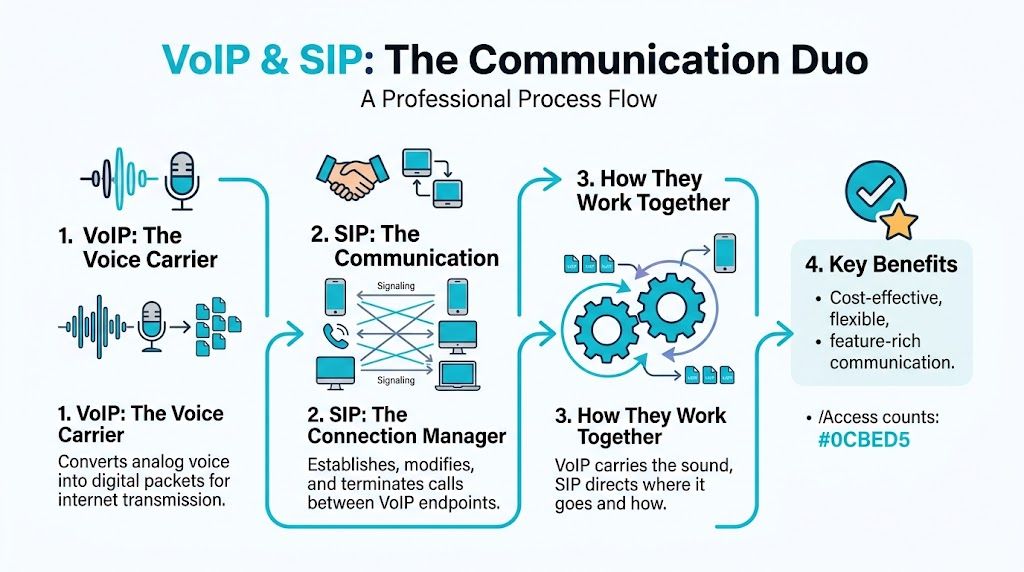
Think of it this way. VoIP carries the conversation. SIP coordinates it.
SIP handles signaling
SIP decides how a session begins and ends. It exchanges messages such as INVITE, OK, ACK, and BYE so endpoints know who is calling, where to send media, and when to close the session.
Per Vonage’s SIP protocol overview, SIP’s peer-to-peer architecture standardized in RFC 3261 lets user agents such as SIP phones act as both clients and servers. It also works with SDP to negotiate media details like codec choice, and it typically uses port 5060 or 5061 for signaling.
A few practical roles matter in real deployments:
- User agent: A desk phone, softphone, or PBX process that sends and receives SIP messages.
- Registrar: The service that keeps track of where a user is currently registered.
- Proxy: The signaling intermediary that routes requests toward the destination.
- PBX: The call control platform that applies dial plans, trunks, IVRs, queues, and extensions.
RTP carries the audio
SIP doesn’t carry the actual voice. RTP does that. If encryption is enabled, SRTP carries the media stream instead.
This distinction matters because a call can signal correctly and still have no audio. Engineers see that often with NAT mistakes. The SIP dialog completes, the phones show “connected,” but RTP is pointed at the wrong address or blocked by a firewall.
If SIP is the traffic controller, RTP is the truck carrying the payload. You can have perfect routing instructions and still lose the shipment if the road is blocked.
SDP is where many clues live
When two endpoints negotiate a call, SDP tells them which codec to use and where media should go. If you troubleshoot voice regularly, SDP is one of the first places you look.
Check for:
- Codec mismatch: One side offers codecs the other side won’t accept.
- Wrong connection address: The SDP
c=line advertises a private address that the far side can’t reach. - Invalid media port: The SDP
m=line points RTP to a blocked or incorrect port.
A solid explainer on signaling flow helps, but operational value comes when you map it to your own trunk and PBX. For a practical business view, this breakdown of how SIP trunking works is worth reading alongside your build notes.
Why this separation matters in production
Once you understand signaling versus media, most troubleshooting gets faster. Failed registration, dropped calls, one-way audio, codec errors, and TLS issues stop looking random.
Use this simple mental model:
| Layer | What it does | What usually breaks |
|---|---|---|
| SIP signaling | Sets up and tears down calls | Auth errors, registration failures, TLS issues |
| SDP negotiation | Advertises codec and media target | Wrong IPs, bad ports, unsupported codecs |
| RTP or SRTP media | Carries the voice stream | One-way audio, jitter symptoms, firewall blocks |
That’s the foundation for every clean voip with sip deployment.
Essential Components of a Business VoIP System
A business phone system doesn’t need to be complicated, but it does need the right building blocks. In practice, most business deployments come down to three pieces working together. SIP trunks, DIDs, and a PBX.
The market has settled around that model for a reason. SIP trunking accounted for 46% of global VoIP revenue in 2024, and small and midsize businesses are adopting it at 15.30% annual growth, with cost savings of up to 40% on local calls.
SIP trunks
A SIP trunk is the IP-based replacement for legacy carrier lines. It connects your PBX to the outside world so users can place and receive calls.
It helps to think of the trunk as capacity and connectivity, not as a single phone number. One trunk can carry multiple concurrent sessions depending on how you provision it and how the provider presents channels or call paths.
Operationally, this is what the trunk does:
- Outbound calling: Your PBX hands calls to the trunk for routing into the public network.
- Inbound termination: Calls to your numbers arrive from the provider and land on your PBX.
- Scaling: You expand call capacity by changing service parameters instead of ordering more physical circuits.
DIDs
A DID, or Direct Inward Dial number, is the number people call. It maps external callers to your PBX so they can reach an extension, queue, IVR, or department.
Businesses often underestimate how important DID planning is. Good numbering structure reduces confusion for staff and customers alike. Sales, support, after-hours routing, and regional presence all get easier when DIDs are assigned deliberately instead of ad hoc.
If you need a clean primer, this explanation of what a DID number is is useful before you start porting or assigning numbers.
The PBX
The PBX is the decision engine. It decides where calls go, what happens after hours, which extensions ring, which queue handles overflow, and how voicemail, recordings, and IVRs behave.
Without a PBX, you have lines and numbers but no business logic. With a PBX, you get structure.
Common PBX jobs include:
- Extension management
- Inbound routing
- Outbound route policy
- IVR menus
- Ring groups and queues
- Voicemail and failover logic
A SIP trunk gets calls in and out. The PBX determines whether the result feels organized or chaotic.
How the pieces fit together
A simple flow looks like this:
- A customer dials a DID.
- The provider delivers the call through the SIP trunk.
- The PBX evaluates the destination.
- The PBX sends the call to a user, group, queue, IVR, or voicemail.
That architecture scales well because each part has a clear job. You can change routing without changing the trunk. You can add numbers without rebuilding the PBX. You can replace a handset without changing the public-facing identity of the business.
Choosing Your VoIP Deployment Model on ARPHost
The right voip with sip design depends less on features than on control boundaries. Some teams want a service they barely touch. Others want shell access, custom dial plans, direct packet captures, and full freedom to tune the stack.

The practical choice usually falls into one of three models. Hosted PBX, self-hosted PBX, or hybrid.
Hosted cloud PBX
This is the lowest-friction option. The provider runs the PBX platform, maintains the voice application stack, and usually handles upgrades, backups, and core service health.
Hosted PBX fits well when:
- Your IT team is small: Nobody wants to spend time patching Asterisk or tuning Linux audio timers.
- You need quick rollout: New users, remote phones, and department numbers can be provisioned fast.
- You value operational simplicity: Support boundaries are clearer because the voice platform is part of the managed service.
The trade-off is control. You won’t get the same flexibility for custom integrations, dialplan manipulation, or low-level troubleshooting that you’d have on your own VM or server.
Self-hosted PBX
This is the engineer’s option. You choose the PBX software, control the OS, and own the full call flow design.
For smaller installs, a VPS is usually enough. For higher call density or stricter isolation, bare metal makes more sense. If you need clustered workloads, management-plane separation, or room for additional services, a dedicated private cloud is the cleaner pattern.
A typical self-hosted stack might look like this:
| Deployment target | Good fit | Main benefit | Main caution |
|---|---|---|---|
| VPS | Small to mid-sized PBX | Fast deployment and lower overhead | Be disciplined about noisy-neighbor risk and resource sizing |
| Bare metal server | Heavy call volume or custom stacks | Predictable performance and hardware isolation | You manage more of the lifecycle |
| Dedicated Proxmox private cloud | Multi-node or HA-oriented voice environments | Flexible segmentation, snapshots, and infrastructure control | Design complexity increases |
What works in practice
For FreePBX or Asterisk, keep the design boring. Voice platforms don’t need novelty. They need consistency.
Use:
- Dedicated vCPU and RAM headroom for the PBX VM
- Predictable storage latency for recordings and voicemail
- Separate firewall policy for signaling and media
- Documented backup and restore steps instead of assuming snapshots solve everything
Avoid putting a PBX on a general-purpose VM that also runs unrelated web apps, cron-heavy workloads, or bursty database jobs. That’s a common shortcut, and it usually shows up first as jitter or delayed call setup.
A useful deployment walk-through is below if you want a visual reference before choosing your model.
Hybrid voice design
Hybrid is the middle ground. You might keep your PBX on infrastructure you control, but use cloud-based SIP services, external failover targets, or managed trunks. This model works well for businesses that need customization without giving up resilience.
Examples of hybrid use:
- Primary PBX on private infrastructure, with cloud failover destinations
- Self-hosted queue logic, with managed SIP termination
- Separate voice and app tiers, with the PBX integrated into internal business systems
Deployment rule: If your team wants customization, choose self-hosted. If your team wants fewer operational surprises, choose hosted. If you need both, build hybrid and define support boundaries early.
In environments that need voice plus adjacent infrastructure, ARPHost offers VPS hosting, bare metal servers, dedicated Proxmox private clouds, and SIP services in the same stack, which simplifies placement and support ownership when the PBX, trunks, and surrounding workloads need to stay coordinated.
Securing SIP Communications and Ensuring Call Quality
Voice traffic is a live service. Users notice problems immediately, and attackers do too. If you run SIP on the public internet without hardening, expect scans, registration abuse attempts, and media problems tied to loose firewall rules or bad NAT handling.

Encrypt signaling and media
Basic SIP is readable in transit. That includes metadata attackers can use for interception or reconnaissance. The operational baseline should be SIP over TLS for signaling and SRTP for media.
SIP over TLS on port 5061 encrypts signaling, SRTP protects media with AES-128/256, and the combination can reduce breach risk by 95% in layered setups. The same source notes plain-text SIP exposes metadata to man-in-the-middle attacks prevalent in 30% of scanned networks.
That’s the security floor. Not the premium option.
Use an SBC mindset even if you don’t deploy a full carrier stack
A Session Border Controller does more than “protect VoIP.” It enforces session policy at the edge.
An SBC or SBC-like edge design helps with:
- NAT traversal
- Topology hiding
- Rate limiting
- Header validation
- Call admission control
- Media anchoring when needed
If you’re not running a dedicated SBC appliance, you still need those functions represented somewhere in the design. A raw PBX directly exposed to the internet is convenient until it isn’t.
NAT is still where many voice problems begin
SIP and RTP don’t love careless NAT. The signaling may pass, but the advertised media address can still be wrong.
Keep these points in mind:
- Set the PBX external address correctly
- Define local networks accurately
- Disable SIP ALG on edge devices if it rewrites traffic badly
- Use symmetric RTP or media handling options only when they fit the trunk design
- Keep firewall policy narrow rather than broadly permissive
The cleanest VoIP security posture is also usually the most stable one. Limit exposure, encrypt everything, and make media paths predictable.
Call quality depends on network discipline
Security and quality aren’t separate conversations. Poorly designed networks create both call issues and troubleshooting blind spots.
Watch for these conditions:
| Symptom | Likely cause | Practical fix |
|---|---|---|
| Robotic audio | Jitter or packet timing instability | Prioritize voice traffic and remove competing burst loads |
| Clipped speech | Packet loss | Inspect congestion points and firewall state handling |
| Delay | Excessive latency | Shorten path complexity and verify provider routing |
| Echo complaints | Endpoint or acoustic issue, sometimes gateway behavior | Test with alternate endpoints and isolate the affected leg |
For bandwidth planning, codec choice matters. G.711 is straightforward but heavier. G.729 is more bandwidth-efficient. Match the codec policy to your environment rather than enabling every option and hoping negotiation sorts it out.
Security controls that actually help
A secure voice stack should include:
- TLS certificates managed like any other service certificate
- SRTP enforcement where supported end to end
- Firewall rules scoped to known peers
- Registration controls and auth review
- Backups that include PBX config, prompts, and routing data
- Monitoring that checks both signaling reachability and call behavior
If your team doesn’t want to own all of that, this is the point where managed services make sense. Requesting a managed services quote is often cheaper than cleaning up a voice outage after a preventable exposure or misconfiguration.
Integration Checklist for ARPHost SIP Trunks
Most SIP trunk turn-ups fail for simple reasons. Wrong auth details, wrong transport, codec mismatch, loose inbound routing, or firewall rules that allow signaling but break media. A consistent checklist fixes most of that.
If you’re building against ARPHost SIP trunk VoIP services, treat the integration like any other production service. Gather the parameters first, then build the trunk, then validate media.
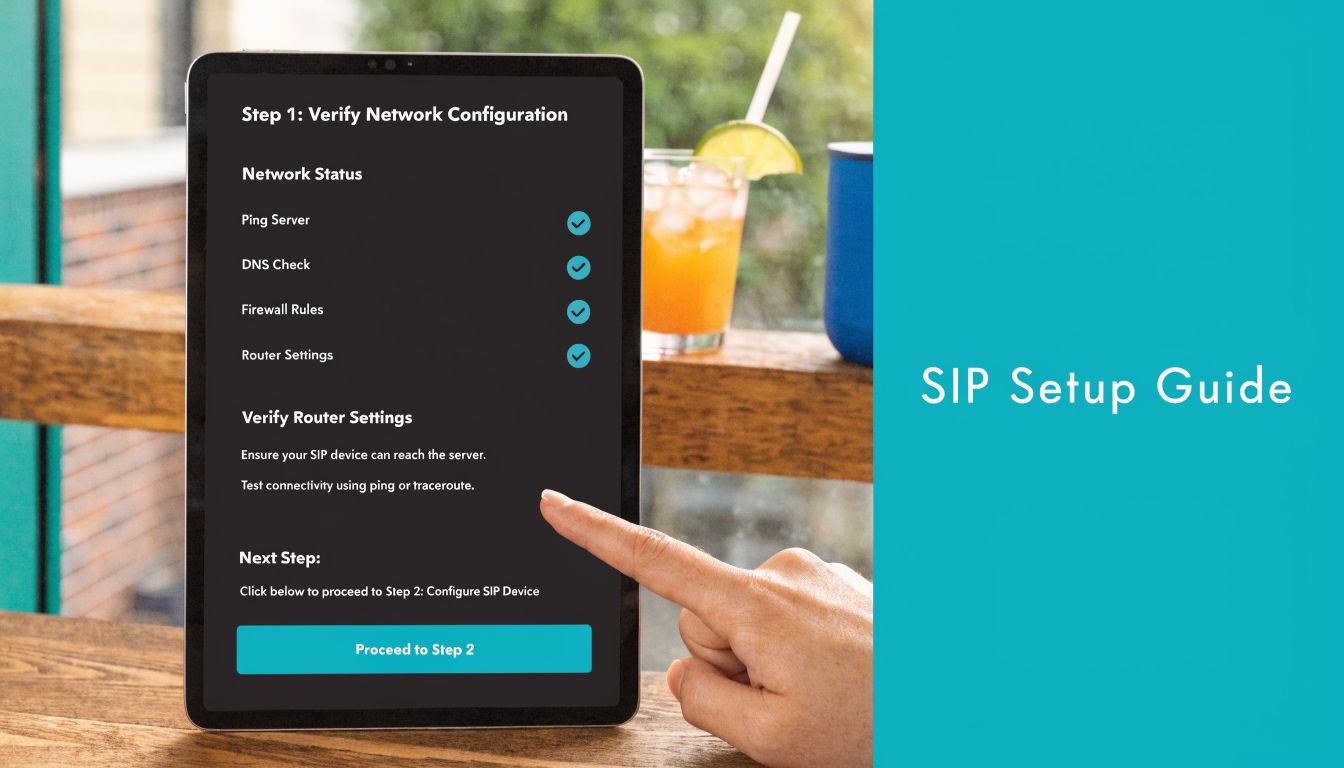
Step 1 Gather your trunk details
Before touching the PBX, collect:
- SIP username and authentication secret
- Registrar or proxy hostname
- Required transport
- Assigned DIDs
- Approved codecs
- Inbound caller ID expectations
- DTMF method
- Any IP-based access rules if registration is not used
Document them in one place. Half of avoidable support time comes from hunting through old tickets for a missing setting.
Step 2 Build the trunk on the PBX
On FreePBX or an Asterisk-based system, define the trunk with explicit settings instead of defaults you haven’t verified.
A simple PJSIP-style example looks like this:
[transport-tls]
type=transport
protocol=tls

[provider-endpoint]
type=endpoint
transport=transport-tls
context=from-trunk
disallow=all
allow=ulaw,alaw,g729
aors=provider-aor
outbound_auth=provider-auth
dtmf_mode=rfc4733

[provider-auth]
type=auth
auth_type=userpass
username=YOUR_USERNAME
password=YOUR_SECRET

[provider-aor]
type=aor
contact=sip:YOUR_PROVIDER_HOSTNAME
The exact values depend on the provider requirements, but the pattern stays the same. Be intentional about transport and codecs.
Step 3 Define inbound and outbound routes
Don’t stop at trunk registration. Calls still need business logic.
For inbound routes:
- Point each DID to the right extension, ring group, queue, or IVR
- Create a catch-all route for unexpected inbound numbers
- Set time conditions if after-hours handling differs
For outbound routes:
- Decide which patterns can dial out
- Control international or premium destinations based on policy
- Set caller ID rules before users start testing
A trunk that registers successfully but has no clean routes is not a working deployment. It’s just an authenticated connection.
Step 4 Lock down the firewall
Allow only what’s needed for signaling and media. Keep voice hosts separated from unrelated services when possible.
Example using ufw on a Linux PBX host:
ufw allow 5061/tcp
ufw allow 10000:20000/udp
ufw enable
ufw status verbose
If you use a different RTP range, adjust it to match the PBX configuration. Don’t leave a broad UDP policy in place just because testing was easier that way.
Step 5 Test both signaling and media
Run three checks, not one:
- Registration check: Confirm the trunk shows registered or reachable.
- Outbound call test: Verify dialing, caller ID presentation, DTMF, and hangup behavior.
- Inbound call test: Confirm the DID lands on the expected destination and both sides hear audio.
Then test from more than one endpoint. A single successful desk phone call doesn’t prove that mobile clients, remote users, or queue legs are clean.
Step 6 Save evidence while it works
When the integration is healthy, record the known-good state.
Capture:
- Trunk config export
- Firewall snapshot
- Active transport setting
- Codec list
- Test results by inbound and outbound scenario
That makes future changes safer and shortens rollback time if a later edit breaks registration or audio.
Troubleshooting Common VoIP and SIP Issues
Most VoIP tickets fall into a few recurring patterns. The fastest way to solve them is to diagnose by symptom, not by guesswork.
One-way audio
This is one of the most common faults in SMB deployments. One-way audio is a top complaint for SMBs, often caused by private IPs in SDP that are unreachable behind NAT. Field reports also indicate that SIP ALG contributes to 25% of these incidents.
Start with the media path, not the handset.
Check:
- SDP connection line: Is the PBX advertising a private address to the far side?
- RTP port policy: Does the firewall allow the configured media range?
- SIP ALG status: If the edge device rewrites SIP poorly, disable it.
- Symmetric behavior: Verify whether the PBX is expecting RTP back on the same path it sent from.
If signaling completes but only one side hears audio, assume RTP is wrong until proven otherwise.
Failed registration
A trunk that won’t register usually comes down to auth, transport, or edge filtering.
Work through it in order:
- Verify credentials exactly as issued
- Check whether the trunk expects UDP, TCP, or TLS
- Confirm outbound firewall policy
- Inspect PBX logs for auth rejection or TLS negotiation problems
- Make sure the provider hostname resolves and the PBX can reach it
Don’t change five settings at once. Change one variable, test, and save the result.
Poor call quality
Robotic voice, clipped syllables, and delayed audio often get blamed on “the provider” or “the internet.” Usually the fault is closer to home.
Look at:
- Competing traffic on the same host or uplink
- Codec selection that doesn’t fit available bandwidth
- Virtualization resource contention
- Firewall state exhaustion or excessive inspection
- Remote users on unstable local networks
A packet capture plus system load review will usually tell you more than handset swapping.
When voice degrades only during busy periods, inspect the host and uplink before you inspect the phone.
Calls fail after answer
If calls connect and then drop, inspect session timers, NAT binding behavior, and media inactivity expectations. This is often an edge-policy or timer mismatch, not a trunk outage.
Keep a known-good baseline for the PBX, trunk, and firewall. That’s what turns troubleshooting from an open-ended hunt into a short comparison exercise.
VoIP and SIP Frequently Asked Questions
How do I reduce spoofing and fraud risk on a self-hosted PBX
Basic encryption isn’t enough anymore. Emerging threats like AI-driven attacks and toll fraud require extra layers. Current guidance highlights provider-side STIR/SHAKEN for caller ID verification and IP whitelisting via managed firewalls as important controls for SMBs using self-hosted PBX systems on platforms like Proxmox.
In practical terms, use encrypted signaling and media, restrict who can reach the SIP service, validate headers at the edge, and review outbound dialing policy carefully.
Can I migrate my existing phone numbers
Yes, in most cases number porting is possible through standard LNP processes. The important part is planning the cutover properly. Keep a porting inventory, confirm caller ID presentation requirements, and test inbound routing as soon as the numbers move.
What’s the right platform for a high-volume call center PBX
For heavier environments, the answer is usually less about the PBX software and more about placement. High-volume voice benefits from dedicated resources, clear network segmentation, and room for redundancy. That often pushes the design toward bare metal or a dedicated Proxmox private cloud instead of a small general-purpose VM.
Should I choose hosted or self-hosted
Choose hosted if you want fewer moving parts to maintain. Choose self-hosted if you need control over call flow logic, integrations, and system-level access. Choose hybrid if you need both.
Is voip with sip still worth the effort for smaller businesses
Yes, if it’s built cleanly. Smaller environments benefit from simpler scaling, easier remote work support, and less dependence on legacy carrier models. The mistake isn’t choosing SIP. The mistake is underbuilding the infrastructure under it.
If you’re planning a new phone system, migrating a PBX, or trying to fix a voice platform that never felt stable, ARPHost, LLC offers infrastructure and managed services that fit the common deployment paths behind business telephony, including VPS hosting, bare metal servers, dedicated Proxmox private clouds, SIP trunks, DIDs, Virtual PBX, secure backups, and fully managed IT services.
