

You're looking at a VMware renewal, a licensing change, or a hardware refresh, and the obvious question is, “Which hypervisor replaces vSphere?” In production, that's usually the wrong first question.
Start by classifying workloads. Keep the systems that need vSphere continuity where they are, move suitable dev, test, branch, and lower-risk workloads to Proxmox VE or Hyper-V, and send elastic workloads to public cloud IaaS. For a Proxmox pilot, use at least three physical nodes for reliable quorum, then validate the cluster before moving a single production VM. Proxmox documents the quorum model in its High Availability documentation.
That phased approach matters because most VMware exits aren't clean platform swaps. They're operating-model changes involving backup, networking, storage, skills, change windows, and rollback. The practical question is which workloads should move first, which should remain temporarily, and who will operate the new platforms after the migration.
Table of Contents
- Why Teams Are Leaving VMware in 2026
- The Phased Reduction Reality Most Comparisons Miss
- The Main VMware Alternatives at a Glance
- Feature and Cost Matrix Across the Leading Options
- Best VMware Alternatives by Use Case
- Step-by-Step Migration Plan With Proxmox Examples
- Pre-Migration Checklist and Rollback Procedure
- Mapping This to Your Infrastructure and Next Steps
Why Teams Are Leaving VMware in 2026
Broadcom's 2023 acquisition of VMware changed the commercial decision for many infrastructure teams. The pressure isn't only about a renewal quote. Teams are also reviewing dropped perpetual licenses, mandatory support arrangements, renamed or bundled SKUs, and the operational consequences of committing more to one vendor.
A 2026 market snapshot reported VMware vSphere installed-base share falling from 48% in 2024 to 31% in 2026, while Proxmox VE rose from 12% to 21%, Hyper-V from 22% to 24%, and Nutanix AHV from 8% to 11%. The same dataset recorded custom KVM builds moving from 5% to 7% and XCP-ng moving from 2% to 4%. These figures come from the 2026 virtualization landscape snapshot, and they show that alternatives are taking real production workloads, not just lab experiments.
Pick the lane before picking the platform
I see teams fall into one of three lanes:
- Full replacement: Move the estate to a lower-cost or open-source bare-metal hypervisor. This makes sense when the contract change is unacceptable, the workloads are portable, and the team can absorb a new operating model.
- Phased reduction: Keep vSphere for tier-one or tightly coupled workloads, then move dev, test, branch, and less critical systems to Proxmox VE or Hyper-V.
- Hybrid reduction: Move elastic workloads to public cloud IaaS while consolidating the remaining on-premises estate onto a different virtualization platform.
The licensing details determine which lane is realistic. Check whether perpetual rights disappeared from your agreement, whether support is mandatory, and whether a former vSphere Standard deployment now maps to a larger bundled product such as vSphere Foundation. Then compare the contract deadline with hardware refresh dates and application ownership. A technically elegant migration that misses the renewal window isn't an effective plan.
Practical rule: Don't select a VMware alternative until finance, application owners, and infrastructure staff agree on the forcing function. Cost pressure, contract risk, and modernization don't produce the same migration sequence.
If your main issue is renewal exposure, start with low-risk portability. If your concern is long-term platform control, include operational skills and exit paths in the evaluation. If your organization is already cloud-oriented, separate rehosting from application refactoring. Those are different projects with different failure modes.
The Phased Reduction Reality Most Comparisons Miss
A vSphere estate rarely moves to one replacement platform in a single cutover. Dependencies between applications, backup systems, storage, licensing, and maintenance windows make a staged reduction safer and easier to operate.
A late-2024 survey of 111 global VMware customers reported that 98% were using, planning to use, or considering alternatives, while 36% had already switched. Hyper-V led the alternatives under evaluation at 69%, followed by Oracle VirtualBox at 51%, Red Hat Virtualization at 48%, Citrix Hypervisor at 26%, Nutanix at 19%, KVM at 11%, and Proxmox at 10%. The results are summarized in this hypervisor market-share report.
Those figures show a risk-spreading strategy rather than one clear winner. Microsoft platforms may fit Windows-heavy workloads, Proxmox can take portable or lower-risk virtual machines, and managed cloud services can absorb systems that benefit from elastic capacity or reduced infrastructure ownership.
Why coexistence is normal
Teams commonly retain vSphere while reducing its footprint:
- Renewal timing: A workload may remain until its contract or application support window ends.
- Application risk: A tier-one database needs more validation than a stateless development VM.
- Hardware lifecycle: Migration can align with a server refresh instead of forcing a forklift move.
- Operational capacity: Administrators need time to learn new backup, monitoring, patching, and recovery procedures.
A post-Broadcom migration analysis reported that 86% of organizations were actively shrinking VMware use, while only 4% had fully replaced it and 2% had migrated at least 75% of their environment. Reported destinations included public cloud IaaS at 72%, Microsoft Hyper-V or Azure stacks at 43%, and SaaS at 34%. The analysis is available in this phased VMware reduction analysis.
The practical sequence is usually clear: move portable development, test, branch, or less critical workloads first; place suitable systems on Proxmox or Hyper-V; then decide whether remaining workloads belong on a managed service, a retained vSphere cluster, or a later migration wave. Test backup restores and monitoring before increasing scope. During the transition, vSphere, Proxmox, Hyper-V, and cloud services may run side by side while applications follow their own lifecycle.
The Main VMware Alternatives at a Glance
There isn't a universal replacement for vSphere. Each option changes the balance between licensing, management, storage, automation, and team expertise.
Proxmox VE
Proxmox VE combines KVM virtual machines with LXC containers through a web interface and command-line tools. It fits small and midsize environments, branch deployments, labs that have become production, and service providers that want a flexible platform without per-core VMware-style licensing.
The important trade-off is that Proxmox gives you building blocks, not a completely abstracted appliance. ZFS, Ceph, NFS, local LVM-thin storage, Linux bridges, and Open vSwitch each require deliberate design. Its HA model also depends on quorum and reliable storage, not merely enabling a checkbox.
KVM with libvirt or oVirt
KVM is Linux's kernel-based virtualization layer, as described in the Linux kernel KVM documentation. Bare KVM with libvirt is highly scriptable and works well for Linux-native automation, custom cloud platforms, and telco environments.
This option is powerful but operationally demanding. You'll assemble management, networking, storage, observability, backup, and tenant controls yourself or through an adjacent platform such as oVirt.
Microsoft Hyper-V
Hyper-V fits estates that already depend on Windows Server, Active Directory, Failover Clustering, and Microsoft administration tools. Hyper-V Failover Clustering and Storage Spaces Direct can provide a coherent design when the organization already owns the required Microsoft skills and licensing.
It isn't automatically cheaper. Windows Server licensing, management tooling, backup changes, and operational familiarity all affect the result.
XCP-ng
XCP-ng uses the Xen hypervisor and aims to provide a familiar centralized management experience for teams coming from XenServer-style operations. It can fit VDI-heavy environments, Linux-focused teams, and multi-tenant operators that want a focused virtualization stack.
Validate backup, storage, hardware support, and staff experience before treating feature similarity as operational equivalence.
Nutanix AHV
Nutanix AHV is KVM-based and bundled into the Nutanix hyperconverged infrastructure model. It suits organizations that want integrated compute, storage, and management through Nutanix Prism, especially during an HCI refresh.
The trade-off is tighter dependence on the Nutanix stack. That may reduce day-two integration work while narrowing hardware and architecture choices.
OpenStack
OpenStack orchestrates KVM at private-cloud and service-provider scale. It makes sense when you need tenant APIs, self-service, large-scale automation, and a cloud-like control plane.
It isn't a casual VMware replacement. OpenStack requires experienced operators for identity, networking, storage, upgrades, observability, and incident response.
Oracle VM and VirtualBox
Oracle VM is relevant mainly to existing Oracle Linux environments, and its end-of-life status makes it a poor choice for a new server estate. VirtualBox is a hosted Type-2 hypervisor for developer laptops and labs, not a production server replacement.
Feature and Cost Matrix Across the Leading Options
The table below is a shortlist, not a quote. “Free” describes software licensing in broad terms, not the total operating cost. Hardware, support, backup, training, staffing, Windows Server CALs, and storage all change the economics.
| Platform | Hypervisor Type | Licensing | HA & Live Migration | Container Support | Storage Options | Target Audience |
|---|---|---|---|---|---|---|
| Proxmox VE | Bare-metal KVM, with LXC | GPL platform, optional support subscription | Corosync cluster quorum and Proxmox HA | LXC, Kubernetes integrations | ZFS, Ceph, NFS, LVM-thin, local storage | SMBs, MSPs, private clouds |
| KVM and libvirt | Bare-metal Linux KVM | Open-source components, support varies | libvirt and orchestration-layer dependent | Kubernetes through separate tooling | Linux storage stack, Ceph, NFS, local storage | Linux-native cloud and telco teams |
| Hyper-V | Bare-metal Type-1 hypervisor | Windows Server licensing and related Microsoft costs | Failover Clustering and live migration | Windows containers, Kubernetes integrations | Storage Spaces, SMB, Fibre Channel, iSCSI | Microsoft-heavy enterprises |
| XCP-ng | Bare-metal Xen | Open-source base, optional support and management | Xen-based HA and live migration | External Kubernetes tooling | NFS, iSCSI, local and clustered storage | VDI, Linux shops, MSPs |
| Nutanix AHV | Bare-metal KVM | Nutanix infrastructure subscription | Built-in AHV and Prism management | Kubernetes integrations and CSI | Nutanix distributed storage | Enterprise HCI and VDI |
| OpenStack | KVM orchestration layer | Open-source components, operational support required | Nova live migration and service-level orchestration | Kubernetes integrations | Ceph, NFS, block and object storage | Private clouds and service providers |
| Oracle VM | Bare-metal virtualization platform | End-of-life platform, existing estates only | Legacy Oracle VM HA and migration | Separate tooling | Oracle-oriented storage integrations | Legacy Oracle shops |
| VirtualBox | Hosted Type-2 hypervisor | Free software, desktop use | Not a server HA platform | Lab and desktop tooling | Host filesystem and local storage | Developers and test labs |
For a closer Proxmox-to-vSphere capability review, use ARPHost's Proxmox VE and VMware vSphere feature comparison matrix.
Costs that don't appear in the hypervisor line item
Veeam licensing changes can affect the backup design. Kernel support contracts may matter for a self-managed KVM estate. Windows Server CALs can remain a major cost in a Hyper-V design. Storage replication, monitoring, recovery testing, and administrator training often exceed the effort of installing the hypervisor.
A lower license line doesn't mean a lower TCO if the replacement doubles patching effort or leaves recovery untested.
Weigh feature parity, ecosystem lock-in, hardware reuse, and day-two skill requirements before selecting the lowest visible cost.
Best VMware Alternatives by Use Case
The right platform follows the workload and operating model. A three-host SMB cluster, a Microsoft-heavy enterprise, and an MSP serving multiple tenants shouldn't receive the same recommendation.

SMBs and branch offices
Proxmox VE is usually the practical first pilot for a small team that wants one interface for KVM VMs and LXC containers. ZFS works well for local storage designs, while Ceph can support clustered storage when the hardware and network design justify it.
Don't deploy a two-node cluster and assume HA is safe. Proxmox states that each node gets one vote by default and that authoritative decisions require a majority. With two nodes, both must be online. With three, two online nodes preserve quorum, as documented in the Proxmox cluster manager guide.
Microsoft-centered enterprises
Choose Hyper-V when Active Directory, Windows Server, Failover Clustering, and Microsoft operational skills already dominate. Hyper-V isn't the best answer because it resembles vSphere. It's a good answer when the organization can reuse existing identity, management, and support processes.
A 2024 benchmark reported Hyper-V reaching 96.70% of bare-metal performance in a CPU-intensive Linux kernel compile test. In the same study, KVM on RHEL reached 66.61% and stock Proxmox reached 63.28%. In a worst-case all-resources scenario, optimized Proxmox averaged 85.16%, stock Proxmox 61.58%, and Hyper-V 92.34%. The complete methodology is in this hypervisor performance benchmark. Treat those results as workload-specific, not as a substitute for testing your own applications.
HCI, VDI, and multi-tenant operations
Nutanix AHV fits HCI and VDI-heavy organizations that value Prism management and an integrated appliance model. XCP-ng can fit MSPs and Linux shops that want a Xen-based platform with centralized management.
Proxmox VE can also serve multi-tenant environments, but tenant isolation requires disciplined RBAC, network segmentation, storage permissions, and operational boundaries. ARPHost's Proxmox private cloud service is one execution option for teams that need hosted clustered infrastructure rather than building every layer themselves.
Private clouds and developer labs
OpenStack on KVM belongs in organizations with a genuine private-cloud requirement and the staff to operate it. Developer laptops and test environments are better served by VirtualBox or KVM with libvirt and virt-manager.
The decision comes down to existing licensing, staff capability, required HA depth, and automation maturity. Platform selection should follow those constraints, not a generic ranking.
Step-by-Step Migration Plan With Proxmox Examples
Use Proxmox VE as a target only after the inventory and pilot prove that the operating model fits. The commands below assume Proxmox VE 8.x on Debian 12-based hosts, with DNS, time synchronization, storage, and management access already designed.
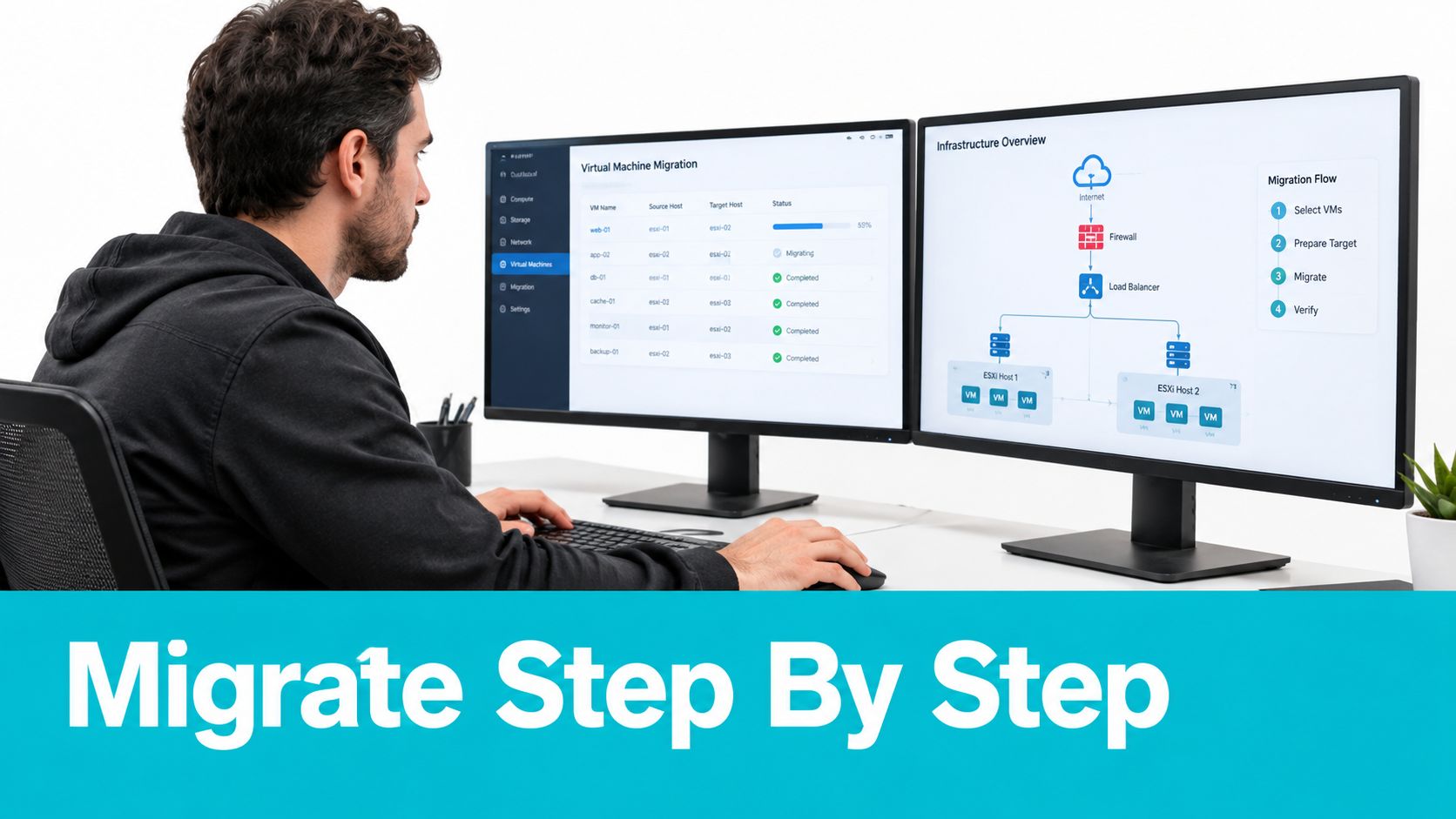
Phase one inventory
Export vCenter metadata before changing anything. govc needs a working vCenter session and should write the export outside the source environment.
export GOVC_URL=''
export GOVC_USERNAME='administrator@vsphere.local'
export GOVC_PASSWORD='replace-this'
export GOVC_INSECURE=1

govc ls / > vcenter-inventory.txt
govc vm.info -json -r > vm-inventory.json
govc datastore.info -json -r > datastore-inventory.json
govc host.info -json -r > host-inventory.json
Match the export against RVTools or PowerCLI output. Record operating system, boot mode, virtual disk format, network port groups, snapshots, backup dependencies, application owners, and recovery priorities. The inventory is your migration manifest and rollback reference.
Phase two pilot the cluster
Create the cluster on the first node, then join the other nodes. Don't create separate clusters with the same name.
# Node one
pvecm create prod-pilot

# Node two and node three
pvecm add pve01.example.local

# Verify quorum and membership
pvecm status
pvecm nodes
You want the status output to show a healthy quorum and all expected nodes. Proxmox HA needs reliable quorum, and shared storage is required for the standard clustered design. For a two-node design, follow the documented two-node HA quorum-device procedure rather than treating a third vote as optional.
Phase three rebuild network and storage parity
Create Linux bridges or Open vSwitch mappings that correspond to the source port groups. Validate VLAN tagging, MTU, gateway reachability, and management separation before importing workloads.
ip -br link
ip -d link show vmbr0
ping -M do -s 8972 storage.example.local
pvesm status
Use ZFS for a carefully designed local-storage cluster or Ceph when the node count, network, and operational skills support it. For a simple file-backed migration target, add NFS only after verifying permissions and mount behavior.
pvesm add nfs migration-nfs
  --server storage.example.local
  --export /exports/proxmox
  --content images,iso,backup
pvesm status
Phase four convert and import workloads
For a cold migration, copy the VMDK to a staging host and convert it to a Proxmox-compatible format.
qemu-img info source-disk.vmdk
qemu-img convert -p -f vmdk -O qcow2 source-disk.vmdk converted-disk.qcow2
qm create 240 --name pilot-linux --memory 8192 --cores 4 --net0 virtio,bridge=vmbr0
qm importdisk 240 converted-disk.qcow2 migration-nfs
qm set 240 --scsihw virtio-scsi-single --scsi0 migration-nfs:vm-240-disk-0
qm set 240 --boot order=scsi0
qm start 240
Install or verify VirtIO drivers before production cutover. Windows guests may require driver staging and activation validation. Linux guests should be checked for predictable network interface naming and bootloader behavior.
For supported conversions, validate virt-v2v in a lab first. Don't assume every guest, disk controller, snapshot chain, or application dependency converts cleanly.
Phase five cut over and verify
Stop the source VM cleanly, perform the final disk transfer, boot the Proxmox guest, and run application smoke tests. Check network reachability, time synchronization, backup registration, monitoring, scheduled jobs, and recovery procedures before enabling automated HA behavior.
The VMware to Proxmox migration runbook provides a useful operational reference for a mixed Windows and Linux design.
Phase six decommission deliberately
Keep vCenter available in a controlled state until application owners sign off and rollback expires. Export configuration, retain migration records, revoke unnecessary credentials, and remove source infrastructure only after backup and restore tests pass.
In multi-tenant production, the migration isn't complete when the VM powers on. It's complete when the tenant can use the application, the monitoring system sees it, the backup system protects it, and an operator can restore it.
Pre-Migration Checklist and Rollback Procedure
Print this list and attach it to the change record. Every unchecked item is a migration risk, not administrative overhead.
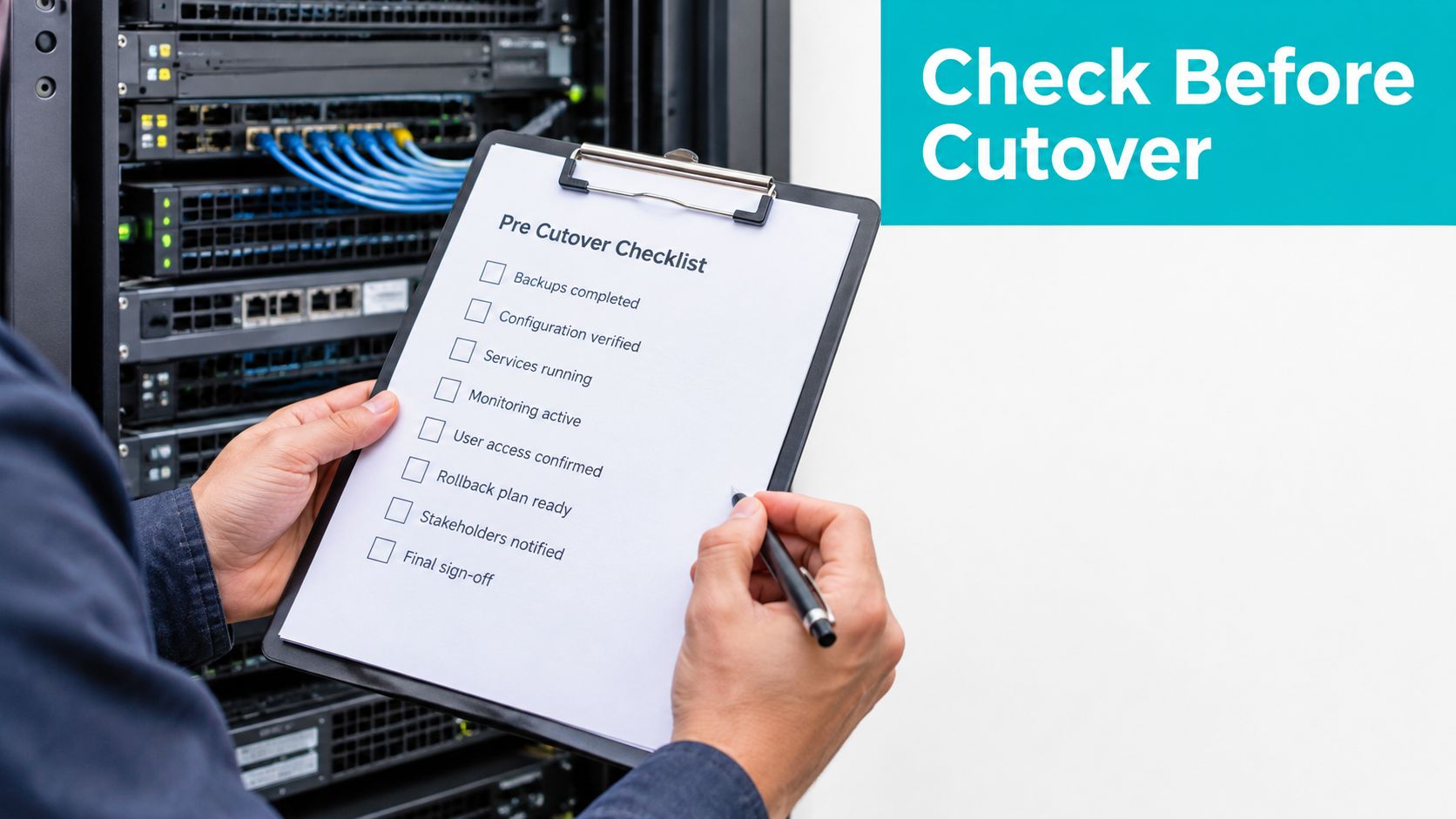
Before the pilot
- Export inventory: Save
govcoutput, RVTools CSV files, dependency maps, and application-owner approvals. - Confirm quorum: Run
pvecm statusand verify the expected vote and quorum state. - Verify MTU: Test the configured jumbo frame path with
ping -M do -s 8972. - Check storage: Confirm multipath health, ZFS pool status, LVM-thin free space, and Ceph health where applicable.
- Validate backups: Prove that the backup target can restore a test VM, not merely receive a backup.
During production cutover
- Freeze changes: Stop application deployments and document the source VM state.
- Map networks: Confirm every vSphere port group has a Proxmox bridge or VLAN equivalent.
- Record identity state: Check Windows activation, machine identity, monitoring agents, and backup agents after boot.
- Run smoke tests: Have the application owner verify the service before the change window closes.
Use ARPHost's data-loss prevention guidance when reviewing backup retention and restore responsibilities.
Rollback procedure
Keep the source vCenter read-only for at least 14 days while the migrated workload proves stable. Before each wave, create a node configuration snapshot with the approved zfs-auto-snapshot policy, and pre-stage a restore runbook from the backup target.
If validation fails, stop the Proxmox VM, preserve its logs and disks, restore or power on the source VM, reconnect the original network mapping, and notify application owners. Don't run both copies against the same writable database or shared application data. Common failure points include missing port-group equivalents, backup products that depend on VADP and vCenter, and Windows activation changes after hardware presentation changes.
Mapping This to Your Infrastructure and Next Steps
A small business with three ESXi hosts and mostly portable Windows and Linux VMs is a clean Proxmox VE candidate. The main cost driver is operational time, so the staff needs a tested runbook for storage, backup, and recovery. A staged pilot followed by workload waves is more realistic than a single outage window.
An enterprise with a standard switch stack and strong Microsoft ownership should evaluate Hyper-V first, while an HCI refresh or VDI-heavy estate may fit Nutanix AHV. The staffing requirement is different: the platform may align with existing skills, but storage, clustering, backup, and licensing still need formal validation.
An MSP managing 40 tenants needs tenant isolation, RBAC, billing visibility, backup separation, and repeatable provisioning. Proxmox can fit when the MSP standardizes those controls, while a hosted Proxmox private cloud or managed operating model can reduce the amount of cluster maintenance handled internally.
A developer lab can stay simple with XCP-ng or KVM/libvirt on commodity hardware. Don't turn a laptop-oriented test environment into an enterprise migration program unless the lab is being used to validate the production operating model.
ARPHost, LLC operates Proxmox private clouds, managed infrastructure services, bare-metal environments, and colocation from Tampa, Florida. For teams that need local remote hands, regional disaster-recovery planning, or an operator to manage the migration alongside internal staff, its managed services provide an execution path rather than another product comparison.
ARPHost, LLC can help you inventory VMware workloads, design a Proxmox coexistence or migration plan, and operate the resulting infrastructure through managed services, private cloud, bare metal, or colocation. Visit ARPHost, LLC to schedule a migration assessment focused on workload sequencing, backup, rollback, and day-two operations.
