

A Mac mini can be a capable server when its workload fits the memory and storage you choose at purchase, and when you plan for the fact that it's a single machine. For a reliable headless start, enable Remote Login and File Sharing, assign a stable network address, create a dedicated administrator account, connect the system to a UPS, and prevent sleep on AC power. Then verify SSH from another computer before leaving it unattended.
That's the practical middle ground: a Mac mini can handle internal services and small deployments, but it isn't a substitute for redundant infrastructure when a workload has strict availability requirements. The choice is less “server or not” than whether this particular chassis and operating system suit the service you need to run.
Table of Contents
- Headless Setup the Right Way
- Choosing Your Operating System
- Network Configuration for Unattended Operation
- Common Server Roles You Can Actually Run
- Storage and 3-2-1 Backup Strategy
- Hardening, Security, and Access Control
- When to Move Off the Mac mini
Headless Setup the Right Way
Set up the Mac mini on the same switch as your laptop, then enable Remote Login and File Sharing in System Settings > General > Sharing. Give it a DHCP reservation on the router, connect it to a UPS, and create a dedicated user for administration rather than doing routine work from a personal account. Apple documents Remote Login as the built-in SSH path for remote commands, file management, service administration, and restarts (Apple's Remote Login guide).
On AC power, prevent automatic sleep in System Settings. You can also configure the setting from Terminal:
sudo pmset -a sleep 0
Enable Screen Sharing as a recovery path if a network or SSH change locks you out. Keep it restricted to trusted users and networks. File Sharing and Remote Login are separate controls, so enabling SMB access doesn't enable SSH, and enabling SSH doesn't automatically share folders.
Confirm SSH before going headless
From the Mac mini, check that the SSH service is loaded and listening:
sudo launchctl print system/com.openssh.sshd
sudo lsof -nP -iTCP:22 -sTCP:LISTEN
From your laptop, test key-based authentication:
ssh -v user@server-ip
A successful connection negotiates a host key, authenticates your account, and opens a shell. If you haven't set up keys yet, follow this SSH key setup guide before disabling password authentication.
| Check | Command | Expected Signal |
|---|---|---|
| SSH service loaded | sudo launchctl print system/com.openssh.sshd | launchd shows the service as loaded |
| SSH listener present | sudo lsof -nP -iTCP:22 -sTCP:LISTEN | A process is listening on TCP port 22 |
| Client access works | ssh -v user@server-ip | Host-key negotiation, authentication, and a shell prompt |
| File sharing configured | sharing -l | Configured shares are listed |
If SSH works on the local switch but times out from a corporate network, the Mac may be behind carrier-grade NAT, or an upstream firewall may block port 22. Check the router, VPN, and network policy; the Mac's host firewall can't create internet reachability by itself. Keep access behind a VPN or trusted network rather than opening SSH broadly.
Choosing Your Operating System
The operating system changes what the Mac mini is good at. macOS keeps Apple-native tools available, while Linux can be a better fit for familiar server administration and container stacks. Apple's built-in file sharing and Remote Login cover basic server tasks without relying on the discontinued macOS Server app (Apple's macOS Server support note).
Linux support on Apple Silicon depends on the distribution, release, and hardware support for the specific model. Don't assume that a package name or workflow from an x86 server transfers unchanged. Check the distribution's release notes and the project's documentation for Apple Silicon support before committing a production service.
| Criterion | macOS (Sonoma/Sequoia) | Ubuntu Server 24.04 LTS | Debian 12 |
|---|---|---|---|
| Power profile | Apple's reference figures range from low idle consumption to model-dependent maximums; measure the workload rather than assuming desktop-class draw (Apple's published Mac power figures) | Depends on the Mac model, drivers, and workload | Depends on the Mac model, drivers, and workload |
| Package availability | Native Apple tools and macOS packages; confirm each service's supported installation method | Broad server package ecosystem; confirm Apple Silicon support for the chosen installer and packages | Broad server package ecosystem; confirm Apple Silicon support for the chosen installer and packages |
| Update cadence | Apple controls operating-system releases and security updates | LTS release model, with package versions tied to the release | Stable release model, with package versions tied to the release |
| Apple Silicon support | Native on Apple Silicon Macs | Hardware- and release-dependent; verify current installer support | Hardware- and release-dependent; verify current installer support |
| Filesystem fit | APFS is the native system filesystem; SMB and NFS serve network clients | Filesystem options depend on installation and kernel support | Filesystem options depend on installation and kernel support |
| Long-term support | Follows Apple's macOS support policy | LTS support follows Ubuntu's published lifecycle | Support follows Debian's release lifecycle |
Package availability isn't the only deciding factor. nginx, PostgreSQL, and container tools may be available across these systems, but installation, service management, and hardware support differ. KVM/QEMU virtualization also requires checking what the selected platform and Mac hardware can support; don't treat a Linux-on-Mac installation as equivalent to a standard x86 virtualization host.
Rule of thumb: Stay on macOS for Xcode builds, Final Cut proxy workflows, or AppleScript automation. Choose Ubuntu Server when the priority is a container-oriented Linux environment, and Debian when a conservative package and kernel upgrade path matters more than newer versions.
Network Configuration for Unattended Operation
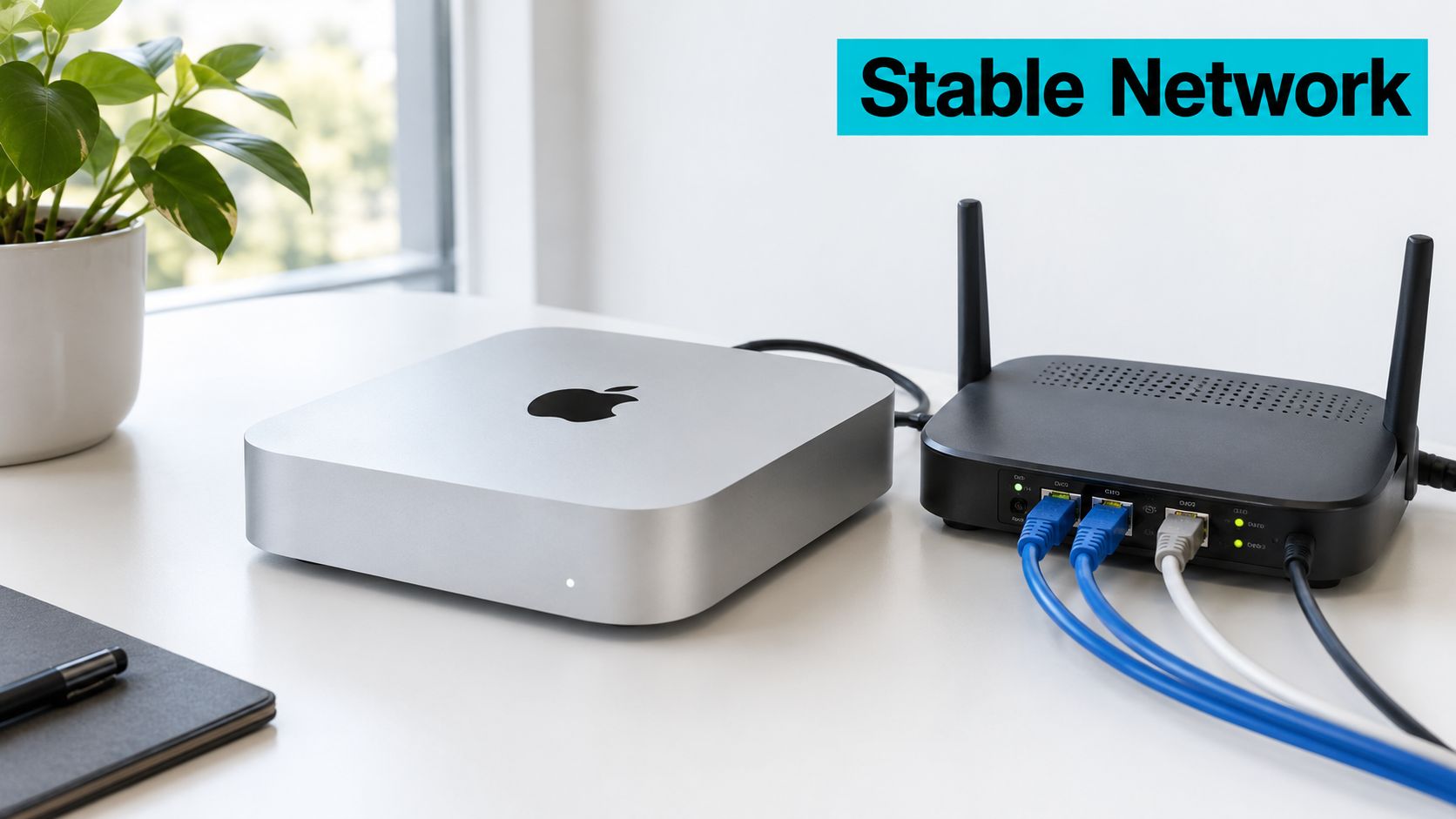
A Mac mini should keep the same address after a reboot. The simplest approach is usually a DHCP reservation on the router, which ties the lease to the machine without requiring you to maintain a manual address that could conflict with a changed gateway or network plan.
Find the active interface address and set a persistent computer name:
ipconfig getifaddr en0
sudo scutil --set HostName mini-server
sudo scutil --set LocalHostName mini-server
sudo scutil --set ComputerName mini-server
Check interface names with networksetup rather than assuming Ethernet and Wi-Fi always use the same device labels:
networksetup -listallhardwareports
If both Ethernet and Wi-Fi are active, the Mac can advertise itself through more than one interface. A hostname ending in .local uses mDNS/Bonjour, which is convenient on a local network but isn't a substitute for DNS across VLANs. A device can be reachable on its local segment and still be invisible from another VLAN if routing or multicast policy blocks discovery. IPv6 also has its own addressing and firewall rules, so test it explicitly if clients use it rather than assuming an IPv4 result proves IPv6 access.
The required network details are easiest to verify from a second machine. If name resolution fails, test the reserved address directly and inspect the router or VLAN policy before changing macOS settings.
ping mini-server.local
dig mini-server.local
ssh user@mini-server.local
dig may not report mDNS names in the same way it reports conventional DNS records. Treat the SSH test as the practical check that the hostname resolves through the client's normal connection path.
Common Server Roles You Can Actually Run
A Mac mini suits services with predictable demand: a small internal web app, DNS filtering, home automation, a media library, or a modest container workload. On macOS, launchd manages system and user services. A LaunchDaemon property list belongs under /Library/LaunchDaemons; configure it for the service's real executable path, user, working directory, and restart behavior instead of copying a generic file that assumes your installation layout.
For a Linux installation, a systemd unit is the usual service pattern. A minimal unit for an application might look like this, with the executable and account adjusted to the actual install:
[Unit]
Description=Internal application
After=network-online.target
Wants=network-online.target

[Service]
User=app
ExecStart=/usr/local/bin/my-service
Restart=on-failure

[Install]
WantedBy=multi-user.target
On macOS, nginx or Apache can serve a small site, while built-in SMB file sharing can provide network access. Netatalk is an option when a particular client workflow requires AFP, but don't add an older protocol without a compatibility need. Plex or Jellyfin can serve media; a library scan is also a useful CPU stress test because it exercises metadata and file access rather than just idle playback. Pi-hole or AdGuard Home can handle DNS filtering, and Home Assistant can run as an application or in a container environment such as Docker Desktop or OrbStack.
| Workload | Min Unified Memory | Primary Bottleneck |
|---|---|---|
| Small internal web service | Set by the application and concurrent load | Memory headroom and storage I/O |
| DNS filtering | Set by the selected service and query pattern | Network availability and service recovery |
| Home automation | Set by integrations and add-ons | Memory headroom and peripheral compatibility |
| Media library and playback | Set by library size and concurrent jobs | Transcoding demand and storage |
| Container host | Set by the combined workload | Fixed memory ceiling and storage capacity |
| Large database or multi-tenant host | No universal minimum; size from measured workload | Memory ceiling, I/O, and lack of hardware redundancy |
Don't assign a universal memory minimum without knowing the workload. Apple's memory and storage choices aren't upgradable after purchase, so size from the services and concurrent jobs you expect, then leave room for macOS and routine maintenance.
Media transcoding, large databases, and dense multi-tenant containers are the roles most likely to expose the limits of a single mini. If the system spends its time under sustained load, measure power, temperature, and throttling rather than judging capacity from a successful installation.
Storage and 3-2-1 Backup Strategy
Treat the internal SSD as the system and active-service volume, not as a bulk-data target or the only place backups live. A Mac mini's memory and storage aren't upgradable after purchase, so select enough at configuration time for the operating system, applications, logs, and working data. Put large libraries and backup targets on a powered Thunderbolt enclosure or a NAS with its own power and storage protection.
| Storage location | Good fit | Trade-off |
|---|---|---|
| Internal SSD | macOS, applications, active services | Fixed capacity; a single machine's internal drive isn't an independent backup |
| Powered Thunderbolt enclosure | Local bulk data and fast service storage | Adds a device, cable, enclosure, and power dependency |
| NAS share | Shared files and centralized backup targets | Depends on network availability and NAS maintenance |
| Off-site copy | Recovery from local device loss or site disruption | Requires a tested restore process and protected credentials |
Choose the filesystem and sharing protocol for the clients. APFS is the natural choice for a directly attached Mac volume; SMB is practical for mixed desktop clients, and NFS may suit Unix-oriented workflows. For an external drive, use a powered enclosure rather than relying on a bus-powered disk to remain connected through power events.
A 3-2-1 backup policy means keeping three copies, on two media types, with one copy off-site. Time Machine can provide a convenient local recovery path, while an encrypted off-site copy can be maintained with a tool such as restic or rsync over SSH. Don't assume that a completed backup proves that a service can be restored. Document the steps and test them.
For external-drive health checks, install smartmontools through Homebrew and inspect the device identifier before querying it:
brew install smartmontools
diskutil list
sudo smartctl -a /dev/diskX
Some USB or Thunderbolt bridges don't pass SMART information through, so a missing report isn't proof that a disk is healthy. Check the enclosure or drive vendor's diagnostics where available, and verify backups on a schedule. For a practical plan covering copies, destinations, and recovery checks, use this data backup best-practices guide.
A restoration drill should simulate losing the Mac mini or its external data volume, then rebuild from the off-site copy and confirm that services return within a recovery time you've documented. If the restore takes longer than the business can tolerate, the design needs another recovery path.
Hardening, Security, and Access Control
SSH is an administrative surface. Use key authentication, disable root login, and limit access to trusted networks or a VPN. A non-default SSH port can reduce some background noise, but it isn't a security boundary and shouldn't replace access controls.
For production access, configure the OpenSSH server's settings through the supported macOS configuration path and verify the effective result before restarting or changing network access. A representative configuration is:
PermitRootLogin no
PubkeyAuthentication yes
PasswordAuthentication no
AllowUsers adminuser
Keep a local recovery route available before applying changes. On macOS, firewall controls are available in System Settings > Network > Firewall. Apple identifies pf as the firewall mechanism used by newer macOS Server releases, but firewall rules are system-wide policy, so don't paste an untested ruleset into a live host.
If SSH works on the LAN but times out elsewhere, check in order: Remote Login is enabled, a listener exists, the host firewall permits the connection, and the router, VPN, or upstream firewall allows the path. Port forwarding doesn't make SSH secure, and a host firewall rule can't overcome carrier-grade NAT.
Enable FileVault when the physical-security and reboot requirements fit your operation, set a screen lock, and configure macOS update behavior deliberately. FileVault protects data at rest, but a server that must return unattended after a power interruption needs a tested plan for accessing the disk at boot. Log out interactive users when their sessions aren't needed.
Review SSH activity with the unified log:
log show --last 1d --predicate 'subsystem == "com.apple.openssh"'
Then verify service state, listener presence, and the client's authentication behavior:
sudo launchctl print system/com.openssh.sshd
sudo lsof -nP -iTCP:22 -sTCP:LISTEN
ssh -o PreferredAuthentications=publickey -o PasswordAuthentication=no user@server-ip
From a host outside the permitted network, confirm that the connection is blocked. Security is not established merely because a key works from your laptop.
When to Move Off the Mac mini
A Mac mini can live on a desk, in a small office, or in a colocation facility, but moving it into a rack doesn't change its hardware design. It has no hot-swappable power supply, redundant network interface, ECC-memory platform, or independent storage path. If the unit fails, the recovery plan is service replacement and restore, not hardware-level failover.
| Criterion | Mac mini in Colo | Bare Metal Server |
|---|---|---|
| Memory ceiling | Fixed at purchase | Choose a platform sized for the workload |
| Storage path | Internal storage plus separately powered external storage or NAS | Depends on server configuration; can be designed for independent or redundant storage paths |
| Failure domain | Single compact machine and its attached devices | Can be designed around replaceable parts and broader infrastructure redundancy |
| SLA suitability | Suitable for internal or small deployments that tolerate restore-based recovery | Better fit when hardware redundancy and a contractual availability target are required |
A single Mac mini is a poor fit for a contractual 99.99% availability target because one chassis can't provide hardware-level failover. For workloads needing that commitment, use infrastructure designed around redundant power, networking, and service recovery. In Tampa or elsewhere in Florida, on-premises hardware also needs a realistic plan for hurricane exposure, utility interruptions, cooling, and someone who can reach the equipment when it fails. Colocation can provide a controlled facility and remote hands, but the Mac mini itself remains a single point of failure.
A rack changes where the machine sits, not what happens when its only power supply, network path, or storage device fails.
Move high-density virtualization and databases that outgrow one chassis to dedicated hardware. Proxmox private clouds can suit workloads that need multiple hosts and a managed virtualization design; bare metal can fit applications that need dedicated compute and memory capacity. For a plain-language explanation of the hardware category, see what dedicated server hosting means.
Keep a maintenance routine
Weekly, review update history, backup completion, firewall status, and service health:
softwareupdate --history
tmutil latestbackup
sudo pfctl -s info
Check whether the latest Time Machine backup is current for your schedule, and investigate failures rather than treating the command output as proof of a usable restore. Review recent error events, then rotate application logs according to each service's documented behavior:
log show --last 7d --predicate 'eventMessage contains "failed"'
Monthly, review disk health where the interface exposes it, confirm that external storage reconnects after a restart, and check temperatures if the mini runs in an enclosed rack. Prometheus node_exporter or a small Uptime Kuma container can monitor service availability, but monitoring shouldn't share the same failure path as the service it watches.
Quarterly, repeat the restoration drill and record how long recovery takes. Apple's published power figures are reference points rather than application benchmarks; test the actual workload at idle and under representative concurrent demand, then size the UPS for the measured system and its connected network and storage equipment (Apple's power and thermal guidance).
If the workload still fits the mini, keep it and maintain a tested restore path. When memory, storage independence, or availability needs exceed a single chassis, review dedicated bare metal options or colocation designed for the operational requirements.
ARPHost, LLC provides colocation, bare metal servers, VPS, Proxmox private clouds, secure web hosting, and managed IT from Tampa, Florida. If your Mac mini has reached its memory, resilience, or recovery limit, visit ARPHost, LLC to discuss an infrastructure option that fits the workload.

Leave a Reply
You must be logged in to post a comment.