

A lot of teams reach the same point the same way. The PBX still works, but nobody likes touching it. Moves and changes take too long, adding capacity turns into a vendor ticket, and troubleshooting usually means guessing whether the problem lives in the phone system, the firewall, or the carrier handoff.
That’s usually when twilio sip trunk starts showing up in architecture discussions. It gives businesses a cloud way to connect their PBX, softphones, contact center stack, or UC platform to the public phone network without carrying the old telco model forward. The appeal is real, but so is the operational detail. A SIP trunk is easy to buy and surprisingly easy to misconfigure.
What separates a clean deployment from a painful one isn’t the marketing page. It’s the call flow, the authentication model, the rate limits, the bandwidth math, and the discipline to build it on stable infrastructure. If your PBX is underpowered, your firewall is sloppy, or your routing is brittle, voice quality drops fast even when the trunk itself is fine.
Introduction From Legacy PBX to Cloud Communications
Most IT managers know the pattern. The office has an aging PBX in a rack nobody wants to reboot, phone service is tied to a contract that outlived the original project, and expanding capacity feels harder than standing up a new application stack. Voice ends up being the last critical service still treated like fixed infrastructure.
That old model breaks down the moment the business changes shape. Hybrid work, multiple sites, temporary call spikes, and application-driven voice workflows all punish rigid telephony design. A phone system that only works well when everyone is in one building isn’t much use anymore.
A SIP trunk changes the operating model. Instead of buying voice capacity like a static utility, you connect an IP-based PBX to the public telephone network through software-defined services. That gives you far more control over scaling, failover behavior, and how voice integrates with the rest of your environment.
Why Twilio changed the conversation
Twilio’s Elastic SIP Trunking changed expectations because it removed much of the friction businesses had accepted as normal. It launched around 2016 and disrupted the market by removing long-term contracts and manual provisioning, while letting businesses scale globally in minutes with pay-as-you-go pricing and U.S. outbound rates starting at $0.0050 per minute.
That doesn’t mean every deployment is automatically production-ready.
Field reality: A cloud trunk solves carrier rigidity. It doesn’t solve bad PBX design, weak firewall policy, or unstable hosting.
The practical question isn’t whether Twilio works. It does. The key question is whether you’re deploying it in a way that can survive growth, outages, and day-two operations.
Understanding the Core Concepts of Twilio SIP Trunking
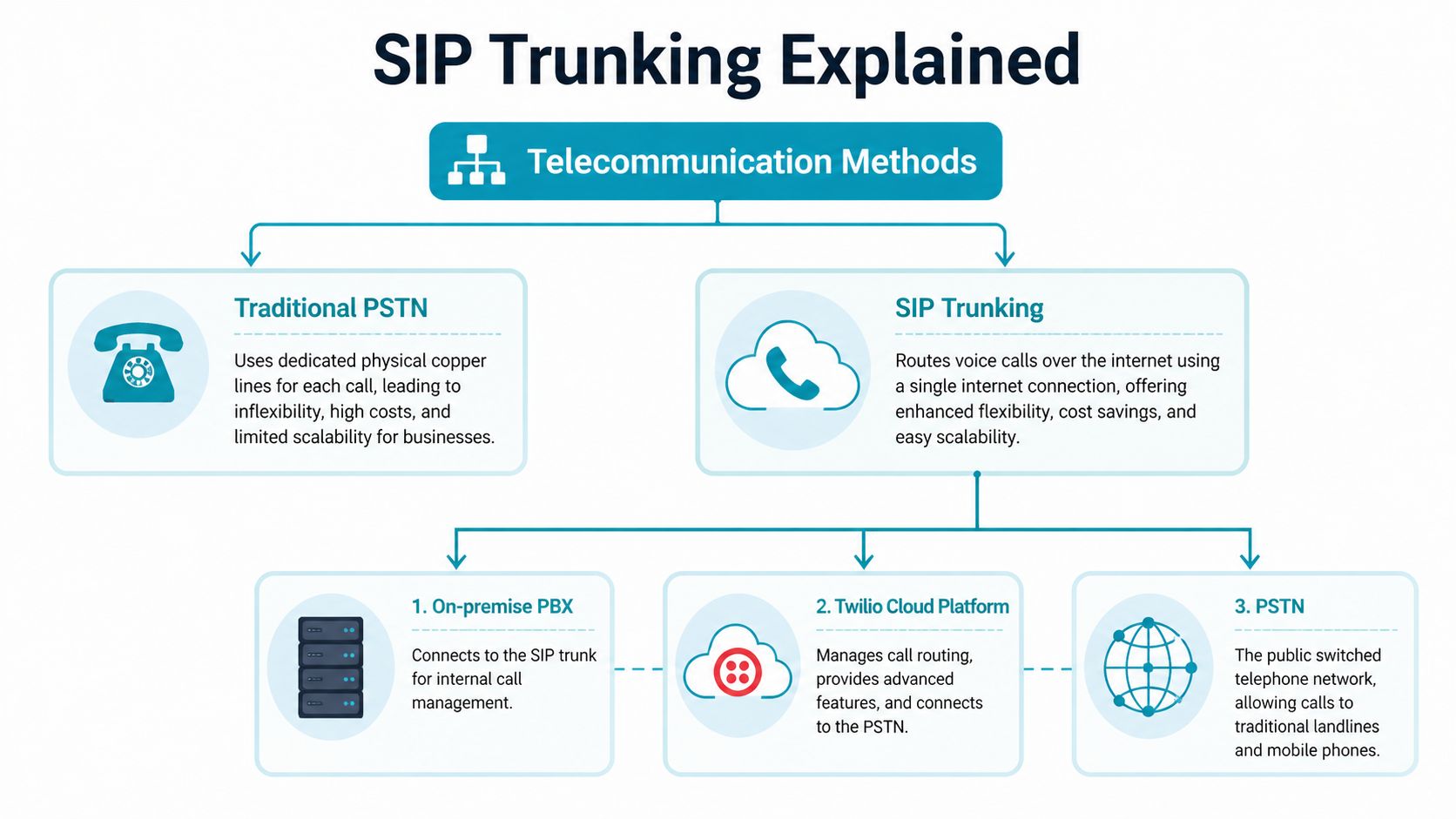
A SIP trunk replaces fixed phone circuits with an IP connection between your PBX and a carrier that can reach the public phone network. That changes the operating model more than many teams expect. You stop buying voice as a rigid set of lines and start managing it as part of your infrastructure, with all the benefits and all the responsibility that come with that.
For production deployments on Proxmox clusters or bare metal, that distinction matters. The trunk provider handles PSTN access. Your PBX, SBC, firewall rules, routing policy, and host capacity still determine whether calls connect cleanly, whether failover works, and whether audio stays stable under load.
The terms that matter
A few definitions clear up most early confusion:
- PBX is the call control system. In practice, that might be Asterisk, FreeSWITCH, FreePBX, 3CX, or a custom platform.
- VoIP means signaling and media travel over IP instead of legacy circuit-switched phone lines.
- PSTN is the public telephone network, which includes mobile and landline destinations.
- SIP trunk is the service link between your voice platform and a provider that can send calls to, and receive calls from, the PSTN.
With a twilio sip trunk, you do not need PRI cards, ISDN hardware, or traditional telco handoffs. You need a PBX that sends clean SIP, a network that handles RTP predictably, and hosting that does not introduce jitter through noisy neighbors, poor virtual switching, or oversubscribed CPU.
What Elastic SIP Trunking means in practice
Twilio calls its service Elastic SIP Trunking because capacity is provisioned in software rather than through fixed channel blocks and carrier tickets. As noted earlier, that model made it much easier to bring up new trunks quickly and grow without the usual contract and provisioning delays.
That flexibility is useful, but it is easy to misunderstand. Elastic capacity does not remove the limits inside your own environment. A virtual PBX with weak single-core performance, poor NIC offload settings, or badly placed firewall rules can still become the bottleneck long before the carrier side does. I have seen businesses blame the trunk for one-way audio and failed registrations, only to find the fault in NAT policy, SIP ALG behavior, or a PBX VM pinned to crowded storage.
For a broader primer before you start building policy and dial plans, ARPHost has a solid explanation of how SIP trunking works in business environments.
What Twilio handles, and what you still own
This split is where many deployments succeed or fail.
Twilio provides the connection into the PSTN and the service controls around the trunk itself. Your side still owns extension logic, IVRs, queues, recording policy, number normalization, emergency calling design, and the security posture around SIP signaling and RTP.
That has direct cost and reliability implications. If you want low monthly carrier overhead and the freedom to run your own PBX, Twilio can be a strong fit. If your team expects the provider to fix poor dial plan design, weak SBC policy, or unstable virtualization, operating costs usually rise later through troubleshooting time, dropped calls, and rushed rework.
Common misunderstandings that cause trouble
A few assumptions break production systems over and over:
- “The trunk will handle bad number formatting.” It might handle some cases, but consistent E.164 normalization in the PBX saves time and reduces strange outbound failures.
- “Any VPS can host voice.” Voice is sensitive to jitter, packet loss, CPU steal, and storage stalls. Cheap shared instances often pass synthetic health checks while users still hear clipped audio.
- “Firewall defaults are fine.” They usually are not. SIP ALG, broad NAT rewriting, and loose ACLs create intermittent failures that are hard to reproduce.
- “Scaling the carrier side means the PBX will scale too.” It will not. Concurrent call capacity depends on codec choice, transcoding load, recording, queue behavior, and host resources.
The cleanest deployments treat the SIP trunk as one layer in a larger voice system. Twilio gives you PSTN reach and flexible provisioning. The hosting platform underneath your PBX decides whether that design holds up during peak traffic, maintenance windows, and partial network failure.
Twilio SIP Trunking Architecture and Call Flow
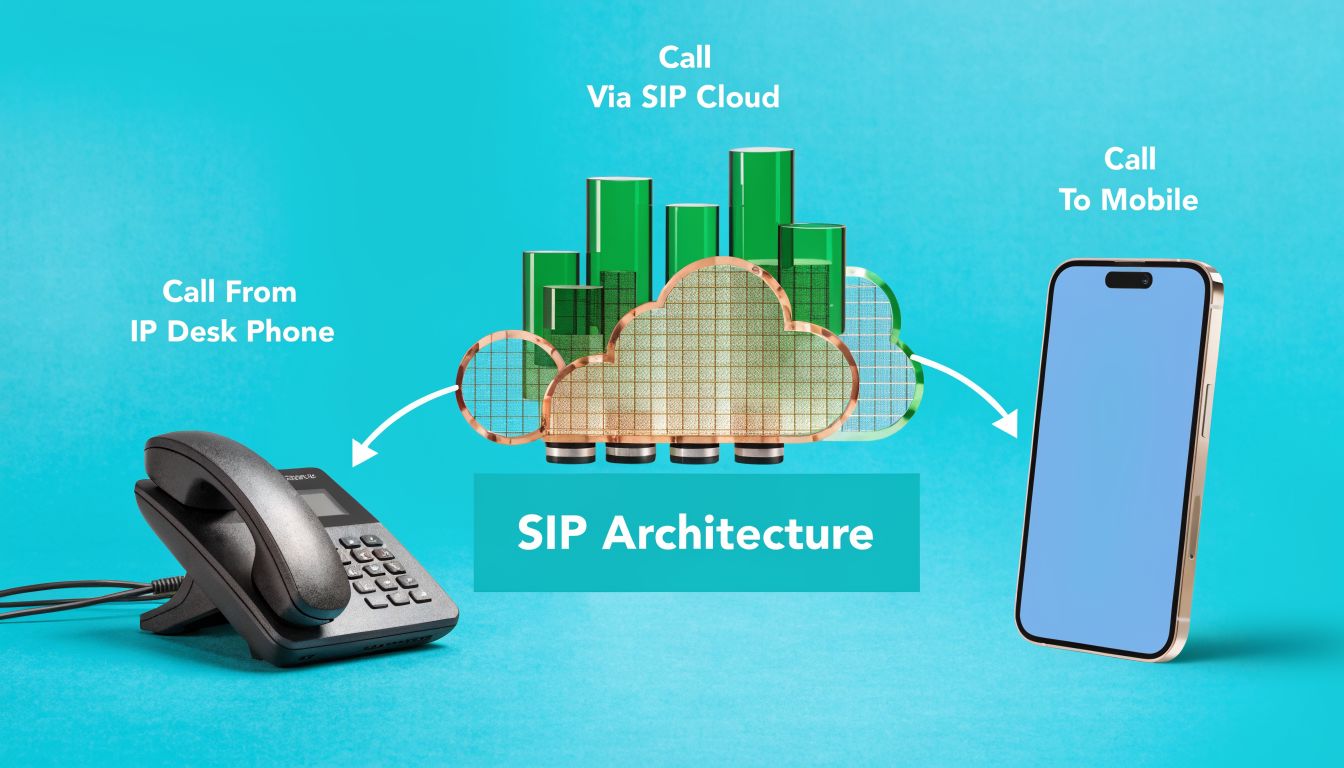
A working twilio sip trunk deployment is easier to manage when you think in two separate directions. One direction is calls coming from the PSTN into your PBX. The other is calls leaving from your PBX out to the PSTN. Twilio treats those as distinct functions, and your design should too.
Origination and termination
Origination is the inbound side from the public network into your SIP environment. A customer dials one of your numbers, Twilio receives the call, then forwards it to the SIP URI you define for your PBX or SBC.
Termination is the outbound side. Your PBX sends an outbound SIP call to Twilio, and Twilio hands it off to the PSTN.
Those sound simple, but they should be designed separately because they fail differently. Inbound issues usually involve routing, TLS policy, reachability, or a broken target SIP URI. Outbound issues usually involve auth, dial plan formatting, or rate and policy controls.
Authentication and security posture
Twilio’s SIP trunk model is registration-free. It does not accept SIP REGISTER messages. Authentication instead relies on configured trunk settings such as Termination SIP URIs, IP access controls, and credential-based methods, as explained in Twilio’s SIP trunk versus SIP line guidance.
That has an immediate operational consequence. If your PBX team is used to “register the trunk and watch it go green,” this is a different pattern. You need to think like a network engineer, not like a hosted-PBX admin.
In production, the cleanest baseline usually looks like this:
- IP-based trust for known infrastructure: Good for fixed PBX or SBC nodes.
- Credential Lists where appropriate: Useful when your topology needs that model.
- Locked dial plans: Only allow expected call patterns and number normalization.
- TLS where feasible: Particularly when traversing controlled environments with clear certificate handling.
Operational rule: Don’t expose voice infrastructure broadly and hope ACLs save you later. Start restrictive, then open only what call flow requires.
The call path on a hosted PBX
A typical architecture uses an IP phone or softphone talking to a PBX like Asterisk or FreeSWITCH. That PBX sits on a VPS, bare metal host, or a private virtualization cluster. It sends SIP signaling toward Twilio and exchanges media streams for live audio.
The path is straightforward on paper:
- Endpoint sends call to PBX
- PBX applies dial plan and policy
- PBX forwards outbound call to Twilio termination URI
- Twilio routes to PSTN
- Called party answers and RTP flows
Inbound is the mirror image. The important point is that your PBX still owns the business logic.
Bandwidth planning before you touch production
Voice problems often get blamed on the trunk because the symptoms are user-facing. In reality, bandwidth and network consistency usually decide whether a deployment feels solid.
For reliable quality, Twilio documents the formula Peak Bandwidth = Max Simultaneous Calls × 100 kbps, which accounts for the G.711 codec at 64 kbps plus protocol overhead, in Twilio SIP trunking documentation.
A practical way to use that is simple:
| Deployment input | Planning rule |
|---|---|
| Maximum simultaneous calls | Multiply by 100 kbps |
| Codec assumption | G.711 |
| Goal | Prevent jitter and packet loss during peaks |
If the PBX is hosted in a virtualized environment, don’t stop at theoretical bandwidth. Watch actual interface behavior, packet handling, and noisy-neighbor effects. A phone system is less forgiving than a web server.
Here’s a simple checklist I use before greenlighting production traffic:
- Confirm call count assumptions: Peak simultaneous calls matter more than average daily use.
- Validate headroom: Don’t size bandwidth to the exact threshold.
- Check firewall handling: SIP and RTP should be intentional, not accidental.
- Load test call setup and audio path: Signaling success alone doesn’t prove media stability.
A quick visual overview helps if you're mapping this for a wider team.
Where architecture usually breaks
Most failures show up in one of four places:
- Number normalization problems on outbound calls
- NAT and one-way audio because RTP doesn’t return cleanly
- Overly permissive firewalling that creates security exposure
- Unbalanced load distribution during higher call setup rates
The best twilio sip trunk environments treat voice as a networked application with strict policy, not a side feature of the PBX VM.
Step-by-Step Configuration with PBX Examples
A first deployment should be boring. That’s the goal. Clean signaling, predictable authentication, normalized numbers, and a PBX config that’s easy to audit later.
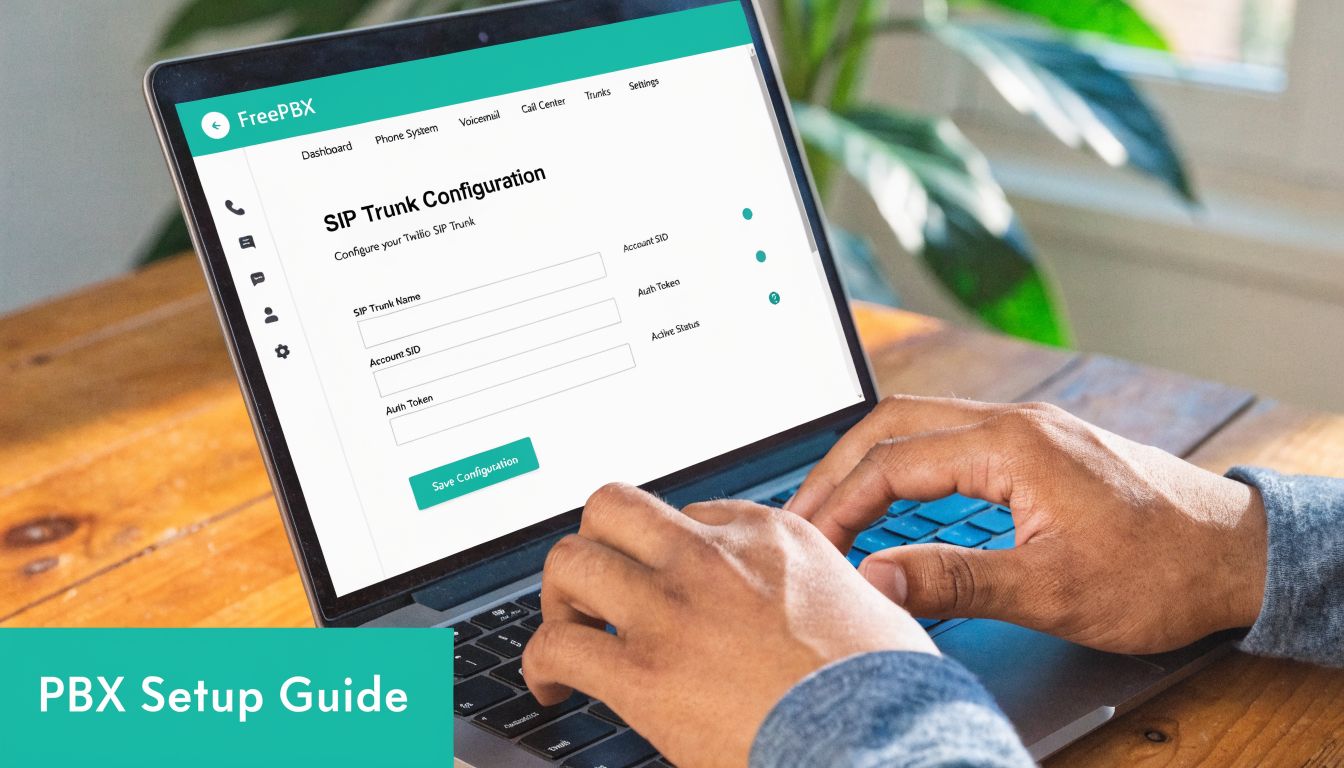
Build the trunk in Twilio first
Start in the Twilio console and create the trunk object. Define the termination side for outbound calling, then add origination settings for inbound delivery to your PBX.
Keep the naming obvious. If you run multiple environments, encode the purpose in the trunk name. Production, staging, and failover trunks shouldn’t be easy to confuse at a glance.
Then attach the phone numbers that should route inbound traffic into that trunk.
Lock down authentication before testing calls
If your PBX has a stable public IP, use that predictability. Whitelist only the infrastructure that should send outbound traffic. Don’t leave the trunk broadly reachable while you “come back later” to tighten it up.
Your checklist at this point should look like this:
- Create the SIP trunk in Twilio and label it clearly.
- Set the termination URI for outbound calls from the PBX.
- Add origination URI entries that point inbound calls to the PBX or SBC.
- Apply IP ACL policy to trusted infrastructure only.
- Assign the DIDs that should ring into this call path.
If you’re building for a smaller office or branch rollout, ARPHost has a practical overview of a PBX system for small business deployments.
Example Asterisk PJSIP shape
The exact config varies by version and topology, but a typical Asterisk pjsip.conf approach includes one endpoint or identify block for the Twilio side, transport definitions, and dial plan logic that sends normalized numbers out through the right endpoint.
A simplified shape looks like this:
[twilio-transport]
type=transport
protocol=udp
bind=0.0.0.0

[twilio-endpoint]
type=endpoint
transport=twilio-transport
context=from-twilio
disallow=all
allow=ulaw
aors=twilio-aor

[twilio-aor]
type=aor
contact=sip:your-termination-uri

[twilio-identify]
type=identify
endpoint=twilio-endpoint
match=your-allowed-source
That snippet is intentionally generic. The important part isn’t copy-pasting it. The important part is keeping transport, endpoint identity, and dial plan behavior separated so you can troubleshoot each layer independently.
Normalize numbers or expect avoidable failures
A lot of outbound issues come down to formatting. Twilio expects disciplined numbering. If your PBX sends mixed patterns depending on user habit or extension route, failures become inconsistent and hard to reproduce.
A clean dial plan should normalize all outbound calls into a single standard before they leave the PBX. That includes local calls, long-distance patterns, transfers, and any application-generated dialing.
Send one outbound number format from the PBX. Mixed formatting creates fake “carrier issues” that are really dial plan bugs.
Plan for call volume correctly
When call setup volume rises, don’t point all traffic at a single resolved destination and hope for the best. Twilio documents that a single customer IP is rate-limited to 30 CPS to any single Twilio IP, and that proper DNS SRV-based load distribution enables scaling beyond 120 CPS across multiple endpoints, according to Twilio’s scale and limits guidance.
That means your PBX or SBC should use SRV lookups correctly. Hardcoding a single target defeats the resilience and scale path.
Use this production checklist before signing off:
- Verify SRV resolution behavior: Your platform should honor the intended SIP target distribution.
- Test inbound and outbound separately: One direction passing doesn’t validate the other.
- Check codec policy: Keep negotiation simple unless you have a reason to widen it.
- Fail a node on purpose: A good voice design proves recovery, not just happy-path success.
Why good hosting habits matter here
The PBX side still needs careful system hygiene. Keep NTP correct, monitor interface errors, protect the management plane, and avoid piling unrelated workloads onto the same host just because voice CPU usage looks light. VoIP often fails from latency and timing issues before it fails from raw CPU exhaustion.
Pricing Scale Limits and Common Troubleshooting
Twilio often gets approved because the pricing is easy to model compared with traditional carrier contracts. You pay for the traffic you send and receive, which works well for businesses migrating from fixed PRI capacity or from oversized SIP commitments they rarely use.
The catch is that low per-minute rates do not automatically mean low operating cost.
On a well-run PBX hosted in a managed Proxmox cluster or on dedicated bare metal, call costs are predictable. On a poorly tuned system, retries, failed transfers, bad dial plans, and bursty outbound traffic create waste fast. I have seen teams blame the carrier bill when the underlying issue was a PBX firing duplicate attempts or a firewall intermittently breaking media.
What pricing means in production
For planning purposes, separate three things:
- Per-minute charges
- Phone number charges
- Operational overhead on your own infrastructure
The first two are easy to estimate. The third is where budgets get distorted.
A small office with stable inbound traffic can do fine with simple assumptions. A call center, multi-site support desk, healthcare scheduler, or alerting platform needs a busy-hour model. That means estimating how many calls are active at once, how quickly new outbound calls are started, and how many failed attempts your workflow generates. Minute totals alone miss that.
If you run Twilio SIP trunks on self-managed PBX infrastructure, hosting quality also changes the effective cost. Cheap shared VPS nodes with noisy neighbors, weak disk performance, and inconsistent networking create support time, dropped registrations on connected systems, and audio incidents that staff interpret as "Twilio problems." A cleaner deployment on ARPHost-backed virtualized or dedicated infrastructure usually costs more than the lowest-end VPS, but it reduces wasted engineer time and false carrier escalations.
The scale limit teams usually miss
The operational limit that causes the most confusion is not concurrent calls. It is call setup rate on outbound traffic.
Twilio allows a large amount of call concurrency, but outbound call initiation is controlled separately. If your workflow sends calls in bursts, a low termination CPS setting will queue calls even when the trunk itself appears to have plenty of capacity. That is where auto-dialers, notification systems, and appointment reminder platforms get surprised.
Use this distinction during design:
| Limit area | What it affects in practice |
|---|---|
| Concurrent call capacity | How many active calls can exist at the same time |
| Outbound call setup rate | How fast new outbound calls can be started |
| Inbound burst handling | How well sudden incoming spikes are absorbed |
That difference matters a lot on hosted PBXs. Asterisk, FreeSWITCH, or a commercial PBX can look healthy at the server level while users still report "slow dialing" or delayed outbound campaigns. CPU is fine. Memory is fine. The trunk is pacing new call attempts.
For production, test your actual burst pattern. Do not assume a trunk that handles 200 live calls will also place 200 new outbound calls immediately.
Cost planning that reflects real traffic
A better pricing model starts with the traffic pattern, not the rate card.
Separate inbound from outbound. Model the busiest hour. Include failed attempts, transfers, voicemail routing, and any application-driven call retries. If you support multiple sites, model whether all traffic could converge on one PBX or SBC during a failover event. That single scenario often changes both hosting size and trunk policy.
Number sprawl adds cost too. Teams that hand out DIDs without a routing standard usually end up paying for numbers that are no longer tied to a department, queue, or user. Keep an inventory with owner, destination, and business purpose. That sounds administrative, but it saves money and shortens outage response.
Common failures and the fastest way to isolate them
Most Twilio SIP trunk incidents fall into a few patterns.
One-way audio usually points to NAT, SIP ALG, or RTP firewall policy. The call sets up, signaling looks normal, and audio fails in one direction because the media path advertised by the PBX is wrong or unreachable.
403 errors usually mean your request did not match the authorization method configured on the trunk. Check source IP, access control lists, credential lists if you use them, and whether your outbound traffic is leaving through the expected public interface.
404 errors usually come from number formatting, bad request URIs, or sending the call to the wrong trunk context. On multi-tenant PBXs, I see this after dial plan changes more than after carrier changes.
Intermittent outbound failures are often self-inflicted. Common causes include inconsistent E.164 formatting, DNS resolution problems on the PBX, packet loss under burst load, or a CPS setting that does not match the call pattern.
Start with layer separation:
If signaling is successful but audio is bad, inspect media handling first. If the call is rejected before answer, inspect authorization, routing, and number formatting first.
That one habit saves hours.
A practical troubleshooting order looks like this:
- Test inbound and outbound separately. One passing direction proves very little.
- Confirm the source IP used by the PBX or SBC. In virtualized environments, the wrong egress path is common after network changes.
- Check number normalization. Send and store numbers in one format, preferably E.164.
- Review SIP response codes before changing firewall rules. The code usually tells you whether the failure is policy, routing, or addressing.
- Capture RTP during a live failed call if audio is the issue. Do not guess at NAT behavior.
- Compare burst behavior against your outbound calling profile. Queuing is often a rate issue, not a server issue.
Teams get the best results when they treat Twilio as one part of the voice path, not the whole system. The trunk can be configured correctly while the PBX VM has bad DNS, the host node has packet loss, or the firewall is rewriting SIP headers. That is why hosting discipline matters so much at scale. Stable compute, clean routing, predictable public egress, and controlled firewall policy reduce both troubleshooting time and monthly waste.
Twilio vs ARPHost Managed SIP Trunks A Practical Comparison
Twilio is powerful, but it assumes the team running it understands voice design, PBX behavior, firewall policy, and how to support all of that during an outage. That’s fine for some organizations. It’s a bad fit for others.
The difference isn’t “good versus bad.” It’s DIY control versus managed accountability.
Where DIY Twilio makes sense
A direct Twilio deployment fits well when your team already runs Asterisk, FreeSWITCH, Kamailio, OpenSIPS, Cisco CUBE, or another serious voice stack. It also fits when you want to integrate telephony tightly into application workflows and your engineers are comfortable owning the whole signaling and media path.
In those cases, Twilio gives you a flexible foundation. A frequently overlooked optimization is regional edge selection. Twilio’s documentation highlights regional handling, and hosting your PBX near an appropriate edge can reduce latency and potentially lower costs, as discussed in Twilio’s SIP trunking overview.
That kind of tuning matters more at scale than many organizations anticipate.
Where managed service wins
A managed SIP trunk approach makes more sense when the business wants voice to work reliably without building an in-house VoIP operations practice. That usually means one provider or managed partner owns more of the environment, including firewalling, trunk policy, PBX care, monitoring, and escalation.
That model reduces coordination problems. When calls fail, the business doesn’t want three vendors blaming each other. It wants one responsible team.
Here’s the trade-off in plain terms.
| Feature | Twilio Elastic SIP Trunking (DIY) | ARPHost Managed SIP Trunking |
|---|---|---|
| Setup complexity | Higher. Your team configures trunking, PBX integration, and supporting network policy | Lower. The provider handles more of the deployment and day-two operations |
| Support model | Best for teams comfortable troubleshooting SIP and network issues internally | Better for teams that want a single escalation path |
| Pricing structure | Usage-based and flexible | Typically easier to consume when bundled with infrastructure and management |
| Security responsibility | Your team owns hardening, ACL design, firewall behavior, and monitoring | More of the security and operational burden can be delegated |
| Troubleshooting | Requires internal SIP, PBX, and routing expertise | Better fit when the business wants operational help, not just raw service |
A practical decision test
Use DIY Twilio if most of these statements are true:
- Your team already manages PBX infrastructure confidently
- You have clear ownership for voice networking and security
- You want direct control over call flow behavior
- You can support incidents without waiting on outside engineering
Managed service is usually the better choice if these sound more familiar:
- Voice is critical, but not a core in-house specialty
- You want one team handling hosting, networking, and telephony coordination
- You need predictable support during outages
- You’d rather spend internal time on business systems than SIP traces
The hidden cost in voice isn’t only the bill. It’s the time burned when nobody clearly owns the full path.
A lot of businesses don’t need less capability. They need fewer moving parts under separate ownership.
Conclusion Why Your Hosting Is the Bedrock of VoIP Reliability
Twilio can provide a strong SIP trunk foundation, but it doesn’t replace the fundamentals. Calls still depend on a PBX that responds quickly, a firewall that behaves predictably, a network path that preserves media quality, and infrastructure that doesn’t wobble under normal load.
That’s why so many voice problems get misdiagnosed. Users report dropped calls, clipped audio, delayed ringing, or one-way speech, and the trunk gets blamed first. In practice, the trouble usually starts lower in the stack. Virtualization noise, weak NIC handling, poor NAT policy, overloaded hosts, or sloppy routing all show up as “phone issues.”
The infrastructure choices that matter most
If you want a twilio sip trunk deployment that holds up in production, focus on the environment around it:
- Stable compute for the PBX: Voice likes predictable performance more than flashy specifications.
- Clean network design: RTP and SIP need intentional paths, not accidental openness.
- Consistent observability: Monitor call behavior, system load, and network health together.
- Deliberate failover: Backup routes and alternate nodes need testing, not just documentation.
That’s also why hosting choice belongs in the original design conversation, not at the end. A cheap general-purpose server can host a PBX. That doesn’t make it a good voice platform.
What good VoIP hosting delivers
Reliable hosting gives you three things voice systems need every day. First, it keeps signaling and media processing stable. Second, it reduces the number of variables when troubleshooting. Third, it gives you a cleaner path to growth, whether that means adding numbers, standing up another PBX node, or expanding into multiple sites.
If you’re still evaluating where voice quality really comes from, this guide on key factors when choosing a hosting provider is worth reviewing because the same fundamentals apply directly to SIP workloads.
The takeaway is simple. Twilio gives you a flexible trunking service. Your infrastructure determines whether that service feels enterprise-grade in daily operation.
A strong VoIP deployment isn’t built by buying trunking alone. It’s built by pairing the right trunk with disciplined PBX design, predictable hosting, and network engineering that treats voice as a first-class workload.
If you want help building a production-ready voice stack on dependable infrastructure, ARPHost, LLC offers VPS hosting, bare metal servers, Proxmox private clouds, colocation, Virtual PBX options, and fully managed IT services that fit real-world SIP and PBX deployments. Explore their secure hosting and managed solutions if you need one team to support the platform behind your communications, not just the server that runs on it.
