

SSH uses TCP port 22 by default, and that standard goes back to the early IANA assignment that made port 22 the normal listening point for SSH worldwide. That convenience is also the problem: when you deploy a new server on port 22, bots know exactly where to start knocking.
If you manage Linux systems long enough, you see the same pattern again and again. A fresh VPS, bare metal node, or private cloud VM comes online, SSH is reachable on the default port, and authentication logs begin filling with low-effort login attempts. Most of that traffic is noisy rather than advanced, but it still matters because it clutters logs, wastes attention, and creates opportunities if basic hardening is weak.
A lot of articles stop at one question: should you change the SSH port? The better question is broader. How do you reduce that noise, preserve reliable admin access, avoid locking out your team, and build an SSH posture that holds up across managed hosting, private clouds, and production workloads?
Understanding the SSH Default Port 22
The SSH default port is 22. That's not a random convention that appeared later. SSH Communications Security documents the early IANA exchange that states, “We have assigned port number 22 to ssh,” which is why port 22 became the standard endpoint used by clients, servers, firewalls, and automation tools across the industry.
That historical decision still shapes daily operations. Many scripts, monitoring tools, firewall templates, and deployment workflows assume SSH lives on port 22 unless you explicitly tell them otherwise. In other words, the default exists because it makes systems interoperable.
Why administrators keep seeing attacks on port 22
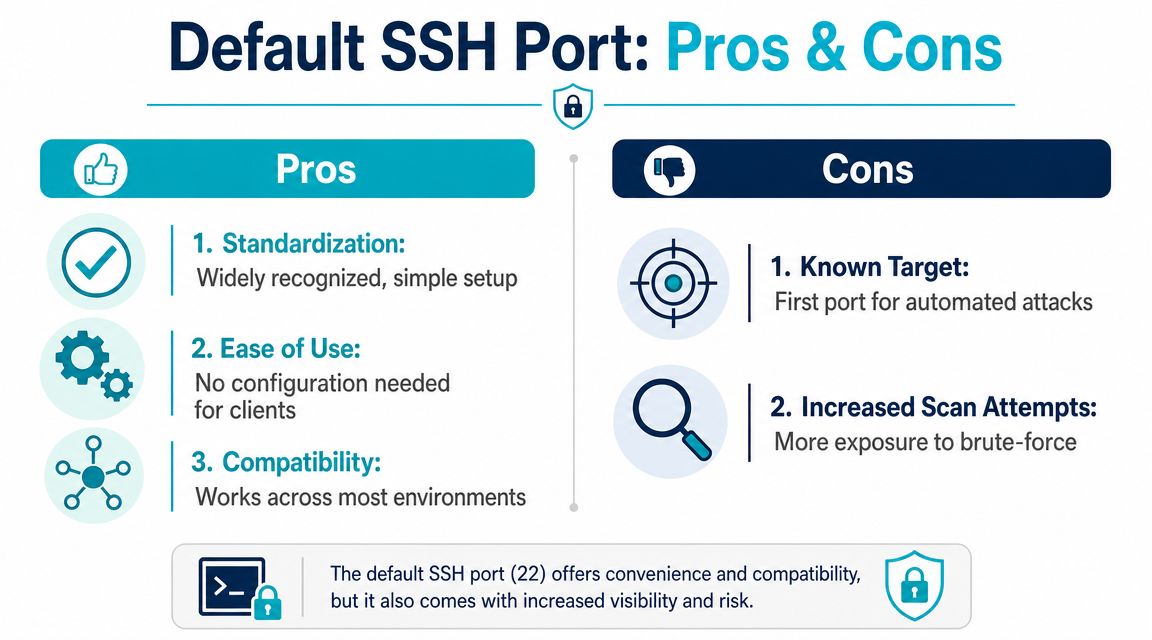
The same standardization that makes setup easy also makes discovery easy. On a newly deployed server, port 22 is the first place broad internet scanning tends to check. If password authentication is still enabled, weak accounts, reused credentials, or root logins become an obvious target.
Practical rule: Port 22 is convenient because every tool understands it. Port 22 is noisy because every bot understands it too.
That doesn't mean port 22 is wrong. It means port choice is only one part of SSH security. Good administration starts with understanding what the default gives you and what it exposes you to.
Why the standard still matters
There are valid reasons to leave SSH on port 22:
- Compatibility with tooling: Many automation jobs, backup routines, and admin scripts assume the default unless configured otherwise.
- Simpler onboarding: New staff, vendors, and support engineers can connect without custom instructions.
- Cleaner firewall conventions: Standard allow rules and network policies are often built around known service ports.
There are also valid reasons to move it. That decision depends on the environment, the team operating it, and how much operational change you want to absorb.
It sits inside a larger remote administration and identity model.
The Pros and Cons of Using the Default SSH Port
Using port 22 is a lot like having the main entrance exactly where everyone expects it. That's efficient for authorized people. It's also the first door unwanted visitors try.
Where port 22 helps
In production, standards reduce friction. If you inherit a server, migrate a workload, or hand off access to another engineer, port 22 removes one variable. That matters when you're troubleshooting under pressure.
A default SSH configuration on port 22 also fits common operational habits:
| Use case | Why port 22 helps |
|---|---|
| Team administration | Admins can connect without custom client flags |
| Automation | Scripts often assume the standard endpoint |
| Firewall reviews | Security teams immediately recognize the service |
| Vendor access | Third-party engineers usually expect the default |
For managed infrastructure, standardization has a practical upside. Documentation stays simpler, runbooks are shorter, and support staff spend less time discovering custom access choices before they can solve the underlying problem.
Where port 22 hurts
The downside isn't mysterious. Port 22 is a known target, so systems listening there tend to collect more background login attempts. Even when those attempts fail, they generate auth log noise and can hide the signal you care about, such as a misconfigured user, a broken deployment key, or an unexpected access pattern.
A well-known port simplifies administration, but it also simplifies opportunistic scanning.
That's why many hosting teams treat port 22 as acceptable only when paired with stronger controls. A default port by itself isn't the issue. A default port with passwords, broad user access, weak firewall policy, and poor monitoring is the issue.
The real trade-off
If your environment depends on standard tooling and frequent third-party access, staying on port 22 may be the right call. If your team controls the clients, documentation, and firewall policy, moving to a non-default port can reduce noise without much friction.
The key is not to confuse convenience with security, or customization with protection. Either port choice can be workable. What matters is the rest of the SSH stack around it.
Is Changing the SSH Port Worth the Effort
Yes, changing the SSH port can be worth it if your goal is to reduce background attack traffic and log clutter. No, it isn't a complete defense.
In a real-world example, one server owner reported that moving SSH from port 22 to port 222 reduced attacks by 98% over a one-week comparison, and the same discussion notes that the “vast majority” of people scanning for SSH look at port 22 first, while only a smaller number try alternatives like 222 or 2222.

What you gain
For most admins, the immediate benefit is simple: less garbage in the logs. That makes it easier to see real authentication issues, spot unexpected behavior, and keep alerting more useful.
A non-default port also cuts down on low-effort brute-force traffic. That's operationally helpful, especially on small fleets where the same people handle provisioning, patching, incident response, and customer requests.
What you don't gain
You don't gain immunity from a determined attacker. A targeted scan won't stop at port 22. If someone is specifically interested in your host, they can still find the SSH service unless stronger controls block them first.
That's why many experienced administrators call port changes a form of obscurity rather than a primary security control. Obscurity has value when it reduces noise. It becomes a problem when teams mistake it for actual hardening.
The hidden costs
Changing the SSH port introduces admin overhead:
- Client updates: Team members need the new port in their SSH config or commands.
- Automation changes: Deployment scripts, Ansible inventories, CI jobs, and backup tools may need adjustment.
- Firewall review: Host firewall rules and upstream network policy must match the new port.
- Support friction: Temporary contractors or vendors may fail to connect if they assume defaults.
If you change the port, treat it as an operational change first and a security improvement second.
That framing keeps expectations realistic. A port move is often worth doing, but only if you also maintain clean documentation and follow through with stronger authentication and access controls.
How to Change and Test Your New SSH Port
The dangerous part of changing SSH isn't editing the config file. The dangerous part is doing it in the wrong order and locking yourself out.
IBM's guidance recommends a staged migration: run SSH on both the old and new ports during the transition, verify firewall access first, notify users, and disable TCP/22 only after clients have moved, as outlined in IBM's SSH server hardening guidance.
Edit sshd_config safely
Keep your current SSH session open. Open a second terminal later for testing. Don't close the original session until you've confirmed the new port works.
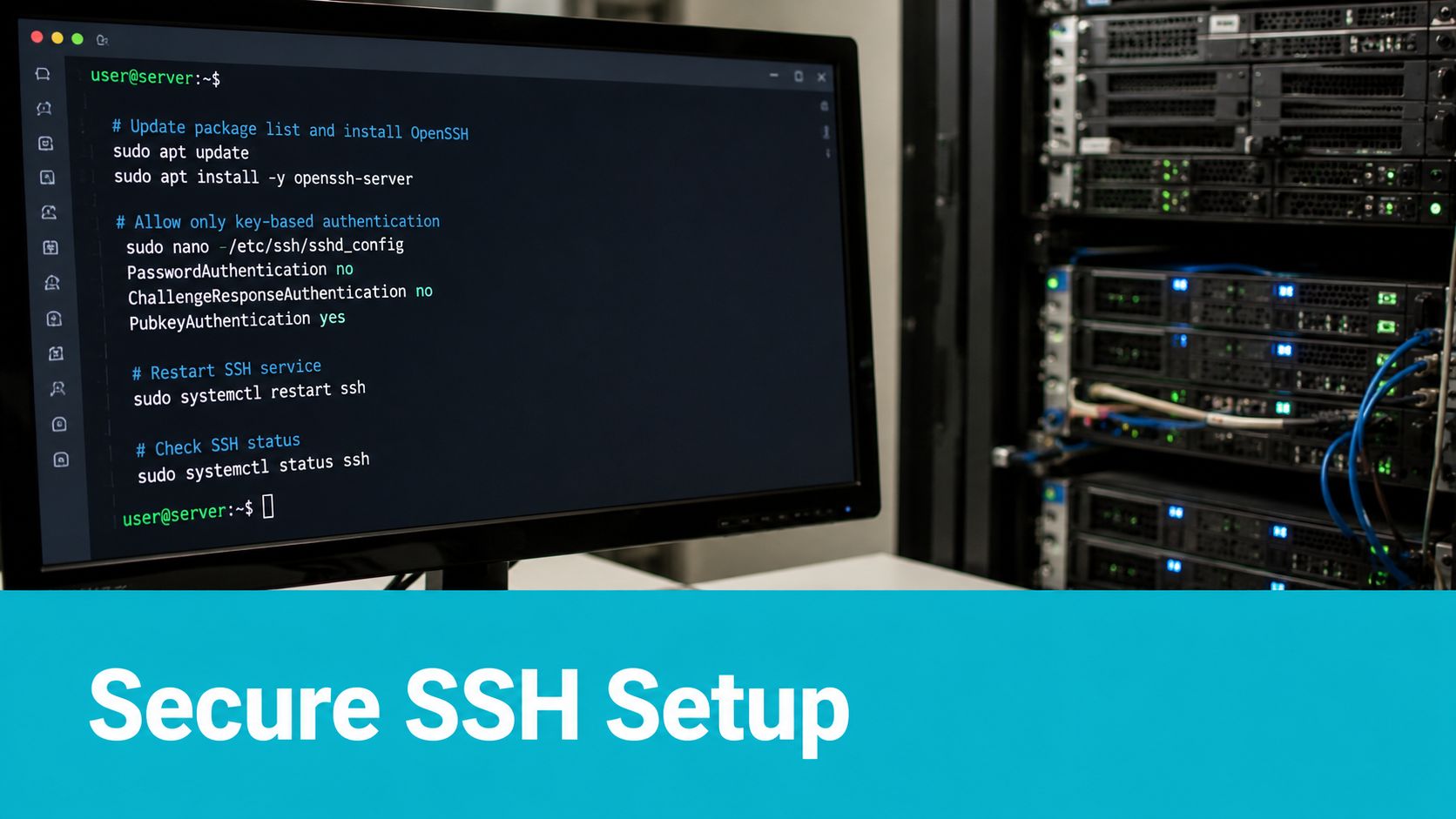
In /etc/ssh/sshd_config, add or adjust the port directives so SSH listens on both ports during the transition:
sudo nano /etc/ssh/sshd_config
Use a temporary dual-port configuration like this:
Port 22
Port 222
If your distribution uses drop-in files under sshd_config.d, confirm there isn't an override that cancels your change.
Open the firewall before restarting SSH
Such scenarios often lead to lockouts. The daemon may be ready to listen on the new port, but the firewall may still block it.
For UFW:
sudo ufw allow 222/tcp
sudo ufw reload
sudo ufw status
For firewalld:
sudo firewall-cmd --permanent --add-port=222/tcp
sudo firewall-cmd --reload
If you want a quick way to validate listening and reachability, ARPHost has a useful guide on checking if a port is open on Linux.
Restart and test from a second session
After updating the config and firewall, restart the SSH service:
sudo systemctl restart sshd
sudo systemctl status sshd
Now test from a separate terminal window:
ssh -p 222 username@server
If that login succeeds, verify the service is listening as expected:
ss -tuln | grep 222
Only after the new connection works should you consider removing port 22 from the configuration and firewall.
Here's a visual walkthrough if you want to compare the sequence with your own process:
Cut over without downtime
A staged cutover is cleaner than a single abrupt switch. Use this order:
- Add the new port in SSH configuration.
- Allow the new port in host and upstream firewalls.
- Restart SSH and confirm the service is healthy.
- Test from a separate session using the new port.
- Update users and automation so they stop relying on port 22.
- Remove port 22 later when you know nothing still depends on it.
Keep one working session open until every test passes. That open shell is your rollback plan.
Hardening SSH Beyond a Simple Port Change
Changing the port helps with noise. It doesn't solve the core problem.
Independent practitioners have pointed out that moving SSH off port 22 is not a real security control by itself. It reduces opportunistic brute-force traffic, but it remains “security through obscurity,” and one security talk discussed a further risk where a non-privileged replacement port could be easier for a compromised host to fake for credential theft, as summarized in this SSH hardening discussion.
Controls that matter more than the port number
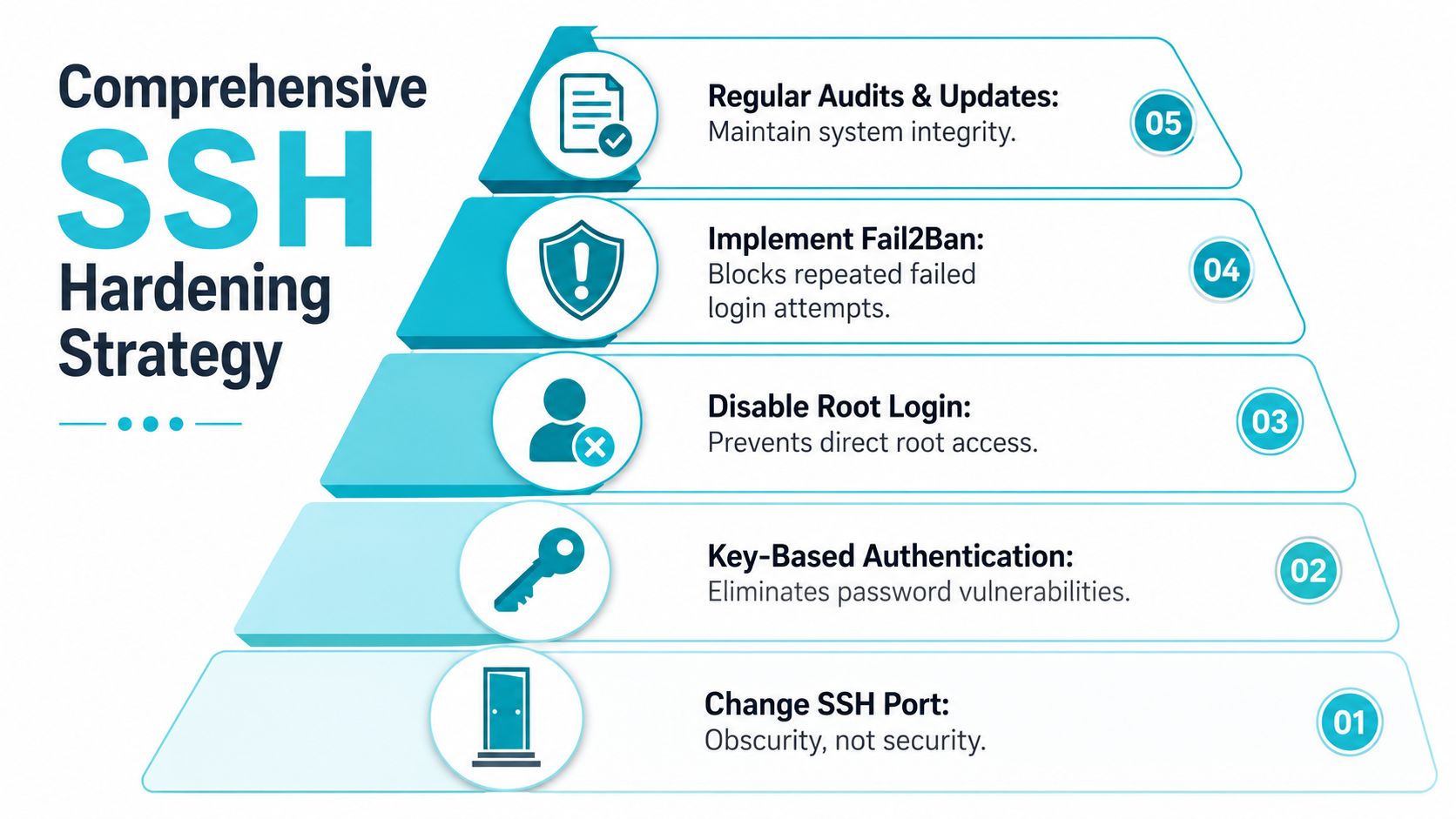
If I'm reviewing a production Linux server, these controls matter more than whether SSH is on 22 or a custom port.
- Disable password authentication: Public key authentication removes the easiest path for repeated password guessing.
- Restrict who can log in: Use
AllowUsersor equivalent access rules so only approved accounts can authenticate over SSH. - Limit network exposure: Narrow firewall rules to known admin sources where practical. ARPHost also covers the basics well in its guide to firewalls for Linux.
- Use rate limiting and blocking tools: Fail2Ban and firewall controls can react to repeated failed logins and reduce repetitive abuse.
- Watch the logs: Authentication logs should be reviewed often enough that abnormal access stands out.
Here's a simple baseline for sshd_config hardening:
PermitRootLogin no
PasswordAuthentication no
PubkeyAuthentication yes
AllowUsers adminuser
Identity still matters
SSH hardening is only part of access security. The accounts behind SSH sessions still need stronger protection, especially when admins also use control panels, VPNs, backup portals, and cloud dashboards.
A custom port cuts noise. Keys, account restrictions, firewall policy, and monitoring cut risk.
A layered model works better
A practical SSH posture usually looks like this:
| Layer | What it does |
|---|---|
| Port management | Reduces opportunistic scanning noise |
| Key-based authentication | Removes password-based guessing paths |
| User restrictions | Limits who can attempt login |
| Firewall controls | Limits where SSH can be reached from |
| Monitoring | Helps you detect misuse and failed changes |
Managed infrastructure helps. The work isn't intellectually difficult, but it is easy to miss one setting, forget one firewall rule, or leave one legacy account behind. That's how routine SSH administration turns into an incident.
Achieve Total Server Security with ARPHost
SSH security is never one checkbox. You're balancing port exposure, authentication policy, firewall rules, admin workflows, automation compatibility, logging, and patching at the same time. On a single test VM, that's manageable. Across VPS fleets, bare metal nodes, customer workloads, or private cloud clusters, it becomes process discipline.
That's why the biggest operational win usually isn't the port change itself. It's having a repeatable standard. Teams that stay ahead of SSH issues tend to document access changes, stage migrations carefully, use layered controls, and review systems regularly instead of relying on one clever tweak.
For businesses that want a more structured model, ARPHost offers managed and unmanaged infrastructure options that fit different operating styles, including VPS hosting, secure web hosting bundles, bare metal servers, colocation, dedicated Proxmox private clouds, instant applications, and fully managed IT services. If you're evaluating broader defensive design, their overview of security in layers aligns well with the same principle behind SSH hardening: no single control should carry the whole load.
A few practical fit scenarios stand out:
- Small teams with limited admin time: Managed hosting reduces the odds of missed firewall rules, stale accounts, and risky manual changes.
- Developers who need root access: VPS and bare metal plans allow full SSH control without giving up the option for provider support.
- Growing businesses standardizing infrastructure: Private cloud and managed services make it easier to apply the same SSH policy across multiple systems.
- Organizations with sensitive workloads: Layered security around the host matters more than whether the listening port is default or custom.
If your current SSH setup depends on passwords, broad access, and undocumented exceptions, that's the issue to fix first. Port 22 is just the visible part of the problem.
If you want help tightening SSH access without creating lockouts, ARPHost, LLC can support everything from low-cost VPS deployments to secure web hosting bundles, bare metal servers, dedicated Proxmox private clouds, colocation, and fully managed IT services. Start with VPS hosting if you need flexible root access, review secure VPS and web hosting bundles for layered protection, explore Proxmox private clouds for isolated infrastructure, or request a managed services consultation if you want ongoing help with server hardening, monitoring, and access control.
