


When you first jump into a new database, the first thing you almost always do is get your bearings. What tables are even in here? What does the schema look like? Getting a quick, clean list of tables is ground zero for database management, whether you're doing routine maintenance, hunting down a bug, or exploring a new dataset. This is where simple, built-in commands are your best friend.
For anyone working directly on a database hosted on a high-performance server, speed and efficiency are everything. Each major SQL engine has its own little shortcut for this task, tailored for its command-line tool. These commands are easy to remember, lightning-fast, and don't require you to write a complex query, making them perfect for those interactive terminal sessions on an ARPHost VPS or Bare Metal Server.
Quick Commands to Show Tables Across Different SQL Databases
While the SQL standard offers a way to do this (we'll get to that later), most database clients have their own native commands that are much quicker to type. Here's a quick comparison of the most common ones you'll run into.
| Database System | Client Command | Notes |
|---|---|---|
| MySQL / MariaDB | SHOW TABLES; | Simple, direct, and does exactly what it says. Use it in the mysql client. |
| PostgreSQL | dt | A "meta-command" for the psql client. It gives a nicely formatted list. |
| SQL Server | sp_tables | This is a system-stored procedure, not a single command, but it's the closest T-SQL equivalent. |
| SQLite | .tables | Another client-specific command for the sqlite3 CLI. Fast and effective. |
| Oracle | SELECT table_name FROM user_tables; | Oracle leans more on standard SQL queries for this task. |
These commands are muscle memory for most database administrators and developers because they provide an immediate answer without the overhead of querying system catalogs.
Comparing the Native Commands
Knowing the subtle differences between database systems is a huge part of being an effective IT professional. For instance, the 2026 Stack Overflow Developer Survey showed PostgreSQL as the top choice for professional developers, with MySQL right on its heels. This just goes to show how critical it is to know the specific commands for each. While modern tools and platforms like the SaaSdb platform can help with database discovery, nothing beats the raw speed of the command line.
This reference guide is great for visualizing the essential commands across the most popular database systems.
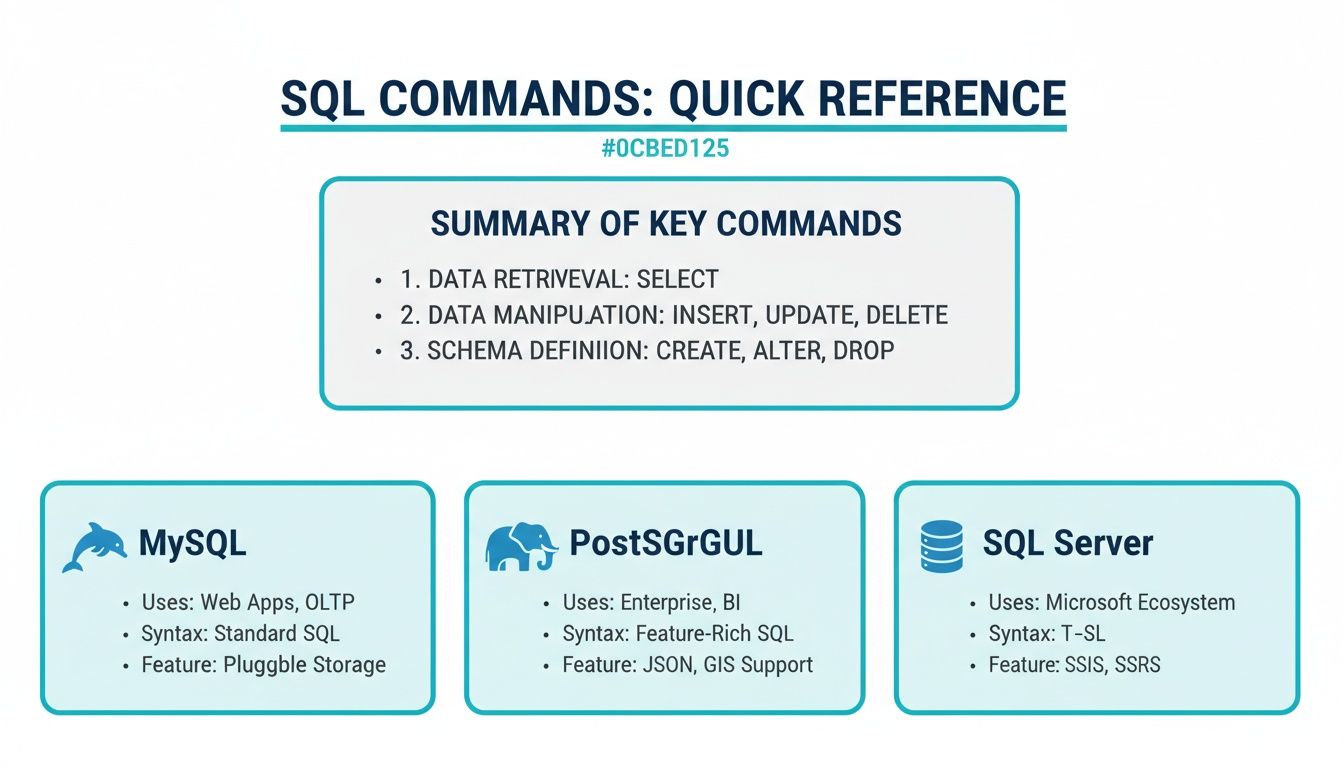
As you can see, each system has its own distinct syntax, reinforcing how these native commands are designed for their specific environments to give you the fastest, simplest output.
Let's break down how to use a few of them with code snippets you can run right now.
- MySQL and MariaDB: The
SHOW TABLES;command is as straightforward as it gets. Once you've connected and selected your database withUSE database_name;, this command gives you a clean, single-column list of every table. - PostgreSQL: Inside the
psqlinteractive terminal, the meta-commanddt(which is just a shortcut for "display tables") is your go-to. It provides a well-formatted list showing the schema, name, type, and owner for each table. - SQL Server: Transact-SQL (T-SQL) doesn't have a direct
SHOW TABLESequivalent. Instead, you use thesp_tablessystem stored procedure, which provides similar information and is just as easy to execute.
Using The Information Schema for Universal Queries
While quick, client-specific commands like SHOW TABLES are great for interactive checks, they create a massive headache for automation and application development. Why? They aren't portable. A script written with MySQL's SHOW TABLES; will fail the second you point it at a PostgreSQL database.
For a more robust, standardized approach that works across different database engines, you need to meet the INFORMATION_SCHEMA.

The INFORMATION_SCHEMA is a set of views defined in the SQL standard, giving you direct access to a database's metadata. Think of it as a universal, read-only map of all the objects within your database—tables, columns, views, you name it. The best part? The query structure to access it is nearly identical across all major relational database systems.
Querying the Universal Tables View
The most important view for our purpose is INFORMATION_SCHEMA.TABLES. This view contains a row for every single table and view in the database, but instead of just a name, it gives you a wealth of metadata.
Here is the fundamental query to list all tables in the current database:
SELECT
    table_schema,
    table_name,
    table_type
FROM
    information_schema.tables
WHERE
    table_schema NOT IN ('pg_catalog', 'information_schema');
This query pulls back three key pieces of information:
table_schema: The schema (or database, in MySQL terms) that owns the table. This is crucial for avoiding name collisions and keeping things organized.table_name: The actual name of the table.table_type: This tells you if the object is aBASE TABLE(a real, physical table) or aVIEW(a virtual table built from a query).
Pro Tip: Don't forget the
WHEREclause. It’s essential for filtering out internal system schemas likepg_catalogin PostgreSQL and theinformation_schemaitself. This keeps your results clean and focused only on your user-defined tables.
Why This Matters for Managed IT Environments
This standardized method is a game-changer for businesses managing diverse application portfolios. Imagine your team develops a custom monitoring app that needs to inventory databases for different clients. Some might be on a cost-effective ARPHost VPS plan running MySQL, while others use a high-performance ARPHost Bare Metal Server with PostgreSQL for heavy data processing.
By using INFORMATION_SCHEMA queries, your application's database connection layer can stay consistent. You write the table discovery logic once, and it just works, regardless of the environment. This slashes development complexity and maintenance overhead, freeing you up to build features rather than wrestle with database-specific syntax.
Scaling This with ARPHost
For businesses looking to standardize their infrastructure even further, an ARPHost Dedicated Proxmox Private Cloud provides a powerful solution. You can spin up virtual machines with different database systems—all managed under a single, secure environment—while your applications interact with them using these universal SQL queries. This gives you full root access and dedicated hardware for maximum performance, starting at just $299/month.
Ready to build on a flexible and secure foundation? Explore our Secure VPS Bundles and see how easy it is to deploy and manage diverse database environments.
How to Filter and Find Specific Tables
When you’re staring down an enterprise-level database, running a generic command to show all the tables often spits back hundreds, if not thousands, of results. It's a wall of text that's more noise than signal. To get anything done efficiently, you have to cut through that noise and find exactly what you're looking for. This is a critical skill, especially when your databases are humming along on high-performance infrastructure like an ARPHost Bare Metal Server.
Precision filtering isn't just a nice-to-have; it's a necessity. It’s how you quickly track down tables related to a new feature, audit a set of tables that follow a specific naming convention, or simply navigate a complex schema without getting completely lost.
Using LIKE and Wildcards for Pattern Matching
The most common and flexible way to filter table lists is with the LIKE operator, paired with wildcard characters. This technique works beautifully with INFORMATION_SCHEMA queries across PostgreSQL, SQL Server, and MySQL. It’s even baked directly into MySQL's native SHOW TABLES command.
You'll rely on two main wildcards:
- The Percent Sign (
%): This is your catch-all. It matches any sequence of zero or more characters. - The Underscore (
_): This one is more precise, matching any single character.
Let's put this into practice. Imagine you need to find all tables related to user data. You might have tables named users, user_profiles, user_settings, and who knows what else.
You can grab all of them with a single, elegant query:
SELECT
    table_name
FROM
    information_schema.tables
WHERE
    table_name LIKE 'user%';
This simple query instantly returns every table starting with the prefix "user," giving you a focused list to work with. No more scrolling for days.
Practical Filtering Scenarios
But filtering goes way beyond just prefixes. You can get pretty creative by combining wildcards to build powerful search patterns for all sorts of real-world situations.
- Finding Tables with a Specific Suffix: Need to find all your logging or history tables? Just search for anything ending in
_logwith a query likeLIKE '%_log'. - Searching for a Keyword Anywhere: If you're looking for every table related to "invoices," no matter where that word appears in the name,
LIKE '%invoice%'is your best friend. - Matching a Fixed-Length Pattern: Let's say you have archived tables named
data_q1_2024,data_q2_2024, and so on. You could find all of them for a specific year usingLIKE 'data_q__2024'. Each_acts as a perfect placeholder for a single character in the quarter number.
Why This Is Crucial for Managed Environments: In a well-run hosting environment, smart naming conventions are everything. When ARPHost's managed services team helps migrate or optimize your database, we rely on clear, consistent naming. Using
LIKElets us programmatically identify, back up, or monitor groups of related tables efficiently and safely.
MySQL's Shortcut for Rapid Filtering
For those of you working directly in the MySQL or MariaDB command-line interface, there’s an even faster way to do this. The SHOW TABLES command has its own built-in LIKE clause.
To run our same user table search from before, you’d just type:
SHOW TABLES LIKE 'user%';
This command is incredibly fast and perfect for those quick, interactive checks you need to do right on the server. It’s one of the small but powerful reasons developers love the flexibility of running MySQL on a secure and snappy ARPHost VPS.
Ready to take control of your database management on a platform built for performance? Start with our $5.99/month VPS hosting and experience the difference today.
Troubleshooting Common Access and Permissions Issues
You’ve carefully typed your command to show database tables, hit enter, and… crickets. Or worse, you’re greeted with a blunt "permission denied" error. It’s a frustrating roadblock every database admin hits eventually, but it's almost always rooted in permissions or context, not a broken database.
Figuring out these issues is a core part of managing databases smoothly.

Successfully listing tables isn't just about having a valid user account. It’s about that account having the right privileges on the right objects. At a bare minimum, a user needs the ability to peek at the database's metadata. So when a query comes back empty, don't assume there are no tables—it often just means your current user can't see them.
Diagnosing the Root Cause
Before you start messing with user roles, run through a quick diagnostic checklist. I find these common missteps account for the vast majority of access problems.
- Wrong Database Context: Are you sure you're connected to the correct database? It's surprisingly easy in PostgreSQL to land in the default
postgresdatabase, which won't have your application's tables. A quickc your_database_namein psql orUSE your_database_name;in MySQL fixes this. - Schema Visibility Issues: In systems like PostgreSQL and SQL Server, tables live inside schemas. Your user might have rights to the database but not to the specific schema (like
publicordbo) where the tables actually reside. - Insufficient Privileges: This is the big one. The user account you're using probably lacks the
SELECTrights on theINFORMATION_SCHEMAviews or theUSAGEprivilege on a specific schema. It's a classic case of being allowed in the building but not in the right room.
And if you've hit a privilege wall but have lost root access to fix it, don't panic. You might be interested in our guide on how to recover the MySQL root password to get back in control.
Why ARPHost Excels Here: Secure Managed Access
Juggling a complex web of user permissions is where many teams stumble. It’s not just about operational friction; misconfigured privileges can open up serious security holes. A user with permissions that are way too broad is a prime target for misuse or a simple, costly mistake. This is precisely where a proactive management strategy becomes invaluable.
At ARPHost, our fully managed IT services go beyond just server health. We implement and maintain a principle of least privilege for all database users, ensuring that applications, admins, and backup agents have exactly the permissions they need—and nothing more. This approach, combined with our Secure Web Hosting Bundles featuring Imunify360 and CloudLinux OS, dramatically minimizes your attack surface and prevents accidental data modification. When you entrust user management to our experts, you can be confident that your database access controls are solid, secure, and aligned with industry best practices.
Automating Table Discovery with Scripts
Running a manual query to list tables is great for a quick spot-check, but in modern DevOps, you can't rely on doing things by hand. Manual checks are slow, inconsistent, and just plain inefficient. Scripting the discovery process is where the real power lies—it lets you weave database monitoring directly into your CI/CD pipelines, run scheduled health checks, or generate reports without lifting a finger.
Think of automated scripts as the foundation for proactive database maintenance. They can catch unexpected schema changes, track how tables grow over time, or just confirm a deployment went off without a hitch. These simple scripts become seriously powerful tools for keeping your environments stable and consistent.
Building a Simple Bash Reporting Script
If you live in the command line, a simple Bash script is the most direct route to automation. This is perfect for tasks you’d run directly on a server, like a cron job that logs the database schema state every night for your audit records.
Here’s a practical example for a PostgreSQL database. The script just connects, runs a universal INFORMATION_SCHEMA query, and dumps the timestamped output into a log file. Simple and effective.
#!/bin/bash

# Database connection details
DB_HOST="localhost"
DB_USER="your_user"
DB_NAME="your_database"
LOG_FILE="/var/log/db_table_audit.log"

# The SQL query to list all user tables
QUERY="SELECT table_schema, table_name FROM information_schema.tables WHERE table_schema NOT IN ('pg_catalog', 'information_schema');"

# Execute the query using psql and append to the log file
echo "--- Audit Timestamp: $(date) ---" >> $LOG_FILE
psql -h $DB_HOST -U $DB_USER -d $DB_NAME -c "$QUERY" >> $LOG_FILE
echo "--- End of Audit ---" >> $LOG_FILE

echo "Table audit complete. Results saved to $LOG_FILE"
You can easily tweak this for MySQL by swapping the psql command for mysql and updating the connection flags. Setting this up as a daily cron job on your ARPHost VPS gives you a lightweight but powerful audit trail of your database structure. This kind of automation is a core tenet of Infrastructure as Code. If you want to go deeper on that topic, you might find our guide on Infrastructure as a Code best practices useful.
Programmatic Discovery with Python
When you need to plug table discovery into a larger application or a more complex workflow, Python is an obvious choice. Using standard database libraries like psycopg2 for PostgreSQL or mysql-connector-python for MySQL, you can fetch table lists programmatically and do whatever you need with the results.
Here’s a quick look at how you could handle it for MySQL:
import mysql.connector

# Configuration for your database connection
config = {
    'user': 'your_user',
    'password': 'your_password',
    'host': '127.0.0.1',
    'database': 'your_app_db'
}

try:
    # Establish the connection
    cnx = mysql.connector.connect(**config)
    cursor = cnx.cursor()

    # Query to fetch base tables
    query = ("SELECT table_name FROM information_schema.tables "
             "WHERE table_schema = %s AND table_type = 'BASE TABLE'")

    cursor.execute(query, (config['database'],))

    print(f"Tables in database '{config['database']}':")
    for (table_name,) in cursor:
        print(f"- {table_name}")

except mysql.connector.Error as err:
    print(f"Error: {err}")
finally:
    if 'cnx' in locals() and cnx.is_connected():
        cursor.close()
        cnx.close()
The Power of Integration: A Python script like this is just the beginning. Imagine building it out into a tool that not only lists tables but also checks each one for recent data, flags old, unused tables for cleanup, or feeds everything into a Grafana dashboard.
Running scripts like these is a breeze on ARPHost’s platforms. Whether you're on a small ARPHost VPS plan or a scalable Dedicated Proxmox Private Cloud, you get the full root access needed to install libraries and schedule your tasks. Our fully managed IT services team can even handle the setup, monitoring, and maintenance of these scripts for you, making sure your database health is always being watched.
Ready to automate your IT workflows? Request a managed services quote and let our experts build a proactive monitoring solution for you.
Why Your Hosting Environment Matters for Database Management
Knowing all the right SQL commands is one thing, but if your server can't keep up, those queries will crawl. It's a classic bottleneck. You can write the most optimized code in the world, but a sluggish, poorly configured hosting environment will turn even simple tasks like listing tables into a frustrating waiting game. Your hosting is the bedrock for everything—it dictates the speed, security, and reliability of every single database operation.

This is exactly why a high-performance platform isn't just a "nice-to-have"—it's essential. Think about an application running on an ARPHost Secure Web Hosting Bundle. It’s not just about speed; you get built-in security like Imunify360, which actively shields your database from common attacks right out of the box.
As your project and its data grow, you'll eventually need more muscle. That’s where scaling up to a Dedicated Proxmox Private Cloud makes all the difference, giving you the dedicated CPU and RAM needed to handle intensive queries without breaking a sweat. If you're weighing your options, our guide on shared hosting vs VPS is a great resource to help clarify that decision.
At the end of the day, a solid hosting solution does more than just serve data. It gives you the power to manage it effectively, quickly, and securely.
Common Questions and Quick Answers
When you're wrangling database tables, a few questions pop up time and time again. Here are some of the most common ones I hear, along with quick, practical answers to get you unstuck.
How Do I See Tables from a Specific Schema or Database?
This is probably the most frequent ask. If you're in MySQL, the quickest way is SHOW TABLES FROM your_database_name;. It gets the job done instantly.
For a more universal approach that works across most SQL engines, your best bet is to query the INFORMATION_SCHEMA.TABLES view. Just filter it down with a WHERE clause: WHERE table_schema = 'your_schema_name';. This method is super reliable.
And if you just want to switch your current working database for the session, you can use USE your_database_name; in MySQL or c your_database_name in PostgreSQL's psql client.
What Is the Difference Between Listing Tables and Views?
It’s easy to get these two mixed up. A table is a physical object that actually stores your data. A view, on the other hand, is just a stored query that acts like a virtual table.
Simple commands like SHOW TABLES in MySQL will often dump both tables and views into the same list, which can be confusing.
To reliably tell them apart, go back to the
INFORMATION_SCHEMA.TABLESview. It has aTABLE_TYPEcolumn you can filter on. You’ll want to look for either 'BASE TABLE' for actual tables or 'VIEW' for views.
Can I Get More Details Like Column Count or Table Size?
Absolutely, but the basic listing commands won't give you this metadata. They're designed to be fast and simple, only providing the names.
For richer details, you need to dig into the system catalogs.
- Column Count: You can join
INFORMATION_SCHEMA.TABLESwithINFORMATION_SCHEMA.COLUMNSand then useCOUNT()to get a column count for each table. - Table Size: This one is a bit more engine-specific. For example, in PostgreSQL, you’d use a function like
pg_total_relation_size()to calculate the disk space a table is using. You'll need to look up the specific function for your database system.
Managing complex database schemas requires a robust and secure foundation. ARPHost's managed VPS and private cloud solutions provide the high-performance environment you need, backed by 24/7 expert support. Explore our secure VPS hosting bundles to get started.