

A production host goes sideways after hours. A developer needs shell access, a vendor says they can fix the issue in minutes, and someone on the team asks for “the remote access code” so they can get in right now.
That moment is where a lot of infrastructure teams expose themselves.
In small and mid-sized environments, remote access usually evolves faster than policy does. One VPS gets an SSH password. A hypervisor gets a shared emergency login. An out-of-band console keeps the factory default workflow for too long. Then the environment grows into a mix of KVM guests, bare metal nodes, private cloud hosts, and colocated hardware, but the access model still looks like a collection of one-off exceptions.
That gap matters. One underserved angle in remote access code coverage is practical guidance for VPS, bare metal, and Proxmox-style hosting environments. The available guidance is often thin, and one summary notes that 80% of top results lack security best practices like time-based OTPs, while also pointing to emerging recommendations for ephemeral codes that can reduce breach risks by 40%
The fix isn't to stop granting remote access. The fix is to stop granting it casually.
Introduction The 3 AM Call for Remote Server Access
The ugly version of the 3 AM call goes like this. A database replica falls behind, a line-of-business app starts timing out, and the one engineer who knows the storage layout is offsite. Someone needs remote access fast, but nobody wants to hand over a long-lived credential that still works next week.
That’s where teams confuse speed with improvisation. They send a password in chat, leave a firewall rule open longer than needed, or let a third party connect directly to a host that should never be internet-facing. The outage gets fixed, but the access path stays behind like an unlogged backdoor.
In practice, a remote access code should be treated as a controlled access event, not a convenience feature. It’s the difference between issuing a temporary badge for one visitor and copying the front door key for anyone who asks. That distinction matters more in hosting infrastructure than in generic help desk scenarios because the systems involved are usually privileged by design. Root on a VPS, console on a bare metal node, and admin on a Proxmox cluster all carry very different blast radii.
I’ve seen the same pattern repeatedly in server environments. The teams that handle emergency access well don’t rely on memory or trust. They rely on short-lived credentials, audit trails, identity checks, and a forced return to zero standing access when the work is finished.
If your emergency process depends on “we’ll remember to change that later,” it isn’t a process. It’s a pending incident.
What Exactly is a Remote Access Code in Your IT Stack
A remote access code is a credential used to authenticate a remote session. In some tools, it’s a one-time alphanumeric code for a support session. In others, it’s effectively a password, OTP, or temporary token that gates access to a server, console, or management plane.
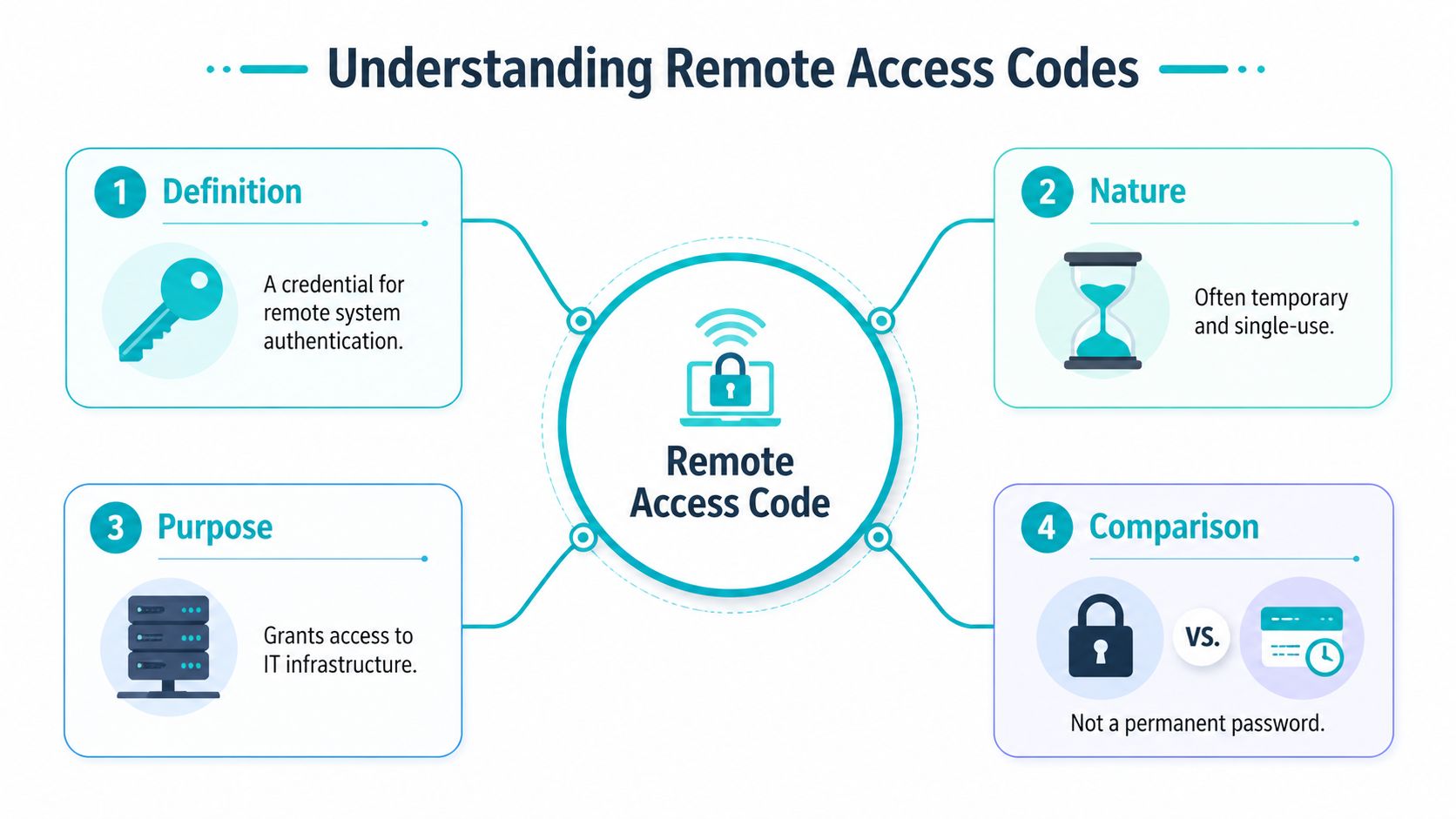
In a hosting stack, the term matters because people use it loosely. One admin means a vendor session code for screen sharing. Another means the rotating code from an authenticator app. Another means the password to IPMI. Those are not equivalent, and treating them as equivalent is how weak controls get normalized.
What it looks like in real infrastructure
In server operations, a remote access code usually appears in one of these places:
- Support access: A temporary code generated for a one-off troubleshooting session.
- Administrative login flow: A TOTP value or other second factor paired with a username and password.
- Out-of-band management: Credentials for iLO, iDRAC, IPMI, or another hardware console.
- Legacy remote admin: A static password used for SSH, RDP, VNC, or VPN access.
The core function is the same. The code decides who gets in, when they get in, and under what conditions. The implementation is what changes the risk.
That’s also why teams struggle here. A survey of web-security decision-makers found that 90% agreed managing remote user security is extremely challenging, and 64% permitted remote server access to over 25% of their workforce Once remote server access is common, the credential controlling it becomes a primary target.
Temporary access beats standing access
The best mental model is simple. A persistent password is a key copied once and used repeatedly. A session code is a temporary check-in credential that expires after the task. The first is operationally easy. The second is much safer.
That doesn’t mean every environment can eliminate persistent credentials overnight. Hypervisor management, rescue access, and break-glass workflows often still need them. But the principle holds. The less time a credential remains valid, the less useful it is to an attacker.
Practical rule: If the access need is temporary, the credential should be temporary too.
Where teams get tripped up
The common mistakes aren’t complex:
Using one concept for every access path
A support session code and a hypervisor admin password should never be treated as interchangeable controls.Skipping auditability
If you can’t tie access to a user, time window, and reason, you don’t have control. You have hope.Extending convenience into production
A code path created for an emergency often becomes the default path because nobody circles back.
That’s the essential meaning of a remote access code in an IT stack. It isn’t just a string someone types into a prompt. It’s a policy decision expressed as a credential.
A Taxonomy of Remote Access Codes From Ephemeral to Persistent
Not all remote access code types solve the same problem. Some are built for a single support session. Others are built for daily administration. A few should only exist as last-resort recovery mechanisms.
The useful way to classify them is by lifespan, context, and recoverability. If a credential survives the task, survives the user’s need, and survives unnoticed in your environment, it deserves extra scrutiny.
The main code types you’ll actually encounter
Vendor session codes are the cleanest version of temporary access. In remote support platforms, the code is generated for a specific session, entered by the recipient, and used to establish an encrypted tunnel. The code invalidates after the session, and that short validity window is part of the security model. Zoho describes these as unique, time-sensitive identifiers that act as one-time authentication tokens, and notes benchmarks suggesting they can reduce unauthorized access risk by 99.9% per session because brute-force becomes impractical within the short window (Zoho Assist overview).
TOTP or app-generated OTP codes are different. They aren’t usually the primary login credential. They’re the second gate layered on top of a username, password, or SSO login. In infrastructure environments, they work well for VPN access, control panels, hypervisor UIs, and identity providers that front administrative systems.
Out-of-band console credentials cover hardware management interfaces such as iLO, iDRAC, and IPMI. These are often ignored until they’re needed, which is why they become dangerous. They’re powerful, they commonly survive longer than application credentials, and they can bypass some of the controls you’ve built inside the guest OS layer.
Static passwords still show up everywhere. SSH password auth left enabled. Shared VNC passphrases. Emergency VPN credentials that stopped being emergency years ago. They’re operationally simple and security-hostile.
Comparison of Remote Access Code Types
| Code Type | Typical Lifespan | Security Level | Common Use Case | ARPHost Context |
|---|---|---|---|---|
| Vendor session code | Short-lived, session-bound | High when paired with logging and operator verification | One-off support access | Managed troubleshooting on hosted workloads |
| TOTP or app OTP | Very short-lived, recurring | High as a second factor, weaker if used alone | VPN, control panel, admin UI MFA | VPS, private cloud, panel, and portal access |
| Out-of-band console credential | Often persistent unless rotated manually | Moderate to low unless isolated and tightly managed | iLO, iDRAC, IPMI, serial-over-LAN | Bare metal recovery and hardware console access |
| Static password | Long-lived unless manually changed | Low | Legacy SSH, RDP, VNC, VPN | Legacy admin paths that should be phased out |
What works well and what fails in practice
Session codes work well for human-assisted support. They fail when teams try to stretch them into routine administration. If an engineer needs recurring host access, use identity-based access and MFA, not repeated ad hoc support sessions.
TOTP codes work well when the primary identity layer is already clean. They fail when shared accounts are still common. A shared admin login plus OTP doesn’t create accountability. It just makes a bad pattern slightly harder to abuse.
Out-of-band credentials are necessary, but they should live behind additional controls. Put them behind VPN, limit source networks, and treat console access as privileged infrastructure access, not as a side utility.
Static passwords fail undetected. That’s their real danger. They seem fine until they leak, get reused, or become impossible to rotate without downtime anxiety.
Short-lived codes are best for access events. Identity-backed authentication is best for ongoing operations. Static shared secrets are what you keep only when you haven’t finished the cleanup yet.
A simple selection rule
Use this decision rule:
- One-time support task: session code
- Routine admin access: identity plus MFA
- Hardware recovery path: isolated console credential
- Legacy password path: eliminate or cage tightly until replaced
That’s the taxonomy that matters operationally. Not what the vendor marketing calls the code, but how long it lives and what damage it can do.
The Attacker's Playbook Security Risks and Best Practices
Attackers usually don’t break remote access first. They find the easiest path around it.
That path is often a weak password, a reused credential, a shared account, or a support code exposed through bad handling. Remote access attacks are a leading initial access method for ransomware, and the password problem remains severe. More than 555 million stolen credentials have been posted on the dark web since 2017, 80% of breaches stem from stolen or reused passwords, and 24% of Americans still use weak codes like “abc123” or “Password” (RealVNC discussion of remote access attacks).
How weak code handling gets exploited
The first pattern is credential stuffing. If a server admin reused a password from another service, an attacker doesn’t need to guess. They just replay what already leaked.
The second is shared access without attribution. A team mailbox receives a support code. Multiple people can use it. Nobody can later say who connected. That’s not just a logging problem. It destroys accountability.
The third is overexposed management services. RDP, VNC, VPN, and hardware consoles become much easier targets when they’re reachable broadly and protected by credentials alone.
Then there’s social engineering around temporary access. Temporary codes are safer than static credentials, but they still require handling discipline. If someone can trick a user into reading back a live session code or approving a prompt they don’t understand, the short lifespan won’t save you.
Best practices that stop the common failures
The defensive model that works is layered and boring. That’s a good thing.
Require MFA everywhere you can
VPNs, control panels, support tools, bastions, and hypervisor interfaces should all require a second factor where supported.Expire access aggressively
Temporary access should end automatically. Persistent access should be reviewed and rotated on schedule.Reduce reachability
Don’t expose management interfaces broadly. Restrict by VPN, firewall policy, or a hardened jump point.Log every remote access event
Track who connected, from where, when, and to what system. If your tooling can capture session events and file transfers, enable it.Separate identities from emergency access
Break-glass accounts should exist, but they shouldn’t become the default admin workflow.
It’s useful when you’re trying to correlate VPN logins, console access, and host-level authentication into one searchable timeline.
A practical hardening pattern
For small infrastructure teams, I recommend this order of operations:
Turn off shared passwords first
Even before you redesign the whole stack, stop passing admin secrets around chat and tickets.Put remote management behind one controlled path
VPN or bastion first. Direct exposure second only if you have no other option.Instrument logs before the next incident
During an outage, nobody wants to build dashboards. Do it while things are calm.Review cloud and hosting exposure separately
Remote access isn’t only an endpoint problem. It intersects with firewall policy, tenancy boundaries, and misconfiguration risk. This breakdown of cloud computing security risks is a useful checklist when access controls start spanning hosted systems and private infrastructure.
The strongest remote access policy is the one that still works when everyone is tired, in a hurry, and under pressure.
What doesn’t work
A few patterns repeatedly fail in production:
- “Temporary” credentials with no automatic expiry
- MFA only on some admin surfaces
- Out-of-band consoles reachable from broad networks
- One admin account used by several people
- Logs that exist but are never reviewed
Good remote access security isn’t clever. It removes decisions from the middle of the emergency. That’s why the best teams predefine how temporary access is granted, how it’s logged, and how it’s revoked.
Actionable Examples for Securing Your ARPHost Infrastructure
Theory only helps if it changes what you do on the next maintenance window or outage. The strongest pattern is to turn remote access into a repeatable workflow with clear start and end conditions.
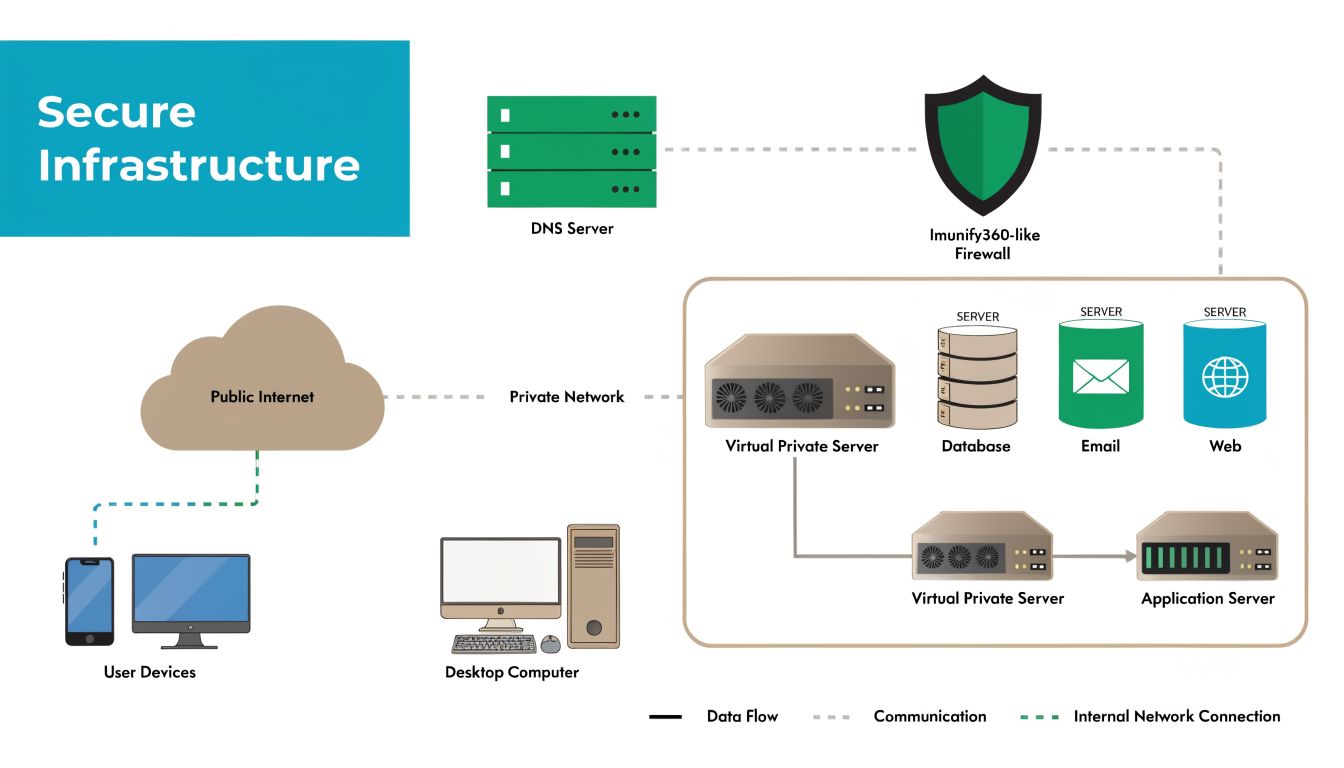
Example one granting temporary support access without sharing permanent credentials
A common need is vendor or managed support access to a VPS that’s misbehaving. The bad version of this workflow is sending the root password or a full-panel login. The better version is creating a time-limited support identity with a defined scope and removing it when the task ends.
Step 1 create a named temporary account
On a Linux VPS, create a separate account for the support session instead of handing over an existing administrator login.
sudo useradd -m -s /bin/bash support_temp
sudo passwd support_temp
If the task only needs log inspection or service control for a single application, don’t give full root immediately. Start with least privilege.
sudo usermod -aG adm support_temp
If elevation is required, define it narrowly in sudoers instead of granting unrestricted root.
sudo visudo
Add only the commands needed for the maintenance action, such as service restart or log access for a specific unit.
Step 2 constrain where the login can come from
Before the account is used, tighten the network path. The ideal model is VPN-only access. If that isn’t available in the moment, limit the firewall rule to the known support source and remove it after the session.
For SSH, also confirm your daemon policy reflects the intended access mode.
sudo grep -E '^(PasswordAuthentication|PermitRootLogin)' /etc/ssh/sshd_config
If root login is enabled, that’s usually the wrong account for a support event. Use a named user and increase privileges only when needed.
Step 3 pair the login with a second factor or approval layer
In some environments, the cleanest method is to broker support through a managed remote tool that issues a short-lived code. In others, you’ll use VPN plus SSH. Either way, require an approval checkpoint before the session begins. That can be a ticket reference, a live call verification, or an authenticated portal action.
Operator habit: Never grant live access from a chat message alone. Require a second channel for identity confirmation.
Step 4 monitor the session while it happens
Open a second terminal and watch auth activity in real time.
sudo journalctl -fu ssh
If you’re using sudo, review elevation events too.
sudo journalctl -f | grep sudo
The point isn’t distrust. It’s operational awareness. During an urgent support session, seeing the exact login time and command elevation sequence helps later review.
Step 5 remove the path when the work is done
When the issue is resolved, disable the account immediately.
sudo passwd -l support_temp
sudo usermod -L support_temp
sudo pkill -u support_temp
If the account will never be reused, delete it and archive the relevant logs under the ticket.
sudo userdel -r support_temp
A simple post-session review helps too. Compare what was requested, what was granted, and whether the access path stayed narrower than the original problem.
Example two securing out-of-band access on a bare metal server
Hardware console access is where many teams keep their weakest remote access code. That’s dangerous because out-of-band access often bypasses the controls you built inside the operating system.
Step 1 treat the management interface as privileged infrastructure
Whether the platform is IPMI, iLO, or iDRAC, put it behind a private path if possible. The preferred pattern is VPN or dedicated management network access, not broad public reachability.
If you inherit a system, review whether the management account is unique, whether the password is rotated, and whether default usernames are still in place. Console interfaces are often forgotten because they’re used less frequently than SSH or RDP.
Step 2 verify authentication and rotate the credential before you need it
Don’t wait for a failed boot or kernel panic to discover the old console login is shared among three former admins. Create a clear owner for the console account and rotate it on a documented schedule.
For local hygiene, store that credential in a password manager with access controls, not in a text file attached to the deployment docs.
Step 3 use console access for recovery not convenience
A hardware console is ideal when the host is down, the network stack is broken, or you need BIOS or bootloader access. It’s a poor substitute for routine administration.
That distinction matters because convenience drives overuse. Once engineers start using the console for everyday tasks, privileged access drifts outside your normal logging path.
Step 4 close the session correctly
After recovery work:
- Log out of the console UI
- End any mounted virtual media
- Remove temporary firewall allowances
- Record who used the console and why
- Review whether the incident should have been handled through the normal bastion or VPN path instead
If you want a broader review of host-level basics around SSH, privilege boundaries, updates, and logging, this server hardening checklist is a good companion to the access workflow.
A compact checklist you can adopt today
Use this for both VPS and bare metal operations:
Create named access only
No shared admin logins for temporary work.Constrain the path
VPN, bastion, or narrowly scoped firewall policy first.Limit privilege at the start
Add elevation only if the task requires it.Watch the session live
Keep auth and privilege logs visible during the work.Revoke immediately after completion
Lock, delete, or expire the account as part of the closeout.
If the removal step isn’t in the ticket checklist, someone will eventually skip it.
These examples aren’t glamorous, but they’re reliable. That’s what you want from remote access controls in production infrastructure.
Beyond Codes Modern Alternatives for Secure Server Access
A temporary remote access code is much better than a static shared password. It still isn’t the end state for a mature server environment.
The better model is to use codes only where they fit naturally, such as assisted support sessions or emergency approval gates, and move routine administration toward stronger identity-based controls. That’s where infrastructure teams stop thinking in terms of “what code do we give out” and start thinking in terms of “what path do we permit.”
RealVNC’s distinction is useful here. It separates persistent remote access passwords from ephemeral on-demand assist codes, and the temporary codes are the safer option because they auto-expire and eliminate backdoor risk (RealVNC explanation). That same principle applies well beyond remote desktop tools.
SSH keys for Linux administration
For Linux VPS and private cloud workloads, SSH public key authentication should be the default for regular admin access. It removes password guessing from the equation and supports cleaner user separation.
Keys aren’t magic. They still need passphrase protection, user-level separation, and revocation discipline. But compared with password-based SSH, they’re the professional baseline.
ssh-keygen -t ed25519 -C "admin@example"
ssh-copy-id admin@server
After rollout, disable password authentication where your access model supports it.
sudo grep '^PasswordAuthentication' /etc/ssh/sshd_config
VPNs for management plane isolation
If a service controls infrastructure, it shouldn’t usually be broadly reachable. VPNs create a protected administrative path so SSH, RDP, Proxmox UI access, and hardware console interfaces aren’t exposed more widely than necessary.
The big win isn’t just encryption. It’s reachability control. An attacker can’t brute-force what they can’t reach.
Bastion hosts for central control
A bastion host gives you one hardened, monitored, auditable entry point into the rest of your environment. Instead of exposing every management service, you expose one heavily controlled system and move laterally only through approved channels.
That architecture pays off fast:
- Fewer exposed admin surfaces
- More consistent logging
- Clearer user attribution
- Easier policy enforcement
- Simpler offboarding
The trade-off is operational discipline. Bastions need patching, session logging, user lifecycle management, and hardening. But that’s still easier than securing dozens of individually exposed admin endpoints.
When to use each model
Use this simple split:
- Remote access code: one-off support and tightly scoped temporary access
- SSH keys: routine Linux administration
- VPN: protected access path to management services
- Bastion host: centralized entry for multi-system environments
The broader principle is layered access design. Temporary codes reduce risk compared with standing passwords, but hardened environments combine short-lived credentials, MFA, isolated management networks, and central audit points. This overview of security in layers aligns well with that model if you’re formalizing the design across hosted and private infrastructure.
If you need infrastructure that supports this kind of access model cleanly, ARPHost, LLC offers VPS hosting, bare metal servers, Proxmox private clouds, secure web hosting bundles, colocation, instant applications, and fully managed IT services. For teams that want help implementing hardened remote access, backups, monitoring, and operational guardrails, their platform is built for both hands-on admins and organizations that need an extension of their internal IT team.
