

Don't reprovision yet: run DNS, TCP, TLS, and API checks from the provisioning worker before changing firewalls or rebuilding the guest. Use a three-second TCP probe to separate a reachable listener from a timeout, then repair only the first failing layer.
You're looking at "provisioning server connection status failed" in a panel or job log, and the server may already be powered on. Preserve that job and its logs. A second create request can leave you with another unfinished guest instead of a working deployment.
Table of Contents
- What the Failed Connection Status Actually Means
- Check DNS, TCP, TLS, and API Auth
- Fix the Control Plane Path
- Restore Guest DHCP Cloud-init and SSH
- Retry With Backoff and Roll Back
- Escalate Only After You Have Evidence
What the Failed Connection Status Actually Means
The message identifies an incomplete workflow, not a failed physical server. Provisioning can stop while resolving the orchestration endpoint, authenticating, assigning networking, attaching storage, or waiting for the guest's configuration callback. SSH may not exist yet.
Start by reading the job state and the server state separately. Panels don't always use these terms consistently, so read the accompanying event history rather than treating a green power icon as proof of successful provisioning.
| Control-plane state | Working interpretation | Next decision |
|---|---|---|
| Provisioning | The platform hasn't completed its workflow | Inspect the current task and its last event before retrying |
| Running | The compute instance is running, but guest readiness may still be incomplete | Test the worker path and inspect the guest console |
| Error | The platform recorded a failed operation | Preserve the task error and identify the failed dependency |
A running VM doesn't prove that cloud-init finished, its address is correct, or its callback reached the platform. Conversely, a failed callback doesn't prove that the application inside the guest is unavailable.
The server provisioning overview explains the lifecycle behind these separate steps. During troubleshooting, the useful question is narrower: which component last completed its work, and which component was waiting next?
Start with the path, not a hardware replacement
IT and networking issues accounted for 23% of impactful data-center outages in 2024, according to Uptime Institute's 2025 outage analysis. That doesn't diagnose your particular job, but it supports checking the path before swapping hardware.
For multi-tenant infrastructure, I would use this practical investigation order, rather than treat it as a universal frequency ranking:
- Resolver view: Stale records or split-horizon DNS send the worker to the wrong destination.
- Source authorization: A firewall or security group permits administrators but omits the provisioning worker.
- API credentials: An expired token or incorrect scope blocks an otherwise reachable endpoint.
- TLS validation: The chain, requested hostname, protocol, or worker clock prevents negotiation.
- Guest networking: DHCP, a VLAN mismatch, or cloud-init leaves the guest without usable networking.
- Guest services: SSH isn't listening, or the configuration callback never starts.
- Shared dependencies: Authentication, storage, or the control plane prevents multiple builds from completing.
What this looks like in production: the worker commonly uses a management network that an administrator's laptop doesn't traverse. A successful laptop request can hide worker-specific routing, proxy requirements, resolver views, and source allowlists.
A successful test from the wrong network proves the wrong path works.
Connection status signatures and the first check
Use the following signatures to choose the next probe. Command labels refer to the probe sequence below; use your actual endpoint and service port.
| What you see | Usual layer | First command or check | How to read it |
|---|---|---|---|
| NXDOMAIN, SERVFAIL, or a hang on the API hostname | DNS zone, split horizon, or DNSSEC | Check resolution using the worker's configured resolver | No usable address means stop; don't raise timeouts |
| TCP connect times out | Route, firewall, security group, or asymmetric path | TCP probe against the API service port | Investigate filtering and routing before the listener |
| Connection refused | Service down, wrong port, or active rejection | TCP probe against the configured port | A rejection returned; inspect the listener and reject rules |
| TLS alert, hostname mismatch, or expired certificate | Chain, SNI, protocol, or clock | TLS probe with hostname verification | Validation must pass before credentials matter |
| HTTP 401 or 403 | Token expiry, scope, or source allowlist | Authenticated API probe | An HTTP responder answered; investigate authorization |
| HTTP 409 or duplicate resource | Previous attempt may have partially succeeded | Read the job record by idempotency key | Reconcile instead of creating another server |
| Failed status and no guest address | DHCP, VLAN, or cloud-init | Guest link, address, and route checks | Missing usable addressing prevents normal SSH access |
A failure that disappears on a subsequent probe may be transient. Repeated identical results establish a reproducible symptom, but don't automatically prove root cause: a proxy can return an authorization error, and a firewall can actively reject a connection.
Check DNS, TCP, TLS, and API Auth
Run probes inside the provisioning worker's network context, including its container when applicable. Capture the UTC timestamp, target hostname, service port, request ID, and worker source address before making changes.
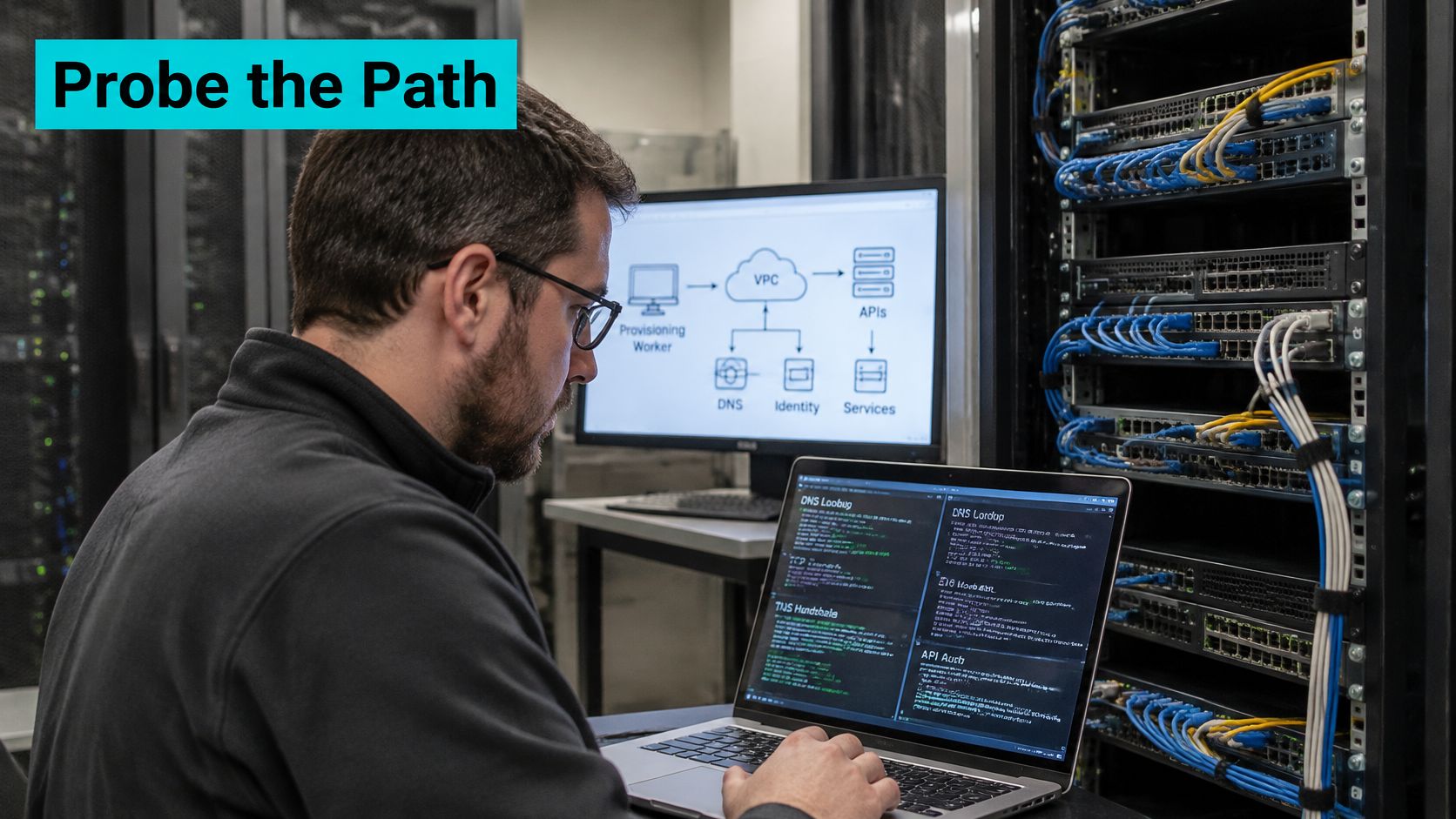
Establish the vantage point
- Identify the worker. Run
hostname -fanddate -u. Record the interface, route, and source address selected for the API destination using your network tooling. - Check resolution. Inspect the worker's resolver configuration and resolve the API hostname from that context. Expect the address published for the management path, not merely any returned address.
- Test transport. With
APIHOSTset to the actual endpoint, runnc -vz -w3 "$APIHOST" 443. Expected success includessucceeded; refusal and timeout require different fixes. - Validate TLS. Run
openssl s_client -connect "${APIHOST}:443" -servername "$APIHOST" -verify_hostname "$APIHOST" -verify_return_error </dev/null. ExpectVerify return code: 0 (ok)and a certificate valid for the intended name.
The Kubernetes DNS debugging guide provides the appropriate cluster-specific checks when the worker runs in Kubernetes: resolver configuration, DNS workloads, services, and endpoints. A healthy guest resolver won't repair a broken worker-side DNS service.
Authenticate against the actual API
Set API_HEALTH_URL to the documented, authenticated endpoint and use the job's credential through your approved secret mechanism. Run curl -sS --max-time 10 -D /tmp/provision-health.headers -o /tmp/provision-health.body -H "Authorization: Bearer $API_TOKEN" "$API_HEALTH_URL".
A successful authenticated response proves more than a public health page. An unauthenticated health endpoint returning success doesn't prove the token can create servers.
Avoid verbose HTTP traces containing secrets. Time DNS, connection establishment, TLS, and the API request separately, then retain median and p95 measurements by stage. Stop when a stage fails instead of burying its error beneath later probes.
Fix the Control Plane Path
Make one change, then repeat the probe that failed. Editing DNS, firewall rules, and credentials together may restore service, but it leaves you unable to explain the fix or roll it back safely.
Repair the owning layer
For a DNS failure, compare the worker's resolver view with the authoritative zone and the intended management endpoint. Correct the record or forwarding path, then invalidate only the relevant cache where your resolver supports it. SERVFAIL warrants resolver and DNSSEC-validator log inspection, not changes inside the new guest.
For a TCP timeout, inspect the worker's egress policy, destination ingress policy, route, and return path. Permit only the required source range and provisioning port. If a shared rule changed, restore the intended management source rather than adding unrelated tenant networks.
On an API host you administer, sudo ss -ltnp shows listening sockets. A service bound only to loopback won't answer requests arriving on its management interface.
| Failed check | Narrow repair | Verification |
|---|---|---|
| Wrong resolver view | Correct forwarding or the relevant zone record | Worker receives the intended endpoint |
| TCP timeout | Repair the specific route or allow rule | Worker reaches the service port |
| TCP refusal | Restore service health or correct its bind address | Expected listener appears |
| TLS validation | Repair the full chain, name, or clock | Verified handshake succeeds |
| API authorization | Correct token expiry, scope, or source policy | Intended authenticated operation succeeds |
| IPv6-only failure | Repair IPv6 policy or deliberately select IPv4 | Client succeeds over the supported family |
For a stopped service, inspect its actual unit with sudo systemctl status "$API_UNIT" --no-pager and sudo journalctl -u "$API_UNIT" --since "$FAILURE_TIME" --no-pager. Don't guess a service name and restart unrelated units.
Keep the repair narrower than the incident
A token should have the permissions the workflow requires, including reading the object after creation. A successful network repair followed by an authorization failure isn't a reason to widen the firewall.
Change-control rule: save the original rule, certificate, or configuration before replacing it. Your rollback should restore a known state, not reconstruct one from memory.
A shared management allowlist has a broader blast radius than a tenant rule. Review its consumers before changing it, and verify both the repaired job path and an unaffected existing workload.
Restore Guest DHCP Cloud-init and SSH
Take this branch when the API path works but the guest never becomes reachable or completes its callback. Use the hypervisor, serial, or bare-metal console, not an SSH session that depends on the broken network.
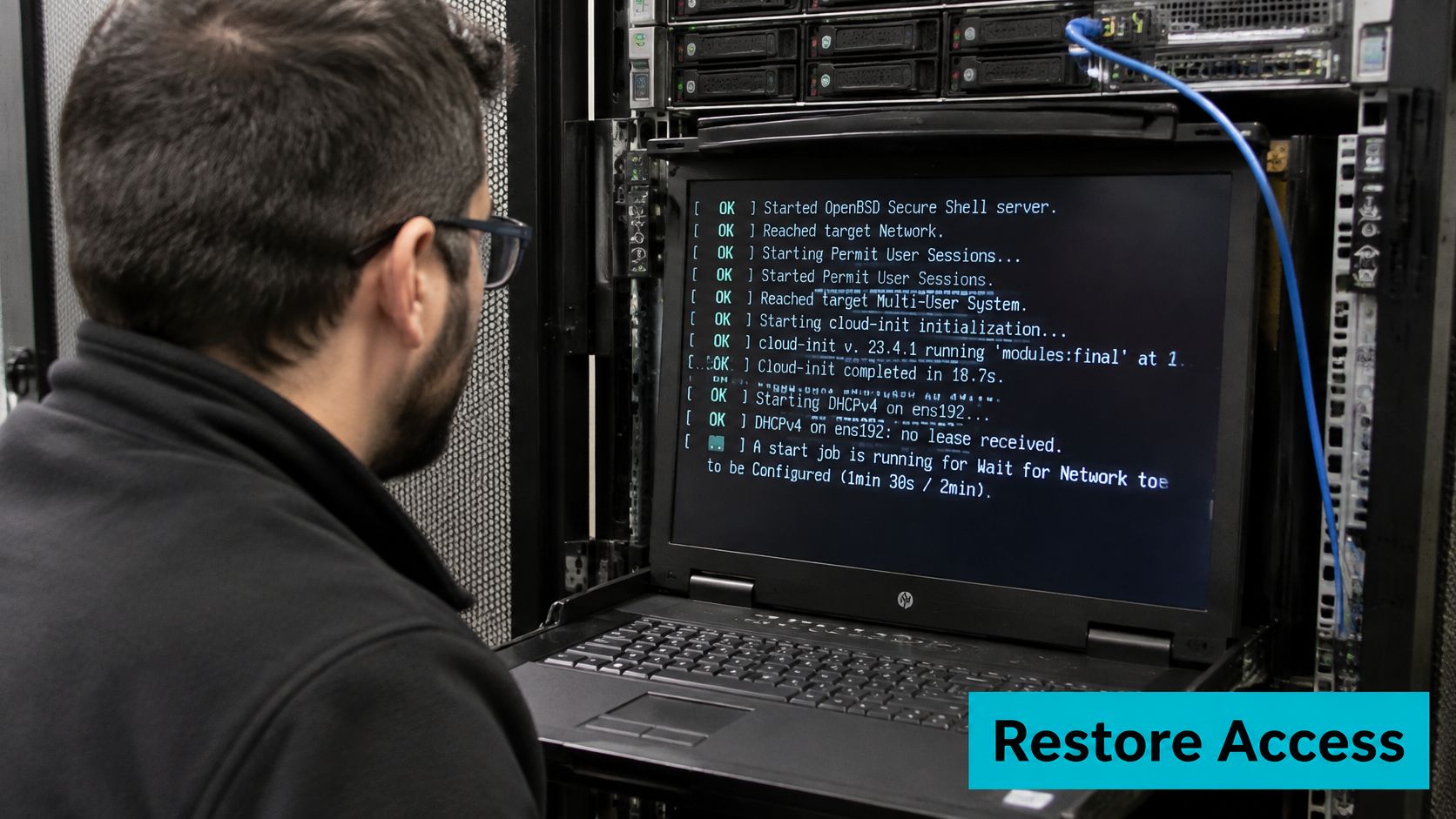
Confirm link and address before touching SSH
Run ip -br link, ip -br addr, and ip route from the guest console. Look for the expected interface, an operational link, a usable assigned address, and the route required to reach the worker and callback destination.
Don't assume every image calls its NIC eth0. Interface naming can change with the image, virtual hardware, and operating system configuration.
| Console finding | Investigate next | Avoid |
|---|---|---|
| Expected NIC absent | Virtual device attachment, driver, or hardware enumeration | Repeated DHCP requests |
| NIC present but link down | Virtual cable state, bridge, physical uplink, or interface configuration | Changing SSH keys |
| Link present but no address | DHCP path and cloud-init network configuration | Reinstalling SSH |
| Address present but route wrong | Lease options, stale static configuration, or routing policy | Adding arbitrary gateways |
| Network healthy but SSH refused | Listener, service configuration, or explicit reject policy | Increasing connection timeouts |
On Proxmox VE, verify the guest NIC model, bridge attachment, VLAN tag, and host-side filtering before editing the guest. For bare metal, make the corresponding checks against switch-port membership, link state, and the installed NIC driver.
Do not change an entire bridge's VLAN configuration to repair one guest unless you've established that the shared configuration is wrong.
Inspect cloud-init and the DHCP exchange
Run sudo cloud-init status --long and sudo journalctl -u cloud-init -b --no-pager. Read the first relevant failure, including whether cloud-init found an interface, obtained a lease, or identified its primary interface.
The Microsoft cloud-init troubleshooting guide distinguishes those DHCP failure cases and recommends checking boot diagnostics, interface enumeration, and required drivers. Those distinctions remain useful when diagnosing a Linux guest even though platform-specific recovery actions differ.
Set IFACE to the interface discovered at the console, then capture DHCP with sudo tcpdump -ni "$IFACE" 'port 67 or port 68'. Where the distribution provides the client, sudo dhclient -v "$IFACE" exposes the lease attempt.
Don't launch a competing DHCP client while NetworkManager or systemd-networkd is already managing the interface. Inspect that manager's logs first with sudo journalctl -b -u NetworkManager --no-pager or sudo journalctl -b -u systemd-networkd --no-pager.
A successful exchange contains DHCPDISCOVER, DHCPOFFER, DHCPREQUEST, and DHCPACK. Repeated discovery without an offer points toward the DHCP service or the path to it; an offer followed by no acknowledgment requires inspecting the subsequent exchange.
Multiple offers aren't automatically rogue behavior in a deliberately redundant design. Unexpected offer sources, inconsistent lease options, or competing uncoordinated services require investigation before you accept a lease.
Repair the image instead of patching every clone
Cloud-init can select a likely connected interface and request DHCP when no explicit network configuration exists. A cloned image with stale interface matching or old static networking can prevent that fallback from producing the intended result.
Inspect the generated network configuration alongside the cloud-init datasource. Don't edit a generated file without finding its source, because the next boot or image build may overwrite your repair.
For template preparation, the Debian cloud-init template guide for Proxmox is adjacent to this problem: template networking must survive cloning without retaining the source guest's identity or address.
| Distribution family | SSH unit to inspect | Networking caveat |
|---|---|---|
| Ubuntu and Debian | ssh | Determine whether Netplan, NetworkManager, or systemd-networkd owns the interface |
| RHEL family | sshd | Inspect the active NetworkManager connection and its assigned interface |
Restore SSH only after networking works
From the worker, run nc -vz -w3 "$SERVER_HOST" 22, using the server's assigned hostname. A timeout isn't a key-authentication failure; investigate the guest firewall, host filtering, bridge path, and route.
On Ubuntu or Debian, run sudo systemctl status ssh --no-pager. On RHEL-family systems, use sudo systemctl status sshd --no-pager.
Then run sudo ss -ltnp, sudo sshd -t, and the appropriate service journal. A successful configuration test normally returns without diagnostic output; a listening socket must also exist on the intended address and port.
Check the effective port with sudo sshd -T | grep '^port '. If the deployment intentionally uses a different port, connect with ssh -p "$SSH_PORT" "$SSH_USER@$SERVER_HOST" and update the provisioning workflow accordingly.
Don't reset keys until transport and the SSH listener work. A key can't cause a TCP timeout.
Renew networking through its owning manager after repairs. Reboot only when needed to verify persistence, preserve console access, and repeat the worker-side connection test before declaring the image fixed.
Retry With Backoff and Roll Back
A retry is another infrastructure change, not a panel refresh. Assign a stable idempotency key to the logical create operation, persist its state transitions, and query the platform before submitting it again.
An idempotency header works only if the API implements it. If the platform doesn't support idempotent creation, serialize the operation in your orchestrator and reconcile using the returned resource identifier and durable job record.
Retry or reconcile by failure stage
| Stage result | Next action | Do not |
|---|---|---|
| DNS SERVFAIL or missing record | Inspect resolver, zone view, and DNSSEC-validator logs | Retry against the unchanged bad name |
| TCP timeout | Check route, security group, firewall, and return path | Open every port or raise the timeout |
| TCP connection refused | Restore the listener and bind address; inspect reject rules | Assume a silent firewall drop |
| TLS or certificate error | Repair chain, SNI, protocol, and clock | Disable certificate verification |
| HTTP 401 or 403 | Correct token, scope, and source authorization | Substitute an unrestricted administrator credential |
| HTTP 409 or existing server ID | Reconcile the object and continue configuration | Submit another create |
| Guest has link but no lease | Repair VLAN, bridge, or intended DHCP service | Add an uncoordinated DHCP server |
| Five failures with the same code | Stop and page the stage owner with logs | Continue until rate limiting intervenes |
Use a capped retry policy, for example five attempts, with exponential backoff and jitter. That's an operating limit to configure, not a measured reliability threshold. Retry transient dependency failures only after checking whether the previous attempt created an object.
The NIST DNS guidance supports checking validator logs for DNSSEC failures and retaining DNS traffic history. Preserve the original response body, sanitized certificate details, and correlation identifiers so the generic panel status doesn't erase the evidence.
Prevent duplicates and make rollback explicit
Record failure stage, endpoint, region, retry count, and error code. Alert on consecutive failures and stage-specific p95 latency rather than relying only on aggregate uptime.
For prevention, validate template networking, maintain deliberate DHCP ownership, synchronize clocks, schedule token rotation, and run worker preflight checks before accepting a create job. Serialize competing retries for the same logical server.
For rollback:
- Preserve evidence: Export logs and confirm the partial guest contains no required application data.
- Remove deliberately: Power off or delete only the resource owned by this job.
- Release dependencies: Return its allocated address and revoke attempt-specific credentials.
- Close the record: Clear the job only after the platform confirms removal.
Powering off isn't deletion. Don't release an address while the platform still associates it with a retained guest.
Escalate Only After You Have Evidence
Escalate when the panel disagrees with verified worker and guest results, when the same dependency fails across unrelated servers, or when the retry cap is reached. You don't need to exhaust retries when the failure clearly requires provider-side access.
Give the next operator a reproducible fault
Include these details in the ticket:
- Identity: Server or VM identifier, job identifier, request identifier, and idempotency key where supported.
- Timing: UTC failure time and the relevant log window.
- Vantage point: Worker identity, source address, container context, and destination service.
- Exact symptom: Original error text, HTTP status, and sanitized response body.
- Probe evidence: Resolver result, TCP outcome, TLS validation, and authenticated API response.
- Guest evidence: Console link, addressing, routing, cloud-init status, and SSH listener findings.
- Scope: Whether existing workloads still pass traffic and whether unrelated new builds fail.
Redact tokens, private keys, cookies, and credentials before sharing output. Keep correlation identifiers intact.
Separate recovery from investigation
If existing workloads work but new creation fails across independent paths, investigate the provisioning dependencies before modifying healthy guests. If only one guest fails, preserve its console and configuration evidence rather than assuming a platform incident.
While waiting, stop further creates and retain the partial guest if it contains the only logs. Restore the application using a tested backup or known-good image when service continuity matters more than completing this particular build.
For teams assigning operational ownership, managed infrastructure services can cover monitoring and troubleshooting of this path. The handoff should identify who owns worker networking, guest images, credentials, and rollback approval, not just who receives the alert.
ARPHost, LLC offers VPS, bare metal, Proxmox private clouds, colocation, secure web hosting, and fully managed IT. If provisioning remains blocked, bring the worker probe results, guest-console findings, and job identifiers so the operators can isolate the failed stage without creating duplicate servers.

Leave a Reply
You must be logged in to post a comment.