

The key pros of virtualization in IT infrastructure boil down to three strategic advantages: drastic cost savings through consolidation, incredible operational agility via rapid provisioning, and rock-solid business continuity with automated recovery. By abstracting operating systems and applications from the physical hardware they run on, you can consolidate multiple virtual machines (VMs) onto a single bare metal server. This fundamental shift transforms a rigid, expensive IT footprint into a flexible, efficient, and resilient private cloud.
Why Virtualization Is Essential for Modern IT
Virtualization marks a definitive move away from the inefficient “one server, one application” model. For any IT team, implementing a virtualization strategy is one of the most impactful steps toward maximizing resource utilization and building a fault-tolerant operation. Instead of dedicating an entire physical server to a single workload, which often leaves it idling at less than 20% capacity, virtualization allows you to run multiple, fully isolated operating systems and applications on a single physical host.
This is made possible by a hypervisor, such as the KVM (Kernel-based Virtual Machine) that powers enterprise-grade platforms like Proxmox VE. The hypervisor is a lean software layer that sits directly on the bare metal hardware or on top of a host OS. It logically partitions physical resources like CPU cores, RAM, and storage, allocating them to each VM as needed.
This simple concept unlocks profound technical and business benefits.
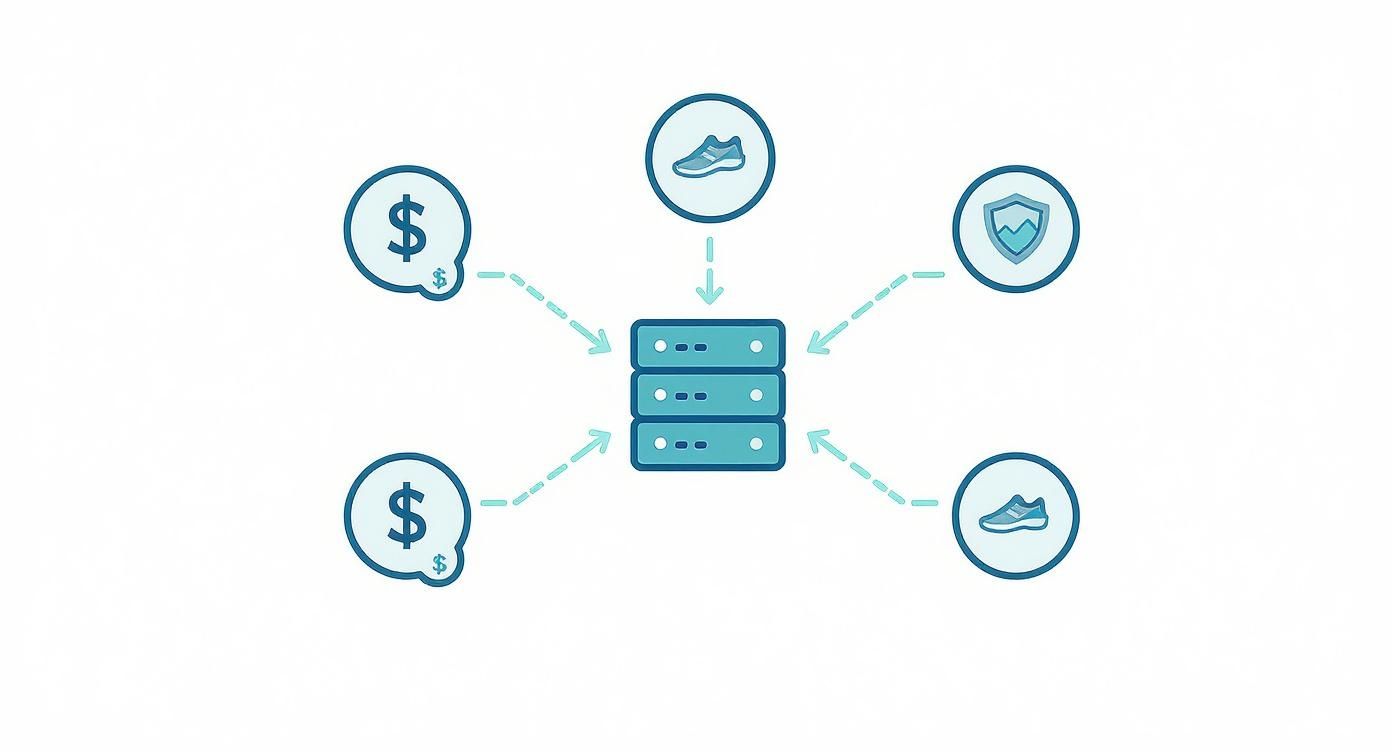
As this illustrates, virtualization technology directly enables superior cost efficiency, operational agility, and infrastructure resilience, three pillars of a modern, competitive business.
The Driving Force Behind IT Modernization
This technology has fundamentally reshaped how organizations approach IT architecture. The global virtualization market is projected to reach USD 218.76 billion by 2030, a testament to its mainstream adoption. The primary drivers are the relentless pressure to reduce hardware capital expenditure (CapEx) and maximize the performance of existing infrastructure.
Virtualization allows a single physical server to increase its average utilization rate from a mere 15% to over 70%. This isn’t an incremental improvement; it’s a monumental leap in efficiency. You can explore more virtualization market trends on Mordor Intelligence.
To fully appreciate the impact, let’s compare the two models directly.
Physical vs. Virtualized Infrastructure: A Technical Comparison
The table below outlines the practical differences between a traditional physical server environment and a modern virtualized infrastructure built on a platform like Proxmox VE. The metrics clearly show the technical and operational superiority of virtualization.
| Metric | Traditional Physical Server | Virtualized Server (e.g., Proxmox VE) |
|---|---|---|
| Hardware Utilization | Low (typically 15-20%) | High (often 70%+) |
| Server Provisioning Time | Days or weeks | Minutes (via templates and cloning) |
| Energy Consumption | High (one server per application) | Low (consolidated on fewer hosts) |
| Total Cost of Ownership | High (hardware, power, cooling, space) | Significantly lower |
| Disaster Recovery | Slow, complex, and manual | Fast, automated, and scriptable |
This comparison clarifies why virtualization is not just an IT upgrade but a core business strategy for building a leaner, more resilient, and highly adaptable infrastructure.
Driving Down Costs with Server Consolidation
One of the most immediate and quantifiable pros of virtualization is the significant reduction in Total Cost of Ownership (TCO). By consolidating multiple underutilized physical servers into VMs running on a single, powerful host, you immediately slash capital expenditures. This means purchasing fewer servers, network switches, and rack cabinets, freeing up capital for strategic initiatives.
The savings extend directly to operational expenses (OpEx). Fewer physical machines reduce your data center footprint, leading to lower power and cooling costs—two of the most substantial line items in any IT budget.
A Practical Consolidation Scenario
Consider an environment with 10 aging physical servers, each dedicated to a single application and operating at an inefficient 15-20% of its total capacity. This represents a massive waste of hardware, power, and physical space.
By migrating these workloads to a modern, 2-node Proxmox VE high-availability (HA) cluster, you reduce the hardware footprint by a factor of five. More importantly, you’ve engineered a more resilient, efficient, and centrally managed system. The core principle is allocating resources precisely based on demand rather than overprovisioning for peak loads that rarely occur. Understanding what a bare metal server is is key, as its dedicated, raw performance provides the ideal foundation for high-density virtualization.
The Proxmox web interface provides a centralized management console for the entire cluster.

From this single pane of glass, you can manage nodes, VMs, storage, and networking, transforming complex infrastructure management into a streamlined process.
Fine-Tuning Resources via the CLI
For sysadmins and automation engineers, the command-line interface (CLI) offers even more granular control. To audit the resources allocated to a specific VM, the qm (QEMU Manager) command is indispensable.
qm config 101
Executing this command returns the full configuration for the VM with ID 101, displaying details like cores: 2, memory: 4096, and network interface settings. This level of precision ensures that no resources are wasted and every workload receives the exact resources required for optimal performance.
By pooling hardware resources and matching capacity to real-time demand, virtualization fundamentally alters IT economics. You can achieve more with less, transforming a sprawling, inefficient server farm into a lean, powerful, and cost-effective private cloud. Tools like an EC2 Instance Scheduler further optimize costs in public cloud environments by automatically de-provisioning idle instances.
Building Resilient Business Continuity Plans
While cost savings are a major driver, the true strategic advantage of virtualization lies in its transformative impact on business continuity and disaster recovery (DR). In a physical-only world, DR was a complex, manual, and expensive endeavor. The failure of a single physical server could trigger hours, or even days, of downtime during a manual rebuild. In today’s 24/7 business environment, such delays are unacceptable.
Virtualization completely changes this paradigm. It encapsulates an entire server, OS, applications, configurations, and data, into a portable set of files. This hardware abstraction is what enables near-instant recovery, reducing a potential catastrophe to a manageable incident. Recovery Time Objectives (RTOs) shrink from days to minutes. For any organization serious about mastering business continuity and disaster recovery planning, virtualization is a non-negotiable component.
The Mechanics of Virtualized Recovery
A robust virtualized DR strategy relies on several core components that work in concert to protect your operations.
- VM Snapshots: These are point-in-time images of a VM, capturing its disk and memory state. Before performing a high-risk software update or configuration change, a snapshot provides an instant rollback point. If the update fails, you can revert to the snapshot in seconds.
- Backups: While snapshots are for short-term recovery, backups are your long-term insurance policy. They are complete, independent copies of a VM stored on separate infrastructure, often managed by a dedicated solution like Proxmox Backup Server. This protects against storage failure, data corruption, or a site-wide disaster.
- Replication: For mission-critical workloads with near-zero RTOs, replication is essential. It automatically creates and maintains a live, ready-to-launch copy of a VM on a separate host or in a different data center. If the primary host fails, you can power on the replicated VM almost instantly.
From Theory to Practice: A Proxmox DR Plan
Let’s operationalize this with a basic DR workflow using Proxmox VE and Proxmox Backup Server. The goal is to schedule automated, incremental backups that can be restored to another node in the cluster or an off-site location with minimal effort.
A critical aspect is defining your backup retention policy, for example, keeping daily backups for seven days, weekly backups for four weeks, and monthly backups for six months. This tiered strategy balances storage costs with recovery needs. A well-defined strategy is a cornerstone of effective business continuity planning steps.
For hands-on implementation, initiating a backup from the CLI is streamlined with the vzdump utility.
# Initiate a snapshot-mode backup for VM 101 to a Proxmox Backup Server storage target
vzdump 101 --storage pbs-storage --mode snapshot
This single command triggers a live backup with zero downtime for the running application. It perfectly illustrates the operational simplicity that virtualization brings to disaster recovery. In a hardware failure scenario, you simply restore this backup to a new host instead of frantically rebuilding a server from scratch.
This level of resilience is why the data center virtualization market, valued at USD 8.5 billion in 2024, is projected to grow to USD 21.1 billion by 2030, driven largely by the demand for reliable DR solutions. Real-world data shows that organizations leveraging virtualization have reduced their recovery times by up to 90%.
Achieving Unmatched Agility and Speed
In a competitive landscape, operational speed is a decisive advantage. One of the most powerful pros of virtualization is its ability to radically accelerate IT service delivery, reducing new server deployment timelines from weeks to minutes. This isn’t a minor optimization; it’s a fundamental enabler for Agile development and DevOps methodologies, directly shortening the time-to-market for new applications and services.
The traditional server provisioning process was a linear, manual workflow involving procurement, racking, cabling, and OS installation. This could easily consume days or weeks before a development team could even begin their work. Virtualization eliminates this bottleneck through the use of VM templates.
From Manual Labor to Instant Clones
A VM template is a master “golden image” of a virtual machine, pre-configured with a specific operating system, standard applications, and security hardening policies. Once this blueprint is created, you can provision new, identical instances on demand, almost instantly. This forms the foundation of a scalable, automated infrastructure.
For example, a DevOps team can maintain a template of Debian 12 configured with cloud-init for automated network and user configuration. When a developer needs an isolated environment to test a new feature branch, they don’t submit a ticket and wait. They clone the template and receive a fully functional server in under a minute.
This on-demand provisioning model revolutionizes the development lifecycle. Teams can spin up ephemeral environments for specific tasks and decommission them just as quickly, fostering a culture of rapid experimentation and continuous integration without resource contention.
Creating and Cloning a Proxmox VE Template
Let’s translate this into a practical workflow in Proxmox VE. The process begins with creating a standard VM, installing the desired OS and tools, and then converting it into a template with a single click in the Proxmox GUI.
Once the template is available (e.g., with VMID 9000), deploying a new environment becomes a trivial, scriptable action. The qm command is ideal for automation.
To provision a new VM with ID 105 named dev-test-01, you execute a single command:
qm clone 9000 105 --name dev-test-01
That’s it. Within seconds, a new, fully configured VM is provisioned and ready for use. This level of speed and automation is a primary driver for virtualization adoption, empowering teams to move faster, test more comprehensively, and deliver value to the business at an accelerated pace.
Making Life Easier with Centralized Management
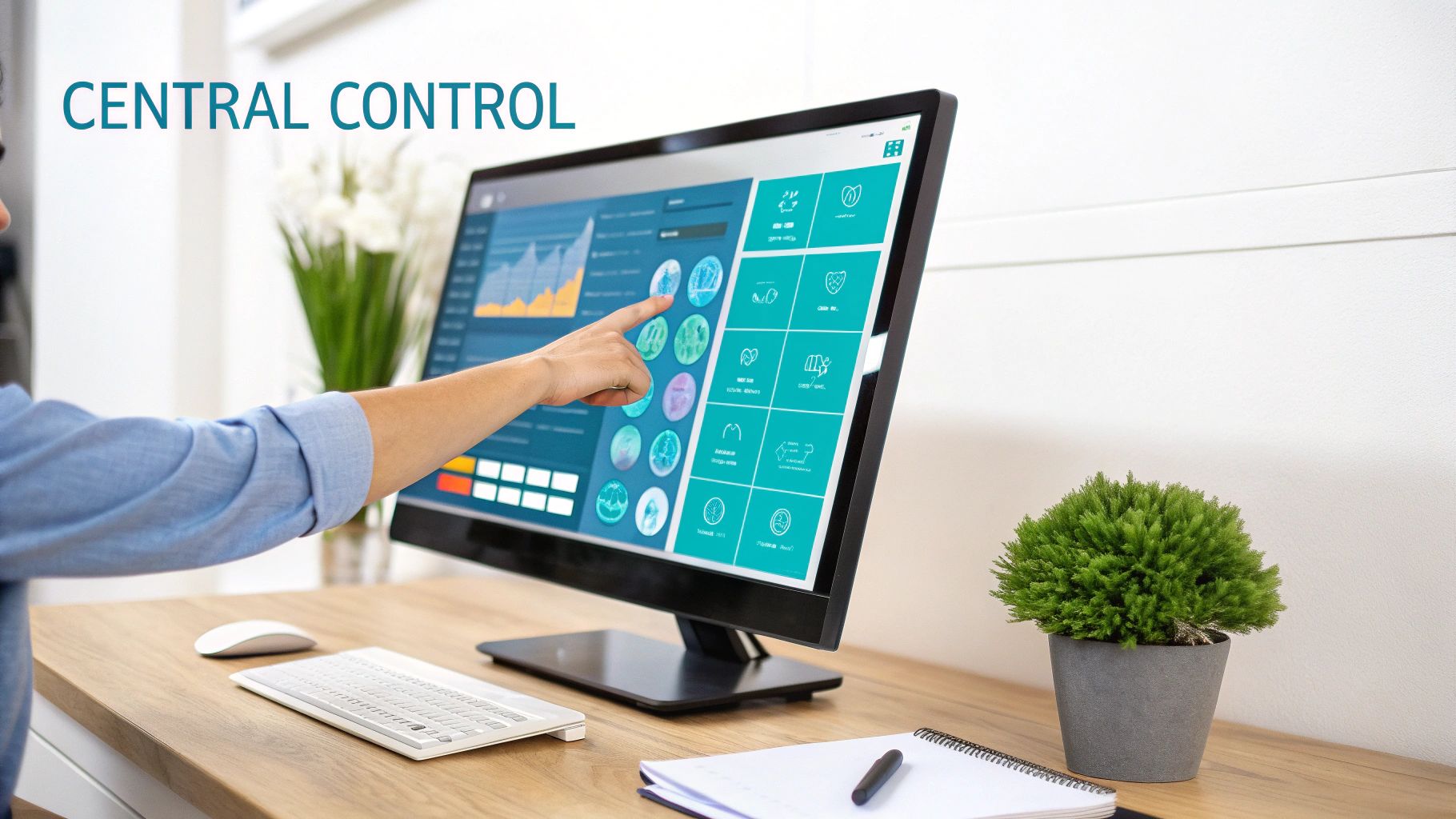
Beyond hardware consolidation and rapid deployment, a major operational benefit of virtualization is simplified, centralized management. Virtualization platforms provide a “single pane of glass”—a unified dashboard to manage your entire fleet of VMs, hosts, storage, and networks.
Instead of SSHing into dozens of individual physical servers to perform updates or monitor health, you can oversee and control the entire infrastructure from one web-based interface. This is not merely a convenience; it’s a fundamental improvement in operational efficiency. Platforms like Proxmox VE are architected around this principle.
The Magic of Live Migration
Centralized management enables powerful features, and live migration is one of the most impactful. It allows you to move a running virtual machine from one physical host to another with zero downtime. The VM and its applications continue to operate seamlessly, completely unaware of the underlying physical move.
This is a game-changer for infrastructure maintenance. Need to take a host offline for a RAM upgrade, firmware update, or security patching? Simply migrate its VMs to another node in the cluster, perform the maintenance, and migrate them back. This eliminates the need for disruptive late-night maintenance windows.
Live migration transforms what was once a major, service-interrupting event into a routine, non-disruptive administrative task. It is one of the single biggest enablers of high availability and operational flexibility.
Putting It into Practice with the CLI
For automation and scripting, this functionality is fully accessible via the command line. In a Proxmox cluster, the qm migrate command facilitates the seamless transfer of a VM’s memory and disk state between nodes.
To move VM 103 to a host named pve-node-02 without any service interruption, you would use the --online flag:
qm migrate 103 pve-node-02 --online
This single command accomplishes what is physically impossible in a non-virtualized environment without significant downtime. This is the essence of centralized management: streamlining administrative tasks, reducing human error, and freeing up IT teams to focus on strategic initiatives rather than basic maintenance.
Strengthening Security Through Isolation
A critical, often overlooked pro of virtualization is the inherent security enhancement provided by workload isolation. By creating a strong boundary between the hypervisor and the guest OS, each virtual machine operates in its own secure, sandboxed environment.
In a traditional physical server model, applications co-located on the same OS share a common kernel and filesystem. A vulnerability in one application could potentially be exploited to compromise the entire server. Virtualization mitigates this risk by putting each workload in a separate, self-contained VM. A breach is contained within that single VM, preventing an attacker from moving laterally to compromise other services on the same physical host. This hardware-enforced segmentation is a cornerstone of a zero-trust security architecture.
Advanced Security with Proxmox VE
Platforms like Proxmox VE build upon this native isolation with enterprise-grade security features that can be managed centrally. You can define and enforce security policies at the hypervisor level, creating a powerful defense layer that is independent of the guest operating systems.
Key security features include:
- Built-in Firewall: Proxmox VE includes a distributed firewall that allows you to apply rules at the datacenter, cluster, host, or individual VM level. This provides granular control over network traffic before it ever reaches the guest OS.
- Network Segmentation: Using Virtual LANs (VLANs) and software-defined networking, you can create logically isolated networks on the same physical infrastructure. This is essential for separating production workloads from development and testing environments, ensuring a compromise in a lower-trust zone cannot impact critical systems.
This layered security model means that security is no longer solely the responsibility of the application or the guest OS. The virtualization platform itself becomes an active component of your defense-in-depth strategy, enforcing policies and containing threats at the infrastructure level.
From Defense to Recovery
Beyond attack prevention, virtualization transforms incident response. If a VM is compromised by malware, you can immediately take a snapshot of its current state for forensic analysis in a quarantined network environment.
After analysis, you can revert the production VM to a clean, pre-attack snapshot or restore it from a recent backup. This ability to recover a clean system in minutes is a powerful tool for maintaining operational integrity and learning how to prevent data loss.
This technology also underpins secure remote work infrastructure. A Grand View Research study notes that 82% of organizations have adopted remote work policies, a shift largely enabled by Virtual Desktop Infrastructure (VDI). VDI provides a consistent, centrally managed, and secure environment for employees, ensuring sensitive corporate data remains within the data center, regardless of the user’s physical location.
Your Questions Answered
To wrap things up, let’s tackle a few of the most common questions that pop up when teams start seriously considering a move to virtualization. Getting these answers straight can make all the difference in your strategy.
What’s the Single Biggest Financial Win with Virtualization?
Hands down, it’s server consolidation. Think about it: instead of buying a new physical box for every single application, you run multiple virtual machines on one powerful server. This hits your budget in two fantastic ways.
First, your initial hardware spending (CapEx) plummets. But the real magic is in the ongoing operational costs (OpEx). Fewer physical machines mean lower power bills, less cooling needed, and a smaller data center footprint. That improved hardware utilization is where the serious, long-term savings kick in.
Is This Stuff Only for Big Corporations?
Not a chance. While giant enterprises use virtualization to manage massive data centers, the benefits for a small business are just as compelling, if not more so.
A small business can run its file server, application server, and web server all on a single piece of hardware. This lets an SMB get its hands on enterprise-grade features like high availability and automated backups without needing a six-figure IT budget. Tools like Proxmox VE have made this power incredibly accessible to everyone.
How Do Virtual Machines and Containers Differ?
This is a great question. They aren’t competitors; they’re teammates that solve different problems.
- Virtualization (like KVM): This creates a complete, self-contained computer in software, including its own operating system. It provides incredibly strong, kernel-level isolation, which is perfect for running different OSes (like a Windows VM on a Linux host) or for workloads that need maximum security separation.
- Containers (like LXC or Docker): These are much lighter. They share the host machine’s OS kernel, which makes them super fast to start up. They’re the go-to choice for microservices and ensuring an application runs the exact same way everywhere.
You’ll often see both working together. A common modern setup is to run a fleet of containers inside a single VM. This gives you the easy portability of containers combined with the iron-clad security and isolation that only a true virtual machine can offer.
At ARPHost, LLC, we’re all about building reliable infrastructure that scales right alongside your business. Whether you need a high-performance bare metal server for your own private cloud or a fully managed Proxmox solution, our team has the expertise to help you unlock every advantage virtualization has to offer.
Take a look at our custom hosting solutions to get started.