

Teams often start without a clean orchestration strategy. They begin with a few shell scripts, a cron schedule, maybe a backup job nobody fully owns, then one day a routine change ripples through the stack and a harmless handoff turns into a production incident. That's usually the moment people realize the core problem isn't task execution, it's coordination, recovery, and proving the workflow still works when something fails halfway through.
An orchestration platform exists to turn that mess into a controlled control plane. It coordinates distributed services, hybrid infrastructure, and dependent workflows so operators can centralize retries, timeouts, and state rather than scattering that logic across every service. The market data reflects that shift from niche tooling to core infrastructure, with cloud orchestration estimates ranging from US$22.3 billion in 2025 to US$74.1 billion by 2032 at 18.6% CAGR, and a separate study projecting US$9.8 billion in 2025 to US$87.5 billion by 2034 at 23.4% CAGR (market research on cloud orchestration).
The practical lesson is simple. Orchestration isn't about launching tasks faster, it's about making outcomes repeatable when systems are distributed, stateful, and failure-prone. That's why modern infrastructure teams treat it as a platform decision, not a scripting convenience, especially when environments span cloud, private cloud, and on-premises systems.
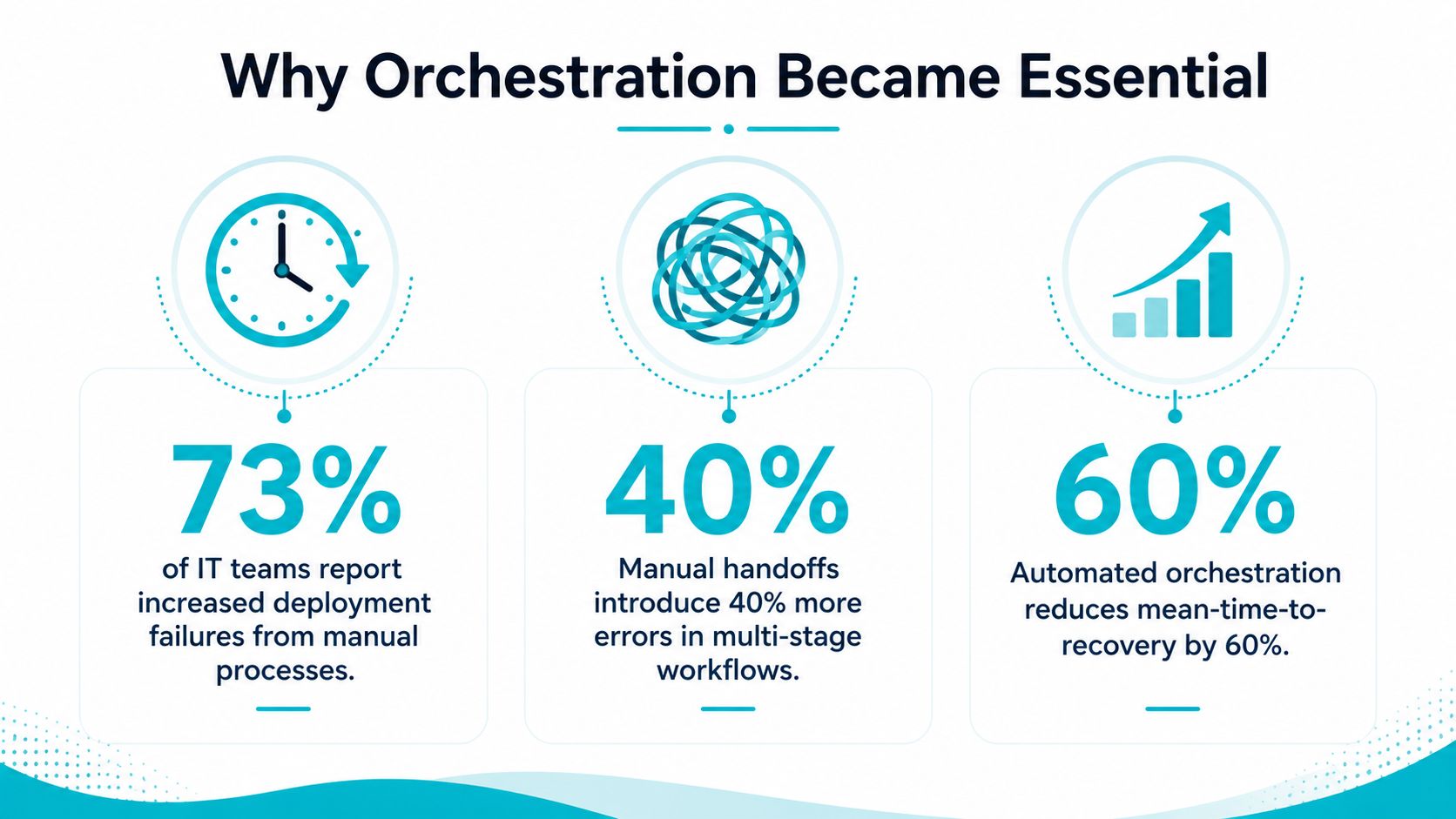
Why Orchestration Platforms Became Essential Infrastructure
A growing operations team usually hits the wall the same way. A deployment script works on Tuesday, a backup handoff works on Wednesday, then Friday's change depends on a VM being up, a queue being healthy, and a human approving the next step before the window closes. The stack still looks “automated,” but the control flow has become fragmented enough that nobody can explain what happens when a worker dies mid-run or a dependency responds late.
From brittle scripts to coordinated systems
That's where orchestration replaced the old script-first mindset. A proper orchestration platform doesn't just fire off commands, it sequences work across services and keeps the workflow moving when a step retries, pauses, or fails. The value is deterministic coordination, because the system owns the state instead of making each microservice carry its own control logic.
This is also why the category expanded beyond DevOps teams. Gartner's definition is operationally broad, covering suites that manage workloads, workflows, resource provisioning, and data pipelines across the technology environment (Gartner service orchestration and automation platforms). That scope maps to what operators already do in production, not just what developers want in a demo.
Why the category kept growing
Orchestration also follows the shape of enterprise infrastructure. In payment orchestration, North America held 37.70% of global share in 2025, large enterprises accounted for 63.30% of demand, and cloud deployments represented 77.20% of share in the same year, with the market estimated at USD 2.65 billion in 2025 and projected to reach USD 7.27 billion by 2031 (payment orchestration market report). Those numbers matter because they show orchestration isn't just a small automation layer anymore, it's being bought as an enterprise control surface.
The failure mode I see most often is not complexity in the workflow designer. It's complexity in the recovery path. Teams can usually build the happy path. They struggle to prove what happens after a crash, a retry storm, or a dependency timeout. That's the point where orchestration stops being a convenience feature and becomes infrastructure.
Practical rule: if a workflow needs a human to remember the next step, it's already an orchestration problem.
Core Components of an Orchestration Platform
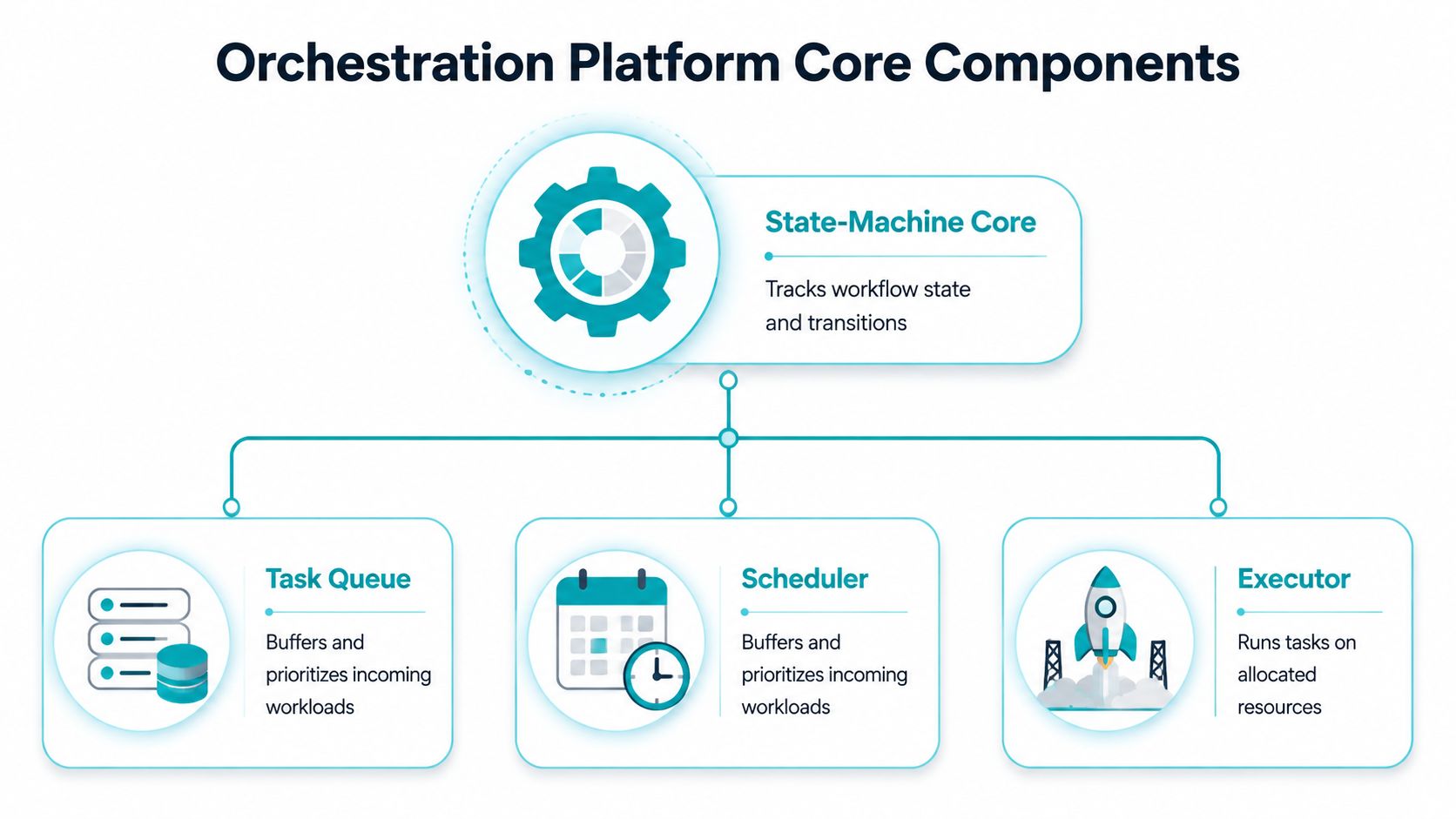
An orchestration platform usually looks simple from the outside, but the internals are doing the hard work. At a minimum, the system needs a state-machine core, a task queue, workers, a scheduler, and persistent storage That structure is what keeps retries from becoming chaos and keeps workflow state from evaporating when a process restarts.
What each component actually does
The state-machine core tracks where the workflow is and what transitions are valid next. Think of it as the source of truth for the run. The task queue buffers work so spikes don't overwhelm the executors, and the workers or executors carry out the actual steps on allocated resources.
The scheduler handles time-based triggers and deferred execution. The persistent store keeps the whole thing durable so a workflow can resume after failure rather than starting over or guessing where it left off. That is the design pattern that lets orchestration centralize retry policy, timeout logic, and recovery behavior instead of forcing every microservice to reinvent those controls.
Why this design holds up in production
The air-traffic-control analogy fits. A tower doesn't fly the plane, it coordinates the planes so they don't collide, miss the runway, or vanish from the system. Orchestration works the same way, each component has a narrow job, and the platform only succeeds if state, scheduling, and execution are all kept separate.
Microsoft's Orchestrator requirements are a good reminder that orchestration is often control-plane heavy rather than compute heavy. Even a full server role can run on a 2.1 GHz dual-core CPU, 2 GB RAM, and 200 MB disk, while still depending on .NET Framework 4.5+ and .NET 3.5 SP1 for installation (Microsoft Orchestrator system requirements). That's a useful clue when sizing infrastructure. The bottleneck is usually platform compatibility, state durability, and operational design, not raw CPU.
Rule of thumb: if the vendor can't explain where state lives, how retries are coordinated, and how recovery is verified, the architecture isn't production-ready.
How to evaluate the architecture
- State ownership: confirm one component owns workflow state, not every worker.
- Queue behavior: look for backpressure and buffering, not just task dispatch.
- Recovery path: ask what happens if the worker, scheduler, or database disappears mid-run.
- Timeout handling: verify that timeouts are centrally enforced, not embedded in each service.
- Capacity planning: size control-plane components for durability and concurrency, not just throughput.
That checklist sounds basic, but it's where bad platforms fail. A good demo proves the happy path. A good architecture survives the broken path too.
Orchestration vs Automation vs Configuration Management
A lot of infrastructure teams use these terms interchangeably, then spend six months untangling the consequences. Automation handles a discrete action, such as running a script or deploying a container. Configuration management keeps server state aligned to a declared target. Orchestration coordinates multi-step workflows across multiple systems, with dependencies, branching, and recovery built in. The difference sounds academic until the first failure crosses a tool boundary.
The layered model that actually works
Clarifai's cloud orchestration guidance breaks the stack into distinct layers, and that split is the cleanest way to avoid tool sprawl. Infrastructure provisioning belongs in Terraform or CloudFormation, server state belongs in Ansible or Puppet, workflow orchestration belongs in tools such as Airflow, Prefect, or Step Functions, and container orchestration belongs in Kubernetes or Nomad That layered model is the right mental framework because each tier solves a different problem.
| Infrastructure Tool Layers Compared | Purpose | Example Tools | Scope |
|---|---|---|---|
| Provisioning | Create and change infrastructure objects | Terraform, CloudFormation | Networks, instances, foundational resources |
| Configuration Management | Keep server state consistent | Ansible, Puppet | Packages, services, file state, server setup |
| Workflow Orchestration | Coordinate multi-step jobs and dependencies | Airflow, Prefect, Step Functions | Cross-system processes and recovery paths |
| Container Orchestration | Place and manage containers across clusters | Kubernetes, Nomad | Pods, service routing, scheduling |
Trying to force one tool to do all four jobs usually creates technical debt. Terraform can provision resources, but it isn't a workflow engine. Ansible can configure servers, but it isn't a durable control plane for multi-system business processes. Kubernetes can schedule containers, but it doesn't replace a workflow engine when the job spans databases, approval gates, and off-cluster actions.
Why the separation matters in the real world
The cleanest way to see this is in a cloud migration. Provisioning gets the virtual network and compute ready. Configuration management lays down the base operating state. Orchestration coordinates the steps that depend on each other, such as draining, cutover, verification, and rollback. If one tool tries to absorb all of that, the failure blast radius gets wider and the runbooks get harder to trust.
It helps separate single-task automation from the broader workflow problem without blurring the control plane.
A good test is to ask one question. Can the platform explain a failed transition, resume from the right checkpoint, and avoid duplicating work? If not, it's automation with a nicer UI, not orchestration.
Common Orchestration Architectures and Use Cases
Different environments need different orchestration patterns, and that's where a lot of buying decisions go wrong. Teams evaluate a tool based on one workload, then discover it's a poor fit for the rest of the estate. The right way to think about the category is by architecture, not by marketing label.
Containers, VMs, bare metal, and networks
Kubernetes is the obvious container orchestration choice when the main problems are pod scheduling, service discovery, and rolling updates across a cluster. It's built for container-native work, not for every infrastructure task around it. That's why many teams still pair it with separate workflow orchestration for provisioning, backups, and cross-system jobs.
VM orchestration is a different problem. In Proxmox VE and VMware environments, the platform coordinates VM provisioning, live migration, high-availability failover, and backup scheduling. That pattern suits businesses that still run stateful apps, mixed legacy workloads, or infrastructure where VM boundaries matter more than container boundaries. For teams evaluating alternatives, ARPHost's Kubernetes alternatives page is relevant because it frames orchestration decisions around the actual platform choice, not just the container buzzword.
Bare metal orchestration shows up when dedicated hardware matters. Provisioning, firmware management, and network configuration all need to be driven in sequence, especially in private clouds, dense virtualization nodes, or latency-sensitive database tiers. The inventory matters, because a Dual Intel Xeon E5-2690 V3 server with 28 cores, 56 threads, and 64GB DDR4 ECC RAM fits Proxmox clusters and multi-tenant nodes, while an AMD EPYC 4584PX with 16 cores and 192GB DDR5 RAM is a better fit for memory-heavy virtualization or large databases.
Where networking and backup orchestration fit
Networking orchestration is often ignored until a policy change breaks access. Juniper and similar enterprise devices need routing policy updates, firewall rule coordination, and VLAN assignment to happen in the right order. That's orchestration work because one wrong sequence can interrupt connectivity even if every individual command is valid.
Backup orchestration is its own discipline. It's not enough to schedule snapshots. The platform has to coordinate consistency, offsite replication, and recovery testing across mixed environments so the restore path is usable when needed. Teams that skip the recovery test often learn too late that the backup existed but the restore chain didn't.
Operational insight: the more heterogeneous the environment, the more orchestration matters. Single-platform shops can fake coordination longer than hybrid estates can.
Matching architecture to the workload
- Containers: best when the app is already stateless and cloud-native.
- VMs: best when guest boundaries, migrations, and HA matter.
- Bare metal: best when hardware control, predictable performance, or firmware-level management matters.
- Networks: best when policy drift and change sequencing are operational risks.
- Backups: best when restore verification is part of the workflow, not an afterthought.
That distinction helps prevent platform overreach. If a workload lives on dedicated hardware, the orchestration layer needs to understand that reality instead of pretending everything is just another container.
Operational Guarantees You Must Verify Before Production
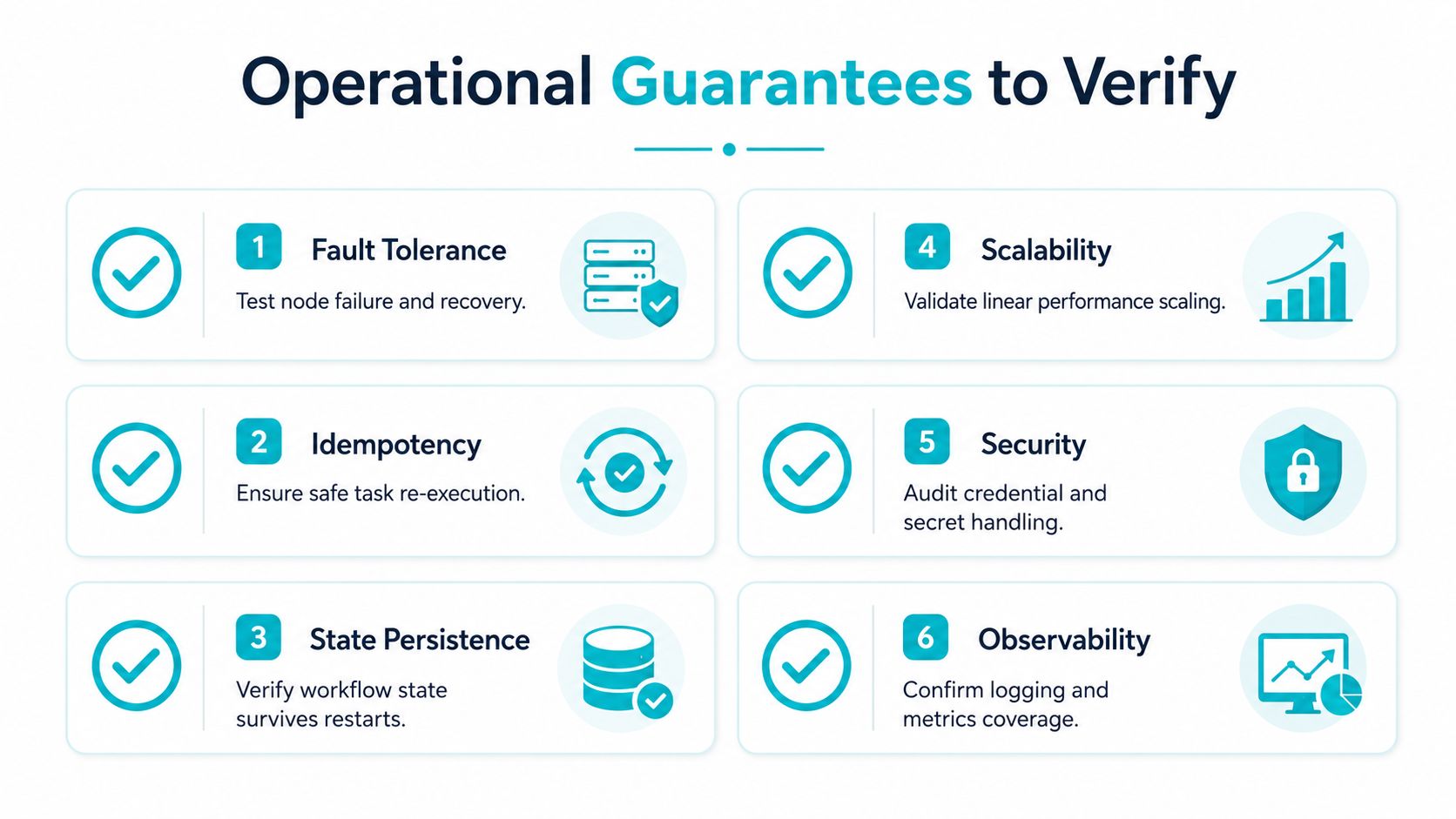
A polished demo doesn't prove production reliability. The question is whether the orchestration platform survives the six surfaces that matter in a live environment, durable state, retry policies, parallel fan-out, human-in-the-loop signals, scheduling, and observability.
The six checks that expose weak platforms
Durable state means a workflow survives a crash without losing its position. Retry policies need to handle transient failures without duplicating side effects. Parallel fan-out must coordinate concurrent work without race conditions or missed joins. Human-in-the-loop signals should pause cleanly for approval. Scheduling has to trigger work at the right time, not eventually. Observability needs enough logging and metrics to explain why a run stopped.
If even one of those surfaces is missing, engineers end up gluing it on themselves. That's the hidden engineering tax most buyers underestimate. A vendor can show coordination in a happy-path demo, then punt on the ugly questions about rollback, crash recovery, or retry storms.
The destructive test plan
- Kill a worker mid-execution and confirm the workflow resumes from a valid checkpoint.
- Restart the backing database and verify the state store recovers cleanly.
- Introduce a network partition and watch whether retries stay bounded.
- Trigger approval pauses and confirm the workflow doesn't time out or drift.
- Run concurrent jobs that hit the same dependency and look for locking issues.
- Inspect the logs and metrics for a single run, then ask whether an on-call engineer could debug it at 2 a.m.
That test plan catches the difference between orchestration and theater. A platform that's resilient in production should be boring under failure. If it only works when everything is healthy, it's not orchestration, it's optimism.
For teams formalizing monitoring and alerting, ARPHost's SLA monitoring is a useful anchor because operational guarantees only matter if someone is watching them continuously. The point isn't dashboards for their own sake. The point is catching drift before the next workflow depends on it.
Managed vs Self-Hosted Orchestration Decisions
The best deployment model depends less on ideology and more on operational capacity. Self-hosted orchestration makes sense when the team has dedicated platform engineers, strict data sovereignty requirements, or customized workflows that don't map well to a vendor's opinionated control plane. Managed services fit teams that need faster rollout, predictable operations, or don't want to absorb the upgrade and monitoring burden themselves.
The cost is bigger than the license
Total cost of ownership includes more than subscription fees. It also includes the hardware footprint, engineering time for setup, ongoing patching, backup maintenance, observability work, and the support load that appears every time a workflow breaks outside business hours. That's why a “cheaper” self-hosted stack can cost more in practice if the team has to build the durability layer from scratch.
Microsoft's Orchestrator requirements show how modest the control-plane hardware can be, but hardware size isn't the issue. The burden is platform compatibility, lifecycle management, and whether the team can maintain the environment after the first cutover (Microsoft Orchestrator system requirements). That's where managed services change the equation.
A decision framework that holds up
- Choose self-hosted when you need full control over state, integrations, and upgrade timing.
- Choose managed when your team needs the platform to work without becoming the platform team.
- Choose hybrid when the control plane can be centralized but workloads must stay on-premises or in a private cloud.
- Reassess quarterly if backup orchestration, migration workflows, or approval gates keep expanding.
For many mid-market organizations, the breaking point is not architecture, it's staffing. If the same team owns orchestration, virtual machines, backups, and network policy, managed operations reduce the number of brittle handoffs. That matters even more during VMware to Proxmox transitions, because migration workflows need coordination, checkpointing, and rollback discipline at the same time.
ARPHost, LLC fits into that decision model as one managed option for teams that want the control plane and the infrastructure under one roof. Its managed services, private cloud, and VPS offerings are relevant when the objective is to reduce operational burden without giving up visibility or access.
Implementing Orchestration with ARPHost Infrastructure
The cleanest deployments pair the orchestration platform with infrastructure that can support durable state and recovery. A Dedicated Proxmox Private Cloud gives teams clustering, high availability, and API-driven provisioning, with plans starting at $299 per month for high-performance clusters. That makes sense when the orchestration layer needs stable private cloud primitives rather than opportunistic public-cloud abstractions.
Where each ARPHost layer fits
For the control plane, a Dual Intel Xeon E5-2690 V3 server with 28 cores and 64GB DDR4 ECC RAM is a practical orchestration node for state services, schedulers, and low-latency management tasks. For worker pools that need memory headroom, the AMD EPYC 4584PX with 192GB DDR5 RAM is a better fit for heavier concurrent execution or dense virtualization. Both belong in the ARPHost Proxmox private clouds ecosystem when the goal is a managed private-cloud foundation for orchestration.
What a workable deployment looks like
A common layout is a small control plane, separate worker nodes, and a distinct backup target. The control plane owns workflow state and scheduling. Worker nodes execute jobs, scaling independently when concurrency rises. Backups sit outside the execution path so a failed job doesn't compromise recovery.
That structure also helps with migration. During VMware to Proxmox moves, the orchestration platform can sequence inventory discovery, VM placement, validation, and cutover instead of asking operators to click through each step manually. The platform becomes the mechanism that keeps the migration repeatable while humans supervise the exceptions.
Practical insight: if a workflow can't be replayed safely, it isn't ready for automation, regardless of how polished the UI looks.
Where managed services reduce friction
ARPHost's managed services model matters most when the team wants proactive monitoring, backup orchestration, and security management handled alongside the hosting stack. That doesn't remove the need for good engineering, but it does reduce the amount of operational glue the customer has to build. For companies moving from ad hoc scripts to a more disciplined control plane, that difference is often what makes the project sustainable.
Start with the infrastructure layer that matches the workload, then map the orchestration role to it. If the environment needs dense virtualization, use private cloud or bare metal. If it needs simple managed compute, a VPS stack may be enough. If the migration is active right now, coordinate the cutover with a platform that can track state and recovery instead of relying on operator memory.
ARPHost, LLC provides VPS hosting, bare metal servers, dedicated Proxmox private clouds, colocation, and fully managed IT services that fit orchestration-heavy environments. If you're planning a control plane, a migration, or a recovery design that has to survive real failures, visit ARPHost, LLC and compare the private cloud, bare metal, and managed service options against your current workflow stack.
