

Say you rent a VPS on Monday and read the auth log on Wednesday. It already holds thousands of failed SSH logins from addresses you don't recognize, and nothing you deployed explains them. Nothing is broken either. The machine is reachable, and the internet probes reachable machines continuously, usually within minutes of an IP going live.
The direct answer to the question behind this article: every network firewall security benefit is a rule, a setting, or a log entry you can verify, not a property of the word "firewall" on a product page. Check the most important one in a single command.
sudo nft list ruleset
If the input chain doesn't show policy drop, everything below is theoretical on that host.
Table of Contents
- Six Network Firewall Benefits and the Control Behind Each
- How Default-Deny Shrinks What Attackers Can Reach
- Compliance, Performance and Downtime Risk
- Managed Firewalls on Hosted Infrastructure
- Decide Who Owns Your Firewall Rules
Six Network Firewall Benefits and the Control Behind Each
A firewall gives a hosting customer six benefits: threat reduction, segmentation, compliance evidence, performance headroom, centralized policy, and visibility. Each traces to a control you can inspect, and each has a boundary where the firewall stops helping.
| Benefit | Enforcement mechanism | Setting to verify | Limit |
|---|---|---|---|
| Threat reduction | Default-deny inbound, only approved services reachable | Input chain policy is drop | Does not stop malware run by a permitted user |
| Segmentation | Traffic filtered between zones, not only at the edge | Allow rules scoped by source zone and port | Needs an accurate zone map to be useful |
| Compliance | Documented, reviewable boundary rules | Named rule owners and dated ruleset exports | A firewall alone does not satisfy an audit framework |
| Performance optimization | Unwanted traffic dropped before it reaches application servers | Drop rules for unused ports and rate limits on logging | Does not replace upstream DDoS mitigation |
| Centralized policy | One ruleset managed from one source | Ruleset kept in version control | Configuration drift if local changes bypass the source |
| Visibility and monitoring | Logs of allowed and denied connections | Logging rule present and logs forwarded to storage | Logs help only if someone reviews them |
Read the last column first. That's where most firewall projects fail: the controls exist, the boundary is undocumented, and nobody has agreed what the firewall is not responsible for.
Practical rule: a firewall buys you fewer reachable services and better evidence. It does not buy you immunity, and any vendor framing it that way is selling reassurance rather than engineering.
What a firewall does not do matters as much as what it does. It doesn't stop malware that a permitted user downloads and executes, because that traffic looks legitimate. It doesn't replace patching, identity controls, or multi-factor authentication, since a stolen credential passes every port rule you wrote. It doesn't absorb a large volumetric attack on its own; that job belongs to upstream scrubbing, and CISA's guidance on network infrastructure devices is explicit that firewalls don't prevent every attack or malware execution.
Pick the benefit your environment lacks most, then jump to the section that builds it. If you want the wider design context first, the layered security model we work from explains how boundary filtering, host hardening, and monitoring fit together, and where each layer hands off to the next.
How Default-Deny Shrinks What Attackers Can Reach
An internet-facing server with every port open gives unwanted traffic more routes to a service. A default-deny firewall starts from the opposite position: block connections unless a rule permits them. That reduces the services an attacker can reach, but it also makes rule ownership important. A rule that is too broad exposes more than intended; one that is too narrow can interrupt a service and create downtime.
Set rules around the traffic each service needs. A database listening on TCP 3306 should not accept connections from the public internet if only application servers need to reach it. A public web server generally needs TCP 80 and 443, while administrative access should be limited to approved source addresses, such as a bastion, VPN pool, or fixed office range. Denying other traffic keeps it from reaching services that may contain vulnerabilities.
NIST Special Publication 800-41, Guidelines on Firewalls and Firewall Policy describes firewall policies that restrict communication to approved traffic. Rules can define permitted sources, destinations, ports, and protocols. Apply the narrowest rule that supports the service, then document who owns it and which application depends on it. That makes later changes less likely to cause an outage.
The part people forget: packet filtering also needs to account for routing behavior. Source-routing attempts and unauthorized ICMP redirects can affect how packets travel, even though they are not ordinary attempts to connect to an application port. A policy that only lists open service ports may leave other traffic insufficiently controlled.
State tracking is what makes default-deny workable
With stateless filtering, administrators would need to allow inbound traffic for the temporary client ports used by outgoing connections. Stateful inspection tracks each connection, including its addresses, ports, and state, so the firewall can admit valid replies while dropping unsolicited packets.
That distinction keeps the inbound policy manageable. If a web server connects to a payment API or package mirror, the firewall can allow the expected return traffic without opening the inbound policy to unrelated connections. State tracking is not a substitute for a careful outbound policy: a compromised host can still make harmful connections if those destinations and services are permitted.
Default-deny also limits what happens after a compromise. Unauthorized traffic that has no matching rule does not reach internal services. The attacker must target an exposed service or another path already permitted by the policy, so reviewing exceptions matters as much as setting the default.
Internet-facing hosts can receive automated connection attempts soon after they become reachable. A default-deny input policy reduces the number of services that answer those attempts, but it does not remove the need to patch exposed software or protect credentials. Start by listing listening services and classify each as public, restricted, or unnecessary. Have the service owner confirm the required access before applying a block, so a security change does not unexpectedly take a business service offline.
sudo ss -tlnp
## Segmentation Stops an Intruder From Moving Sideways
A compromised web server should be a bad day. It becomes a bad quarter when that server can reach the database, the hypervisor API, and the backup repository. Segmentation decides how far a foothold travels, and it's the benefit most hosting customers have never configured, because edge filtering alone doesn't provide it.
| Zone | Typical systems | Permitted inbound | Blocked by default |
|---|---|---|---|
| Public web tier | Web servers and reverse proxies | TCP 80 and 443 from any source | Direct SSH and database ports from any source |
| Database tier | MySQL or PostgreSQL servers | Database port from the application tier only | Any source outside the application zone |
| Hypervisor management | Proxmox web interface, API and SSH | Admin subnet or VPN only | All public and tenant sources |
| Backup repository | Backup targets and job servers | Backup jobs from named hosts only | Interactive logins from workloads |
| Monitoring | Log collectors and metrics servers | Admin access only, outbound from zones | Inbound from tenant workloads |
| Customer workloads | Tenant VMs and containers | Published service ports only | Tenant to management network and tenant to tenant |
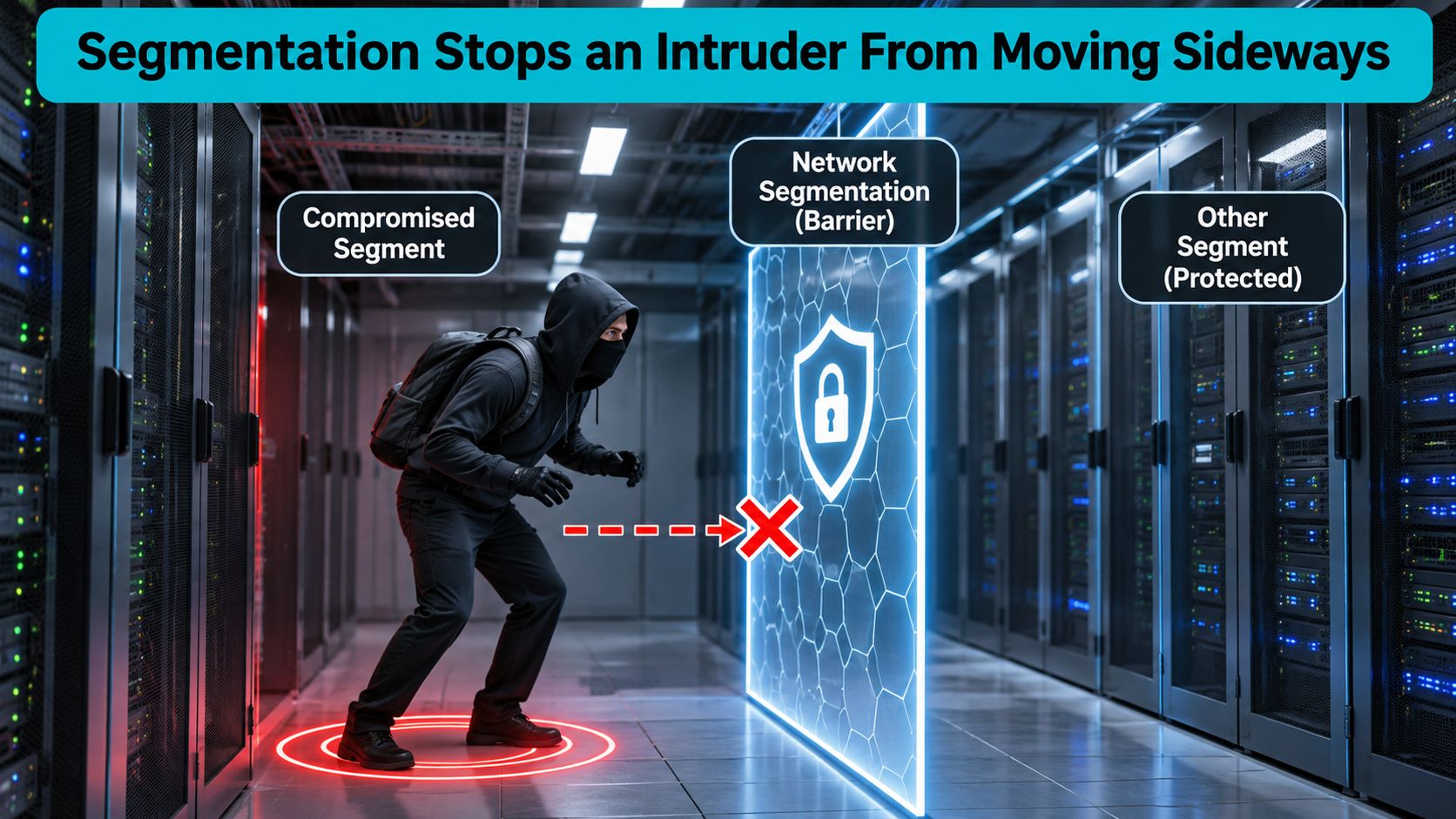
Read each row as a policy you enforce in three places, not one. A host firewall on the database server enforces column three with `nftables` or `ufw` and doesn't care what the network does. A VLAN access-control list on the switch enforces the same intent between subnets, which catches traffic from hosts you haven't hardened yet. A zone-boundary firewall handles traffic that leaves the rack entirely, including anything routed between colocation cages or cloud segments.
### The multi-tenant rule that isn't negotiable
Customer workloads must not reach management networks, and they must not reach each other, even when they share a physical host. Unfiltered peer-to-peer communication is how a single compromised tenant becomes ten, and CISA recommends host-based firewall rules plus VLAN access-control lists specifically to deny unnecessary inter-segment flows.
> Keep management interfaces on their own VLAN, with the Proxmox web interface, API, and SSH reachable only from an admin subnet. A stolen tenant credential then reaches a tenant network, not the cluster control plane.
That's the production detail worth internalizing: most tenant-to-management exposure comes from a bridge or VLAN that was convenient during setup and never revisited. The blast radius of a stolen credential is decided by that leftover configuration, not by the quality of the edge firewall.
The limit is identity. Segmentation can't tell whether a request arriving from an allowed source is legitimate or coming from an attacker who already holds valid credentials. It reduces blast radius after perimeter defenses fail, and it does nothing to verify who is using the account. Multi-factor authentication, least-privilege service accounts, and endpoint protection sit alongside segmentation rather than underneath it.
Before writing a single rule, draw the zones for your own environment. Then read the [network segmentation practices that hold up under audit pressure](https://arphost.com/network-segmentation-best-practices/) for how to order the work.
## Build a Default-Deny nftables Baseline and Audit It
A safe firewall change has two parts: a ruleset that limits inbound access and a recovery path if the policy blocks your session. The commands below build a default-deny input chain on a Linux host running nftables, including Debian 12 and Ubuntu 22.04 or later. Check the installed version first because command output can vary between releases.
```bash
nft --version
# nftables v1.0.6 (Lester Gooch #5) <- Debian 12; Ubuntu 22.04 reports v1.0.2
Prerequisites and the rollback you keep open
Before changing rules, keep an existing SSH session open and save the active ruleset to a dated file. Open a second session if possible, and confirm the restore path before proceeding. These precautions reduce the chance that a typo turns a remote configuration change into avoidable downtime.
sudo nft list ruleset > /root/firewall-$(date +%F-%H%M).nft
ls -l /root/firewall-*.nft
Keep console access ready as well, such as the Proxmox console, an IPMI session, or the provider portal’s remote reboot and recovery console. A saved file is useful only if you can regain a shell to load it.
Build the rules before you flip the policy
Create the table and input chain with an initial accept policy. This gives you room to add the required permits before switching to default deny. Then allow loopback and established traffic, drop invalid packets, and define explicit access for management and public services.
- Create the filter table.
- Add an input chain with a temporary
acceptpolicy. - Permit loopback and established or related traffic; drop invalid packets.
- Permit SSH only from the management address.
- Permit HTTP and HTTPS for public web traffic.
- Add rate-limited logging after the permits.
- Change the chain policy to
drop, then verify the result.
sudo nft add table inet filter
sudo nft add chain inet filter input '{ type filter hook input priority 0 ; policy accept ; }'

sudo nft add rule inet filter input iif lo counter accept
sudo nft add rule inet filter input ct state established,related counter accept
sudo nft add rule inet filter input ct state invalid counter drop

sudo nft add rule inet filter input ip saddr 203.0.113.10 tcp dport 22 ct state new counter accept comment "owner:netops ssh-bastion"
sudo nft add rule inet filter input tcp dport { 80, 443 } ct state new counter accept comment "owner:web public-http-https"

sudo nft add rule inet filter input limit rate 10/second log prefix "fw-drop " level warning
Apply the restrictive policy only after the required accept rules exist. Setting policy drop before adding them can cut off remote administration.
sudo nft 'add chain inet filter input { policy drop ; }'
The comment fields record rule ownership and purpose in the ruleset export. A rule without an owner is harder to validate during review and easier to leave behind after its original need has passed.
Verify the loaded ruleset
Inspect the active configuration, not just the commands you intended to run. Confirm that the input chain has a drop policy and that the expected permits appear before the logging rule.
sudo nft list ruleset
table inet filter {
    chain input {
        type filter hook input priority filter; policy drop;
        iif "lo" counter packets 214 bytes 17896 accept
        ct state established,related counter packets 9841 bytes 7214332 accept
        ct state invalid counter packets 3 bytes 144 drop
        ip saddr 203.0.113.10 tcp dport 22 ct state new counter packets 12 bytes 720 accept comment "owner:netops ssh-bastion"
        tcp dport { 80, 443 } ct state new counter packets 4521 bytes 289344 accept comment "owner:web public-http-https"
        limit rate 10/second log prefix "fw-drop " level warn
    }
}
Test from an authorized and an unauthorized source. From the permitted host, run ssh root@203.0.113.5 and confirm that the SSH rule counter increases. From an unauthorized host, run nc -vz 203.0.113.5 22; the connection should time out, and the drop logging rule’s counter should increase. A successful syntax check alone does not prove the intended access boundary works.
Rules need to be saved and the service enabled to persist across a reboot. On Debian and Ubuntu, write the export to /etc/nftables.conf. Put #!/usr/sbin/nft -f and flush ruleset at the top so a reload does not collide with existing objects.
sudo nft list ruleset | sudo tee /etc/nftables.conf
sudo systemctl enable --now nftables
sudo systemctl status nftables --no-pager
Audit what is actually enforced
Search the active ruleset for unrestricted address ranges. A rule left behind for troubleshooting can expose a service even when the change ticket describes a narrower policy.
sudo nft list ruleset | grep -n '0.0.0.0/0|::/0'
sudo iptables-save | grep -nE '0.0.0.0/0|::/0'
Review every match on an administrative port, database listener, or hypervisor API. Record the owner and business reason, replace broad access with a documented address, and test from permitted and denied sources.
sudo nft add rule inet filter input ip saddr 198.51.100.24 tcp dport 22 ct state new accept comment "owner:netops ssh-from-office"
Treat any unrestricted 0.0.0.0/0 rule on a management port as a finding to remove and escalate as an incident. It is an exposure requiring an owner’s response, not a style debate. The limit of this check is that a text search finds matching entries but does not tell you whether every rule is correctly ordered or whether the approved source is still appropriate. Review the full active chain and its ownership.
Common failure modes
Rule order. nftables stops processing a chain when it reaches a terminal verdict. A rule placed after a terminal drop will not match, so inspect the order with sudo nft list ruleset before troubleshooting a permit.
Wrong management address. A mistyped octet can deny your own SSH connection. Keep the dated export and another session open until the authorized-source test succeeds.
Policy that doesn't persist. A ruleset loaded with sudo nft -f or added by hand can disappear at reboot unless /etc/nftables.conf is configured and the nftables service is enabled.
Rollback
If the change blocks expected traffic, delete the table and reload the saved ruleset. If SSH access is already lost, use the console or recovery path instead of guessing at remote commands.
sudo nft delete table inet filter
sudo nft -f /root/firewall-2025-06-14-0930.nft
sudo nft list ruleset

## Logs Turn Blocked Traffic Into Evidence

A blocked-packet log can show which service was targeted, when the attempt occurred, and how often it happened. The baseline above logs denied packets only. It does not record allowed connections, so add an explicit logging rule if you need that evidence. Logging every accepted packet can create noise and consume storage; log selected connection events that help investigate incidents or diagnose service access.

NIST's [firewall monitoring guidance](https://tsapps.nist.gov/publication/get_pdf.cfm?pub_id=935714) recounts a rise in reported federal information-security incidents from 5,503 in fiscal year 2006 to 67,168 in fiscal year 2014, an increase of 1,121%. Use firewall logs as one source of operational evidence, not as proof that a system is secure. Choose which inbound and outbound events to record based on what you need to investigate, then set retention and access controls for those records.

### Reading a denied packet

```bash
sudo journalctl -k --since '15 minutes ago' | grep -i 'fw-drop'
Aug 14 09:12:44 web01 kernel: fw-drop IN=eth0 OUT= SRC=198.51.100.23 DST=203.0.113.5 LEN=60 PROTO=TCP SPT=51822 DPT=22 SYN URGP=0
Check DPT first. It identifies the targeted service. A port the host does not use may indicate scanning; a hit on a service it does run needs closer review of SRC. Then compare the event with live sessions:
sudo ss -tn state established
A short list of recognized connections is easier to assess, such as your SSH session or the application's database connections. An unexpected outbound connection from a workload that only serves HTTP warrants investigation. The session list is only a snapshot, so it will not explain every event in the log.
Denied SSH attempts are routine internet noise, not proof of compromise. Look for changes in the pattern: a sudden rise in denied traffic, repeated attempts against unused ports, or outbound connections that do not fit the workload's role.
Checklist: Forward firewall logs to a central collector you control, restrict access and protect the records from alteration. Export the ruleset on a schedule into version control. Alert if logging is disabled or a new rule permits
0.0.0.0/0to an administrative port, then assign an owner to review and resolve the change.
Compliance, Performance and Downtime Risk
The business case for a firewall is risk reduction, not prevention. Framing it as prevention is how teams end up with broad rules and false confidence. Frameworks such as PCI DSS expect network security controls and periodic rule review, which means documented rules, named owners, dated exports, and change records become audit evidence rather than housekeeping. Confirm the exact requirements with your assessor, because the control wording is theirs, not mine.
Performance is the benefit that shows up without a report. Dropping traffic to closed ports before it reaches an application server saves CPU cycles and connection capacity that probes would otherwise consume, and you can watch the effect in your own graphs. Dedicated server customers here get real-time bandwidth graphs in the client portal, which makes the before-and-after comparison straightforward rather than anecdotal.
Downtime is where the argument gets honest. A 2025 survey of 600 small businesses and 115 MSPs, published by Calyptix, found that 37% of businesses could lose $1,000 to $5,000 for every hour of downtime, while 8% reported losses above $25,000 per hour. That spread is why a firewall's most defensible value is reducing the probability and scope of an outage, not promising to prevent one.
| Measure | How to record it | Source |
|---|---|---|
| Exposed services per host | Count of listening ports reachable from outside | ss -tlnp and an external port scan |
| Rules with a named owner | Owned rules divided by total rules | Ruleset export and change log |
| Time from alert to first action | Alert timestamp to first analyst action | Ticket or alerting system |
Write down who owns firewall changes and who owns application patching for each workload. Customers are responsible for maintaining software security unless we manage that software, which is the correct split: the firewall controls reachability, and the workload owner is still answerable for what runs behind it.
Start tracking two measures this week: exposed services per host, and the share of rules with a named owner. Everything else follows from those.
Managed Firewalls on Hosted Infrastructure
A firewall can block access to a service, but the result depends on where rules are applied and who maintains them. Colocation and bare-metal deployments commonly use network-edge controls alongside host rules. In a Proxmox private cloud, the hypervisor firewall controls traffic to the host and guests. A VPS may also have provider filtering at the network boundary, separate from rules inside the VM.
For Proxmox, add and check the administrative access rules before setting the cluster input policy to DROP. Keep the web interface and SSH limited to the administrator subnet. If remote access fails, have console access available so you can recover without relying on the firewall rule you are changing.
# /etc/pve/firewall/cluster.fw
[OPTIONS]
enable: 1

[RULES]
IN ACCEPT -p tcp -dport 8006 -source 203.0.113.0/24
IN ACCEPT -p tcp -dport 22 -source 203.0.113.0/24
After confirming those rules are present, set the restrictive policy:
# /etc/pve/firewall/cluster.fw
[OPTIONS]
enable: 1
policy_in: DROP
Guest rules belong in the guest's own firewall configuration. Allow only the services that guest must publish:
# /etc/pve/firewall/101.fw
[RULES]
IN ACCEPT -p tcp -dport 80
IN ACCEPT -p tcp -dport 443
Run pve-firewall status and inspect pve-firewall compile before relying on the change. The compiled output shows what will be enforced and can expose rules that did not land as intended. The Proxmox private cloud architecture notes explain how the firewall layer fits alongside cluster provisioning and availability.
Before choosing any hosting provider, confirm who is authorized to change network and host rules, how approval is recorded, and who responds if a change cuts off administrator access. Also establish which ports you can change yourself and how console access works. These details matter because recovery time depends on access and clear responsibility, not on whether a firewall is present. For a provider's stated service scope, review its managed firewall services information and confirm the terms directly before relying on them.
ARPHost's Tampa datacenter provides network protection and security monitoring. The firewall still needs workload-specific rules: the business decides which services its applications should expose, while each rule needs an owner who can assess its impact.
Decide Who Owns Your Firewall Rules
Keep rule changes in house or hand the firewall to a managed service. Before you choose, answer three questions in writing: who approves a rule change, who reviews the logs and how often, and who restores access at 2 a.m. when a rule locks out administrators.
Our managed services plans cover server setup, patch management, configuration management, security updates, network security, and intrusion detection, under a 99.99% uptime SLA. Compare the service terms on that page against your own recovery-time target instead of assuming a number. A managed service changes who executes the rules, not who owns the business decision. Write the three answers down this week.
If you're running infrastructure where a firewall is one line in a support ticket rather than a documented control, ARPHost, LLC can take the operational side: firewall ruleset management, proactive monitoring, and managed services across colocation, bare metal, VPS, and Proxmox private clouds in Tampa, Florida. We handle the enforcement layer and the review schedule so your team can concentrate on what the workloads do. Visit ARPHost, LLC to see which model fits your environment.

Leave a Reply
You must be logged in to post a comment.