

A lot of Texas businesses are in the same spot right now. Operations are moving, sales are active, staff are remote or hybrid, and the business depends on systems that nobody notices until something breaks. Then a file server stalls during payroll, Microsoft 365 access gets flagged, a line-of-business app crawls, or someone clicks the wrong attachment and suddenly leadership is dealing with IT instead of customers.
That's usually the moment companies start searching for managed it services texas. Not because they want another vendor. Because they're tired of IT being unpredictable.
The problem isn't just downtime. It's context switching. Owners get pulled into vendor calls. Operations managers become accidental help desk coordinators. Internal admins spend their week on printer issues, patching, and password resets while core projects sit untouched. In Texas, where businesses often span multiple offices, warehouses, clinics, field sites, or retail locations, those small failures spread fast.
Managed IT works when it changes the operating model, not just the support contract. A good provider prevents avoidable issues, standardizes support, hardens security, and gives the business a way to scale without rebuilding IT every year. A bad provider just adds another inbox and another monthly bill.
The harder truth is that most MSP discussions stop too early. They cover support, antivirus, backups, maybe compliance. They skip the strategic question that matters most over time. Who controls the infrastructure, the data, and the exit path if the relationship changes?
That's where smart buyers separate short-term relief from long-term advantage.
Your Guide to Managed IT Services in Texas
A Texas business usually doesn't wake up one morning and decide it wants an MSP. The decision builds over time. Support tickets pile up. A cloud bill keeps growing without a clear owner. Backups exist, but no one's sure they've been tested. The office firewall is old, a VPN account belongs to a former employee, and the person who “knows the server” is also handling five other jobs.
That environment feels manageable until pressure hits. A healthcare office in Dallas might need tighter access controls before an audit. A manufacturer outside Houston may need reliable connectivity between shop floor systems and office applications. An ecommerce team in Austin may be scaling traffic but still relying on informal admin habits and fragmented hosting.
What Texas businesses are actually buying
They're not buying generic support. They're buying operating discipline.
That usually includes:
- Stability for daily operations: Fewer outages, fewer recurring tickets, and a clearer support process.
- Security that's maintained: Not just a firewall install, but ongoing patching, monitoring, endpoint controls, and review.
- Recovery capability: Backups that are monitored, documented, and usable when something goes wrong.
- Capacity to grow: New users, locations, applications, and infrastructure without rebuilding from scratch.
Practical rule: If your IT setup depends on one person's memory, you don't have a stable environment. You have a hidden single point of failure.
Why local context matters
Texas is not a one-size-fits-all IT market. A downtown law firm, a distributed oilfield services company, and a regional ecommerce brand all need very different support models. Geography matters. Industry obligations matter. Internet redundancy matters. So does whether your business runs mainly on SaaS, on privately managed servers, or on a mix of both.
That's why the best managed service relationships start with business realities, not a preset bundle. Good MSPs ask how your users work, what systems are revenue-critical, where your data lives, and what your fallback plan is if one vendor fails. They don't lead with a generic “silver, gold, platinum” pitch and call it strategy.
Managed services should give you fewer surprises, cleaner operations, and better control. If the provider can't explain how they'll deliver those outcomes in your specific environment, keep looking.
What Are Managed IT Services A Practical Breakdown
Managed IT services replace the old break-fix model with ongoing operational ownership. Instead of waiting for a server to fail, a user to complain, or malware to spread, the provider monitors systems, applies maintenance, handles support, and works against a documented standard.
That's the practical distinction. Reactive support fixes incidents after impact. Managed services reduce the number of incidents in the first place.
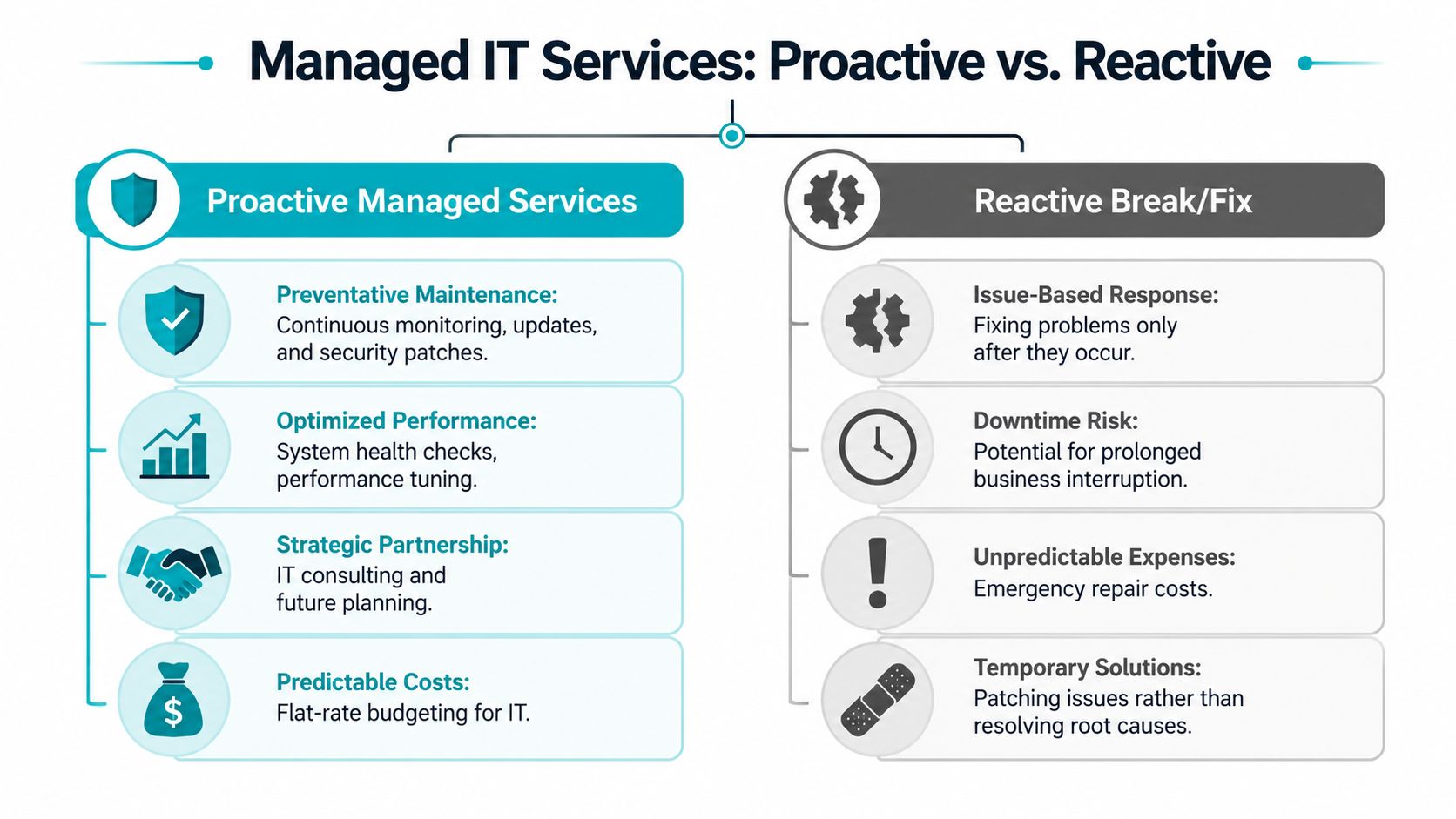
Proactive service versus break-fix support
In a break-fix setup, the provider gets involved when something is already broken. That can work for very small environments with low risk tolerance for complexity, but it falls apart once the business depends on uptime.
Managed services are built around recurring tasks and continuous oversight:
- Monitoring: Servers, workstations, network devices, storage, and service availability are watched continuously.
- Patch management: Operating systems, applications, and firmware are updated on a schedule with testing and rollback planning.
- Help desk operations: Users get a formal path for support, triage, escalation, and ticket tracking.
- Security maintenance: Endpoint protection, log review, access control, and vulnerability response happen as part of routine service.
- Backup and recovery: Recovery points, retention, and restoration procedures are managed as live operations, not just policy documents.
What good MSP operations look like day to day
A provider should be able to tell you exactly what they monitor, how they alert, who responds, and what gets automated.
For example, in Texas environments, RMM platforms provide continuous, AI-augmented monitoring of server health, storage capacity, and network devices, deploying predictive outage models that detect at-risk infrastructure before failure, reducing unplanned downtime by up to 40-60% based on industry benchmarks from proactive MSP operations.
That's not just a dashboard with green lights. In a well-run environment, the tool stack watches for patterns like rising disk latency, repeated failed services, backup job anomalies, patch failures, or unusual endpoint behavior. The MSP then ties those alerts to playbooks.
A technical example of the stack
A practical managed setup often includes:
RMM agent on endpoints and servers
- Collects system health, service state, resource load, and event signals.
PSA or ticketing platform
- Converts alerts into trackable tickets with ownership and SLA targets.
Patch automation
- Groups systems by role, approves updates by policy, and schedules maintenance windows.
Backup platform
- Verifies job success, tracks restore readiness, and logs failed backup chains.
Security controls
- Pairs endpoint tooling, firewall policy, MFA, and access reviews into one support model.
A mature MSP should be able to show you the path from alert to remediation. If they can't describe that path, they're probably operating reactively under a proactive label.
What this means for your business
Managed services aren't one product. They're an operating method. The best providers don't just fix user problems. They maintain the systems behind the users, document the environment, and reduce avoidable risk across hosting, endpoints, networking, and recovery.
That's the standard to judge against.
The Business Case for Outsourcing IT in Texas
For most Texas SMBs, the business case starts with staffing math. The average fully-loaded cost for a single in-house IT specialist in Texas surpasses $90,000 per year, excluding tools and training. In contrast, MSPs offer scalable services at a fraction of this cost, and a proactive managed IT model can slash unplanned downtime by up to 80%.
That number matters because one hire rarely solves the whole problem. One internal specialist might be good at end-user support, but weak on firewall policy, cloud governance, backup design, VoIP troubleshooting, vendor escalation, or compliance evidence. Businesses don't usually need one IT generalist. They need a support model that covers multiple disciplines at once.
Cost predictability beats ad hoc spending
The strongest reason to outsource isn't always lower spend. It's cleaner budgeting.
A good MSP turns scattered costs into a manageable operating line item. That usually means fewer surprise invoices for emergency response, less scrambling for after-hours support, and a more consistent view of what's included versus what counts as project work.
That shift helps finance and operations in ways companies often underestimate:
- Budgeting becomes easier: Monthly service is easier to forecast than emergency labor and rushed purchases.
- Tool sprawl gets reduced: Mature providers often consolidate overlapping products and unsupported add-ons.
- Project planning improves: Hardware refreshes, migrations, and access changes can be scheduled instead of improvised.
If you're comparing internal build-out versus outsourced support, IT outsourcing services gives a useful reference point for how service scopes are commonly structured.
Security is now part of the business case
Texas businesses can't treat security as a side benefit anymore. It's one of the main reasons to outsource.
An internal team with limited bandwidth usually struggles to maintain endpoint coverage, patch cadence, access review, backup verification, log visibility, phishing response, and vendor risk management at the same time. An MSP won't eliminate risk, but it can enforce routine. Routine is what keeps small issues from becoming major incidents.
Security programs usually fail from inconsistency, not from lack of tools.
That's why outsourced IT often makes sense even for companies that already have a technical employee in-house. The internal person keeps business context and ownership. The MSP provides process depth, escalation capacity, and broader platform experience.
Expertise depth matters more than headcount
A smart outsourcing decision isn't “internal or external.” It's deciding where specialized capability should live.
The typical outsourced model works well when the business needs:
- Cross-domain support: Cloud, servers, networking, endpoint management, and recovery under one service umbrella.
- Coverage beyond business hours: Especially for customer-facing systems, hosted applications, and remote teams.
- Documentation discipline: Asset records, onboarding checklists, support history, recovery steps, and change logging.
- Vendor coordination: Someone has to own tickets with internet providers, line-of-business app vendors, Microsoft partners, and hardware manufacturers.
The mistake is hiring an MSP and expecting strategy to appear automatically. The provider still needs clear priorities, named business stakeholders, and authority to standardize where standardization is overdue. When those pieces are in place, outsourcing becomes less about handing off tickets and more about reducing operational drag across the company.
Texas-Specific IT Challenges and MSP Solutions
Texas infrastructure planning needs to account for two realities at once. First, businesses face rising cyber risk. Second, they often operate across a wide physical footprint with weather exposure, location-specific connectivity issues, and industry-specific obligations.
Cyberattacks in Texas have surged by more than 30% year-over-year, making proactive security management from an MSP a critical defense for SMBs and enterprises, particularly in business hubs like Houston and Dallas according to Clutch's Texas MSP market overview.

Disaster planning has to be operational, not theoretical
In Texas, disaster recovery can't be limited to a backup checkbox. Hurricanes, floods, localized power issues, and building-level disruptions all test whether your systems are recoverable.
A solid MSP response usually includes:
- Offsite backup design: Copies that don't live on the same server, appliance, or office network.
- Recovery testing: Scheduled restore drills for files, virtual machines, and core applications.
- Failover planning: Clear sequencing for what comes back first and where staff work if the primary site is down.
- Role-based runbooks: Not just technical steps, but who approves, who communicates, and who validates service restoration.
Geography changes support design
Texas businesses often stretch across metros, branch locations, warehouses, clinics, and field operations. That makes latency, ISP diversity, remote access design, and device standardization more important than many national guides admit.
An office in Dallas with SaaS-heavy workflows has different needs from a Gulf Coast operation with local systems and intermittent site-level disruptions. A remote field team may depend on stable access to a line-of-business platform over constrained links. A provider that only knows desktop support won't design for that correctly.
The wider your footprint, the more dangerous “we'll figure it out when there's a problem” becomes.
Architecture matters. Some businesses are better served by resilient hosted environments. Others need colocated hardware, replicated workloads, or private virtualization stacks they can control directly. The MSP should be comfortable across those choices, not just the one that fits its own preferred vendor model.
Compliance pressure is uneven across industries
Texas has major concentrations in healthcare, energy, legal, logistics, and financial services. Those sectors don't just need support. They need evidence, controls, access discipline, and recovery planning that stands up under scrutiny.
That changes the MSP job in practical ways:
- Healthcare teams need tighter identity control, device management, audit readiness, and documented backup procedures.
- Energy and industrial operations often require stronger segmentation, site resilience, and support for mixed modern and legacy systems.
- Professional services firms need dependable document security, email protection, and access governance for mobile staff.
The wrong MSP treats compliance as a bundle add-on. The right one maps business obligations to actual controls, then maintains those controls consistently. In Texas, that difference matters more than polished sales language.
Understanding MSP Pricing Models and Costs in Texas
MSP pricing gets confusing because providers use the same words for very different service scopes. One “fully managed” contract may include endpoint protection, patching, backups, Microsoft 365 support, and network oversight. Another may include only help desk and basic monitoring, with everything else billed separately.
That's why pricing discussions need to start with the model first, not the quote.
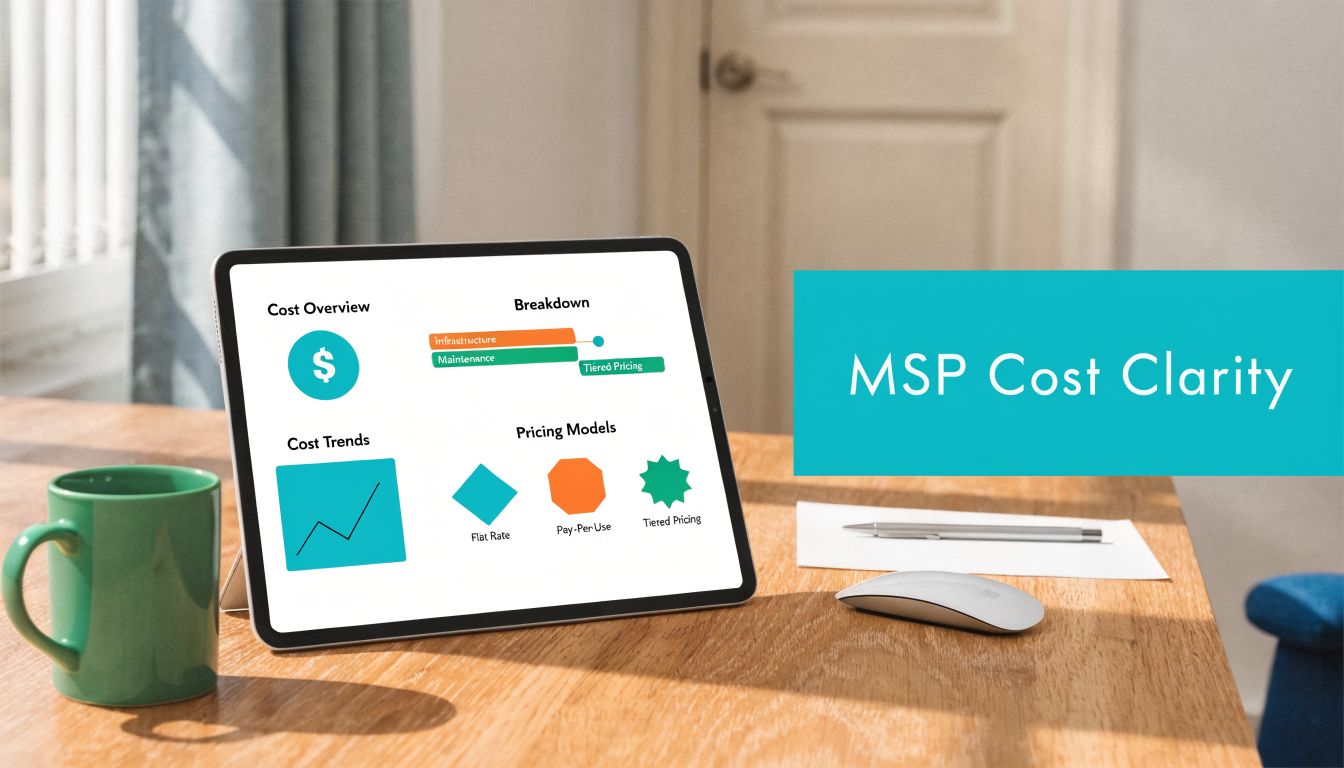
The four pricing models you'll see most often
Here's how the common structures work in practice.
| Model | How it works | Best fit | Risk to watch |
|---|---|---|---|
| Per-user | Fixed fee for each supported employee | Office-centric businesses with predictable user counts | Shared devices, servers, or specialty systems may be billed outside scope |
| Per-device | Fee tied to workstations, servers, firewalls, and other assets | Mixed environments with many non-user endpoints | Costs can rise fast in infrastructure-heavy setups |
| Tiered bundle | Predefined service levels with increasing coverage | Businesses that want a simple starting point | Lower tiers may exclude critical items like backup testing or security response |
| All-inclusive | Broad support under a comprehensive recurring agreement | Companies that want operational consistency | You need very clear definitions of what counts as project work |
For a breakdown of how providers package these options, managed services pricing models is a useful comparison reference.
What actually drives the monthly quote
Two companies with the same headcount can have very different MSP costs. The difference usually comes from environment complexity, not employee count alone.
Common pricing drivers include:
- Server count and role complexity: A simple file server is not the same as a virtualized application stack.
- Security requirements: MFA enforcement, endpoint controls, SIEM-style visibility, and compliance support all add labor.
- Remote location support: Branch sites, warehouse devices, and field connectivity increase operational overhead.
- Application mix: SaaS-only environments are usually easier to support than mixed cloud and on-prem deployments.
- After-hours expectations: Extended support windows and urgent escalation coverage affect service design.
How to compare quotes without getting burned
Don't compare on price first. Compare on scope clarity.
Ask each provider to separate these categories:
- Included recurring services
- Excluded items billed separately
- Project work versus operational maintenance
- Third-party software licensing
- Onsite support terms
- Backup storage, retention, and restore handling
Cheap MSP contracts often look affordable because the painful work sits outside the monthly agreement.
The strongest quote is rarely the lowest one. It's the one that makes support boundaries obvious, aligns pricing to your environment, and doesn't hide critical work in vague “professional services” language. If a provider can't explain the invoice model cleanly before you sign, the billing won't get clearer after go-live.
How to Vet Texas MSPs and Avoid Vendor Lock-In
Most companies know how to ask basic MSP questions. What's your response time? Do you support Microsoft 365? Do you offer backups? Do you have security tools? Those are necessary questions, but they're not enough.
The bigger risk sits underneath the service stack. A critical gap in most MSP guides is the hidden cost of vendor lock-in. Many businesses become trapped in proprietary ecosystems with no clear exit strategy. A growing trend shows enterprises demanding 'infrastructure agility' contracts that prevent this, a key consideration when vetting Texas MSPs.
Standard vetting still matters
Start with the basics. You need proof that the MSP can operate cleanly before you worry about architecture freedom.
Look for:
- Operational maturity: Ticket process, escalation path, documentation habits, and change control.
- Security discipline: MFA use, privileged access controls, device standards, and recovery testing.
- SLA transparency: Named targets for acknowledgement, response, and resolution handling.
- Technical breadth: Ability to support cloud services, local infrastructure, networking, backups, and user support together.
If you need a benchmark for what robust provider selection should include, this guide to best managed IT service providers is a practical starting point.
The lock-in questions most buyers forget to ask
Many MSP evaluations falter at this point. Businesses ask how service begins. They don't ask how service ends.
Ask these questions directly:
- Who owns the hardware or virtual environment?
- Can we export our data in standard formats without a migration penalty?
- If we leave, what access remains and for how long?
- Are backups portable, or only restorable inside your platform?
- Do you manage infrastructure we own, or only infrastructure you resell?
- Can we run on bare metal, private cloud, colocation, or mixed environments without changing providers?
If the provider gets uncomfortable when you ask about exit rights, you've found the real contract risk.
Why infrastructure ownership changes the balance of power
Vendor lock-in isn't just a legal issue. It's an operating issue.
When the MSP controls the platform, tooling, backup environment, and access model without clear portability terms, changing providers becomes expensive and disruptive. Even if the support relationship is good today, you've reduced your bargaining power for tomorrow.
The better model is often one where the MSP can manage infrastructure you control. That could be your own bare metal, your own virtualized private cloud, colocated systems, or a mixed estate where workloads can move without a forced rebuild. In that setup, the provider supplies operations, monitoring, patching, security management, and support. But the business retains a real exit path.
MSP vetting checklist for Texas businesses
| Category | Question to Ask | Why It Matters |
|---|---|---|
| SLA | What are your response and escalation commitments for critical incidents? | You need measurable service expectations, not vague availability promises |
| Security | How do you manage privileged access and MFA for your own staff? | Your provider's access model can become your weakest point |
| Backup | How are backups stored, tested, and restored if your platform is unavailable? | A backup that depends entirely on one vendor is not true resilience |
| Infrastructure | Can you support systems we own, including private cloud or bare metal? | Ownership improves leverage and portability |
| Documentation | What documentation do we receive during the relationship and at exit? | Clean handoff reduces operational disruption |
| Offboarding | What is the offboarding process, timeline, and access transition plan? | Exit planning should exist before onboarding begins |
| Tooling | Which tools are mandatory, and which can integrate with our existing stack? | Forced tool replacement often signals hidden lock-in |
| Compliance | How do you map service tasks to our industry requirements? | Generic support won't satisfy regulated operations |
What works and what doesn't
What works is simple. Choose a provider that can standardize and secure your environment without forcing you into a closed ecosystem. Choose one that can support hosted systems, private infrastructure, and migration paths with equal confidence.
What doesn't work is signing a broad support contract, discovering six months later that your backups are proprietary, your admin access is filtered through the MSP, and your only practical renewal option is the same vendor. That's not managed service maturity. That's dependency disguised as convenience.
Your Action Plan for IT Modernization
Most Texas businesses don't need a dramatic IT overhaul. They need a disciplined sequence. Good modernization starts by removing ambiguity. What's fragile, what's outdated, what's undocumented, and what's costing the business attention every week.
The fastest way to make progress is to treat managed services as an operating redesign, not a shopping exercise.
Step one is to audit friction, not just assets
Start with what interrupts the business most often. List recurring tickets, unstable systems, aging hardware, inconsistent backups, shadow IT, security gaps, and vendor relationships that nobody fully owns.
Then look at the hidden costs:
- Leadership time lost to IT escalation
- Staff downtime waiting on support
- Projects delayed because routine maintenance keeps winning
- Security tasks that exist on paper but not in practice
This gives you a cleaner baseline than an inventory spreadsheet alone.
Define what the business actually needs
A law firm, online retailer, and industrial operator should not buy the same support package. Before talking to providers, define requirements in business terms.
A useful shortlist includes:
Support model
- Business hours only, extended coverage, or around-the-clock response.
Security baseline
- Endpoint controls, MFA enforcement, access reviews, backup oversight, email protection.
Infrastructure stance
- SaaS-first, mixed cloud and server environment, or privately controlled compute.
Recovery expectations
- Which systems must come back first, and what downtime is acceptable.
The right MSP proposal should sound like your business. If it reads like a generic service catalog, the fit probably isn't there.
Shortlist providers with a bias toward flexibility
Use the vetting checklist from the prior section and reduce the field to a small group. Don't overcomplicate this. A short, serious list is better than ten loosely researched options.
During provider meetings, pay close attention to these signals:
- They ask about dependencies, not just device count
- They can explain offboarding without hesitation
- They're comfortable supporting infrastructure you own
- They distinguish recurring operations from one-time project work
- They document their standards clearly
Choose the model that leaves you room to move
This is the part many companies skip. You're not just buying support for today's environment. You're choosing how much freedom you'll have if your business adds locations, launches new applications, moves workloads, or changes providers later.
That's why infrastructure flexibility matters so much. If your support partner can work across VPS environments, private cloud, bare metal, and colocation, you preserve options. If they only support one tightly controlled platform, every future change becomes harder.
For some companies, the right first step is a secure managed VPS for a web application, client portal, or internal service. Others need a dedicated private cloud for heavier workloads, cleaner segmentation, or migration off legacy virtualization. Some need managed support layered onto hardware they control directly. The right answer depends on your operational model, not on what's easiest for the vendor to sell.
The best next move is practical. Document your pain points, define your required outcomes, shortlist providers that support true portability, and insist on service terms that preserve control over your data and infrastructure.
If you want a provider that can support the systems you run without boxing you into a closed platform, ARPHost, LLC is worth a serious look. The company supports fully managed IT services, secure VPS hosting, bare metal servers, colocation, and dedicated Proxmox private clouds, which gives Texas businesses room to standardize operations while keeping infrastructure flexibility. If you're evaluating managed it services texas and want a path that balances performance, hands-on support, and long-term control, start with ARPHost's managed services, VPS, private cloud, or colocation options and request a quote built around your actual environment.
