

What are managed IT services for small business? From a technical standpoint, it is a strategic partnership where a Managed Service Provider (MSP) assumes complete operational responsibility for your IT infrastructure. This model provides an enterprise-level IT department—from cybersecurity analysts to certified network engineers—on a predictable operational expenditure (OpEx) model, typically for a fixed monthly fee.
This strategic outsourcing allows your organization to focus on core business objectives while the MSP handles the complex and resource-intensive demands of modern IT management.
Defining Managed IT Services for Small Businesses

An MSP functions as a general contractor for your entire technology stack. Instead of sourcing individual specialists for network administration, cybersecurity, and server management, an MSP provides a unified team to manage the entire IT lifecycle. They architect, implement, and maintain the infrastructure, from bare metal provisioning and virtualization layers to network security and data protection.
This model is a significant departure from the traditional "break-fix" approach, where IT support is engaged only after a failure has occurred. That reactive methodology is inefficient and high-risk, inevitably leading to extended downtime and substantial, unpredictable capital expenditures for emergency remediation. Managed services invert this paradigm entirely.
Proactive Partnership Over Reactive Repairs
A proficient MSP does not wait for systems to fail. The core principle of managed services is to prevent incidents through continuous, proactive maintenance and monitoring. They deploy a structured framework designed to ensure high availability and optimal performance.
This proactive framework includes:
- 24/7 Monitoring: The MSP deploys sophisticated monitoring agents across your infrastructure, including virtual servers on platforms like Proxmox VE, to track performance metrics (CPU, RAM, I/O) and system health in real-time. This allows for the pre-emptive resolution of issues before they impact business operations.
- Preventative Maintenance: This involves scheduled, systematic maintenance activities. The MSP manages patch deployment cycles, firmware updates for network hardware, and configuration hardening to maintain security compliance and system efficiency.
- Strategic Planning: A high-value MSP provides virtual CIO (vCIO) services. They collaborate with your leadership to develop a technology roadmap that aligns infrastructure investments and architectural decisions with long-term business goals.
This proactive approach is essential for small businesses that require enterprise-grade IT capabilities without the significant capital outlay of an in-house team. Recent data highlights this trend, with nearly 71% of small and medium-sized enterprises now viewing cloud services as mission-critical and relying on MSPs for management. You can find more detailed managed services statistics on Scoop.market.us.
An effective MSP doesn't just resolve support tickets; they provide a strategic framework that aligns technology with business objectives, ensuring your IT infrastructure becomes a driver of growth, not a source of friction.
By partnering with an MSP, you gain immediate access to specialized expertise in areas like private cloud infrastructure, network security optimization using Juniper devices, and complex virtual server management. This is delivered for a predictable monthly fee, enabling scalable technology adoption that aligns with business growth.
Comparing In-House IT vs Managed IT Services
To contextualize the value proposition, consider the key differences between maintaining an in-house IT department and engaging an MSP. This table outlines how each model addresses cost, expertise, and operational methodology.
| Aspect | In-House IT Team | Managed IT Services (MSP) |
|---|---|---|
| Cost Structure | High fixed costs (salaries, benefits, training). Unpredictable project expenses. | Predictable, fixed monthly fee. OPEX instead of CAPEX. |
| Expertise | Limited to the skills of the individuals you hire. Gaps are common. | Access to a broad team of certified specialists (security, cloud, networking). |
| Availability | Typically 8/5 coverage (standard business hours). After-hours support is costly. | 24/7/365 monitoring and support included in the plan. |
| Focus | Often reactive, spending time on daily fires and user issues. | Proactive maintenance and strategic planning to prevent issues. |
| Scalability | Slow and expensive to scale. Hiring new staff takes time and resources. | Easily scales up or down based on your business needs. |
| Tools & Tech | Requires significant investment in monitoring and security software. | Leverages enterprise-grade tools across all clients, reducing your cost. |
The MSP model is engineered for operational efficiency and financial predictability, granting small businesses access to technology and expertise previously exclusive to large enterprises. This transition repositions IT from a cost center to a strategic, value-driving asset.
The Core Managed Services Your Business Needs
When you partner with a Managed Service Provider (MSP), you are not acquiring a single product but investing in a comprehensive suite of services architected to ensure operational resilience and business continuity. These services form a cohesive framework that mitigates risks and supports scalable growth.
Each service functions as a specialized component in a complex system. Their integration drives performance and prevents failures before they occur, transforming your IT infrastructure from a liability into a strategic advantage. Let's detail the essential components of managed IT services for small business.
Proactive Monitoring and Management
The foundation of any managed services offering is proactive monitoring. This is not a passive process of waiting for system failures but the active, 24/7 surveillance of your entire IT environment using advanced Remote Monitoring and Management (RMM) tools. This is the difference between a smoke detector and an automated fire suppression system.
This constant vigilance encompasses your entire infrastructure, from bare-metal servers to complex virtualized environments. For example, an MSP will continuously monitor Proxmox VE hosts, tracking key performance indicators (KPIs) like CPU load, memory utilization, and storage I/O. If a specific KVM or LXC container exhibits anomalous resource consumption, automated alerts are triggered, enabling technicians to intervene before it can cause a service degradation across the entire host. This preventative action is critical to avoiding downtime.
Systematic Patch Management
Software vulnerabilities represent a primary attack vector for threat actors. Operating unpatched operating systems or applications is a significant and unnecessary security risk. Patch management is the systematic process of identifying, testing, and deploying security patches to mitigate these vulnerabilities.
An MSP automates this critical but laborious task, ensuring all endpoints—from servers to workstations—are consistently updated. This process mitigates the risk of human error, a common cause of missed patches and subsequent security breaches. For example, a typical patch management workflow for a Linux server might look like this:
# Step 1: Update package lists from repositories
sudo apt update

# Step 2: List available upgrades (non-interactive)
sudo apt list --upgradable

# Step 3: Apply security updates only, without user prompts
sudo unattended-upgrade -d

# Step 4: Verify the logs for successful installation
cat /var/log/unattended-upgrades/unattended-upgrades.log
An MSP automates and verifies this process across hundreds of systems.
A robust patch management policy is non-negotiable in the current threat landscape. It is a fundamental security control that protects data, brand reputation, and business continuity from preventable cyber threats.
A professional MSP executes a stringent patching protocol:
- Identification: All applicable patches for operating systems and third-party applications are identified.
- Testing: Patches are first deployed to a sandboxed, non-production environment to validate stability and compatibility.
- Deployment: Approved patches are deployed to live systems during scheduled maintenance windows to minimize operational disruption.
- Verification: The MSP confirms successful installation and system stability post-deployment through automated checks and reporting.
Robust Network Management
Your network is the backbone of your business, providing the connectivity fabric for all users, applications, and data. Managed network services ensure this critical infrastructure is secure, performant, and highly available. This includes the configuration and management of routers, switches, and firewalls to optimize performance and enforce security policies.
An MSP with expertise in Juniper network devices, for instance, can implement best practices like network segmentation using VLANs, configure secure site-to-site VPNs with IPsec, and actively monitor network traffic for anomalies. A properly managed network translates directly to enhanced productivity and a hardened security posture. For any business, selecting the right small business server solutions is the foundational step in building a resilient infrastructure.
Comprehensive Backup and Disaster Recovery
Consider the operational impact of a total data loss event resulting from hardware failure, a ransomware attack, or a natural disaster. A comprehensive Backup and Disaster Recovery (BDR) strategy is a cornerstone of managed IT services, designed to ensure business continuity.
This extends beyond simple data backup; a true BDR solution provides a clear path to operational recovery.
| BDR Component | Description | Business Impact |
|---|---|---|
| Regular Backups | Automated, frequent backups of servers, VMs, and critical data to a secure, off-site location. | Protects against data loss from hardware failure, corruption, or accidental deletion. |
| Recovery Testing | Periodic testing of backups to ensure they are viable and can be restored successfully. | Guarantees that your recovery plan will actually work when you need it most. |
| Disaster Recovery Plan | A documented, step-by-step procedure for restoring operations after a major incident. | Reduces chaos and minimizes downtime by providing a clear roadmap for recovery. |
This multi-layered approach ensures that in a worst-case scenario, operations can be restored quickly, with minimal data loss and within a defined Recovery Time Objective (RTO).
24/7 Help Desk Support
Even with robust proactive management, end-users will encounter technical issues. A quality MSP provides a professional help desk that acts as a single point of contact for all IT-related problems. With 24/7 availability, your employees receive expert support whenever needed, whether it's a password reset after hours or a critical application failure before a deadline.
This immediate access to technical expertise reduces employee frustration and prevents minor issues from escalating into significant productivity losses. It allows your team to remain focused on their primary responsibilities, knowing that technical support is always available.
The Strategic Business Impact of Outsourcing IT
Engaging a Managed Service Provider (MSP) is not merely an operational adjustment; it is a strategic business decision with a direct impact on profitability, productivity, and competitive agility. Transitioning from a reactive, break-fix IT model to a proactive managed services framework fundamentally alters your operational posture. It enables resource reallocation, proactive risk mitigation, and creates a foundation for scalable growth.
This strategic shift allows a small business to leverage enterprise-level technology and expertise, transforming IT from a volatile cost center into a predictable, performance-enhancing asset. Let's analyze the specific ways managed IT services for small business deliver a tangible return on investment.
Drive Growth by Focusing on Your Core Business
Every hour your internal staff spends troubleshooting IT issues—from network latency to application errors—is an hour diverted from revenue-generating activities. These persistent micro-interruptions aggregate into significant productivity losses, detracting from core business functions like product development, customer service, and market expansion.
By delegating IT management to a specialized provider, these operational distractions are eliminated. Your team is liberated from the daily burden of technical support and system maintenance, empowering them to focus exclusively on their core competencies and strategic objectives.
By offloading the complexities of IT infrastructure management, you empower your internal teams to operate at their highest capacity. This shift allows for greater innovation, faster execution on business goals, and a more engaged workforce.
Gain Predictable Cost Management and Control
For most small businesses, IT expenditure is unpredictable. An unexpected server failure or a critical software vulnerability can necessitate large, unplanned capital expenditures, disrupting financial forecasts. This reactive spending model is inefficient and often results in a higher total cost of ownership (TCO).
Managed services replace this financial volatility with a fixed, recurring monthly fee. This operational expenditure (OpEx) model encompasses all aspects of IT management, from 24/7 monitoring to strategic vCIO guidance, eliminating budgetary surprises.
Key financial advantages include:
- Eliminates Surprise Costs: Your monthly IT spend is fixed and predictable, enabling accurate financial planning and budgeting.
- Reduces Total Cost of Ownership (TCO): You avoid the substantial costs associated with recruiting, training, and retaining an in-house IT team, as well as the capital investment in enterprise-grade monitoring and security tools.
- Optimizes Resource Allocation: With predictable IT costs, capital can be reallocated to other strategic business initiatives. Understanding broader business outsourcing strategies provides context for how this model drives enterprise-wide efficiency.
Access Specialized Expertise on Demand
Hiring a single IT generalist is often the only feasible option for a small business, yet no individual can possess expert-level knowledge across the entire technology landscape. Modern IT demands deep specialization in areas like private cloud architecture, virtualization platforms like Proxmox VE, network security, and disaster recovery.
Building an in-house team with this breadth of expertise is financially prohibitive for most small to medium-sized enterprises. This skills gap is a primary driver behind the rapid adoption of managed services, with nearly half of all businesses (49%) now outsourcing at least some of their IT functions. An MSP provides immediate access to a full team of certified specialists.
This is particularly valuable for complex initiatives, such as a VMware to Proxmox migration, or for navigating the well-documented IT skills shortage. For more on this, see our guide on the IT skills gap and the outsourcing imperative.
This trend allows small businesses to reallocate an estimated 65% of their IT budgets from routine maintenance toward innovation and strategic projects. More data on the growth of the managed services industry on Infrascale.com confirms this shift.
Fortifying Your Security with a Managed Services Partner

Without a dedicated, in-house security operations team, cybersecurity becomes a continuous and resource-intensive challenge. For this reason, managed IT services for small business are no longer a luxury but a fundamental necessity for risk management.
An MSP acts as your dedicated security operations center (SOC), implementing a multi-layered defense strategy designed to protect your data, reputation, and business continuity. This partnership elevates security from a reactive, compliance-driven task to a proactive, integral component of your business strategy.
Building a Multi-Layered Defense
A single firewall is insufficient against modern, sophisticated threats. A "defense-in-depth" strategy, which layers multiple security controls, is the industry standard. An MSP architects and manages this entire strategy, ensuring there are no single points of failure for attackers to exploit.
This integrated defense includes several key components:
- Managed Firewall Configuration: The network perimeter is the first line of defense. An MSP will configure, manage, and monitor enterprise-grade firewalls—for instance, applying best practices to Juniper network devices—to block malicious traffic and enforce granular access control policies. This includes setting up rules to deny unauthorized protocols and log suspicious activity. For a Juniper SRX device, a basic security policy might look like this:
security { policies { from-zone untrust to-zone trust { policy block-all-inbound { match { source-address any; destination-address any; application any; } then { deny; log { session-init; } } } } } } - Proactive Threat Hunting: Instead of passively waiting for security alerts, expert analysts actively search for indicators of compromise (IOCs) within your network. This involves analyzing logs, monitoring network flows, and identifying anomalous behavior that could indicate an active threat.
- Robust Endpoint Protection: Every device connected to the network is a potential attack vector. An MSP deploys and manages advanced Endpoint Detection and Response (EDR) solutions that use behavioral analysis and machine learning to detect and neutralize complex threats like zero-day exploits and ransomware.
Navigating Compliance and Training
Achieving and maintaining compliance with industry regulations like HIPAA or GDPR is a complex, ongoing process. A single violation can result in significant financial penalties and reputational damage. An MSP with expertise in your specific industry can be a critical partner in navigating these regulatory requirements.
They assist by implementing the necessary technical controls, conducting regular risk assessments, and generating the audit trails and documentation required to demonstrate compliance.
Security is not just a technology problem; it's a people problem. The most sophisticated firewall in the world can't protect you from an employee who unknowingly clicks on a malicious link.
This is why security awareness training is a critical component of a comprehensive security program. An MSP can implement ongoing training modules and conduct simulated phishing campaigns to educate your employees on how to identify and report potential threats. This transforms your staff from a potential vulnerability into an active layer of your defense, creating a "human firewall."
A robust security posture requires both strong defenses and a solid recovery plan. This intersection is detailed in our guide on immutable backup solutions.
Managing an Expanding Attack Surface
Cybersecurity is a top priority for small businesses, and managed IT services provide the framework to address this challenge systematically. MSPs deploy a comprehensive suite of security measures, from firewalls to intrusion detection systems. As businesses adopt more IoT devices and cloud services, the attack surface expands, increasing security risks.
In fact, 78% of organizations globally now recognize MSPs as a critical solution for securing their expanding network, particularly with the proliferation of Internet of Things (IoT) devices. You can explore these trends in managed services on Ahead.com. By entrusting your security to a specialized provider, you ensure that all facets of your evolving infrastructure are continuously protected.
How to Choose the Right Managed Services Provider
Selecting a Managed Service Provider (MSP) is a critical long-term decision. The right partner integrates seamlessly into your operations, strengthens your security posture, and functions as a strategic advisor. The wrong partner can introduce operational risk, inefficiency, and persistent technical issues.
A thorough evaluation process that goes beyond a simple price comparison is essential. It requires a deep dive into their technical capabilities, documented operational procedures, and proven industry experience. Let's outline a structured approach to vetting a potential MSP to ensure alignment with your technical and business objectives.
Assess Their Technical Proficiency
Your primary assessment should validate the MSP's expertise with your specific technology stack. A provider specializing in standard Windows environments will be ill-equipped to manage a private cloud built on Proxmox VE. You require a partner with demonstrable, hands-on experience with the technologies you currently use and plan to adopt.
Demand concrete evidence of their capabilities:
- Documented Experience: Request case studies or client references with similar technical environments. If you are planning a complex VMware to Proxmox 9 migration, ask for a detailed walkthrough of a similar project they have successfully executed.
- Staff Certifications: Verify that their engineers hold relevant, current certifications. For example, if you use Juniper hardware, look for JNCIA or JNCIS certifications. For virtualization, look for credentials related to KVM or specific cloud platforms.
- Technical Roadmapping: A strategic partner will engage in forward-looking discussions. They should be prepared to discuss strategies for scaling bare metal server deployments, optimizing a hybrid cloud architecture, or improving disaster recovery RTOs over a multi-year horizon.
Scrutinize the Service Level Agreement
The Service Level Agreement (SLA) is the most critical document governing your relationship with an MSP. It is a legally binding contract that defines the scope of services, key performance indicators (KPIs), and guaranteed response and resolution times. Do not treat it as a formality; review every clause carefully.
Your SLA isn't a formality—it's the blueprint for your entire partnership. It sets clear, measurable expectations and gives you a mechanism for holding the provider accountable when things go wrong.
Key components to analyze in the SLA include:
- Guaranteed Response Times: The SLA must clearly define acknowledgment and resolution times, typically tiered by issue severity (e.g., Critical, High, Medium, Low).
- System Uptime Guarantees: Look for specific, financially-backed uptime percentages, such as 99.99%, for mission-critical systems like virtual server clusters or network infrastructure.
- Penalties for Non-Compliance: A reputable MSP will include remedies for failing to meet SLA targets, such as service credits or other financial compensation. This demonstrates their commitment to the agreed-upon service levels.
Verify Their Processes and Reputation
An MSP's day-to-day operational procedures are a strong indicator of their reliability and professionalism. Ask for a detailed walkthrough of their standard operating procedures (SOPs) for critical events, such as their disaster recovery protocol or their security incident response plan. A mature MSP will have well-documented, tested processes for these scenarios.
Equally important is their real-world reputation. Go beyond their website testimonials and request to speak directly with current clients, preferably those in your industry or with similar technical needs. These conversations provide unfiltered insight into their performance, communication, and overall effectiveness as a partner.
To aid your evaluation, use the following checklist of critical questions.
Critical Questions to Ask a Potential MSP
Use this checklist during your evaluation process to ensure you cover all critical areas, from technical expertise to customer support and security practices, when interviewing a potential Managed Service Provider.
| Category | Question to Ask | What to Look For in the Answer |
|---|---|---|
| Technical Expertise | Can you describe a project you completed for a client with a tech stack similar to ours (e.g., Proxmox, KVM, Juniper)? | A detailed, confident walkthrough of the project, including challenges faced and how they overcame them. Vague answers are a red flag. |
| Technical Expertise | What certifications do your senior engineers hold that are relevant to our environment? | Specific, up-to-date certifications for your core technologies. They should be able to name them without hesitation. |
| Service & Support | What is your average ticket response and resolution time for a "High Priority" issue? | Concrete numbers backed by SLA guarantees. Ask how they define priority levels and who makes that call. |
| Service & Support | Can we speak with 2-3 current clients, preferably in our industry? | An immediate "yes" and prompt follow-up with contact information. Hesitation or providing only written testimonials is a bad sign. |
| Processes | Walk me through your client onboarding process. What does the first 90 days look like? | A clear, multi-stage plan covering discovery, documentation, system integration, and communication protocols. It should feel structured, not improvised. |
| Processes | How do you handle a major security incident, like a ransomware attack? | A well-defined incident response plan that includes detection, containment, eradication, and recovery steps. They should mention communication plans. |
| Contracts & SLAs | What are the penalties if you fail to meet the uptime guarantees or response times defined in the SLA? | Specific remedies like service credits or a clear process for escalation. "We always meet our SLAs" is not an answer. |
| Contracts & SLAs | What are the terms for contract termination, both for cause and for convenience? | Clear, fair terms that don't lock you into an ironclad agreement with no exit strategy. Look for reasonable notice periods. |
| Security | How do you secure your own internal systems and the tools you use to manage our infrastructure (e.g., RMM)? | Multi-factor authentication, endpoint detection and response (EDR), regular audits, and employee security training. They should take their own security seriously. |
| Strategic Partnership | How do you approach technology roadmapping and strategic planning with your clients? | A proactive approach, often involving quarterly business reviews (QBRs), to discuss goals, budget, and new technologies—not just waiting for things to break. |
Asking these targeted questions will provide a much clearer picture of an MSP's operational maturity and technical capabilities, enabling you to make an informed decision and select a true long-term partner.
The Onboarding Process: What to Expect
Transitioning your IT operations to an MSP requires a structured and methodical onboarding process. A professional MSP will guide you through a carefully planned journey designed to minimize disruption and ensure a seamless handover of responsibilities.
The objective is to move from a vendor relationship to a fully integrated technology partnership. This is achieved through a multi-phased approach, not a sudden, chaotic cutover.
Kicking Things Off: Discovery and Assessment
The process begins with a comprehensive technical audit of your entire IT environment. The MSP's engineers will conduct a deep-dive assessment to document your existing infrastructure.
This involves mapping your network topology, firewall rulebases, server configurations—whether on VMware, Proxmox, or a hybrid cloud platform—and all related systems. This is not a simple inventory check; it's a detailed analysis designed to understand system interdependencies, identify immediate security risks, and uncover opportunities for optimization. This foundational work informs the entire strategic plan.
Strategic Planning and Roadmapping
With a complete understanding of your current state, the next phase is to develop a strategic plan. The MSP will align their technical findings with your stated business objectives. The outcome is a technology roadmap that outlines a clear path for your IT infrastructure over the next one, three, and five years.
This strategic document details key initiatives, project timelines, and measurable success criteria. It is a collaborative process that ensures both parties are aligned on long-term goals and priorities from the outset. As you prepare, reviewing strategies to improve your client onboarding process can help facilitate a smoother transition.
This infographic illustrates the high-level decision flow when engaging an MSP.
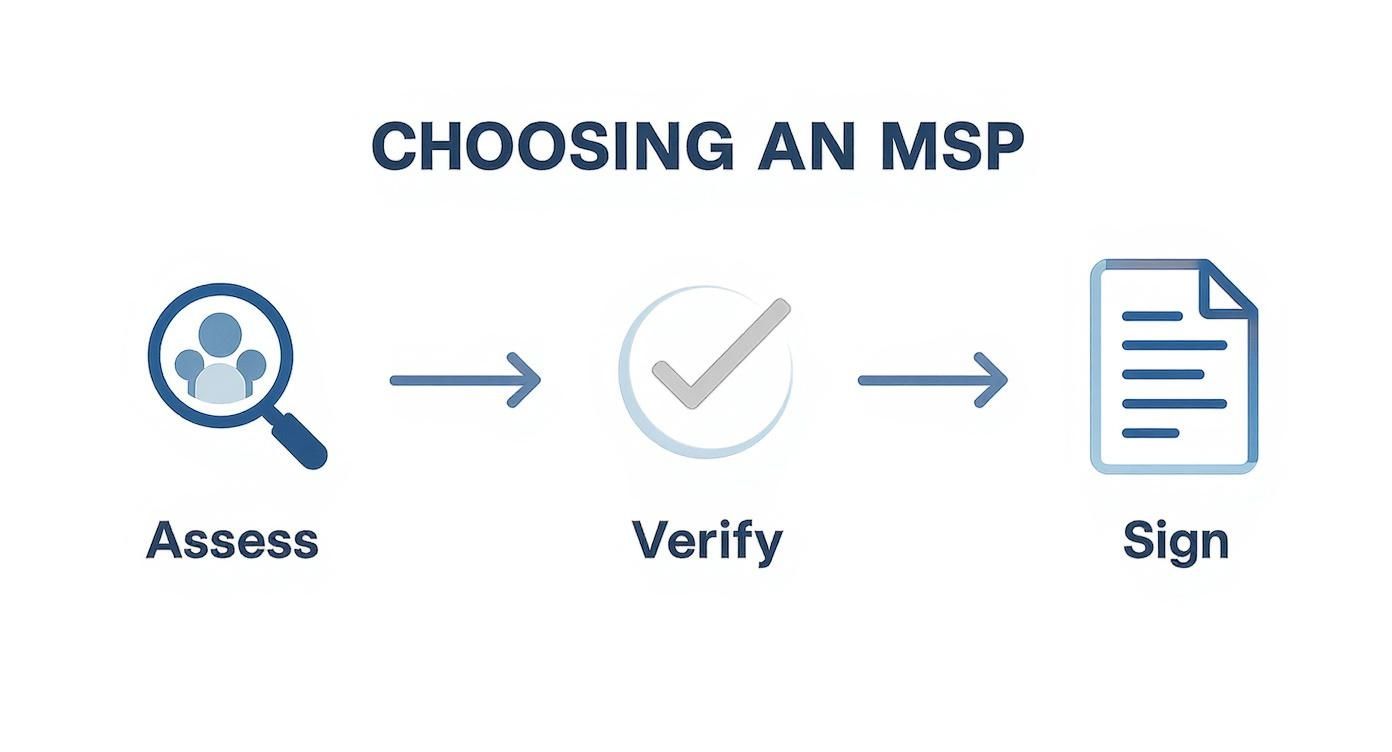
A successful partnership begins with a thorough assessment, followed by verification and a formal agreement, which sets the stage for a structured onboarding process.
Deployment and Full Integration
With a strategic plan in place, the hands-on implementation begins. The MSP's team will deploy their RMM agents, configure backup solutions, and harden your network endpoints according to best practices.
This phase can range from minor configuration adjustments to major infrastructure projects, such as a full VMware to Proxmox 9 migration, provisioning new cloud hosting resources, or upgrading your bare metal servers. Clear communication is paramount during this phase. The MSP should provide regular progress updates and schedule any potentially disruptive work during non-peak hours to maintain business continuity.
The goal of a successful onboarding is to reach a point where the MSP operates as a seamless extension of your own team. Proactive monitoring is active, support channels are open, and your staff knows exactly who to call for help.
Finally, you transition into the ongoing management phase. The MSP formally assumes responsibility for day-to-day IT operations, including patch management, system monitoring, and help desk support. You will establish regular reporting and recurring meetings—such as Quarterly Business Reviews (QBRs)—to review performance against SLAs and ensure the partnership continues to deliver strategic value.
Got Questions? We've Got Answers.
Engaging with managed IT services for small business can introduce new concepts and terminology. Here are clear, technical answers to the most common questions from business owners and IT decision-makers.
How Much Do Managed IT Services Cost?
Pricing is not standardized; it is based on the scope and complexity of the required services. Key factors include the number of users and endpoints, the complexity of your server infrastructure (e.g., Proxmox VE clusters, bare metal servers), and the specific service levels defined in the SLA.
Most MSPs utilize a predictable, recurring fee model, typically priced per user or per device. This OpEx model eliminates unexpected IT capital expenditures and is almost always more cost-effective than building and maintaining an equivalent in-house IT team when factoring in salaries, benefits, training, and tooling costs.
Will I Lose Control Over My IT?
No. A reputable Managed Service Provider functions as a strategic partner, not a replacement for your internal decision-making.
You retain ultimate authority over your business strategy and major technology investments. The MSP provides expert guidance, manages day-to-day operations, and executes the agreed-upon technology roadmap. This model offloads the tactical burden of IT management, allowing you to focus on strategic business growth.
Is This Secure Enough for My Business?
Yes, in nearly all cases, your security posture will be significantly enhanced. Cybersecurity is a core competency for MSPs, as their business viability depends on it. They invest in enterprise-grade security tools and maintain a staff of certified security professionals dedicated to threat mitigation.
An MSP's entire business model relies on keeping their clients' data secure. They implement a multi-layered defense—including managed firewalls, proactive threat monitoring, and robust backup and disaster recovery plans—that most small businesses could not afford or manage on their own.
They are also experts in navigating complex regulatory compliance frameworks, ensuring your data is not only protected from cyber threats but is also managed in accordance with legal and industry standards.
Ready to turn your IT from a headache into a competitive advantage? The experts at ARPHost, LLC deliver proactive, reliable managed IT services that secure your infrastructure and empower your growth. Explore our managed solutions today!