

A server failure rarely starts as a legal problem. It starts as a business problem.
Your checkout page stops loading at 3 AM. A database on a virtual machine fills its disk. A firewall rule change blocks remote access to a bare metal node. Your team opens a ticket and asks the only question that matters in that moment: who owns this, and how fast will they act?
That answer shouldn't depend on memory, goodwill, or a sales promise from six months ago. It should already be written down in a managed IT services agreement, with enough operational detail to guide real work on real infrastructure.
Generic contract language breaks down fast in managed hosting. Private clouds, Proxmox clusters, backup retention, hypervisor access, patch windows, incident escalation, and exit procedures all need explicit treatment. If they don't, the contract looks tidy until the first outage, failed restore, or migration dispute.
Your Blueprint for IT Partnership
When production infrastructure fails, the difference between a useful provider and a vague one comes down to the agreement.
A strong managed IT services agreement tells you whether the provider is responsible for the hypervisor, the guest operating system, the backup job, the firewall policy, or only the hardware below it. It defines whether a midnight outage gets an engineer in minutes or waits for business hours. It clarifies whether disaster recovery means "we have backups" or "we have tested restore procedures and documented recovery steps."
That clarity matters more now because managed services have moved from optional outsourcing to a core operating model. The global managed services market was valued at USD 330.4 billion in 2025 and is projected to reach USD 370.5 billion in 2026, reflecting a broader shift toward treating outside infrastructure management as a strategic function, not just a support purchase, according to Fortune Business Insights on the managed services market.
Businesses usually start provider selection by comparing platforms and capabilities. But once you've narrowed the field, the agreement becomes more important than the brochure.
A provider becomes a real operating partner when the contract ties support promises to specific systems, actions, and outcomes.
For a hosting and infrastructure relationship, the MSA is the blueprint. It should map directly to the servers you run, the risks you carry, and the recovery expectations your business can't compromise on.
What Is a Managed IT Services Agreement
A managed IT services agreement is the operating contract between your business and the provider managing part of your environment. It isn't just a legal wrapper around monthly billing. It's the document that translates business expectations into technical responsibilities.
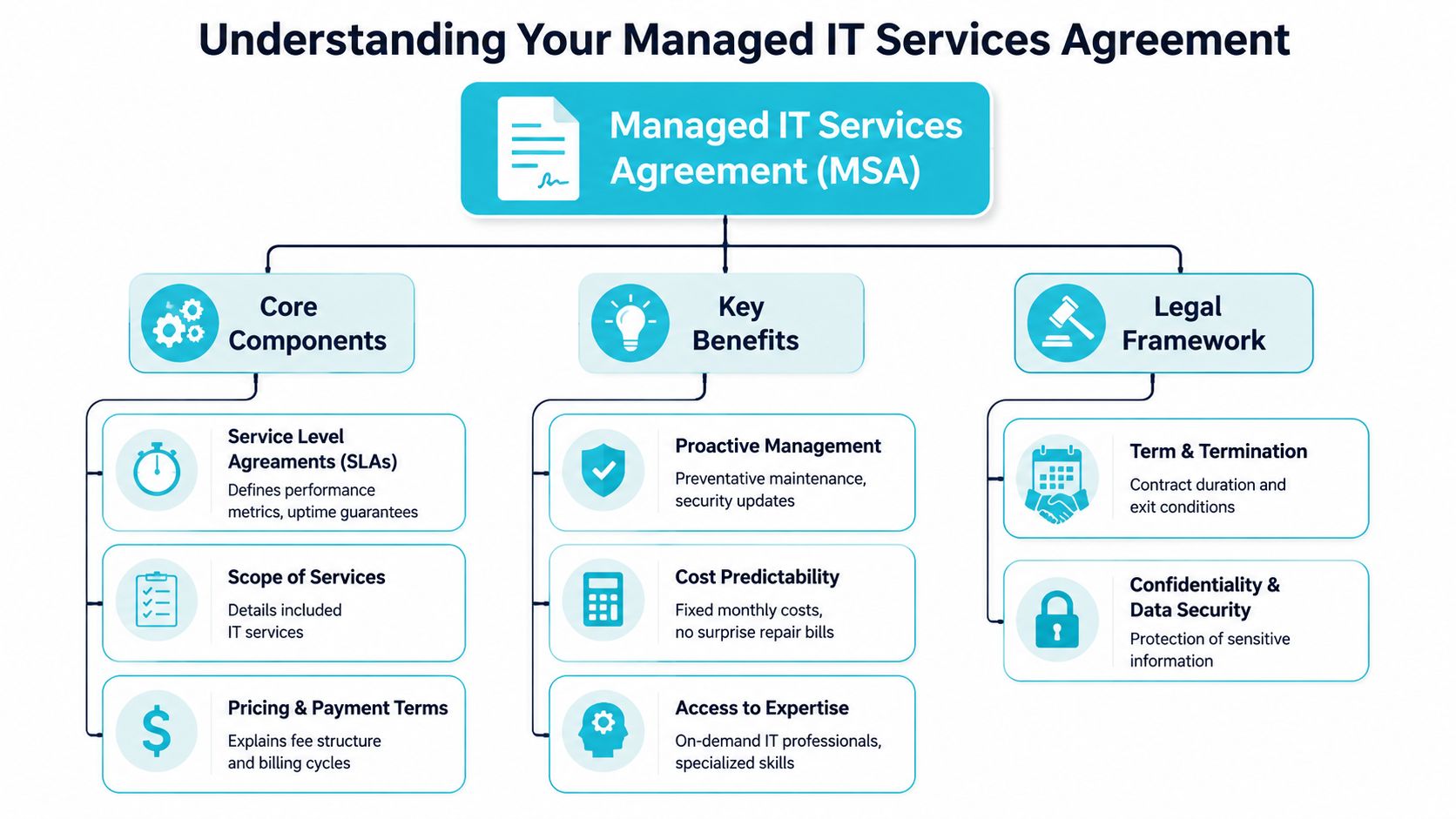
If the provider manages web hosting, VPS instances, backup jobs, firewalls, private cloud nodes, or monitoring tools, the agreement needs to define each of those duties in plain terms. It also needs to define your obligations. That usually includes maintaining supported software, providing timely approvals, keeping licensing current, and designating authorized contacts.
What the document actually governs
A good MSA covers the day-to-day mechanics of service delivery:
- Included services such as monitoring, patching, incident response, backup oversight, and change execution
- Excluded work such as one-time migrations, application development, or unsupported operating systems
- Service levels for response, escalation, availability targets, and reporting
- Commercial terms like recurring fees, project billing, renewal language, and service changes
- Risk allocation through confidentiality, liability, data handling, and termination clauses
Many buyers confuse an MSA with a simple quote or statement of work. A quote tells you what you're buying. An MSA tells you how the relationship functions when something changes, breaks, scales, or ends.
Why mature teams care about the difference
The practical value is consistency. Without a clear MSA, every issue turns into a debate about whether the work is included, who approves it, and how urgently it should be handled.
In managed hosting, though, the agreement has to go deeper into operational specifics than a general business services contract usually does.
Practical rule: If the provider touches your production systems, the contract should describe the touch points in technical language, not marketing language.
For example, if you're buying managed support for a Proxmox-based private cloud, "infrastructure management" isn't enough. The agreement should identify what happens at the host level, what happens inside guest workloads, who handles storage alerts, who owns backup verification, and how incidents move from first alert to remediation.
That is the primary function of the MSA. It turns assumptions into documented procedure.
Decoding Essential Operational Clauses
A storage pool goes read-only at 2:13 a.m. Half the VMs on your Proxmox cluster freeze. Your team opens a ticket, and the first question is not technical. It is contractual: who owns the hypervisor, who verifies backup integrity, who approves failover, and who stays on the incident until service is restored?
That is why operational clauses matter more in managed hosting than in many other service categories. A standard business MSA often assumes a clean boundary between vendor and client. Infrastructure does not work that way. A bare metal server, a virtualized private cloud, and a hybrid estate with colocated hardware all create different operational duties. If the agreement does not define those duties by layer, support quality turns into scope disputes during the exact outage you hired a provider to handle.
Scope of services
Scope is the operating core of the agreement. Every SLA, fee, and responsibility clause depends on it.
If a provider says it manages your environment, the contract should identify the exact systems and the exact tasks. On a Proxmox deployment, that usually means cluster nodes, local or shared storage, networking, backup jobs, hypervisor updates, and the boundary between host support and guest operating system support. On bare metal, it should state whether management includes operating system patching, RAID monitoring, hardware vendor escalation, remote hands coordination, and reboot authority. In a hybrid setup, it should separate provider-owned infrastructure from client-managed applications and third-party SaaS dependencies.
A useful scope section usually breaks work into clear operational categories:
| Area | What the agreement should state |
|---|---|
| Infrastructure | Covered hosts, VMs, storage pools, switches, firewalls, and network ranges |
| System administration | Patching, reboots, service restarts, user administration, and scheduled maintenance tasks |
| Security operations | Firewall rule changes, monitoring, endpoint tooling, vulnerability triage, and privileged access control |
| Backups and recovery | Protected systems, backup frequency, retention, restore testing, and recovery responsibilities |
| Hardware and onsite work | Disk swaps, rack work, console access, parts handling, and whether labor is included or billed separately |
The common failure point is split responsibility. A provider may manage the host and storage layer while your team manages the application and database. That can work well. It fails when the contract never says who watches certificate expiry, database growth, replication drift, or backup consistency inside the guest.
SLAs and severity definitions
An SLA should reflect service impact, not just ticket speed.
A production hypervisor outage deserves a different response path than a warning on a staging VM. The agreement should define severity levels by business effect, then attach a response target, update cadence, escalation path, and operational owner to each one. If those details are missing, a provider can meet the letter of the SLA by acknowledging the ticket quickly while doing little to restore service.
Good language answers practical questions:
- What qualifies as a critical incident for hosted infrastructure
- Who on the client side can declare or challenge incident severity
- Whether "response" means acknowledgment only, or active diagnosis and remediation
- How often status updates are issued during a live incident
- When the provider must escalate to hardware vendors, software vendors, or datacenter staff
For managed hosting, I also look for recovery-specific language. If a Proxmox node fails, does the provider attempt VM restart elsewhere in the cluster, initiate restore from backup, or wait for client approval? If a bare metal disk array degrades, does the provider open the hardware case automatically or only after the client asks? Those are operational decisions. The MSA should settle them before the failure.
Maintenance windows and change control
Stable infrastructure depends on controlled change. Contracts should say how change is planned, approved, executed, and documented.
That includes kernel updates, firmware updates, hypervisor patching, cluster migrations, firewall changes, switch work, and backup platform modifications. Each task carries a different risk profile. Rebooting a single nonproduction VM is routine. Updating a Proxmox cluster with shared storage and tight maintenance windows requires coordination, rollback planning, and communication that matches the client's actual business hours.
The agreement should cover:
- The standard maintenance window, including timezone and notice method
- Emergency authority for urgent security or stability work
- Which changes require client approval before execution
- Rollback expectations if a change causes service degradation
- Documentation requirements for material production changes
I prefer specific approval thresholds. If a change interrupts a customer-facing application, require written approval unless there is an active security or availability emergency. If the work is preventative and low-risk, define the standing authority in advance. That keeps everyone focused on service continuity instead of debating process after a failed patch cycle.
Security responsibilities
Security clauses need technical precision. "Provider handles security" is not enough to run production systems safely.
The agreement should list who patches the host operating system, who maintains the hypervisor, who manages guest updates if they are in scope, who controls firewall policy, who reviews backup console access, and who can use remote management tools. It should also define credential handling, logging expectations, and the process for removing access when personnel changes occur.
Tooling belongs here as well. If the provider deploys agents, remote access utilities, or monitoring software, the MSA should identify what data those tools collect and who can see it. Teams comparing alerting and remote administration models can use ARPHost's guide to RMM tools for MSP operations to frame those questions, but the contract still needs to name the tools and permissions that apply in your environment.
Unsupported software needs explicit treatment. If a client insists on keeping an end-of-life operating system or control panel in production, the agreement should say whether support is best-effort, what security exclusions apply, and whether incident response is limited because vendor patches no longer exist.
Backup and disaster recovery
Backup language is where weak MSAs fail fastest.
A contract should state what is backed up, how often backups run, where copies are stored, who monitors job failures, who tests restores, and what "disaster recovery" includes. Data recovery alone is not the same as service restoration. In private cloud and hybrid environments, recovery may involve rebuilding a VM, reattaching storage, restoring configuration files, fixing network mappings, and validating that the application starts.
That distinction matters in real incidents. If a database VM corrupts on a Proxmox cluster, the provider may be able to restore the virtual disk quickly, but your business still stays down if no one owns application validation. On bare metal, a failed motherboard can require hardware replacement, operating system recovery, and verification that backups are usable on the replacement platform. The MSA should separate each step and assign responsibility.
Reporting belongs in the same operational section because reporting proves that the service is being performed. Monthly or quarterly reports should cover patch status, backup success and failures, open risk items, asset changes, incident patterns, and pending lifecycle issues. For organizations building the team capacity to support those obligations, adjacent models such as scalable RaaS solutions for technology teams can support hiring plans, but the MSA still needs to define who is accountable for the work day to day.
What works in practice
The strongest operational clauses read like an abbreviated runbook.
If ARPHost is managing a Proxmox private cloud, the agreement should identify node coverage, storage monitoring, hypervisor patching, VM-level responsibility boundaries, backup verification, maintenance procedures, and incident communication rules. If ARPHost is managing bare metal, the contract should state how hardware faults are handled, who engages the vendor, whether remote hands are included, and which operating system tasks fall inside managed support. In a hybrid environment, the agreement should map responsibility across provider infrastructure, customer-owned applications, and any third-party platforms that can affect uptime.
That level of detail is what turns a managed services agreement from a generic legal document into an operating document. When a server goes down or recovery has to start now, clear operational clauses give both sides a playbook instead of an argument.
Navigating Liability Indemnity and Exit Strategies
The legal clauses matter most when the relationship is under strain. That's why they should be readable by operations people, not just counsel.

Liability clauses define how much financial exposure each side accepts. In practice, this determines whether a provider is responsible for direct damages only, whether certain losses are excluded, and whether liability is capped. You don't need every clause to be aggressive. You do need the result to match the level of risk in the systems being managed.
Liability and indemnity in plain terms
A sensible liability clause should answer three questions.
First, what losses can be claimed if the provider fails to perform? Second, are there categories of loss excluded, such as indirect or consequential damage? Third, does the cap make sense relative to the service being delivered?
Indemnity is different. It covers who bears the cost if a third party brings legal trouble into the relationship. In infrastructure services, this often touches confidentiality breaches, misuse of intellectual property, or misconduct by one side that drags the other into a claim.
Here is the practical reading test:
- Cap realism matters because a very low cap may leave you carrying nearly all operational risk.
- Mutuality matters because one-sided indemnity language usually predicts one-sided handling of disputes.
- Trigger clarity matters because vague indemnity wording creates conflict during an already expensive event.
Data ownership and controlled separation
If your workloads live on someone else's hardware, your ownership rights should still be unmistakable.
The agreement should state that you own your data, your configurations, and your business records. It should also define what access you keep during the relationship and what export assistance you receive at the end. This is especially important on dedicated servers, hosted virtualization platforms, and colocation setups where provider tooling may sit deep in the environment.
The cleanest exit clause is the one both sides could follow during a stressful migration without needing fresh interpretation.
A proper exit plan should cover more than cancellation notice. It should cover handoff.
What an exit plan should include
When a managed hosting agreement ends, several technical tasks need sequencing. The contract should anticipate them.
Data return format
The provider should state what data, configs, backups, inventories, and diagrams will be delivered, and in what format.Tool removal
Monitoring agents, privileged accounts, backup connectors, remote access utilities, and vault entries need a defined removal process.Transition support window
There should be language covering reasonable cooperation during handoff to your internal team or a new provider.Credential rotation
Shared administrative credentials should be rotated, transferred, or revoked in a controlled order.Retention and deletion
The agreement should say how long the provider retains your operational data after termination and when deletion occurs.
This clause is where mature providers separate themselves from sticky ones. A strong exit process protects both parties. It reduces security drift, shortens cutover time, and prevents old tooling from lingering on systems nobody is actively watching.
Understanding Fees Renewals and Service Changes
The financial section of a managed IT services agreement tells you how the relationship will scale.
Managed services commonly use per-user or per-device pricing. Reported pricing ranges include $150 to $175 per user monthly and $100 to $400 per server under per-device models, while about 50% of companies using managed services report annual IT cost reductions in the 1% to 24% range.
Choosing the right pricing model
Per-user pricing works best when the support burden is driven by people, endpoints, SaaS access, and help desk demand. It is common in office-centric environments where laptops, identity tasks, and user lifecycle work dominate.
Per-device pricing fits infrastructure-heavy environments better. If your estate includes dedicated servers, clustered hypervisors, firewalls, storage nodes, or specialized appliances, device-based billing usually maps more cleanly to operational effort.
A simple comparison helps:
| Pricing model | Best fit | Watch for |
|---|---|---|
| Per-user | Endpoint support, identity, help desk, office IT | Server-heavy environments can become under-scoped |
| Per-device | Servers, firewalls, network gear, private cloud nodes | User support may become fragmented |
| Tiered bundle | Mixed environments with defined support tiers | Included versus excluded work must be explicit |
Where unexpected charges usually come from
Most billing disputes don't come from the recurring fee. They come from work that wasn't clearly categorized.
Typical add-on areas include migrations, after-hours project work, major version upgrades, application troubleshooting above the infrastructure layer, compliance remediation, and onsite work. If you're comparing providers, ask for a clean line between recurring managed service and billable project labor.
For infrastructure buyers, this matters because a secure web hosting bundle has a different support profile from a Proxmox private cloud or a bare metal cluster. Flexibility is good, but only when service changes have a written process. This guide to managed services pricing models is a practical reference for evaluating how providers structure those differences.
Renewals and service modifications
Renewal language deserves close review because it controls your options long after onboarding.
Check whether the agreement renews automatically, how much notice is required to stop renewal, whether fees can change at renewal, and how service additions are documented. In infrastructure services, adding a firewall, new virtual nodes, backup retention, or colocation support should trigger a written amendment or service schedule, not a chain of informal emails.
If a service can be added quickly, it should also be billable, supportable, and terminable clearly.
Good agreements scale in both directions. You should be able to add resources when you grow and retire them without renegotiating the entire relationship.
Negotiation and Implementation Checklist
A managed hosting agreement usually fails at the handoff between sales and operations. The contract says "managed," but the first real incident answers what that word means. If a Proxmox node drops at 2:00 a.m, if a bare metal RAID controller throws errors, or if a failed restore exposes a backup gap, the provider will follow the document you signed, not the assumptions made during the sales call.

Review the MSA like the person who has to live inside it during an outage. For managed infrastructure, that means checking whether the agreement matches the actual stack: standalone VPS, private cloud versus public cloud infrastructure choices, dedicated bare metal, or a hybrid environment with customer-managed applications on provider-managed systems. Standard contract language often blurs those lines. Operations cannot.
One clause deserves extra scrutiny during onboarding talks. The agreement should state which monitoring and remote management tools will be installed, what telemetry they collect, who can access that data, and what happens to agents and stored records at termination. That is not paperwork. It affects security, audit trails, and how cleanly a provider can step out of your environment without leaving orphaned access behind, as outlined by Bonelli Systems in its service agreement guidance.
What to negotiate before signing
Start with the inventory. If the covered systems are vague, every response obligation downstream is vague too.
Use this checklist before approval:
Asset accuracy
Verify that the agreement names the actual infrastructure in scope. Include hypervisors, Proxmox clusters, guest VMs, bare metal servers, firewalls, storage pools, backup repositories, and any applications the provider is expected to support.Operational boundary
Confirm where responsibility starts and stops. A provider may manage host hardware and hypervisors but not guest operating systems, or may cover OS patching but exclude application troubleshooting. Those distinctions matter during downtime.Incident definitions
Ask how severity levels are assigned in practice. A failed backup on a dev VM is not handled the same way as packet loss on a production firewall or a dead node in a private cloud cluster.Deliverables
Request sample reports before signing. Monthly uptime summaries, patch status, backup success reports, capacity trends, and open-risk reviews should be visible in advance, not promised in general terms.Exit procedure
Require written steps for data export, credential turnover, agent removal, backup retention decisions, and final access revocation.
Watch for broad service promises followed by narrow exclusions buried later in the agreement. "Full management" should translate into named actions: patching, reboot authority, failed disk replacement coordination, restore testing, hypervisor updates, alert triage, and escalation handling.
What implementation should look like
A good implementation plan turns contract language into operating procedure. At ARPHost, that means onboarding is tied to the infrastructure you currently operate. A Proxmox private cloud needs cluster review, storage checks, VM priority mapping, and failover assumptions validated early. A bare metal deployment needs hardware baselines, remote access controls, backup paths, and replacement workflows documented before the first incident.
A practical rollout usually follows this sequence:
Discovery session
Review the environment, dependencies, critical workloads, maintenance windows, vendor relationships, and escalation contacts. For hybrid estates, identify which issues stay with the hosting provider and which must be handed to a cloud or software vendor.Credential and access setup
Establish privileged access, approval rules, vault storage, MFA requirements, and break-glass procedures. This is also where access logging and offboarding expectations should be confirmed.Monitoring deployment and alert tuning
Install agents or collectors, confirm system visibility, suppress noise, and map alerts to the right priorities. In a Proxmox environment, node health, storage latency, replication state, and guest availability should all be accounted for. In a bare metal estate, hardware sensors and remote management interfaces need the same treatment.Backup and recovery validation
Confirm what is protected, where backups land, how long they are kept, who receives failure notices, and who performs restores. A backup clause has little value until someone proves a file restore, VM restore, or full-system recovery works.Initial service review
Meet after stabilization to review unresolved risks, unsupported assets, alert patterns, patch exceptions, and planned changes. This is often where hidden scope issues surface.
Onboarding sets the tone for the entire relationship. If discovery is rushed, access is shared informally, or backup testing is deferred, the agreement may still be enforceable, but the service will not be ready for a real production event.
Why Your MSA Needs to Evolve for Private Clouds
Generic agreements fail fastest in hybrid infrastructure.
A standard managed IT services agreement might work for workstation support or simple hosted services. It usually isn't enough for a Proxmox private cloud, a VMware migration, mixed bare metal and VPS estates, or colocation with provider-managed monitoring layered on top. Those environments need contract language that mirrors architectural complexity.
That gap shows up in real operations. A 2025 Gartner report found that 62% of SMBs using hybrid cloud setups experience integration failures due to generic service agreements, costing 15% to 20% extra in unplanned support.
Where standard contracts break
The common weak spots are predictable:
- Migration scope that never defines the cutover sequence, rollback path, or post-migration validation
- Platform boundaries that ignore whether management applies to hypervisors, guests, storage, or network overlays
- Backup language that says backups exist but doesn't define immutable retention, restore responsibility, or verification
- Hybrid escalation that never states who coordinates between hosted infrastructure and third-party cloud services
A VMware-to-Proxmox migration is a good example. The contract should define what gets inventoried before migration, how workloads are grouped for cutover, who validates guest functionality after migration, and what support is included during the stabilization period. If those items aren't written down, the project depends too heavily on assumptions.
What specialized clauses should include
Private cloud and hybrid clauses need to be narrower and more technical than standard managed support language.
Look for provisions covering cluster node maintenance, storage fault handling, root access boundaries, firewall rule governance, backup platform ownership, and support for mixed environments where some assets are provider-managed and others remain customer-managed. If you're weighing architecture choices, this comparison of private cloud vs public cloud is a useful planning reference because contract obligations should follow the infrastructure model.
The core point is simple. The more custom your environment becomes, the less a template contract will protect you. Dedicated hardware, virtualization clusters, and hybrid integrations demand an agreement built for those realities.
If your infrastructure includes VPS hosting, bare metal, Proxmox private clouds, managed backups, or colocation, the contract should reflect those systems in operational detail. ARPHost, LLC provides managed infrastructure and hosting services across those models, and it's worth asking for an agreement that spells out scope, monitoring, backup responsibilities, maintenance windows, and exit procedures before production workloads move in.
