


So, what exactly is a Linux dedicated server?
Think of it like this: shared hosting is like living in an apartment building where you share the plumbing, electricity, and common areas. A Linux dedicated server is like owning your own house. Every single resource—the processor (CPU), memory (RAM), and storage—is 100% yours. No sharing, no compromises. It's a single, physical machine, often called a bare metal server, that you lease entirely for yourself, running the powerful and flexible Linux operating system.
This setup gives you maximum power and control, making it the bedrock for serious digital projects and private cloud infrastructure.
Understanding the Power of a Linux Dedicated Server

The real magic of a dedicated server lies in its single-tenant architecture. Unlike shared or VPS hosting, you never have to worry about the "noisy neighbor" effect, where another user's traffic spike suddenly slows your website to a crawl. All the server's power is dedicated to your applications, all the time.
This total isolation is the key to unlocking consistent, predictable performance for mission-critical workloads.
Unmatched Performance and Control
A Linux dedicated server gives you direct access to the hardware, a setup we call bare metal. There's no hypervisor—the software layer that runs virtual machines—siphoning off precious resources. This means your applications run directly on the physical hardware, squeezing out every last drop of performance.
You also get full root access, which is the holy grail of server administration. It’s like having the master key to the entire system. You can install any software you want, tweak the operating system kernel, and fine-tune every setting to perfectly match your needs. This level of control is non-negotiable for:
- High-Traffic Websites: Effortlessly handle thousands of simultaneous visitors without breaking a sweat.
- Demanding Web Applications: Run resource-hungry platforms like large databases, complex analytics, or multiplayer game servers.
- Secure Data Storage: Isolate sensitive business or customer data in a private, fortified environment.
- Virtualization Projects: Build your own Proxmox Private Cloud, allowing you to host multiple virtual machines (VMs) and containers on your own powerful hardware.
Why Linux Dominates the Server Market
Linux isn't just an option for servers; it's the option. Its command of the server world is absolute, capturing a massive 44.8% market share of the server operating system landscape as of 2024. Big enterprises often rely on Red Hat Enterprise Linux (RHEL), while the web and cloud are practically built on Ubuntu.
Need more proof? Since November 2017, Linux has powered 100% of the TOP500 supercomputers. When the most powerful machines in the world all run on Linux, you know it’s built for performance and scalability. You can discover more about Linux's market dominance and trends to see the data for yourself.
To help summarize, here's a quick look at why a Linux dedicated server is such a powerful choice.
Linux Dedicated Server Advantages at a Glance
| Advantage | Description | Ideal For |
|---|---|---|
| Bare Metal Performance | Your applications run directly on the physical hardware, with no hypervisor overhead, ensuring maximum speed. | Resource-heavy applications like databases, game servers, and video transcoding. |
| Full Root Access | You have complete administrative control to install custom software, configure the kernel, and optimize the entire system. | Developers and businesses with specific software requirements or security hardening needs. |
| Resource Isolation | All CPU, RAM, and storage are exclusively yours. Performance is predictable and unaffected by other users. | E-commerce stores, high-traffic websites, and mission-critical SaaS applications. |
| Enhanced Security | The single-tenant environment significantly reduces the attack surface compared to shared platforms. | Storing sensitive financial data, healthcare records, or proprietary business information. |
These advantages work together to create an environment that's not just powerful, but also incredibly reliable and secure.
This combination of exclusive resources, total control, and the battle-tested stability of Linux makes a dedicated server the definitive choice for any business that can't afford to compromise on performance or security. It's the infrastructure backbone for growing and established online operations. For a deeper look into this hosting model, you can explore our comprehensive guide on dedicated server hosting.
Choosing the Right Linux Distribution for Your Server
Picking a Linux distribution, or "distro," is one of the first and most important decisions you'll make when deploying a Linux dedicated server. This choice dictates everything that follows: how you manage the server via CLI, the software available to you, and the rhythm of your update schedule. It’s the very foundation your entire application will be built on.
Think of it like choosing the engine for a custom car. A screaming, high-revving engine is perfect for the racetrack but a nightmare for your daily commute. In the same way, some Linux distros are built for bleeding-edge features, while others are engineered for unshakeable, long-term stability—a core tenet of IT industry best practices.
Stability vs. Cutting-Edge Features
At the heart of the Linux world is a fundamental trade-off: do you want rock-solid stability or immediate access to the latest and greatest software? This is all about the distro's release cycle and core philosophy.
- Long-Term Support (LTS) Releases: These are the workhorses of the server world. Distros like Ubuntu Server LTS, Debian Stable, and the RHEL-family (AlmaLinux, Rocky Linux) promise support for five years or even longer. You get critical security patches, but major feature updates are rare. This creates a predictable and reliable environment, which is exactly what you want for mission-critical applications.
- Standard or "Rolling" Releases: These distros serve up newer software packages and kernel versions as they become available. They're great for development environments or apps that need the newest features, but they come with a catch: more frequent updates and a bit more legwork to manage potential compatibility hiccups.
For most businesses running a Linux dedicated server, an LTS release is the smart play. It dramatically cuts down on maintenance headaches and lowers the risk of a random update breaking your entire setup. You can always get newer software later without messing with the core system.
Key Server Distributions Compared
While there are countless Linux distros out there, only a handful have truly proven themselves in data centers across the globe. At ARPHost, we support a wide range of operating systems on our bare metal servers, so you can pick the perfect OS for your specific workload.
Here’s a technical breakdown of the most common choices:
1. Ubuntu Server
Known for its massive software repositories and user-friendly apt package manager, Ubuntu Server is a clear favorite for developers and startups. Its extensive documentation makes troubleshooting much less painful. The LTS releases, in particular, strike a fantastic balance between modern tools and long-term stability, making it ideal for web hosting and application servers.
2. Debian
As the upstream project that Ubuntu is based on, Debian is legendary for its fierce commitment to free software and almost fanatical stability. The "Stable" branch is so solid that it's a go-to choice for servers that need to run for years with little to no intervention—perfect for core infrastructure like DNS or mail servers. If you're weighing these two, our guide on Debian Server vs. Ubuntu Server breaks down the finer points.
3. AlmaLinux & Rocky Linux
After CentOS changed direction, AlmaLinux and Rocky Linux stepped up to fill a massive void. Both are 1:1 binary-compatible clones of Red Hat Enterprise Linux (RHEL), built for enterprise environments that demand rigorous stability and predictable lifecycles. If your systems were traditionally built on CentOS, these are your go-to replacements, using the familiar dnf (or yum) package manager for enterprise-grade applications and databases.
Why ARPHost Excels Here
The right OS is just the start. At ARPHost, our Fully Managed IT Services ensure your chosen OS is deployed according to industry best practices. We handle initial hardening, ongoing patch management, and performance tuning, so you get the full power of your distro without the management overhead. We can even manage your entire network infrastructure, including Juniper devices, or your Virtual PBX phone systems.
At the end of the day, the best distro is the one that fits your team's skills and your application's needs. An e-commerce site will thrive on Ubuntu's ecosystem, while a corporate database server is better suited for the enterprise-grade stability of AlmaLinux.
Ready to deploy your chosen OS on some seriously powerful hardware? Explore our Bare Metal Server solutions at https://arphost.com/bare-metal-servers/ and get started today!
Configuring Your Server for Peak Performance
You’ve picked your Linux distribution. Great. Now comes the fun part: moving from theory to practice by building out your Linux dedicated server with the right hardware and software. This is where you make the tangible choices that define your server’s speed, responsiveness, and resilience.

Think of it this way: your hardware and software stack should be a direct reflection of your goals. An e-commerce site needs lightning-fast database queries for checkout, while a development server just needs to compile code without making you wait for a coffee break. Every choice matters.
Selecting the Right Hardware Components
The core of your server's performance is its physical hardware. Get this balance right, and everything flows. Get it wrong, and a single component can become a bottleneck, slowing the entire system to a crawl.
CPU (Central Processing Unit): This is the server's brain. For handling tons of simultaneous processes—like a busy web server or virtualization host—more cores are king. But for single-threaded tasks like certain databases or game servers, a higher clock speed per core will give you the edge.
RAM (Random Access Memory): Think of RAM as the server’s short-term workspace. It’s absolutely critical for running applications and caching data for instant access. Skimp on RAM, and your server will start swapping data to much slower disk storage, killing performance.
Storage (Disk Drives): This is where your data lives, and the type you choose has a massive impact on I/O speeds.
- NVMe SSDs: The undisputed champion. If you're running database-heavy applications, high-traffic websites, or anything where I/O speed is critical, this is your only real choice.
- SATA SSDs: The best all-rounder. They offer a huge performance jump over traditional hard drives and are perfect for general-purpose servers.
- HDDs: These are now best used for mass storage where cost per gigabyte is the main concern, like for backups or large file archives.
For an e-commerce platform processing hundreds of orders, choosing NVMe storage means faster product searches and a buttery-smooth checkout. That's not just a tech spec—it's a direct impact on your revenue.
Network and Security Configuration
A server isn't an island. Its connection to the outside world is just as vital as its internal specs.
A high-speed network port—think 1 Gbps or 10 Gbps—and enough bandwidth are essential to handle traffic without a hiccup. Just as important is DDoS (Distributed Denial of Service) protection. A DDoS attack can flood your server with junk traffic, knocking you offline for real customers. Robust, built-in protection isn't a "nice-to-have"; it's a non-negotiable for any business.
Beyond the initial setup, you'll need a solid management plan to keep everything humming. For a deeper dive into ongoing maintenance and optimization, there are excellent guides on mastering server management.
Choosing a Control Panel
Unless you are a CLI purist, a control panel is your best friend. It provides a graphical interface to simplify tasks that would otherwise require complex and error-prone command-line work.
Key Insight: The right control panel streamlines workflows, saving time and reducing the risk of human error. It transforms complex server administration into a series of clicks.
There are several popular options out there, each with its own vibe:
- cPanel/WHM: The long-standing industry standard. It's known for a massive feature set for managing websites, email, and user accounts. It's powerful, but it can be resource-intensive.
- Webuzo: A lightweight and seriously cost-effective alternative that shines at application deployment. With a single click from its dashboard, you can install hundreds of instant applications like WordPress, Joomla, or Magento. It's built for getting things done fast.
At ARPHost, our Secure web hosting bundles come pre-configured with Webuzo, Imunify360, and CloudLinux OS. We've done the hard work for you, providing an optimized, secure, and easy-to-manage environment right out of the box.
Ready for a pre-optimized and secure hosting solution? Explore our Secure VPS Bundles at https://arphost.com/vps-web-hosting-security-bundles/ and get online in minutes!
Essential Linux Server Hardening and Security
A freshly provisioned Linux dedicated server is a blank slate—full of potential, but also a sitting duck. Straight out of the box, its default settings are an open invitation for the automated bots and scanners that constantly prowl the web for easy targets. Let's be clear: a default configuration is not a secure configuration. The very first thing you should do, before anything else, is harden your server.
This isn't about one magic fix; it's about building layers of defense to shrink your server's "attack surface." Think of it as locking the doors and windows of a new house. We'll walk through three foundational, actionable steps that turn your server from a soft target into a digital fortress.

Step 1: Set Up a Firewall with UFW (Uncomplicated Firewall)
Your server's first and most important line of defense is a firewall. My go-to for this is UFW. It’s a super user-friendly frontend for the powerful but complex iptables tool, making it simple to manage rules. The strategy here is simple: block everything by default, then open specific ports for only the traffic you absolutely need.
Install UFW (If Missing): Most Debian-based systems like Ubuntu already have it. If not, install it with apt.
sudo apt update
sudo apt install ufw
Establish a Baseline (Default Deny): This is the core principle. Deny all incoming traffic and allow all outgoing traffic. Now you're in control.
sudo ufw default deny incoming
sudo ufw default allow outgoing
Allow Essential Services: Critical step: you must allow SSH access before enabling the firewall, or you'll lock yourself out. Then, open ports for web traffic.
# Allow SSH (change 22 to your custom port if applicable)
sudo ufw allow ssh
# Allow standard web traffic
sudo ufw allow http
# Allow secure web traffic
sudo ufw allow https
Enable the Firewall: With your essential rules in place, it's time to bring the firewall online.
sudo ufw enable
Step 2: Ditch Passwords for SSH Keys
Relying on a password to log into your server is a major security risk. It's the number one target for brute-force attacks. The professional move is to disable password logins entirely and switch to SSH keys, which are vastly more secure.
Key Takeaway: An SSH key pair is a set of two cryptographically linked files. You put the public key on your server, and you keep the private key safe on your own computer. That private key acts as an unbreakable password that can't be guessed.
First, get your public key onto the server. If you don't have a key pair yet, create one on your local machine using ssh-keygen. Then, the easiest way to install it on your server is with this simple command:
# Run this on your local machine, NOT the server
ssh-copy-id username@your_server_ip
After you’ve tested it and can successfully log in using your key, it's time to lock the old door. Edit the SSH configuration file (/etc/ssh/sshd_config) on your server, find the line PasswordAuthentication yes, and change it to PasswordAuthentication no. A quick restart of the SSH service (sudo systemctl restart sshd), and you're done.
Step 3: Automatically Block Bad Actors with Fail2Ban
Fail2Ban is your server's automated bouncer. This intrusion prevention tool constantly watches your log files. When it sees suspicious activity—like someone repeatedly failing to log in—it automatically blocks their IP address at the firewall for a set amount of time. It's a must-have for stopping automated attacks cold.
Getting it running on a Debian-based system is simple:
sudo apt update
sudo apt install fail2ban
sudo systemctl enable fail2ban
sudo systemctl start fail2ban
The best part? It comes pre-configured to protect SSH right out of the box, so you get immediate value the second you install it.
This kind of proactive security is non-negotiable, especially when you consider Linux's dominance. Data shows the server segment is on track to hold 69.56% of the Linux OS market by 2026, largely because of its security chops. With Linux powering over 60% of all known websites, keeping these machines locked down is a shared responsibility. You can find more detailed Linux market statistics to see just how big the ecosystem is.
And when a server’s job is done, remember that its lifecycle isn't over until the data is gone for good. It's worth your time to learn about secure hard drive wiping methods for your Linux server.
While these steps are a fantastic start, they do require you to stay on top of things. For a deeper dive into system security, check out our guide on the server hardening checklist.
Scaling This with ARPHost
Feeling overwhelmed? That's precisely where our managed services shine. At ARPHost, our Fully Managed IT Services take all of this off your plate. We handle proactive monitoring, apply security patches as they're released, and manage your firewall rules so you can focus on your business.
Our secure managed VPS hosting even includes Imunify360, which automates threat detection and blocks malicious activity far more comprehensively than Fail2Ban alone, offering advanced malware protection and proactive defense.
Ready to hand off your security headaches to a team of experts? Request a managed services quote and let us build your fortress for you.
Scaling Your Server into a Private Cloud
So your business is booming, and that single Linux dedicated server you rely on is starting to feel the strain. That’s a good problem to have. But it begs the question: what's next? The answer isn't to ditch your powerful bare metal setup, but to evolve it. Your server is the perfect foundation for building a scalable, private cloud infrastructure.
This leap is made possible through virtualization—using software to carve out multiple virtual machines (VMs) or containers from a single physical server. It lets you slice up your server's hardware and put those resources exactly where they're needed, all while making management and scaling far more efficient.
Introducing Virtualization with Proxmox VE
At the center of this strategy is Proxmox VE, an open-source platform that turns your bare metal server into a multi-machine powerhouse. Think of your dedicated server as a large building. Proxmox is the hypervisor that comes in to build out separate, self-contained offices (KVM VMs) and flexible cubicles (LXC containers) inside it.
Each VM acts as a completely independent server with its own OS, while containers are super lightweight, sharing the host server's kernel to pack in more services with incredible speed.
The benefits hit you right away:
- Resource Consolidation: Stop letting precious CPU and RAM sit idle. You can run your web server, database, and a staging environment on one machine, each in its own sandboxed space.
- Simplified Management: Control all your virtual environments from a single web interface. Spinning up a new test server becomes a few clicks, not a week of waiting for new hardware.
- Enhanced Isolation: Keep your services walled off from each other. If one application crashes or gets compromised, it won't take down everything else running on the same box.
Why ARPHost Excels Here
We make getting started with virtualization a breeze. Our Bare Metal Servers are the ideal foundation for a Proxmox install, giving you the raw hardware power and full root access you need. Even better, our Dedicated Proxmox Private Clouds (starting at $299/month for high-performance clusters) provide a turnkey, fully managed environment.
From One Machine to a High-Availability Cluster
This is where things get really interesting. A Proxmox Private Cloud comes to life when you cluster two or more dedicated servers. This creates a hyperconverged infrastructure, pooling all your compute and storage resources into one unified, resilient system.
If one physical server (a "node") goes down for maintenance or fails, its VMs are automatically migrated to a healthy node in the cluster. This is high availability (HA), and it's how you eliminate downtime. It's the kind of resilience that was once only available to enterprises, now made accessible and affordable. You get to build an infrastructure that rivals the big cloud providers, but with the privacy, control, and predictable costs of your own dedicated hardware.
For any business that's outgrown a single server, this is the logical next step. It protects your investment in bare metal and scales it into a fault-tolerant platform built for growth.
The Ultimate Upgrade Path: ARPHost Dedicated Proxmox Private Clouds
Let's be real: building and managing a Proxmox cluster takes expertise. That’s why ARPHost offers Dedicated Proxmox Private Clouds as a turnkey solution. We provide the dedicated servers, configure the high-availability cluster with CEPH storage, and handle all the complex networking and storage so you don't have to.
Our Proxmox environments give you full root access to your nodes, but our team manages the underlying infrastructure. We also specialize in seamless VMware to Proxmox 9 migrations, helping you escape crushing licensing fees without the migration headache. It’s the best of both worlds: complete control over your virtual environments, backed by expert-managed hardware.
Ready to build a scalable and resilient infrastructure without the complexity? View Proxmox Private Cloud plans at https://arphost.com/proxmox-private-clouds/ and start your journey from a single server to a powerful private cloud today.
Why Choose ARPHost for Your Managed Server
Picking a hosting provider is more than just renting hardware. It's about finding a partner you can trust—someone who has the expertise to back you up and a clear plan for your future growth. For anyone making IT decisions, that foundation has to be reliable, secure, and make sense financially. We’ve built ARPHost on those exact principles, acting as a genuine extension of your team to make sure your projects succeed.
Our commitment starts with the iron. All our gear is housed in top-tier U.S.-based data centers, with options for colocation if you have your own hardware. But the real difference is our people. Our 24/7 expert support team is always on deck—via chat, phone, or ticket—ready to lend a hand with everything from the initial setup to digging into complex troubleshooting.
Your Scalable Infrastructure Partner
We get it. Your needs today won't be your needs a year from now. That’s why we’ve designed a straightforward growth path that supports you every step of the way.
- The Starting Line: Kick off your project on a powerful High-Availability VPS for just $5.99/month. These KVM-based plans deploy instantly and give you a secure, managed environment that’s perfect for new websites and apps.
- When You Need More Juice: As your traffic grows, you can move up to our high-performance bare metal servers. This gets you dedicated resources and full root control over your own Linux dedicated server.
- The Ultimate Setup: Go from a single server to a fully resilient, high-availability private cloud with our Dedicated Proxmox Private Clouds. We handle the complex clustering and management, so you can focus on building what’s next.
This diagram shows how a single server can become the foundation for a powerful private cloud.
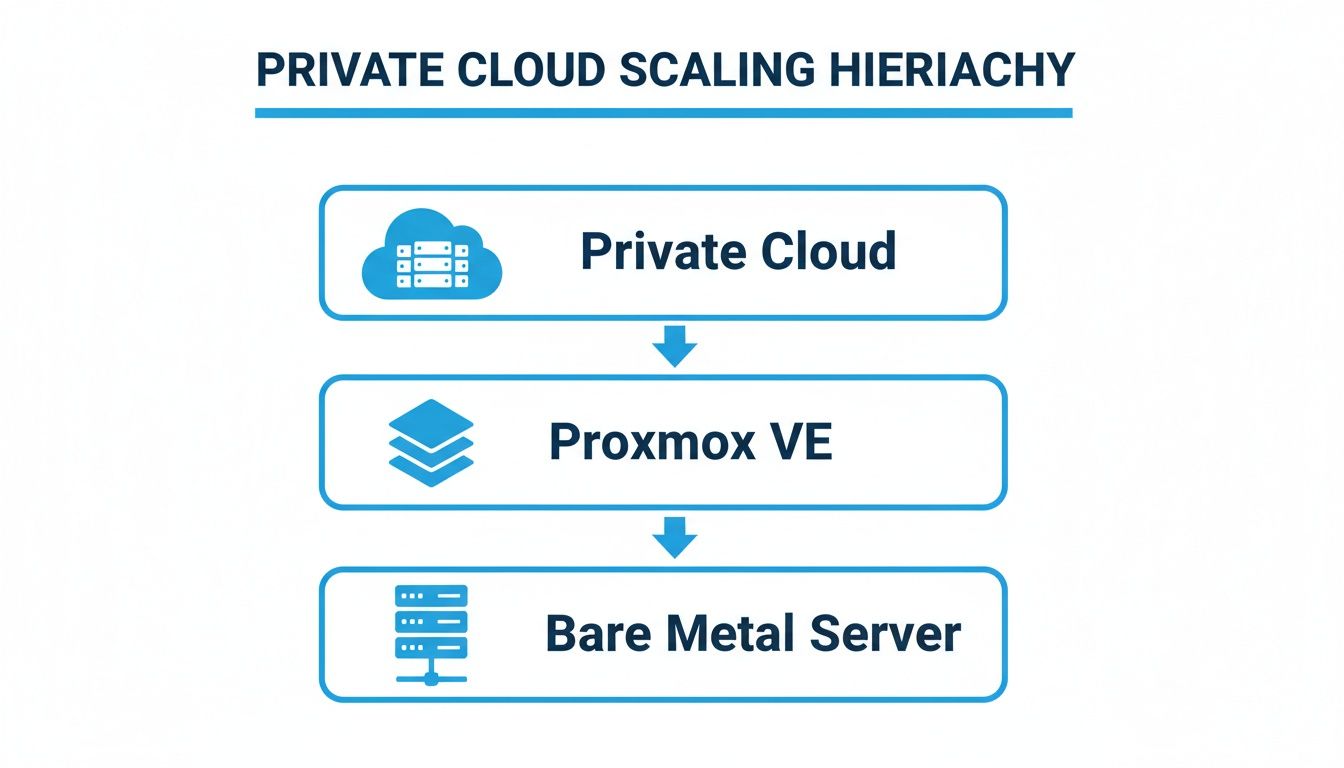
As you can see, our solutions are built to scale. You start with bare metal, add a virtualization layer like Proxmox VE, and expand into a robust private cloud when you're ready.
The Power of Fully Managed Services
Our Fully Managed IT Services are designed to hand you back your most valuable asset: time. We take the day-to-day grind of server management off your plate, freeing up your team to work on projects that actually move the needle for your business.
Why ARPHost Excels Here: Our managed services are proactive, not just reactive. We're handling critical tasks like automated backups, constant security monitoring, and timely patch management to stop problems before they start. This hands-on oversight means your infrastructure is always optimized, secure, and ready for whatever you throw at it.
From managed firewalls and Juniper network administration to Virtual PBX phone systems, we offer a complete suite of services to cover your entire IT stack. We're not just another vendor on an invoice; we're a partner who’s invested in your success, providing the technical muscle and solid infrastructure that lets your business grow with confidence.
Ready to build a real foundation for your business? Start with our $5.99/month VPS at https://arphost.com/vps-hosting/ and see the ARPHost difference for yourself.
Your Linux Dedicated Server Questions, Answered
Thinking about a Linux dedicated server but have a few lingering questions? You're not alone. It's a big step, and it's smart to have all the facts straight before you jump in.
Let's tackle some of the most common queries we hear from IT decision-makers ready to make the move.
How Much Technical Knowledge Do I Really Need?
Honestly, it all comes down to the management plan you choose.
If you go with an unmanaged server, you’re the captain of the ship. That means you're handling everything—OS installation, security hardening, patch management, and all the late-night troubleshooting. This route is for seasoned pros with strong Linux administration chops.
But with a managed plan, the learning curve is much friendlier. Our Fully Managed IT Services are built for those who want the raw power of a dedicated machine without the headache of managing it. Our team handles the backend grunt work, from proactive monitoring and disaster recovery to security, so you can just focus on your business.
Can I Upgrade My Server Hardware Later On?
Yes, but it's not as simple as clicking a button in a cloud console. Upgrading hardware like RAM or storage on a bare metal server means a technician has to physically open up your machine and swap parts. This requires scheduled downtime, which makes it far less flexible than scaling a cloud solution like a VPS.
The best strategy is to plan ahead. Try to provision a server that meets your projected needs for the near future. If you know rapid growth is on the horizon, starting with a more agile solution like ARPHost's Dedicated Proxmox Private Clouds might be a better fit. It gives you the power to adjust resources virtually without the physical downtime.
What's the Real Difference Between a Dedicated Server and a VPS?
Think of it this way: a dedicated server is your own private house. A VPS is a high-end apartment in a shared building.
With a dedicated server, you get 100% of a physical machine's resources—all the CPU, all the RAM, all the disk I/O. It's pure, unadulterated bare metal performance. A Virtual Private Server (VPS), on the other hand, is a partitioned slice of a physical server, where you share the underlying hardware with other tenants. Our High-Availability VPS hosting uses KVM and CEPH storage to provide excellent performance and isolation, but a dedicated machine always offers the ultimate in uncontended power.
When your application is hungry for resources, a Linux dedicated server is always the superior choice for raw performance.
How Do I Migrate My Website to a New Linux Server?
Moving a live site involves a few critical steps: backing up all your files and databases, transferring them to the new machine, and then reconfiguring everything to work in the new environment. It sounds simple, but it can get complicated fast, especially with complex databases or custom setups.
The smoothest path? Let an expert handle it. At ARPHost, we offer managed migration support for all our hosting plans. Whether you’re moving from VMware to a Dedicated Proxmox Private Cloud or shifting a website to our Secure VPS Hosting, we'll ensure a seamless transition with minimal downtime.
Let ARPHost simplify your infrastructure journey. Request a managed services quote and let our experts build and maintain the perfect server for your needs.