

You're in virt-manager, the local connection spins forever, and the guest that worked yesterday has no network after moving to another host. That combination usually isn't a KVM performance problem. It's a libvirt connection, authorization, network, or storage-layer problem.
Start by identifying the URI you're using:
virsh uri
virsh list --all
virsh capabilities | grep kvm
For a system-wide local connection, use qemu:///system. For a remote host, validate the SSH tunnel directly:
virsh -c qemu+ssh://user@host/system list --all
The practical model is simple: KVM runs in the Linux kernel, QEMU emulates the machine, libvirt provides the management API, and virt-manager supplies the GTK interface. The hard part begins when that stack spans several hosts, bridges, storage pools, and user permissions.
Table of Contents
- What a KVM Virtual Machine Manager Actually Does
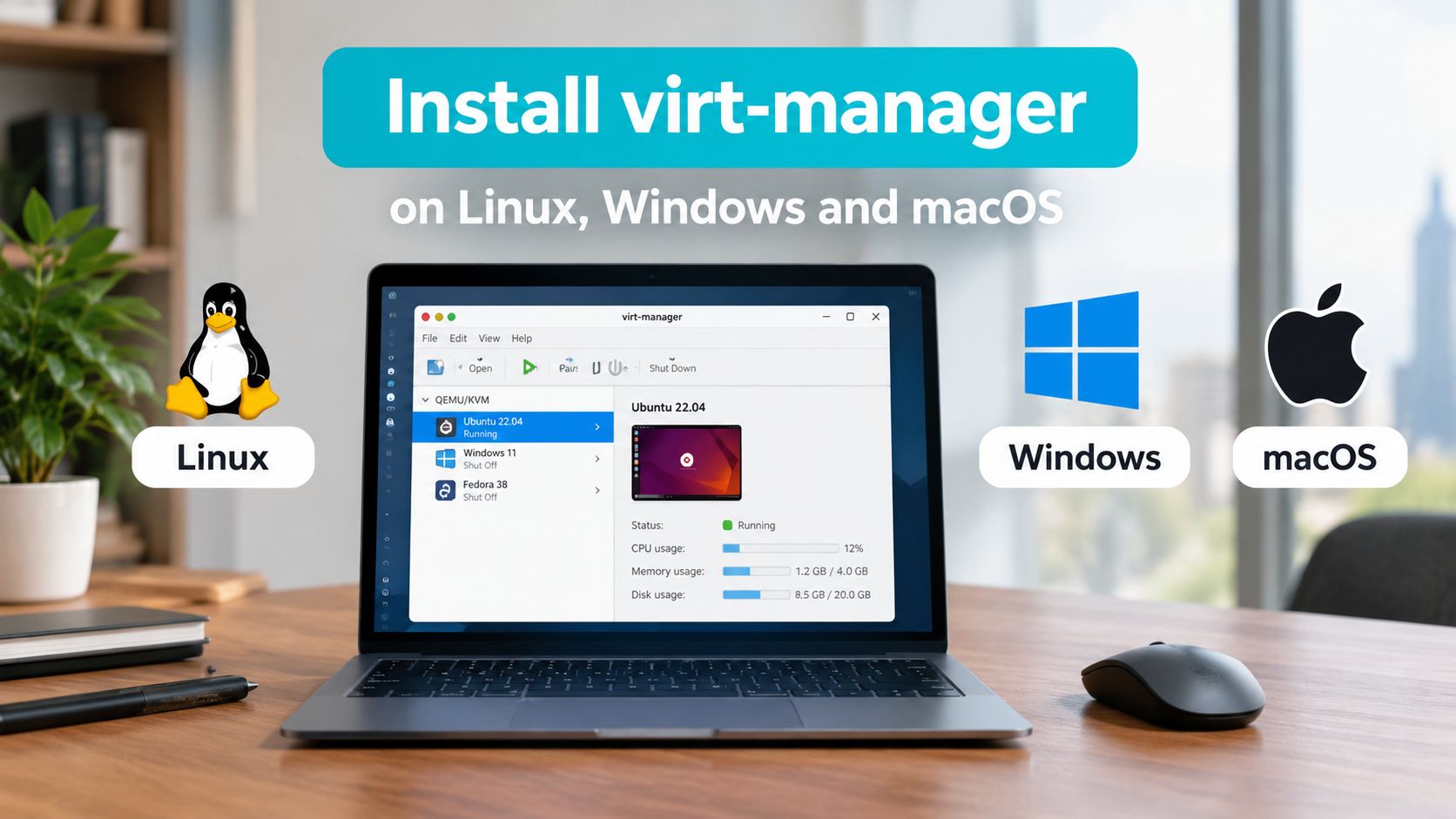
- Installing virt-manager on Linux, Windows, and macOS
- Connecting to Local and Remote libvirt Hosts
- Networking with NAT, macvtap, and Linux Bridges
- Storage Pools, Disk Images, and Snapshots
- Hardening libvirt Access and Remote Connections
- Alternatives to virt-manager and When to Switch
What a KVM Virtual Machine Manager Actually Does
A KVM virtual machine manager is not one program. It's a working stack made of KVM in the kernel, QEMU as the device emulator, libvirt as the management API, and virt-manager as the GTK front end.
KVM exposes hardware virtualization to user-space processes. QEMU then provides the virtual chipset, disks, network cards, display, firmware, and guest lifecycle. Libvirt translates management actions into QEMU configuration and exposes tools such as virsh, while virt-manager gives administrators a graphical way to create and inspect guests. The distinction matters because installing a GUI client doesn't install or start the hypervisor on a remote machine.
Before installing packages, verify three prerequisites:
- CPU support: The processor needs Intel VT-x or AMD-V.
- Firmware support: Virtualization must be enabled in BIOS or UEFI. A loaded kernel module doesn't prove that firmware virtualization is enabled.
- Supported Linux host: Recent Debian, Ubuntu, RHEL, Rocky, AlmaLinux, and openSUSE releases are sensible host choices.
Run these checks on the Linux host:
lscpu | grep -E 'Virtualization|Vendor ID'
lsmod | grep kvm
A working host normally shows a virtualization capability such as VT-x or AMD-V, followed by kvm_intel or kvm_amd in the loaded modules. If you expect a guest to run its own KVM workloads, nested virtualization is a separate host and guest requirement. The Linux KVM documentation treats nested virtualization as its own scenario, not an automatic consequence of enabling KVM.
The host daemon, traditionally libvirtd, owns the system connection. The GUI is only a client. That separation explains many production incidents: virt-manager can be installed perfectly while the remote daemon is stopped, the wrong URI is selected, or polkit denies the user. If you're still clarifying the hypervisor layer, this hypervisor overview gives the necessary foundation without confusing KVM with QEMU or libvirt.
Installing virt-manager on Linux, Windows, and macOS
Install both the graphical client and the libvirt client tools on Linux. On Debian and Ubuntu, use:
sudo apt update
sudo apt install virt-manager libvirt-clients
On RHEL-family systems, install the manager and host virtualization packages appropriate to the release:
sudo dnf install virt-manager libvirt
sudo systemctl enable --now libvirtd
Some newer distributions split daemon packages differently, so check the installed service name if libvirtd isn't present. Confirm the client from a normal, non-root shell:
virt-manager --version
virsh -v
For a local host, add either qemu:///session or qemu:///system in virt-manager. The session URI belongs to one user and avoids system daemon changes. The system URI manages host-wide guests, networks, storage pools, and autostart configuration, so it's the normal choice for a shared server.
Windows and macOS are client platforms in this arrangement. They don't run the Linux libvirt daemon. Install the virt-manager client from the Fedora virt-manager project, then connect to the Linux host over SSH with a key. The remote URI is:
qemu+ssh://user@host/system
On Windows, the SSH layer can use the bundled MobaXterm tooling or PuTTY with plink. On macOS, Homebrew can provide the client:
brew install virt-manager
GTK display support may require XQuartz. Test graphical forwarding before assuming virt-manager itself is broken. Load the private key into the SSH client or agent, then save the connection in virt-manager so a client restart doesn't turn into manual reconfiguration.
Firmware virtualization remains a host prerequisite, not a virt-manager setting. Use this BIOS virtualization guide when the CPU supports VT-x or AMD-V but lscpu doesn't report it.
Connecting to Local and Remote libvirt Hosts
Libvirt exposes different scopes through different URIs. Choosing the right one prevents accidental edits to the wrong daemon:
| URI | Scope | Practical use |
|---|---|---|
qemu:///system | Host-wide system daemon | Shared production guests, networks, and storage |
qemu:///session | Per-user session | Desktop testing and isolated personal VMs |
qemu+ssh://user@host/system | Remote system daemon over SSH | Multi-host administration without exposing libvirt TCP |
Create a dedicated key for libvirt administration:
ssh-keygen -t ed25519 -f ~/.ssh/libvirt_id_ed25519
ssh-copy-id -i ~/.ssh/libvirt_id_ed25519.pub user@host
On the server, restrict the key in ~/.ssh/authorized_keys. A from= restriction limits source addresses, while a forced command prevents the key from becoming a general shell credential. Don't copy a powerful personal key onto every management workstation.
Check the remote daemon and connection target:
systemctl status libvirtd
virsh -c qemu+ssh://user@host/system list --all
virsh -c qemu+ssh://user@host/system net-list
If the GUI hangs at localhost(QEMU) connecting forever, bypass the GUI and inspect the URI:
virsh uri
virsh --connect qemu:///system list --all
Red Hat documents this URI check as a standard response to an indefinite local connection wait in its libvirt troubleshooting guidance. A stale default URI can make a healthy daemon look unavailable.
In virt-manager, enable SSH tunneling, store the key, and turn on autoconnect only after the connection works manually. Keepalive settings should detect dead sessions without creating reconnect storms. On macOS, dropped sessions commonly trace to a stale SSH agent or an overly aggressive ServerAliveInterval.

Networking with NAT, macvtap, and Linux Bridges
The default libvirt NAT network is convenient for a laptop. It gives guests outbound access through a private virtual network, but external systems can't normally initiate connections to the guest without forwarding rules. That makes it a poor default for publicly reachable services and many multi-host designs.
| Mode | Host-to-guest reach | External L2 access | Typical use |
|---|---|---|---|
NAT, usually virbr0 | Yes | Routed through the host | Lab guests and outbound-only workloads |
| macvtap | Usually blocked from host to guest | Yes, depending on mode and switch | Simple direct attachment where host access isn't required |
| Linux bridge | Yes | Yes | Production guests, migrations, and predictable L2 networking |
A Linux bridge is usually the cleanest production choice. The exact commands depend on whether NetworkManager owns the interface. With NetworkManager, create the bridge and attach the physical device like this:
sudo nmcli connection add type bridge ifname br0 con-name br0
sudo nmcli connection add type bridge-slave ifname eno1 master br0
sudo nmcli connection up br0
Move the host's address configuration from the physical interface to br0, not both devices. Applying this remotely can disconnect the server, so use out-of-band console access or a maintenance window.
A libvirt network can reference an existing bridge with XML:
<network>
  <name>production-bridge</name>
  <forward mode='bridge'/>
  <bridge name='br0'/>
</network>
Define and start it:
virsh net-define production-bridge.xml
virsh net-start production-bridge
virsh net-autostart production-bridge
Attach a VirtIO interface to a running guest:
virsh attach-interface guest01
  --type bridge
  --source br0
  --model virtio
  --config
  --live
Verify both the libvirt view and the host neighbor table:
virsh domiflist guest01
ip neigh show dev br0
Macvtap has a sharp edge: a guest may reach the external network while failing to reach the host. Bridge forwarding, firewall filtering, and MTU mismatches cause different symptoms, so test guest-to-host, guest-to-guest, and guest-to-external paths separately. For bridge diagnosis, Fedora's virtualization debugging guidance recommends checking virsh net-list --all, bridge membership, and bridge firewall sysctls.
Production observation: On multi-tenant hosts, a guest with an apparently healthy interface can still be unreachable because it landed on the wrong bridge or inherited an MTU that doesn't match the upstream path. Always verify the actual bridge and interface inside the guest.
Storage Pools, Disk Images, and Snapshots
Libvirt storage pools are a control layer over directories, filesystems, logical volumes, iSCSI, Ceph RBD, Gluster, and other backends. For a straightforward single host, a directory pool with qcow2 images is easy to inspect and automate. That convenience doesn't make it a backup system.
Create a directory pool and a thin-provisioned qcow2 volume:
virsh pool-create-as default dir --target /var/lib/libvirt/images
virsh pool-start default
virsh pool-autostart default

virsh vol-create-as default guest01.qcow2 40G --format qcow2
Import an existing image rather than copying it blindly:
qemu-img convert -O qcow2 -c existing.vmdk guest01.qcow2
qcow2 supports useful features such as sparse allocation and snapshots. Raw images generally have simpler I/O characteristics and are often preferable on storage systems that already provide snapshots. Choose based on the backing storage and recovery workflow, not on a blanket performance slogan.
Take a disk-only external snapshot when the guest and application state are handled appropriately:
virsh snapshot-create-as guest01 snap1 "clean install" --disk-only
virsh snapshot-list guest01
virsh snapshot-revert guest01 snap1
The command alone doesn't make an application-consistent backup. Databases and transactional services need guest-level quiescing or their own backup procedure. Internal qcow2 snapshots also add management and I/O complexity, so external snapshot workflows are the safer production default.
A basic metadata and image copy workflow looks like this:
virsh dumpxml guest01 > guest01.xml
qemu-img convert -c -O qcow2
  /var/lib/libvirt/images/guest01.qcow2
  /backup/guest01-$(date +%F).qcow2

rsync -a /backup/ backup-host:/srv/libvirt-backups/
The XML preserves the guest definition, but it doesn't preserve secrets, external network dependencies, or application consistency. Test restoration on a separate host before treating the workflow as recoverable.

Hardening libvirt Access and Remote Connections
Running every virt-manager action as root is a production anti-pattern. Root makes troubleshooting feel easy because it bypasses permission errors, but it also turns a compromised workstation, SSH key, or GUI session into a host-wide control path.
Use the system libvirt socket for shared guests and grant access through an approved group or polkit policy. The exact group behavior differs by distribution, so inspect the socket and active policy rather than assuming that adding a user to libvirt has identical results everywhere:
id operator
getent group libvirt
ls -l /run/libvirt/libvirt-sock
A polkit rule can restrict administrative actions to an approved group. Keep the rule narrow and test it with a non-root account:
polkit.addRule(function(action, subject) {
    if (subject.isInGroup("libvirt-admin") &&
        action.id.indexOf("org.libvirt") === 0) {
        return polkit.Result.YES;
    }
});
Do not copy this into production without reviewing the distribution's action identifiers and policy model. Granting all org.libvirt actions may be broader than intended.
Keep sVirt SELinux labeling or the corresponding AppArmor confinement enabled. Those controls separate QEMU processes and guest files from unrelated host resources. Disabling them to solve a mislabeled image hides the underlying ownership problem and weakens isolation.
For remote connections, use SSH key-only authentication, source restrictions, and a bastion host. Avoid exposing libvirt's TCP socket on port 16509 directly to the network. A restricted key can include options such as from= and a forced command, but test the exact SSH behavior before putting it into an unattended workflow.
Security rule: The management path deserves the same attention as the guest network. A private VM with an unrestricted administrative SSH key is still an exposed control plane.
Also separate qemu:///session from qemu:///system intentionally. Session guests are useful for development; system guests belong under centralized permissions, storage policy, logging, and backup controls.
Alternatives to virt-manager and When to Switch
Virt-manager remains a good single-host libvirt client. It becomes awkward when an administrator must repeatedly open separate connections, compare guests across hosts, coordinate backups, or manage cluster state. The choice isn't about whether KVM disappears. It's about which management layer should own the operational burden.
| Tool | Install surface | Clustering | API | Learning curve | Best fit |
|---|---|---|---|---|---|
| virt-manager | Linux client plus libvirt host | Manual, host by host | Libvirt and virsh | Low for one host | Desktop administration and focused host work |
| Cockpit | Web service plus virtualization add-on | Limited compared with cluster platforms | Browser UI and underlying system tools | Low to moderate | Lightweight browser management |
| Proxmox VE | Integrated Debian-based platform and repositories | Built-in cluster and HA workflows | REST API and web interface | Moderate | Small and mid-sized virtual infrastructure |
| oVirt | Central engine with managed hosts | Centralized scheduling and migration | Engine API | Higher | Larger data center operations and enterprise governance |
Choose Cockpit when you want a browser dashboard while keeping a conventional libvirt host. Move to Proxmox VE when clustering, HA, backups, and a consolidated web console matter more than preserving a distribution-neutral install. Proxmox also brings a custom platform and repository model, so it needs deliberate lifecycle planning.
oVirt is the heavier option. Its centralized engine, scheduling, and migration model suit organizations that need formal multi-host administration and enterprise support, but the operational surface is much larger than virt-manager.
For a smaller team that wants managed KVM rather than maintaining every daemon and backup path, ARPHost's managed KVM VPS service is one deployment path to evaluate alongside self-managed hosts. The decision should account for monitoring, patching, recovery testing, and incident response, not only the virtualization license.
Existing QEMU and libvirt guests remain portable in principle across these choices. In practice, verify machine type, firmware, VirtIO drivers, bridge names, storage paths, and network definitions before migration. The management interface changes more easily than the guest's hardware contract.
Diagnose the daemon first
When virt-manager hangs, check the service and socket before reinstalling the GUI:
systemctl status libvirtd
systemctl is-enabled libvirtd
journalctl -u libvirtd -b --no-pager
virsh -c qemu:///system list --all
If the daemon is stopped:
sudo systemctl enable --now libvirtd
Some distributions use split daemons such as virtqemud, so inspect the installed units if libvirtd.service doesn't exist.
Resolve permissions without using root
Run the same command as the affected user:
id
virsh -c qemu:///system list --all
virsh -c qemu:///session list --all
If system access fails but session access works, the issue is authorization, socket permissions, or polkit. Check group membership, log in again after changes, and review the system journal.
Verify KVM rather than assuming QEMU acceleration
Confirm that the guest definition and host capability both use KVM:
virsh dumpxml guest01 | grep kvm
virsh capabilities | grep kvm
Libvirt's virsh reference documents these inspection commands. A <domain type='kvm'> capability indicates that the host can expose KVM to libvirt. If nested workloads fail, check the host's nested setting and the guest XML before changing unrelated QEMU options.
Check network and storage paths
For networking:
virsh net-list --all
brctl show
sysctl net.bridge.bridge-nf-call-iptables
virsh domiflist guest01
For storage:
virsh pool-list --all
virsh vol-list default
df -h /var/lib/libvirt/images
A running guest with a missing disk, inactive pool, wrong bridge, or inaccessible image path is a storage or network incident, not a virt-manager rendering problem.
Escalate after collecting the exact URI, daemon status, journal output, guest XML, network definition, storage pool definition, and the result of the direct virsh command. That evidence lets an infrastructure operator distinguish a client failure from a host failure without guessing.
ARPHost, LLC operates KVM-based VPS infrastructure, bare metal, private clouds, colocation, and managed services for teams that need the libvirt and host layers maintained beyond a single workstation. Visit ARPHost, LLC to discuss a KVM deployment, remote administration model, or infrastructure handoff.

Leave a Reply
You must be logged in to post a comment.