

You cannot remove the Uncategorized category, but you can rename it.
1. Log in to the WordPress dashboard.
2. From the Dashboard menu, go to Posts and click on Categories.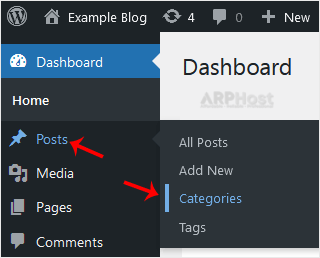
3. Hover your mouse on the Uncategorized option and click on Quick Edit.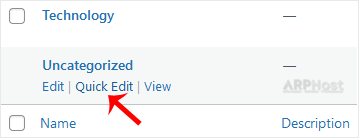
4. Change its name and slug, and confirm with Update Category.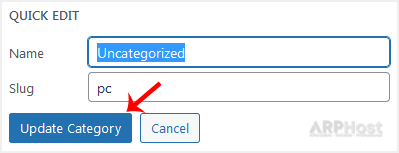
The Uncategorized category has been successfully renamed.
