

If you can access your SolusVM 1 VPS control panel, you can easily change your SolusVM 1 password. We recommend changing the password every three months.
1. Log in to your SolusVM 1 Control Panel.
2. From the top navigation bar, click on My Account.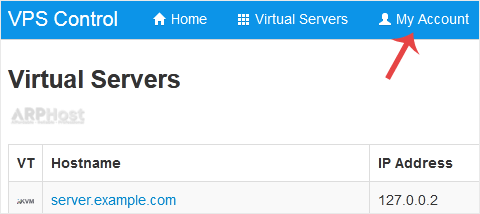
3. Under Change Account Password enter the following details:
- Current Password: Your current SolusVM 1 Control panel password.
- New Password: Your new password.
- Repeat New Password: Again, enter your new password.
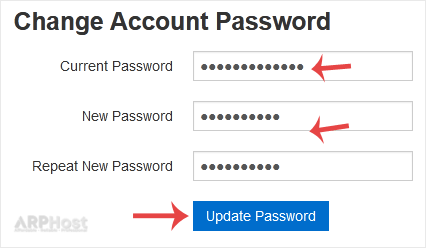
4. Click on Update Password.
You have changed your SolusVM control panel password.
