

If you want to update your SolusVM 1 VPS Control panel email address, follow this instruction.
1. Log in to your SolusVM 1 Control Panel.
2. From the top navigation bar, click on My Account.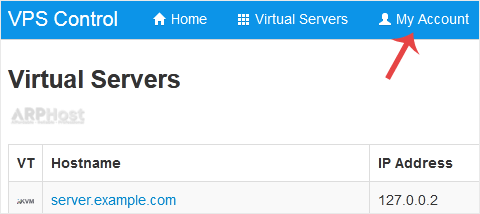
3. Under Account Settings, enter your new email address in the email field and click on Update Settings.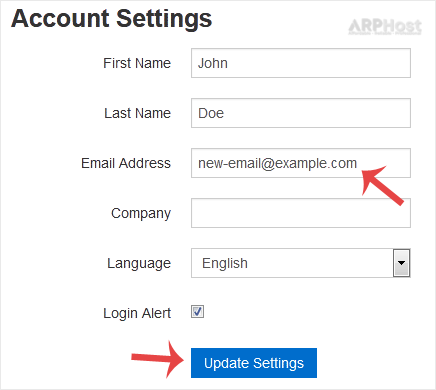
It should display a success message.
