

In this tutorial, you will learn how to disable Apache SpamAssassin in DirectAdmin.
1. Log in to your DirectAdmin Account.
2. In the E-Mail Manager section, click on SpamAssassin Setup. Alternatively, type SpamAssassin in the search bar, and the option will appear. Click on it.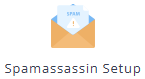
3. Click on Disable SpamAssassin.
SpamAssassin will be disabled successfully.
