


Ever feel like your website is stuck in traffic? You’re sharing a digital road with countless others, and every time there's a rush, your performance grinds to a halt. A dedicated servers linux environment is your own private, multi-lane highway. It’s a single physical machine leased exclusively to you, giving you the raw power and total control you need for serious, mission-critical applications.
What Is a Linux Dedicated Server?
At its core, a Linux dedicated server is a form of bare metal hosting where an entire physical server is all yours. No more sharing CPU cycles, RAM, or storage with noisy neighbors like you do with shared or VPS hosting. You get every last drop of performance from the hardware.
When you combine that exclusive access with the power and flexibility of the Linux operating system, you get full root control over a server you can customize from the ground up. It’s a robust, stable, and secure foundation for your business.

The market has already made its choice for demanding workloads. Recent data shows Linux dominating the server landscape with a massive 44.8% market share, far outpacing its rivals. This isn't a fluke; it's a clear signal that businesses rely on Linux for its stability and performance, choosing providers like ARPHost to deliver that power.
Hosting Comparison: Dedicated vs VPS vs Shared
To really grasp the value, it helps to see how dedicated hosting stacks up against the other options. Think of it like real estate. A dedicated server is like owning your own house—you control everything, from the foundation to the roof. A Virtual Private Server (VPS) is like a condo; you have your own private space, but you're still sharing the building's main infrastructure. Shared hosting? That’s like a dorm room, where resources are limited and divided among everyone.
For a closer look at how these differences translate into real-world advantages, check out our guide on the 8 core benefits of dedicated server hosting for your business. You'll see exactly how having exclusive resources can fuel your growth.
Here's a quick breakdown to help you visualize the trade-offs:
| Feature | Dedicated Server (ARPHost Bare Metal) | VPS Hosting (ARPHost KVM VPS) | Shared Hosting |
|---|---|---|---|
| Resources | 100% Dedicated (CPU, RAM, Storage) | Allocated from a shared pool | Shared among all users |
| Performance | Highest and most consistent | Good, but can be affected by "noisy neighbors" | Varies significantly based on site traffic |
| Control & Customization | Full root access, choose any OS/software | Root access within your virtual environment | Limited control via a control panel |
| Security | Completely isolated and secure | Isolated at the hypervisor level | Lowest isolation, shared security risks |
| Best For | High-traffic sites, large databases, private clouds | Growing businesses, dev/test environments | Small blogs, personal sites, basic web presence |
As you can see, when performance, security, and control are non-negotiable, a dedicated server is in a class of its own.
Why ARPHost Excels With Dedicated Linux Servers
At ARPHost, we do more than just rent out hardware. We provide a solid foundation for your business to build on. Our bare metal servers give developers and IT teams the raw power and absolute control they need to innovate without limits.
Whether you're deploying a single, powerful machine or architecting a custom private cloud, our infrastructure is built to scale right alongside you. You can start with a powerful bare metal server and seamlessly evolve it into a high-availability Proxmox private cloud as your needs grow.
You can also pair our hardware with fully managed IT services to offload the headaches of server administration. We’ll handle everything from proactive monitoring and security hardening to daily backups and VoIP administration, freeing up your team to focus on what they do best: building great things.
Choosing the Right Linux Distribution for Your Server

Picking a Linux distribution for your dedicated server feels a lot like choosing your primary toolset for a big job. You could probably get by with a generic wrench, but having the right tool makes everything smoother, safer, and more efficient. In the server world, your choice usually boils down to three major families: Debian-based distros, Ubuntu, and the derivatives of Red Hat Enterprise Linux (RHEL) like AlmaLinux.
This isn't just a technical detail you can ignore. The distro you pick dictates everything from software availability and security patching schedules to how much time your team will spend on day-to-day administration. A fast-moving DevOps team might want the latest and greatest packages, while a bank will always choose iron-clad stability, even if it means older software.
Make no mistake, Linux runs the server world. As of 2026, it's the OS behind 59.2% of all websites and an incredible 78.3% of all web-facing servers. If you want to see the data for yourself, check out the in-depth statistics about the Linux server market share at commandlinux.com.
Ubuntu Server: The Agile All-Rounder
There's a good reason Ubuntu Server is the go-to for so many developers and DevOps engineers. It has a massive software library that’s always up-to-date, a huge community for support, and the corporate backing of Canonical. This makes it a perfect match for modern, cloud-native apps, containerization with tools like Docker, and any environment where speed is the name of the game.
It also strikes a great balance between new features and stability with its predictable release schedule. The Long-Term Support (LTS) versions give you five years of security maintenance, which is a must-have for any serious production server.
Debian: The Rock of Stability
If Ubuntu is the nimble sprinter, Debian is the seasoned marathon runner. In fact, Ubuntu is built right on top of Debian's foundation. Debian is legendary for its stability, achieved through a famously rigorous testing process. It prioritizes reliability above all else.
This makes it the perfect choice for those set-and-forget servers that just need to run without any drama—think critical database servers, core network services, or certain private cloud controllers. The trade-off? Package updates are slower. But for mission-critical systems, that's a feature, not a bug, because it drastically lowers the risk of a random update breaking something important. We have a full guide comparing the two if you want to dig deeper into choosing between Debian Server vs Ubuntu Server.
RHEL Derivatives: AlmaLinux and Rocky Linux
When you need true enterprise-grade stability and support that lasts for years, you look to RHEL and its binary-compatible offshoots like AlmaLinux. These distributions were built from the ground up for corporate environments. They come with powerful security features like SELinux (Security-Enhanced Linux) turned on by default, ready for strict compliance needs.
Because they are 1:1 compatible with RHEL, any software certified for Red Hat will work flawlessly. This gives you all the enterprise-level benefits without the hefty price tag, making them a smart, cost-effective choice for corporate IT, high-performance computing (HPC), and regulated industries.
The Bottom Line: Your distro choice should mirror your team's priorities. Pick Ubuntu for modern apps and speed, Debian for bulletproof stability, and an RHEL-based system like AlmaLinux for enterprise-grade security and long-term support.
How ARPHost Simplifies Your Choice
Feeling stuck? The good news is you're not locked into a single choice. At ARPHost, our bare metal servers and VPS hosting platforms are ready for any major Linux distribution you throw at them. Our instant installers and managed services get your server provisioned, secured, and maintained the right way, no matter which OS you run.
Whether you need an Ubuntu server spun up quickly for a new app or a hardened AlmaLinux machine for your corporate data, we've got you covered. You can start small with a secure web hosting bundle and scale up to a monster dedicated machine without ever hitting an OS compatibility wall.
Ready to deploy your perfect Linux setup? Explore our flexible and powerful VPS hosting plans starting at just $5.99/month at https://arphost.com/vps-hosting/.
Managed vs. Unmanaged Servers: A Practical Decision Framework
Once you’ve settled on a Linux dedicated server, you hit your first major fork in the road. It's not just about the hardware; it’s about who holds the keys. This is the managed vs. unmanaged decision, and it directly shapes your team's responsibilities, your real-world costs, and where you spend your most valuable asset: time.
The choice really boils down to one honest question: Do you have the in-house Linux experts, the time, and—frankly—the desire to handle every last bit of server administration? Or would your business be better off handing those tasks to a team that lives and breathes server management?
The Unmanaged Server Path
An unmanaged server, what we often call bare metal, gives you the keys to the entire kingdom. You get full root access, your pick of the OS, and the total freedom to install and configure whatever software you need. It’s a blank canvas.
This is the perfect route for seasoned DevOps teams or any business with dedicated IT staff. Think of a team that has their CI/CD pipeline down to a science. They need to weave in their own custom scripts, container tools, and specific monitoring agents. An unmanaged server from ARPHost is exactly the blank canvas they need to build their masterpiece, with zero provider-imposed guardrails.
The Managed Server Advantage
A managed server is the complete opposite. It’s for the business leader, the entrepreneur, or the small team that needs to be focused on growing the business, not wrestling with system administration. With a managed plan, the hosting provider handles all the heavy lifting.
Picture a small e-commerce shop owner. Their expertise is in marketing and product, not applying kernel security patches or configuring firewalls at 3 AM. A managed solution from ARPHost becomes their outsourced IT department, making sure the server is secure, updated, and online so they can focus on what actually drives revenue. Our services cover everything from proactive monitoring, patch management, and endpoint protection to network/firewall management and disaster recovery.
Why ARPHost Excels Here: We don’t believe in forcing you into a one-size-fits-all box. ARPHost provides the best of both worlds: unmanaged bare metal servers for total control and comprehensive fully managed IT services for a completely hands-off experience. This flexibility means you can start unmanaged and add managed services as you grow, or vice-versa, ensuring the solution always fits your evolving needs.
Making the Right Choice: A Quick Checklist
Use this simple checklist to figure out which path is right for you. Be honest about your team’s skills and your company’s real priorities.
- Technical Expertise: Does your team have deep Linux admin skills, including security, networking, and troubleshooting? (Yes = Unmanaged, No = Managed)
- Time Commitment: Do you have staff ready 24/7 to jump on alerts, run updates, and handle any potential downtime? (Yes = Unmanaged, No = Managed)
- Budgeting: Is your budget built to absorb the "hidden" cost of your team's time spent on server management, or is a predictable monthly fee for managed services a better fit? (Predictable Fee = Managed)
- Core Business Focus: Is managing infrastructure a core part of what your business does, or is it just a necessary distraction? (Distracting Task = Managed)
If your answers lean toward needing expert help and wanting to stay focused on your primary business goals, a managed solution is the clear path forward. Let our experts handle the server so you can handle your business.
Ready to offload server management? Request a free quote for our fully managed IT services at https://arphost.com/managed-services/ and let us build a plan that fits your needs.
Your Step-by-Step Server Provisioning and Security Guide
Getting a new dedicated Linux server online is a lot like getting the keys to a new house. It’s a blank slate, full of potential, but the doors are unlocked and the windows are wide open. Before you move in your valuable data, you need to lock it down.
This guide walks you through the essential first steps to turn that fresh server into a secure fortress. We'll cover the non-negotiable hardening tasks for any production server, explaining not just what to do, but why each step is so critical.
Initial Server Hardening: A Practical Walkthrough
Once your provider has provisioned the server and you’ve logged in via SSH as the root user, it’s time to roll up your sleeves. These initial security tasks are the bedrock of good server hygiene. Don't skip them.
First, you need to patch any potential security holes that came with the default OS image. Think of this as changing the locks. The commands below are your first line of defense.
Here’s a quick checklist to get you started on a typical Ubuntu or Debian-based system.
Initial Linux Server Security Checklist
| Security Task | Example Command (for Ubuntu/Debian) | Purpose |
|---|---|---|
| Update All Packages | sudo apt update && sudo apt upgrade -y | Fetches the latest package lists and applies all security patches, closing known vulnerabilities in the OS. |
| Create a New User | sudo adduser yournewuser | Avoids using the all-powerful root account for daily tasks, which is a massive security risk. |
| Grant Admin Rights | sudo usermod -aG sudo yournewuser | Gives your new user the ability to run administrative commands safely using the sudo prefix. |
| Enable Basic Firewall | sudo ufw allow OpenSSH sudo ufw allow http sudo ufw allow https sudo ufw enable | Sets up a firewall to block all incoming connections by default, only allowing essential traffic (SSH, Web). |
| Secure SSH Login | (Edit /etc/ssh/sshd_config) | Disables direct root login and password-based authentication, forcing the use of secure SSH keys. |
Executing these commands establishes a solid security baseline for your server. It’s a fundamental process that prevents unauthorized access and hardens your system against common automated attacks.
These steps are just the beginning, of course. For a deeper dive into deployment best practices and the tools involved, check out our guide on bare metal server provisioning.
Why ARPHost Excels with Secure Hosting
Manually securing a server is a great skill to have, but doing it for every server you deploy is repetitive, time-consuming, and leaves room for human error. In a business environment, that's a risk you can't afford. This is where ARPHost’s approach really makes a difference.
To ensure the robust security of your dedicated Linux server, implementing a comprehensive security audit checklist is a fundamental step during provisioning and ongoing maintenance. This helps verify that all hardening measures are correctly implemented and no vulnerabilities are overlooked.
Our Secure Web Hosting Bundles take this entire manual process and automate it for you. We turn what used to be a checklist of command-line chores into a secure, turnkey deployment. Every server comes pre-configured with a multi-layered security stack:
- Imunify360: A six-layer security suite with an advanced firewall, real-time malware scanning, and proactive defense that stops threats before they can do damage.
- CloudLinux OS: This technology isolates every user account into its own "cage." If one website on the server is compromised, it can't infect or slow down any others.
- Webuzo Control Panel: A clean, intuitive panel that lets you manage your server, deploy apps, and handle databases without ever needing to open a terminal window.
With ARPHost, you get an enterprise-grade security posture from the moment your server boots up. No manual configuration, no guesswork.
Ready to launch a server that's secure from day one? Explore our Secure VPS Bundles at https://arphost.com/vps-web-hosting-security-bundles/ and let us handle the hardening for you.
Advanced Server Management and Future-Proofing
So, your new Linux dedicated server is up and running. The initial setup is done, and it feels secure. Now what? The real work begins. This is where you shift from a one-time setup to long-term, sustainable management. It all boils down to three critical pillars: backups, monitoring, and planning for the future.
Get these right, and your server will be a reliable, high-performance asset for years. Neglect them, and you’re setting yourself up for catastrophic data loss, surprise downtime, and getting stuck on a platform that no longer fits your needs.
Bulletproof Backups Beyond Manual Scripts
Look, running a manual rsync or tar script is better than nothing, but let's be honest—it’s not a real disaster recovery plan. These scripts are a magnet for human error, they don’t offer easy versioning, and they’re completely useless against ransomware that encrypts both your live data and your backups. A professional strategy needs to be automated and, most importantly, immutable.
This is where a solution like ARPHost's Managed Backup Services completely changes the game. It gives you a secure, offsite vault for your data with features that a simple script can't hope to match:
- Immutable Storage: Once a backup is saved, it’s locked. It cannot be changed or deleted for a specific period. This is your silver bullet against ransomware that tries to wipe out your recovery points.
- Automated Scheduling: You set the schedule once, and that's it. The system takes over, creating consistent, reliable snapshots of your entire server or specific VMs without you lifting a finger.
- Incremental Backups: After the initial full backup, the system only sends the data that has changed. This saves a massive amount of time, storage space, and network bandwidth.
By moving from manual scripts to an automated, immutable solution, you turn backups from a dreaded chore into a reliable safety net. It’s what guarantees business continuity and lets you sleep at night.
Proactive Monitoring: Your Digital Watchdog
Waiting for your customers to tell you your website is slow or a service is down is a terrible way to do business. That’s reactive, and it kills your reputation. Effective server management is all about proactive monitoring—an early warning system that helps you spot trouble before it spirals out of control.
It starts with the fundamentals. The process shown below illustrates the foundational security practices that any good monitoring system should help you enforce and verify.
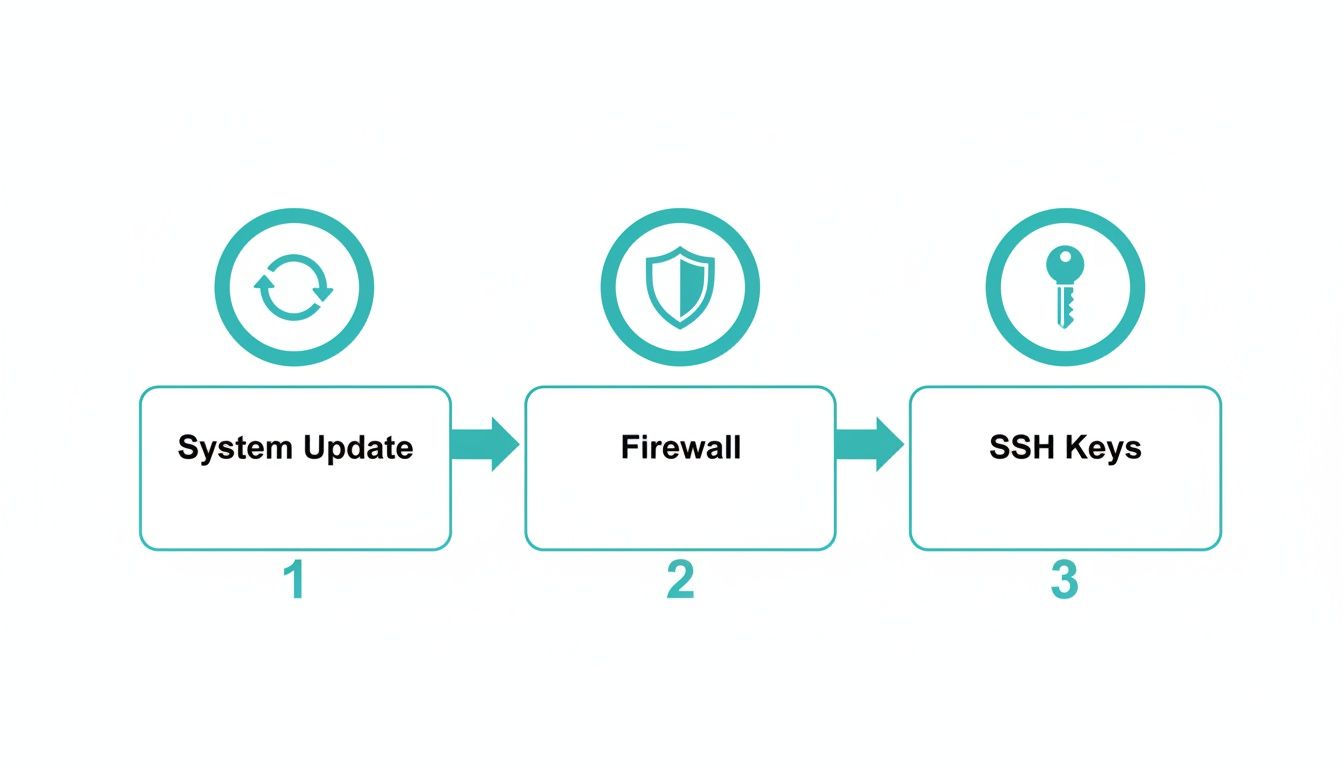
Keeping your system updated, your firewall configured, and your SSH keys managed are non-negotiable. While you could set up your own monitoring with tools like Nagios or Zabbix, be prepared for a significant time investment in configuration and constant fine-tuning.
This is exactly why we offer fully managed IT services. Think of us as your 24/7 digital watchdog. We keep a close eye on critical metrics like CPU load, memory usage, disk I/O, and network latency. If a threshold is crossed, our expert team is instantly alerted and starts working on it—often fixing the issue before you or your customers even notice a thing.
Demystifying Server and Cloud Migration
Sooner or later, you'll probably need to migrate. Maybe you’re moving from another host, ditching an old on-premise server, or finally breaking free from a proprietary platform like VMware. These projects are notoriously complex and filled with risks like data loss and painful downtime. The move from a closed ecosystem like VMware to an open-source powerhouse like Proxmox is a perfect example.
The market data backs this up. The server OS market is projected to swell to $36.03 billion by 2031, and Linux is set to grab a commanding 44.25% share. This explosive growth is driven by Linux's dominance in cloud and containerization, which is exactly what fuels migrations to flexible platforms like Proxmox. You can dig into more of these trends in the growing server OS market report at Mordor Intelligence.
At ARPHost, we specialize in making these moves seamless with our managed VMware to Proxmox migration services. Our experts handle the entire journey—from planning and data conversion to the final cutover. We ensure a smooth transition to a powerful Proxmox Private Cloud running on dedicated hardware, taking all the complexity and risk off your plate. This lets you enjoy the benefits of a more flexible and cost-effective infrastructure without the migration headaches.
Ready to future-proof your infrastructure? Request a free quote for our fully managed IT services at https://arphost.com/managed-services/ and let us handle the complexities of backups, monitoring, and migration.
Scaling from One Server to a Private Cloud
Your business is booming, and that single Linux dedicated server is starting to groan under the pressure. It’s a great problem to have, but it's also a critical fork in the road. What do you do when you’ve outgrown one machine? The answer isn’t just a bigger, more expensive box; it’s a smarter, more resilient infrastructure.
This is the point where you evolve from a single powerful server to a full-blown, enterprise-grade environment. The logical next step is to transform your bare metal server footprint into a high-availability private cloud. This gives you the redundancy and flexibility to handle serious growth without giving up the raw performance of dedicated hardware.

From Bare Metal to a Proxmox VE Cluster
The journey starts when you stop seeing your server as a single point of failure and start seeing it as a collection of resources working in concert. You can begin with a single bare metal server from ARPHost, and as you grow, simply add a second or third machine to create a Proxmox VE cluster.
A Proxmox cluster is just a group of physical servers that you can manage as one single entity. This setup unlocks powerful features that are simply impossible on a standalone server. Here's a quick example of checking a cluster's status via the CLI:
# SSH into any Proxmox node and run this command
pvecm status
This simple command provides a wealth of information, showing quorum status, member nodes, and network health. A healthy output is the first step in ensuring cluster reliability. Now, let's look at the benefits this architecture unlocks:
- Centralized Management: Forget logging into multiple machines. You can control every server, virtual machine, and container from one clean web interface.
- High Availability (HA): If one physical server in the cluster goes down, Proxmox automatically restarts its virtual machines on another healthy server. This feature alone drastically cuts downtime from hardware failures.
- Live Migration: Move a running virtual machine from one physical server to another with zero downtime. This is a game-changer for hardware maintenance or balancing workloads without disrupting service.
Imagine you need to apply critical security patches or upgrade the RAM on one of your servers. With live migration, you just slide its active VMs over to another node in the cluster, do the maintenance, and then move them back. Your users won't even notice a blip.
The Power of a Dedicated Private Cloud
Once you combine multiple bare metal servers into a Proxmox cluster, you've essentially built your own private cloud. For a growing business, this is the ultimate evolution. You get the best of both worlds: the raw, uncontended performance of dedicated hardware and the flexible, on-demand scalability of the cloud.
A private cloud gives you a clear growth path. You are no longer constrained by the limits of one physical box. You can add new server nodes to the cluster anytime to increase CPU, RAM, and storage capacity, scaling your infrastructure on demand.
This is exactly what we deliver with our Dedicated Proxmox Private Cloud Environments. ARPHost provides the dedicated hardware, networking, and expert support, so you can build a powerful, resilient, and fully private infrastructure without the massive capital expense of building your own data center.
Why ARPHost Excels as Your Growth Partner
We get it. Scaling isn't just a technical problem; it's a business journey. That’s why we’ve built our services to provide a smooth, logical growth path. Start with a single powerful bare metal server that fits your needs today. As you expand, we’re right there with you, ready to help you add more nodes and build out a robust Proxmox cluster.
Our team provides the hands-on guidance needed to architect, deploy, and manage your private cloud. We don't just hand you the keys and walk away. We act as an extension of your own team, making sure your infrastructure is always optimized for performance, security, and scalability. This partnership approach lets you focus on your business while we handle the metal.
Ready to build an infrastructure that grows with you? Explore ARPHost's Dedicated Proxmox Private Cloud plans starting at $299/month and take the next step in your scaling journey.
Common Questions About Linux Dedicated Servers
Even after you've done your homework, a few questions always pop up before you pull the trigger on a dedicated server. Let's tackle some of the most common ones we hear from clients.
How Much Technical Skill Do I Need for a Dedicated Server?
The short answer? It completely depends on whether you go managed or unmanaged.
If you opt for an unmanaged bare metal server, you really need to be comfortable living in the Linux command line. This path is all about total control, which means you're responsible for everything: server security, software updates, patching, and troubleshooting when things go wrong. It’s the perfect fit for seasoned developers and IT teams who know their way around a terminal.
On the other hand, with ARPHost’s fully managed IT services, you need next to no server admin skills. Our team of experts takes care of the entire lifecycle, from the initial setup and security hardening to proactive monitoring and backups. You get to focus on your business, while we keep the engine running smoothly.
What Is the Difference Between a Bare Metal Server and a Dedicated Server?
In the hosting world today, you’ll see "bare metal server" and "dedicated server" used almost interchangeably—and for good reason. They both mean the same thing: a single-tenant physical server.
You get exclusive access to 100% of the machine's resources. All the CPU, all the RAM, and all the storage are yours alone. There's no hypervisor or virtualization layer sharing your hardware with noisy neighbors.
Key Takeaway: When you see "bare metal" at ARPHost, think of it as our guarantee of raw, unfiltered hardware performance. It's the ultimate foundation for anything you want to build, from a high-traffic web application to a scalable Dedicated Proxmox Private Cloud. You're getting pure, unadulterated power.
How Do I Move from a VPS to a Dedicated Server?
Graduating from a VPS to a dedicated server means moving your website files, databases, and all your application configurations over to the new machine.
Sure, you can try to do this yourself with tools like rsync and manual database dumps. But a DIY migration is risky. One wrong move can lead to extended downtime or, even worse, data loss.
This is where a managed migration saves the day. At ARPHost, our migration experts handle the entire process for you. We meticulously plan and execute the move to your powerful new dedicated servers linux environment, making sure the transition is seamless with little to no disruption. Our high-availability VPS plans with CEPH storage also make this an ideal stepping stone, providing a robust platform to start from before scaling up.
Ready to claim the power of dedicated resources without the management headache? ARPHost can build the perfect managed solution for your needs. Request a quote for our fully managed IT services at https://arphost.com/managed-services/ and let's get started.