

Most tutorials sell a fantasy about domain transfers. They make it sound like you release the domain, copy an auth code, click approve, and everything stays untouched. That’s only half the job. The registrar move is usually the easy part, the failures happen when DNS gets rebuilt badly or email records vanish after the handoff.
A domain transfer is better understood as a DNS continuity event that happens to include a registrar change. The ownership mechanics are straightforward, current registrar lock, authorization code, email approval, then registry processing, but the business risk sits in the records that keep the site and mailbox alive. If you manage this like a simple admin swap, you can win the transfer and still break the service.
Why Most Domain Transfers Fail After the Move
The common mistake is treating the registrar as the whole domain. It isn’t. A successful transfer only means the domain changed hands correctly, not that your website and email will keep resolving the way they did before.
That separation matters because the transfer itself is authenticated through the unlock state, the auth code, and the registrant approval email. The actual service continuity depends on DNS staying intact while the registrar changes, which is why a move can look clean in the dashboard and still trigger user-visible outages. The ownership change is not the operational risk, the record handling is.

Practical rule: if the domain has active email, treat the transfer like a DNS migration first and a registrar change second.
That shift in thinking is the difference between a smooth move and a support ticket storm. When teams forget that, they usually discover the problem only after mail bounces or the website stops resolving. A better planning posture starts before anyone clicks transfer, which is why a registrar selection guide like how to choose a domain registrar belongs in the prep work, not after the damage is done.
The hard truth is simple. If DNS is stable and email records are preserved, the transfer can be nearly invisible to users. If those records are not copied and validated, the domain may transfer cleanly while the business still feels broken.
Pre-Transfer Checklist and Eligibility Verification
Start with the information that can stop the transfer before it starts. The registrant email address has to be current because that inbox usually receives the approval link, and stale WHOIS data is one of the fastest ways to waste time. If the mailbox is out of date, the transfer can sit in limbo even when every other step looks correct.
Check the domain’s eligibility first
The most common gate is the 60-day age rule. Several registrars and guides state that many domains must be at least 60 days old before they’re eligible for transfer, which makes age verification a basic pre-flight check for domain management (hostingguider). If the domain was recently registered or recently moved, do not assume it can transfer right away.
Lock status matters just as much. The domain needs to have its transfer lock removed at the current registrar, and you also need to know whether a transfer lock or a broader registry-level hold is in place. Those are not the same thing, and confusing them leads to wasted support calls.
A practical checklist looks like this:
- Confirm WHOIS contact data. The admin and registrant email addresses should be reachable before you begin.
- Verify domain age. If it’s under the transfer threshold, wait.
- Check lock status. The registrar lock has to be removed before the transfer request can proceed.
- Review expiration timing. Don’t start the move at the last minute if the domain is close to expiry.
- Disable privacy only if needed. You still need the correct approval destination, even if you later restore privacy settings.
Prepare the timeline around business deadlines
Transfers are planned work, not same-day work. A domain can sit in Pending status for 1 to 5 days, and many guides describe the overall transfer window as a couple of days up to five days depending on approval speed and registrar workflows (hostingguider). If a launch date or rebrand depends on the name, leave buffer.
The safest move is to verify eligibility, copy the DNS state, and only then start the registrar request.
That sequencing keeps you out of the worst trap, which is starting a transfer while the domain is near an expiry window or while the contact data is broken. A separate planning checklist like the website migration checklist helps if the transfer is part of a larger infrastructure change. The domain itself may be one asset, but the timing around it affects the rest of the stack.
Executing the Registrar Transfer Sequence
The transfer sequence is strict for a reason. The registrar wants proof that the current registrant authorized the move, and each step in the chain exists to block hijacking. That order matters.
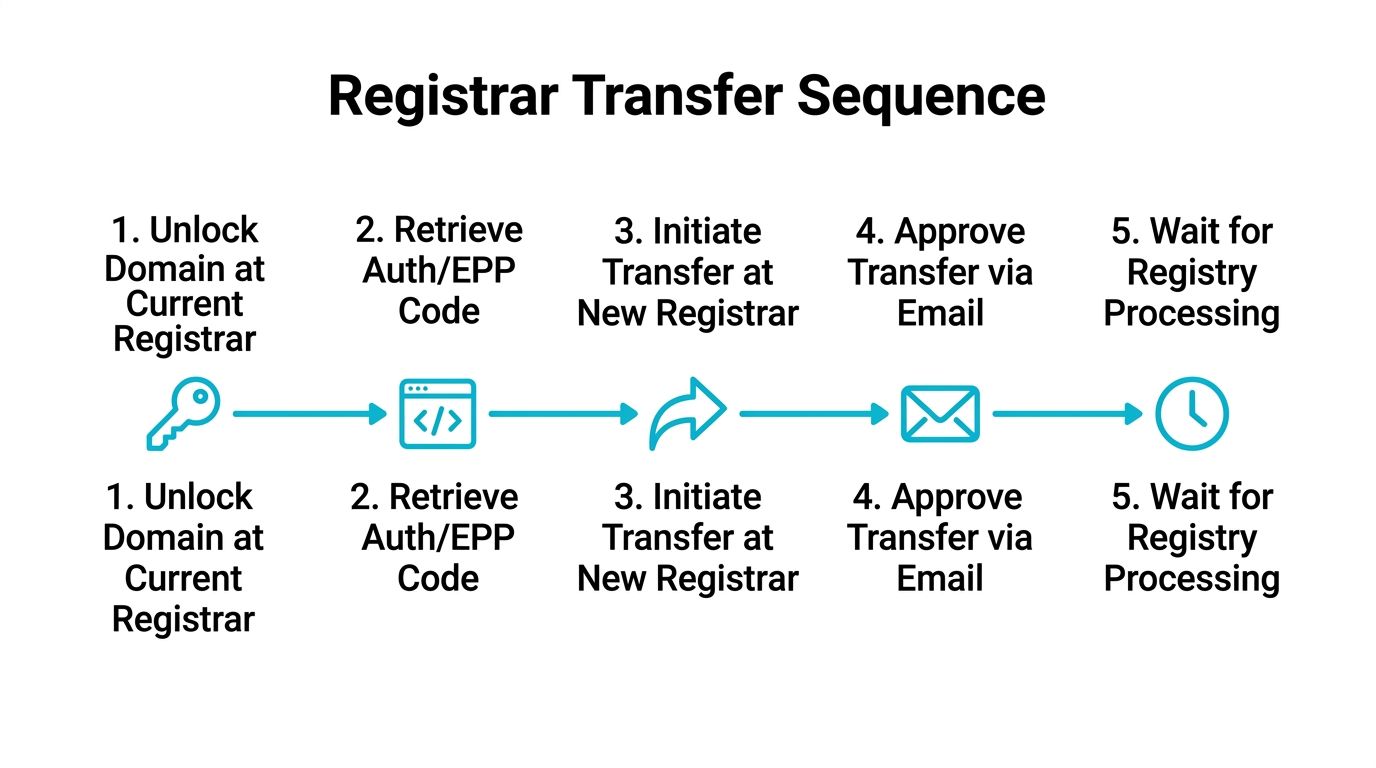
- Remove the domain lock at the current registrar. Transfers will not begin while that protection is active.
- Retrieve the auth or EPP code. This is the credential that proves you can move the name.
- Initiate the request at the gaining registrar. Enter the domain exactly as registered and paste the code carefully.
- Approve the transfer by email. The confirmation goes to the registrant or admin contact.
- Wait for registry processing. The domain usually stays in a pending state while the registrars exchange signals.
The practical baseline is the same across most systems. A registrar-to-registrar transfer starts by confirming the domain is released, then obtaining the authorization code, then submitting the request at the new registrar, then paying the transfer fee, and finally approving through the emailed confirmation (YouTube walkthrough). One major guide also notes that payment often includes a one-year renewal, so the transfer fee frequently extends the registration instead of acting as a simple admin charge (YouTube overview).
If the auth code is rejected, do not keep retrying blindly. Re-check that you copied it exactly and that the transfer lock is removed.
Timing is normal, not a sign of trouble. Several guides put the registrar move itself at about 5 to 7 days, and one also describes 3 to 7 business days as the standard completion window (YouTube timeline During the wait, the old registrar may send a confirmation notice to the admin contact, and missing that email can leave the transfer stuck in limbo. For a broader view of how those delays fit into the rest of the DNS process, see DNS propagation basics.
The video walkthrough below reinforces the same sequence in a visual format.
Preserving DNS Records and Email During Transfer
Most DNS-dependent transfers go sideways. The registrar move itself usually completes, but the website or mailbox fails because the DNS state was not preserved with the same care as the domain ownership.
Export the DNS state before you touch the registrar
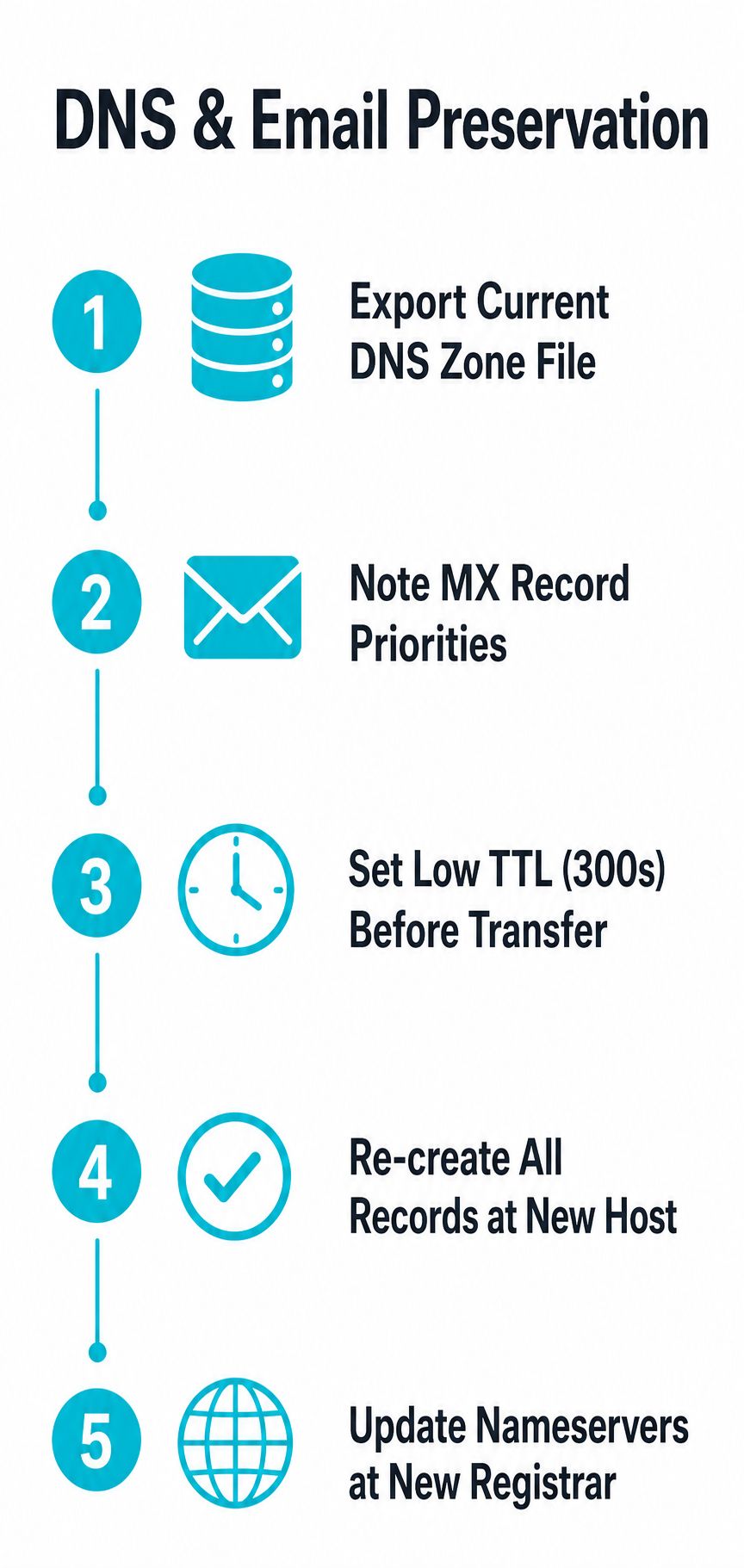
Back up the current zone first. If the domain is using the registrar’s DNS, copy every record before you start the transfer, then identify whether DNS is hosted somewhere else, such as a third-party DNS provider. A registrar transfer does not automatically preserve all DNS behavior, and that is the point most tutorials skip (allaboutcookies).
The records that matter most for live business email are the ones that route and authenticate mail. MX records decide where mail is delivered, SPF TXT records help sender authorization, DKIM signs the message stream, and DMARC controls what receiving servers should do when mail fails policy checks. If any of those are missing or malformed after the move, users will not always see an obvious error. They will see mail that stops arriving or messages that land with authentication failures.
A clean transfer-safe sequence looks like this:
- Export the zone before transfer. Keep a copy of everything, not just the obvious web records.
- Identify the DNS host. Registrar DNS and third-party DNS are different control planes.
- Transfer the domain name. Keep the ownership move separate from DNS edits if you can.
- Recreate records at the correct host. Make sure the same record set exists after the registrar changes.
- Validate after the switch. Check that the active nameservers are the ones you expect.
Stage the move so propagation does not surprise you
DNS changes can take time to settle, so the safest approach is to copy records first, then switch nameservers only after the new host is ready. See the DNS propagation timing if you need a reminder of why some resolvers keep serving the old answers after the registry side has already changed. A low TTL before the move can reduce waiting friction, but only if the rest of the setup is ready. If the records are wrong, a faster rollout just spreads the error sooner.
For active email domains, validation matters more than the transfer status itself. Check the records after the move, compare them against the backup, and confirm mail flows cleanly. If a business relies on a single domain for website and email, that post-transfer verification is the difference between a routine maintenance change and a support outage.
Special Cases and Transfer Exceptions
Not every domain follows the standard unlock-code-approve pattern. Some names live under registry rules that use a different transfer path, and some are blocked by timing or administrative holds that aren’t obvious from the front-end interface.
| Scenario | Recommended Approach | Risk Level | Timeline |
|---|---|---|---|
| Generic.com.net, or similar domain | Standard registrar transfer | Low if DNS is staged correctly | Usually several days |
| Domain still within a transfer lock window | Wait before initiating | Medium | Delayed until eligibility returns |
| Expired domain still in grace or redemption handling | Verify renewal status first | Medium to high | Varies by registrar and registry |
| Domain with active email and website traffic | Preserve DNS first, then transfer | Higher operational risk | Plan buffer time |
| Intra-registrar account move | Use internal account transfer if available | Lower than full transfer | Usually faster than registrar change |
| ccTLD with registry-specific rules | Follow the registry’s process | Varies | Can differ from generic TLD timing |
A parked domain is the easiest case because there’s no live mail flow to preserve. A live ecommerce site is the most fragile because even a short DNS misstep can affect orders, support mail, or payment notifications. A portfolio move is a different problem again, because the risk is less about one domain and more about keeping all the names synchronized.
When a transfer window collides with a launch or acquisition deadline, changing nameservers only can be the safer temporary move.
That’s the clean decision boundary. If the business only needs the name to point somewhere else, nameserver changes can be lower risk than a full registrar handoff. If ownership control, billing, or portfolio consolidation is the goal, then the transfer still makes sense, but the sequencing has to respect the lock rules and the approval delay.
Post-Transfer Validation and DNS Propagation
The moment the name appears in the new account is not the finish line. It’s the point where you verify that the registry state, DNS state, and mail state all line up again.
The first check is simple. Confirm that the domain now shows the expected nameservers at the new registrar and that the one-year renewal extension was applied if the transfer included renewal. Then check the website and mailbox from more than one network path, because a local cache can make a broken setup look healthy for a while.
A practical post-transfer workflow usually follows this order:
- Verify registrar ownership. Make sure the domain shows in the new account.
- Inspect nameserver values. Confirm the registry points where you expect.
- Test website resolution. Load the site from outside the transfer environment.
- Validate email delivery. Check that mail is sent, received, and authenticated.
- Review renewal settings. Set auto-renew so the next cycle doesn’t become another crisis.
Propagation can still take time if nameservers changed, even after the registrar handoff is complete. The operational difference matters. The transfer may be finished in the account, but cached DNS answers can lag behind for a while, and that’s why temporary inconsistency is common during the tail end of the process.
Use tools like dig, DNS propagation checkers, and email header review to confirm the record set is behaving correctly. If you’re running production mail, the final validation should include authentication checks, not just inbox delivery. A message that arrives but fails policy isn’t a clean result.
Teams that don’t own DNS hygiene in-house often hand this part to managed providers. ARPHost, LLC offers managed hosting and infrastructure services that can sit around the domain after the transfer, which is useful when the primary concern is keeping the website and mail stack stable rather than just moving the registration. The right setup is the one that reduces the number of hands touching the records after the move.
Troubleshooting Common Transfer Failures
Most failed transfers don’t fail loudly. They stall, sit in pending, or seem complete and then fall apart when the DNS state doesn’t match what the registrar expects.
An auth code rejection usually means the code was copied incorrectly, expired, or tied to a domain that’s still locked. The fix is usually boring, which is good. Reconfirm the domain’s state, request a fresh code if the registrar allows it, and re-enter it carefully.
An approval email that never arrives is often a contact-data problem, not a transfer problem. If the registrant email in WHOIS is stale, the transfer can’t be approved, and even a valid request won’t finish. Spam filtering can also bury the message, so the first support check is always the inbox and the junk folder before escalating.
If the transfer stays pending beyond the normal window, don’t assume it’s broken immediately. Check for unapproved emails, contact errors, or registrar-side holds first.
A domain that appears to complete and then “snaps back” into the old registrar account usually points to a workflow misunderstanding, not a registry ghost story. The move may not have finalized, or the approval never cleared the losing registrar’s release process. In those cases, the transfer log inside the dashboard is more useful than guesswork.
DNS failures that show up hours later are usually unrelated to the registrar change itself. They come from record drift, missed mail entries, or nameservers that were changed without rebuilding the rest of the zone correctly. That’s why the safest response is to compare the live records against the backup and then validate mail routing before blaming the registrar.
When the issue is supportable from the dashboard, wait for the transfer window to play out. When the issue is clearly a contact or lock problem, escalate immediately. If the infrastructure around the domain is already managed by a provider with 24/7 support, that can cut the back-and-forth when a transfer needs another set of eyes.
If you want help keeping DNS, email, and hosting stable during a domain move, ARPHost, LLC can support the infrastructure on the other side of the transfer with managed hosting, VPS, bare metal, and private cloud services. Visit ARPHost, LLC if you want a team that can handle the records and the services behind them without turning a registrar change into an outage.
