


Before you write a single line of code or install any packages, the most critical decision you'll make is where your Linux server will live. This isn't just about picking a provider; it's about choosing the right foundation for your entire operation. Get this right, and you'll save yourself from a world of performance bottlenecks and management headaches down the road.
For most businesses, a High-Availability KVM VPS is the sweet spot, giving you the perfect blend of performance, scalability, and cost for production workloads. For those needing maximum control and performance, deploying a Dedicated Proxmox Private Cloud or a Bare Metal Server provides an unparalleled enterprise-grade environment.
Choosing Your Server Foundation
Your server's home—its hosting environment—dictates everything from raw power to your day-to-day workload. There are two main roads you can go down: Bare Metal Servers or Virtual Private Servers (VPS).
A bare metal server is exactly what it sounds like: an entire physical machine dedicated solely to you. All the CPU, RAM, and storage are yours, and yours alone. This is the top-shelf option for maximum performance. If you're running resource-hungry apps, massive databases, or a private cloud where you need total hardware control, this is your play.
A VPS, on the other hand, is a more flexible and budget-friendly path. Using KVM virtualization, a powerful physical server is carved into several isolated virtual machines. Each VPS gets its own dedicated resources and functions as a completely independent server. It’s the ideal middle ground for the vast majority of businesses, delivering excellent performance without the price tag of dedicated hardware.
To help you choose, here's a look at how ARPHost's environments stack up.
ARPHost Server Environments Compared
This table breaks down our primary hosting solutions, helping you align your needs for control, scalability, and management with the right product.
| Hosting Type | Best For | Key Benefit | ARPHost Solution |
|---|---|---|---|
| Bare Metal Server | Demanding applications, large databases, custom virtualization | Unmatched performance and total hardware control | Bare Metal Servers |
| High-Availability VPS | Most business websites, web apps, and development | Balanced cost, performance, and easy scalability | High-Availability VPS Hosting |
| Proxmox Private Cloud | Full virtualization control, HA clustering, complex networking | Dedicated hardware with full root access to Proxmox VE | Dedicated Proxmox Private Clouds |
| Fully Managed IT | Businesses without a dedicated IT team | Zero server maintenance, proactive expert management | Fully Managed IT Services |
Whether you need the raw power of bare metal or the balanced performance of a VPS, the choice ultimately depends on your specific workload and technical expertise.
Managed vs. Unmanaged: The Core Decision
Next up is a crucial question: how hands-on do you want to be? An unmanaged server puts you in the driver's seat with full root access. You’re responsible for every single thing—software installation, security, patches, and ongoing maintenance. This is perfect for seasoned sysadmins and dev teams who want to build a completely custom stack from the ground up.
But not everyone wants to be a full-time server administrator. A managed solution hands that burden over to experts. With ARPHost’s Fully Managed IT Services, our team handles the initial setup, proactive monitoring, security hardening, backups, and patch management. This frees up your team to focus on what they do best: building great applications and growing your business.
It’s a straightforward choice. If you have the time and expertise, unmanaged offers ultimate control. If you'd rather focus elsewhere, managed is the way to go.
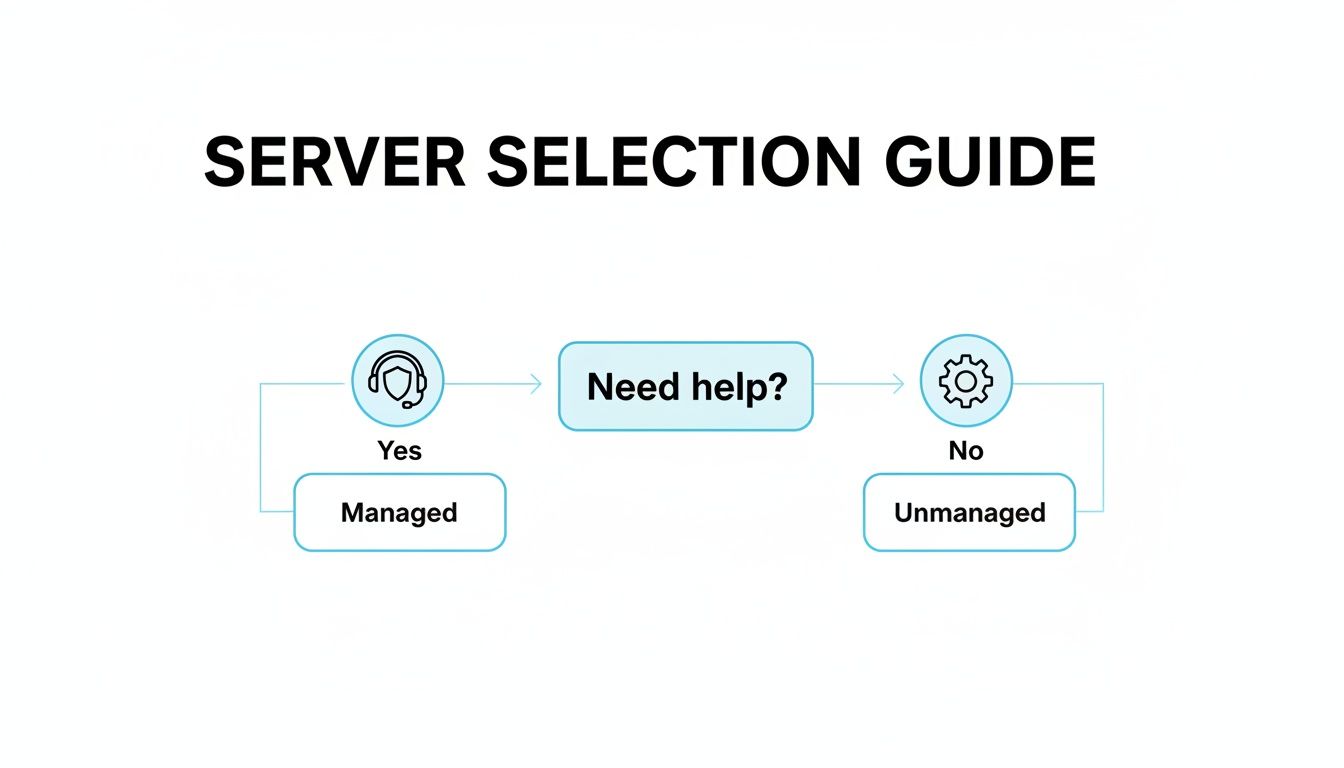
This decision tree nails it: if you need help, a managed server simplifies everything from day one. If you don't, an unmanaged server gives you the keys to the kingdom.
Selecting Your Linux Distribution
The final piece of your server foundation is the operating system itself. While there's a whole universe of Linux distributions, three consistently rise to the top for server environments:
- Ubuntu Server: Known for its massive community, fantastic documentation, and the user-friendly
aptpackage manager. It's a great all-rounder for beginners and experts alike, especially with its stable Long-Term Support (LTS) releases. - Debian: This is the rock-solid, stable bedrock that Ubuntu is built on. Debian is legendary for its reliability and commitment to free software, making it a favorite for admins who prioritize stability above everything else. If you're torn, check out our deep dive on https://arphost.com/debian-server-vs-ubuntu-server/.
- AlmaLinux: A 1:1 binary-compatible fork of Red Hat Enterprise Linux (RHEL). It delivers enterprise-grade stability and security, making it the go-to choice for businesses wanting a free, community-backed RHEL alternative.
As you plan where your server will physically or virtually reside, thinking ahead is always a smart move. A good data center migration checklist can help you anticipate future needs, even if you're starting small. This kind of strategic foresight pays dividends.
Why ARPHost Excels Here
At ARPHost, we cut through the complexity. Our High-Availability VPS Hosting (starting from just $5.99/month) is built on a KVM hyperconverged platform with resilient CEPH storage, giving you a powerful and scalable foundation right out of the gate. For absolute power, our Bare Metal Servers provide dedicated hardware for your most intense workloads, while our Dedicated Proxmox Private Clouds offer enterprise-grade virtualization starting at just $299/month. All our plans let you choose your OS—including Ubuntu, Debian, and AlmaLinux—provisioned and ready in minutes.
Executing Your Initial Server Security Lockdown
You’ve just spun up a fresh ARPHost VPS or Bare Metal Server. Congratulations. Before you even think about installing your application stack, the clock is ticking. The first 60 minutes are absolutely crucial for turning that pristine, public-facing server from a potential target into a hardened asset.
These aren't suggestions; they're the non-negotiable first steps every seasoned sysadmin takes immediately. We're talking about locking down access, ditching risky defaults, and building a secure foundation.

First Connection and User Creation
Your first login will be as the root user, using the credentials ARPHost provided. Your immediate priority? Get off the root account. Operating directly as root is like driving without a seatbelt—one typo, one misplaced command, and you can wipe out your entire system.
Let's create a new, everyday user for administration. We'll call ours arphostadmin for this example.
adduser arphostadmin
Follow the prompts to set a strong password. Next, you need to give this new user the ability to run administrative commands with sudo. This is how you get admin power without the constant risk of the root account.
usermod -aG sudo arphostadmin
Now, before you do anything else, open a brand new terminal window and try logging in as your new user. Test that sudo works. This is your safety check.
Pro Tip: Never, ever log out of your initial
rootSSH session until you've confirmed your newsudouser works perfectly in a separate one. This simple step has saved countless admins from locking themselves out of their own servers.
Implementing SSH Key-Based Authentication
Let's be blunt: passwords are a liability. Even complex ones are a target for brute-force attacks. SSH keys are the professional standard—they're vastly more secure and, once set up, more convenient. The system uses a cryptographic key pair: a private key that lives only on your computer and a public key that you'll place on the server.
On your local machine (not the server), generate a key pair if you haven't already.
ssh-keygen -t rsa -b 4096
Hit Enter to accept the defaults, but when prompted, set a strong passphrase. This encrypts your private key, acting as a final layer of defense if your local machine is ever compromised.
Next, you need to copy that new public key over to your server. The ssh-copy-id command makes this dead simple. Just replace the username and IP with your own.
ssh-copy-id arphostadmin@your_server_ip
Enter your user's password one last time, and the key will be installed. From now on, you can log in securely without it.
Disabling Root Login and Password Authentication
With your key in place, it’s time to slam the door shut on the two biggest SSH security risks. This is the final and most important step in hardening access.
- Disable direct root login: This forces everyone (including you) to log in through a standard user account and elevate privileges with
sudo. It creates an audit trail and eliminates a primary target. - Disable password authentication: This makes it so only users with an authorized SSH key can get in. Password-guessing bots are now completely useless against your server.
Open the SSH configuration file on your server with a text editor.
sudo nano /etc/ssh/sshd_config
Find these two lines and change their values to no.
PermitRootLogin no
PasswordAuthentication no
Save the file and exit (in nano, that's Ctrl+X, then Y, then Enter). Finally, restart the SSH service to make your changes live.
sudo systemctl restart sshd
Your server's front door is now properly locked. For a truly exhaustive rundown of security measures, our complete server hardening checklist is your next stop.
Why ARPHost Excels Here
Knowing how to do this manually is a critical skill. But doing it on every single server you deploy takes time away from your actual project. This is where ARPHost's Fully Managed IT Services come in. Our experts handle this entire initial lockdown for you as part of our comprehensive server management. We provision servers that are secure from the first second they go online, with hardened SSH, pre-configured firewalls, and proactive monitoring already in place. You get to focus on your application, not foundational security checklists.
Building Your Server's Defensive Perimeter
With user access properly buttoned up, it’s time to raise the castle walls around the operating system itself. A fresh server install is wide open by default. Without a firewall, every service port is an open invitation for the automated bots and scanners that constantly scour the internet for easy targets. This is where we build our first line of defense.
For most Linux setups, especially on a fresh Ubuntu box, the Uncomplicated Firewall (UFW) is the perfect tool for the job. It’s a much friendlier frontend for managing iptables, the powerful but notoriously complex firewall built into the Linux kernel. Our strategy is simple and effective: "default deny." Block everything first, then poke small, deliberate holes only for the services you actually need.
Implementing a Default Deny Firewall Policy
Let's start by setting our baseline rules. We'll tell the firewall to deny all incoming connections while allowing all outgoing traffic. This is critical—it lets your server reach out for updates or connect to external APIs, but stops anything from initiating a connection to your server unless you say so.
sudo ufw default deny incoming
sudo ufw default allow outgoing
With the drawbridge up, you now have to open the specific gates for legitimate traffic. At an absolute minimum, you need to allow SSH, otherwise you'll lock yourself out the moment you enable the firewall. You’ll also want to open the standard ports for web traffic.
- Allow SSH:
sudo ufw allow ssh(This uses port 22 by default, but UFW is smart enough to use the right port even if you've changed it). - Allow standard web traffic:
sudo ufw allow http(Port 80). - Allow secure web traffic:
sudo ufw allow https(Port 443).
Once you've set your rules, it's time to turn the firewall on. UFW will give you a standard warning that enabling it might disrupt existing connections. Since we’ve already created a rule to allow our current SSH session, we can safely proceed.
sudo ufw enable
You can double-check your work anytime by running sudo ufw status. This will show you a clean list of all active rules. This simple setup is one of the single most impactful security measures you can take, and it takes less than a minute.
Patching Vulnerabilities with System Updates
An unpatched server is an insecure server. Period. New software vulnerabilities are found all the time, and running a full system update is a non-negotiable, day-one task. This ensures your server gets the latest security fixes for the kernel, system libraries, and every other package installed.
On Ubuntu and other Debian-based systems, it's a quick two-part command.
sudo apt update && sudo apt upgrade -y
The apt update command refreshes the list of available packages from the repositories, and apt upgrade does the heavy lifting of actually installing them. Running this simple command closes known security holes before an attacker has a chance to find them.
This isn't just theoretical. Researchers are constantly finding nasty bugs, like use-after-free vulnerabilities in core Linux components that could allow for remote code execution if left unpatched. Staying updated is your best defense.
Why ARPHost Excels Here
Manual patching is good, but it's reactive and requires constant diligence. For true enterprise-grade security, you need a proactive system. ARPHost's Secure Web Hosting Bundles come standard with Imunify360, a six-layer security platform. It includes an advanced WAF, real-time malware scanning, and proactive intrusion detection that automatically blocks threats. This is a core component of our secure managed VPS hosting solutions, delivering automated defense that far surpasses manual checks.
The Importance of a Secure Foundation
Your choice of operating system is the first step in your security strategy. By picking a stable, well-supported distro like Ubuntu, you're tapping into a global community of developers and security researchers who are constantly scrutinizing the code. This means faster patches and more reliable support when you need it.
The numbers back it up: Ubuntu currently runs on 13.7% of all web servers and is a favorite among developers, with 27.7% using it for their professional work. With Linux powering nearly half of all cloud infrastructure, getting this setup right is a fundamental skill. You can explore more data on Linux trends and market share at this in-depth analysis of Linux distribution statistics.
Security isn't a "set it and forget it" task; it's a process of constant vigilance. While UFW and regular updates create a solid foundation, production environments demand automated tools that provide continuous monitoring.
For any business that can't afford a security slip-up, a managed solution is the way to go. With ARPHost's Fully Managed IT Services, our experts handle the firewall configuration, 24/7 monitoring, and immediate patch management for you. We make sure your server’s defenses are always battle-ready, so you can focus on running your business.
Ready to build on a secure foundation? Explore our Secure VPS Bundles at arphost.com/vps-web-hosting-security-bundles/.
Installing and Configuring Your Core Services
Alright, your server is locked down and ready to go. Now for the fun part: giving it a job to do. A server without services is just an expensive paperweight, and for most projects, that means installing a solid application stack.
We're going to focus on the classic LEMP stack—that’s Linux, Nginx, MySQL, and PHP. It’s a high-performance combination that powers everything from personal blogs to massive e-commerce sites. While walking through the manual setup is a fantastic way to build your sysadmin chops, we'll also point out how you can get this done in a fraction of the time with ARPHost's one-click tools.
Installing the Nginx Web Server
First up is the web server. Nginx (pronounced "Engine-X") is our go-to choice. It's lightweight, incredibly fast, and known for its stability under pressure, easily handling thousands of simultaneous connections. It's the real deal for production environments.
Let's get it installed on your Ubuntu server.
sudo apt update
sudo apt install nginx -y
With Nginx installed, we need to tell our firewall to let web traffic through. We already opened the standard ports, but now Nginx has registered its own profiles with UFW, which is the cleaner way to manage access. We'll use the Nginx Full profile, which covers both http and https traffic.
sudo ufw allow 'Nginx Full'
That’s it! Your web server is officially online. Pop your server's IP address into a web browser, and you should be greeted by the default Nginx welcome page.
Setting Up the MySQL Database
Next, every dynamic application needs a place to store its data. For that, we'll use MySQL, the world's most popular open-source database. It's the perfect partner for our LEMP stack.
Get the server package installed with this command:
sudo apt install mysql-server -y
Once that's done, you have one critical task left: running the security script that comes with the installation. This is non-negotiable for a production server, as it removes dangerous defaults and locks down database access.
sudo mysql_secure_installation
The script will ask you a series of questions. You’ll definitely want to enable the Validate Password Component to enforce strong passwords. For a new setup, just say "yes" to all the following prompts to remove anonymous users, disable remote root login, and clear out the test database. Think of this script as a mandatory security checkpoint.
Installing PHP and Configuring Nginx
The final piece of the puzzle is PHP, the language that will process your application's logic. We'll install php-fpm (FastCGI Process Manager), which is the standard way to make PHP and Nginx work together efficiently.
sudo apt install php-fpm php-mysql -y
By default, Nginx doesn't know what to do with PHP files. You have to tell it by editing your site’s configuration file (the "server block"). This involves adding a specific location block that tells Nginx to pass any file ending in .php over to the php-fpm service for processing. A deep dive into Nginx configuration is a topic for another day, but that's the core concept.
With Nginx, MySQL, and PHP all working together, you have a fully functional LEMP stack ready for your web application. Of course, you might need more than just a web server. For other business functions, you may need to learn how to set up an email server or a Virtual PBX Phone System.
Why ARPHost Excels Here
Manually configuring a LEMP stack is a great learning experience, but it’s also time-consuming and error-prone. With ARPHost's Secure Web Hosting Bundles, you get the Webuzo control panel with Instant Applications. This lets you deploy a fully optimized WordPress, Magento, or hundreds of other apps with a single click. Our secure VPS bundles, powered by CloudLinux OS and Imunify360, handle the entire stack setup for you, so you can launch in minutes, not hours.
Ready to skip the command line and deploy instantly? Start with our $5.99/month VPS at arphost.com/vps-hosting/ and use our one-click installers to get online faster.
Ensuring Long-Term Server Health and Reliability
Getting your Linux server online is a great first step, but the real work has just begun. A server's true value isn't measured on launch day; it's proven over months and years of staying online, secure, and performant. This is where we move past the one-time setup and into the day-to-day discipline of keeping it that way.
The absolute first priority in this new phase? A bulletproof backup strategy. A server without backups isn't a server; it's a ticking time bomb.

Implementing Bulletproof Backup Strategies
Let's be clear: not all backups are created equal. That simple cron job you wrote to tar up your website files and dump them in another directory is better than nothing, but it’s dangerously inadequate for any serious project. It won’t save you from a drive failure on the same machine, and it offers zero protection against ransomware that happily encrypts your entire filesystem—backups and all.
A professional backup strategy isn't optional. It must be:
- Automated: Backups have to run like clockwork, with no manual prodding needed.
- Off-site: Your backups must live in a completely different physical location. If a fire takes out your server, it can't take the backups with it.
- Versioned: You need the power to restore from multiple points in time, not just yesterday's copy.
- Tested: An untested backup is just a hope. You have to periodically test your restore process to prove it actually works.
For real business continuity, you need a solution built to handle modern threats. Simple file copies just won't do.
Why ARPHost Excels Here
This is exactly where enterprise-grade solutions shine. Our managed backups for VPS Hosting and Dedicated Proxmox Private Clouds give you automated, off-site backups with versioning and rapid restore capabilities. We handle the entire backup lifecycle, from configuration to testing, ensuring your data is protected as part of a comprehensive disaster recovery plan. This service is a core component of our fully managed IT services offering.
Proactive Monitoring for Peak Performance
A server that runs out of memory or CPU is, for all practical purposes, offline. You can't afford to wait for angry customers to tell you your site is slow or down. Proactive monitoring is about spotting trouble and fixing it before it ever impacts your users.
If you're going the DIY route, you could set up open-source tools like Nagios or Zabbix to track the vitals:
- CPU Load: Sudden spikes can point to a runaway process or a server that's outgrowing its resources.
- Memory Usage: Consistently high memory use might indicate a memory leak or just the need for an upgrade.
- Disk Space: Running out of disk space will bring your entire server to a screeching halt. It's a cliff you don't want to drive off.
- Service Status: You need an instant alert if Nginx, MySQL, or any other critical service crashes.
But be warned: setting up and maintaining a solid monitoring system is practically a full-time job. It means configuring alerts, fine-tuning thresholds to avoid a flood of false positives, and being on call 24/7 to handle real emergencies.
This kind of hands-on management is why Linux has become such a cornerstone for businesses. The OS's dominant 44.8% market share in the server world proves its rock-solid reliability when managed correctly. For ARPHost customers, our preference for Ubuntu makes perfect sense, as it leads with 13.7% of all Linux web server deployments. Imagine provisioning a new KVM VPS, running apt update && apt upgrade, and instantly deploying patches that keep a huge slice of the internet running—it's a powerful and common workflow. As North America's market share continues to climb, ARPHost's managed plans are perfectly positioned to support businesses in this vital region. You can dive into more stats about the commanding presence of Linux in the server market on commandlinux.com.
The Power of Fully Managed IT Services
While knowing how to set up a Linux server is a fantastic skill, the reality is that managing it long-term is a massive time sink. Every hour you spend on patch management, security scans, and performance tuning is an hour you’re not spending on your actual business.
This is the core value of ARPHost's fully managed IT services. Instead of you reacting to problems, our team of experts proactively manages your infrastructure around the clock. Our managed services handle it all:
- 24/7/365 Proactive Monitoring: We watch your server’s health so you can sleep at night.
- Patch Management: We apply critical security updates and patches to keep your OS and software locked down.
- Disaster Recovery Planning: We work with you to build and test a backup plan that meets your business's recovery objectives.
- Performance Optimization: We help tune your server specifically for your application's workload, ensuring it runs at its peak.
- Managed Network & Firewall Services: We manage your Juniper network devices and firewalls for optimal security and routing.
By handing off the server administration to our team, you get back your time and gain the peace of mind to focus on what you do best—growing your business.
Ready to let the experts handle your server's long-term health? Request a managed services quote at arphost.com/managed-services/ and see how we can become an extension of your team.
A Few Common Questions About Server Setups
When you're setting up a new Linux server, a few questions always seem to pop up. These are the practical, real-world decisions that bridge the gap between technical specs and business reality. Here are my straight-up answers to the most common ones I hear.
What's the Best Linux Distro for a Beginner's Web Server?
If you're just starting out, go with Ubuntu Server. It’s the top recommendation for a reason. The community is massive, the official documentation is second to none, and the apt package manager is incredibly straightforward. When something breaks—and it will—you can bet someone has already asked about it and gotten a solution.
But don't mistake accessibility for weakness. Ubuntu is a serious, enterprise-ready OS that powers countless production web servers. That’s why ARPHost offers Ubuntu as a standard, pre-installable option on all our VPS and Bare Metal servers. You can hit the ground running with a familiar, reliable foundation.
Should I Get a Managed Server or Do It Myself?
This is the big one. An unmanaged server is like getting the keys to the kingdom—you have full root control and can do whatever you want. If you live on the command line, understand system administration, and genuinely have the time for patching, updates, and monitoring, an unmanaged server offers unbeatable flexibility.
But let's be honest: is that where your time is best spent? If you'd rather focus on your app or growing your business, a managed solution is a no-brainer. ARPHost's Fully Managed IT Services take all that off your plate. Our team becomes your IT department, handling security, updates, backups, and 24/7 optimization.
How Often Should I Back Up My Server?
For anything in production, daily automated backups are the bare minimum. If you're running something critical like an e-commerce store processing live transactions, you should probably be backing up even more frequently to keep potential data loss to an absolute minimum.
Just as important is where you keep them. Storing backups on the same machine is asking for trouble. They have to be off-site to survive a hardware failure or physical disaster. For total protection against modern threats like ransomware, you need a robust solution. That's why we built our managed backup services for VPS and Proxmox Private Clouds—it creates automated, secure, and off-site backups so your data is always safe and recoverable.
An unmanaged server gives you the keys to the kingdom, but a managed server gives you the peace of mind to run it. Choose based on where your time and expertise deliver the most value.
Is a VPS Powerful Enough for a Production Website?
Absolutely. That old idea that a VPS is just for hobby projects is completely outdated. Modern KVM-based VPS solutions, like the ones we run at ARPHost, are built on serious enterprise hardware with dedicated resources and blazing-fast CEPH storage.
Our High-Availability VPS hosting plans feature a hyperconverged architecture, providing resilience and instant scalability. These machines easily handle high-traffic websites, complex web applications, and busy online stores. They strike the perfect balance between raw performance, scalability, and cost, which is why they've become the default choice for a huge range of production workloads.
At ARPHost, we believe getting a powerful server online shouldn't be a headache. Whether you need an affordable, scalable virtual machine, a dedicated Proxmox private cloud, or want our experts to manage everything for you, we have solutions that grow right alongside your business.
Ready to build on a solid foundation? Check out our High-Availability VPS Hosting plans, starting at just $5.99/month at https://arphost.com/vps-hosting/.