

Stolen passwords still beat clever exploits. A valid admin login, or an unpatched box sitting on the public internet, is how most intrusions start. Endpoint antivirus never sees that first step.
On Ubuntu 24.04 LTS I would start with the cheapest fix that still has a way back. Keep your current SSH session open and save the config before you change a line:
sudo cp /etc/ssh/sshd_config /etc/ssh/sshd_config.bak
That copy is the rollback. Every change below follows the same pattern for a two-admin team: apply it, prove it with a command, and keep a path back if the new session fails.
Table of Contents
- The Attack Paths Behind Most Breaches
- Lock Down Admin Access and Identity First
- Harden the Firewall, Patching and DDoS Controls
- Watch Logs and Alert Before Damage Spreads
- Backups That Still Work After an Attack
- Incident Response Steps for the First Hour
- Schedule Your First Hardening Review
The Attack Paths Behind Most Breaches
Close two gaps before you buy another tool. Stolen credentials and unpatched internet-facing devices are the paths that show up again and again, and malware scanners do not close either one.
Verizon's 2025 Data Breach Investigations Report analyzed more than 22,000 security incidents, including 12,195 confirmed data breaches worldwide. Credential abuse accounted for 22% of breaches, the leading reported initial access vector. Exploitation of vulnerabilities accounted for another 20%, and that share increased by 34% compared with the previous reporting period. Edge devices and VPNs were 22% of vulnerability-exploitation activity, up from 3% the year before.
Identity attacks are even more one-sided on the vendor side. In 2024, password-based attacks accounted for more than 99% of Microsoft Entra's 600 million daily identity attacks, according to the Microsoft Digital Defense Report 2024. That is why password-only logins come off the server in the next section, not later.
These controls overlap. Multifactor authentication does not patch a firewall. A patch does not stop a stolen session cookie. Monitoring does not replace a backup you have restored. Work in this order: identity, perimeter, monitoring, backups, then response.
| Entry Point | Share in Reported Data | First Control |
|---|---|---|
| Stolen or reused credentials | 22% of breaches, the top initial access vector | Phishing-resistant MFA and unique admin accounts |
| Unpatched internet-facing software | 20% of breaches, up 34% from the prior period | Asset inventory, then patch by exposure |
| VPNs and edge devices | 22% of exploitation activity, up from 3% the year before | Restrict management interfaces and patch on an emergency cycle |
| Password-based identity attacks | More than 99% of 600 million daily Microsoft Entra identity attacks in 2024 | Phishing-resistant MFA and removal of password-only logins |
Before you change anything else, write a one-page list of every internet-facing address, every login path, and every admin account. If it is not on that page, you will not patch it and you will not put a second factor on it.
Lock Down Admin Access and Identity First
A working login is the shortest path into most servers, so identity is the first perimeter you close. Shared root passwords make the problem worse because you cannot tell which admin typed the command. For a two-admin team, fix the order now: named admin accounts, then key-only SSH, then a tested break-glass path. Pair every hardening change with a rollback command and a verification command, so neither admin can strand the other outside the host.
What you need open first
Put three things on the bench before you edit a config.
Second terminal: a session you will not close until the new login works.
Out-of-band console: hypervisor console, IPMI, or on-site remote hands. If SSH dies, this is how you get back.
Account list: every login with admin, remote-access, VPN, email, backup, or cloud-console rights. Shared accounts come off that list.
CISA's multifactor authentication guidance ranks hardware FIDO/WebAuthn security keys highest because the authenticator checks the actual site origin before it releases the credential. SMS and email codes sit at the bottom, and CISA says to use them only when nothing stronger exists. ARPHost accesses customer servers through secure SSH or RDP with key-based authentication and audit logging.
| Method | Relative Strength | Where to Use It |
|---|---|---|
| FIDO2/WebAuthn security key | Highest | Admin logins, SSH bastions, VPN, cloud console |
| Authenticator app with number matching | High | Push-based fallback where keys are not yet deployed |
| One-time code app | Moderate | Ordinary staff accounts |
| Biometrics | Moderate | Devices that support platform authenticators |
| SMS or email code | Lowest | Only when nothing stronger is possible |
Practical rule: Offer MFA and people skip it. Enforce enrollment, and keep prompting until the key is registered.
Key-only SSH on Ubuntu 24.04
This sequence is for Ubuntu 24.04 LTS with OpenSSH 9.6p1. If you are still building the key pair, the SSH key setup steps cover ssh-keygen and ssh-copy-id before you lock the daemon.
- Give each admin a named account and a FIDO2 key. Shared logins hide who did what, and you cannot revoke one person without locking everyone else out.
- On the workstation, create an ed25519 key and install the public key. On the server, save the live config, then set
PasswordAuthentication no,KbdInteractiveAuthentication no, andPermitRootLogin prohibit-passwordin/etc/ssh/sshd_config. Root can still use a key. It cannot use a password. - Check syntax, then reload. Leave the original session open.
sudo sshd -t && sudo systemctl reload ssh
- From a new terminal, log in with the key. Then confirm what the daemon loaded, not what you think you typed:
sudo sshd -T | grep -E 'passwordauthentication|permitrootlogin'
You want passwordauthentication no and permitrootlogin prohibit-password.
- Create one break-glass account, store its recovery method offline, and test it once. If you never test it, it is not a recovery path.
Rollback: if the new session fails, from the session you left open:
sudo cp /etc/ssh/sshd_config.bak /etc/ssh/sshd_config
sudo sshd -t && sudo systemctl reload ssh
Three failures show up in production more than bad syntax. Push-only MFA falls to prompt bombing, so use number matching until you can replace it with a key. Help-desk resets skip the strong factor if the agent only asks for a last-four or a ticket number. Legacy protocols, old control panels, and SMTP AUTH keep password logins alive after sshd looks clean. Inventory every path before you call the host done.
Harden the Firewall, Patching and DDoS Controls
Three layers do different jobs. The upstream network has to absorb a flood that fills the uplink, because the host cannot. Your firewall decides which ports answer. Your patch window closes the bugs those ports still expose. Apply them in that order, and write down before touching a rule which volumetric filters are already on and what traffic trips them.
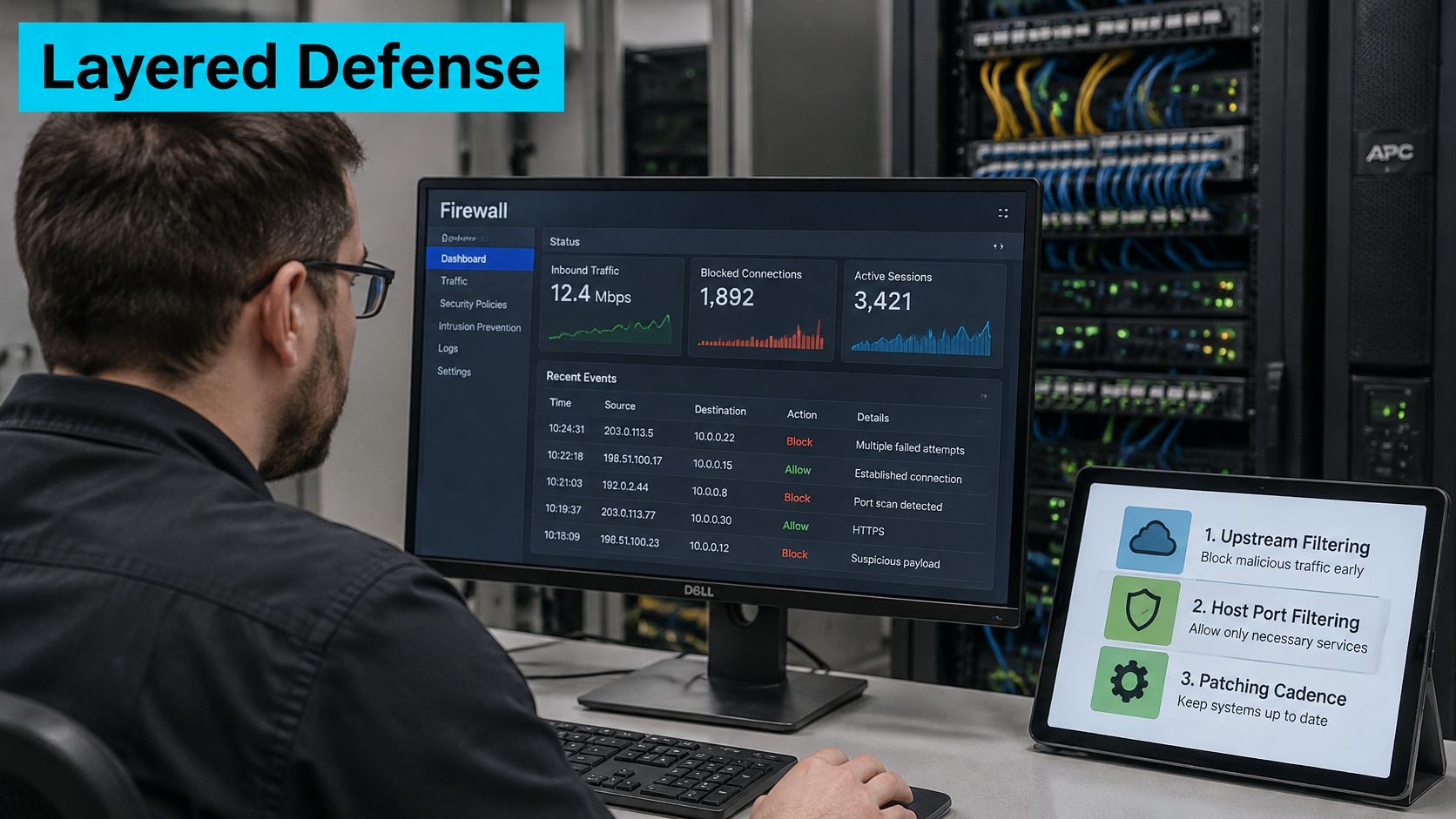
Customers keep software patched unless we manage that software, and they also have to avoid actions that harm the network. A managed patch job does not transfer that duty for hosts we do not administer.
A minimum ufw policy on Ubuntu 24.04
These steps use ufw 0.36. Open a console session before you enable anything. Key-based SSH from the previous section must already work, or you will lock out the only login that should remain. Decide in advance who runs step 4 and who holds the console session open.
- Deny inbound by default and allow outbound. Anything you did not name stops answering.
- Open only the service you mean to publish. For a web host that is HTTPS.
- Limit SSH to the management range. Use that subnet rule or
ufw limiton port 22, not both. The limit rule is a throttle, not a substitute for an allowlist, and it belongs only after passwords are already off. - Enable the firewall and read the verbose status. You want
Default: deny (incoming)and only the rules you added. - Turn on unattended security updates so a routine CVE does not wait for someone to remember
apt.
sudo ufw default deny incoming
sudo ufw default allow outgoing
sudo ufw allow 443/tcp
sudo ufw allow from 203.0.113.0/24 to any port 22 proto tcp
sudo ufw enable
sudo ufw status verbose
sudo apt install unattended-upgrades
sudo dpkg-reconfigure -plow unattended-upgrades
Replace 203.0.113.0/24 with your real management range. That address block is documentation space, not a network you should ship.
| Rule | Command | Effect |
|---|---|---|
| Default inbound policy | sudo ufw default deny incoming | Blocks every inbound port not explicitly allowed |
| Public web service | sudo ufw allow 443/tcp | Opens HTTPS to all sources |
| Admin SSH from management range | sudo ufw allow from 203.0.113.0/24 to any port 22 proto tcp | SSH reachable only from the admin subnet |
| Rate-limited SSH | sudo ufw limit 22/tcp | Throttles repeated connections; use instead of the subnet rule |
| Rule check | sudo ufw status verbose | Confirms default policy and rule list |
Rollback: from the console, sudo ufw disable restores reachability. If one rule is wrong, sudo ufw status numbered and sudo ufw delete N remove it without dropping the whole policy. Say the verification line out loud before you call the host done: status verbose, defaults deny incoming, only your rules listed.
Appliances and the port people forget
Package lists lie about appliances. For VPN concentrators, firewalls, and hypervisor management, use a 72-hour window when the flaw is being exploited, then confirm the running version with an authenticated scan. "Mitigated" is not "fixed" if one cluster node never rebooted.
The Proxmox VE web UI on TCP 8006 should never face the internet. Put it behind the same management range as SSH. In multi-tenant racks, a common miss is an old control panel left on a public address after the main dashboard was locked down. Inventory the panel, the SMTP account, and the emergency support user, or the firewall work was cosmetic.
Watch Logs and Alert Before Damage Spreads
Start with the last hour of SSH noise. This pipeline counts who is knocking:
journalctl -u ssh --since '1 hour ago' | grep -E 'Failed password|Invalid user' | grep -oE 'from [0-9a-fA-F:.]+' | sort | uniq -c | sort -rn | head -10
A few addresses with high counts is a focused guess. A per-address block or a firewall throttle handles that. Many addresses, each trying a couple of usernames, is password spraying or scanning. Per-address rules will not stop it. The fix is key-only access from an allowlist, which you already built if the earlier steps stuck.
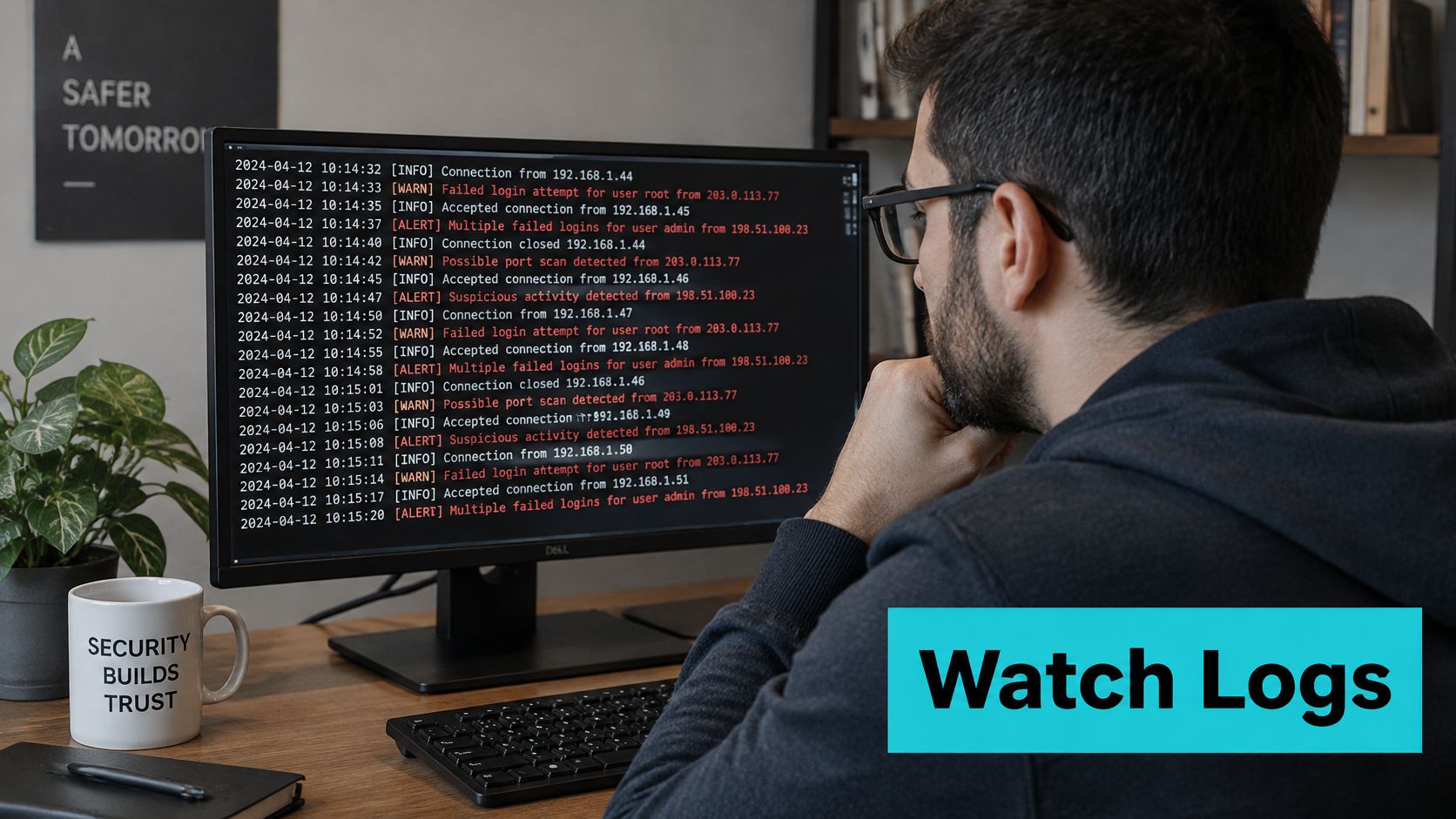
What the failure count is actually telling you
NIST Special Publication 800-63B says an authenticator must limit consecutive failed attempts on a single account to no more than 100, unless a stricter authenticator rule applies. Treat 100 as a ceiling, not an SSH setting. Internet-facing Linux should be far tighter, and the control belongs in SSH config, the firewall, or the identity provider.
Do not lean on account lockout alone. An attacker can spread attempts across many accounts, and a harsh lockout becomes a denial of service against your own users.
If you run fail2ban, confirm the jail during a controlled test from an address you can afford to ban:
sudo fail2ban-client status sshd
The banned list should grow. Put maxretry and bantime in jail.local. The stock 5 retries and 10 minutes are a starting point, not a design. Override them, and do not ban your management range.
Rollback: if you ban yourself, unban from the console:
sudo fail2ban-client set sshd unbanip 203.0.113.10
Alerts that deserve a page
Watch privilege changes, not just failures. A successful login right after someone adds a recovery method is the event that matters.
sudo auditctl -w /etc/sudoers -p wa -k privileged-config
sudo ausearch -k privileged-config
Ship authentication and firewall logs to a central syslog host. An attacker with root can wipe the local journal. They should not be able to wipe the copy.
Page on four changes: a new admin enrollment, a changed MFA recovery method, repeated push prompts, and a login from a place that admin has never used. Alert on the change itself. A clean login after a recovery reset is not a success story.
A short walk-through of reading live auth failures, and why the pattern matters more than a single bad password, is worth ten minutes before you tune thresholds:
Backups That Still Work After an Attack
Use 3-2-1 as the baseline: three copies, two kinds of media, one copy off the server, and one copy the server cannot delete. A crew that already has admin rights will hit the backup server first. If the production host can erase the offsite repo, you do not have a backup. Make that copy pull-based or immutable, and keep the repository password somewhere the server never stores.
A restic loop you can actually roll back
These commands assume the restic package from Ubuntu 24.04 and an offsite account that only the backup job can use.
- Initialize the repo once. The password lives off the server, in a password manager the host cannot read. If you lose that password, the repo is gone, which is the point.
- Back up config and the data you would miss.
/etcwithout the site, or the site without/etc, both fail a real rebuild. - Check a sample of pack data, not just the index.
--read-data-subset=10%reads real bytes without grinding the whole repo every night. - Restore a known file to a scratch directory and compare hashes with production. A backup you have never restored is a rumor.
- Time a full restore and write the number down. Repeat it quarterly. That number is your recovery estimate, not the vendor's.
restic -r sftp:backup@offsite.example.net:/srv/restic init
restic -r sftp:backup@offsite.example.net:/srv/restic backup /etc /var/www
restic -r sftp:backup@offsite.example.net:/srv/restic check --read-data-subset=10%
restic -r sftp:backup@offsite.example.net:/srv/restic restore latest --target /tmp/restore-test --include /etc/ssh
Rollback for a bad job: restic does not overwrite previous snapshots when a new backup fails. Leave the last good snapshot in place, fix the exclude list or the credentials, and run the job again. Do not forget snapshots until a restore test has passed.
A hurricane or a grid failure can take a whole facility offline. Keep at least one copy outside Florida, not in the same Tampa room as the server.
The restores that fail are usually the ones nobody tested, not the ones nobody scheduled. If you want the retention and immutability choices laid out as a design rather than a one-off command, use a ransomware backup strategy and then come back and time your own restore.
Incident Response Steps for the First Hour
Contain before you clean. Preserve before you change anything. Powering the host off feels decisive and throws away memory and live connections you may still need.
With two admins, split the work: one drives containment, the other writes the timeline and holds the rollback path for every change. Nothing gets applied in that hour without a way back and a command that proves it worked.
| Phase | First Action | Done When |
|---|---|---|
| Detect and triage | Confirm the alert against raw logs and note the first suspicious timestamp | Scope and likely entry point are written down |
| Contain | Move the host to a quarantine VLAN and revoke active sessions | No new outbound connections leave the host |
| Eradicate | Remove new accounts, cron jobs and authorized_keys entries, then rotate credentials | Persistence checks come back clean |
| Recover | Restore from a verified backup onto a clean build | Services pass functional tests |
| Review | Write the timeline and assign each fix an owner and a date | Every finding has an owner and a deadline |
Commands for that first hour
Work from a trusted admin host, not from a shell you no longer trust.
- Move the guest to a quarantine VLAN. Do not shut it down yet.
- Stream the journal off the box before rotation eats it. Hash the copy on the receiving side, not on the suspect host.
sudo journalctl --since '2 hours ago' | ssh irstore 'cat > ir-journal.txt'
ssh irstore 'sha256sum ir-journal.txt' | tee -a ir-evidence.log
Write that digest next to the alert timestamp. If the copy is hashed again later and the value differs, it is not evidence.
- See who logged in, and which human accounts exist. UIDs at or above 1000 are the accounts an attacker likes to add secretly.
last -Fi | head -20
getent passwd | awk -F: '$3 >= 1000'
- Look for persistence. A new cron job, a timer, or a key in
authorized_keysoutlives a password rotation.
sudo crontab -l
systemctl list-timers --all
sudo find /home /root -name authorized_keys -exec ls -l {} +
- Revoke sessions and rotate every secret that host could read. Start with admin and service accounts, then MFA recovery methods. A rotated password with the old recovery email still in place is not a rotation.
- Rebuild from a clean image and restore data from a snapshot you verified. Never rebuild from the compromised disk.
Rollback of a bad containment call: if quarantine cut a host that was only noisy, move it back to the service VLAN only after the auth logs and the account list are clean. If they are not clean, leave it isolated.
Bring in outside responders when the attacker has domain-level access, when data may have left, or when you still cannot name the entry point after a working day. A clear incident response sequence is what you rehearse on a quiet Tuesday, not what you invent while the VLAN change is half applied. A managed team can run containment while you handle the people who need an update.
Schedule Your First Hardening Review
Book a two-hour review this week. Bring the admin account list and the date of the last successful test restore. Assign an owner to every item that lacks one. An unowned item is the first fix that never happens.
Our managed services team can take over patching and monitoring if you would rather hand that work off. US-based engineers are available around the clock by ticket, chat, and phone.
ARPHost, LLC hosts colocation, bare metal, VPS, and Proxmox private clouds, and the same identity, firewall, and backup checks in this guide are what we apply when we operate the stack for you. If you want that work on hardware that already has upstream filtering and someone on call, start with a look at the platform. Visit ARPHost, LLC and tell us which admin paths you still have open.

Leave a Reply
You must be logged in to post a comment.