

A lot of people start hosting a GMod server on a spare desktop, a consumer router, and a lot of optimism. That works for a short test. It usually stops working once addons pile up, physics-heavy builds hit the map, and a few regular players start treating your server like their nightly home base.
The failure pattern is predictable. The server stutters under load, workshop downloads drag, restarts get forgotten, and the machine running the game also ends up doing three other jobs it shouldn't be doing. Then security gets ignored because the focus stays on getting the next gamemode tweak online.
Professional hosting a gmod server means treating it like an actual service. You pick infrastructure based on the Source engine's behavior, lock the OS down before the game ever starts, automate deployment, and keep maintenance boring and repeatable. That's how communities stay stable long enough to grow.
From Hobby Project to High-Performance Community Hub
The difference between a hobby server and a serious community server isn't branding. It's operational discipline.
A home-hosted instance can feel fine when it's empty or nearly empty. Once players bring contraptions, dupes, scripted entities, and workshop dependencies into the mix, the weak points show up fast. CPU saturation causes hitching. Missed maintenance causes leaks to accumulate. Router-level exposure and weak SSH hygiene invite unnecessary risk.
The better approach is simple. Build the server like you expect people to depend on it.
That means:
- Start with the right host class: pick infrastructure based on CPU behavior, not generic "gaming server" marketing.
- Harden the operating system first: user separation, firewalling, updates, and minimal exposed services come before SteamCMD.
- Use repeatable deployment steps: installation should be scriptable, not something you only remember after trial and error.
- Plan for operations, not just launch day: backups, restarts, addon control, and change management matter more than the first successful boot.
Practical rule: If your server only works when you're awake, logged in, and manually fixing things, it isn't production-ready.
A stable GMod server becomes a community asset. Staff can moderate without fighting crashes. Players can reconnect without hunting for a changed IP or waiting through broken content delivery. You can test updates in a controlled way instead of pushing everything live and hoping Lua errors don't blow up the evening.
That's also why managed hosting matters for many operators. Not because the commands are impossible, but because consistency wins. Good infrastructure and support remove the low-value work so you can spend time on gamemode design, moderation, and player retention instead of babysitting the box.
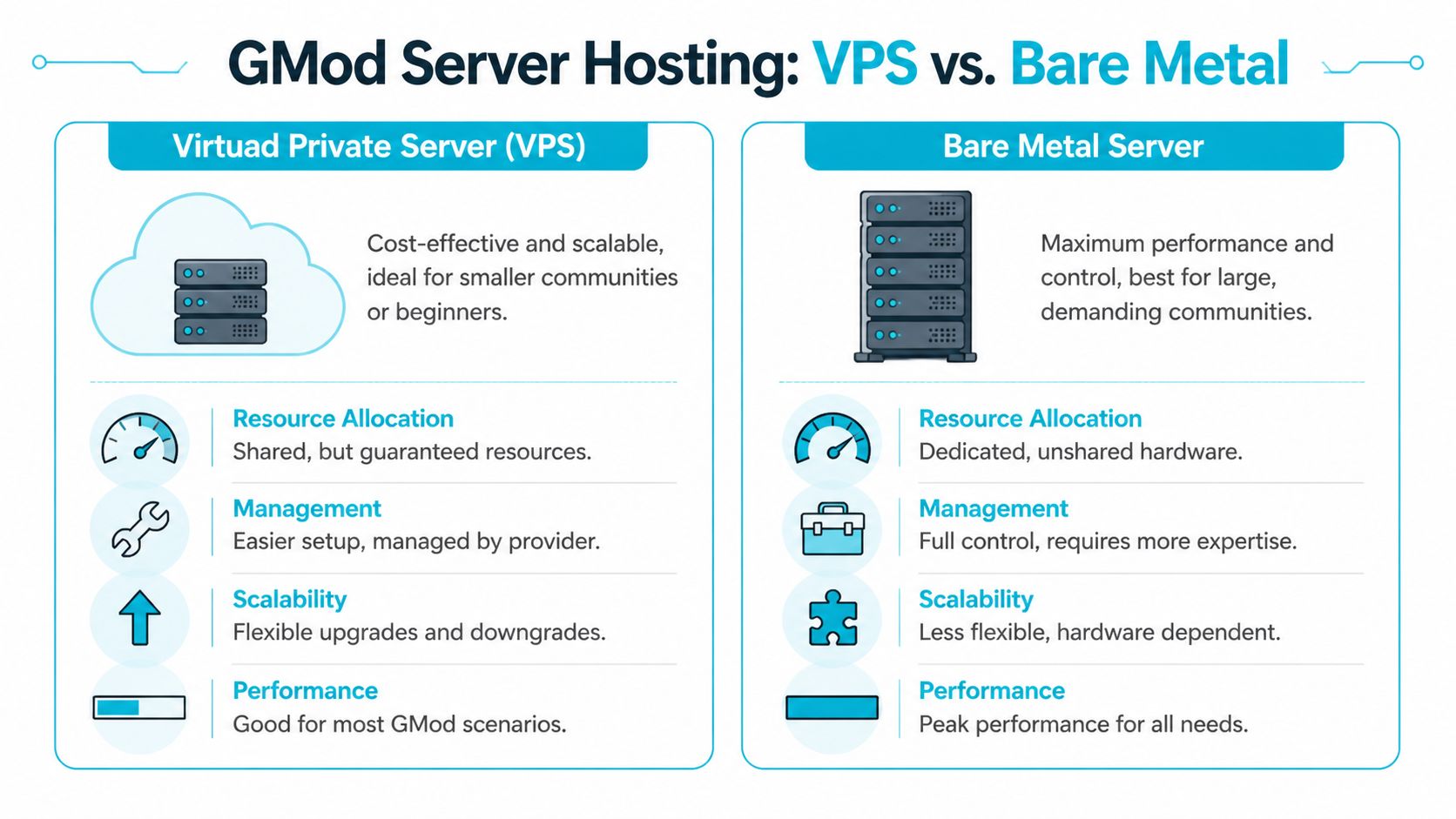
Choosing Your Server Foundation VPS vs Bare Metal
Friday night is when bad infrastructure choices show up. Player count climbs, physics-heavy contraptions start colliding, Lua hooks fire more often, and the server begins to hitch. At that point, no amount of last-minute tweaking fixes a weak foundation. The host class determines how much headroom you have before performance falls apart.
Garry's Mod rewards fast CPU cores and predictable scheduling. It does not scale cleanly just because a provider advertises more vCPUs. The engine leans heavily on a small number of execution paths, which is why single-core speed and stable CPU time matter more than headline core counts.
What matters on real GMod workloads
Start with CPU behavior.
If two servers offer similar RAM but one has stronger per-core performance and less contention, that machine usually delivers the better GMod experience. Sandbox, DarkRP, and heavily scripted custom gamemodes punish weak single-thread performance fast. Addon quality also matters. A bad Lua stack can waste far more server time than a modest hardware difference.
RAM still matters, especially once you add collections, web components, databases, and background services. Storage matters too, mainly for startup time, Workshop sync, logs, and any local database activity. Focus on CPU scheduling, single-thread limits, and addon discipline before blaming memory for performance issues.
When a VPS is the right foundation
A well-provisioned KVM VPS is the practical starting point for many operators. It fits staging, test environments, early production communities, and servers that are still changing direction. You get root access, isolation, snapshots in many environments, and a lower monthly commitment while you validate demand.
Choose a VPS when you need:
- Controlled cost while the community is still proving itself
- Fast provisioning for test, staging, or short deployment cycles
- Simple vertical upgrades without migrating to new hardware immediately
- Operational flexibility for admins who still want full Linux control
This is also the easier platform for teams that script their deployments and rebuild often.
When bare metal is the correct upgrade
Bare metal becomes the right choice once consistency matters more than convenience. If the server is busy every day, your addon set is large, or you run game services alongside MariaDB, web panels, metrics, and backup jobs, dedicated hardware gives you cleaner performance characteristics and fewer surprises under load.
Use bare metal when you need:
- Dedicated CPU time without hypervisor contention
- More predictable frame times during peak hours
- Room for multi-service stacks on one controlled host
- Tighter control over kernel settings, storage layout, and monitoring
That trade-off is operational, not just financial. Bare metal usually asks for better capacity planning, clearer backup policy, and more discipline around change control. In return, it gives you a higher ceiling and more stable behavior when the server is under sustained pressure.
GMod Hosting Comparison VPS vs Bare Metal
| Feature | ARPHost KVM VPS | ARPHost Bare Metal Server |
|---|---|---|
| Best fit | Smaller communities, test environments, early production | Established communities, heavy mod stacks, high concurrency |
| CPU access | Virtualized, isolated resources | Fully dedicated hardware |
| Scalability | Flexible and quick to resize | Strong long-term ceiling, less elastic |
| Operational overhead | Easier to start with | Better for admins comfortable with full control |
| Performance consistency | Good when sized correctly | Best for sustained, demanding workloads |
| Upgrade path | Ideal for iterative growth | Ideal when you already know the steady-state load |
If you are weighing both models, this breakdown of dedicated server vs VPS hosting trade-offs is a useful reference.
The recommendation I give most often
Start on a VPS if you are still validating player demand, testing addon combinations, or revising your gamemode regularly. Move to bare metal when the server has a steady population, administration depends on predictable uptime, and peak-hour hitching has become a recurring operational issue instead of a temporary setup problem.
That shift is usually obvious in practice. Early on, you are optimizing for speed of deployment and low risk. Later, you are managing a production asset with regular players, staff expectations, and a reputation to protect. At that point, hardware choice is no longer a hobbyist decision. It is capacity planning.
Provisioning and Securing Your Linux Server Environment
A new Linux node can look clean and still be one bad SSH policy away from becoming a support incident. Before SteamCMD touches the box, lock down access, separate privileges, and make the host predictable enough to survive months of updates, addon changes, and staff turnover.
For GMod, Debian and Ubuntu both work well. The better choice is the one your team can patch, audit, and reproduce without guessing. In production, consistency beats distro debates.

First login and base system update
Use root once for initial provisioning, then stop relying on it. Patch the system first so you are not building on stale packages, then install only the tools you will use to manage the server.
apt update && apt upgrade -y
apt install -y sudo ufw curl wget screen ca-certificates
Create an administrative user for day-to-day access:
adduser gmodadmin
usermod -aG sudo gmodadmin
Open a second SSH session and confirm gmodadmin can log in and use sudo before changing authentication settings. That one check prevents a lot of self-inflicted outages.
Separate admin and game roles
Keep administration and game execution under different accounts. If an addon, startup script, or third-party binary misbehaves, the process should not have root privileges or access to your full admin environment.
Create the service account now:
adduser --disabled-password --gecos "" steam
Later, install and run the game server under that user:
su - steam
GMod should run as an unprivileged service account. Root-owned game files and root-launched server processes are an avoidable risk.
Firewalling the host properly
A public game server only needs a small number of exposed services. Everything else should stay closed until there is a clear reason to open it.
Start with UFW and allow SSH plus the standard Source engine traffic range commonly used for GMod deployments:
ufw default deny incoming
ufw default allow outgoing
ufw allow OpenSSH
ufw allow 27005:27015/tcp
ufw allow 27005:27015/udp
ufw enable
ufw status verbose
That is a safe baseline for a new node. If you run FastDL later through Nginx or move SSH to a custom port, add those rules deliberately and remove anything temporary after testing. On managed hosting, this is one of the first places you notice the operational difference. Good providers simplify network policy, upstream filtering, and recovery when someone makes a bad firewall change at 2 a.m.
Basic SSH hardening
SSH is usually the first exposed service on a new box, so treat it like production infrastructure from day one. Password logins are convenient right up until the host starts attracting brute-force noise.
Edit the SSH daemon config:
sudo nano /etc/ssh/sshd_config
Review these settings:
PermitRootLogin no
PasswordAuthentication no
PubkeyAuthentication yes
Then reload SSH:
sudo systemctl reload ssh
Do not disable password authentication until you have confirmed key-based access for your sudo account. If you manage multiple nodes, stop doing all of this by hand once the build process repeats. Teams planning repeatable game infrastructure should compare IaC and configuration tools, especially once one GMod server turns into a fleet with staging, production, and regional nodes.
Keep the host boring and repeatable
Stable servers are boring on purpose. Skip desktop packages, random web panels, and side services that have nothing to do with game delivery.
Use a short operating baseline:
- Patch on a schedule: apply security updates and reboot with intent, not whenever a crash forces the issue.
- Minimize installed services: no mail stack, database, or web server unless the node has a defined role for it.
- Check logs after changes: review
journalctl, SSH auth logs, and failed units after updates, addon installs, or config edits. - Document paths and ownership: record file locations, workshop collection IDs, startup commands, and backup paths where the rest of your staff can find them.
If you want a stronger operating baseline before the server goes public, keep this Linux server hardening checklist for production game hosts next to your build notes.
Installing and Configuring the Garry's Mod Dedicated Server
A GMod server usually fails long before it grows. The pattern is familiar. Someone gets srcds_run online, copies startup flags from three forum posts, leaves RCON weak, and treats updates like an afterthought. A production server needs a cleaner build. Install it predictably, keep the runtime small, and put every launch parameter somewhere your staff can audit.
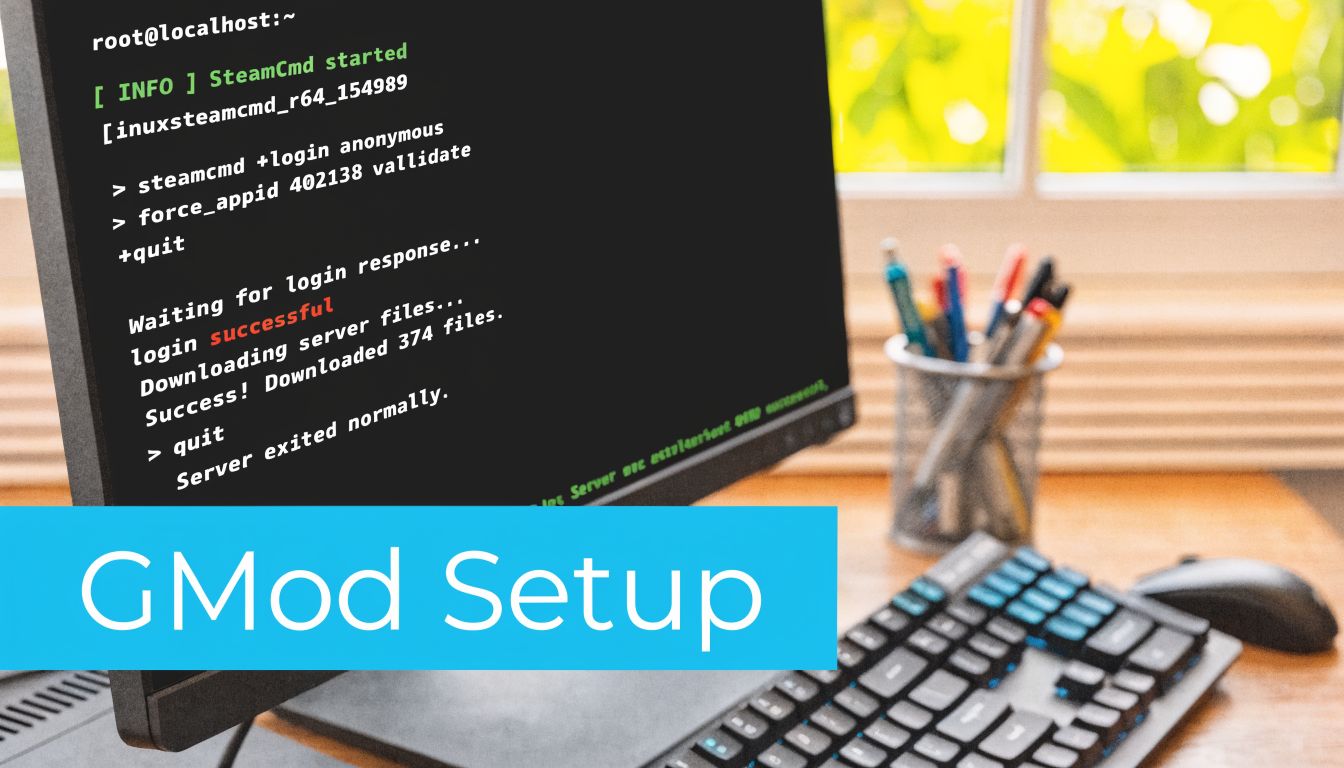
The official install path is still the right one. Facepunch documents the dedicated server workflow through SteamCMD, app_update 4020 Managed hosting reduces a lot of the surrounding work, especially patching, panel access, and network protection, but the underlying server process is the same.
Install SteamCMD
Use the steam account created during provisioning. Keep game files under that user from day one so ownership stays consistent during updates, restores, and migrations.
su - steam
mkdir -p ~/steamcmd ~/gmodserver
cd ~/steamcmd
wget https://steamcdn-a.akamaihd.net/client/installer/steamcmd_linux.tar.gz
tar -xzf steamcmd_linux.tar.gz
Then install the server:
./steamcmd.sh +login anonymous +force_install_dir /home/steam/gmodserver +app_update 4020 validate +quit
validate is useful after a failed update, unexpected crash, or storage issue. On healthy nodes, I do not run it every time because it adds extra file checks and slows maintenance windows.
Build the core server configuration
Start with a minimal server.cfg. Operators get into trouble when they load ten addons, twenty cvars, and custom Lua before confirming the base server can boot, list publicly, and accept connections.
cd /home/steam/gmodserver/garrysmod/cfg
nano server.cfg
Use a clean baseline:
hostname "My GMod Server"
sv_password ""
rcon_password "replace_this_with_a_strong_secret"
gamemode "sandbox"
mapcyclefile "mapcycle.txt"
sv_lan 0
sv_region 255
A few settings deserve deliberate handling.
rcon_passwordshould be long, unique, and treated like privileged access. If it leaks, an attacker does not need shell access to disrupt the server.sv_passwordshould stay empty on public servers. Use it only for private testing, staff events, or staging.gamemodeshould match the actual content stack. Do not assume Workshop content will sort out a bad base config.- Config files belong in version control. A private Git repository is enough. It gives you change history, rollback, and accountability when multiple admins edit the same node.
Add your GSLT and startup parameters
Public listing depends on a valid Game Server Login Token. Without sv_setsteamaccount, the server may run normally but still fail to appear where players expect to find it.
A practical startup command looks like this:
./srcds_run -game garrysmod +map gm_construct +maxplayers 32 +sv_setsteamaccount YOUR_GSLT_HERE +host_workshop_collection 123456789 -port 27015
Small mistakes waste hours. A bad token prevents proper listing. The wrong collection ID loads the wrong content. A port mismatch between the launch command and host firewall makes the server look dead from the outside even when the process is healthy.
Here’s a walkthrough if you want to watch another admin run through the setup flow:
Create a reusable startup script
Do not launch production by typing flags manually into a terminal. Put the command in a script, then keep that script under change control with the rest of the server config.
Create start.sh in /home/steam/gmodserver:
nano /home/steam/gmodserver/start.sh
Example:
#!/bin/bash
cd /home/steam/gmodserver || exit 1./srcds_run
-game garrysmod
+map gm_construct
+maxplayers 32
+sv_setsteamaccount YOUR_GSLT_HERE
+host_workshop_collection 123456789
-port 27015
Make it executable:
chmod +x /home/steam/gmodserver/start.sh
For a single test node, this is enough. For a live community, I usually move one step further and wrap the script in a systemd service so the server can restart on boot and report status cleanly. If your host gives you a managed panel, that operational layer is already handled, which is one of the distinct advantages over hand-built VPS administration.
Run it persistently with screen
screen still works for lean deployments, temporary testing, or one-off maintenance sessions.
Start a named session:
screen -S gmod
/home/steam/gmodserver/start.sh
Detach with Ctrl+A, then D.
Reattach later:
screen -r gmod
For long-term production, systemd is the better choice because it gives you service state, restart policies, and journal logging. screen is fine for hands-on administration. It is not a lifecycle strategy.
Common deployment mistakes
These are the failures I see repeatedly on self-managed nodes:
Wrong install path
SteamCMD installs under one user, then someone startssrcds_runfrom another directory later. Keep file ownership, working directory, and startup script aligned.Missing or invalid GSLT
The server boots, but public discovery fails becausesv_setsteamaccountis missing or incorrect.Port exposure mismatch
The process listens on one port, while firewall rules or provider-level filtering expect another.Overloaded launch flags
Admins copy old parameters from forum threads without understanding what they do. That creates instability that is hard to reproduce.No rollback point
Addons, config edits, and updates all land at once. When the server breaks, there is no clean state to restore.
Keep launch arguments minimal at first. Confirm a clean boot, browser visibility, and RCON access. Add workshop content, custom maps, and gamemode-specific tuning after the base server proves stable.
Managing Addons with Workshop Collections and FastDL
A stock GMod install is only infrastructure. The server is defined by the content stack you build on top of it.
For most communities, the cleanest way to manage addons is a Steam Workshop collection. It centralizes the list, keeps startup simpler, and makes it easier to audit what the server is expected to load. Facepunch documentation specifically calls out workshop integration through the host_workshop_collection parameter in startup configuration.

Use Workshop collections as your source of truth
Create a collection in Steam Workshop, add the addons you support, and use that collection ID in your startup script.
That part of the launch command looks like this:
+host_workshop_collection 123456789
The collection ID is the numeric value in the workshop collection URL. Put it in one place, document it, and don't let multiple admins maintain separate unofficial lists.
A few operating rules help:
- Keep production and testing separate: use one collection for live content and another for experiments.
- Remove abandoned dependencies: if an addon is no longer used, pull it from the collection instead of leaving dead weight.
- Change one thing at a time: when a bad addon causes errors, isolate it quickly by limiting variables.
FastDL is not optional for serious servers
Workshop helps, but it doesn't solve every content-delivery problem. Custom materials, sounds, maps, and other files can still create a slow first-join experience if you rely only on the game server.
FastDL fixes that by serving downloadable assets over HTTP from a web server. Players retrieve content from the web host instead of pulling everything through the game process. That reduces friction and usually makes onboarding much less painful.
Slow content delivery makes players leave before they experience your server. They don't care whether the bottleneck is workshop sync, poor web serving, or bad file hygiene.
A simple FastDL layout
Keep the structure clean and mirror the garrysmod content tree relevant to downloads.
Example directory approach on a separate web host or lightweight web service:
/var/www/fastdl/
└── garrysmod/
 ├── addons/
 ├── materials/
 ├── models/
 ├── sound/
 └── maps/
You'd sync required downloadable content into that tree, compress assets where appropriate, and point the server at the FastDL endpoint through your game configuration.
A practical workflow looks like this:
- Build or update addon content on the game server.
- Copy only required downloadable assets to the FastDL web root.
- Keep naming and paths consistent with the in-game file structure.
- Test with a fresh client, not your cached admin account.
Operational advice for addon discipline
The hard part isn't turning addons on. It's keeping them from taking over the server.
Use these rules:
- Audit Lua-heavy addons carefully: many "feature packs" solve one need by adding five new failure points.
- Prefer known, maintainable content: if you can't tell who supports it or how it behaves after updates, isolate it first.
- Track addon ownership internally: somebody on staff should be accountable for each major dependency.
- Stage changes before prime time: don't push a new workshop set right before your busiest hours.
If you're already maintaining websites, community portals, or download assets alongside the game server, using a separate managed web hosting environment for FastDL is cleaner than turning the GMod node into a mixed-purpose host. It keeps the game process focused on the game.
Performance Tuning Backups and Long-Term Maintenance
A GMod server usually starts to break during month two, not day one. Player counts rise, addons pile up, Lua errors get ignored, and the box that felt fine at launch starts dropping ticks during peak hours. Treat the server like a production service from the start. That means controlled restarts, measured tuning, backup discipline, and a maintenance routine someone on staff is responsible for.
Tune for consistency, not headline settings
The goal is stable frame timing under real load. Chasing aggressive launch flags from old forum posts usually creates more problems than it solves.
Wasabi Hosting notes that -tickrate 66, -disableluarefresh, -softrestart, and rate settings such as sv_minrate 35000 and sv_maxrate 0 are commonly used to improve stability and reduce packet loss on busy GMod servers, especially in heavier DarkRP-style setups, in its GMod server optimization documentation.
A sane baseline looks like this:
./srcds_run
-game garrysmod
-tickrate 66
-disableluarefresh
-softrestart
+map gm_construct
+maxplayers 32
+sv_setsteamaccount YOUR_GSLT_HERE
+host_workshop_collection 123456789
-port 27015
Then match the server config to the workload:
sv_minrate 35000
sv_maxrate 0
sv_maxupdaterate 66
These settings are not magic. They only help if the host has enough single-core CPU performance, clean addon hygiene, and a network path that is not already saturated. On a weak VPS, raising player slots while keeping tickrate at 66 can turn small stutters into constant rubberbanding. On stronger bare metal, the same config may run cleanly for months if the addon stack stays controlled.
Measure before and after every change. Watch console spam, htop, and player reports during actual peak hours, not an empty test session.
Scheduled restarts are standard operations
Long-running GMod instances accumulate garbage. Lua-heavy gamemodes, poorly written addons, and map-specific leaks all push memory use and tick stability in the wrong direction over time. Planned restarts fix that before players feel it.
Use cron, systemd timers, or your panel scheduler. The tool matters less than the discipline.
crontab -e
Example schedule:
0 */6 * * * /home/steam/scripts/gmod-restart.sh
15 3 * * * /home/steam/scripts/gmod-backup.sh
The restart script should warn players over RCON, stop the process cleanly, verify that it exited, and then relaunch it under a service manager or wrapper you trust. If the process hangs once a week and nobody notices until Discord fills up with complaints, the problem is not just Garry's Mod. It is missing operational control.
Back up the state you cannot rebuild
Workshop content is mostly replaceable. Your server's identity is not.
Protect the files and data that are expensive to recreate:
- Configuration files:
server.cfg, launch scripts, mapcycles, and service definitions - Private or modified addons: custom jobs, edits to public content, and paid assets
- Persistent databases: player inventories, economy data, bans, and role data
- Admin state: ULX groups, permission files, and other access control records
A simple shell backup script:
#!/bin/bash
set -e

BACKUP_ROOT="/home/steam/backups"
STAMP="$(date +%F)"
TARGET="$BACKUP_ROOT/$STAMP"

mkdir -p "$TARGET"

cp -a /home/steam/gmodserver/garrysmod/cfg "$TARGET/"
cp -a /home/steam/gmodserver/start.sh "$TARGET/"
cp -a /home/steam/gmodserver/garrysmod/addons "$TARGET/"
tar -czf "$BACKUP_ROOT/gmod-$STAMP.tar.gz" -C "$TARGET".
rm -rf "$TARGET"
That is only the first half of the job. Keep copies off-host, define a retention window, and run restore tests on a spare instance or staging node. These data backup best practices for retention, off-site copies, and restore testing apply directly to game servers.
A backup that has never been restored is still unverified data.
Maintenance habits that keep communities online
Long-term stability comes from small, repeatable checks.
Review logs after every addon update. Remove dead content instead of stacking compatibility patches on top of it. Patch the OS during planned windows, then confirm SteamCMD, the game binary, and your startup scripts still behave as expected. Keep one known-good workshop collection and one known-good launch profile so rollback is fast when an update goes bad.
Document changes. Date them. Note who approved them.
That matters even more once the server grows beyond a single hobby admin. A managed hosting provider helps here because snapshots, scheduled tasks, monitoring, and hardware replacement are already built into the service. You still need operational discipline, but you spend less time fighting the platform and more time controlling the game environment.
Why ARPHost is the Professional's Choice for GMod Hosting
By the time a GMod community becomes active, hosting stops being a hobby problem and becomes an operations problem. You need stable CPU performance, predictable networking, secure deployment, and a path to scale without rebuilding everything under pressure.
That's where professional infrastructure wins. Research cited by Nexus Games states that 70-80% of self-hosted GMod servers fail within 3 months because of hidden costs such as electricity at $20-50/month, dynamic IP issues, and consumer ISP bandwidth limits, while a $10/month professional VPS can support 20-32 players reliably That aligns with what experienced operators see in practice. home hosting often looks cheap until downtime, instability, and household networking limits start costing you players.
A serious provider gives you better defaults from day one. You get infrastructure built for uptime, a cleaner security posture, and the option to move from VPS to dedicated hardware when the community outgrows the entry tier. You also avoid the common trap of running a public-facing game server on the same machine that's doing unrelated personal or office tasks.
The other advantage is support depth. A good hosting partner doesn't just hand you a shell and disappear. They reduce the operational drag around deployment, network exposure, and recovery planning so you can focus on the actual server experience.
If you're running one public node today and expect more later, that path matters. A small community can start lean, validate its mod stack, then move to stronger dedicated infrastructure when sustained load justifies it. That's the professional way to grow a GMod server without turning every upgrade into a crisis.
If you want a cleaner path than piecing this together on consumer hardware, ARPHost, LLC offers the infrastructure that fits the full lifecycle of hosting a gmod server, from entry VPS plans to bare metal, secure web hosting for FastDL, managed backups, and hands-on support when you'd rather spend time on your community than on maintenance.
