

The usual advice is simple. Buy the newest CPU generation you can afford and never look back.
That advice is incomplete. In hosting, the right processor isn’t always the newest one. It’s the one that matches the workload, the budget, the power envelope, and the operational risk you can support.
A dual quad core processor setup still matters because it sits in a useful middle ground. It’s old enough to be cost-conscious, but still structured enough to handle real parallel work. For small virtualization hosts, internal tools, backup targets, staging systems, light web clusters, and legacy application support, that can be the difference between overspending on idle hardware and running a practical, stable platform.
Why Talk About a Dual Quad Core Processor in 2026
A dual quad core processor sounds outdated until you stop thinking like a consumer PC buyer and start thinking like a hosting architect.
Most businesses don't need the newest silicon for every role. They need predictable performance for a specific job. A backup appliance doesn't care about bragging rights. A dev node for Proxmox testing doesn't need current flagship compute. An internal web stack for a stable application often benefits more from solid storage, enough RAM, and clean virtualization placement than from chasing the newest CPU family.
Old hardware still has a lane
A dual quad core server usually means two physical processors, each with four cores, for a total of 8 physical cores. That layout still gives you enough concurrency for many SMB hosting tasks. It becomes especially relevant when you're running several small services at once instead of one huge compute-heavy job.
That’s where older multi-socket systems still earn their keep:
- Virtualization labs where teams test KVM, Proxmox, or migration workflows before touching production
- Low to moderate traffic hosting for websites, email tools, file services, and admin panels
- Backup and archive roles where CPU matters, but storage design matters more
- Legacy workloads that need Intel VT-era compatibility more than cutting-edge acceleration
Practical rule: If the workload is steady, parallel, and not latency-sensitive at the instruction level, older 8-core server layouts can still be a rational choice.
Cost matters more than hype
The mistake I see most often is buying for peak theoretical growth and then running at low utilization for years. That hurts twice. You spend more up front, and you often pay more in power and cooling than the workload justifies.
A dual quad core processor isn't a universal answer. It’s a targeted one. If you know the workload profile, it can still be the right fit for:
| Scenario | Why it can fit |
|---|---|
| Development virtualization | Enough physical cores for several small VMs |
| Internal hosting | Good for many lightweight parallel services |
| Backup servers | Handles compression and task concurrency well |
| Legacy app support | Works where software compatibility matters more than modern IPC |
That’s the primary reason to talk about it in 2026. Good infrastructure choices aren't about novelty. They're about alignment.
The Evolution from Single Core to Dual Quad Core Systems
A dual quad core processor is a server layout, not a marketing label for one unusually large chip. In practice, it means a motherboard with two CPU sockets, each populated by a quad-core processor. That gives the host eight physical cores split across two separate CPUs.

Why clock speed stopped being the whole story
Early CPU buying decisions were dominated by GHz because single-thread performance was the easiest metric to compare. That approach hit a wall once power draw and heat rose faster than real server efficiency. Intel’s shift from NetBurst-era design to Core architecture marked the point where better work per clock started to matter more than chasing frequency alone.
For hosting, that change mattered more than many consumer guides admit. Web services, mail handling, scheduled jobs, control panels, and small virtual machines rarely stress a server as one long single-threaded task. They create many concurrent tasks, so more usable cores often improve throughput more than a small clock bump.
Why dual quad core systems caught on in hosting
The Core 2 and early Xeon era changed server planning because it made multi-core and multi-socket deployments affordable to smaller operators, not just large enterprise teams. A business that had outgrown a single-core or early dual-core machine could move to two quad-core CPUs and get enough parallel capacity to separate workloads instead of stacking everything on one busy process queue.
That was a practical shift. It helped hosting providers run several light services on one box, and it gave early virtualization setups enough physical cores to behave predictably under moderate load.
Many of those quad-core parts were built as multi-chip modules, with two dual-core dies inside one processor package. That design was not as unified as later server CPUs, but it still gave operators a useful step up in concurrency at a reasonable price. For a Proxmox lab, a legacy VPS node, or an internal bare metal service host, that mattered more than architectural elegance.
Single multi-core CPU versus dual-socket quad-core server
A single quad-core processor and a dual quad-core server can both reach eight cores only in theory if you flatten the description too much. In operation, they behave differently.
- A single CPU with multiple cores is usually simpler to schedule and easier on memory access paths.
- A dual-socket system gives you more aggregate core capacity from older hardware, but it also adds socket boundaries the hypervisor and operating system need to respect.
- Older front-side bus and chipset designs can serve low to moderate hosting loads well, but they lose efficiency when workloads bounce data constantly between CPUs.
Admins planning VM density should understand that distinction before assigning vCPUs. If you need a clearer baseline on how operating systems see cores and execution units, ARPHost covers it in this guide to CPU cores and threads for server workloads.
The business case is straightforward. Dual quad core systems became popular because they offered a low-cost path to real concurrency for hosting, long before modern many-core platforms became standard. That still matters for buyers who need predictable performance on modest workloads and would rather spend budget on SSDs, RAM, backups, or even site health work such as practical SEO audit steps than on CPU headroom they will not use.
At ARPHost, this is the context that matters. Older dual-socket platforms are not the right answer for high-frequency trading, dense modern containers, or compute-heavy database clusters. They are still a sensible answer for cost-conscious VPS labs, legacy application hosting, and entry bare metal deployments where steady parallel work matters more than cutting-edge per-core speed.
Technical Architecture Breakdown for Hosting Performance
Core count alone doesn't tell you how a server will behave. In hosting, architecture decides whether a machine feels balanced or frustrating under load.
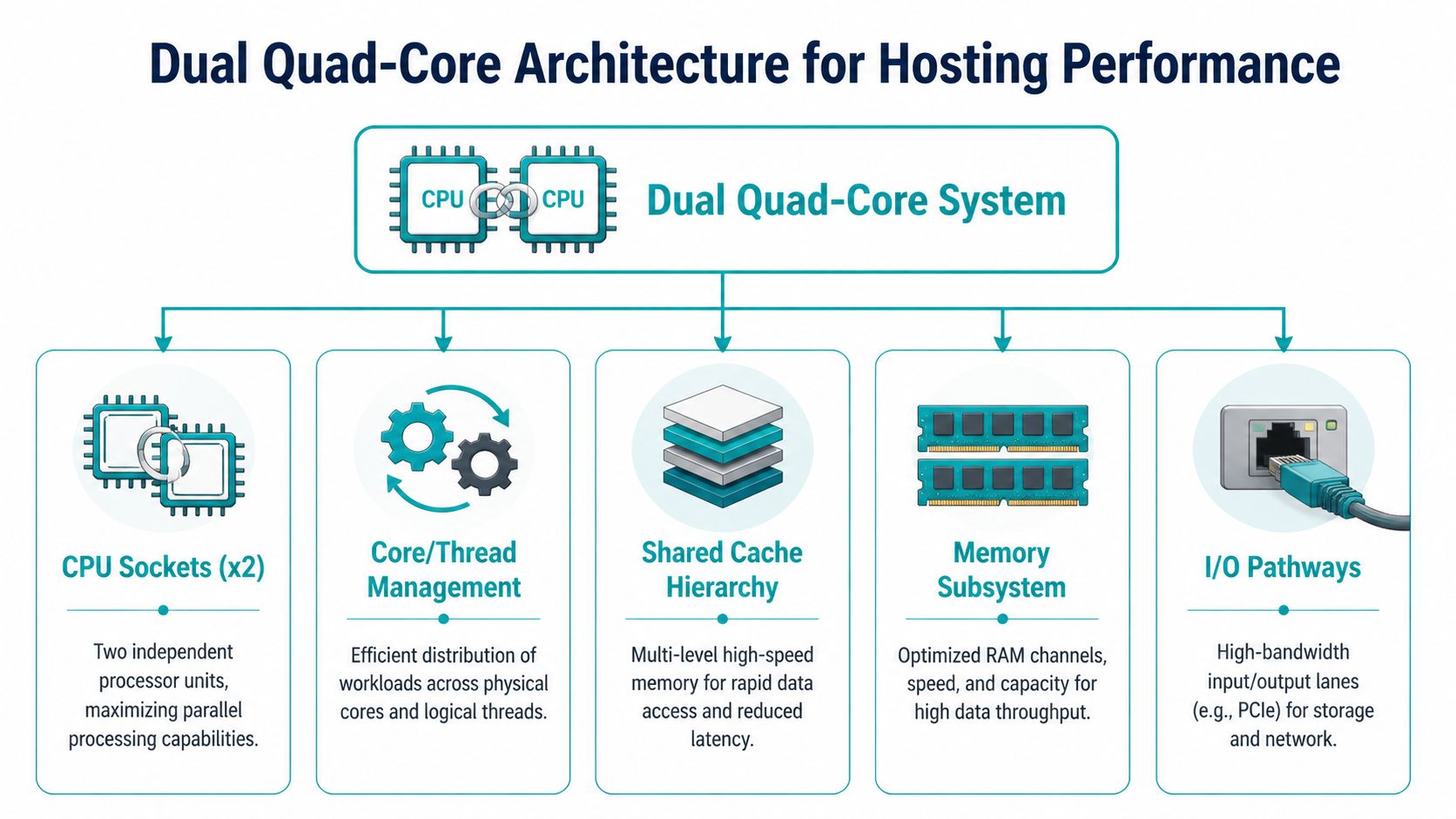
A dual quad core processor gives you 8 physical cores across two sockets. That sounds straightforward, but the hosting impact depends on how memory, cache, I/O, and scheduler behavior interact.
Sockets cores and threads
Start with the physical map.
- Socket means the physical CPU package installed on the motherboard.
- Core means an independent execution unit inside that processor.
- Thread is the unit the operating system schedules. On older systems, the count often maps closely to physical cores unless the CPU supports simultaneous threading.
For hosting admins, this changes VM packing decisions. Eight physical cores across two CPUs can host several modest guests well, but the best results come when the hypervisor places vCPUs cleanly and avoids unnecessary cross-socket traffic.
If you need a refresher on scheduler language, this guide on CPU cores and threads is a useful baseline before tuning VM placement policies.
Why NUMA awareness matters
In dual-socket servers, memory access isn't always equal. One CPU reaches its directly attached memory faster than memory linked through the other socket. That's the practical idea behind NUMA, or non-uniform memory access.
You don't need to become a kernel developer to use that knowledge. You do need to respect it when you run virtualization.
A few examples:
- A small web VM usually won't care much.
- A busy database VM can care a lot if memory and vCPUs are split poorly.
- A Proxmox node with many guests can lose consistency if the scheduler keeps moving CPU time across sockets.
Place larger VMs with locality in mind. If a guest can fit mostly within one socket's resources, performance is usually easier to predict.
Cache and inter-core behavior
Cache is the fast memory close to the cores. In hosting, cache-sensitive work includes databases, metadata-heavy storage operations, and parts of web application execution that revisit the same active working set repeatedly.
Older quad-core designs in the Core 2 family used different packaging approaches for dual-core and quad-core models. Quad-core variants such as Kentsfield and Yorkfield used a dual-die design, which introduced inter-core communication overhead and more uneven sustained behavior in cache-sensitive workloads, as outlined in the Intel Core 2 architecture overview.
That doesn't make them useless. It means you shouldn't expect them to behave like later monolithic server CPUs when heavy shared-state workloads bounce between cores.
The Front-Side Bus bottleneck
The same Core 2 family was also the last major Intel desktop line to rely on the Front-Side Bus, or FSB, before later architectures moved to more direct interconnect methods. For hosting, that's a practical boundary.
FSB-era systems tend to show their age when you combine:
- multiple busy VMs
- storage interrupts
- high network activity
- memory-heavy database work
The machine still works. It just has a lower ceiling before coordination overhead starts eating into useful throughput.
Hosting impact in the real world
For older servers, performance tuning often matters more than adding software complexity. Keep the design disciplined.
A sensible checklist looks like this:
- Pin or group larger VMs carefully so they don't bounce across sockets without reason.
- Use SSD-backed storage because slow storage magnifies every CPU-era bottleneck.
- Limit noisy-neighbor behavior by avoiding too many bursty tenants on one old node.
- Keep roles narrow. A light virtualization host or backup node is easier to optimize than an everything-server.
For web stacks, architecture choices extend beyond the CPU. Clean application structure, lean assets, and disciplined crawling all reduce wasted load. Teams planning website consolidation or platform cleanup often benefit from reviewing practical SEO audit steps because front-end inefficiency eventually turns into server inefficiency.
Performance Impact on Common Hosting Workloads
A dual quad core processor doesn't win by being universally fast. It wins when the workload matches the way older 8-core servers distribute work.
That means parallel, moderate, steady jobs. Not massive analytics. Not modern AI inference. Not heavy transactional databases with strict latency demands. But many common hosting jobs still fit well.

Web hosting and control panel stacks
Shared hosting style workloads often consist of many small requests. PHP workers, web server processes, mail filtering, scheduled jobs, and panel tasks don't all spike at once. That spread makes older 8-core systems more useful than many people expect.
A dual quad core box can still serve well as:
- a low to moderate traffic web node
- a staging server for WordPress or Magento
- a secure admin and file service host
- a mail and web combo system for a smaller organization
The weak point isn't usually raw core count. It's storage latency and old I/O architecture. If you pair the server with SSDs and keep the software stack tidy, responsiveness improves more than most CPU-only comparisons suggest.
For application tuning ideas that matter before you replace hardware, this piece on improving application performance covers the kind of bottlenecks admins should check first.
Databases need careful expectations
Database hosting is where people make bad assumptions in both directions.
Some small databases run perfectly fine on older dual-socket 8-core hardware, especially when the dataset is modest and queries are well indexed. But not every database workload scales cleanly with more cores. Many transactional operations still depend on memory behavior, cache locality, and storage responsiveness more than broad parallelism.
That means a dual quad core server is a decent fit for:
| Database pattern | Fit on dual quad core |
|---|---|
| Small business app database | Good |
| Reporting copy or read-heavy secondary | Good |
| Dev and test database node | Good |
| High-write production transactional system | Limited |
| Large analytics or modern clustered database | Poor |
The best use of older CPU architecture in database hosting is restraint. Keep the role focused, tune indexes, and don't ask the platform to hide storage or memory design problems.
VPS hosting and Proxmox density
Here, the architecture stays relevant.
For virtualization workloads, 8-core systems like a dual quad-core setup can offer 40-60% better VM density and lower latency under load compared to hyper-threaded dual-core processors. That matters in small VPS nodes, tenant-separated lab environments, and internal private cloud pilots where physical cores still beat undersized low-core alternatives.
The useful takeaway isn't that an old 8-core server competes with current enterprise nodes. It doesn't. The takeaway is that for modest VM fleets, physical core count and isolation still matter more than shiny marketing labels.
A practical Proxmox layout on this class of hardware usually works best when you:
- keep VM sizes small and predictable
- avoid mixing one large noisy guest with many small ones
- reserve memory conservatively
- keep backup windows away from peak tenant activity
For teams evaluating how this kind of node behaves under real hypervisor pressure, this walkthrough gives a visual baseline:
Backup and utility servers
Backup systems care about concurrency, checksum work, encryption overhead, and storage movement. That's often a fine match for a dual quad core processor, especially when the box isn't doing interactive production work at the same time.
Good fits include:
- repository targets
- snapshot staging servers
- compressed archive jobs
- internal disaster recovery replicas
- utility nodes for monitoring and maintenance tasks
What doesn't work well is turning one old machine into a universal host for backups, web, databases, file sharing, and test VMs all at once. Older server hardware rewards discipline.
Where this architecture still makes sense
A simple suitability view helps:
| Workload | Suitability on dual quad core | Main caution |
|---|---|---|
| Shared web hosting | Strong | Use SSDs and avoid overloaded stacks |
| Light VPS node | Strong | Watch socket locality and RAM pressure |
| Dev and test virtualization | Strong | Keep snapshots and backups organized |
| Backup target | Strong | Storage design matters most |
| Busy production database | Moderate to weak | Sensitive to memory and I/O bottlenecks |
| Modern HPC style compute | Weak | Old bus and inter-core limits show quickly |
Dual Quad Core Versus Modern Multi-Core CPUs
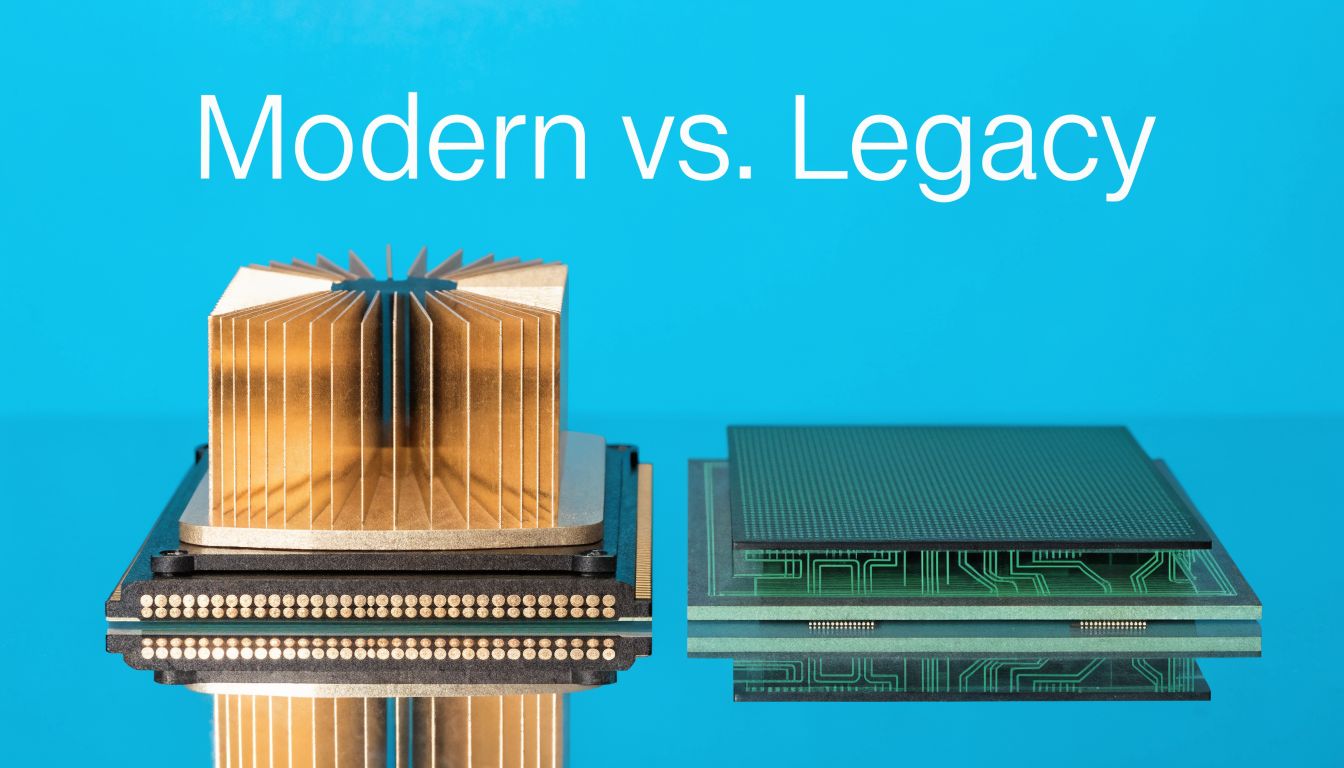
There’s no reason to romanticize older hardware. Modern server CPUs are better in the ways that matter most for demanding production work.
But “better” doesn't automatically mean “better fit.”
Where the older platform still wins
The main advantage of a dual quad core processor is straightforward. It can be acquired and repurposed for roles where spending on current-generation compute would be wasteful.
That makes it appealing for:
- budget-conscious bare metal deployments
- internal tools and secondary infrastructure
- migration staging
- low-risk service hosting
- lab and training environments
If the application is stable and the utilization target is reasonable, the lower acquisition cost can outweigh the age of the platform.
Where modern CPUs take over decisively
Modern server processors deliver stronger per-core performance, faster memory subsystems, cleaner interconnects, broader virtualization features, and much better I/O behavior. For dense consolidation, large databases, heavy storage networking, and highly mixed workloads, they aren't just incrementally better. They change what the platform can safely host.
The biggest practical differences show up in:
| Area | Dual quad core server | Modern multi-core server |
|---|---|---|
| Per-core speed | Lower | Higher |
| Memory behavior | Older architecture | Faster and more scalable |
| I/O throughput | More constrained | Far stronger |
| Virtualization density | Good for modest loads | Better for dense consolidation |
| Power efficiency | Weaker | Better |
Power and heat are the real tax
Older systems can be cheap to buy and expensive to keep.
Quad-core processors consume substantially more power and generate more heat than dual-core counterparts, and this effect becomes more pronounced in a dual quad-core server, which needs stronger cooling and power support, as discussed in this processor power comparison. The same reference highlights that an older Core 2 Duo Conroe had a 65W maximum TDP, while contemporary Pentium D processors reached 130W, which shows how different classes of hardware carried very different thermal expectations.
That matters in colocation, on-prem racks, and any environment where power and cooling are part of the monthly operating cost.
Buy older hardware only when the job profile is stable enough that lower acquisition cost won't be erased by energy, cooling, maintenance, and management overhead.
The decision is about role clarity
Use a dual quad core processor when you know the platform's lane and can keep it there.
Use modern multi-core hardware when you need:
- higher VM density
- stronger storage networking
- better performance per watt
- more headroom for business growth
- fewer compromises in mixed production workloads
The wrong move isn't choosing old or new. It's choosing without defining the job.
How to Choose and Configure Your Server with ARPHost
The selection process gets easier when you stop shopping by buzzword and start shopping by workload shape.
A dual quad core processor can still be a practical server choice. It just needs the right deployment target and a clean configuration. If you're comparing server classes, this overview of dedicated server hosting is a good starting point before you decide between older bare metal and a newer cloud or dedicated platform.
Pick by workload first
Use this decision pattern:
- Choose older dual quad core hardware for staging, development virtualization, internal apps, backup roles, and light multi-site hosting.
- Choose modern multi-core hardware for production private clouds, higher-density VPS nodes, database-heavy applications, and performance-sensitive ecommerce.
- Choose managed infrastructure if your team doesn't want to spend time tuning storage, hypervisors, backup routines, and monitoring thresholds.
Configuration rules that still work
On older server platforms, component balance matters more than squeezing every last MHz from the CPUs.
A good baseline looks like this:
- Prioritize RAM balance. Give the hypervisor enough memory to avoid aggressive contention, and distribute DIMMs correctly across channels and sockets.
- Use SSD storage. Old CPUs paired with slow disks feel far older than they need to.
- Keep network expectations realistic. The server can host many light services well, but don’t design it like a modern dense edge node.
- Separate roles when possible. A web host plus backup target plus database server plus VM lab on one aging machine usually turns into avoidable contention.
Smaller, well-contained services usually outperform oversized all-in-one designs on older hardware.
Workload suitability for dual quad-core vs. modern CPU
| Workload | Dual Quad-Core Server (8 Cores) | Modern Multi-Core Server (16+ Cores) | ARPHost Recommendation |
|---|---|---|---|
| Dev and test virtualization | Good fit | Excellent fit | Start with lower-cost dedicated hardware, then move up if VM count grows |
| Shared web hosting | Good fit for lighter stacks | Better for larger tenant density | Match to expected concurrency and storage profile |
| Backup and archive server | Good fit | Excellent fit | Choose based on retention, encryption, and restore speed needs |
| Production private cloud | Limited | Strong fit | Use modern hardware for business-critical virtualization |
| Heavy database workloads | Limited | Strong fit | Favor newer CPU and memory architecture |
| Migration staging node | Good fit | Good fit | Older hardware is often enough for temporary staging roles |
A short buying checklist
Before you provision anything, answer these questions:
- What runs here on day one
- What could realistically be added within the next refresh cycle
- Does the workload need low latency or just enough parallelism
- Will power and cooling costs erase the hardware savings
- Do you want to manage the hypervisor stack yourself or hand it off
That last question matters more than many teams admit. A lot of “CPU performance problems” are really provisioning, monitoring, backup, or VM placement problems.
Frequently Asked Questions about Server Processors
Is a dual quad core processor good enough for VPS hosting
Yes, for the right kind of VPS hosting. It works best for modest VM fleets, dev environments, internal services, and smaller multi-tenant deployments with controlled resource plans. It isn't the best choice for aggressive consolidation or high-growth production clusters.
Can I run Proxmox on an older 8-core dual-socket server
Yes. Older dual-socket servers can still run Proxmox effectively when the VM mix is disciplined. Keep guest sizing conservative, use SSD storage, and avoid spreading large memory-hungry VMs carelessly across sockets.
Is this architecture still useful for web hosting
Yes, especially for lighter web stacks and support services. Websites, admin tools, scheduled jobs, and moderate hosting tasks can run well if storage, RAM, and software design are clean. The problem usually appears when one server gets overloaded with too many mixed roles.
What usually fails first in planning, CPU or storage
Storage planning fails first more often than CPU planning. Teams focus on core count and ignore disk latency, backup windows, queue depth, and filesystem behavior. On older systems, that mistake becomes obvious fast.
Should I buy older hardware for a database server
Only if the database is modest, predictable, and not central to revenue-critical production. For busy transactional systems, newer CPU and memory architecture is the safer call.
Does older server hardware create a security problem
Age alone isn't the problem. Poor patching, weak isolation, and bad operational hygiene are the problem. If you're keeping older hardware in service, you need disciplined updates, role separation, access control, backups, and monitoring.
Older hardware can still be useful. Older operational habits can't.
When is it smarter to skip dual quad core and go straight to newer hardware
Skip it when performance per watt matters, when uptime expectations are strict, when growth is likely, or when the platform will carry critical customer-facing workloads. In those cases, the newer server usually costs less over the life of the service even if it costs more at the start.
If you're weighing older bare metal against newer private cloud or managed infrastructure, ARPHost, LLC can help map the workload to the right platform without overbuilding. Whether you need VPS hosting, secure web hosting bundles, bare metal servers, dedicated Proxmox private clouds, colocation, instant applications, or fully managed IT services, their team supports the practical middle ground between budget control and reliable performance.
