

At 11:47 p.m. on a Saturday, a 40-person ecommerce company loses its primary SAN during a controller failover. The nightly backup is six hours stale. The on-call engineer has copies of the database and virtual machines, but no rehearsed method for starting checkout on another host, restoring identity services, validating application dependencies, or changing traffic safely.
That situation exposes the difference between having backups and having disaster recovery. The direct fix is to define RPO and RTO for each workload, map dependencies, build an ordered failover runbook, and test the complete path in an isolated environment. Disaster recovery as a service can provide replicated infrastructure and orchestration, but it can't prove your checkout, DNS, identity, payment gateway, and staff procedures work together until you run the drill.
Table of Contents
- When Backups Are Not Enough
- What Disaster Recovery as a Service Actually Is
- How Replication Failover and Orchestration Fit Together
- RPO and RTO as the Real Design Knobs
- DRaaS Compared to Traditional Disaster Recovery
- Choosing and Evaluating a DRaaS Provider
- Common Architectures and Real Use Cases
- Testing the Plan and Next Steps
When Backups Are Not Enough
A backup can preserve data without preserving a working business. It may contain a database dump, a VM image, or a filesystem snapshot, yet still leave the team wondering which service starts first, where credentials come from, how users reach the recovered application, and whether the restored data is consistent.
That Saturday-night ecommerce outage is a common failure pattern. The backup exists, but the recovery procedure doesn't. The company has to rebuild the environment under pressure while the data loss window keeps moving and every undocumented dependency becomes a new incident.
The operational gap
NIST describes the 3-2-1 backup rule as three copies of important files, on two different media types, with one copy stored off-site. Its guidance also connects recovery planning to RTO and RPO, because copies only help when the organization knows how much downtime and data age it can tolerate. See the NIST data protection guidance for the underlying framework.
A backup answers, “Can we retrieve data?” Disaster recovery must answer, “Can we run the service?” Those are different questions. Recovery may require identity, storage mounts, message queues, certificates, DNS, load balancers, database promotion, and a person who knows when to stop the process rather than create split-brain writes.
Practical rule: An untested backup is evidence that data was copied. It isn't evidence that the business can recover.
A plain backup service remains valuable for retention, point-in-time restoration, and protection against accidental deletion. But it doesn't automatically coordinate application startup or provide usable standby compute. DRaaS closes the distance between stored copies and an executable recovery operation. Teams evaluating that boundary should also distinguish it from backup as a service, because the two services solve related but separate problems.
What Disaster Recovery as a Service Actually Is
Disaster recovery as a service, or DRaaS, is a managed recovery model in which a provider hosts secondary compute capacity, receives replicated workloads, and supplies the controls needed to activate those workloads during a failure. Depending on the platform, the protected unit may be a VM, physical server, application environment, or cloud workload.
The important distinction is recovery completeness. Cloud backup stores copies that someone later restores. DRaaS maintains a recovery environment designed to start the protected systems, connect their dependencies, and route users toward the recovered service. That still doesn't make it automatic insurance. The customer must define the application order, validate credentials, confirm data integrity, and decide who is authorized to declare a disaster.
DRaaS sits between two extremes:
- Cloud backup: Data is stored elsewhere, but the customer usually owns reconstruction, compute provisioning, dependency ordering, and validation.
- DRaaS: Replication, standby infrastructure, failover controls, and runbooks are coordinated through a managed service.
- Active-active recovery: Separate production environments serve traffic concurrently, with the customer retaining substantial responsibility for application consistency, routing, data convergence, and operational control.
| Capability | Cloud Backup | DRaaS | Active-Active DR |
|---|---|---|---|
| Primary purpose | Preserve and restore data | Run protected workloads after an outage | Continue serving from multiple live sites |
| Standby compute | Usually provisioned during recovery | Prepared or available through the provider | Running continuously |
| Failover trigger | Customer-led restoration | Customer or provider workflow, subject to contract | Automated or application-controlled routing |
| Dependency orchestration | Usually manual | Runbook-driven | Built into the application and platform design |
| Customer responsibility | Data, infrastructure, recovery procedure | Application behavior, objectives, dependencies, approval | Application architecture, consistency, routing, and both sites |
| Main trade-off | Lower operational scope, slower recovery work | Managed complexity, ongoing provider dependency | Highest engineering complexity and operational cost |
The three flows engineers encounter
With cloud-to-cloud DRaaS, a workload running in one public cloud replicates to another cloud or region. The provider may own the recovery hypervisor, but the customer still owns application semantics and the failover decision.
With on-premises-to-cloud DRaaS, a colo, virtualization cluster, or Hyper-V fleet sends replicas to hosted infrastructure. This is attractive when a company wants geographic separation without purchasing a second physical site. The WAN link, encryption, source platform, and recovery network become critical design inputs.
Cloud-to-on-premises DRaaS is less common as the primary direction, but it matters for rollback and sovereignty. A cloud workload may fail over to controlled hardware during a cloud disruption, or a recovered service may be moved back to a private environment after the original platform returns.
Ask three ownership questions before signing: Who owns the hypervisor? Who owns the runbook? Who can trigger failover? A provider may operate the first, collaborate on the second, and restrict the third. Your contract and runbook should make those boundaries explicit.
How Replication Failover and Orchestration Fit Together
A recovery design has three separate layers: replication, failover, and orchestration. Teams often buy the first and assume the other two are included. In production, that assumption is where recovery plans break.
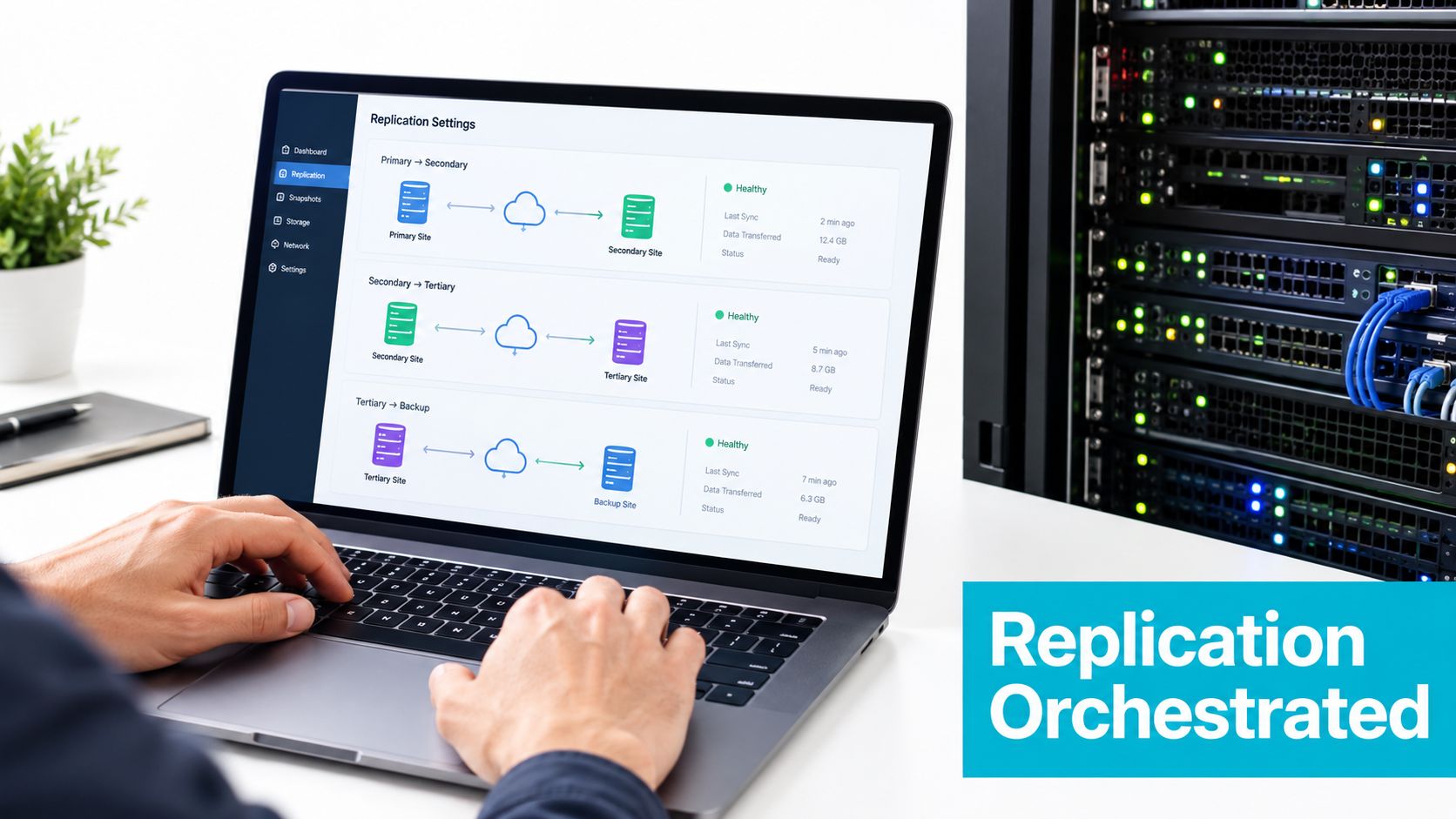
Replication determines what survives
Replication moves changes from the production workload to the recovery location. Continuous block replication, change tracking, and snapshot-based schedules all offer different balances between recovery-point freshness, bandwidth, storage, and corruption exposure.
A representative command might look like this in a ZFS replication workflow:
zrep push --interval 5m prod-vm pg-primary
That command is an example of the operational shape, not a universal command for every platform. A five-minute interval creates less data lag than a wider schedule, but tighter replication consumes more network capacity and can move corrupted or encrypted changes into the replica faster. A replication stream also doesn't understand whether an application transaction is complete unless the platform and workload cooperate.
For Proxmox environments, verify behavior against the installed Proxmox Backup Server documentation. Proxmox Backup Server sends backups incrementally and deduplicates them on the server, reducing storage consumed and network impact. Backup behavior is version-sensitive, so a runbook should record the installed release and test restores against that release.
Teams working through the broader distinction should start with what replication means in infrastructure, then document whether the design protects blocks, snapshots, databases, or complete application states.
Failover changes the execution state
A planned failover is a controlled exercise. The team quiesces or shuts down production services, confirms the final replication point, activates the recovery copies, and validates the application. A clean shutdown script can preserve database consistency and reduce replay work.
An unplanned failover begins after a declared disaster. The source may be unreachable, so the recovery system might have to use the last available point and force power-off semantics. That can breach the RPO, leave transactions incomplete, or require database recovery before the application can accept traffic.
The following check is useful before activating a recovery VM:
qm status 101
qm config 101
pvesm list local-zfs --vmid 101
Expected output should show the VM in a known state, its disks attached to the intended storage, and the replicated volume available. If the storage listing is empty, starting the VM is not a recovery action. It's a new failure.
The video below demonstrates the kind of operational interface teams should examine when evaluating replication and recovery workflows.
Orchestration makes the order explicit
Orchestration starts services in dependency order, changes traffic routing, waits for health checks, and records the result. A sensible sequence might be:
- Start identity and time services.
- Mount storage and start database nodes.
- Start message queues and internal APIs.
- Start the checkout and web tiers.
- Validate payment, authentication, and order processing.
- Change the application route only after health checks pass.
A runbook can be represented as structured configuration:
runbook: ecommerce-failover
steps:
  - name: start-identity
    action: start_vm
    target: identity-01
  - name: start-database
    action: start_vm
    target: pg-primary
    requires:
      - start-identity
  - name: start-checkout
    action: start_vm
    target: checkout-01
    requires:
      - start-database
  - name: validate-application
    action: http_health_check
    target: checkout-01
    requires:
      - start-checkout
The exact syntax varies by product. The engineering requirement doesn't: a recovery system must know what depends on what. Without that map, stale replicas, split-brain writes, incorrect DNS changes, and untested human decisions remain hidden until the outage.
RPO and RTO as the Real Design Knobs
RPO and RTO turn a recovery conversation into measurable engineering requirements. RPO, or recovery point objective, is the maximum acceptable data gap. RTO, or recovery time objective, is the maximum acceptable delay between interruption and restoration. IBM describes these as the central controls for DRaaS planning in its technical overview of DRaaS.
A workload with a near-zero RPO needs replication that captures changes frequently enough, and consistently enough, to avoid unacceptable transaction loss. A workload with a long RPO can use scheduled copies and simpler recovery. The mistake is applying the same policy to every VM.
| Tier | Workload Class | RPO Target | RTO Target | Replication Method |
|---|---|---|---|---|
| Tier 1 | Transactional systems | Near zero | About 15 minutes | Synchronous or near-real-time asynchronous replication |
| Tier 2 | Internal business applications | 15 minutes | About 1 hour | Frequent asynchronous replication or short snapshot intervals |
| Tier 3 | Reporting and file shares | 4 hours to 24 hours | 4 hours to 24 hours | Scheduled snapshots or incremental backup |
The published common figures for mission-critical applications are about 15 minutes RTO with near-zero RPO, while less critical tiers often use 4-hour RTO and 2-hour RPO, as summarized by RTO and RPO recovery guidance. Those figures are reference points, not promises. Your payment workflow may need a different target from your reporting share.
Transport limits set the floor
Replication can't outrun the connection carrying it. IBM documents synchronous replication with a maximum 10 ms link latency and asynchronous replication with up to 100 ms latency in the referenced disaster-recovery hardware guidance. Those constraints show why a tight RPO requires low-latency connectivity, workload placement, and enough bandwidth for change volume. See the IBM replication latency documentation.
Proxmox replication schedules also constrain VM recovery. The documented schedule typically runs from 1 to 60 minutes, so a VM-based design must account for that interval when setting an achievable RPO. A shorter interval may increase replication pressure, while a longer interval creates more potential data loss.
RTO has its own hidden consumers. Replication transport, storage import, VM boot, database recovery, identity availability, health checks, and traffic changes all spend time from the same budget. Reducing one step doesn't remove the others.
The target isn't the RTO written in the contract. The target is the measured result after the runbook, dependencies, and people have done their work.
Write RPO and RTO into each runbook, review them quarterly, and test them. A target that hasn't survived a drill is an assumption, not a control.
DRaaS Compared to Traditional Disaster Recovery
Traditional disaster recovery gives the organization maximum control over the secondary environment. It also assigns maximum responsibility. The team must acquire redundant hardware, maintain the facility, keep configurations aligned, operate the replication path, and schedule recovery exercises.
DRaaS moves standby infrastructure and much of the platform operation to a provider. That can remove idle capacity from the customer's balance sheet and reduce the work required to maintain a second site, but it introduces provider dependency. The customer still owns application dependencies, identity, routing, data validation, and the decision to declare an outage unless the agreement says otherwise.
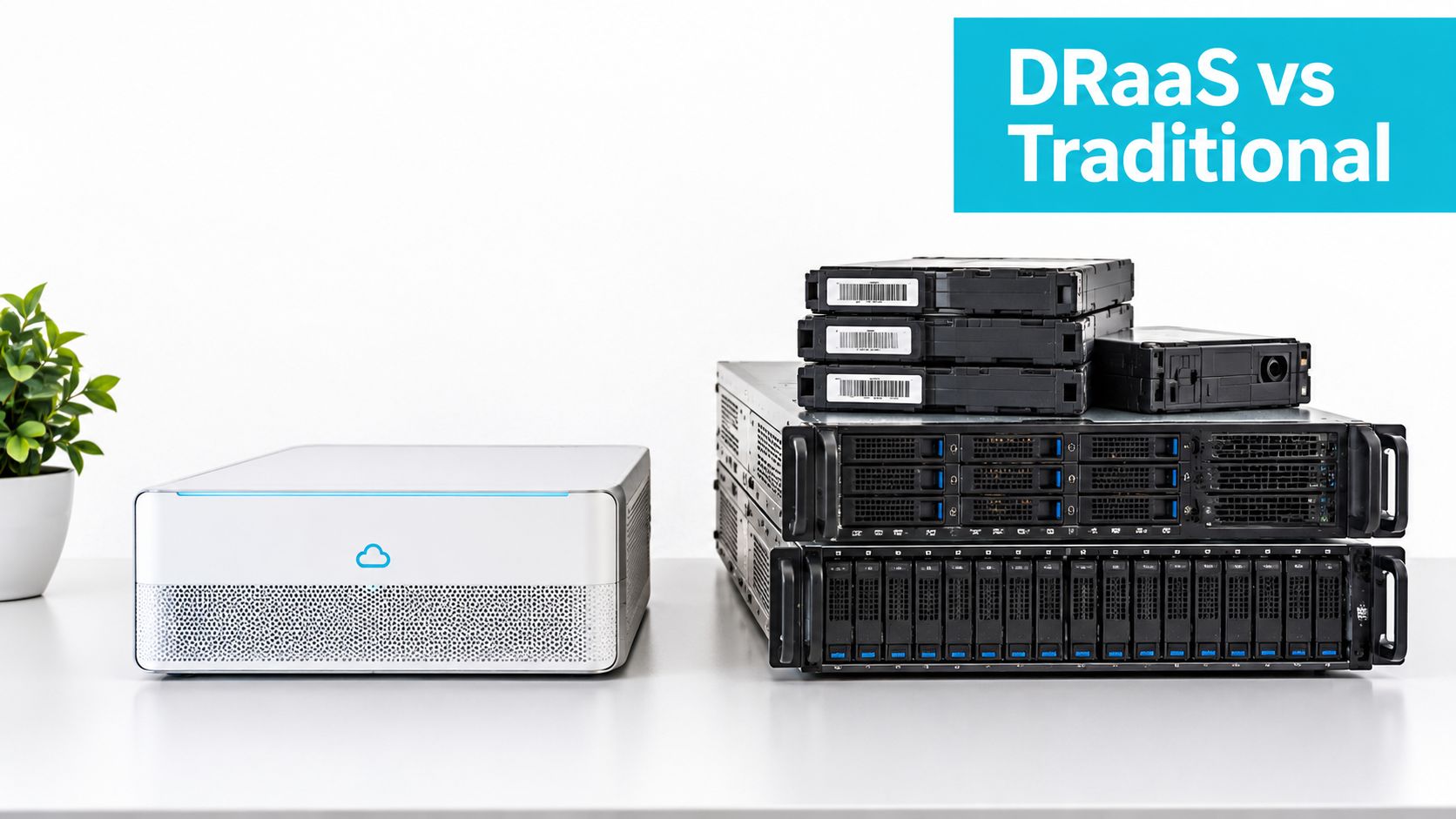
Use the trade-off, not the brochure
DRaaS can support fast orchestrated recovery when replicas and dependencies are prepared. A cold traditional site may require manual hardware startup, storage recovery, and service reconstruction. Neither approach eliminates testing. DRaaS can make isolated test failover easier, while traditional testing often consumes a scheduled maintenance window and requires physical coordination.
| Decision Factor | DRaaS | Traditional DR |
|---|---|---|
| Cost structure | Ongoing managed-service expense tied to protected workloads or capacity | Capital investment plus facility, hardware, licensing, and staffing responsibility |
| Recovery speed | Can support fast failover when replication and runbooks are ready | Depends on whether the site is hot, warm, or cold and how much is manual |
| Testing overhead | Isolated test workflows can reduce production disruption | Exercises may require physical scheduling and wider coordination |
| Operational control | Provider controls much of the recovery platform | Customer controls the complete secondary environment |
| Application responsibility | Customer still owns dependencies, validation, and business approval | Customer owns the same layers plus the infrastructure |
| Main risk | Provider capability, contract limits, connectivity, and lock-in | Idle capacity, configuration drift, and internal operating burden |
A small team with limited infrastructure staff may prefer DRaaS because it can outsource standby platform operations. A heavily regulated organization may prefer dedicated control over location, keys, and recovery infrastructure. A mature enterprise may combine both, protecting critical workloads with managed replication while retaining a separate clean recovery copy.
The decision should follow the required RPO, RTO, test frequency, residency rules, and staff capability. It shouldn't begin with a product demo.
Choosing and Evaluating a DRaaS Provider
Evaluate a DRaaS provider with written answers, not a polished failover demonstration. The demo should show the happy path. Your checklist must expose what happens when identity is unavailable, the source system is partially damaged, the replica is stale, or the operator makes the wrong selection.
Put these questions in the contract
Where is the recovery region? Check physical separation from the primary site, customer latency, weather exposure, grid dependency, and the path users take to reach the recovered application. For a Tampa or Florida deployment, hurricane and regional grid resilience deserve a concrete answer, not a generic availability statement.
Is residency guaranteed? Ask where replicas, snapshots, logs, temporary disks, and support copies are stored. Require contractual language if data must remain in a specific country, state, or region.
Which platforms are supported? Confirm VMware, Hyper-V, KVM, Proxmox, bare metal, databases, containers, and SaaS dependencies separately. “Virtual machine support” doesn't prove that the provider can recover your storage controller, guest tools, or application state.
How is orchestration exposed? A GUI may be useful during an emergency, but API and CLI access matter for version-controlled runbooks, audit logs, and repeatable testing.
Can you test on demand? Ask whether a non-disruptive failover can run in an isolated network, whether tests count against an annual limit, and what the provider records as successful recovery.
What security controls apply? Request encryption details for transit and rest, key management ownership, administrative access controls, immutable recovery options, and evidence such as SOC 2 or ISO 27001 reports when relevant to your risk model.
What compliance scope is documented? If HIPAA or PCI matters, request the actual scope statement and shared-responsibility boundary. A provider's certification doesn't automatically make your application compliant.
How do you exit? Ask how long data retrieval takes, which formats are available, how replicas are deleted, and what egress charges apply. A recovery platform you can't leave becomes a recovery dependency.
Test the commercial definition
Pricing can be structured per VM, per gigabyte, by reserved capacity, or as a broader managed service. None of those labels tells you what “protected” means. Ask whether a recovered VM includes its disks, IP-independent network configuration, licenses, application validation, and operator assistance.
Also ask whether test failovers are unlimited or capped, whether standby compute is charged when powered off, and whether failback assistance is included. A low recurring fee can become expensive during a real event if the contract excludes the tasks your team assumed the provider handled.
Common Architectures and Real Use Cases
The same DRaaS components behave differently depending on workload consistency, geography, platform ownership, and the people available during an incident. The architecture should follow those constraints rather than forcing every system into continuous VM replication.
| Scenario | Primary Stack | Replication Method | RPO / RTO | Key Constraint |
|---|---|---|---|---|
| SMB ecommerce | Single hypervisor with managed PostgreSQL | Continuous block replication to a hot standby | 15 minutes / 1 hour | Checkout dependencies, DNS, CDN, payment validation |
| Proxmox DevOps environment | Proxmox VE across two on-premises clusters | ZFS replication through a WireGuard tunnel | Defined per VM | Cluster-aware filesystems and storage promotion |
| Tampa-region colocated workload | Mixed physical and virtual systems | Hybrid replication with in-region recovery storage | Defined by residency and application tier | Compliance scope and regional separation |
Ecommerce on a single hypervisor
An SMB ecommerce stack may run web, checkout, worker, and monitoring VMs on one hypervisor while PostgreSQL is managed separately. Continuous block replication can keep a hot standby current, but the runbook still has to start services in order, validate database connectivity, warm the CDN, change application routing, and replay queued orders safely.
The database provider's own recovery behavior matters. A replicated VM doesn't guarantee that an external managed database promotes at the same time. The runbook must identify the authoritative database endpoint and test what happens when the application starts before the database is ready.
Proxmox across two clusters
A DevOps team operating Proxmox VE across two locations may use ZFS replication over WireGuard, with Zabbix triggering an alert and an operator approving promotion. The recovered VM may then need storage remounts, network bridge alignment, and service discovery updates.
The dangerous assumption is that every filesystem and cluster service tolerates an abrupt move. Cluster-aware applications can interpret a cutover as a second active member. Test fencing, promotion, and write ownership before automating the trigger.
A Tampa-region hybrid design
A mixed colocated workload may keep VM images in an in-region recovery environment while allowing only selected metadata and configuration to leave the facility. This pattern can support data-residency requirements, but it creates a more complex recovery boundary. The team must know which identity, licensing, monitoring, and orchestration services remain available if the primary colo is inaccessible.
For teams suited to Proxmox private-cloud operations or dedicated virtualization hardware, ARPHost bare metal servers can be evaluated as part of the infrastructure layer. Hardware placement doesn't replace replication or testing. It gives the recovery design a controlled compute foundation.
Testing the Plan and Next Steps
Recovery testing is the deliverable that justifies DRaaS. A dashboard showing healthy replication proves that data is moving. It doesn't prove that users can authenticate, orders can complete, or operators can execute the process without improvisation.
Rotate three drill types:
- Tabletop walkthrough: Read the incident timeline aloud and have infrastructure, application, security, and business owners identify every decision and dependency.
- Partial failover: Start non-production or lower-risk replicas in an isolated network, then validate storage, identity, application health, and monitoring.
- Full game day: Cut over the highest-priority service during a controlled maintenance window, measure the result, and exercise failback.
Log the actual values, not just pass or fail. Record replica lag as the observed RPO, the timestamp when failover begins, the first successful health-check response as the observed RTO, and every dependency failure. Include DNS propagation behavior, identity delays, payment-gateway responses, missing certificates, incorrect firewall rules, and human pauses caused by ambiguous instructions.
A practical cadence is one tabletop per quarter and one full failover per year, with partial drills between them. Those figures are a recommended operating cadence, not a vendor guarantee.
After each exercise, update the inventory and remove assumptions from the runbook. Schedule the first drill within 60 days of approving the design, then repeat it whenever a major platform, application, identity, storage, or network change alters the recovery path.
Teams that want a Tampa-region starting point or Proxmox-native replication can review ARPHost managed services as one way to handle the initial infrastructure and operational plumbing. The provider still needs to supply evidence that the resulting recovery path works for your applications.
ARPHost, LLC provides colocation, bare metal servers, VPS infrastructure, Proxmox private clouds, and managed IT services from its Tampa, Florida operations. Visit ARPHost, LLC to discuss a recovery design built around your actual dependencies, measurable RPO and RTO targets, and a scheduled DR drill.
