


Think of a dedicated server with DDoS protection as a physical, single-tenant server that's been kitted out with specialized armor. Its entire job is to absorb and filter out the junk traffic from a Distributed Denial-of-Service attack, making sure your real customers can always get through. In today's landscape of constant cyber threats, this kind of integrated, multi-layered defense isn't a luxury—it's a foundational requirement for business continuity.
The Foundations of a Resilient Digital Presence
Imagine your business is a physical storefront, and one day, a massive, angry mob shows up. They aren't there to buy anything. Their only goal is to block the entrance so completely that your actual customers can't even get close to the door.
In the digital world, that's a Distributed Denial-of-Service (DDoS) attack, and your dedicated server is the storefront.
A dedicated server gives you exclusive access to all its hardware—CPU, RAM, and storage—creating a high-performance engine for whatever you need, from a bustling e-commerce site to a complex backend database. Unlike a shared hosting plan where you're splitting resources with noisy neighbors, a dedicated server offers total control and performance you can count on. ARPHost's bare metal servers, for example, provide the raw, dedicated power needed for demanding applications.
But that exclusivity also puts a giant target on its back. A successful DDoS attack can overwhelm your server's resources in minutes, leading to crippling downtime, lost sales, and a serious dent in your brand's reputation.
Why Standard Security Is Not Enough
Many IT professionals mistakenly believe a standard firewall is sufficient. While a firewall is crucial for blocking unauthorized access, it's like a single security guard checking IDs at the door. It was never designed to handle an overwhelming mob of thousands. A DDoS attack simply floods every possible entry point at once, making that single guard's efforts totally useless. For instance, a firewall configured with iptables might drop packets from an unauthorized IP, but it will be overwhelmed by a volumetric attack saturating the network link itself.
This is where specialized DDoS mitigation comes in. Think of it as an advanced, automated crowd control system that can spot the malicious traffic "mob" from a mile away and divert it before it ever reaches your front door. This process, often called "scrubbing," ensures that only legitimate visitor traffic makes it to your server. If you want to go deeper into the strategies that underpin this kind of defense, it's worth exploring the core concepts of cybersecurity and network security.
Transforming Vulnerability into Strength
By integrating DDoS protection, you turn a powerful but vulnerable server into a hardened fortress. It’s no longer an optional add-on; it's a core piece of any modern infrastructure. For any business that relies on being online 24/7—which is pretty much everyone these days—proactive protection is the only way to go.
This is why solutions like ARPHost's bare metal servers are built with security at their very core. Instead of bolting on protection as an afterthought, these servers exist within a network designed from the ground up to stand against today's sophisticated attacks. This integrated approach delivers a few key wins:
- Guaranteed Uptime: Your services stay online and accessible, keeping your revenue streams flowing.
- Preserved Performance: Malicious traffic is stopped before it can hog your server's resources, so real users always get a fast, snappy experience.
- Enhanced Reputation: Nothing builds customer trust like rock-solid reliability.
When you choose a provider that bakes in robust defenses from the start, you're making a strategic investment in the stability of your entire online operation. You can see how this architecture works in a real-world dedicated hosting solution with DDoS protection.
How Modern DDoS Mitigation Really Works
To really get your head around how a dedicated server with DDoS protection keeps your business online, you have to look beyond the server itself. It's not about flipping a single switch. Modern DDoS mitigation is a smart, multi-layered defense system built to spot and block malicious traffic while waving legitimate users right through.
This is what we're talking about—a dedicated server and specialized DDoS protection working together to build a digital fortress.
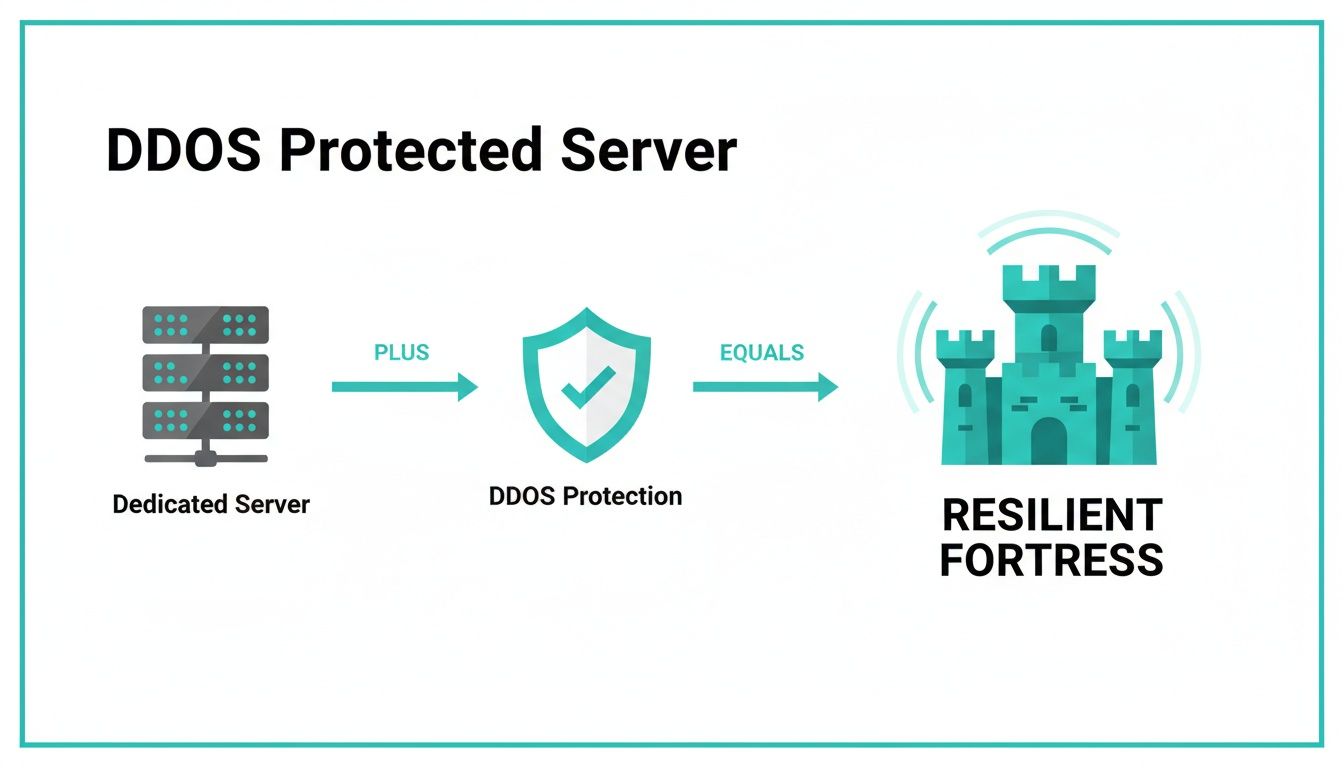
The takeaway here is that one without the other just doesn't cut it. High-performance hardware needs an equally powerful security shield to guarantee you stay online when it matters most.
Comparing Network Layer vs Application Layer DDoS Attacks
Not all DDoS attacks are created equal. They target different layers of the network, and each one demands a totally different defensive game plan.
Think of Network Layer (L3/L4) attacks as a brute-force traffic jam on a major highway. Attackers just flood your server with a ridiculous volume of simple requests, like SYN floods or UDP amplification, eating up all your bandwidth and network resources. The goal is pure saturation. These attacks are noisy and high-volume, but they're relatively easy to spot if you have the capacity to handle them.
Application Layer (L7) attacks, on the other hand, are much more cunning. Instead of a traffic jam, picture thousands of fake customers walking into your store and tying up every single employee with complex, time-consuming questions. These attacks go after specific applications—your website's login page, search function, or API endpoints—using what look like legitimate HTTP GET or POST requests to drain server resources like CPU and RAM. Because they mimic real user behavior, they are way harder to detect and require much more intelligent filtering.
To put it in perspective, let's break down the key differences.
| Characteristic | Network Layer Attacks (L3/L4) | Application Layer Attacks (L7) |
|---|---|---|
| Target | Network infrastructure (routers, switches) and bandwidth | Specific web applications, APIs, or services |
| Method | High-volume traffic floods (e.g., SYN floods, UDP amplification) | Low-and-slow, legitimate-looking requests (e.g., HTTP floods) |
| Goal | Saturate bandwidth and network capacity to cause a complete outage | Exhaust server resources like CPU, RAM, and database connections |
| Detection | Easier to detect due to massive, anomalous traffic spikes | Harder to detect because traffic can mimic real user behavior |
| Mitigation | Requires massive network capacity and rate limiting | Needs intelligent filtering like a Web Application Firewall (WAF) |
Understanding this distinction is critical. While network layer attacks are all about overwhelming volume, application layer attacks are about strategic exhaustion. A truly comprehensive defense has to be ready for both the brute-force flood and the surgical strike.
Core Mitigation Tactics Explained
To fight back against these varied threats, a solid mitigation platform uses several techniques at once. Each one acts as another filter, cleaning up the traffic before it ever gets close to your dedicated server.
1. IP Filtering and Reputation Analysis
This is your first line of defense. The system checks the reputation of incoming IP addresses against massive, constantly updated lists of known bad actors—botnets, compromised servers, you name it. If an IP is on a blacklist, it's blocked outright. It’s a straightforward but incredibly effective way to drop a huge chunk of attack traffic right at the door.
2. Rate Limiting
This tactic is all about setting boundaries. It establishes a threshold for how many requests a single IP address can make in a certain amount of time. If an IP goes over the limit, its traffic is temporarily blocked or slowed down. For example, a rule might limit an IP to 100 requests per minute on a login API. This works wonders against brute-force L7 attacks where a single source is trying to hammer an application with rapid-fire requests.
3. The Web Application Firewall (WAF)
A WAF is the brain of your application-layer defense. It doesn't just look at the source or volume of a request; it inspects the content. By analyzing traffic for common attack patterns (like SQL injection or Cross-Site Scripting) and challenging suspicious requests with things like CAPTCHAs, a WAF can tell the difference between a real person and a malicious bot with impressive accuracy.
At ARPHost, our Secure web hosting bundles come with Imunify360, which includes an advanced WAF to shield your websites, emails, and databases from these sneaky threats. This kind of smart filtering is essential for keeping both our VPS hosting and bare metal servers running smoothly.
On-Site Hardware vs. Cloud Scrubbing Centers
Where the mitigation happens is just as important as how. There are two main ways to deploy these defenses:
On-Premise Hardware: This is a physical appliance that sits in the data center right in front of your server. It offers lightning-fast, low-latency protection for traffic that's already hit your network, but it's limited by the box's capacity and the data center's internet connection.
Cloud-Based Scrubbing Centers: This approach routes all your traffic through massive, globally distributed data centers built specifically for one purpose: mitigating DDoS attacks. These "scrubbing centers" have an almost unimaginable capacity to absorb huge volumetric attacks, filter out all the junk, and then forward only the clean, legitimate traffic on to your server.
The industry is clearly moving toward a hybrid approach. Today's DDoS campaigns are increasingly hitting application-level weaknesses, which makes pairing the raw power of a dedicated server with purpose-built DDoS protection a strategic necessity. While cloud-based DDoS protection now makes up over half of all deployments, hardware defenses are still crucial for that immediate, low-latency protection right at the server level. This evolution shows that blending high-performance bare metal, intelligent L7 filtering, and upstream traffic scrubbing is the new standard for keeping services online. You can get more details on these DDoS protection market trends.
ARPHost uses a powerful hybrid model. By combining on-net, low-latency filtering with the immense capacity of cloud scrubbing, we make sure your dedicated server with DDoS protection is shielded from every possible angle. This strategy stops massive volumetric floods long before they reach our core network while surgically picking apart complex application attacks before they ever have a chance to touch your server's performance.
If your business needs this level of resilience, explore our bare metal server solutions today.
The Business Case for Proactive DDoS Protection
Let's cut through the technical jargon for a moment. What does investing in a dedicated server with DDoS protection actually mean for your business? The answer is simple: it's the difference between steady growth and a catastrophic failure waiting to happen. Seeing this as just another IT expense is a mistake—it’s a foundational part of modern business continuity.
For any company operating online, uptime is revenue. Full stop. An e-commerce store knocked offline during a holiday sale isn't just missing a few transactions; it's hemorrhaging cash every single second. A SaaS platform that goes dark sends frustrated customers straight into the arms of your competitors.
When your digital doors are always open for business, it's because robust DDoS mitigation is standing guard.
Safeguarding Revenue and Customer Trust
The most obvious punch from a DDoS attack is financial. Downtime is lost sales, but the real damage goes much deeper and lasts far longer. It only takes one significant outage to vaporize the trust you’ve spent years building with your customers.
Think about the domino effect:
- Direct Revenue Loss: For an online retailer, even a few minutes offline during peak hours can mean thousands of dollars in lost orders.
- Customer Churn: When a user can't access your service, they don't wait around. They find an alternative, and you lose that recurring revenue for good.
- Brand Damage: A public outage makes you look unreliable. It poisons your reputation, making it harder to attract new customers and partners. In fact, nearly 80% of consumers will abandon a brand online after a single bad experience.
Proactive DDoS protection isn't a cost center; it's an insurance policy for your revenue streams and your brand's hard-won integrity.
The Financial Equation: Proactive vs. Reactive
Many businesses get spooked by the upfront cost of premium protection, but that's a dangerously shortsighted view. The financial fallout from a single successful DDoS attack will always dwarf the investment in a secure hosting solution.
The true cost of a DDoS attack isn't just the downtime. It's the emergency remediation fees, the IT staff working overtime, the customer support meltdown, and the lasting hit to your brand's credibility. Being reactive is always more expensive than being prepared.
Let’s lay out the real costs side-by-side:
| Proactive Investment | Reactive Costs |
|---|---|
| A predictable monthly fee for a protected server. | Sky-high emergency mitigation service fees. |
| Included 24/7 expert monitoring and support. | Overtime pay for your panicked IT team. |
| Zero revenue loss from DDoS-related downtime. | Massive financial losses from service interruption. |
| Maintained customer trust and brand reputation. | Cost of marketing campaigns to repair brand damage. |
A proactive strategy transforms an unpredictable, potentially massive financial risk into a manageable, predictable operational expense. That shift is critical for stable financial planning and sustainable growth.
Why ARPHost Excels Here: A Fully Managed Fortress
This is exactly where a managed service provider becomes a strategic partner. Trying to build, staff, and run an in-house Security Operations Center (SOC) is incredibly expensive for most businesses. It demands specialized hardware, complex software, and a team of cybersecurity experts on call 24/7.
ARPHost’s managed bare metal servers give you this enterprise-grade protection without the crippling overhead. We handle the entire security stack so you don't have to:
- 24/7 Monitoring: Our expert team is always watching for threats, which means you can finally get some sleep.
- Instant Mitigation: Malicious traffic gets identified and scrubbed before it ever touches your server’s performance.
- No Hidden Costs: Our protection is built-in. What you see is what you pay, giving you a clear, predictable cost structure.
By offloading this mission-critical work to us, you free up your internal team to focus on what they do best—innovation and growing the business—while resting easy knowing your infrastructure is locked down. This transforms your dedicated server with DDoS protection from a piece of hardware into a fully defended business asset.
Ready to secure your operations without breaking the bank? Explore ARPHost's fully managed IT services and let our experts build your digital fortress.
How to Choose the Right Protected Dedicated Server
Picking a provider for a dedicated server with DDoS protection can feel like navigating a minefield. Everyone throws around big numbers and promises bulletproof security, but how do you separate marketing fluff from real, reliable protection? The key is to cut through the noise and focus on what actually matters: hard metrics, clear guarantees, and the people behind the tech.
Let's walk through a practical checklist. This will help you ask the right questions and make a smart decision that actually fits your needs.

A decade ago, DDoS-protected servers were a niche product. Today, they’re a necessity. As businesses moved online, the threats followed, turning a small market into a global arms race. Projections show the DDoS protection market soaring from USD 2.58 billion in 2024 to an estimated USD 6.42 billion by 2032.
This isn't just a trend; it's a direct response to attacks that now routinely break the 1 Tbps barrier. At that scale, professional, built-in protection isn't just an option—it's the only thing standing between you and a catastrophic outage. For a deeper dive into these numbers, you can read the full research about DDoS protection growth.
To help you get started, here's a checklist you can use to evaluate potential hosting providers. It breaks down the essential criteria into simple, actionable points.
Provider Evaluation Checklist for DDoS Protection
Use this checklist to compare hosting providers and ensure you're selecting a dedicated server with comprehensive and reliable DDoS protection.
| Evaluation Criteria | What to Look For | Why It Matters |
|---|---|---|
| Mitigation Capacity | High Gbps (volume) and Mpps (packet rate) | Your provider must be able to absorb attacks far larger than your normal traffic without breaking a sweat. |
| Scope of Protection | Coverage for both network (L3/L4) and application (L7) layers | Basic protection stops brute-force floods, but you need a WAF to block sophisticated, stealthy attacks. |
| Service Level Agreement (SLA) | Clear uptime guarantees (e.g., 99.99%) with defined compensation for downtime | A strong SLA is a provider's promise. It shows they are confident enough to back their infrastructure financially. |
| Performance Guarantees | Clauses covering performance during an attack, not just total outages | Staying online but being unusably slow is just as bad as being offline. The SLA should protect against this. |
| Support Availability | 24/7 access via phone, chat, and tickets with guaranteed response times | Attacks don't happen on a 9-to-5 schedule. You need an expert team available the moment trouble starts. |
| Managed vs. Unmanaged | Clear options for fully managed security services | A managed solution offloads monitoring, configuration, and incident response to experts, freeing up your team. |
By using this checklist, you can move beyond vague promises and focus on tangible metrics that define a truly resilient hosting solution.
Evaluate the Mitigation Capacity and Scope
The first thing to look at is the provider's mitigation muscle. This isn't just one number; it's two key metrics that reveal how big of a punch their network can take before it even flinches.
- Gigabits per second (Gbps): This is all about volume. Modern volumetric attacks can generate hundreds of Gbps of junk traffic. Your provider’s capacity should dwarf your typical traffic levels.
- Millions of packets per second (Mpps): This measures packet processing speed. It's vital for defending against protocol attacks like SYN floods, which try to exhaust server resources with a massive number of tiny packets instead of sheer volume.
Don't stop at the numbers. Ask what they protect against. Do they only handle the big, dumb network-layer floods (L3/L4), or do they also offer an intelligent Web Application Firewall (WAF) to stop sneaky application-layer (L7) attacks? A provider who only stops volumetric floods is leaving your front door wide open.
Scrutinize the Service Level Agreement
A provider's Service Level Agreement (SLA) is their contract with you—it's where their promises are put into writing. Don't just skim for a high number like 99.99%. You need to read the fine print.
What happens if they miss that target? A solid SLA will clearly define compensation, like service credits, for any downtime. It’s a sign that the provider has real confidence in its infrastructure and is willing to put its money where its mouth is. Also, make sure the SLA covers performance degradation during an attack, not just a full-blown outage.
Assess the Level of Support
When an attack hits, the last thing you want is to be stuck in a support queue. The quality of a provider's support team is a critical, yet often overlooked, part of the equation.
- Unmanaged Servers: This puts you in the driver's seat, but it also means you're responsible for everything—security configuration, monitoring, and responding to incidents. It's a good fit for seasoned teams with in-house security experts.
- Fully Managed Solutions: Here, the provider's team handles it all: proactive monitoring, patching, firewall rules, and 24/7 incident response. This is the way to go for businesses that want to focus on their own work, not on fighting off attacks.
Look for providers that offer 24/7 support through multiple channels (phone, chat, ticketing) and have guaranteed response times. A provider that feels like an extension of your own team is a genuine partner.
Why ARPHost Excels Here
At ARPHost, we’ve built our entire infrastructure around providing a multi-layered defense that nails these key points.
We believe robust security shouldn't be a confusing, expensive add-on. It should be a core, transparent part of your hosting solution. Our approach combines powerful technology with hands-on, expert support to give your business a truly resilient foundation.
Here’s how our strategy works:
- Multi-Layered Defense: We merge high-capacity, on-net filtering to absorb huge volumetric attacks with smart, application-aware WAFs that neutralize sophisticated L7 threats.
- Transparent and Robust SLAs: Our uptime guarantees are crystal clear and backed by a serious commitment to reliability. We provide the stability you need for mission-critical applications.
- 24/7 Expert Support: Our U.S.-based support team is always on standby, ready to act as your security partner. Whether you need one of our fully managed IT services or prefer an unmanaged server, our experts are here to help.
This integrated approach means that when you choose ARPHost, you're not just getting a server. You're getting a fully defended, expertly managed home for your digital operations. If you're weighing hardware options, check out our guide on choosing the best bare metal server provider.
Best Practices for Managing Your Protected Server
Getting a dedicated server with DDoS protection is a massive win, but the job isn't done when it goes live. Real security comes from being proactive. Think of it like a fortified castle: your provider built the thick walls and high towers, but you're still in charge of posting guards, locking the gates, and watching for threats from within.

Effective server management is a layered game. It works hand-in-hand with the network-level mitigation your provider handles. By hardening your operating system and applications, you shrink the potential attack surface, making your server a much tougher nut to crack for any threats that might sneak past the perimeter defenses.
Step 1: Operating System Hardening
Your server's operating system (OS) is its foundation, and locking it down is the first critical move. An unpatched or sloppy OS configuration is like leaving a side door wide open for intruders.
Start with these fundamental practices:
- Minimize the Attack Surface: Only install the software and services you absolutely need. Every extra program is another potential vulnerability waiting to be exploited.
- Implement Strong Access Controls: Use strong, unique passwords for every account. Better yet, switch to key-based authentication. Always disable root login over SSH and enforce the use of
sudofor any administrative tasks. For example, in/etc/ssh/sshd_config, setPermitRootLogin no. - Keep Everything Updated: Regularly apply security patches for the OS kernel and all installed software. Setting up automated patch management (e.g.,
unattended-upgradeson Debian/Ubuntu) is the best way to make sure nothing gets missed.
Beyond DDoS, true server security means adopting comprehensive top website security best practices. This bigger picture approach helps build a genuinely secure environment from the ground up.
Step 2: Fine-Tuning Your On-Server Firewall
While your provider is busy deflecting massive traffic floods, an on-server firewall like iptables or UFW (Uncomplicated Firewall) acts as your local gatekeeper. It gives you fine-grained control over exactly what can connect to your machine.
Your firewall rules should always start by denying all incoming traffic by default. From there, you specifically allow only what's necessary—like opening ports for web traffic (80/443), SSH (ideally on a non-standard port), and any other essential services. This "deny by default" posture drastically cuts down your exposure.
Here is a basic example using UFW:
# Deny all incoming traffic by default
sudo ufw default deny incoming

# Allow all outgoing traffic
sudo ufw default allow outgoing

# Allow SSH connections (replace 22 with your custom port)
sudo ufw allow 22/tcp

# Allow HTTP and HTTPS traffic
sudo ufw allow 80/tcp
sudo ufw allow 443/tcp

# Enable the firewall
sudo ufw enable
Step 3: Proactive Monitoring and Alerting
You can't defend against what you can't see. Setting up solid monitoring and alerting is non-negotiable if you want to catch suspicious activity before it turns into a disaster.
Effective monitoring is about transforming raw data into actionable intelligence. It’s the difference between drowning in log files and getting a clear, timely alert that lets you neutralize a threat before it escalates.
Start by tracking key metrics: CPU usage, memory consumption, network I/O, and disk space. A sudden, unexplained spike in any of these can be an early warning sign of an application-layer attack or a compromised process. Tools like fail2ban are also invaluable. They automatically scan logs for malicious behavior, like repeated failed login attempts, and block the offending IP addresses right at the firewall.
Scaling This with ARPHost's Managed Services
Let's be honest—juggling all of this yourself is a full-time job. Patching, firewall updates, log analysis, and 24/7 monitoring demand serious expertise and time. This is exactly where a managed solution proves its worth.
Instead of stretching your own resources thin, you can hand off the entire security burden to our team of experts. ARPHost's fully managed IT services take care of every aspect of server security for you.
Our managed services include:
- Proactive Patch Management: We keep your OS and software consistently updated with the latest security fixes.
- Firewall Management: Our experts configure and maintain your on-server firewall rules for optimal protection.
- 24/7 Proactive Monitoring: We watch your server's health and security around the clock, ready to respond to threats before you even know they exist.
This approach frees you up to focus on your core business, giving you the peace of mind that comes from knowing your dedicated server with ddos protection is in expert hands. For a deeper dive into locking down your digital assets, check out our in-depth guide on how to secure a web server.
Frequently Asked Questions About DDoS Protection
When you start digging into dedicated servers with DDoS protection, a few key questions always come up. Let's clear the air and give you the straightforward answers you need to make the right call for your infrastructure's security.
What Is the Real Difference Between a Firewall and DDoS Protection?
It’s easy to lump firewalls and DDoS protection together, but they solve completely different problems.
Think of a standard firewall as a bouncer at a club door with a strict guest list. It checks credentials—like ports and protocols—and decides who gets in. It's fantastic at stopping a single troublemaker from sneaking past security, blocking direct break-in attempts before they start.
DDoS protection, on the other hand, is the highly organized crowd control team managing the entire street outside. It isn't checking individual IDs. Its job is to spot a hostile mob (a flood of malicious traffic) forming and disperse it long before it can block the entrance for everyone. It's built to handle the overwhelming volume that would instantly flatten a simple firewall, making sure your legitimate customers always have a clear path in.
A firewall protects you from break-ins; DDoS protection saves you from being mobbed. A solid security plan needs both, which is why ARPHost’s managed services pair expert firewall configuration with powerful, network-wide DDoS mitigation.
How Much Protection Capacity Does My Business Actually Need?
This is a big one. The right amount of mitigation capacity—measured in Gigabits per second (Gbps) for attack volume and Millions of packets per second (Mpps) for protocol-level attacks—really depends on your risk profile. There's no magic number.
A common mistake is thinking small. If your server usually sees 1 Gbps of traffic, a 10 Gbps protection plan might sound like plenty. But here’s the reality: modern botnets can launch attacks well over 100 Gbps without even trying hard. A "good enough" plan will crumble instantly.
A much better approach is to choose a provider whose total network capacity is measured in Terabits per second (Tbps). This ensures they can absorb even the biggest volumetric attacks without their own infrastructure breaking a sweat.
At ARPHost, we’ve built our network to handle massive-scale attacks, so you don't have to play a guessing game. Our protection scales automatically to neutralize the threat, giving you peace of mind whether you’re on a small VPS hosting plan or a high-performance bare metal server.
Can I Add DDoS Protection to an Existing Server?
Yes, you can, but how you do it matters. A lot.
One popular method is to reroute your server’s traffic through a third-party "scrubbing center." This works by changing your DNS records, but it often introduces latency because your traffic has to take a detour before reaching your server. It’s a bit like adding an extra checkpoint on the highway—effective, but it slows things down.
The superior solution is protection that’s baked directly into the hosting provider's network from the ground up. This eliminates latency issues and the complexity of juggling another service. Protection is just on, sitting right in the data path, ready to act the moment an attack starts.
That's exactly the model we use at ARPHost. All of our hosting solutions, from bare metal servers to Dedicated Proxmox private clouds, are defended by our native, multi-layered mitigation platform. If you're thinking about moving an existing server to a more secure home, our team provides managed migration support to make the switch painless. By moving to ARPHost, you aren't just bolting on protection; you're upgrading to a fundamentally more resilient infrastructure.
Ready to secure your digital operations with a provider that puts protection first? At ARPHost, we build enterprise-grade security into every solution we offer. Explore our robust hosting plans and managed services today. Start with our $5.99/month VPS at arphost.com/vps-hosting/