

Your current host is buckling under normal business growth. The site slows during promotions. Your application team wants root access. Finance wants predictable monthly spend. Security wants cleaner audit trails. Support wants someone who answers with engineering judgment instead of canned replies.
That’s where most dedicated server searches start. Not with a love of hardware, but with an operations problem.
The U.S. market gives you plenty of choice, which is useful and dangerous at the same time. The dedicated server hosting market was valued at USD 16.9 billion in 2023 and is projected to reach USD 81.49 billion by 2032, with a projected CAGR of 19.1% from 2024 to 2032 according to Introspective Market Research’s dedicated server hosting market report. More providers, more plans, and more feature pages don’t automatically make selection easier.
Most comparison pages stop at CPU, RAM, and price. That’s not enough. In practice, the better question is whether a provider fits your operating model: unmanaged bare metal for a capable DevOps team, managed hosting for a lean IT department, or a private cloud layer when one server won’t stay one server for long.
Choosing Your Next Dedicated Server in the USA
A dedicated server is rarely a one-time purchase. It becomes part of how your team deploys applications, handles incidents, schedules maintenance, and passes audits. That’s why the wrong choice hurts in slow, expensive ways. Renewal shock, awkward migrations, fragile backups, and compliance gaps usually show up after procurement, not during the sales call.
The dedicated server providers usa market is broad enough that almost any requirement can be met. The harder part is separating infrastructure you can live with for years from infrastructure that looks good in a pricing grid. A plan with attractive entry pricing can still be the wrong fit if the provider makes hardware changes difficult, treats support as ticket triage, or leaves you to solve security hardening alone.
Use this comparison lens early:
| Decision area | What to verify | Why it matters operationally |
|---|---|---|
| Performance | CPU generation, storage type, network port, OS support | Benchmarks mean little if your stack performs differently in production |
| Support model | Managed or unmanaged, escalation quality, support scope | Determines whether your team owns patching, incidents, and tuning |
| Security | DDoS protection, isolation, hardening options | A server is only as strong as its day-two security posture |
| Compliance | Provider certifications, data location, audit support | Regulated workloads fail when hosting and governance are misaligned |
| Pricing | Contract terms, upgrades, included services | Cheap monthly pricing can hide expensive long-term commitments |
An IT manager choosing dedicated infrastructure in the USA is usually balancing three priorities at once: reliable application performance, reduced operational friction, and lower total cost of ownership. The best outcome comes from treating hosting as an operating decision, not just a procurement line item.
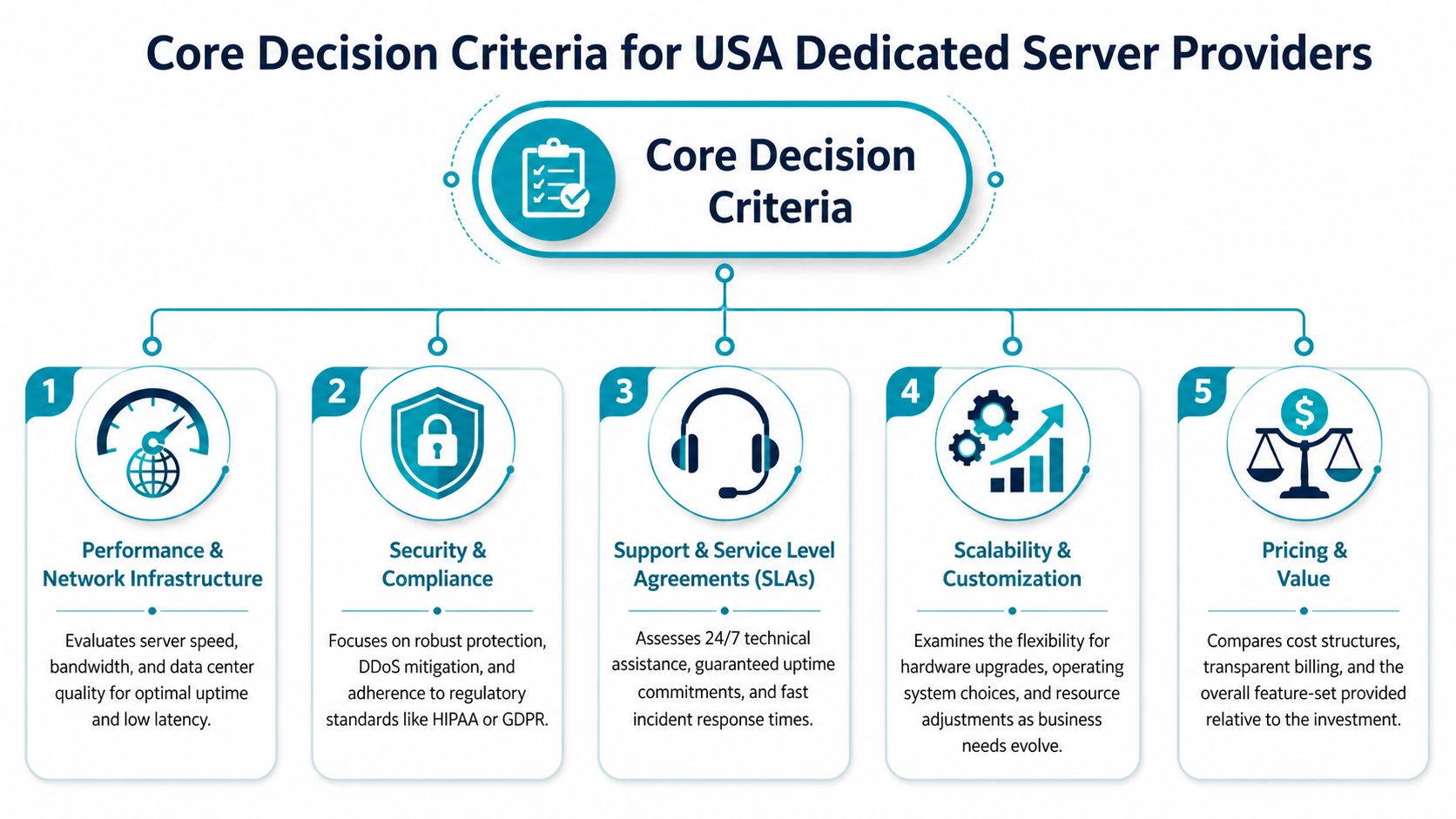
Core Decision Criteria for USA Providers
Start with the things that break production environments first. Not marketing claims. Not logo pages. The practical filters are performance under your actual stack, support quality when things go sideways, and whether the provider helps or hinders security and compliance work.
Performance and network infrastructure
CPU choice isn’t a simple Intel-versus-AMD debate. The operational issue is consistency under your operating system and workload. Intel Emerald Rapids currently leads some cloud performance benchmarks, but it can show up to 20% lower performance on older OS images like CentOS 7 with generic CPU drivers, while AMD EPYC Genoa has shown more consistent performance across environments in the benchmark analysis discussed in this cloud provider comparison.
That matters for dedicated procurement because standardized images often linger for years in enterprise environments. If your team runs older base images, inherited middleware, or vendor-certified legacy stacks, a CPU that wins benchmarks but varies under your operating baseline can create noisy troubleshooting and planning headaches.
Practical rule: Benchmark the exact OS image and application profile you plan to run. Don’t approve a multi-year platform decision from synthetic tests alone.
Storage and networking deserve the same discipline. NVMe helps write-heavy databases, Magento catalogs, build runners, and busy application caches. But fast local storage won’t save a weak network edge. If your application is latency-sensitive or pushes large assets, ask how the provider handles transit quality, DDoS events, and traffic policy. Teams trying to boost website speed for growth often focus on frontend tuning first, but backend location, disk performance, and network path still set the floor for user experience.
A short checklist works better than a spec sheet:
- Validate the OS matrix: Confirm the provider supports the Linux or Windows build you’ll deploy.
- Inspect port and traffic policy: “Unmetered” and “high bandwidth” can mean different things contractually.
- Test storage behavior: Ask whether the workload is read-heavy, write-heavy, bursty, or latency-sensitive.
- Review upgrade paths: You need to know whether adding RAM, moving to NVMe, or changing CPU families is routine or disruptive.
For a plain-language baseline, ARPHost’s overview of dedicated server hosting is useful because it frames dedicated infrastructure around resource isolation and workload fit rather than abstract hosting jargon.
Service level agreements and support quality
A strong SLA matters less than people think, and support quality matters more. Credits for downtime don’t restore customer trust, rebuild a failed array, or diagnose a kernel panic at midnight. What you want is a provider whose support model matches your team’s depth.
The U.S. market benchmark is clear in broad terms. Leading U.S. providers in 2026 emphasize Tier 3 data centers, 99.9% to 100% uptime guarantees, and starting prices from $45/month. Those numbers are useful, but they don’t answer the real support question: who owns what after deployment?
Look for answers to these before signing:
| Support question | Strong answer | Weak answer |
|---|---|---|
| Who patches the OS | Clearly defined managed scope or clearly excluded | Ambiguous “best effort” language |
| Who monitors hardware and services | Named tools and escalation paths | “Monitoring available” with no detail |
| Who handles incident response | Human engineering review | Ticket routing only |
| Who helps during migration | Assisted onboarding and validation | “We provide access” |
Security and regulatory compliance
Security on dedicated servers isn’t automatic. Isolation helps, but isolated and hardened are not the same thing. The provider should support DDoS mitigation, access control, logging, backup strategy, and realistic incident response. If they only advertise “secure infrastructure” without operational details, assume your team will build the missing pieces.
Compliance is where many dedicated server reviews fail readers. Regulated teams need more than hardware. They need a provider that can align with HIPAA, PCI, SOC 2, or internal audit requirements, plus a deployment model that preserves evidence, access control, and data locality. That’s especially important for U.S.-based organizations trying to keep systems and support workflows within a known legal and operational boundary.
Compliance work breaks down when the infrastructure team, the application team, and the provider each assume someone else owns the controls.
That gap is common enough that it should influence shortlisting from day one.
Managed vs Unmanaged A Foundational Choice
Organizations don’t choose between two server plans. They choose between two operating models.
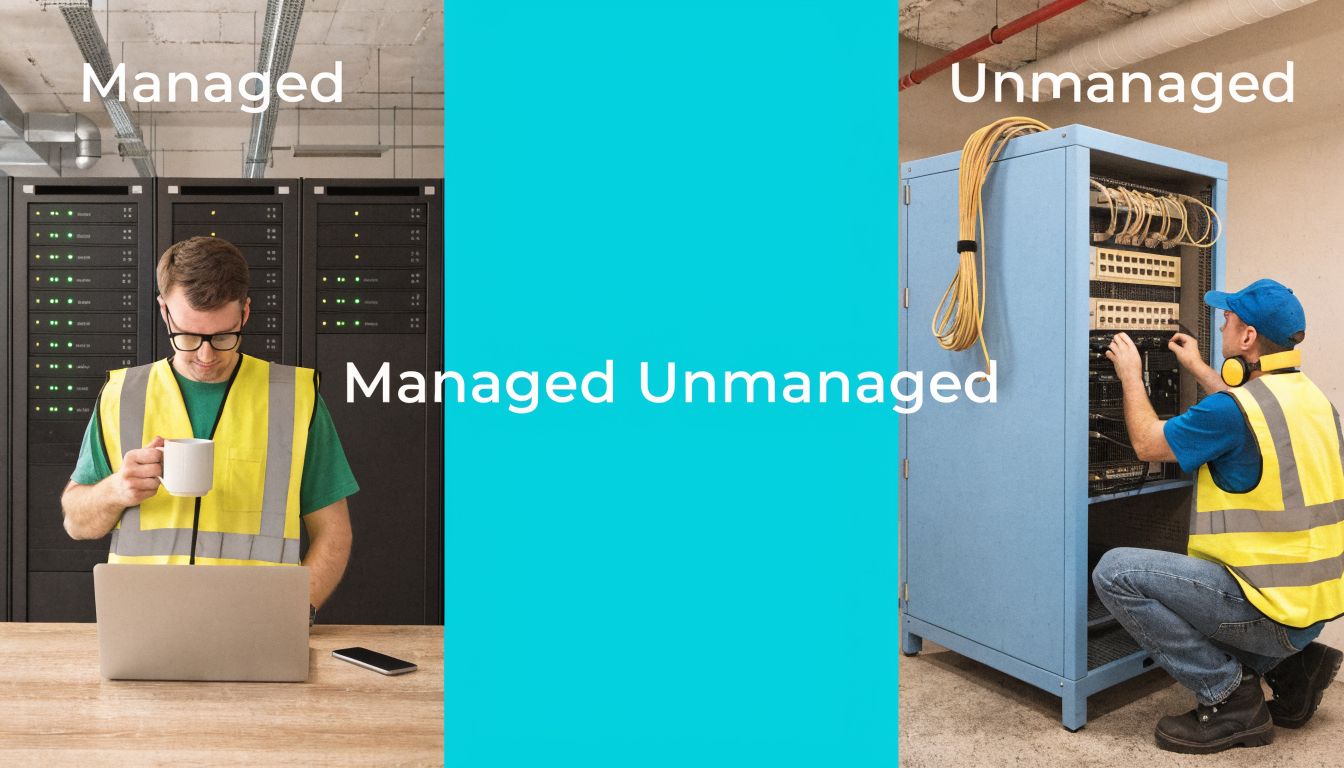
An unmanaged server gives you maximum control. You get root access, freedom to install what you want, and responsibility for almost everything after provisioning. That can be exactly right for a mature DevOps team that already owns CI/CD, configuration management, observability, security baselines, and backup validation.
A managed server shifts part of that operational burden to the provider. The exact scope varies, but it typically includes some combination of patching, proactive monitoring, troubleshooting, service restarts, firewall help, backup assistance, and guidance during incidents. For a smaller IT department, that often lowers risk more than buying slightly better hardware would.
Where unmanaged works well
Unmanaged is a strong fit when your team already has discipline in place.
- Platform engineering teams: They want kernel tuning, custom runtimes, and direct control over deployment pipelines.
- Application teams with strict tooling: They already use Ansible, Terraform, Git-based config, and internal monitoring.
- High-change environments: They don’t want managed support slowing changes with policy gates or ticket dependencies.
The catch is that unmanaged environments expose every gap in process. If your backups aren’t tested, they’re not backups. If nobody owns patch cadence, vulnerabilities age unaddressed.
The unmanaged premium isn’t technical freedom. It’s the operational work your team agrees to absorb.
Where managed makes sense
Managed infrastructure is often the better financial decision for businesses that don’t want to hire around every systems issue. If your team is lean, a managed service can act like a force multiplier. You still keep dedicated resources, but someone else helps handle patch windows, baseline hardening, performance review, and support escalations.
That matters most for workloads that are business-critical but not infrastructure-led. Think eCommerce stores, line-of-business apps, customer portals, or internal systems that can’t tolerate weekend firefighting.
A quick visual walkthrough helps if you’re evaluating support expectations in real environments:
The hybrid model many teams actually need
Plenty of organizations need both. They want root access and flexibility, but they also want a provider involved in monitoring, patch advisories, firewall management, or migration support. That’s often the most practical model in practice.
A bare metal host paired with managed services can cover that middle ground. For example, ARPHost offers bare metal servers, dedicated Proxmox private clouds, and fully managed IT services that can be layered depending on whether your team needs full self-management, targeted assistance, or broader operational support.
Decoding Pricing Models and Hidden Contract Pitfalls
The advertised monthly price is usually the least important number in the deal.
Low entry pricing can still produce a bad hosting outcome if the plan locks you into awkward hardware, expensive renewals, limited support scope, or painful upgrade rules. Dedicated hosting gets expensive when your environment changes faster than the contract allows.
What the pricing page often leaves out
The first hidden cost is service scope. One provider includes monitoring and patch help. Another charges separately or leaves it to you entirely. The same monthly rate can represent two very different operational burdens.
The second hidden cost is bandwidth policy. “Unmetered” can still come with fair-use thresholds, port restrictions, or clauses that make bursty traffic a billing conversation. If your workload involves media delivery, software downloads, customer backups, or heavy replication, ask for exact contract language.
Then there are software and platform extras:
- Control panel licensing: Panel-based administration often costs extra.
- Backup services: Snapshot retention, offsite storage, and restore help may not be included.
- Hands-on support: Some providers bill for “advanced” work that your team assumed was part of support.
- Hardware changes: Mid-term upgrades or platform swaps can trigger reprovisioning fees or contract resets.
Contract terms that create lock-in
Longer terms can reduce monthly cost, but they also reduce your ability to react. If your workload changes, you may be stuck paying for the wrong box. That’s common when teams under-buy storage, over-buy CPU, or discover they find they need virtualization rather than a single dedicated node.
Review these terms before procurement signs anything:
| Contract area | Why it matters |
|---|---|
| Upgrade path | Can you add RAM or move storage tiers without rebuilding? |
| Downgrade policy | If demand changes, can you right-size without penalty? |
| Renewal terms | Does the rate stay predictable after the first term? |
| Cancellation language | What happens if the provider under-delivers operationally? |
| Migration assistance | Will the provider help you move in or out cleanly? |
One useful way to pressure-test monthly pricing is to calculate what your team spends outside the invoice. Add the labor for patching, after-hours support, backups, security review, and change control. That’s your real total cost of ownership. If you want a framework for thinking through dedicated pricing beyond the sticker rate, this dedicated server hosting cost breakdown is a practical starting point.
Cheap infrastructure becomes expensive fast when every issue turns into internal labor.
Recommended Configurations by Use Case
Procurement gets easier when you map infrastructure to workload behavior instead of buying “the best” server available. Different applications stress different parts of the system. A catalog-heavy eCommerce stack doesn’t behave like a database node. A Proxmox cluster starter environment doesn’t need the same priorities as a single-tenant app server.
Dedicated Server Configurations by Use Case
| Use Case | Recommended CPU/RAM | Storage | Network | Management Level | ARPHost Solution |
|---|---|---|---|---|---|
| High-traffic eCommerce site | Higher clock speed CPU with ample RAM for cache, PHP workers, and search services | NVMe for catalog, session, and database responsiveness | Strong upstream quality and room for traffic bursts | Managed is usually the safer fit | Bare metal server or secure web hosting bundle depending on application design |
| SaaS application backend | Balanced multi-core CPU and enough memory for app services, queue workers, and caching | NVMe for app data and fast deploys | Reliable low-latency connectivity and clean segmentation | Managed or hybrid | Bare metal server with managed services, or VPS for supporting tiers |
| Scalable Proxmox private cloud | CPU and RAM sized for host density rather than one workload, with headroom for HA planning | Fast shared or local storage aligned to VM and container behavior | Stable east-west traffic and clean management networking | Hybrid or managed | Dedicated Proxmox private cloud |
| Enterprise database server | CPU matched to engine behavior, with memory prioritized for cache and predictable performance | NVMe favored for transaction-heavy storage patterns | Stable private connectivity and strict access controls | Managed strongly preferred | Dedicated bare metal with managed backups and monitoring |
High-traffic eCommerce
Magento, WooCommerce at scale, and custom storefronts are rarely CPU-only problems. They usually need a blend of fast storage, enough memory for caching, and disciplined background job handling. If the database, cache, and frontend all live on one machine, noisy internal contention appears before hardware saturation does.
For eCommerce, managed hosting is often the right call because the business cost of failed patching or degraded checkout is high. The server should support clean rollback, monitored updates, and practical help when an extension or deployment creates trouble. If the stack is simple, a secure web hosting bundle can work. If it’s customized or integrated with ERP and search, a dedicated bare metal system is the cleaner boundary.
SaaS application backend
SaaS teams usually need repeatable deployment more than they need giant single-node hardware. The backend often includes the app runtime, background jobs, cache, and observability agents. Here, the wrong decision is buying a monolithic server when the application would benefit from role separation.
A common pattern is dedicated infrastructure for stateful services and VPS instances for utility layers or edge services. That gives you clean blast-radius separation without overengineering early. If your team has automation in place, unmanaged can work well. If they don’t, a hybrid model saves a lot of operational friction.
Proxmox private cloud
If you already know one dedicated server will become several logical workloads, stop buying single-node thinking. A Proxmox private cloud gives you a proper virtualization layer for KVM virtual machines and LXC containers, which makes isolation, migration, snapshots, and scaling more structured.
This is the right design when you need internal segmentation between apps, management tooling, and customer environments. It also makes hardware refreshes and future expansion easier than rebuilding a pile of snowflake dedicated servers.
Enterprise database server
Database servers punish vague sizing. They care about consistent storage behavior, memory allocation discipline, and change control. For most enterprise data workloads, I’d prioritize predictable performance and strong backup posture before adding complexity.
Use management support here if the database is business-critical and your team doesn’t already own deep systems operations. Even when the DBA layer is internal, provider-side monitoring and hardware awareness reduce time to resolution during incidents.
Your Migration and Onboarding Checklist
A migration succeeds before the first byte moves. Teams that rush procurement and skip discovery usually pay for it later with rollback pain, missed dependencies, and post-cutover surprises.
Before you schedule cutover
Run a short audit and write down what the current environment does.
- List application dependencies. Include runtimes, services, scheduled tasks, storage mounts, certificates, backup jobs, and any security tooling.
- Classify data movement. Separate active application data from archives, logs, media, and backup retention.
- Mark downtime tolerance. Some systems can accept a maintenance window. Others need staged sync and fast cutover.
- Define success criteria. Don’t use “site is up” as your benchmark. Use login flow, checkout, queue processing, API response, backup completion, and monitoring visibility.
If you can’t state your rollback trigger in one sentence, you don’t have a rollback plan yet.
Questions to ask the new provider
Provider onboarding quality matters as much as hardware quality. Ask direct questions and insist on direct answers.
- Who owns the migration plan: Your team, their engineers, or a shared model?
- How is access staged: Temporary access, administrative handoff, and change windows should be explicit.
- What testing support is included: Pre-cutover validation is as important as the move itself.
- What happens if cutover fails: You need a documented revert path, not verbal reassurance.
For a structured pre-flight list, this server migration checklist is a good template to adapt for internal change control.
During and after migration
Treat migration as a controlled release, not a one-time copy job. Take snapshots or equivalent restore points where appropriate. Freeze nonessential application changes. Validate services in a staging or limited-access state before final cutover.
After the move, verify more than reachability:
| Validation area | What to check |
|---|---|
| Application health | Logins, transactions, scheduled jobs, API responses |
| Data integrity | Recent writes, database consistency, file completeness |
| Security posture | Access controls, firewall rules, logging, alerting |
| Backups | First successful post-migration backup and restore confidence |
| Performance | Resource use under normal and peak activity |
Complex moves, especially virtualization changes such as VMware to Proxmox transitions, benefit from staged onboarding and managed migration support because they add platform translation risk on top of normal infrastructure risk.
How ARPHost Excels for USA Businesses
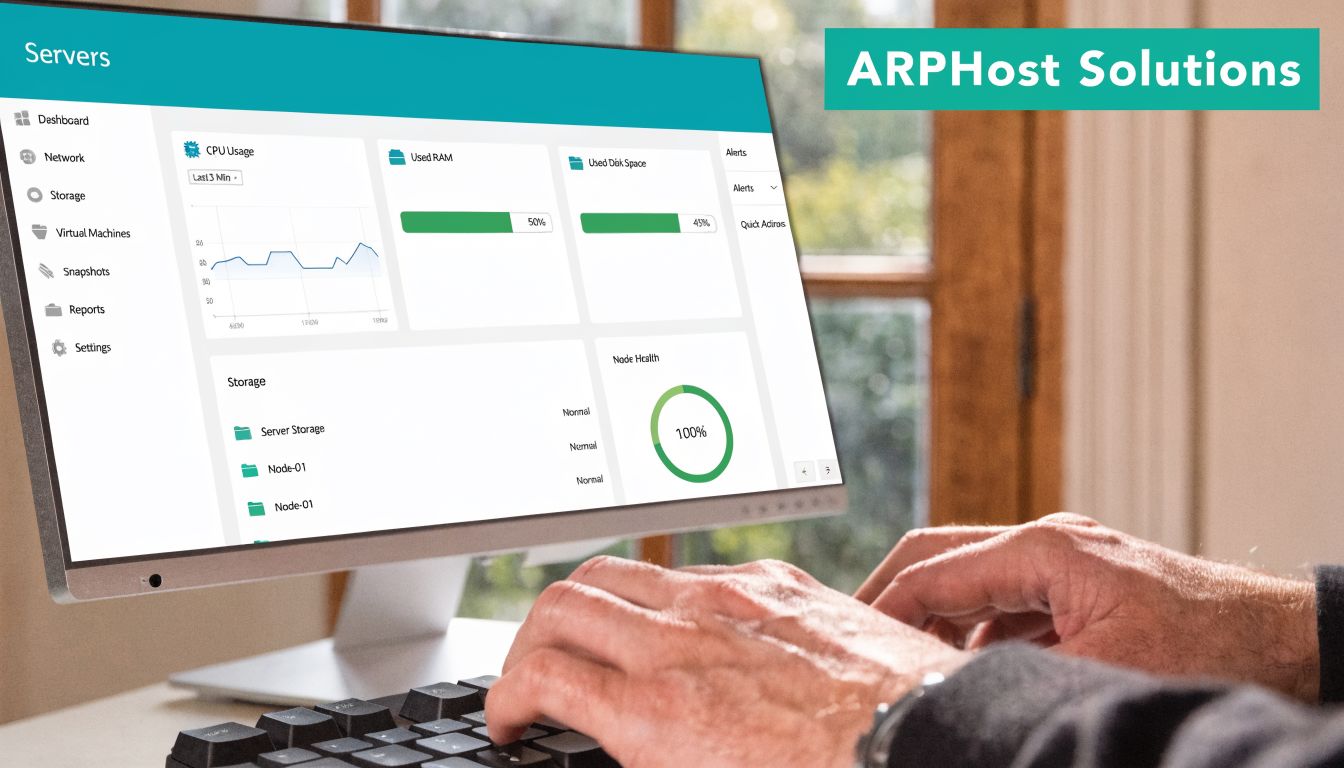
Choosing among dedicated server providers usa isn’t only about renting a box in a U.S. facility. It’s about finding a provider that supports the way your team works. Some businesses need simple bare metal with root control. Others need a Proxmox layer, offsite backup discipline, secure web hosting, or a managed partner that can take ownership of day-two operations.
Operational fit matters more than feature volume
A practical provider should let you start with one service model and evolve into another. That might mean launching on VPS hosting, moving stateful workloads to bare metal, then introducing a dedicated Proxmox private cloud once internal segmentation and virtualization become necessary. It might also mean pairing colocation with managed monitoring and backup services rather than replacing everything at once.
That flexibility matters because most environments don’t stay still. A team that begins with one application often adds staging, backup replication, reporting services, and customer-facing integrations. A provider that supports bare metal, virtualization, secure shared hosting, instant applications, and managed IT services is easier to grow with than one that only solves the first deployment.
Security and support are part of the platform
The strongest operational argument for a U.S.-based hosting and managed IT provider is alignment. You want support that understands server operations, firewall concerns, patch cadence, migration planning, and business continuity, not just billing and reprovisioning. You also want hosting options that can support secure web workloads with tooling such as Imunify360, CloudLinux OS, and panel-based management where those make sense.
These are the most useful next steps if you’re narrowing options:
- Review VPS options if you need fast deployment for supporting services through ARPHost VPS hosting.
- Explore private cloud designs if you need virtualization and cleaner scaling through ARPHost Proxmox private clouds.
- Check secure bundled hosting for website-centric deployments through ARPHost secure VPS and web hosting bundles.
- Request operational help if your team needs broader support through ARPHost managed services.
The right provider isn’t the one with the longest feature list. It’s the one whose infrastructure model, support boundaries, and migration process line up with your workload and your team.
Frequently Asked Questions
Is a dedicated server always better than a cloud VPS
No. Dedicated servers are better when you need resource isolation, hardware-level control, predictable noisy-neighbor behavior, or a clean foundation for specialized workloads. A cloud VPS is often better for lighter services, rapid iteration, utility nodes, or teams that benefit from fast provisioning and smaller failure domains. Many mature environments use both.
How long does a typical server migration take
It depends on data volume, application complexity, downtime tolerance, and whether you’re changing only providers or also changing architecture. A straightforward move can be planned and executed quickly. A migration involving virtualization changes, application refactoring, or strict validation gates takes longer. The safer approach is to estimate by workstream: discovery, staging, transfer, cutover, and post-move validation.
What level of root access do I get with a managed dedicated server
Usually full or substantial administrative control, but the answer varies by provider and by support contract. Some managed environments allow root access and define support boundaries around what the provider will troubleshoot. Others reserve deeper platform control to protect service stability. Ask this before signing, especially if your team needs custom modules, security agents, or virtualization tooling.
Can I install my own virtualization software like Proxmox
Often yes on suitable dedicated hardware, assuming the provider allows it and the server is sized appropriately. The bigger question is whether you should install and manage it yourself or consume a dedicated private cloud service where clustering, storage design, and backup strategy are already considered. If virtualization is part of your roadmap, decide early whether you’re buying a server or buying a platform.
What matters most for regulated workloads
Auditability, support boundaries, data location, access control, logging, and documented operational processes matter more than flashy specs. A 2026 Forrester report noted that 68% of SMBs in regulated sectors cite compliance as a top barrier to dedicated server adoption, and that few providers clearly address migration paths or managed compliance add-ons. If healthcare, finance, or similar controls apply to your business, shortlist providers based on compliance support early, not after infrastructure selection.
Should I choose managed hosting if I already have an IT team
Sometimes yes. Internal IT teams are often strong on applications, identity, endpoints, and business systems, but thin on after-hours infrastructure response. Managed hosting can reduce burnout and improve consistency even when the team is capable. The question isn’t whether your team can manage the server. It’s whether that’s the best use of their time.
What’s the most common mistake when buying dedicated hosting
Buying for current resource use only. Teams frequently ignore the next layer of needs: backup growth, staging, replication, patch windows, monitoring, or the eventual move to virtualization. The fix is simple. Buy with a one-step expansion path in mind.
If you’re evaluating infrastructure options and want a practical second opinion, ARPHost, LLC can help you compare bare metal, VPS, private cloud, colocation, and managed service models against your actual workload, security requirements, and migration constraints.
