

Your site was fine on shared hosting until it wasn’t. The cart slows down, admin pages drag, backups collide with peak traffic, and your team starts asking whether a VPS, cloud instance, or a dedicated server for web hosting is the right next step. That’s the right moment to stop shopping by slogan and start shopping by workload.
The wrong move is buying a bigger box just because it sounds premium. The right move is matching isolation, CPU, memory, storage, and support to the actual job your site or application has to do. A dedicated machine can be the correct answer, but only when the workload, the operating model, and the total cost line up.
You need four answers before you sign anything. What a dedicated server is, how it stacks up against shared, VPS, and cloud hosting, which specs matter, and what the server will really cost once bandwidth, backups, management, and renewal pricing are included. If you skip any of those, you’ll probably overbuy or buy the wrong class of server.
Why a Dedicated Server Might Be Your Next Hosting Step
The usual tipping point is simple. Traffic goes up, pages that used to load consistently start wobbling, and your team can’t predict whether the next spike will be harmless or painful. At that point, shared hosting has already done its job, and the question becomes whether you need more isolation, more control, or just a cleaner operational path.
A dedicated server is worth serious consideration when your workload is resource-hungry, latency-sensitive, or operationally awkward to cram into a multi-tenant environment. That includes large databases, e-commerce stores with heavy checkout activity, private cloud nodes, game servers, and internal apps that need stable performance more than elastic novelty. Dedicated hosting also makes sense when you need root-level control but don’t want your fate tied to noisy neighbors.
Practical rule: if your team is spending time fighting performance variance instead of improving the application, you’ve outgrown shared hosting.
The mistake is treating dedicated hosting as the automatic premium tier. It isn’t. The better question is whether the workload needs exclusive hardware, whether the team can support it, and whether the monthly and operational cost still beats the alternatives over a normal planning window.
A dedicated server usually enters the conversation after a site has already shown signs of strain on shared hosting or a basic VPS. The rest of the decision is about discipline, not aspiration. You want a platform that fits the workload today and still makes sense after you include management, monitoring, and the cost of changing providers later.
What a Dedicated Server Actually Is
Think of shared hosting like an apartment building. You get your unit, but the heating, plumbing, and noise around you are outside your control. A dedicated server is more like renting the entire house. The machine is yours alone, and nobody else is competing with you for the same CPU cycles, memory, storage, or network resources.
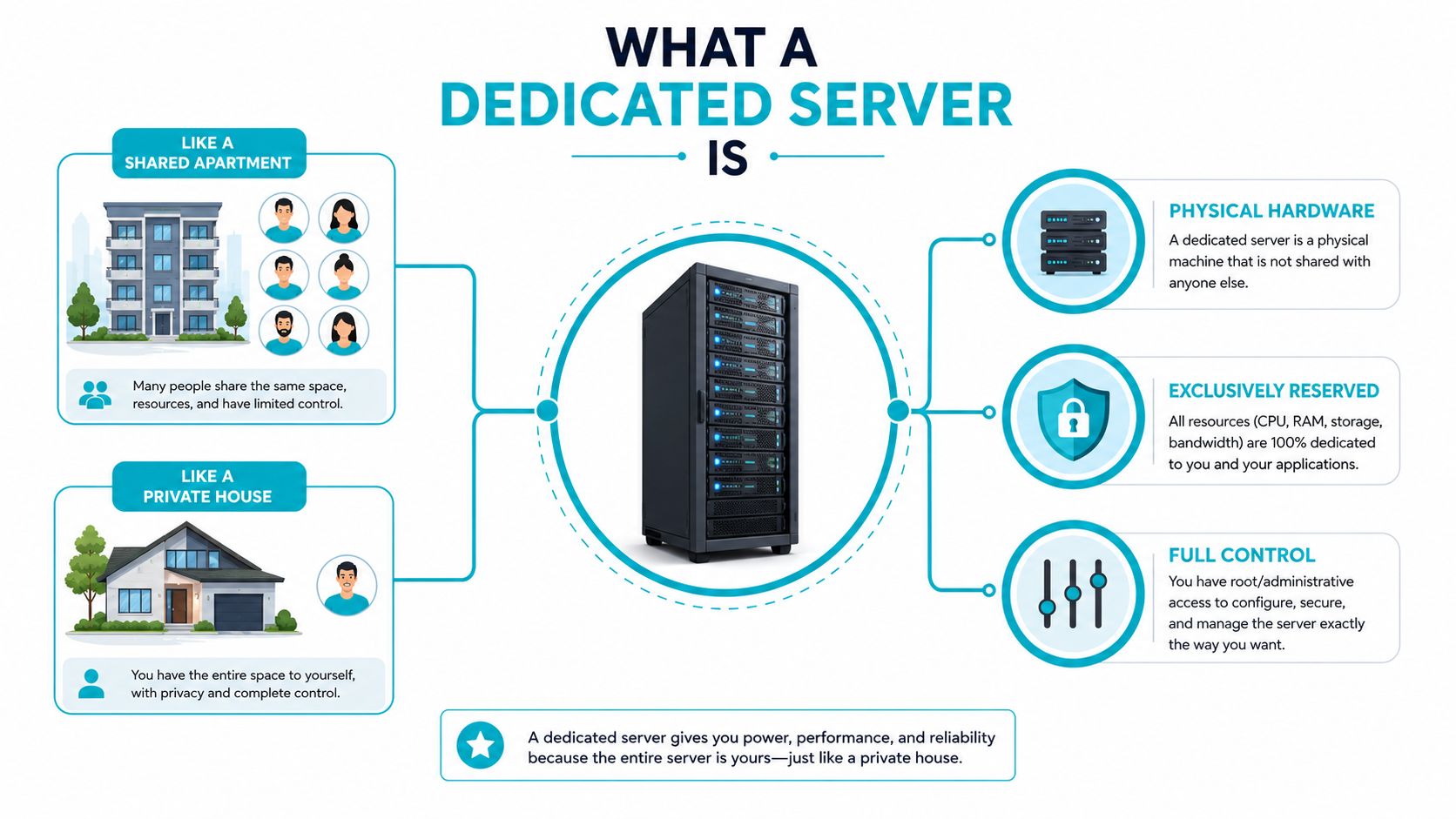
That isolation is the core reason dedicated hosting behaves differently from shared environments. As Liquid Web explains, a dedicated server is a single-tenant physical machine reserved for one customer, so CPU, RAM, storage, and bandwidth are not contended by other tenants. In plain terms, your latency and throughput are more predictable because your neighbors can’t suddenly crowd you out.
Managed and unmanaged are not the same thing
People often mix up the hardware model with the support model. Dedicated means you get the full physical server. Managed means the provider helps with patching, monitoring, maintenance, and support tasks. Unmanaged means you take on most of that operational burden yourself.
That distinction matters when you’re comparing quotes. Two servers with the same CPU and RAM can have very different total value if one includes monitoring, backups, and fast replacement support while the other leaves your staff to babysit everything. The hardware can be identical, the experience won’t be.
Dedicated hosting gives you control, but it also gives you responsibility. If your team doesn’t have the time or skill to run it cleanly, buy management with the server or choose a simpler tier.
The practical takeaway is straightforward. Dedicated hosting is not just “a faster VPS.” It’s a different ownership model, one where your workload gets the full machine and your team decides how much of the operations layer you want to keep in-house.
Dedicated Vs VPS Vs Shared and Cloud Hosting
Choose by fit, not by reputation. Shared hosting wins when the site is small and simple. VPS wins when you need root access and more predictable resources without paying for an entire physical server. Cloud hosting wins when you care about elasticity and burst handling. Dedicated wins when isolation, throughput, and resource certainty matter more than portability or easy scaling.
| Hosting Model | Isolation | Performance Ceiling | Typical Monthly Cost | Best For |
|---|---|---|---|---|
| Shared | Low | Modest | Low | Small sites, brochures, low-traffic content |
| VPS | Medium | Moderate to strong | Lower than dedicated | Growing sites, app servers, admin control |
| Cloud | Variable | Good for elastic workloads | Usage-driven | Bursty traffic, distributed services |
| Dedicated | High | Highest on a single box | Higher than shared or VPS | Heavy databases, compliance-sensitive workloads, latency-critical apps |
Dedicated is not automatically the fastest choice in every modern scenario. VPS and private cloud platforms have narrowed the gap with NVMe storage and stronger networking, so the decision is now about the workload profile and the operational model. That’s why the old “just get dedicated, it’s the premium one” advice is lazy.
The most useful comparison is the one that ties features to actual pain. Shared hosting fails when you need control or your neighbors interfere. VPS fails when you want more consistent hardware isolation. Cloud can be overkill for a stable workload that doesn’t need frequent scaling. Dedicated is the right answer when your app is stable, busy, and sensitive to noisy variability.
For a sharper vendor-side comparison, the dedicated-versus-VPS breakdown at ARPHost’s dedicated server vs VPS hosting page is the kind of shortlist tool you want before you commit.
The decision is easier if you anchor it to one question. Do you need a full physical box because the workload is heavy and predictable, or do you need a flexible pool because demand swings? That answer usually tells you more than any marketing table does.
Specs That Actually Matter When Choosing a Dedicated Server
Start with the CPU, not the headline. Core count matters for concurrency, but clock speed and generation matter too, especially for application code that isn’t perfectly parallel. If your workload includes PHP workers, database queries, queue jobs, or container density, the server’s CPU family is not a footnote.
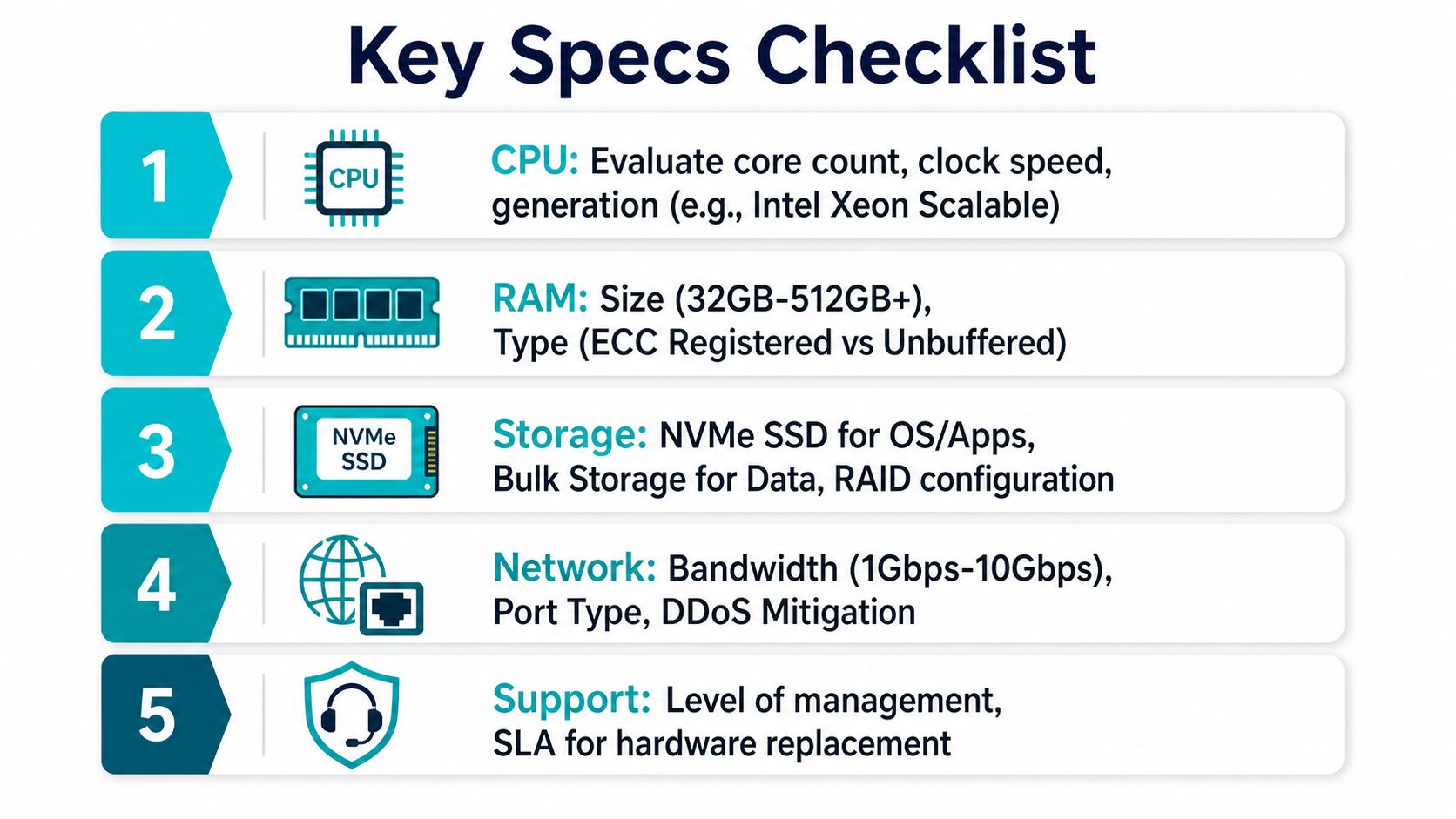
The short list that separates good buys from expensive mistakes
Use this order when you review quotes:
- CPU: look at core count, generation, and clock speed before you get distracted by brand names. Intel Xeon and AMD EPYC platforms are common choices for serious hosting workloads, and the core question is how well they match concurrency.
- RAM: memory is what keeps dynamic sites from thrashing under load. Industry guidance puts 16 to 64 GB RAM and SSD/NVMe storage in the baseline range for dynamic sites, e-commerce, and database-backed applications, while larger environments often move to 64 GB+.
- Storage: pick NVMe unless the workload is cold. NVMe cuts storage latency versus HDD, which is why it shows up in modern dedicated guidance so often.
- Network: don’t ignore bandwidth allocation, port speed, and DDoS protection. One market guide notes planning from roughly 10 TB for smaller setups to 100 TB+ for larger operations. That range matters because bandwidth surprises can ruin a cheap-looking quote.
- Support and SLA wording: check what happens when hardware fails, how fast replacement starts, and whether the provider backs the uptime promise with redundant power and network design.
The right sizing process starts with real workload data, not guesswork. WebSNP recommends auditing the last 30 days of CPU, RAM, and disk I/O, including the worst traffic day, and suggests a rough dynamic workload rule of 1 vCPU per 40 to 80 concurrent requests-per-second and 2 to 4 GB RAM per active PHP-FPM or Node worker pool for sizing decisions. That’s the kind of benchmark that keeps you from buying blindly.
For teams with more infrastructure depth, that kind of review should sit next to a monitoring baseline.
Buyer’s rule: if the provider won’t tell you exactly what kind of CPU, RAM, storage, network, and replacement support you’re buying, walk away.
The best dedicated server isn’t the one with the biggest number on the spec sheet. It’s the one whose CPU, memory, NVMe, bandwidth, and support model map cleanly to your traffic pattern and your internal team’s capacity.
Real Cost of a Dedicated Server Beyond the Sticker Price
The monthly price on the landing page is only the opening line. The true cost becomes clear when bandwidth, managed support, backups, migration work, and renewal pricing enter the picture. That’s why people who compare only starting prices end up disappointed, even when the hardware itself is fine.
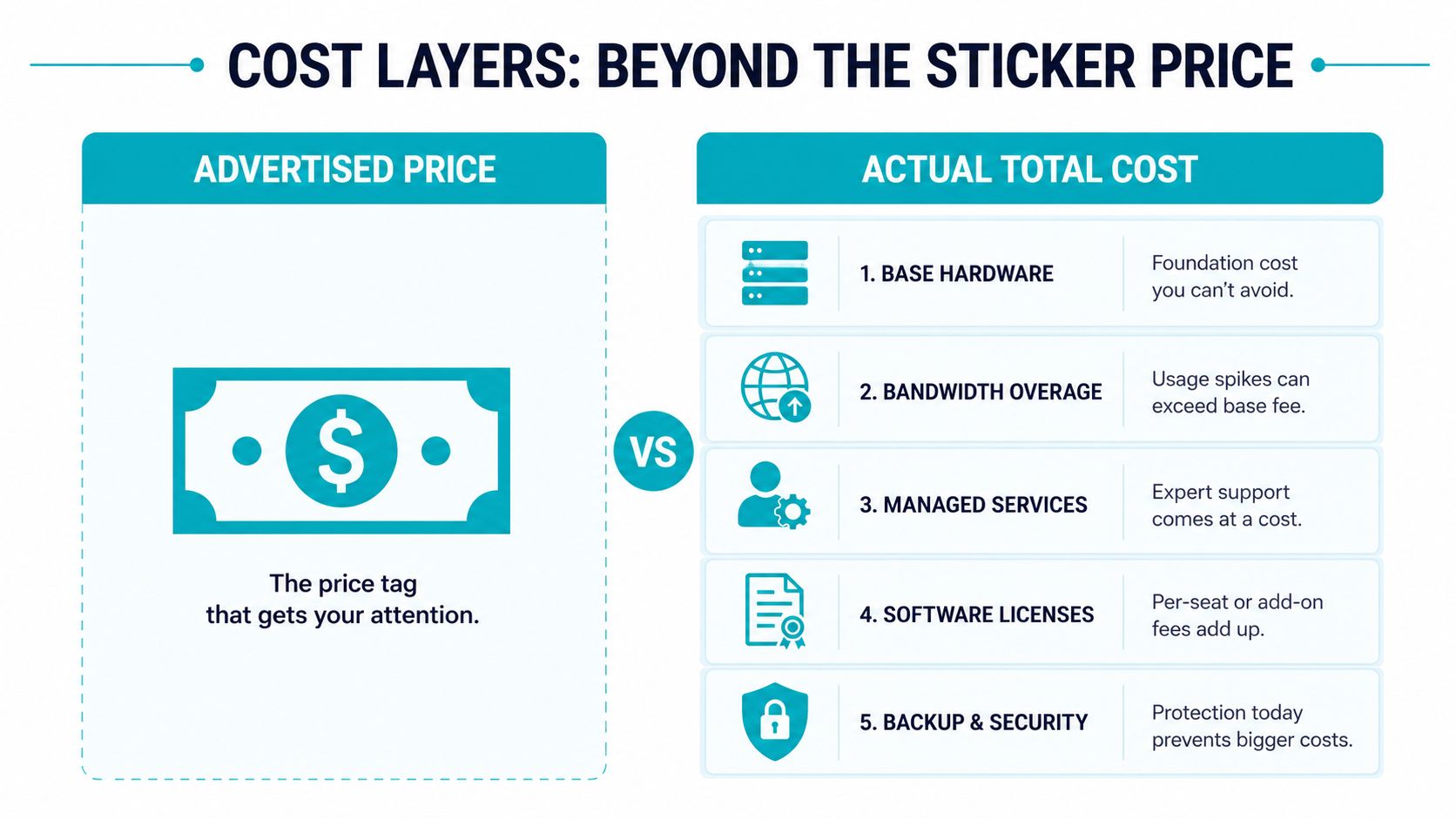
A solid dedicated server often runs roughly $80 to $200 per month, and demanding configurations can climb much higher, according to independent hosting guidance cited in the brief and in ARPHost’s dedicated server hosting cost page. That base number is not the full story. Add bandwidth overages, managed monitoring, backup storage, restore testing, and the labor cost of migration, and the picture changes fast.
Build a TCO worksheet before you buy
Use a 12 to 36 month lens and write down the actual expense buckets:
- Base hardware fee. This is the advertised monthly rate.
- Bandwidth and overage charges. These matter more than many teams expect when traffic spikes or transfers grow.
- Managed support and monitoring. If your staff can’t patch, check logs, and respond to alerts, pay for the help up front.
- Backup and disaster recovery. Recovery is cheap only when you’ve already priced it in.
- Migration and onboarding effort. Moving apps cleanly takes time, and time costs money.
A good host should help you think this way before you sign. The cheapest plan often stops looking cheap once renewal kicks in or support work lands on your team. That’s why the core question isn’t “what does the box cost?” It’s “what does keeping this workload stable cost over the period I truly care about?”
For a practical example of how server health and uptime effort get measured, the YouTube session below is useful context for the operational side of ownership.
If you’re comparing providers, price only matters after you’ve priced the operational load. A server that looks cheap and then demands constant babysitting is not a bargain.
Matching Configurations to Real Web Hosting Workloads
A high-traffic WordPress or WooCommerce store usually needs balanced CPU, enough RAM for caching and PHP workers, and NVMe for fast reads and writes. That workload cares about response time under concurrency, not raw storage size. In that scenario, the box should be tuned for steady web delivery, not just high core counts on paper.
A database-heavy SaaS or analytics app is different. Memory density and strong multi-core performance matter more, because the server spends its time keeping hot data close to the CPU and running concurrent query work. For that profile, the AMD EPYC 4584PX configuration with 16 cores, 192 GB DDR5 RAM, and NVMe SSD storage in Tampa, FL is a sensible fit for memory-intensive workloads, large databases, AI/ML inference, and high-density virtualization.
A multi-tenant VPS node or private cloud host has a different priority again. Isolation, density, and predictable compute matter because the box is acting like an internal platform, not a single application server. That’s where the Dual Intel Xeon E5-2690 V3 configuration, with 28 cores, 56 threads, 64GB DDR4 ECC RAM, and enterprise storage in Tampa, FL, lines up well for Proxmox clusters, game server hosting, and multi-tenant VPS nodes. For a high-clock-speed, single-tenant application or development environment, the AMD Ryzen 9600X with 6 cores, 12 threads, 96GB DDR5 RAM, and NVMe SSD storage in Tampa, FL is a better fit for workloads that care more about snappy per-core behavior than sheer box density.
To see those options in context, review the bare metal server catalog and match the server to the workload, not the other way around.
The smartest buyers don’t ask, “Which server is strongest?” They ask, “Which configuration matches the application I run?” That one question cuts through most of the confusion.
Provisioning, Migration, and Day Two Operations
Buying the server is the easy part. The work starts when you turn the hardware into a live production environment without breaking the site. First, choose the operating system, confirm the control panel or image you need, and get the network handoff into place. Then set up the server, verify access, and make sure the storage layout matches the workload before any data moves.
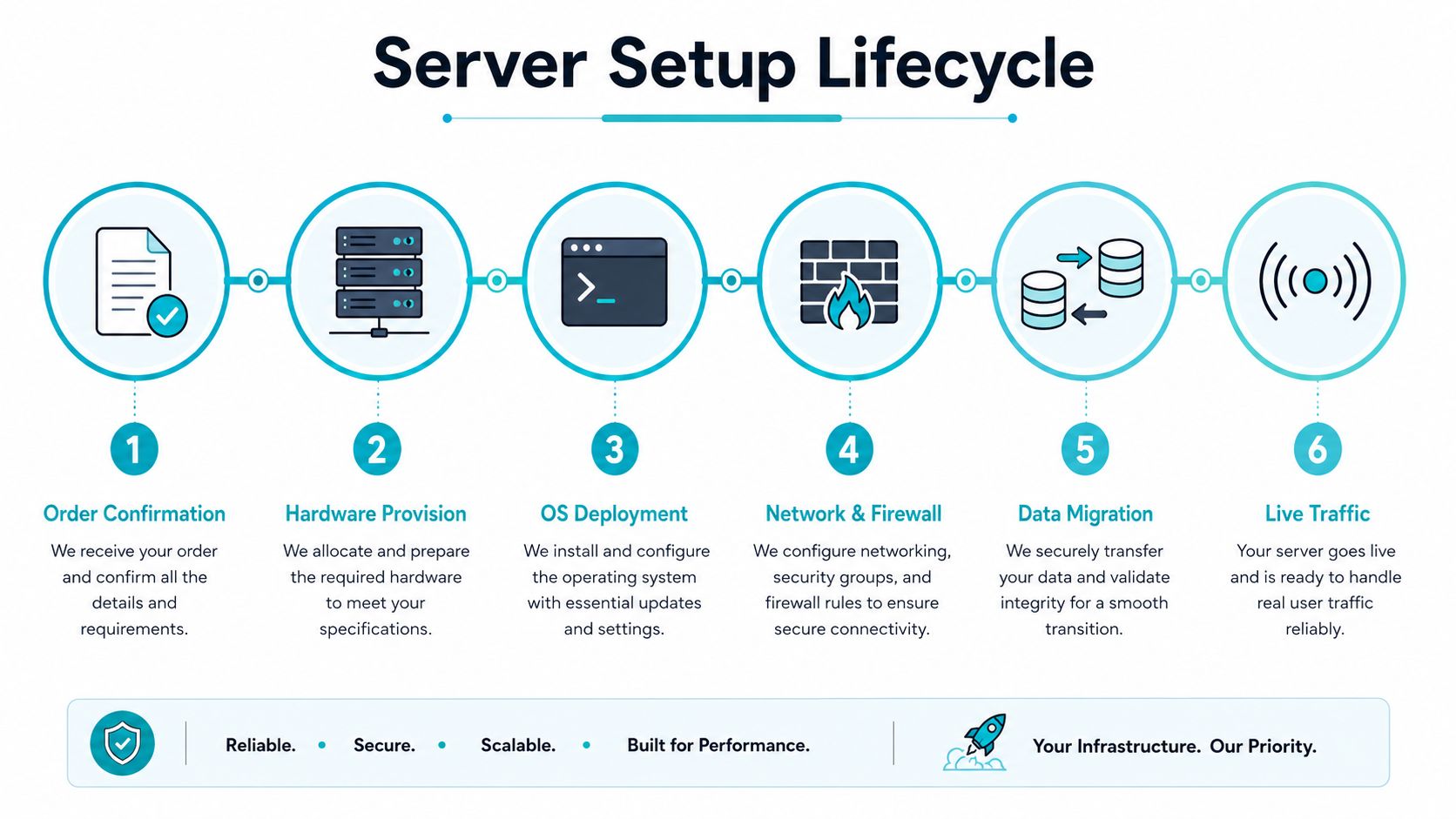
Migration should be staged, not rushed. Sync files and databases to the new machine, test the application under load, and only then flip traffic with a short TTL window so the cutover is controlled. If you want a structured walkthrough for that process, use ARPHost’s website migration guide as a reference point for the sequence.
Day two is where servers earn or lose their keep
Once the site is live, the checklist becomes operational:
- Patch management: keep the OS and stack current so you’re not accumulating avoidable risk.
- Monitoring: watch CPU, RAM, disk latency, and service health continuously.
- Backups: daily backups with a one-click restore path should be standard, not optional.
- Escalation: bring in managed services when the internal team can’t afford to be on call every night.
A cautionary example is worth reading before you get comfortable. The South African hosting company breach is a reminder that infrastructure mistakes and weak operational discipline can become public quickly. The lesson isn’t fear, it’s process.
Operational advice: after cutover, check CPU, memory, and disk health before you call the migration done. If the server looks clean for five minutes but not for a day, you haven’t finished testing.
A few basic CLI checks help during validation, even if they aren’t the whole story: top for process pressure, free for memory pressure, and df -h for disk capacity. Those don’t replace monitoring, but they give you a fast sanity check when a new server goes live.
Decision Checklist and When to Revisit Your Hosting Choice
Choose dedicated when the workload needs isolation, when a VPS no longer gives you enough performance certainty, or when your team needs full control over the hardware layer. Confirm the CPU family, RAM, NVMe storage, bandwidth allocation, DDoS protection, and replacement support before you sign. Then budget for the base fee, backups, bandwidth, and the people who will run it.
Revisit the choice when the workload changes. Some sites outgrow a single box and need a private cloud or Proxmox cluster. Others simplify over time and can move back to a high-memory VPS. Hosting should follow the workload, not your pride.
If you’re evaluating your next step, shortlist the server class, write out the monthly TCO, and decide who owns day-two operations. That three-part answer tells you more than a spec sheet ever will.
ARPHost, LLC offers bare metal servers, managed services, VPS hosting, and Proxmox private cloud options from Tampa, Florida, with the kind of operational support that matters when a web workload can’t afford guesswork. If you’re deciding between a dedicated box, a managed platform, or a clustered private cloud, visit ARPHost, LLC and compare the options against the workload you run.
