

A lot of admins arrive at the same moment before they move to dedicated hardware. The server looked fine during testing. Then the player count climbs, mods load in, chunk generation starts, and the complaints begin. Rubber-banding. Delayed hits. Random disconnects. A restart helps for a while, then prime time arrives and the same problems come back.
That pattern usually gets blamed on “bad ping.” Sometimes it is the network. Often it isn’t. In real game hosting, lag can come from CPU contention, storage stalls, poor thread scheduling, weak DDoS protection, or putting a performance-sensitive game on infrastructure that was never meant to stay smooth under load. A dedicated server for game hosting fixes the biggest structural problem first. It gives the game its own machine and stops fighting with unrelated workloads.
Why Shared Hosting Fails for Serious Gaming
The failure mode is predictable. A community starts on cheap hosting because it’s easy to justify. The first few players join, the map is small, and everything feels acceptable. Then the server gets busy. Backups kick off somewhere on the same node, another tenant starts a noisy workload, or the hypervisor scheduler makes a bad decision at the wrong moment. Your players don’t care why. They only see the server stutter.
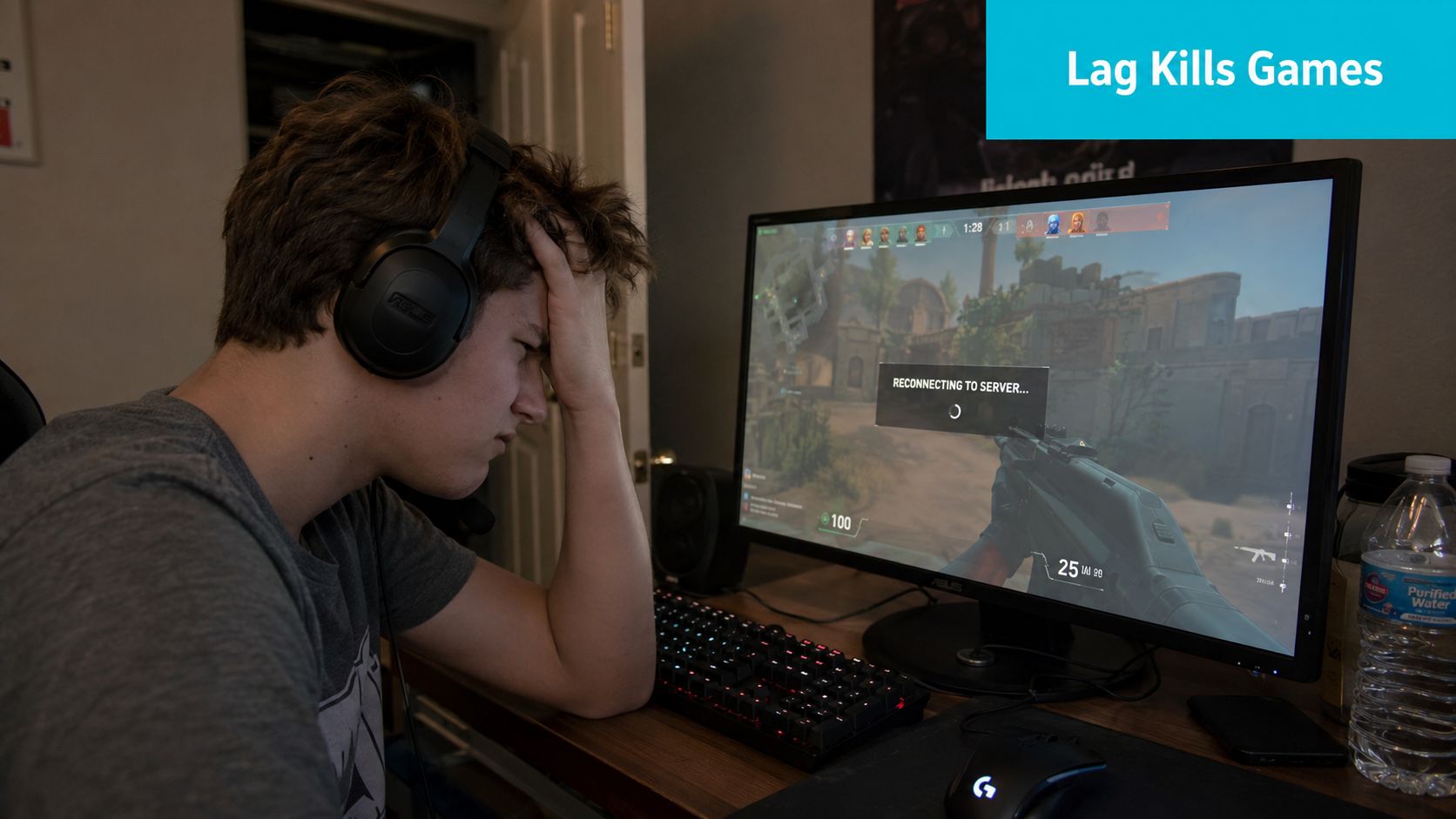
Shared hosting was never built for this job. It works for low-intensity websites and lightweight applications that can tolerate uneven resource access. Multiplayer games can’t. They need the server simulation to stay consistent, especially when combat, AI, world updates, and player actions all hit the box at once.
What usually breaks first
A game server on oversubscribed infrastructure rarely fails in a clean way. It degrades in bursts.
- CPU access gets uneven: The process doesn’t always get the cycles it needs when it needs them.
- Disk activity causes pauses: Save operations, logs, and world writes can create visible hitching.
- Network quality looks fine on paper: Players may report low ping while still feeling severe in-game lag.
- Recovery becomes reactive: Admins restart services instead of fixing the root cause.
Low ping doesn’t guarantee smooth gameplay. A server can answer quickly on the network and still stall inside the simulation loop.
A lot of VPS plans are better than shared hosting, but many still inherit the same class of problem. You get isolation at the virtual machine level, not full ownership of the underlying hardware. For websites, that’s often enough. For Minecraft, ARK, Rust, and similar titles with demanding tick behavior, it often isn’t.
Why dedicated becomes the standard
A dedicated server for game hosting removes the most common source of instability. The hardware belongs to the game workload. That changes how you size the box, how you troubleshoot, and how predictable the server feels during peak hours.
The bigger shift is mental, not just technical. Stop thinking network-first. Start thinking compute-first. If the CPU architecture is wrong for the game’s thread behavior, no amount of marketing around bandwidth will save the player experience.
What is a Dedicated Server for Game Hosting
Think of hosting like real estate.
Shared hosting is an apartment building. Everyone uses the same structure, the same utilities, and the same overall resource pool. A VPS is closer to a condo. You have your own defined space, but the building still belongs to someone else, and the foundation, elevators, and utility limits are still shared. A dedicated server is a house on its own lot. The machine’s CPU, RAM, storage, and network capacity are allocated to your workload alone.
That exclusivity is the defining change in modern game hosting. As OVHcloud’s explanation of dedicated gaming servers describes it, the technical milestone is the exclusive allocation of CPU, RAM, and bandwidth to a single game workload instead of sharing them with unrelated applications. The same overview also notes provider features such as a 99.97% uptime SLA and 24/7 support, which reflects how serious multiplayer hosting has become.
What you actually gain
Dedicated hardware solves practical problems, not just theoretical ones.
- Predictable performance: Your game process isn’t competing with unrelated tenants for the same physical CPU and memory.
- Full root access: You can tune the OS, install control panels, script backups, pin processes, and manage mods the way you want.
- Cleaner security boundaries: There’s no shared application layer with strangers.
- Stable long-term operation: Always-on game communities need infrastructure that behaves the same at midnight and at peak time.
For international communities, location matters too. Providers increasingly spread capacity across multiple regions to keep players closer to the hardware. That matters because latency is still part of the experience, even if it isn’t the only part.
Dedicated server versus VPS
A VPS can be the right starting point for testing, small private groups, or related services around the game itself, such as a forum, map site, or voice tools. It’s also useful when you need flexible snapshots and quick redeploys.
A bare metal server wins when the game loop itself is the priority.
| Hosting type | Best use | Where it falls short |
|---|---|---|
| Shared hosting | Simple websites, low-intensity apps | No control and poor fit for persistent multiplayer |
| VPS | Testing, companion apps, light game use | Underlying hardware is still shared |
| Dedicated server | Performance-sensitive game hosting | Higher responsibility and cost |
If players notice stutter during busy moments, the question usually isn’t “Should I tune harder?” It’s “Am I still on the wrong infrastructure layer?”
For operators who want bare metal with root control, the useful question isn’t whether dedicated hosting is more powerful. It is. The useful question is whether your game and community have reached the point where predictable hardware matters more than low entry cost.
Critical Hardware Requirements The Compute-First Approach
The most common buying mistake in game hosting is shopping by bandwidth first and CPU second. That works backward for many titles. For dedicated game hosting, Intel’s game server guidance says the most important hardware characteristic is often high single-core clock speed, because many game engines still depend heavily on one primary simulation thread. The same guidance recommends a quad-core CPU at 2.5 GHz minimum, 8 GB RAM minimum, 16 GB or more as the better target, and SSD storage because mechanical drives can struggle with constant server read-write activity.
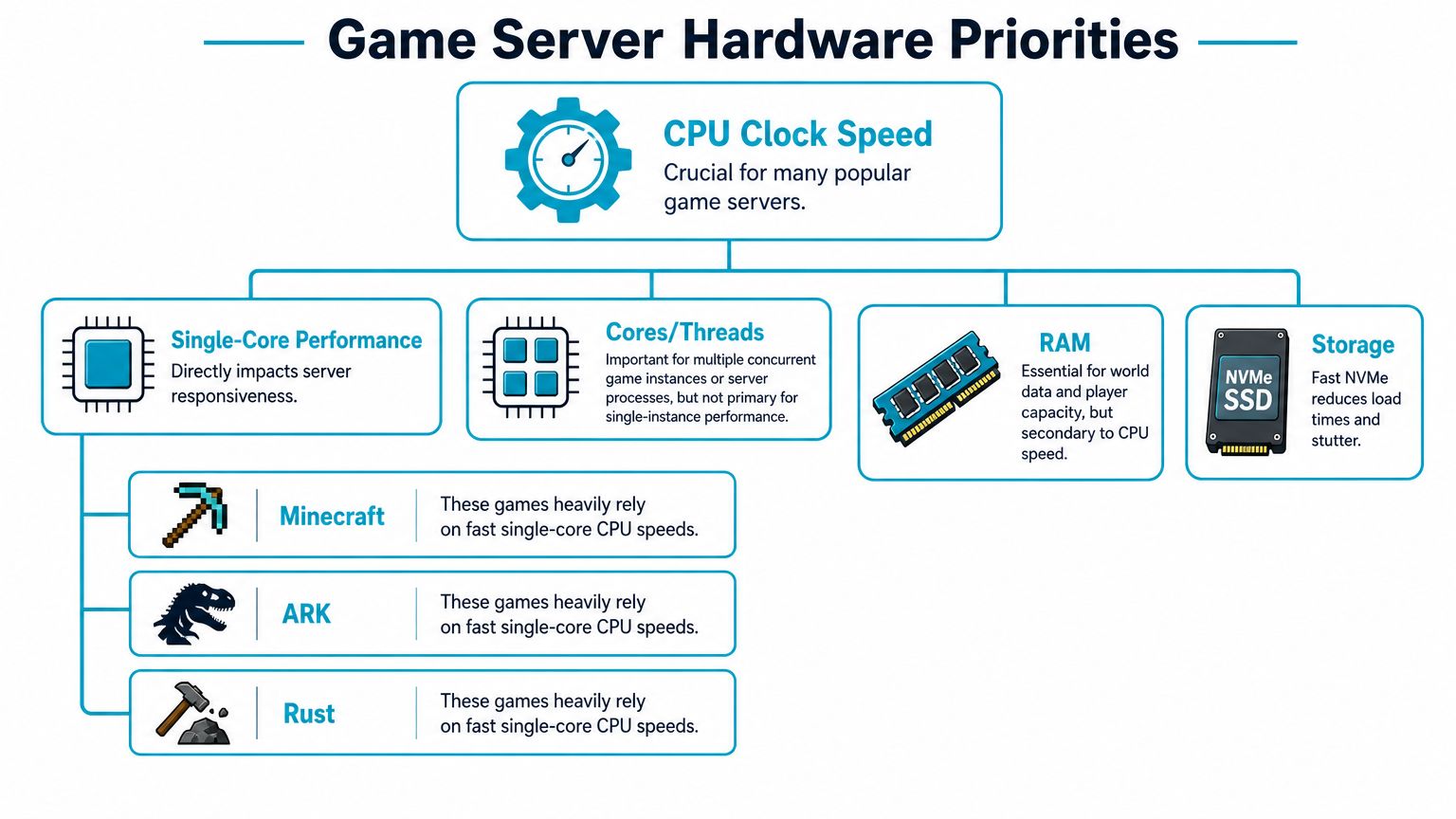
That aligns with what operators see in production. A game can have access to many cores and still run badly if its main thread can’t finish work on time.
Why clock speed often matters more than core count
Minecraft is the easy example, but it isn’t alone. Many survival and sandbox servers push one dominant thread hard, then spread secondary work like networking, plugins, saves, or ancillary processes elsewhere. If that main thread falls behind, the whole experience feels slow.
A high-clock CPU is usually the right call when you’re running one primary game instance and you want the cleanest tick behavior possible. More cores matter when you’re hosting multiple servers, sidecar tools, voice services, databases, or virtualization layers on the same machine.
Here’s the simplest way to think about it:
| Workload pattern | Better fit |
|---|---|
| One demanding game instance | High-clock CPU with strong single-core behavior |
| Many game instances or mixed services | More cores and threads |
| Heavy mods plus related services | Balanced CPU with plenty of RAM and fast storage |
For a practical buying decision, a Ryzen-class box is often attractive for single-tenant performance-sensitive hosting. A higher-core Xeon or EPYC system makes more sense when you’re consolidating multiple worlds or building a denser hosting node.
A quick overview helps visualize the difference in priorities.
CPU micro-stalls are the hidden lag source
The more interesting point is what admins often misdiagnose. The same Intel-linked fact set notes a 2025 GDC study finding that 68% of reported “lag complaints” were not caused by network latency but by CPU micro-stalls from suboptimal thread scheduling. That matters because it explains the classic support ticket where a player says, “My ping is low, but combat still feels delayed.”
Micro-stalls are brief interruptions in getting CPU time where the game needs it most. They don’t always look dramatic in a dashboard. Average utilization may seem fine. Network latency may seem fine. But the server simulation is no longer consistent, so players feel hitches and delayed state updates.
Practical rule: For game hosting, don’t buy on average CPU usage. Buy on worst-moment behavior during peak load.
A compute-architecture-first approach proves helpful. Match the processor to the game’s thread affinity and the way you plan to deploy it. If one server instance is the money workload, prioritize clocks. If you’re building a node for multiple instances or a Proxmox-based private environment, prioritize total core capacity and memory headroom.
RAM and storage aren’t secondary, but they are ordered after CPU
RAM problems look different from CPU problems. Instead of immediate stutter, you often get instability as mods, world data, and player state accumulate. In real deployments, 16 GB or more is the safer planning target from the Intel guidance when you want room for the game, the OS, and admin tooling without crowding the box.
Storage is simpler. Use SSD, and preferably NVMe when available. Mechanical disks still show up in bargain infrastructure, and they remain a bad fit for game servers with constant writes, autosaves, logs, and map activity.
One practical stack for a dedicated server for game hosting looks like this:
- CPU first: Choose for thread behavior, not marketing core count.
- RAM second: Leave room for growth, mods, and background services.
- NVMe storage third: Reduce load stalls and save-time hitching.
- Only then tune the rest: Scheduler settings, control panel overhead, and backup timing matter after the foundation is right.
ARPHost’s current bare metal inventory reflects those trade-offs clearly. The AMD Ryzen 9600X is the obvious fit for high-clock workloads. The Dual Intel Xeon E5-2690 V3 suits multi-instance community hosting. The AMD EPYC 4584PX fits denser virtualization or memory-hungry mixed environments where one box runs more than a single game server.
Network Security and Uptime Essentials
Once the compute side is correct, the next failure domain is the network. A lot of game hosts oversimplify the conversation about this. They advertise a big pipe and stop there. For actual player experience, you need the right location, enough uplink capacity, and a way to stay online when someone decides to flood the service.
Network proximity and uplink capacity can matter as much as raw CPU. Dedicated hosting improves stability because CPU, memory, and bandwidth sit on one machine, and providers commonly recommend placing the server near the player base while using 10Gbps-capable connectivity for heavier traffic and modded or multi-server deployments.
Proximity beats marketing
A game server should live near the players who matter most. If most of your community is in one region, put the hardware there. If your audience is split, choose the region that gives the least bad outcome to the largest group, or separate workloads by geography.
That matters more than brochure language about “global performance.”
- Closer data center: Better baseline latency and fewer avoidable delays.
- Higher-capacity uplink: More room for busy periods, mods, large updates, and concurrent services.
- Dedicated network path: Less contention than crowded shared environments.
Many multiplayer titles rely heavily on UDP because speed and low overhead matter more than the retransmission behavior you’d want for web sessions.
DDoS protection is not optional
Game servers attract nuisance traffic. Sometimes it’s a targeted attack. Sometimes it’s a bored player. Sometimes it’s retaliation after moderation or clan drama. The motive doesn’t matter. If the host can’t absorb or filter attack traffic upstream, your server can vanish from the internet long before the machine itself is under any real compute strain.
That’s why network-level mitigation matters more than a checkbox in the control panel. Filtering has to happen before malicious traffic saturates the path.
The best game server hardware in the world won’t help if the uplink is pinned by attack traffic.
Operators evaluating providers should ask direct questions:
- Where is filtering applied? Upstream and edge filtering are more useful than host-only responses.
- How quickly can routes stabilize after mitigation starts? Long flaps are still downtime.
- What happens during sustained attacks? Many cheaper services are fine with brief noise and weak under persistence.
For readers weighing service options, dedicated server DDoS protection options are worth reviewing alongside hardware specs. Uptime is never just a CPU choice. It is a network design choice.
Managed vs Unmanaged Servers Which is Right for You
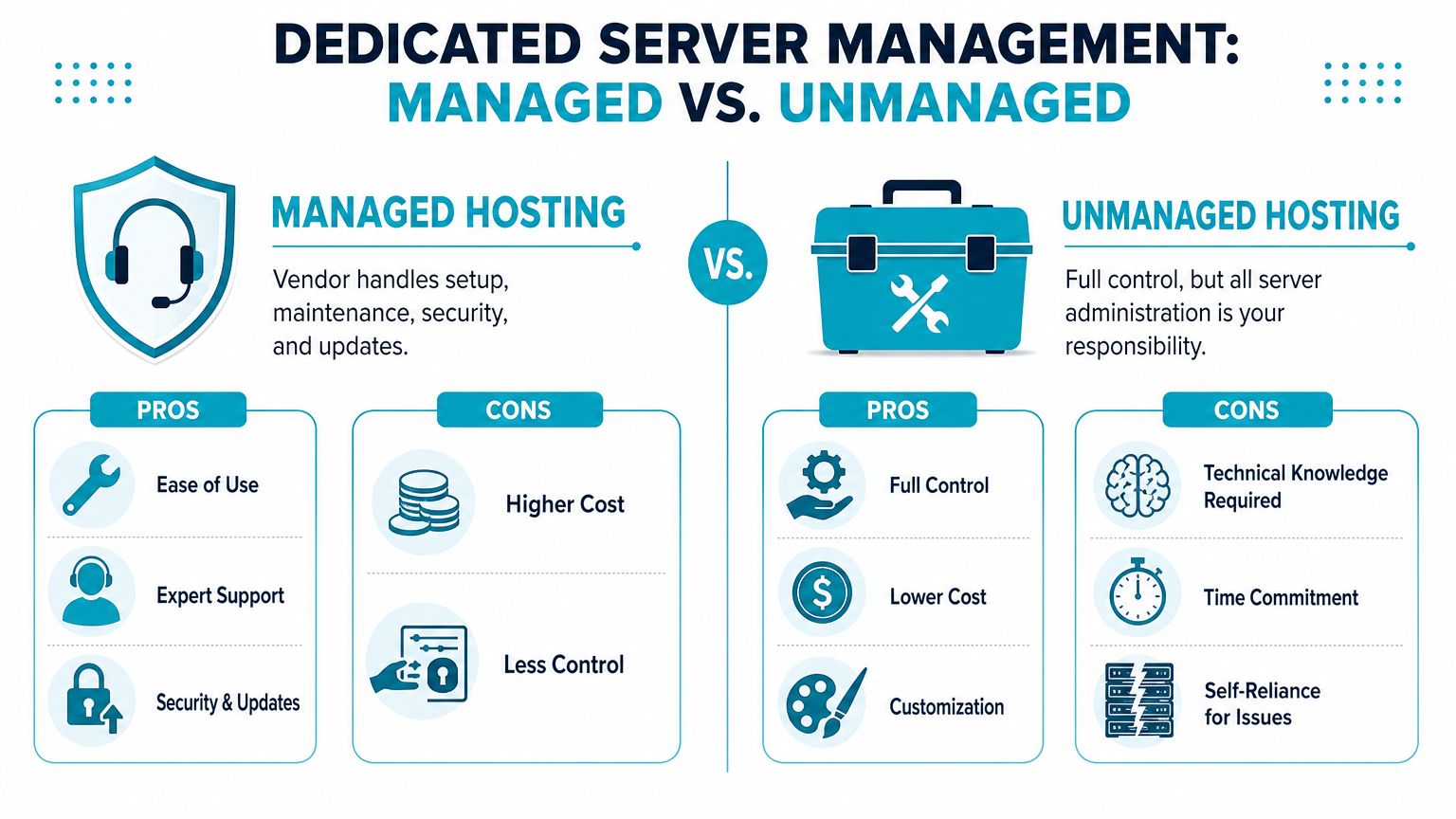
Dedicated hosting splits cleanly into two operating models. One gives you full responsibility. The other trades some of that responsibility for operational support. Neither is automatically right. The right choice depends on whether you want to run a game server or also run the infrastructure around it.
When unmanaged makes sense
Unmanaged is the right fit when you already know how to administer Linux or Windows servers, tune services, harden the OS, handle backups, and troubleshoot under pressure. You get full root access and broad freedom to shape the environment exactly the way you want.
That freedom comes with a checklist you own:
- OS deployment and updates: You install it, patch it, and fix it if something breaks.
- Security hardening: Firewall policy, SSH policy, user access, and service exposure are on you.
- Game stack maintenance: SteamCMD updates, mod conflicts, restart automation, logs, and cleanup all stay on your side.
- Backups and recovery: If corruption or operator error happens, recovery speed depends on your prep.
Unmanaged hosting is often attractive to developers, mod-heavy communities, and operators who already have internal admin talent.
When managed is the smarter buy
Managed hosting fits teams that care more about uptime than server administration. That includes businesses running commercial communities, orgs with lean IT staff, and operators who know the game well but don’t want to spend nights debugging kernel issues or firewall mistakes.
The practical value is simple. Someone else handles the infrastructure chores that cause avoidable downtime.
| Model | Strong fit | Main trade-off |
|---|---|---|
| Unmanaged | Experienced admins and custom environments | More time, more responsibility |
| Managed | Teams that want operational support | Less direct control over every layer |
Buy unmanaged if you enjoy the systems work. Buy managed if you only enjoy the game side.
For organizations that want support with patching, monitoring, and system administration, fully managed dedicated server hosting is the category to compare against raw bare metal. That decision usually comes down to whether your time is cheaper than the monthly management layer. For many businesses, it isn’t.
Setup and Optimization Checklist for Your Game Server
A fresh server should go through the same disciplined bring-up every time. Don’t start by installing mods. Start by making the base system boring and predictable.
Build the operating system cleanly
Use a lightweight, stable OS. Debian and Ubuntu Server are common choices because package management is straightforward and most game server tooling expects them. Keep the install minimal. Every extra package is another thing to patch, another service to audit, and another chance to waste CPU cycles.
Then handle the basics immediately:
- Create a non-root admin user and restrict direct root login where appropriate.
- Update the system before you install the game stack.
- Set the correct timezone so logs and scheduled restarts make sense.
- Install only what you need such as SteamCMD, screen or tmux, and monitoring tools.
Choose your control method deliberately
Some admins want a panel. Others want shell scripts and systemd units. Both can work.
- Pterodactyl: Good when you need a game-focused panel and delegated access.
- LGSM: Excellent for admins who prefer CLI-driven automation.
- Webuzo or similar panels: Better for companion services like a community website, not as the primary game orchestration layer.
A common mistake is using a heavy panel for everything, then wondering why the node feels cluttered. Keep the game process path as direct as possible.
Harden the host before you open it up
Your firewall should allow only what the game and admin workflow require. On Ubuntu or Debian, ufw is an acceptable starting point.
Example baseline:
sudo apt update && sudo apt upgrade -y
sudo apt install ufw tmux steamcmd -y
sudo ufw default deny incoming
sudo ufw default allow outgoing
sudo ufw allow OpenSSH
sudo ufw enable
From there, add only the game ports your title needs. Keep remote admin exposure tight. If a control panel offers web access, put authentication and access policy ahead of convenience.
A game server doesn’t need to be easy for the public internet to explore. It needs to be easy for players to join and hard for everyone else to abuse.
Deploy the game server in a repeatable way
For Steam-based dedicated servers, SteamCMD remains the standard delivery path. A generic pattern looks like this:
mkdir -p ~/steamcmd ~/gameserver
cd ~/steamcmd
steamcmd +login anonymous +force_install_dir ~/gameserver +app_update validate +quit
After installation:
- Edit the server configuration files.
- Accept the game’s EULA or runtime requirements where needed.
- Create a startup script.
- Run the server inside
tmuxor undersystemdso it survives disconnects and can restart cleanly.
A basic service unit is often worth the effort because it standardizes startup, restart behavior, and logging. Even for small communities, this is cleaner than relying on a manual shell session.
Tune for consistency, not benchmarks
Optimization usually means removing interference, not chasing synthetic numbers.
Good habits include:
- Pinning busy processes carefully: CPU pinning can help when multiple services share the machine and you want to isolate the game process.
- Separating backups from peak hours: Don’t let archive jobs compete with the server at prime time.
- Scheduling restarts thoughtfully: Some games benefit from regular restarts to clean up memory and stale state.
- Watching disk latency: If saves line up with stutter, storage timing matters.
If you’d rather skip the bring-up work entirely, some operators pair bare metal with managed support so the host, security baseline, updates, and monitoring are handled for them while they focus on the game itself.
Cost Considerations and ARPHost Configurations
Monthly price is the visible cost. Downtime is the expensive one.
A Cherry Servers overview of dedicated game server hosting notes that community-scale dedicated game hosting commonly lands around $100 to $300 per month, with many 50 to 200-player Minecraft, ARK, or Rust deployments in the $150 to $300 range. That same verified data also highlights the bigger issue: the 2025 Cloud Security Alliance report found 42% of small game hosting businesses faced a recovery cost that exceeded their annual server budget due to extended downtime during DDoS events.
That’s the reason cheap hardware can become expensive infrastructure. If the provider saves you money on paper but leaves you exposed during incidents, your actual total cost of ownership rises fast.
Matching the server to the workload
ARPHost’s current dedicated inventory maps cleanly to common game hosting patterns. You don’t need every server to be the same. You need the machine that matches the way the game workload behaves.
| Server Configuration | Ideal Use Case | Best For Games Like. |
|---|---|---|
| AMD Ryzen 9600X with 96GB DDR5 and NVMe | Single-tenant, high-clock game hosting | Minecraft, Rust, and other workloads that benefit from strong single-core behavior |
| Dual Intel Xeon E5-2690 V3 with 64GB DDR4 ECC | Multi-instance community hosting and mixed services | Multiple smaller game worlds, panel hosting, companion services |
| AMD EPYC 4584PX with 192GB DDR5 and NVMe | Dense virtualization, memory-heavy mixed environments | Larger consolidated deployments, private cloud game hosting, multi-service stacks |
Look at cost as an operating decision
Use monthly price as a filter, not as the final decision point.
- If you run one primary high-performance world: Favor the Ryzen-style profile.
- If you host several communities or multiple instances: A high-core Xeon-style node can be more practical.
- If you’re building a broader platform: EPYC gives room for virtualization, memory-heavy services, and future expansion.
For a deeper budgeting view that includes infrastructure trade-offs, dedicated server hosting cost considerations is the right angle to compare against simple sticker pricing.
If you’re evaluating a dedicated server for game hosting and want bare metal, VPS, private cloud, or managed support options in one place, ARPHost, LLC provides those service paths with root-access infrastructure, managed services, and game-suitable hardware profiles.
