

Choosing between Debian’s legendary stability and Ubuntu’s modern ecosystem is a defining moment for any sysadmin managing virtual servers or bare metal infrastructure. It’s a classic trade-off: Ubuntu Server often gets the nod for cloud-native projects and applications requiring newer packages, thanks to its predictable release cycle and strong commercial backing. But for mission-critical systems where absolute, unwavering stability is non-negotiable, like a Proxmox VE virtualization host, Debian is the industry standard.
Choosing Between Debian and Ubuntu for Your Server
When you compare Debian Server vs Ubuntu Server, you’re not just picking a Linux distribution; you’re selecting an operational philosophy for your private cloud or bare metal environment. This guide provides a direct, technical comparison for IT professionals managing everything from dedicated servers to complex virtualized infrastructures. We’ll unpack the core principles, performance implications, and security postures of each OS.
At its heart, Debian is a community-driven project laser-focused on creating a free, open-source, and exceptionally stable operating system. Its conservative approach to package updates is a deliberate feature designed to deliver rock-solid reliability for production workloads. Ubuntu, developed by Canonical, is built upon Debian’s unstable branch, embracing a more feature-forward strategy with predictable, enterprise-friendly release schedules.
Market data reflects their distinct roles in the industry. As of 2024, Ubuntu leads Linux distributions with a 33.9% market share, while Debian holds a solid 16%. Ubuntu’s prevalence is fueled by its dominance in public cloud deployments and developer workstations. For a detailed breakdown, refer to the Linux market share trends on Bizcognia.
For sysadmins and IT decision-makers, the choice boils down to a critical trade-off: Do you prioritize the battle-tested, “if it isn’t broken, don’t fix it” stability of Debian for foundational infrastructure, or the predictable access to newer software and enterprise-grade features offered by Ubuntu for application hosting?
This decision impacts everything from patch management cycles and security automation to application compatibility, especially in specialized hosting environments like Proxmox VE clusters or managed KVM deployments.
Key Differences at a Glance
This table summarizes the fundamental distinctions between these two server operating systems, providing a high-level overview for strategic planning.
| Attribute | Debian Server | Ubuntu Server |
|---|---|---|
| Core Philosophy | Community-driven, prioritizing stability and free software principles. | Commercially-backed (Canonical), focused on usability and new features. |
| Release Cadence | Stable releases approximately every 2 years; no fixed schedule. | Predictable 6-month interim and 2-year Long-Term Support (LTS) releases. |
| Package Freshness | Tends to have older, more rigorously tested packages in its stable release. | Offers newer packages, especially in non-LTS and interim releases. |
| Typical Use Case | Web servers, database servers, Proxmox VE hosts, and critical infrastructure. | Cloud deployments, container hosts (Docker/Kubernetes), developer workstations. |
Understanding these core distinctions is the first step in selecting the right OS for your technical requirements. Now, let’s analyze how these differences translate into real-world server management.
Comparing Release Cycles and Support Lifecycles
When weighing Debian Server vs Ubuntu Server, the release cycle is a primary technical consideration. This dictates not just software availability but also stability, maintenance schedules, and long-term IT infrastructure planning. A well-aligned choice here simplifies system administration and reduces operational overhead.
Debian’s approach is defined by its conservative, community-driven process. It prioritizes bulletproof stability above all else, issuing a new Stable version only when it meets exhaustive quality standards. This means there is no fixed schedule, though releases occur roughly every two years.
For any production server deployment, only the Stable branch is relevant. The other branches serve specific development purposes and are not intended for production workloads.
- Debian Stable: The official, rock-solid release. It has undergone exhaustive testing and primarily receives security patches, not major feature updates.
- Debian Testing: The staging area for the next Stable version. It contains newer software but lacks the hardening required for production.
- Debian Unstable (Sid): The development branch where new packages are introduced. It is inherently volatile.
This methodical process ensures that a deployed Debian server is incredibly predictable. Each Stable release receives approximately five years of support through the combined efforts of the Debian Security team and the Long Term Support (LTS) project.
The Predictability of Ubuntu LTS
Canonical’s Ubuntu offers a predictable, commercially-backed release schedule, a significant advantage for corporate IT environments where roadmap planning and budget cycles are paramount.
Ubuntu is available in two release tracks:
- Long-Term Support (LTS) Releases: These are the enterprise-grade versions, released every two years in April (e.g., 22.04, 24.04). They include five years of standard security maintenance at no cost, which can be extended to 10 years with an Ubuntu Pro subscription.
- Interim Releases: Released every six months between LTS versions (e.g., 23.04, 23.10), these are supported for only nine months and serve as a proving ground for technologies destined for the next LTS.
For any serious server deployment—from bare metal to VMs—the Ubuntu LTS release is the standard. Its two-year cadence allows IT teams to plan upgrades and migrations with precision, aligning infrastructure lifecycles with clear, business-friendly timelines.
The core difference is philosophical: Debian releases when it’s ready, ensuring unparalleled stability. Ubuntu LTS releases on a fixed schedule, ensuring unparalleled predictability for business planning and access to newer technologies.
Practical Implications for Server Management
This divergence in release philosophy has direct operational consequences. A Debian Stable server is a “set-it-and-forget-it” system, changing very little beyond critical security fixes. This is ideal for foundational infrastructure, such as Proxmox VE hosts or dedicated database servers, where unexpected changes from a software update can introduce significant risk.
However, this stability means you are often working with older software packages. If an application requires a newer version of PHP or Python, you may need to use backports or third-party repositories, adding a layer of management complexity.
Ubuntu LTS, conversely, strikes a balance. It provides a stable, supported base but ships with a more modern kernel and newer software than its contemporary Debian Stable counterpart. This makes Ubuntu a go-to choice for application servers, container hosts, and cloud instances where robust hardware support and access to current features are essential. The well-defined upgrade path between LTS versions is another significant advantage for enterprise teams comparing Debian Server vs Ubuntu Server.
Analyzing Software Availability and Package Management

Both Debian and Ubuntu Server use the .deb package format and the Advanced Package Tool (APT), providing a consistent command-line experience. An administrator proficient with apt on one platform can seamlessly manage the other.
However, a deeper analysis reveals a philosophical split that directly impacts application deployment and maintenance: the freshness of the software within their repositories.
Debian Stable prioritizes reliability, so its official repositories contain older, battle-tested software versions. This is a deliberate feature, not a limitation, designed to minimize risk in production environments. Ubuntu, being derived from Debian’s “Unstable” branch, naturally ships more recent packages, even in its Long-Term Support (LTS) releases.
This distinction is critical. For a virtualization host or a core database server, Debian’s conservative package selection is a significant asset. But for deploying a modern web application requiring a recent version of PHP or Node.js, Ubuntu’s repositories can streamline the process, eliminating the need to compile from source or manage third-party tools.
The Role of PPAs in the Ubuntu Ecosystem
One of Ubuntu’s key differentiators is its support for Personal Package Archives (PPAs). Managed via Launchpad, PPAs allow developers to distribute newer software versions not yet available in the official Ubuntu repositories. For a sysadmin, this offers both convenience and risk.
PPAs make it trivial to install cutting-edge software. For example, to install a newer PHP version, the process is straightforward:
# 1. Add the PPA repository
sudo add-apt-repository ppa:ondrej/php

# 2. Update the package list
sudo apt update

# 3. Install the desired package
sudo apt install php8.3
While convenient, using a PPA introduces a dependency on an external maintainer. An abandoned or compromised PPA can become a significant security vulnerability. Best practice dictates using PPAs only from highly trusted and reputable sources.
Debian’s Approach with Backports and External Repos
Debian offers a more structured and secure alternative: the official backports repository. Backports are packages from the next Debian release (“Testing”) recompiled to work on the current Stable release, typically without requiring new library dependencies.
Using backports is a deliberate, targeted action:
- First, add the backports repository to
/etc/apt/sources.list. - Then, specifically request a package from it using the
-tor--target-releaseflag:
sudo apt install -t bookworm-backports nginx
This method ensures the base system remains untouched and ultra-stable, while allowing administrators to cherry-pick newer software when necessary. It is a safer process than PPAs but often offers a more limited selection. For those standardizing infrastructure, creating a Debian Cloud-Init template in Proxmox is an excellent way to integrate custom repositories into your server images from the start.
The core trade-off is clear: Ubuntu’s PPAs offer greater flexibility and access to the latest software at the cost of potential instability and reliance on third-party maintainers. Debian’s backports provide a more secure, officially sanctioned method for selective upgrades, reinforcing its philosophy of stability first.
The Impact of Snap Packages
Another major differentiator is Ubuntu’s deep integration of Snap packages. Developed by Canonical, Snaps are containerized applications that bundle all dependencies. This sandboxed model enhances security and allows newer applications to run on older systems without dependency conflicts.
However, Snaps are not without drawbacks. They can have slower startup times and consume more disk space than traditional .deb packages. Furthermore, their reliance on a centralized, Canonical-controlled Snap Store is philosophically at odds with Debian’s fully decentralized, community-driven ethos.
While snapd can be installed on Debian, it is not a native component. For organizations standardizing on Snap for application deployment, Ubuntu is the only practical choice.
Evaluating Stability and Security for Production Workloads

In a production environment, stability and security are the foundational pillars of infrastructure management. In the Debian Server vs Ubuntu Server comparison, each OS’s approach to these principles reveals its core design philosophy: Debian focuses on hardened, predictable consistency, while Ubuntu emphasizes proactive, enterprise-grade security features.
Debian’s reputation for stability is earned through a rigorous, community-driven testing process. Every package is vetted in the “testing” and “unstable” branches before being promoted to a “stable” release. By the time it is deployed, it has been thoroughly validated for bugs and integration issues.
This conservative approach dictates its update strategy. Debian Stable receives almost exclusively critical security patches, which are meticulously backported to the existing software version. This provides the fix without introducing new features that could cause regressions, making the system incredibly predictable over its lifecycle.
Debian’s Community-Led Security Model
The Debian Security Team, a global volunteer group, manages security updates for the stable release. The process is transparent, with a singular goal: patch vulnerabilities without disrupting system behavior.
For a sysadmin, this translates to low-risk patch management. Executing sudo apt update && sudo apt upgrade on a Debian server is rarely a cause for concern. You receive critical fixes while core application versions and configurations remain unchanged.
This “minimize change” philosophy is why Debian is a premier choice for mission-critical servers where uptime and predictability are paramount.
Ubuntu’s Enterprise-Grade Security Features
Backed by Canonical, Ubuntu employs a commercially focused security model. A dedicated, full-time security team manages vulnerabilities across all supported releases, offering a responsive and robust security posture that aligns with enterprise IT and compliance requirements.
A key differentiator is Canonical Livepatch. This service enables the application of critical kernel security patches without requiring a reboot—a significant advantage for high-availability workloads where downtime is unacceptable. Livepatch is available at no cost for up to three machines and is a core component of the Ubuntu Pro subscription for larger fleets.
The essential difference lies in their operational focus. Debian delivers stability through rigorous, community-led testing and minimal changes. Ubuntu provides enterprise-grade security with features like Livepatch and dedicated commercial support, aiming to minimize operational friction and downtime.
Of course, OS-level security is only one layer of a comprehensive defense strategy. It is crucial to consider broader IT security considerations for your entire infrastructure.
Applying updates in Ubuntu is as simple as in Debian, but the scope can be wider, as LTS releases often receive Hardware Enablement (HWE) kernels to support newer hardware. Regardless of the OS, a robust server hardening strategy is non-negotiable. For a technical walkthrough, see our guide on how to secure a web server.
Ultimately, the decision depends on which security model best aligns with your operational requirements: Debian’s hardened, unchanging foundation or Ubuntu Server’s proactive, feature-rich security posture.
Comparing Performance and Resource Utilization
In the Debian Server vs Ubuntu Server performance analysis, the differences are subtle but impactful. While both are highly efficient, their default configurations and kernel choices create distinct performance profiles that affect how hardware resources are utilized.
Debian Stable is engineered for minimalism. A default command-line installation is exceptionally lightweight, often consuming less RAM and fewer CPU cycles at idle than a comparable Ubuntu Server deployment. This is a direct result of its “less is more” philosophy; it ships with only the bare essentials, empowering the administrator to build a purpose-tuned system.
This minimal footprint makes Debian an excellent choice for resource-constrained environments, such as small VPS instances or high-density container deployments on bare metal servers.
Default Configuration and Kernel Comparison
The most significant performance differentiator, particularly on modern hardware, is the Linux kernel and default system tuning. Ubuntu LTS releases almost always ship with a more recent kernel than the concurrent Debian Stable version. For instance, Ubuntu 24.04 LTS launched with the 6.8 kernel, while Debian 12 “Bookworm” was released with the older but heavily vetted 6.1 kernel.
This technical distinction has practical implications:
| Factor | Debian Stable | Ubuntu Server LTS |
|---|---|---|
| Philosophy | Minimalist and conservative. Starts with the bare minimum. | Feature-rich and hardware-ready. Includes more services by default. |
| Kernel Version | Older, extensively tested kernel for maximum stability. | Newer kernel with the latest drivers and performance enhancements. |
| Hardware Support | Excellent for established hardware; may require backports for cutting-edge gear. | Out-of-the-box support for the latest CPUs, NICs, and storage controllers. |
| Idle Resource Use | Typically lower due to fewer default packages and services. | Slightly higher due to additional tooling and services running. |
This table illustrates a clear trade-off: Debian prioritizes a stable, predictable foundation, whereas Ubuntu targets immediate compatibility and performance on the latest hardware.
A newer kernel gives Ubuntu a distinct advantage in several areas:
- Modern Hardware Support: Ubuntu often provides out-of-the-box support for the latest server hardware, which might require manual configuration or backported drivers on Debian.
- Performance Optimizations: Newer kernels include significant improvements to the scheduler, networking stack, and filesystems that can yield measurable performance gains.
- New Features: Access to modern kernel capabilities can be critical for high-performance computing (HPC), advanced networking, or specialized storage configurations.
For servers running on the absolute latest hardware, Ubuntu’s up-to-date kernel can deliver better performance and a much smoother setup process. Debian’s older, battle-hardened kernel is all about predictability, making it perfect for infrastructure where rock-solid stability is more important than supporting the newest shiny toy.
Tuning for Specific Workloads
Both operating systems are highly tunable. For I/O-intensive workloads like database servers or virtualization hosts, an experienced administrator can achieve significant performance gains by optimizing system parameters. While the tools are identical, the starting point differs.
A common optimization for servers with high-performance SSDs is adjusting the I/O scheduler. Switching to none or mq-deadline can dramatically improve throughput. To check the current scheduler for a device like sda, use this command:
cat /sys/block/sda/queue/scheduler
To change it dynamically, execute:
echo mq-deadline | sudo tee /sys/block/sda/queue/scheduler
This type of hands-on optimization is crucial when deploying on powerful dedicated hardware. For more context on maximizing physical resources, our guide on what is a bare metal server provides a valuable overview.
In summary, while Debian starts with a lighter footprint, Ubuntu’s more modern kernel often gives it a performance advantage on new systems. However, a skilled sysadmin can tune either OS for optimal performance. The choice depends on whether you prefer Debian’s clean-slate minimalism or Ubuntu’s hardware-ready, “batteries-included” approach.
Choosing the Right OS for Your Workload
Selecting the optimal server OS is not about finding a single “best” option but about matching the technology to the technical requirements of the workload. In the Debian Server vs Ubuntu Server analysis, the ideal choice shifts dramatically based on the application.
For foundational infrastructure—systems designed for long-term, low-touch operation—the decision is often straightforward.
Virtualization Hosts and Database Servers
When deploying a virtualization platform like Proxmox VE, the decision is made for you: Debian is the required and official base OS. The Proxmox installer is built directly on a minimal Debian system to guarantee flawless compatibility and stability. Attempting to use another OS is unsupported and introduces unnecessary risk.
For database servers running systems like PostgreSQL or MariaDB, Debian’s conservative nature is a significant advantage. Its stable branch ensures that database software behavior remains perfectly consistent over its entire lifecycle, as updates are limited to critical security patches. This predictability is non-negotiable for mission-critical data stores where an unexpected feature change could lead to performance degradation or application errors.
Key Insight: For infrastructure-level jobs like virtualization and dedicated database hosting, predictability is far more valuable than the latest features. Debian’s “if it ain’t broke, don’t fix it” philosophy delivers the unwavering stability these workloads demand.
Web Servers and Application Hosting
For a standard web server running a LAMP or LEMP stack, both Debian and Ubuntu are excellent choices, but they serve different technical needs.
- Debian for Stability: If an application is built on well-established versions of PHP, Python, or Node.js and does not require bleeding-edge features, Debian provides a rock-solid, secure, and low-maintenance platform.
- Ubuntu for Modernity: If an application requires newer language versions, modern libraries, or benefits from a more recent kernel, Ubuntu LTS is generally the more practical choice. Its ecosystem of PPAs and fresher default packages simplifies development and deployment, reducing the need for manual compilations or complex backports.
This diagram illustrates a key decision point related to hardware support.
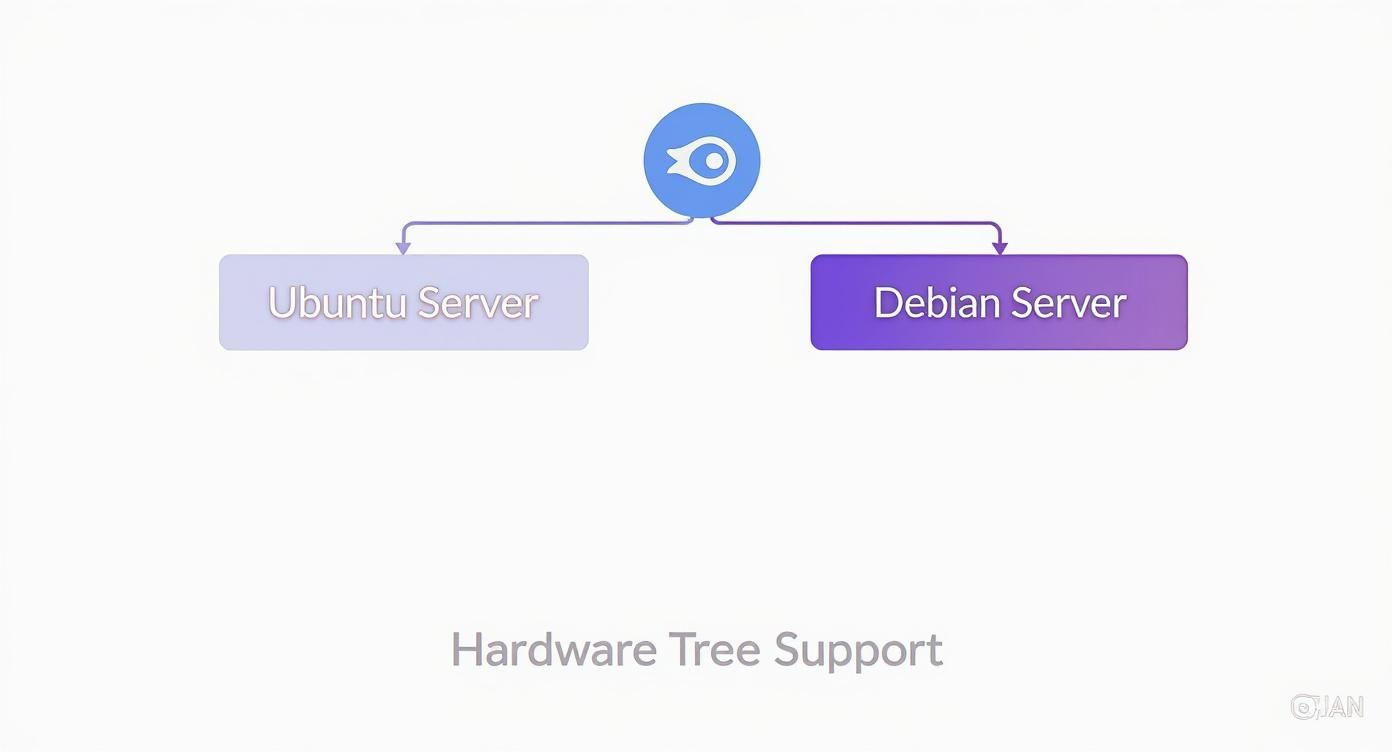
For the newest hardware, Ubuntu Server’s more recent kernel often provides immediate, out-of-the-box support. Debian’s focus on stability makes it ideal for established, proven hardware configurations where predictability is paramount.
Cloud-Native and Container Workloads
In the domain of containers and cloud-native applications, Ubuntu Server holds a distinct advantage. Its widespread adoption in public cloud environments has fostered a rich ecosystem of tools, documentation, and community support specifically for Docker and Kubernetes.
Canonical offers optimized kernel configurations and enterprise support for Kubernetes, making it the default choice for organizations building scalable microservices architectures. The native availability of Snap packages also provides a straightforward method for deploying containerized applications and tools with automatic updates and sandboxed security.
While Docker and Kubernetes run perfectly well on Debian, the ecosystem and official support surrounding these technologies are more mature on Ubuntu. For these fast-moving, modern workloads, Ubuntu’s feature-forward approach aligns well with the velocity required by DevOps teams.
Common Questions Answered
When comparing Debian and Ubuntu for server deployments, several key technical questions consistently arise. Here are direct answers to guide your decision-making.
Is Debian or Ubuntu Better for a Beginner?
For administrators new to Linux server management, Ubuntu Server is generally the more accessible starting point. Its installer is more guided, the official documentation is exceptionally comprehensive, and the vast community provides extensive support for common issues.
Furthermore, the availability of PPAs and Snap packages simplifies the process of installing newer software versions, creating a more forgiving environment for learning server administration.
Which OS Is Required for Proxmox VE?
This is a non-negotiable requirement: Debian is the official and required foundation for Proxmox VE. The Proxmox installer is, in fact, a purpose-built, minimal Debian system.
This is a core design decision that guarantees the stability and compatibility of the virtualization platform. For any production Proxmox deployment, adhering to the official Debian base is the only method to ensure full support from the Proxmox team and community.
Can I Switch from Ubuntu to Debian Without Reinstalling?
No. An in-place “migration” from Ubuntu Server to Debian Server is completely unsupported and strongly discouraged. The two systems have fundamental differences in core libraries, package versions, and system dependencies that make a direct conversion infeasible.
Attempting such a switch will almost certainly result in a broken, unstable, and unsupportable system.
The only correct, industry-standard approach is to provision a new server with the desired OS. Migrate applications and data, conduct thorough testing to validate functionality, and only then decommission the original server.
This methodical process is the best practice for ensuring a clean, low-risk transition for production workloads while minimizing downtime.
Whether you need the unflinching stability of Debian for a Proxmox cluster or the modern tooling of Ubuntu for a fleet of cloud servers, ARPHost delivers the high-performance infrastructure to make it happen. Check out our flexible bare metal and KVM VPS solutions today.
Find out more at https://arphost.com.