

A data center migration is a high-stakes engineering project. A successful transition unlocks performance, scalability, and operational efficiency. A failed one results in catastrophic downtime, data loss, and severe business disruption. Success hinges not on luck, but on a meticulous, technically grounded framework that transforms a complex move into a predictable, controlled process.
The optimal approach is always phased, starting with a forensic-level discovery and dependency mapping, moving to a clear architectural strategy, and finishing with methodical execution, validation, and optimization. This guide provides a step-by-step walkthrough for IT professionals, system administrators, and decision-makers responsible for executing a flawless migration.
A Technical Framework for a Successful Data Center Migration
Moving critical infrastructure is more than a logistics exercise—it's a strategic engineering decision. Whether driven by a hardware refresh, a colocation move, or a transition to a private cloud like Proxmox VE, a detailed technical plan is non-negotiable. You need a granular runbook, a skilled team, and a clear-eyed view of every potential failure point.
The entire project is built on three foundational pillars that guide the process from initial assessment to final handover. This framework simplifies an overwhelmingly complex project into manageable, logical stages.
This visual flow breaks down the essential data migration framework into three core phases: Discovery, Strategy, and Execution.
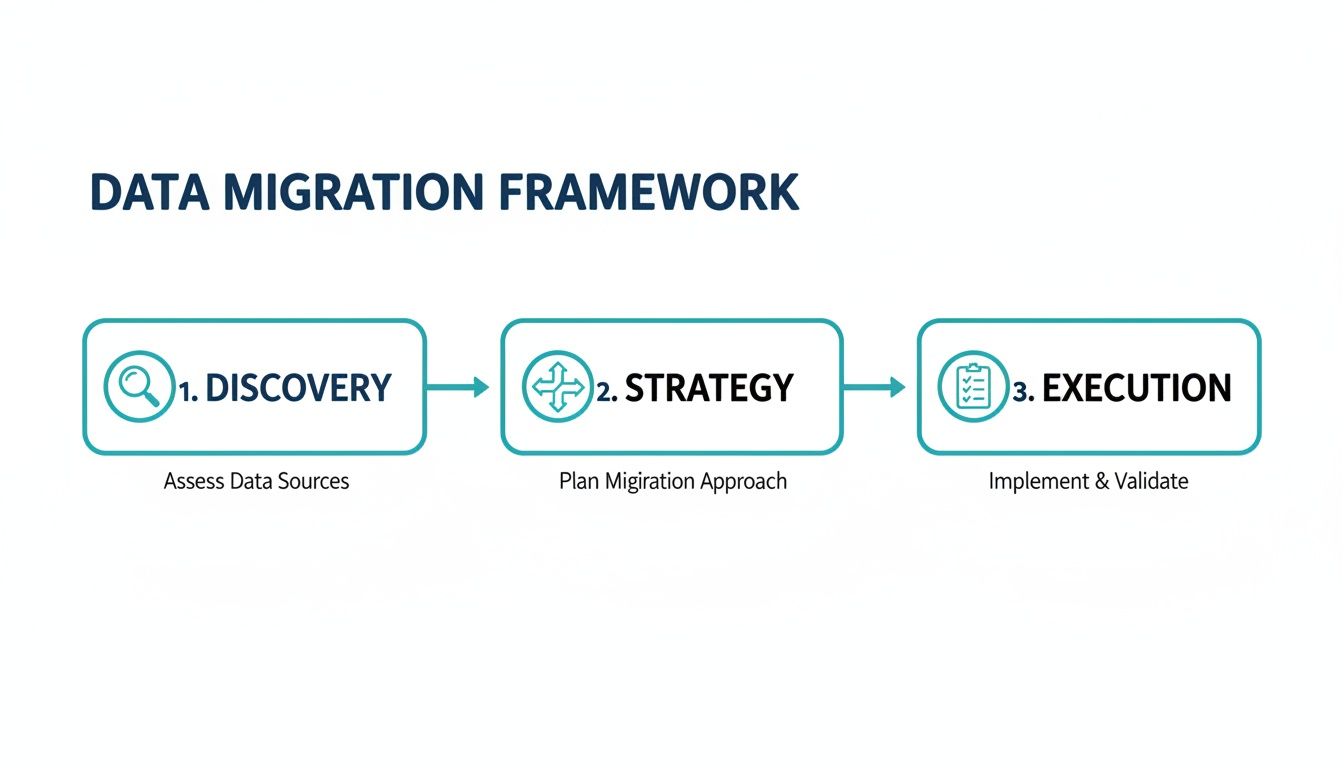
Structuring your project this way ensures each phase builds on the last, helping you sidestep common traps like undocumented dependencies, network misconfigurations, or last-minute scope creep that can derail the entire effort.
The Pillars of a Migration Playbook
A successful data center migration hinges on careful planning across several key domains. This is a multi-stage engineering program where downtime is measured in thousands of dollars per minute and a poorly managed transition leads to data loss or compliance violations.
The foundational elements of your playbook must include:
- Comprehensive Discovery: This is the bedrock of your plan. You need a complete inventory of every server (physical and virtual), application, storage LUN, and network device, including firmware versions and configuration specifics. What you don't document will cause an outage.
- Dependency Mapping: Uncover all undocumented relationships between systems. This is where you find out a legacy reporting service relies on an unpatched database server, or a critical application makes hardcoded API calls to another system.
- Risk and Impact Analysis: Prioritize applications based on business criticality (RTO/RPO) to create a logical migration sequence that minimizes disruption to revenue-generating services.
- Target Architecture Design: Define the future-state environment in detail. Will it be bare metal servers in an ARPHost colocation facility? A new high-availability private cloud built on Proxmox VE 9? This is where your new infrastructure is designed, from VLANs and routing to storage pools and backup strategies.
- Robust Testing and Validation: Create a detailed test plan for functionality, performance, security, and failover before, during, and after the cutover. Hope is not a strategy; empirical data is.
For a higher-level look at the strategic elements, A Business Leader's Guide to Data Center Migration Best Practices offers a great overview.
By establishing these core technical principles upfront, you create a clear, actionable path forward, transforming a daunting project into a predictable and successful initiative.
Mastering Discovery and Dependency Mapping
The number one reason data center migrations fail is overlooking critical details. A successful project begins not with moving servers, but with a forensic-level audit of your entire IT environment. Before designing the destination, you need a perfect map of the source.
This means cataloging every server, application, network device, and storage system. However, a simple asset list is insufficient. The key to avoiding a catastrophic failure is uncovering all the undocumented dependencies between these components—the invisible threads connecting your infrastructure. Missing one can bring a mission-critical business process to a halt.
Building a Reliable IT Inventory
Your first step is creating an exhaustive inventory, ideally managed within a Configuration Management Database (CMDB). A CMDB is a dynamic, centralized repository that acts as the single source of truth for your IT ecosystem. The goal is to build a living map, not a static spreadsheet that is immediately outdated.
Your CMDB should capture technical details like:
- Physical and Virtual Servers: Hostnames, OS versions, patch levels, CPU/RAM/storage allocation, and physical rack location.
- Network Hardware: Routers, switches, firewalls (e.g., Juniper SRX), and load balancers, complete with configurations, port mappings, and ACLs.
- Storage Systems: SANs, NAS devices, and direct-attached storage, noting capacity, performance tiers (IOPS), and replication configurations.
- Applications and Services: Every piece of software, its version, dependencies, and the specific servers it runs on.
A thorough data audit is the cornerstone of any migration. As cloud adoption accelerates—with the market projected to grow from $232.51 billion in 2024 to $806.41 billion by 2029—this audit prevents massive cost overruns and data loss.
With 73% of enterprises now running hybrid cloud strategies, skipping this step introduces inconsistencies that derail projects. Modern predictive AI algorithms can even boost data mapping precision by 40%, helping teams proactively spot anomalies. For a deeper dive into cloud adoption inflection points, explore insights from AWS on enterprise strategy.
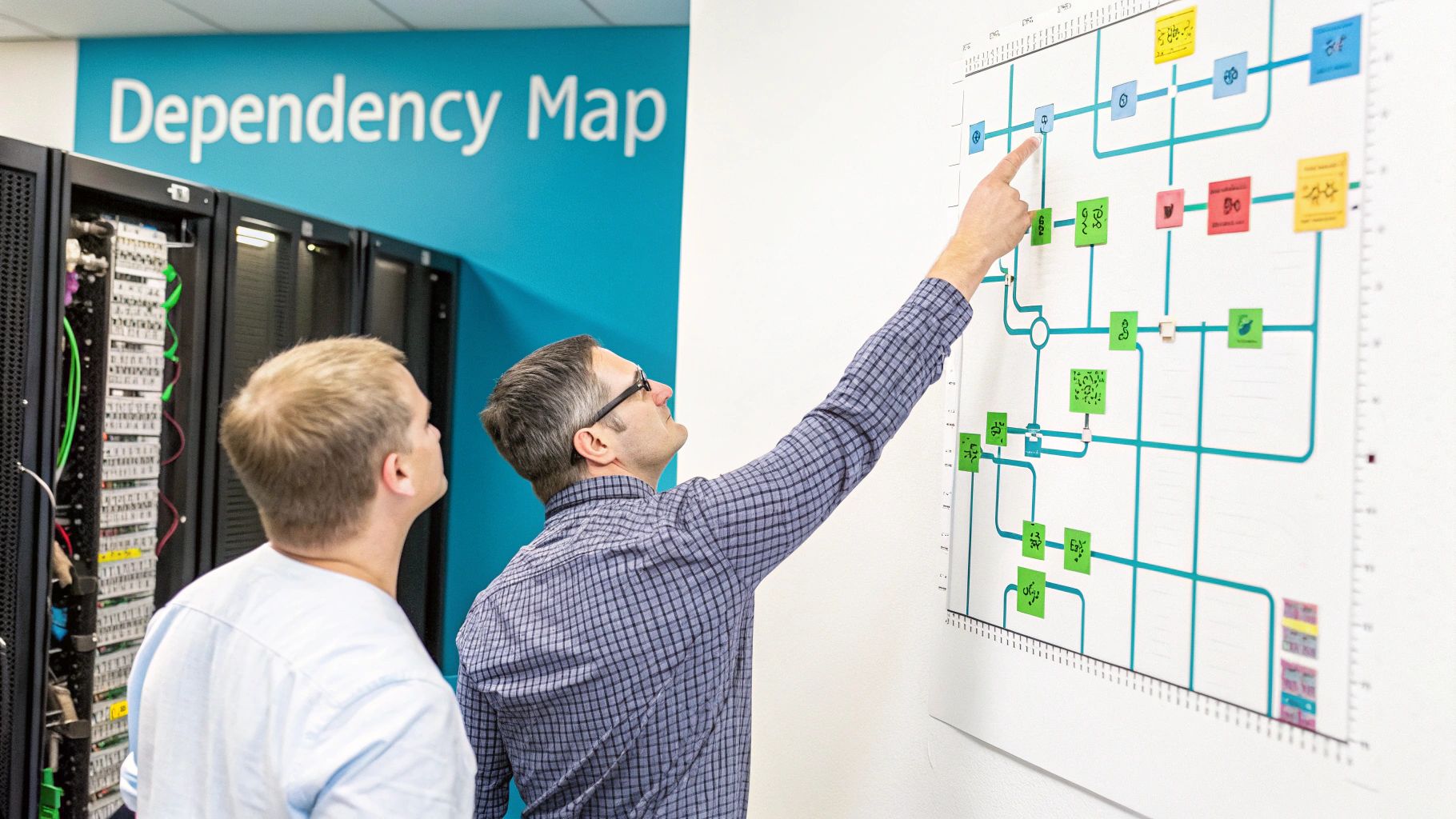
A visual dependency map is incredibly powerful. It instantly highlights relationships that manual documentation misses, making it easier to plan migration waves without accidentally breaking a critical service.
Uncovering Hidden Dependencies
Once your inventory is solid, the deep dive into dependency mapping begins. Combine automated discovery tools with technical investigation to understand how your systems truly interact.
Supplement automated scans with manual audits:
- Interview Stakeholders: Talk to application owners, developers, and system administrators. They know about the undocumented API calls, cron jobs, and quarterly reporting scripts.
- Review Configuration Files: Dig into application configs (
.conf,.xml,.ini), deployment scripts (ansible,terraform), and firewall rules. Look for hardcoded IP addresses, hostnames, or service endpoints. - Analyze Network Traffic: Use tools like
tcpdumporWiresharkto run packet captures during peak business hours. There is no better way to see which systems are communicating in real time.
Technical Example: The Forgotten API Call
A financial services firm was migrating its CRM application. Discovery identified the database and web servers, but missed a nightly batch job that made an API call to a legacy reporting server. Post-migration, month-end reports failed. A simplegrepfor the old server's IP address across application configuration files or a conversation with the finance team's developer would have identified this critical dependency.
This process is iterative. Documenting these relationships in your CMDB is what allows you to build logical migration groups, ensuring that when you move an application, you also move everything it needs to function correctly.
Choosing the Right Migration Strategy and Architecture
With your inventory and dependency maps complete, the next phase is strategic: deciding on the migration approach and target architecture. This is a critical technical decision that will define the project's cost, complexity, and ultimate success.
There is no one-size-fits-all solution. A legacy monolithic application has vastly different requirements than a modern microservices-based one, and your strategy must reflect this reality.
Comparing Data Center Migration Strategies
This table compares the three primary migration approaches—Lift-and-Shift, Replatform, and Refactor—across key technical and business factors to help you select the optimal strategy for each workload.
| Strategy | Complexity & Cost | Speed | Cloud Optimization | Best For |
|---|---|---|---|---|
| Lift-and-Shift | Low | Fastest | Low | Quick migrations, tight deadlines, legacy apps you can't modify. |
| Replatform | Medium | Moderate | Medium | Modernizing OS/databases or containerizing apps without a full rewrite. |
| Refactor | High | Slowest | High | Maximizing performance, scalability, and long-term TCO for core applications. |
The most effective plan is almost always a hybrid one. You might lift-and-shift legacy systems, replatform key services for a quick performance win, and refactor core business applications to thrive in their new environment.
The Three Core Migration Strategies
The three main strategies, often called the "Rs of migration," each offer a different balance of speed, cost, and long-term benefit.
Lift-and-Shift (Rehost): This is the fastest option. You are essentially creating a 1:1 copy of servers or virtual machines from the source to the target environment with minimal changes. It's ideal for tight deadlines or third-party applications where the source code is inaccessible.
Replatform (Relocate/Revise): This is the middle ground. You make targeted optimizations, such as upgrading an OS, moving from a commercial database to an open-source alternative (e.g., Oracle to PostgreSQL), or containerizing an application into LXC or Docker. You gain modern benefits without the cost of a full rewrite.
Refactor (Rearchitect): This is the most intensive but most rewarding approach. You are re-designing an application to take full advantage of a new platform, such as breaking a monolith into microservices to run on a private cloud. It's a major investment that pays dividends in scalability, performance, and resilience.
A common mistake is forcing a single strategy on all workloads. A hybrid approach is superior. Lift-and-shift stable legacy systems, but refactor customer-facing applications where performance and scale are critical business differentiators.
Selecting the Ideal Target Architecture
Your migration strategy is directly linked to your target architecture. The destination must support your technical and business goals, whether that's reducing operational overhead, improving disaster recovery capabilities, or gaining granular control over your stack.
Bare Metal Servers
For workloads demanding maximum performance and direct hardware access, bare metal servers are unparalleled. Think high-transaction databases, HPC clusters, or anything sensitive to hypervisor-induced latency. You get predictable, consistent performance without resource contention from "noisy neighbors."
Proxmox VE Private Cloud
A Proxmox VE private cloud offers a powerful balance of flexibility and control. It’s an open-source platform for managing KVM virtual machines and lightweight LXC containers on the same cluster. This is the sweet spot for organizations that want cloud-like agility while maintaining full control over their hardware, network, and data. With enterprise features like high-availability clustering, live migration, and distributed storage via Ceph or ZFS, it’s a highly resilient and scalable solution. When moving from a different hypervisor, using the right VMware migration tools is crucial for a smooth transition.
A Practical Example: Migrating a Three-Tier Application
Consider migrating a classic three-tier web application (web, app, database) from aging, standalone servers to a high-availability Proxmox VE 9 cluster in an ARPHost colocation facility. The goal is to enhance resilience and simplify operations. The chosen strategy is replatforming.
Web and Application Tiers: These servers are ideal candidates for KVM virtual machines within the Proxmox cluster. This enables live migration for zero-downtime maintenance and provides automatic failover via Proxmox HA if a physical host fails, dramatically improving uptime.
Database Tier: The database is moved to a dedicated bare metal server to ensure maximum I/O performance. It is still managed within the Proxmox cluster for centralized administration and backups, but runs without a hypervisor layer.
Storage and Networking: VMs utilize a shared Ceph storage pool across cluster nodes for redundancy and high performance. Network interfaces are bonded (LACP) for resiliency and throughput, while VLANs on a managed Juniper switch isolate traffic between the application tiers for security.
This replatforming approach modernizes the stack without a costly application rewrite, delivering immediate improvements in reliability and manageability.
Executing a Phased and Predictable Migration
A "big bang" migration—moving everything at once—is a high-risk gamble that invites extended outages and team burnout. The superior method is a phased migration, which breaks the project into manageable, low-risk waves. Each wave is a self-contained mini-project, allowing you to move, test, and validate a logical group of applications and infrastructure, drastically reducing the blast radius if an issue arises.
Grouping Workloads into Migration Waves
The composition of each wave is a strategic decision based on the dependency mapping and business impact analysis you have already completed. The objective is to create self-contained migration groups to minimize inter-wave disruption.
Group workloads based on these factors:
- Application Dependencies: Tightly coupled systems must move together. An application server and its dedicated database are a classic example; separating them introduces latency and risk.
- Business Criticality: Begin with lower-priority, lower-risk workloads. This pilot wave serves as a proof of concept, allowing you to validate and refine your runbook and tools on non-critical systems.
- Technical Complexity: Group similar technologies. For example, create one wave for stateless web servers and a separate, more complex wave for stateful database clusters requiring replication setup.
- Team Capacity: Size each wave realistically based on what your engineering team can execute, validate, and support within a planned maintenance window.
A phased approach is central to modern data center migration best practices. The market reflects this shift, with projections showing it will surge from USD 10.55 billion in 2025 to USD 30.70 billion by 2034. While an average of 60% of workloads are now in the cloud, a stubborn 38% of applications remain difficult to move due to technical debt, making a phased strategy essential. You can find more insights on these data migration trends from Kellton.
Building the Master Runbook
The master runbook is the definitive script for the entire migration. It is a hyper-detailed, step-by-step document outlining every action, command, responsibility, and communication point for each wave. A well-written runbook eliminates ambiguity and ensures every team member knows their exact role.
A great runbook is so detailed that a skilled engineer unfamiliar with the project could execute a migration wave successfully by following it verbatim.
A technical runbook must include:
- Detailed Technical Steps: Every CLI command, configuration change, and validation check. For example:
systemctl stop httpd,rsync -avz /var/www/html/ user@new-server:/var/www/html/,systemctl start httpd. No assumptions. - Team Responsibilities: Clear assignment of each task to a specific engineer or team (e.g., networking, storage, application owners).
- Timestamps and Durations: Estimate the time required for each step to build a realistic timeline and identify potential bottlenecks.
- Communication Plan: Define who is notified at each stage (stakeholders, support teams, end-users) and via which channels (Slack, email, status page).
- Rollback Procedures: Explicit "go/no-go" decision points and the exact steps required to revert if a migration wave fails validation.
Technical Execution Examples
A strong runbook includes the specific commands required to minimize human error during execution. Here are two practical examples for a migration into an ARPHost Proxmox Private Cloud environment.
Live-Migrating a KVM Virtual Machine
For zero-downtime migrations of critical workloads, live migration in a Proxmox VE cluster is the ideal tool. Moving a running VM from one physical node to another is a single command.
On the source Proxmox node CLI:
# qm migrate <vmid> <target-node-name> --online
This command initiates a live migration of the specified VM (vmid) to the target node. Proxmox copies the VM's memory state across the network, resulting in virtually zero perceived downtime for the running application.
Data Synchronization with ZFS Replication
For large datasets, ZFS replication is a powerful tool to minimize the cutover window. Perform an initial full replication in advance, then use incremental snapshots to keep the data synchronized until the final cutover.
Here is the process between two ZFS-enabled servers:
# First, take the initial snapshot and send it
zfs snapshot pool/data@initial-replication
zfs send pool/data@initial-replication | ssh root@<target-ip> 'zfs receive -F destpool/data'

# Later, just before cutover, send only the changes
zfs snapshot pool/data@final-sync
zfs send -i @initial-replication pool/data@final-sync | ssh root@<target-ip> 'zfs receive -F destpool/data'
This dramatically shrinks the final cutover window by only transferring the delta of data that has changed since the last snapshot. By combining a phased approach with a detailed runbook and tested technical procedures, you transform a high-stakes migration into a predictable, manageable, and successful project.
Validating the New Environment Before Cutover
The migration waves are complete, but the project is not done. The pre-cutover validation phase is your final quality gate—the last opportunity to prove the new environment is stable, performant, and secure before directing production traffic to it.
Proceeding without rigorous validation is a critical error. The only path forward is a methodical validation plan, benchmarked against the performance data captured from the source environment.

A Multi-Layered Testing Strategy
Effective validation is a series of tests designed to inspect every layer of the new infrastructure stack. The goal is to simulate real-world conditions and identify breaking points before users do.
Your testing strategy must include:
- Functional Testing: Does the application work as expected? Can users log in and complete core business workflows without errors? This focuses on correctness, not speed.
- Performance Testing: Does the new environment meet or exceed the performance benchmarks of the old one? Use tools like
JMeterorabto generate load and measure latency and throughput. - User Acceptance Testing (UAT): Involve key end-users to test the system in a real-world context. Their feedback is invaluable for catching subtle workflow issues that automated tests miss.
- Security and Compliance Validation: The security team must verify that firewall rules, access controls, and security policies have been correctly replicated and meet all compliance requirements (e.g., PCI-DSS, HIPAA).
Diving Deep into Performance Testing
"Performance testing" encompasses several distinct test types, each answering a different question about the new infrastructure's capabilities.
Ensure you run these essential tests:
- Load Testing: Simulates expected production load to confirm the system can handle normal daily traffic without performance degradation.
- Stress Testing: Pushes the system beyond its expected limits to identify its breaking point and, more importantly, to observe its recovery behavior.
- Soak Testing: Sustains a normal production load for an extended period (24-48 hours) to detect issues like memory leaks or performance degradation that only manifest over time.
A critical mistake is testing with an empty database. Your test environment needs a recent, anonymized copy of production data. Testing against a small dataset will yield misleadingly positive performance results that will not reflect real-world performance.
Crafting the Cutover and Rollback Plan
Successful validation provides the confidence to plan the final cutover. This plan must be incredibly detailed, covering final data synchronization, DNS changes (TTL reduction is key), and the precise sequence for shutting down old systems and activating new ones.
The most critical component of your cutover plan is the rollback plan.
Define the specific triggers—technical or business—that will force an abort of the cutover. Examples include a critical application failing health checks, transaction latency exceeding a predefined threshold, or a security alert.
Your rollback procedure must be as detailed as your migration plan, mapping out every command required to revert DNS and bring legacy systems back online. This is your safety net, ensuring business continuity is never at risk. A verified rollback strategy is a core component of any robust disaster recovery plan. For a deeper look, our disaster recovery testing checklist provides a solid framework.
Post-Migration: Optimization, Decommissioning, and Handover
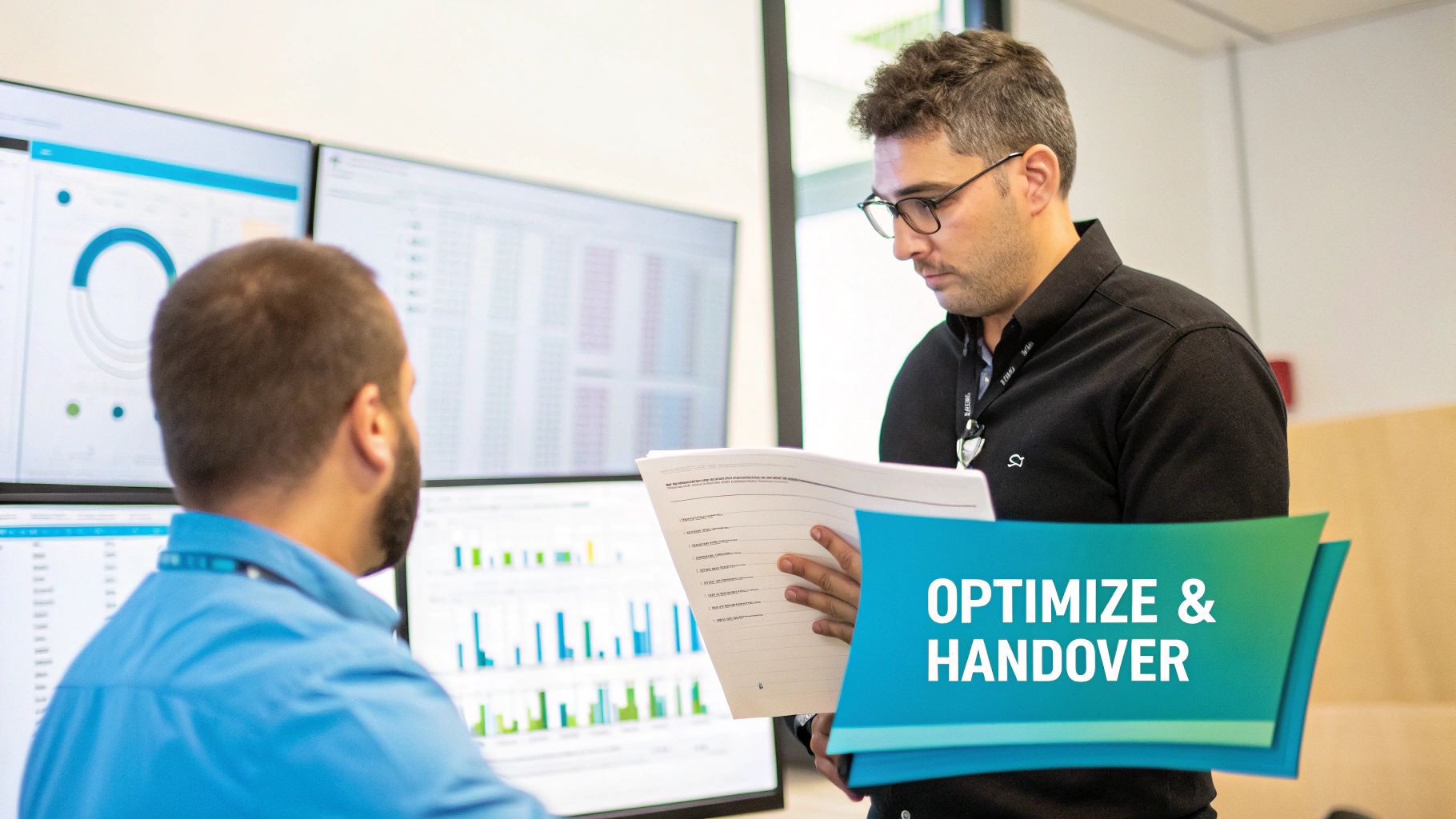
Flipping the switch isn't the finish line; it’s the start of the optimization phase. The focus now shifts from migration logistics to tuning the new environment for peak performance, efficiency, and resilience.
One of the first post-cutover tasks is securely decommissioning the old hardware. This involves more than unplugging servers. It requires a methodical process of data wiping to meet compliance standards (e.g., NIST 800-88) and physically dismantling the legacy infrastructure. A clear plan for recycling data center equipment is essential for responsible hardware disposal.
Fine-Tuning for Peak Performance and Cost Efficiency
Your initial resource allocations were based on benchmarks and educated estimates. Real-world usage provides the data needed for fine-tuning.
- Analyze VM Performance: Use Proxmox's built-in monitoring tools to identify oversized or undersized VMs. Over-provisioned VMs waste resources, while under-provisioned ones create performance bottlenecks.
- Implement Proactive Monitoring: Configure detailed monitoring and alerting for key metrics like CPU usage, memory pressure, storage I/O, and network latency. This allows you to identify and resolve issues before they become outages.
- Automate Backups and DR: Configure and rigorously test automated backup jobs using tools like Proxmox Backup Server. Conduct actual failover tests to verify you can meet your RTO (Recovery Time Objective) and RPO (Recovery Point Objective) targets.
This continuous optimization cycle is a core tenet of modern IT operations. The goal is not just to relocate workloads but to make them faster, more resilient, and more cost-effective.
Your work isn't done until the new environment is running better—and more cost-effectively—than the old one. Continuous monitoring and right-sizing are non-negotiable for maximizing the ROI of your migration.
The Formal Handover to Operations
A successful migration project concludes with a seamless handover to the operations team that will manage the new infrastructure daily. A structured handover process is mandatory.
This formal transfer of responsibility must include:
- Updated Runbooks: All operational documentation must be updated to reflect the new architecture, including procedures for common tasks, troubleshooting guides, and escalation paths.
- Comprehensive Training: Conduct hands-on training sessions for the operations team covering the new Proxmox cluster, monitoring dashboards, and backup/recovery procedures.
- Finalized As-Built Documentation: Provide detailed network diagrams, architecture documents, and configuration specifics for the final "as-built" environment. This becomes the new single source of truth.
Empowering the operations team with the knowledge and tools they need ensures the long-term success and stability of the migrated environment.
Frequently Asked Questions About Data Center Migration
Even with a detailed playbook, complex projects generate questions. Clear, direct answers help maintain momentum and ensure team alignment. Here are common questions from real-world migration projects.
What Is the Most Common Cause of Data Center Migration Failure?
The most common cause is inadequate discovery and dependency mapping. Teams that rush the planning phase inevitably miss critical dependencies, underestimate network bandwidth requirements, or fail to create a sufficiently granular runbook. These overlooked details are what cause unexpected downtime, missed deadlines, and budget overruns. A meticulous discovery phase is the single most critical success factor.
How Long Does a Typical Data Center Migration Take?
The timeline is dictated by the scope and complexity. A lift-and-shift of a few dozen VMs might take several weeks. A large-scale, enterprise-wide project involving refactoring could extend beyond a year. For a typical mid-sized business, a full migration—from initial planning to final decommissioning—usually takes 6 to 12 months.
What Is the Difference Between a Data Center and a Cloud Migration?
Traditionally, a "data center migration" referred to moving physical infrastructure between two physical locations (e.g., on-premise to a colocation facility). A "cloud migration" specifically meant moving workloads from on-premise infrastructure to a public cloud provider (AWS, Azure, GCP). Today, the lines are blurred. Migrating to a private cloud built on platforms like Proxmox or VMware combines elements of both, and the terms are often used interchangeably.
Execute your next data center migration with confidence. ARPHost delivers expert-led managed services, high-performance bare metal, and scalable Proxmox Private Cloud solutions designed to ensure a seamless transition. Let's build your migration strategy today.