


Working from the command line is the key to managing a server efficiently, and knowing how to create a folder in the terminal is one of the very first skills you need to pick up. The go-to command is mkdir, a universal tool that works across Linux, macOS, and even the Windows Subsystem for Linux (WSL).
Simply typing mkdir folder_name is how you start organizing project files, sorting logs, and building automated scripts with real precision.
Why Bother With the Terminal?
For any serious developer or sysadmin, the terminal's raw speed and scriptability blow graphical interfaces out of the water. This is especially true when you're working in a "headless" environment—think ARPHost's secure web hosting bundles or a dedicated bare metal server—where there's no GUI to click around in. A clean directory structure isn't just about being tidy; it's a pillar of good server security and performance.
This isn't just theory. A 2023 Stack Overflow survey found that 78% of professional developers use a Linux terminal every single day. They're running mkdir constantly to set up new projects, manage backups, and organize log files. It’s this command-line fluency that lets ARPHost customers handle everything from simple website deployments on a secure KVM VPS to complex VMware to Proxmox 9 migrations on our dedicated Proxmox private clouds.
Once you get the hang of creating folders, the next logical step is managing the files inside them. You can learn more about that in our guide on how to edit a file in Linux.
Getting comfortable with a simple command like mkdir pays off almost immediately, especially when managing your own hosting environment:
- Automation: You can write scripts that instantly create a perfect, standardized project layout. This cuts down manual setup time to zero and prevents human error.
- Consistency: It guarantees that every new user account, website, or app follows the exact same folder structure, which makes future maintenance a breeze.
- Speed: Need to create a dozen nested directories for a new web app? In the terminal, it takes seconds. In a GUI, you'd be clicking and naming for minutes.
Mastering this basic command is your gateway to more powerful server administration. From here, you can build scripts that provision new client sites, rotate application logs, or organize backups on your fully managed IT services plan, making your entire infrastructure predictable and powerful.
Creating Folders Across Different Operating Systems
If you live in the terminal, you know that creating a folder isn't a one-size-fits-all command. While mkdir is the workhorse on any Unix-based system, jumping between platforms means you'll need to know the local dialect. This is especially true for developers and sysadmins who toggle between local machines, remote servers, and containerized environments daily.
For anyone running a Linux server—be it Ubuntu, CentOS, or anything in between—the mkdir command is your trusted friend. The same goes for macOS, thanks to their shared Unix roots. This consistency is a huge relief when you're managing infrastructure like ARPHost's high-availability VPS hosting plans, which give you a standardized command-line experience. Not sure what flavor of Linux you're on? We've got a guide on how to determine which Linux version you're running.
Windows Command Line Approaches
Things get a little different when you land on a Windows machine. The classic Command Prompt (CMD) primarily uses md (short for make directory), though mkdir is often included as an alias. PowerShell, the more powerful and modern shell, has its own unique verb-noun syntax.
- Command Prompt:
md C:UsersYourUserDesktopproject - PowerShell:
New-Item -ItemType Directory -Path C:UsersYourUserDesktopproject
It doesn't stop at traditional operating systems, either. In modern DevOps workflows, knowing your way around a container's filesystem is critical. This often involves executing bash commands within Docker containers to create directories or set up your application environment on the fly.
Why ARPHost Excels Here
Juggling different environments can introduce unexpected headaches. ARPHost cuts through that complexity. Our Secure Web Hosting Bundles are built on CloudLinux OS with the Webuzo control panel, giving developers a uniform and secure environment. You get to focus on your code instead of wrestling with OS-specific command quirks. Start with our secure VPS hosting from $5.99/month.
Building Complex Directory Trees With a Single Command
Creating folders one by one is a recipe for wasted time and silly mistakes, especially when you're setting up a new web app or trying to organize a project. To really get efficient, you need a couple of tricks up your sleeve that turn mkdir from a simple tool into a powerhouse.
The first is the -p (or --parents) flag. This little option is a lifesaver. It tells the command to create any parent directories that don't already exist in the path you give it. Without -p, trying to make a nested folder like projects/client_a/assets would just fail if the projects and client_a folders weren't already there.
Recursive Folder Creation in Action
Let's put this into a real-world scenario. Imagine you're spinning up a new container on one of ARPHost's dedicated Proxmox private clouds. You need to lay down the standard directory structure for a new web application. A single command can handle the entire job.
mkdir -p /var/www/my-app/{src,logs,backups}
This one-liner does a lot of work. It first makes sure the /var/www/my-app path exists, creating each directory along the way. Then, thanks to a shell feature called brace expansion, it instantly creates the src, logs, and backups folders inside. This combo is fundamental for automating deployments and is a staple in CI/CD pipelines.
The way you create folders varies slightly between operating systems, and knowing the differences is key when you're managing a mixed environment.
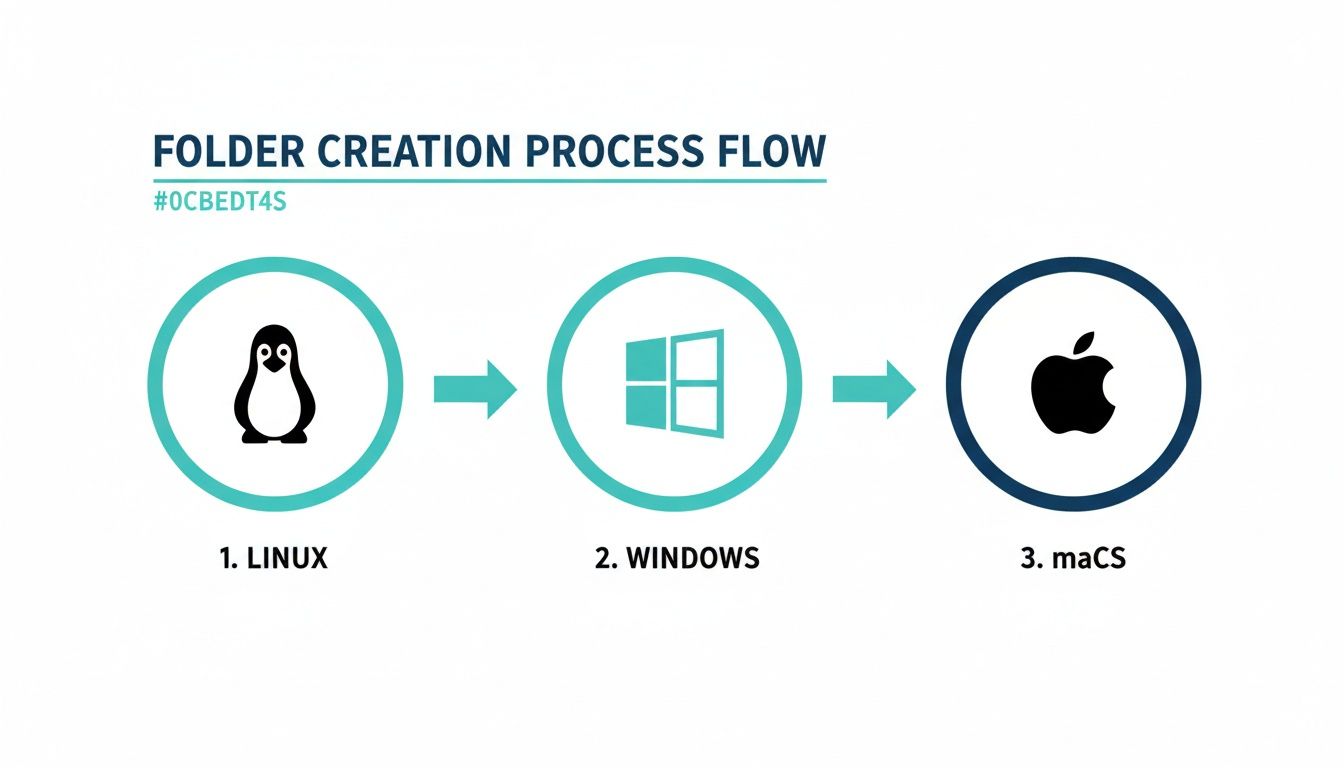
This simple flow shows those subtle but critical differences you’ll run into, which is why having a standardized workflow is so valuable.
Scaling This with ARPHost
In modern development, speed and consistency are everything. On our high-availability VPS hosting plans, developers use these exact commands to scaffold new applications in seconds. It ensures every deployment starts off on the right foot, following best practices. Our infrastructure is built for this kind of automation, letting you focus on your code, not on tedious setup. Explore our Proxmox Private Cloud plans starting at $299/month.
You can’t overstate how common mkdir is. A 2024 analysis of GitHub repositories found that mkdir shows up in 62% of all Linux setup scripts. It was invoked 1.2 billion times in CI/CD pipelines last year alone. This highlights just how critical it is for developers everywhere, including those at firms like ARPHost managing VPS hosting for startups and eCommerce clients. You can see the full breakdown of these command-line statistics to get a sense of its importance.
Setting Secure Permissions When You Create a Folder
Creating a new directory in the terminal is just the first step. The real work—and the part that trips up so many people—is securing it. Misconfigured directory permissions are a massive security blind spot, basically leaving a backdoor open for attackers. It’s not enough to just make a folder; you have to control who can read, write, and execute within it right from the start.
Sure, you can always go back and fix permissions later with a command like chmod 755 my_folder. But a far better practice is to set them the moment you create the directory. This prevents even a millisecond of exposure with weak default permissions, which is absolutely critical on shared servers or any multi-user system.
Set Permissions Instantly With the -m Flag
The most direct way to lock down a new directory is with the -m (mode) flag. It lets you define the octal permissions code in the very same mkdir command. No follow-up needed.
For instance, let’s say you’re creating a directory for sensitive user uploads. You want only the owner and the group to have access. You'd run this:
mkdir -m 770 secure_uploads
This command instantly applies 770 permissions, making sure the directory is never accidentally exposed to other users on the system. It’s a foundational security tactic. In fact, security breaches stemming from misconfigured folders saw a 34% jump in 2023, hammering a significant portion of web hosts. The -m flag has been around since 1988 for a reason—it’s simple, effective, and essential.
Why ARPHost Excels Here
Manually setting permissions is a recipe for human error. Our Secure Web Hosting Bundles take the guesswork out of it with tools like Imunify360, which actively enforces strict filesystem permissions to block unauthorized access before it happens. To learn more about locking down your environment, don’t miss our complete server hardening checklist.
Knowing how to create a folder from the terminal is a great start. But the real magic happens when you move beyond one-off commands and start automating your entire workflow. This is how you go from managing a server to orchestrating a whole infrastructure.
Think about it: a simple Bash script can instantly spin up a standard directory structure for every new user on your server. No more manual mkdir commands, and no more human error. Every account gets a perfectly consistent layout, every single time.
From Simple Scripts to Managed Infrastructure
While a local script is handy, the next step is integrating that logic into a managed, scalable environment. This is where you can lean on ARPHost’s powerful solutions to do the heavy lifting for you.
- Instant Applications: Our one-click installers for platforms like WordPress or Joomla aren't just convenient. They run sophisticated scripts in the background, deploying a perfectly structured and secured directory layout in seconds. You get an application that follows security best practices from day one, without ever typing a command.
- Ansible & Terraform Integration: For the pros, our Dedicated Proxmox Private Clouds offer the perfect high-performance playground. You can embed your
mkdircommands directly into Ansible playbooks or Terraform configurations to provision and manage entire server fleets with absolute consistency.
We’re here to help you turn basic terminal skills into scalable business solutions. Whether you’re a beginner who needs a one-click setup or an expert automating a complex cloud, our infrastructure delivers. From secure web hosting bundles to powerful private clouds, we provide the foundation for reliable, automated workflows that grow right alongside you.
This automation-first mindset is what keeps a server environment clean and predictable. Whether you're running a single VPS hosting plan or an entire fleet of bare metal servers, scripting directory creation is a cornerstone of solid infrastructure management.
Ready to see how a managed environment can streamline your work? Check out our Secure VPS Bundles that handle all the tricky setup for you.
Got Questions About Creating Folders?
Working with the command line always sparks a few questions, especially when you're just starting out. Let's tackle some of the most common hiccups you might run into when making new directories.
How Can I Undo a mkdir Command?
There’s no magic "undo" button for mkdir. To reverse it, you have to manually remove the directory you just created.
If the folder is empty, a simple rmdir folder_name does the trick. But if you've already put files or other subfolders inside, you'll need the more powerful rm -r folder_name command. Be careful with this one—it permanently wipes out the folder and everything in it, no questions asked. This is exactly why having a solid backup plan, like the ones included with ARPHost's managed VPS and Proxmox Backup services, is an absolute must for any live environment.
What's the "File Exists" Error All About?
Seeing a "File exists" error when using mkdir is pretty common. It just means a file or another directory with that exact name is already sitting in your current location. You can double-check by running ls -l to get a full list of what's there.
The easy way around this is to use the -p flag, like mkdir -p. This is a lifesaver for scripting because it tells the command to create the directory only if it doesn't already exist. If it's already there, it just moves on without throwing an error.
Can I Create Folders with Spaces in the Name?
You absolutely can, but you have to wrap the name in quotes. The terminal sees a space as a separator between different commands or arguments.
For example, to create a folder called "My Project Files," you’d type mkdir "My Project Files". If you forget the quotes, the shell will think you're trying to create three separate folders: 'My', 'Project', and 'Files'.
How Do I Make a Hidden Folder?
On Linux and macOS, any file or folder that starts with a period (.) is automatically hidden. It's a long-standing convention for stashing away configuration files and settings.
To create one, just run a command like mkdir .config. The folder will be there, but it won't show up with a standard ls command. To see it and all other hidden files, you'll need to use the -a flag (ls -a).
From a business scalability perspective, terminal folder creation via
mkdirhas been a key factor in Linux's market dominance, which now accounts for 75% of cloud servers. At ARPHost, this efficiency is demonstrated daily in our bare metal server provisioning, where a single command likemkdir -p /opt/{www,db,logs}structures 90% of initial setups for demanding Joomla or Magento deployments. Discover more insights about these filesystem facts at linux-audit.com.
At ARPHost, we turn command-line skills into scalable, secure infrastructure. Ready to build on a platform designed for professionals? Explore our Secure VPS Bundles at arphost.com/vps-web-hosting-security-bundles/.