

At 02:14, a migration stops being a project plan and becomes an incident response exercise. A DNS cache still points users at the old service, the replicated database is behind, and the only rollback backup has never been restored. The migration tool may report success while production is already splitting across two environments.
The practical answer is to treat cloud migration solutions as an operations problem. Map dependencies before selecting a wave, assign a strategy to each component, calculate whether the workload can converge during the cutover window, and verify that rollback works. A useful external perspective is this case study on how Nexus IT Group drives cloud adoption, particularly for understanding why transformation depends on execution discipline rather than infrastructure diagrams.
Before scheduling a move, answer four questions:
- What talks to this workload, and what talks to those dependencies?
- Which migration strategy applies to each component?
- Can replication converge before the maintenance window closes?
- Can the team restore and return traffic to the previous environment?
The server migration checklist should be treated as an execution document, not a project-status artifact.
Table of Contents
- The Cutover Window That Almost Took Down Production
- What Cloud Migration Solutions Actually Mean in 2026
- Rehost vs Replatform vs Refactor in Practice
- The Hidden Workload Dependency Problem
- A Stepwise Migration Checklist You Can Run Today
- Matching Workloads to the Right Destination
- Backups, Rollback, and Production Failure Modes
- When Not to Migrate at All
The Cutover Window That Almost Took Down Production
The maintenance window was 90 minutes. The team had rehearsed the VM export, prepared the destination storage, and agreed that the database replica would become primary after the application moved. At the start of the window, the replica was already 14 minutes behind. DNS TTL assumptions were wrong, so some clients continued reaching the old address. The rollback plan depended on a backup that had never been restored.
That combination creates a dangerous state. New writes can reach both environments, the destination database can be promoted with incomplete data, and the source system can no longer be treated as a clean fallback. A migration can appear technically complete while application behavior is inconsistent for users.
What should have stopped the cutover
The first stop condition should have been replication convergence. A lagging replica isn't a minor scheduling inconvenience. It changes the recovery point and can turn a controlled promotion into data reconciliation work.
The second should have been dependency evidence. The team needed a recorded map of application connections, authentication paths, shared storage, license checks, monitoring agents, and administrative access. A migration runbook that lists only VMs is incomplete.
The third should have been restore verification. On Proxmox, a backup archive isn't proof of recoverability. The team must restore it to an isolated target, boot the guest, check storage, and validate the application before using that archive as rollback protection.
Operational rule: A cutover isn't ready because the destination boots. It's ready when traffic, data, dependencies, monitoring, and rollback have all been tested together.
The rest of this article focuses on the mechanics that catch these failures early. Dependency mapping identifies hidden coupling, per-component strategy selection limits unnecessary change, dirty-rate analysis exposes unsafe VM moves, and restore testing turns rollback from an assumption into a procedure.
What Cloud Migration Solutions Actually Mean in 2026
Cloud migration solutions combine discovery, assessment, strategy selection, target architecture, data transfer, cutover orchestration, and validation. Moving a VM image is only one task inside that chain. The correct solution depends on what the workload needs after migration, not only where it runs today.
Consider a fleet of 40 VMs leaving aging VMware hosts. Moving those guests to Proxmox VE on dedicated hardware preserves much of the existing operating model. The team still manages guest operating systems, virtual networking, storage behavior, backups, and patching. Re-platforming the same application portfolio onto AWS EC2 with Amazon RDS changes more of the stack. Database operations, instance selection, network charges, identity controls, and service-specific limits become part of the design.
Neither destination is automatically correct. A predictable workload with strict residency requirements and a team that understands KVM may fit a Proxmox private cloud. A bursty analytics pipeline may benefit from public compute elasticity. A hybrid design can keep stateful systems on private infrastructure while placing variable front-end or batch work in a public cloud.
The solution is larger than the destination
Engineers should evaluate six connected areas:
- Discovery tooling must identify actual communication paths, not just registered assets.
- Strategy selection should happen per application component, following AWS guidance on Rehost, Replatform, Refactor or Re-architect, Repurchase, Retire, and Retain (AWS migration strategy guidance).
- Target architecture must account for storage, identity, observability, network segmentation, and recovery.
- Transfer mechanics determine whether data can move within the available bandwidth and maintenance window.
- Cutover orchestration controls writes, replication, traffic, and rollback.
- Validation proves that the workload works functionally and operationally after the move.
| Solution Component | Workload Driver Addressed |
|---|---|
| Dependency discovery | Application coupling, shared services, hidden integrations |
| Strategy assignment | Required change, licensing, technical feasibility |
| Private connectivity | Transfer security, throughput, predictable routing |
| Storage design | IOPS behavior, database durability, recovery needs |
| Cutover orchestration | Downtime, replication lag, traffic control |
| Post-migration validation | Functional correctness, performance, monitoring |
The cloud migration market is now treated as a substantial enterprise spending category. One 2026 estimate projects growth from $19.6 billion in 2025 to $120.3 billion by 2032, with a projected compound annual growth rate of 29.59%, while another industry model presents materially different forecasts, including $23.6 billion in 2026 and $330.27 billion by 2026 The conflicting models matter less than the underlying operational signal. Migration planning, tooling, and execution have become foundational infrastructure work.
Rehost vs Replatform vs Refactor in Practice
Take one workload: a legacy PHP monolith on CentOS 7, backed by MySQL 5.7, serving roughly 2,000 concurrent users. The numbers in the table are planning assumptions for this example, not universal outcomes. The correct choice depends on application testing, database behavior, licensing, and the destination platform.
| Strategy | Estimated Cost Delta | Downtime Window | Skill Cost |
|---|---|---|---|
| Rehost | Lowest project change cost, with ongoing legacy maintenance | Weekend migration window | Existing virtualization and Linux skills |
| Replatform | Moderate project cost for database and storage changes | Four-hour maintenance window | Database, storage, and compatibility expertise |
| Refactor | Highest initial investment | Designed around component-by-component cutover | Container, application architecture, and platform engineering skills |
Rehost keeps the change radius small
A rehost exports the VM, imports it into the destination, preserves the application layout, and changes only what the target requires. It can finish over a weekend because the team isn't redesigning the PHP application or changing the database engine.
The trade-off is obvious. CentOS 7 is an end-of-life operating system, so rehosting preserves security and maintenance debt. It may be the right emergency move when the VMware host is failing, but it shouldn't be mistaken for modernization.
Replatform changes selected foundations
A replatform might move the application VM while replacing MySQL 5.7 with MariaDB 10.11 on managed storage. That can improve the long-term operating position, but it introduces schema compatibility checks, query testing, backup changes, and a more involved rollback plan. The four-hour maintenance window is achievable only after rehearsal and data validation.
This approach works when the current platform is the constraint, but the application itself doesn't justify a redesign. The team changes the database and storage boundary while leaving the PHP request model mostly intact.
Refactor earns flexibility at a skill cost
Refactoring breaks the monolith into containers, separates services, and redesigns state handling around the target platform. It can improve deployment independence and scaling behavior, but it adds 6 to 8 engineer-weeks of work in this example. That effort belongs in a separate modernization program unless the existing architecture is actively blocking business requirements.
Decision rule: Minimize the change radius unless the platform forces the issue.
AWS also recommends iterative strategy selection across the portfolio, individual application components, and associated infrastructure (AWS Prescriptive Guidance on iterative strategy selection). That distinction prevents teams from forcing the database, web tier, and authentication system into one migration path.
The Hidden Workload Dependency Problem
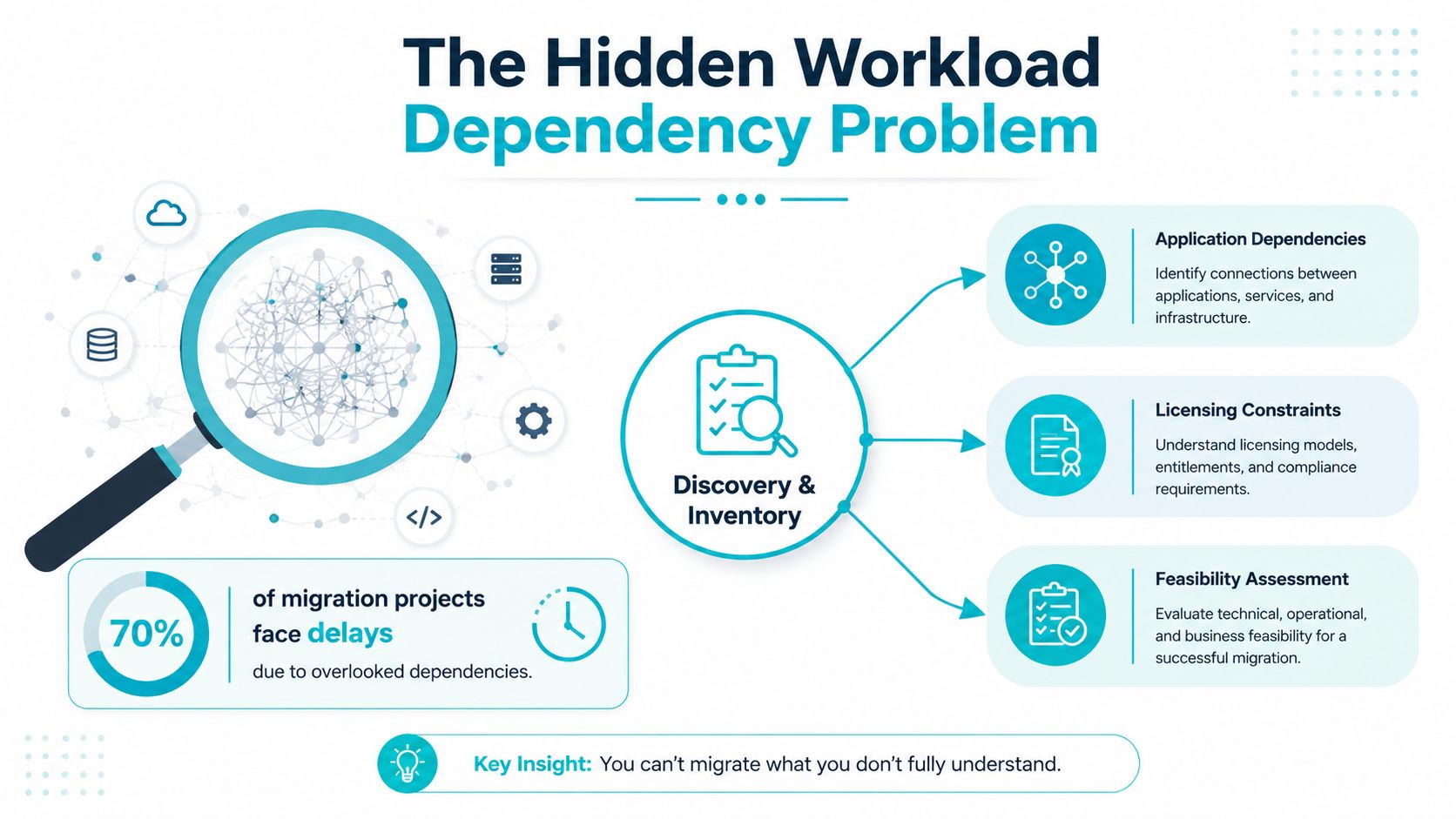
Discovery is where most migration risk becomes visible. Flexera's 2026 State of the Cloud reporting identifies understanding application dependencies as the top migration challenge, with technical feasibility assessment ranked second That ordering explains why migration tooling often disappoints. A tool can copy a VM successfully while missing the LDAP referral, license server, or storage mount that the application needs at runtime.
Build evidence instead of collecting opinions
Application owners know business behavior, but they don't always know every connection created by scheduled jobs, libraries, agents, and failover paths. Build an authoritative inventory from passive network observation, flow logs, firewall sessions, hypervisor metadata, DNS query logs, and authentication records. Use owner interviews to explain findings, not to create the initial dependency map from memory.
Classify each dependency by:
- Latency sensitivity, such as database calls that fail when round-trip time rises.
- Protocol, including TCP services, UDP discovery, SMB, NFS, LDAP, and API calls.
- Authentication state, particularly Kerberos tickets, LDAP referrals, service accounts, and certificate trust.
- Failure behavior, including retries, timeouts, queueing, and silent fallback.
- Ownership, so someone is responsible for validation and rollback.
Shared services deserve their own migration work items. DNS, identity, monitoring, time synchronization, license servers, backup targets, and secrets management can support many application waves. They shouldn't be treated as background infrastructure.
Sequence the hidden path
A useful sequence is:
- Inventory configuration items and communication paths.
- Confirm technical feasibility at the destination.
- Group tightly coupled services together.
- Move shared services or establish temporary connectivity first.
- Rehearse authentication and failure behavior.
- Schedule application waves with named rollback owners.
Microsoft-aligned migration guidance recommends grouping workloads by dependencies and using dedicated private connectivity, such as ExpressRoute, where available, for faster and more secure transfers than internet routing (cloud migration strategy practices).
A common production failure looks like this: an application works after the move until a background process follows an LDAP referral back to the old environment. Authentication retries accumulate, operators extend the cutover, and a planned four-hour window becomes an eleven-hour incident. Dependency-first sequencing would have exposed the referral before the wave was approved.
The migration backlog should therefore start with configuration items, not VM batches. Waves come after the team understands what each workload depends on.
A Stepwise Migration Checklist You Can Run Today
A migration checklist is useful only when every step has an observable verification. The following workflow assumes Proxmox VE with QEMU VMs and LXC containers. Command behavior can vary with storage configuration and Proxmox release, so run it against a non-production guest before using it during a live move.
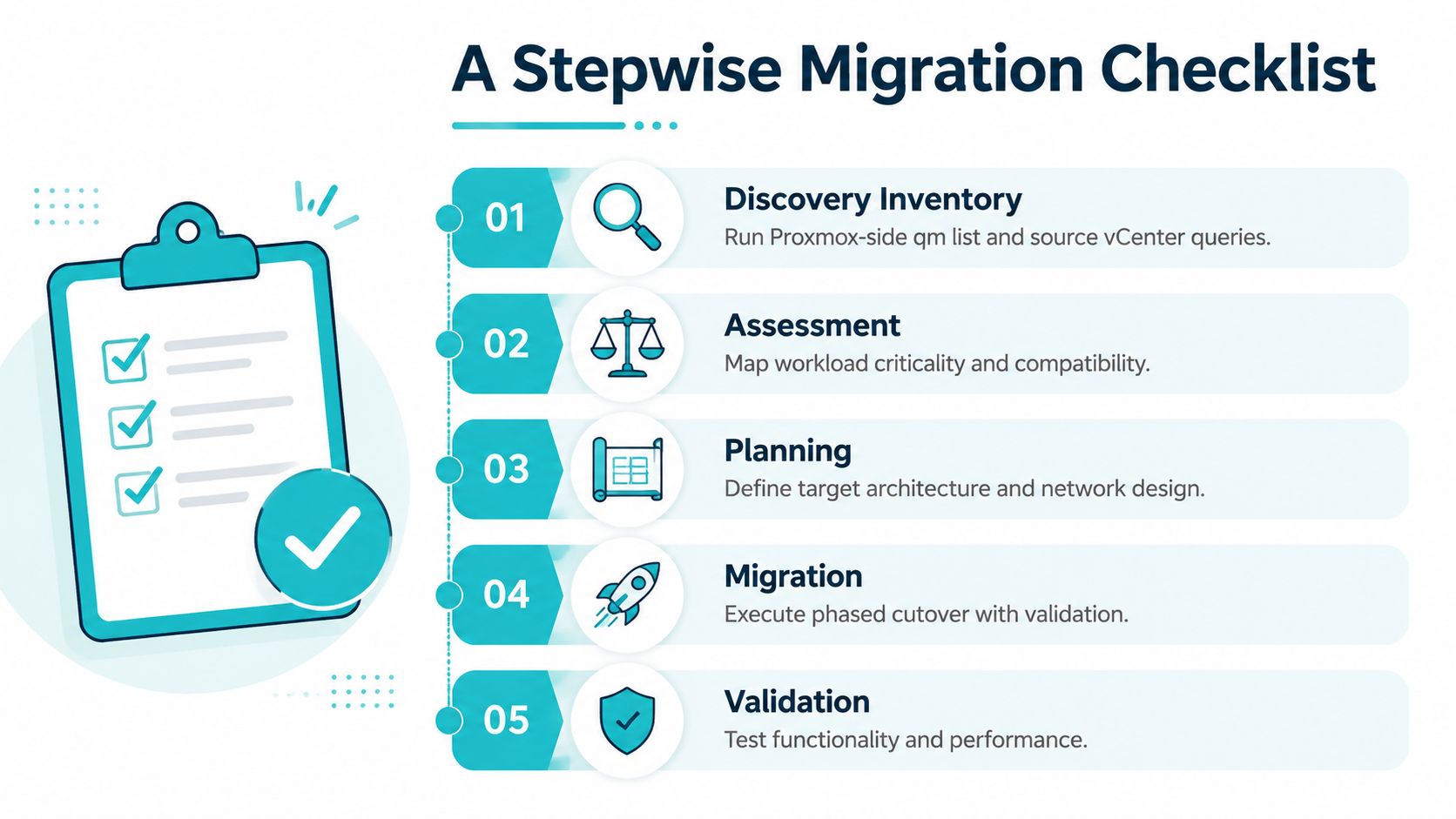
1. Inventory the source and target
On the Proxmox node, list registered guests:
qm list
Expected output resembles:
VMID NAME STATUS MEM(MB) BOOTDISK(GB) PID100 app-01 running 8192 80.00 1842
For containers, use:
pct list
Compare those results with the source hypervisor API export. Verify CPU, memory, disks, network interfaces, VLAN assignments, boot mode, guest agent state, and application ownership. Don't approve a wave until every guest has a destination storage mapping and a rollback owner.
2. Keep waves operationally small
A wave should contain workloads that share dependencies and can be validated together. The prescribed working limit here is no more than 12 VMs per cutover window. That limit isn't a performance law. It's a control against making incident diagnosis ambiguous when several services fail at once.
For each guest, record the health probe, expected listeners, database role, authentication path, and business owner. Grouping by dependency is more useful than grouping by department.
3. Create and verify the pre-migration backup
Create a snapshot-mode backup with compression:
vzdump 100 --mode snapshot --storage backup-nfs --compress zstd --remove 0
Verify that the archive exists and has a checksum:
sha256sum /mnt/pve/backup-nfs/dump/vzdump-qemu-100-*.vma.zst
Expected output is a hexadecimal digest followed by the archive path. Store the digest outside the source host so a local filesystem problem can't invalidate both the backup and its verification record.
4. Rehearse on an isolated VLAN
Restore a copy to a test VM ID and attach it to an isolated network. Start it:
qm start 900
Then test the guest console:
qm terminal 900
For an LXC container, use:
pct enter 901
Run the application health probe from a host that can reach the isolated VLAN:
`curl -fsS
A successful HTTP response isn't enough. Check database reads and writes, authentication, scheduled jobs, mounted storage, monitoring, and backup registration.
Practical observation: On multi-tenant infrastructure, the guest usually boots before the real problem appears. The failures arrive through missing VLAN tags, stale credentials, storage permissions, or monitoring agents that still report to the old control plane.
A short walkthrough can help operators visualize the sequence:
5. Execute, validate, and hold the wave open
During production cutover, stop writes according to the application runbook, confirm replication state, move traffic, and run the same health probes used in rehearsal. Record timestamps for the final write, replication catch-up, service start, traffic change, and first successful transaction.
Keep the wave in burn-in for at least 72 hours. Monitor CPU steal, disk latency, memory ballooning, application error rates, backup completion, and tenant-specific performance. The data center migration best practices resource is useful for turning those checks into a repeatable operational runbook.
If validation fails, stop new writes, preserve logs, and follow the tested rollback procedure. Don't improvise a reverse migration while the source and destination both accept traffic.
Matching Workloads to the Right Destination
Destination selection should follow measurable workload behavior, not provider preference. Start with the utilization curve, storage profile, network direction, residency obligation, and the amount of infrastructure ownership your team can absorb.
A predictable database with strict residency requirements may fit a Proxmox private cloud. A burstable analytics pipeline may justify public compute. A trading gateway with tight latency requirements may need dedicated hardware and a carefully controlled network stack.
| Workload Type | Public Cloud | Proxmox Private Cloud (ARPHost) | Bare Metal |
|---|---|---|---|
| Regulatory-bound PostgreSQL cluster | Possible if region and controls satisfy requirements | Strong fit when residency and predictable IOPS matter | Suitable when database isolation is required |
| Spiky analytics pipeline | Strong fit for burstable compute | Useful when demand is predictable | Appropriate for sustained, dedicated processing |
| Latency-sensitive trading gateway | Viable only after network validation | Possible with controlled placement | Strong fit, including kernel-bypass networking |
| Dense virtualization platform | Adds a provider abstraction layer | Strong fit for KVM-based private infrastructure | Required as the physical cluster foundation |
| Stable application with heavy storage traffic | Review transfer and egress exposure | Predictable storage and network operations | Suitable when utilization remains consistently high |
Measure the economics before choosing
Track egress cost as a percentage of monthly infrastructure spend, not just the hourly compute line. A workload that sends large volumes to users, partners, analytics systems, or another cloud can have a very different cost profile from one that mostly receives data.
Check data residency and sovereignty requirements before selecting a region. Then compare predictable and bursty utilization curves. Public cloud elasticity is valuable when demand changes sharply, but a stable workload may gain little from paying for that flexibility.
The final criterion is operational ownership. Running your own KVM hypervisor means owning storage behavior, cluster maintenance, patching, monitoring, backups, and recovery drills. A managed Proxmox private cloud shifts some of that work to the provider while preserving a private infrastructure model.
For workloads that score high on predictability and residency but low on team bandwidth, ARPHost, LLC offers Proxmox VE private clouds with managed operational support, alongside Proxmox private cloud infrastructure. Dedicated hardware remains a sensible destination for Proxmox clusters, large databases, media processing, and other workloads that need consistent physical resources. Tampa-based bare metal can also make on-site remote hands and regional recovery planning more practical when Florida location, facility access, or network latency matters.
Backups, Rollback, and Production Failure Modes
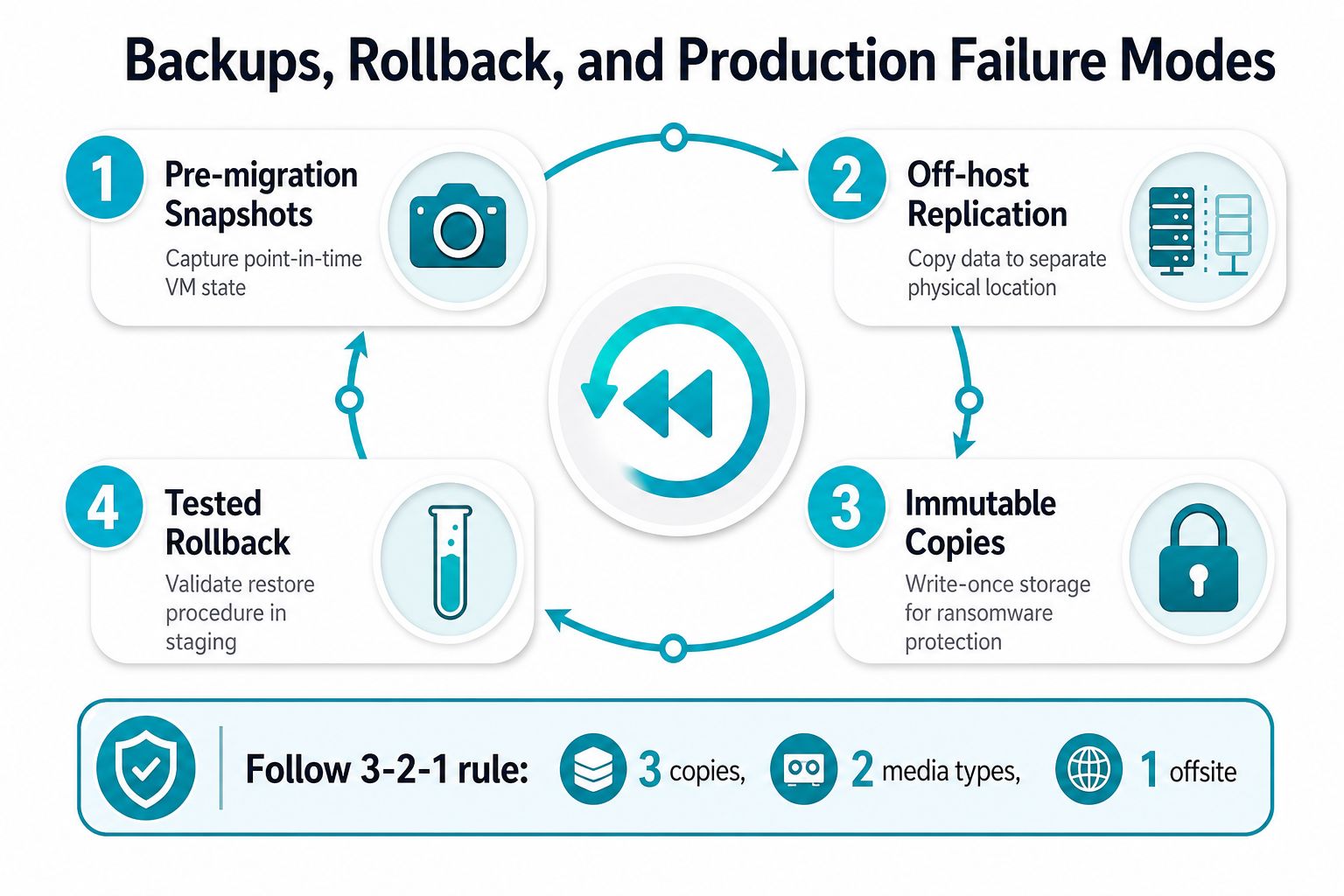
Backup architecture must exist before the first production VM moves. The minimum useful design includes a pre-migration point-in-time copy, an off-host copy, an isolated or immutable copy, and a restore procedure someone has already executed.
The 3-2-1 rule means keeping three copies of data, on two different media types, with one copy offsite. The offsite copy should be geographically and logically separated, and immutable or write-protected storage reduces the chance that compromised credentials can alter the recovery set (3-2-1 backup strategy guidance).
Capture the rollback point
Before switching traffic, capture the VM:
vzdump 100 --mode snapshot --storage backup-nfs --compress zstd --remove 0
For a failed cutover, restore the archive to the intended storage:
qmrestore backup/vzdump-qemu-100-*.vma.zst 100 --storage local-zfs
Proxmox documents qmrestore for QEMU VM archives and pct restore for containers. Those workflows aren't interchangeable, so identify the guest type before troubleshooting a restore failure (Proxmox qmrestore documentation).
If you're using Proxmox Backup Server, verify the datastore before trusting it:
proxmox-backup-manager verify
Review the command output and confirm that the verification job completes without errors. Then restore a guest into an isolated Proxmox cluster, boot it, and test application behavior. A file listing proves existence. It doesn't prove recoverability.
Prevent the failure modes that matter
A restore drill can expose silent corruption, missing storage mappings, broken boot configuration, and invalid credentials before an incident. DNS TTL mistakes can leave clients writing to the old environment, while database replication lag can create split-brain if promotion runs ahead of the replica.
Use a written rollback sequence:
- Freeze writes or place the application into maintenance mode.
- Stop destination services that can accept new writes.
- Redirect traffic to the validated source environment.
- Confirm database consistency and application health.
- Preserve destination logs for investigation.
- Reconcile any writes that occurred during the failed attempt.
Backup rule: A backup you've never restored is a backup you don't have.
Schedule quarterly restore drills against an isolated Proxmox cluster. For teams that need separated recovery storage and operational assistance, immutable backup solutions can provide a defined place for that control in the migration design.
When Not to Migrate at All
Cloud migration isn't automatically an improvement. Independent reporting in 2025 found that 75% of IT decision-makers said their organizations had moved or planned to move applications or workloads out of the cloud, citing security, cost control, performance or reliability, and compliance concerns (industry reporting on cloud repatriation). That doesn't invalidate cloud adoption. It confirms that workload fit must be assessed in both directions.
| Workload Type | Recommended Posture | Primary Driver |
|---|---|---|
| Legacy ERP with hardware dependencies | Stay or use selective hybrid integration | Compatibility and licensing |
| Industrial control loop | Retain local or colocated processing | Latency and deterministic behavior |
| Regulated dataset without a compliant public region | Private infrastructure | Residency and compliance |
| Stable bare-metal database | Retain or repatriate | Predictable long-term TCO |
| Bursty front end with steady database tier | Hybrid | Elasticity at the edge, predictable private storage |
A legacy ERP with hard-coded hardware dependencies may be safer where it runs. An industrial control loop may not tolerate a cross-AZ network hop. A stable bare-metal workload can have a lower three-year TCO than equivalent reserved capacity, while a regulated dataset may require infrastructure in a region that public providers can't offer.
The hybrid middle path is often practical. Keep burst and front-end tiers in public cloud, then run the steady-state database tier on Proxmox private cloud where IOPS and residency are predictable. Migration is justified only when destination TCO, agility, or compliance beats the cost of doing nothing.
ARPHost, LLC can assess dependencies, plan a VMware-to-Proxmox or hybrid move, provide bare metal and private cloud infrastructure, and support backup validation and post-cutover operations. Visit ARPHost, LLC to discuss the workload inventory and rollback requirements before you book a migration window.
