

A package install fails, yum update throws a checksum or dependency complaint, or your /var partition suddenly looks far tighter than it should. On CentOS, RHEL, and Fedora systems, the YUM cache is often involved.
That cache exists for a good reason. It keeps downloaded RPMs and repository data close to the system so routine package work doesn’t always start from zero. But when the cache grows too large, gets out of sync, or keeps stale repository data around, it stops being helpful and starts getting in the way. If you need to clear YUM cache safely, the right answer depends on what broke.
Why Managing Your YUM Cache Is Critical for Server Health
A patch window goes sideways fast when YUM is working from bad cache data. The update should be routine, but instead you get checksum mismatches, dependency errors, or a repository that insists on serving metadata that no longer matches reality. On a busy production server, that is not a minor annoyance. It delays security fixes, stretches maintenance work, and adds risk to every package change that follows.
YUM cache management matters because package operations depend on current metadata and predictable local state. If the cache is healthy, installs and updates finish cleanly and with less network overhead. If the cache is stale, oversized, or tied to repository definitions that should have been removed, troubleshooting gets slower and less precise.
Treat cache cleanup as a diagnostic step, not a habit.
The right action depends on the failure. A server that is low on space needs a different response than one pulling outdated repository metadata. An admin who clears everything first may solve the immediate symptom, but can also force unnecessary re-downloads and make the next maintenance cycle slower. I have seen yum clean all fix a bad refresh, and I have also seen it leave the actual problem in place because stale repo files or plugin state were still present elsewhere.
That distinction matters most on long-lived servers. Systems that have changed OS minor versions, switched mirrors, migrated between hosting environments, or carried old third-party repositories for years tend to accumulate package management debris. Before making cleanup decisions, confirm the platform you are working on with this guide on checking your Linux version. The release and package manager behavior affect how aggressively you should clean and what you should inspect first.
What cache problems usually look like
Common warning signs include:
- Repository refresh failures caused by metadata that no longer matches the current upstream repository
- Unexpected disk pressure in
/varfrom cached RPMs and metadata left behind after earlier installs and updates - Package manager errors that persist after repo changes because cached state still references disabled, replaced, or broken repositories
- Longer patch cycles when cleanup is handled broadly instead of targeting the component that failed
Why the right cleanup method matters
Package cache cleanup is about system stability first, disk space second. Removing only expired metadata preserves useful RPMs and keeps the next transaction faster. Removing packages makes sense when storage pressure is real or cached payloads are no longer worth keeping. Full cleanup is appropriate when package state is clearly inconsistent, but it should be a deliberate choice.
There is also a troubleshooting boundary many guides skip. Some repository problems survive standard clean commands because the issue is not just cached metadata under YUM’s normal paths. Old .repo definitions, misconfigured plugins, mirror changes, or locally corrupted database state can keep breaking updates after the cache has been wiped. That is where experienced administration matters, and where fully managed hosting earns its value. Proactive maintenance catches stale repositories, storage growth, and package manager drift before they block updates or leave a server exposed.
Understanding YUM Cache Locations and Components
A cleanup command is only safe when you know what you are deleting. On a production server, the difference between clearing old RPM payloads and wiping repository metadata affects update speed, troubleshooting time, and in some cases whether the next maintenance window stays on schedule.
YUM usually stores its working files under /var/cache/yum/, with subdirectories grouped by architecture and release version such as /var/cache/yum/$basearch/$releasever/. The package retention behavior is also shaped by keepcache in /etc/yum.conf. If that setting is enabled, installed RPMs remain on disk after the transaction finishes. If you are verifying the platform before changing package manager settings, check the OS first with this guide on how to check your Linux version.

What lives inside the cache
The YUM cache has separate layers, and each one affects the system differently:
- Downloaded RPM packages. These are the package files fetched during installs and updates. They consume disk space but can save time if the same package set is needed again.
- Repository metadata. This includes the repository indexes and package listing data YUM uses to resolve versions, dependencies, and availability.
- Headers. These matter mainly on older systems and legacy workflows where dependency information may need separate cleanup.
That separation matters in real operations. Clearing RPMs helps when /var is filling up. Clearing metadata helps when the package manager is working from outdated repository state. Clearing headers is a narrower fix for older dependency resolution problems.
Why these components matter in practice
A quick directory check often tells you which underlying problem you have. Large package files point to a storage issue. A normal-sized cache paired with repeated repo errors points to metadata or repository configuration. That distinction keeps you from turning every package problem into a full cache purge.
Use these components as a troubleshooting map:
| Cache component | What it affects | When to clear it |
|---|---|---|
| Downloaded RPMs | Disk usage and repeat install speed | When /var is tight or cached packages no longer have operational value |
| Metadata | Repository visibility, package lists, dependency resolution | When package lookups fail, repo content changed, or YUM is reading stale state |
| Headers | Legacy dependency data | When older systems show dependency issues tied to header state |
Cache policy should match the server role. A build host may benefit from keeping more package data locally to speed repeated jobs. A small production VM with limited storage usually benefits from tighter retention. In managed hosting, that policy should not be left to chance. Regular reviews of cache growth, repository health, and package manager behavior catch stale repo definitions and abnormal cache patterns before they turn into failed updates or delayed security patching.
How to Use YUM and DNF Clean Commands
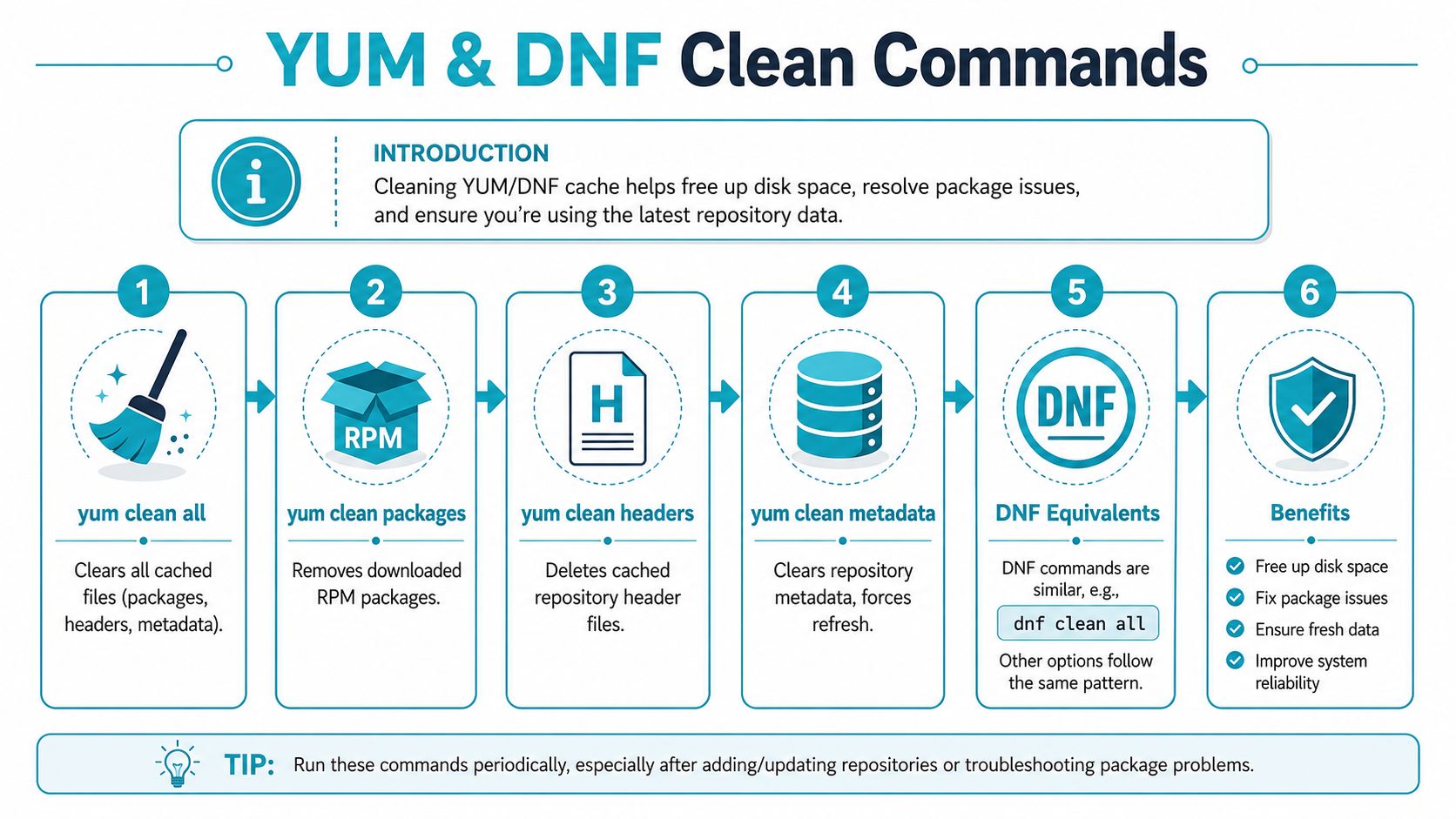
The best cleanup command is usually the smallest one that fixes the problem. Independent Linux guidance recommends a more surgical workflow: yum clean packages removes downloaded RPMs, yum clean metadata refreshes repository XML and sqlite metadata, yum clean headers clears dependency headers, and yum clean expire-cache drops only expired entries. That same write-up notes that this is often more efficient than yum clean all, and shows granular command results such as “7 package files removed” or “10 metadata files removed” in this YUM cache management guide.
Clear only cached RPMs
Use this when storage is the problem and repository state is otherwise healthy.
sudo yum clean packages
This removes downloaded package payloads without forcing a full metadata refresh. It’s the right choice when /var/cache/yum is consuming space but package lookups are working normally.
Refresh repository metadata
Use this when package manager output suggests stale or inconsistent repository data.
sudo yum clean metadata
This tells YUM to discard cached repository metadata so it can rebuild that view on the next transaction. If package names, versions, or dependency availability seem out of sync with the repository, metadata cleanup is often enough.
If your error points to repository state, start with metadata. If your issue is storage pressure, start with packages. Those are different problems.
Remove old headers
On older YUM-based systems, header cleanup can still be useful.
sudo yum clean headers
This is narrower than a full cleanup and can help when dependency resolution data is the layer that appears stale.
Drop only expired cache entries
This is the least disruptive option.
sudo yum clean expire-cache
It removes entries YUM already considers expired, which makes it useful when you want a refresh without discarding everything else.
Use the broad reset when you actually need it
sudo yum clean all
This removes packages, headers, and metadata in one pass. It’s useful when you need a hard reset of tracked cache state, but it’s broader than many incidents require.
For teams that also edit repo definitions and package manager settings regularly, this walkthrough on editing files in Linux is a useful companion.
A visual walkthrough can help if you’re explaining this to a junior admin or documenting an internal runbook.
DNF equivalents on newer systems
On Fedora and newer RHEL-family systems, DNF is the modern tool, but the cleanup logic is familiar.
sudo dnf clean packages
sudo dnf clean metadata
sudo dnf clean all
The operational rule stays the same. Use the narrowest command that matches the failure. That keeps the next package operation leaner and avoids unnecessary downloads.
Troubleshooting Advanced Cache Issues
The common assumption is that yum clean all wipes the slate clean. It doesn’t always.
One of the most frustrating package manager problems happens after a repository was disabled or removed. The admin cleans the cache, retries the install, and gets another failure tied to a repo that supposedly no longer exists. That happens because tracked cache cleanup and stale repository cleanup aren’t always the same thing.

Victor Mendonça documents this gap clearly. yum clean all does not remove cache for stale or untracked repositories, so a disabled repo can leave behind cached content that still causes conflicts. The practical fix is manual deletion of the leftover cache directory, such as rm -rf /var/cache/yum/reponame/.
When standard cleanup fails
If you’re still seeing repository-related errors after a normal cleanup, check for these conditions:
- A repository was removed from configuration but its cached directory is still present
- A repository was disabled and YUM no longer tracks it during cleanup
- The cache tree contains leftover repo data that doesn’t match current repo definitions
Administrators often lose time in this scenario. They assume the package manager is rebuilding from scratch when it isn’t.
Manual stale repo cleanup
Use a careful, explicit approach.
- Inspect the cache tree under
/var/cache/yum/. - Identify the stale repository directory that no longer matches an active repo.
- Remove only that directory if you know exactly what it is.
- Rebuild cache state with a fresh transaction or
yum makecache.
Example:
sudo rm -rf /var/cache/yum/reponame/
sudo yum makecache
If the stale state is broader and you understand the impact, a wider cleanup of old cache directories may be warranted. But targeted removal is safer on production hosts.
Broad commands clean tracked data. Manual deletion handles orphaned data. Those are separate layers of troubleshooting.
What works and what doesn’t
A few practical distinctions matter here:
| Situation | What usually works | What often doesn’t |
|---|---|---|
/var is filling with old RPMs | yum clean packages | Rebuilding metadata only |
| Repo metadata appears broken | yum clean metadata | Deleting package payloads |
| Disabled repo still causes errors | Manual removal of stale repo cache | Repeating yum clean all |
| Expired cache entries need refresh | yum clean expire-cache | Full reset every time |
This is the difference between command memorization and actual package manager troubleshooting. If you need to clear YUM cache effectively, you have to know which cache layer is causing the failure.
Automating Cache Cleanup and Proactive Management
Reactive cleanup is fine for one server. It doesn’t scale well across a fleet.
If you administer multiple RPM-based systems, automate cache maintenance so package cache doesn’t become a surprise problem. A simple cron job can clear old cache content on a schedule, especially on hosts where packages are installed often and cached RPMs pile up.
A basic scheduled approach
For a YUM-based host:
0 3 * * 0 /usr/bin/yum clean packages
For a DNF-based host:
0 3 * * 0 /usr/bin/dnf clean packages
That pattern favors a light-touch cleanup. If your environment regularly suffers from stale metadata, you might schedule metadata cleanup instead. If your systems are stable and bandwidth matters more than local disk, you may prefer to keep package payloads available longer.
If you need a refresher on scheduling syntax, this article on what a cron job means in Linux administration is a useful reference.
Trade-offs of automation
Scheduled cache cleanup helps, but it isn’t free.
- Less disk pressure because unused package payloads don’t sit around indefinitely
- Cleaner package state when metadata refreshes are part of routine maintenance
- Slower next transaction after cleanup because the package manager has to rebuild or re-download what it needs
- More care required on systems with limited connectivity to upstream repositories
A cron job also won’t diagnose stale untracked repos, broken repository design, or broader patching issues. It just automates one housekeeping task.
What a mature process looks like
Teams with disciplined Linux operations usually pair cache cleanup with:
- Repository review after changes to enabled or disabled repos
- Configuration control for
keepcacheand related package manager settings - Routine package maintenance windows instead of ad hoc fixes during incidents
- Post-clean validation using a fresh package transaction or cache rebuild
That’s the fundamental shift. You’re not just trying to clear YUM cache. You’re trying to keep package management predictable.
The ARPHost Advantage for Hands-Off Server Maintenance
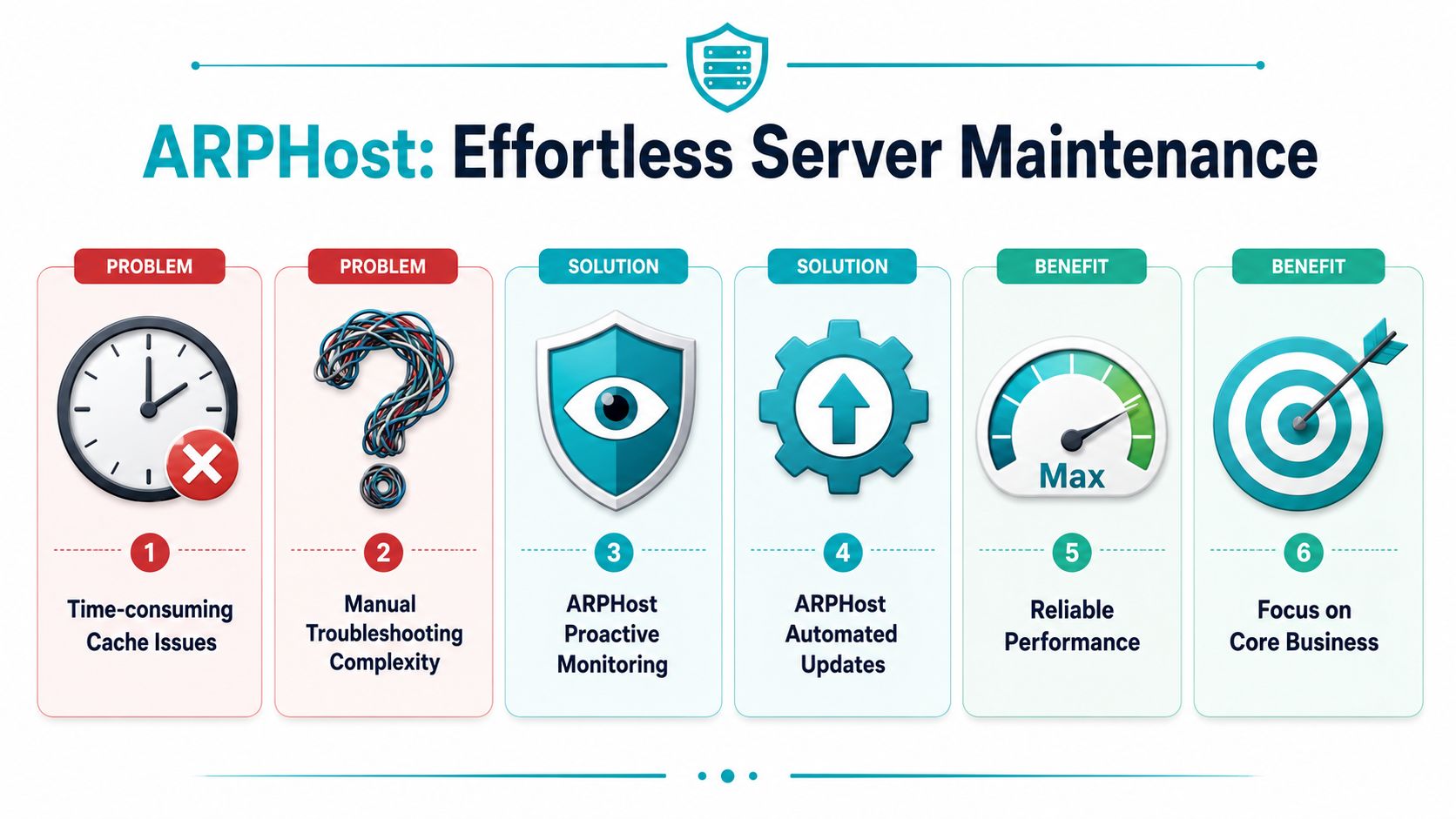
A full YUM cache on its own is rarely the underlying problem. The operational cost shows up when stale metadata survives a basic cleanup, a repo file was changed months ago and never reviewed, or an update window fails because /var ran out of space at the wrong time. Those are administration problems, not one-command problems.
Managed infrastructure helps because package maintenance sits inside a larger discipline. Someone has to validate repositories after changes, catch recurring cache corruption, watch disk growth under /var/cache, and confirm that patching still works after cleanup. If that work is inconsistent, small package manager issues turn into delayed security updates and avoidable downtime.
ARPHost offers fully managed IT services for teams that want Linux administration handled as an ongoing responsibility instead of an after-hours cleanup task. It also provides VPS hosting for smaller application stacks, dedicated bare metal for heavier database and virtualization workloads, and Proxmox-based private cloud environments for teams that need more control over cluster design and resource isolation.
Why this matters beyond package cache
The value is consistency.
A good operations team does more than run yum clean all on a schedule. It checks whether the cleanup solved the actual failure, whether the repository set still matches policy, and whether the next package transaction succeeds cleanly. That matters for security because delayed or broken updates leave systems exposed longer than planned. It matters for stability because package manager failures often surface in the middle of other maintenance work, when the risk of mistakes is already higher.
Good fit for different workloads
The right service model depends on how the server is used.
- Small application deployments usually benefit from managed VPS instances where routine package maintenance, patch cadence, and cache hygiene are handled as part of normal operations
- Database, analytics, and dense virtualization workloads often need dedicated hardware so cache growth, package updates, and maintenance jobs do not compete with other tenants for I/O or memory
- Teams building standardized virtualized environments often need private cloud infrastructure with stronger control over node configuration, update planning, and platform-wide maintenance procedures
If YUM or DNF cache cleanup keeps resurfacing as a recurring issue, the underlying problem is usually operational maturity. The fix is disciplined Linux administration that keeps package management predictable before stale repositories, failed updates, or storage pressure become incidents.
