

A lot of growing companies hit the same point at roughly the same time. The business is moving faster, but the IT setup still depends on a few internal people, a handful of aging servers, scattered cloud accounts, and too much tribal knowledge. One patch cycle slips, backups stop getting tested, and every upgrade starts to feel risky.
That’s usually when business IT outsourcing becomes a real boardroom topic instead of a background idea. Not because the company wants to “get rid of IT,” but because leadership needs stronger execution, better resilience, and infrastructure that can keep up with demand.
For small and mid-sized firms, the most useful shift in thinking is this: outsourcing isn’t only about reducing payroll or handing off tickets. It’s often the fastest path to capabilities you can’t justify building alone, including managed security operations, structured support coverage, private cloud engineering, VMware migration help, and access to dedicated compute for demanding workloads.
What Is Business IT Outsourcing Really
Business IT outsourcing is the practice of assigning some or all IT responsibilities to an external provider. That can include help desk support, patching, firewall administration, server monitoring, cloud operations, backups, VoIP management, migration work, or full infrastructure ownership.
The important part is the word business. This isn’t just task delegation. A good outsourcing arrangement connects technical operations to business priorities like uptime, faster deployment, security control, and predictable scaling.
It’s not just offloading work
Many companies start looking at outsourcing after a familiar pattern appears. Their internal team is capable, but overloaded. Routine maintenance keeps crowding out project work. Security tools are in place, but no one has enough time to tune them properly. New initiatives keep getting approved, yet the underlying infrastructure still runs like a small office setup.
That’s where outsourcing works best. It closes capability gaps.
Practical rule: If your internal team spends most of its week reacting, not improving, you don’t have a staffing problem alone. You have an operating model problem.
For large enterprises, this is already normal. 92% of G2000 companies utilize IT outsourcing. That matters because it shows outsourcing isn’t a startup shortcut or a temporary workaround. It’s a standard operating strategy.
Why SMBs should look at it differently
Most content about outsourcing treats it as a cheaper substitute for in-house staff. That framing misses the primary opportunity for smaller firms. An SMB usually can’t justify hiring a full bench of specialists in virtualization, storage, security hardening, backup architecture, network engineering, and migration planning.
But it may still need those capabilities.
That’s why business IT outsourcing often makes the most sense when it gives a company access to infrastructure and expertise that would otherwise stay out of reach, such as:
- Dedicated virtualization platforms for internal apps, client hosting, or segmented production workloads
- Bare metal compute for memory-heavy databases, AI inference, or build pipelines
- Managed private clouds where the provider handles platform reliability while the business keeps workload-level control
- Specialized migration support for moves from VMware to Proxmox or from legacy hosting into a more resilient environment
The real definition that matters
The practical definition is simple: business IT outsourcing is a structured partnership that gives a company more technical reach than it can efficiently build on its own.
When it works, the result isn’t just fewer tickets. It’s a stronger operating base for growth.
Common IT Outsourcing Models and Use Cases
Not every company needs the same outsourcing model. Some want full operational coverage. Others only need engineering depth for a migration, security hardening project, or overflow support during a busy period.
Choosing the wrong model creates friction fast. You either give up too much control, or you keep so much in-house that the provider can’t help.
Four models you’ll see most often
The most common business IT outsourcing models fall into four groups:
| Model | Best For | Control Level | Typical ARPHost Solution |
|---|---|---|---|
| Fully managed services | Companies that want one provider to run day-to-day IT operations | Low to medium | Managed infrastructure, patching, monitoring, backups, security, VoIP, network support |
| Co-managed IT | Internal teams that need help with specific layers or after-hours coverage | Medium to high | Shared responsibility for servers, cloud, firewalls, or escalation support |
| Project-based outsourcing | One-time initiatives with clear start and end points | High | VMware migrations, Proxmox deployment, private cloud design, colocation moves |
| Staff augmentation | Teams that need extra hands or niche expertise temporarily | High | External specialists embedded into internal projects or operational workflows |
Fully managed works when IT isn’t your main business
A fully managed model fits companies that don’t want to run infrastructure internally. The provider owns the daily operational burden, including monitoring, remediation, updates, service coordination, and support processes.
This works well for firms with lean IT teams, distributed offices, regulated environments, or leadership that wants one accountable partner instead of several vendors.
Typical use cases include:
- Server and endpoint oversight
- Firewall and VPN administration
- Website and email hosting with security management
- Disaster recovery and backup operations
Co-managed makes sense when your team is strong but stretched
Co-managed outsourcing is often the most practical model for SMBs with an existing admin, sysadmin, or IT manager. Your internal team keeps strategic control while the outside partner handles the layers that are hard to staff consistently, such as after-hours alerting, infrastructure patching, advanced virtualization, or security operations.
That hybrid approach is often more sustainable than trying to replace the internal team.
For a side-by-side breakdown of where managed services stop and staff augmentation begins, this comparison of IT managed services vs staff augmentation is useful.
The best outsourcing model is the one that matches your decision speed, not just your budget. If every minor change still needs internal engineering review, a “fully managed” label won’t help much.
Project work and augmentation solve different problems
Project-based outsourcing is best when you have a defined deliverable. Think platform migration, cluster buildout, storage redesign, or secure hosting rollout. You need outcome-focused expertise, not a long-term support wrapper.
Staff augmentation is different. It gives your team extra capacity or hard-to-find skills for a period of time. That can help with cloud automation, virtualization engineering, voice deployments, or maintenance backlogs. The internal team still leads. The provider fills the gap.
The model matters because it shapes cost, control, accountability, and how much documentation and governance you’ll need from day one.
The Strategic Benefits and Potential Risks
A common SMB scenario looks like this. The business is growing, customer expectations are rising, and one internal IT lead is still carrying too much of the infrastructure burden. The constraint is not just headcount cost. It is the gap between the systems the business needs and the systems it can realistically build and operate in-house.
That is why outsourcing deserves a broader view than budget reduction. Used well, it gives smaller companies access to capabilities that would otherwise stay out of reach, such as dedicated Proxmox environments, private virtualization clusters, stronger backup design, tighter security operations, or bare metal platforms for AI and ML workloads. For many businesses, outsourcing is less about trimming spend and more about buying technical depth, faster execution, and infrastructure options that support growth.
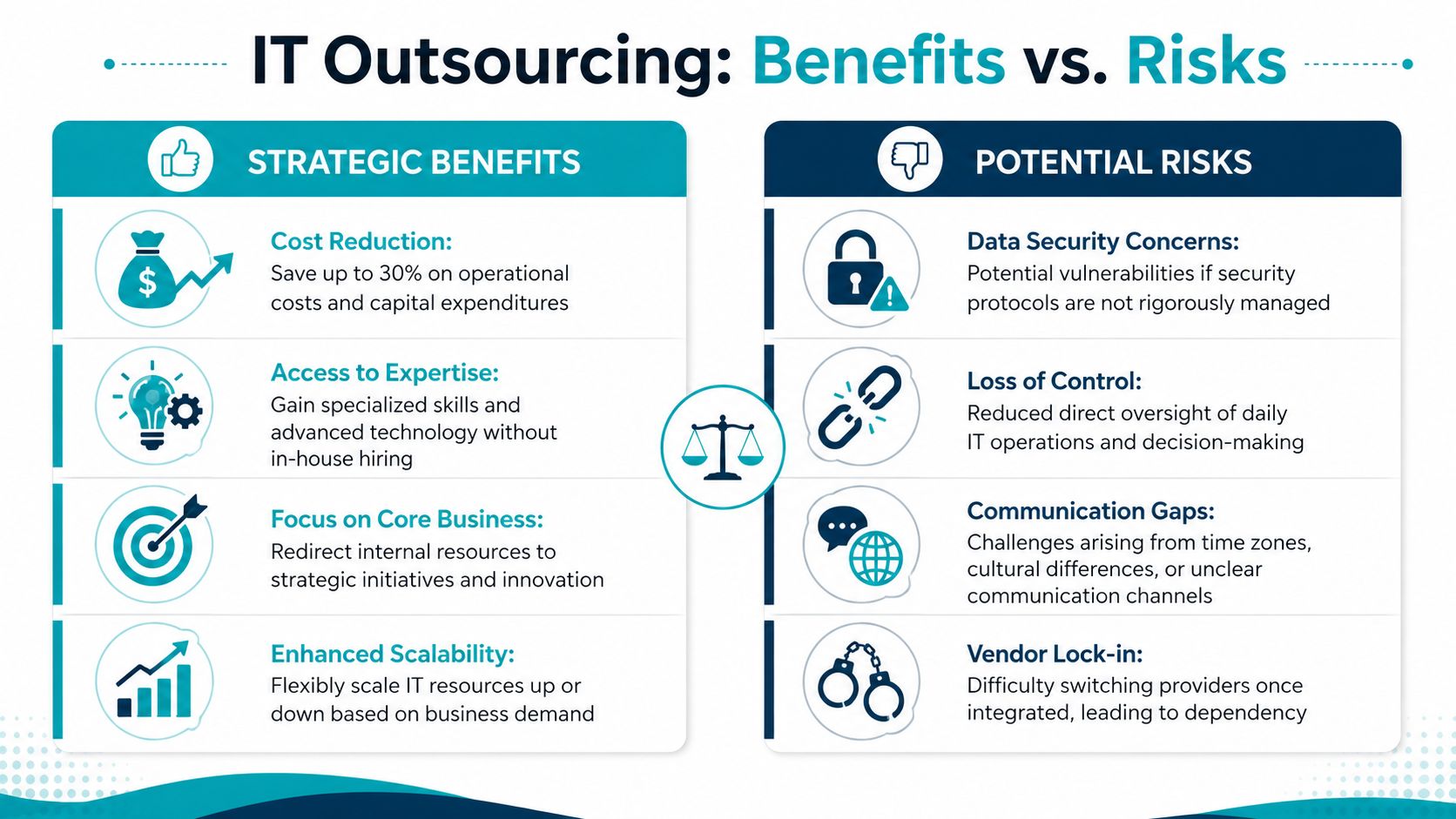
Where outsourcing creates real strategic value
The best outsourcing relationships solve capability problems that are expensive and slow to solve through hiring alone.
- Access to specialist skills without building a full bench. A business can bring in experience with Proxmox, VMware migration, storage architecture, networking, web hosting security, backup recovery planning, or VoIP without recruiting each role separately.
- Infrastructure that changes what the business can do. A provider can give an SMB access to higher-performance environments, including dedicated cloud nodes or bare metal systems for data-heavy workloads, testing, analytics, or AI projects that do not fit well on generic shared platforms.
- Better use of internal staff time. Internal IT can stay focused on business systems, users, change planning, and vendor decisions while the partner handles patching, monitoring, maintenance, and operational response.
- More consistent coverage. Shared documentation, rotation, and after-hours support reduce the risk tied to one overextended administrator or a single point of failure in the team.
- Room to grow without rebuilding everything. As demands change, the business can add managed servers, security layers, storage, or support coverage without redesigning the operating model from scratch.
The underlying benefit is straightforward. Outsourcing can convert a capability gap into an operating model the business can sustain.
For a closer look at why staffing shortages keep pushing infrastructure work outward, see this analysis of the IT skills gap and the outsourcing imperative.
Where companies get burned
Outsourcing problems are usually management problems first.
A provider may be technically competent and still create friction if ownership is vague, reporting is weak, or the contract says very little about response times, change control, or security responsibilities. That is where decision-makers get disappointed. They expected relief and got another layer to supervise.
Common risks include:
- Reduced visibility if the provider controls the tools but gives limited reporting, poor ticket context, or no useful service review cadence
- Security gaps if access rights, logging, incident response, and backup testing are not clearly assigned
- Slow or fragmented communication when escalation paths are unclear and multiple vendors point at each other during an outage
- Vendor lock-in if systems are undocumented, backups are hard to export, or the environment depends on one provider’s proprietary setup
- Misaligned service scope when the business assumes the provider is handling remediation, recovery, or optimization, but the contract only covers monitoring or basic support
If a provider cannot state who patches systems, who tests restores, who approves changes, and who owns root cause analysis, the relationship will drift into blame management.
The practical answer is not to avoid outsourcing. It is to structure it with clear boundaries, documented responsibilities, and infrastructure choices that serve the business long term. That matters even more when outsourcing is being used to gain better platforms, not just lower operating overhead.
Understanding Cost Drivers and Pricing
A 25-person company can look at two outsourcing proposals with a similar monthly number and still buy two very different outcomes. One quote may cover ticket triage and basic monitoring. The other may include ownership of backups, patching, firewall changes, vendor escalation, and the infrastructure needed to run heavier workloads reliably.
Price only makes sense when tied to capability.
What changes the price
Several factors shape the cost of business IT outsourcing:
- Service scope. Monitoring is cheaper than monitoring plus remediation, patching, backup management, vendor coordination, and user support.
- Environment complexity. One VPS is simple to operate. A private cloud with clustered virtualization, shared storage, failover targets, segmented networks, and migration planning requires more engineering time.
- Support window. Business-hours support costs less than 24/7 response, on-call coverage, and defined escalation handling.
- Security and compliance work. MFA enforcement, endpoint protection, backup immutability, logging, vulnerability management, and audit reporting all add labor and tooling cost.
- Rate of change. Stable environments are easier to support than businesses rolling out new applications, staff changes, integrations, and location moves every month.
Infrastructure choice also matters more than many buyers expect. If the goal is only to reduce help desk load, a basic managed setup may be enough. If the goal is to gain access to platforms the business could not justify building alone, such as a dedicated Proxmox environment, isolated private cloud resources, or bare metal for AI and ML jobs, the pricing model needs to reflect compute, storage, networking, resilience, and the operational skill required to keep that stack healthy.
Common pricing models
You will usually see one of these commercial structures:
| Pricing Model | How It Works | Best Fit |
|---|---|---|
| Fixed monthly fee | One recurring charge for a defined service bundle | Stable environments with predictable support needs |
| Per user or per device | Billing scales with people, laptops, servers, or endpoints | End-user support and standardized managed environments |
| Time and materials | Pay for engineering time used | Projects, unusual changes, and one-off technical work |
| Hybrid | Base fee plus project or overage billing | Organizations with steady operations and periodic infrastructure changes |
No single model is always better. Per-user pricing is easy to forecast, but it can hide infrastructure exclusions. Fixed-fee contracts simplify budgeting, but only if the scope is written tightly. Hybrid pricing is often the most honest structure for SMBs that need day-to-day operational coverage plus occasional infrastructure work.
Contract language drives real cost just as much as the rate card. A vague agreement creates disputes over what counts as included support, what is billable project work, and who owns recovery tasks during an outage. Review the provider’s managed IT services agreement terms and scope expectations before comparing monthly numbers. For a useful outside view of what should appear in that paperwork.
Cost discipline matters more than a low quote
Cheap outsourcing often means deferred costs.
Backup testing may be excluded. After-hours incidents may be billed separately. Firewall work, cloud migrations, restore support, and security remediation may sit outside the monthly fee. The proposal looks efficient until the first serious change or outage.
Ask four direct questions before signing:
- What is included every month
- What triggers extra billing
- Which response times apply to which issue types
- What work is treated as a project instead of operational support
Why ARPHost fits this discussion
ARPHost’s value in this part of the decision is not lower pricing by itself. It is the ability to align spend with workload type. A simple web application may belong on a low-cost VPS or managed hosting plan. A regulated or performance-sensitive workload may justify a dedicated private cloud. GPU-free AI preprocessing, database-heavy jobs, or specialized inference workloads may perform better on bare metal where shared-resource contention is removed.
That approach gives SMBs a practical path to infrastructure they would rarely build in-house. Instead of treating outsourcing as a way to buy fewer IT hours, they can use it to get access to better platforms, stronger operational coverage, and capacity that supports growth.
How to Select the Right Outsourcing Partner
Vendor selection goes wrong when companies buy a label instead of evaluating a delivery model. “Managed services” can mean anything from proactive operations to little more than ticket forwarding with a prettier dashboard.
A better process starts with your environment, your risks, and your essential requirements.
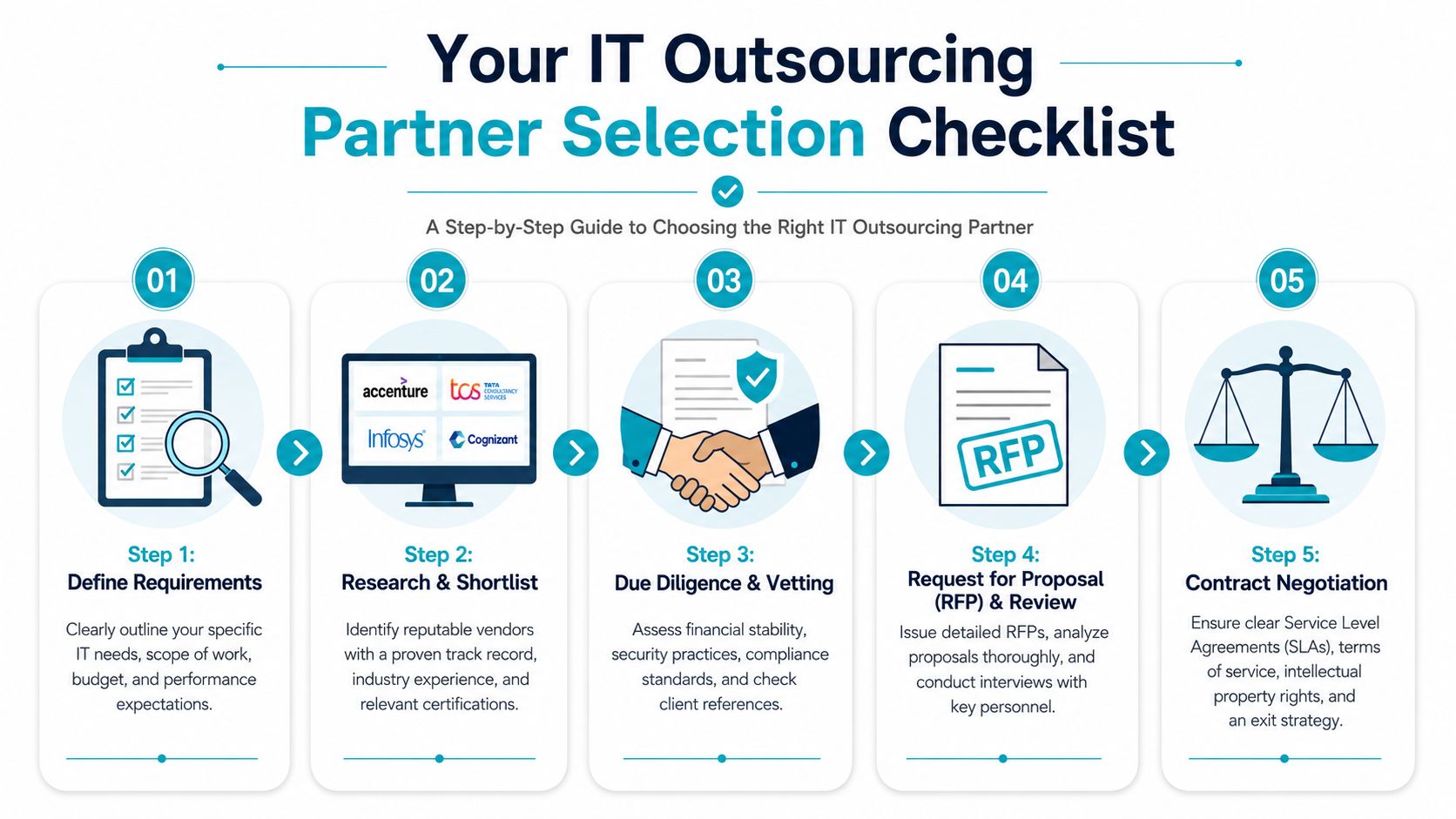
Start with operational clarity
Before you talk to vendors, write down what you need them to do.
That list should include:
- Business-critical systems that can’t tolerate extended outages
- Existing tools and platforms such as virtualization stack, backup software, firewall vendor, web hosting panel, and voice setup
- Support expectations including after-hours handling and escalation ownership
- Security requirements such as MFA enforcement, privileged access controls, patch windows, and restore procedures
If you skip this step, every proposal will look polished and none of them will be directly comparable.
Vet technical depth, not just sales comfort
Good providers can describe how they operate in detail. Ask how they handle failed backups, hypervisor updates, compromised accounts, storage alerts, certificate renewals, and post-incident reviews. If the answers stay vague, assume the delivery is vague too.
Technical benchmarks matter here. Providers that fail to meet measurable indicators like 99.9%+ uptime and fast response times face 40% higher client churn rates. That’s a useful proxy for something buyers often underestimate: weak service discipline shows up in customer turnover.
This short video is also a helpful primer for decision-makers reviewing provider fit and service expectations.
Read the SLA like an operator
The SLA is where a provider reveals what it stands behind.
Check these areas closely:
- Availability targets. Know which services are covered and which are excluded.
- Response versus resolution. A fast acknowledgment isn’t the same as a fix.
- Maintenance windows. Routine work shouldn’t become a surprise outage.
- Escalation rules. You need named paths for urgent incidents.
- Exit process. Offboarding should include documentation, credential transfer, backups, and data return terms.
A strong SLA doesn’t guarantee good service. A weak SLA almost guarantees arguments.
Security and governance checks
Don’t treat security as a checkbox. Ask who gets privileged access, how that access is logged, how credentials are rotated, and what happens during an incident. If the provider hosts your workloads, ask how they separate customer environments and how they support backup recovery testing.
The contract layer matters as much as the technical layer. This guide to a managed IT services agreement is a good reference point when you’re comparing contract language against actual operational responsibility.
If you want a simple final test, ask this question: if your lead admin is out for a week during a production incident, would this provider make the situation calmer or more chaotic? That usually tells you what you need to know.
Onboarding and Migrating to Your New Partner
The first month of an outsourcing relationship usually determines whether the partnership stabilizes or starts accumulating hidden problems. Most failed transitions don’t collapse because of one dramatic outage. They fail because access wasn’t documented, handoffs were rushed, and no one agreed on what “done” meant.
A clean onboarding plan should reduce operational risk immediately, even before the major migrations begin.
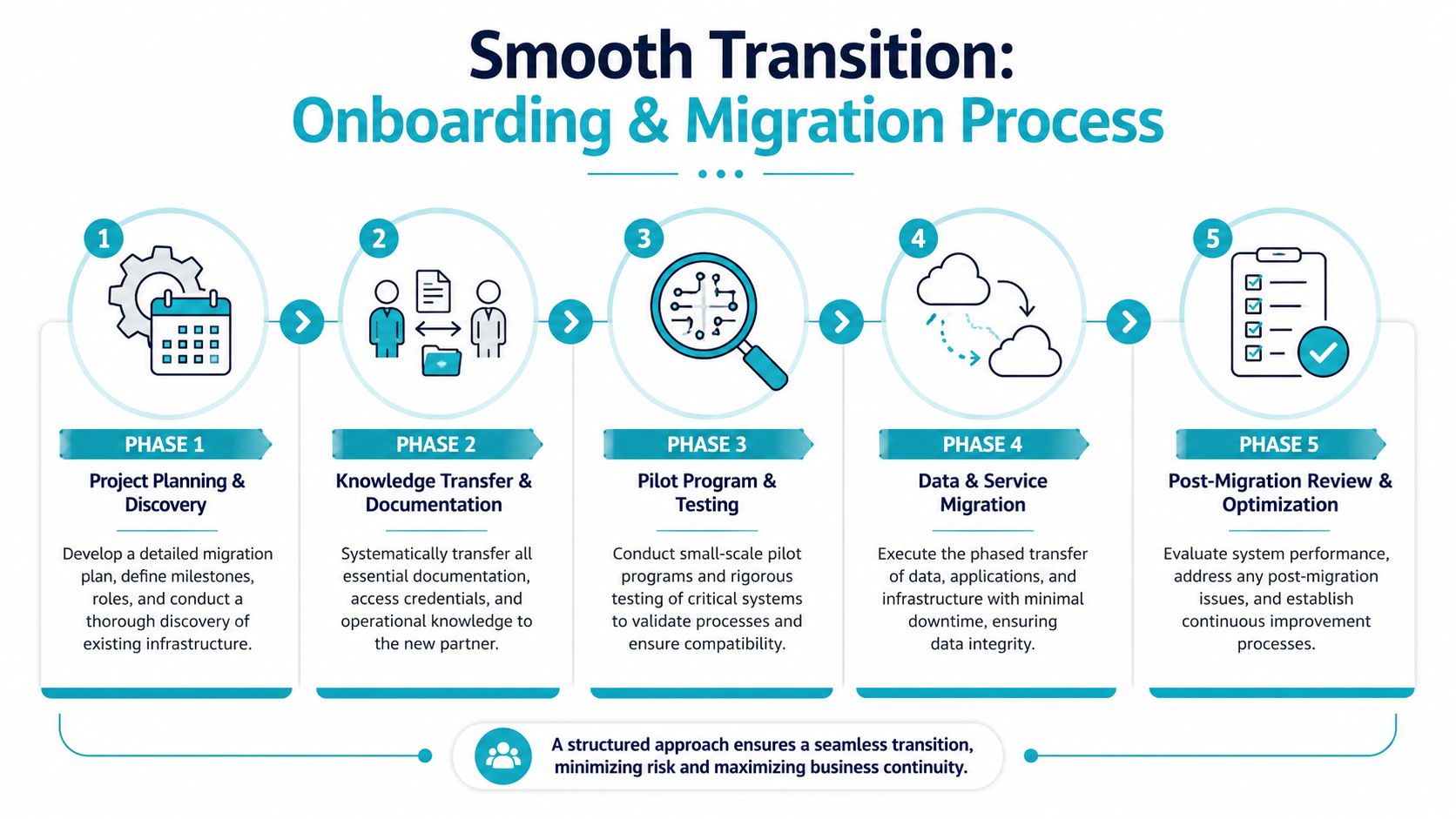
Discovery comes before movement
The new partner should begin with discovery, not change. That means auditing servers, virtualization hosts, applications, identity systems, backup jobs, DNS dependencies, SSL ownership, vendor accounts, firewall policies, and support procedures.
Without that baseline, migration work turns into guesswork.
A solid discovery phase should identify:
- Critical systems and service dependencies
- Single points of failure
- Unknown or shared credentials
- Legacy workloads that shouldn’t be moved first
- Monitoring and backup gaps
Transfer knowledge before you transfer systems
Most organizations have more undocumented knowledge than they think. The senior admin knows which VM can’t reboot cleanly. The office manager knows who still has registrar access. The developer knows which scheduled task breaks during maintenance.
That information needs to move into a controlled handoff process.
Use a checklist that covers:
- Administrative access and credential custody
- Vendor contacts and licensing records
- Network and application diagrams
- Backup locations and restore procedures
- Support rules and escalation contacts
For companies also reshaping their staffing model while transitioning operations, broader outsourcing coordination can matter. Teams comparing technical outsourcing with talent acquisition support may find this overview of RPO for Latin America from LatoJobs useful when the transition includes recruiting or organizational redesign.
Migrate in phases, not all at once
A phased migration is almost always safer than a big-bang cutover. Start with lower-risk systems, validate monitoring and rollback steps, and only then move production-critical workloads.
That approach works especially well for:
- Email and collaboration services
- Public web hosting
- Non-production virtual machines
- Line-of-business applications with maintenance windows
- Core virtual infrastructure after test migrations succeed
Move the systems that teach you the most before you move the systems that hurt the most.
Don’t stop at cutover
The migration isn’t complete when the workloads boot on the new platform. The provider should stay engaged through performance validation, access review, backup verification, and support runbook cleanup.
That post-migration period is where hidden issues surface. Slow storage paths, missing alerts, stale firewall rules, and unsupported automation don’t always appear during the move itself. They appear a week later, when normal business traffic returns.
Scaling with ARPHost Managed and Hosting Solutions
Outsourcing gets more useful when you tie it to a specific technical outcome. Some businesses need reliable day-to-day management. Others need infrastructure they can’t efficiently build in-house, especially when virtualization density, storage performance, or workload isolation matter.
That’s where service fit matters more than generic “IT support.”
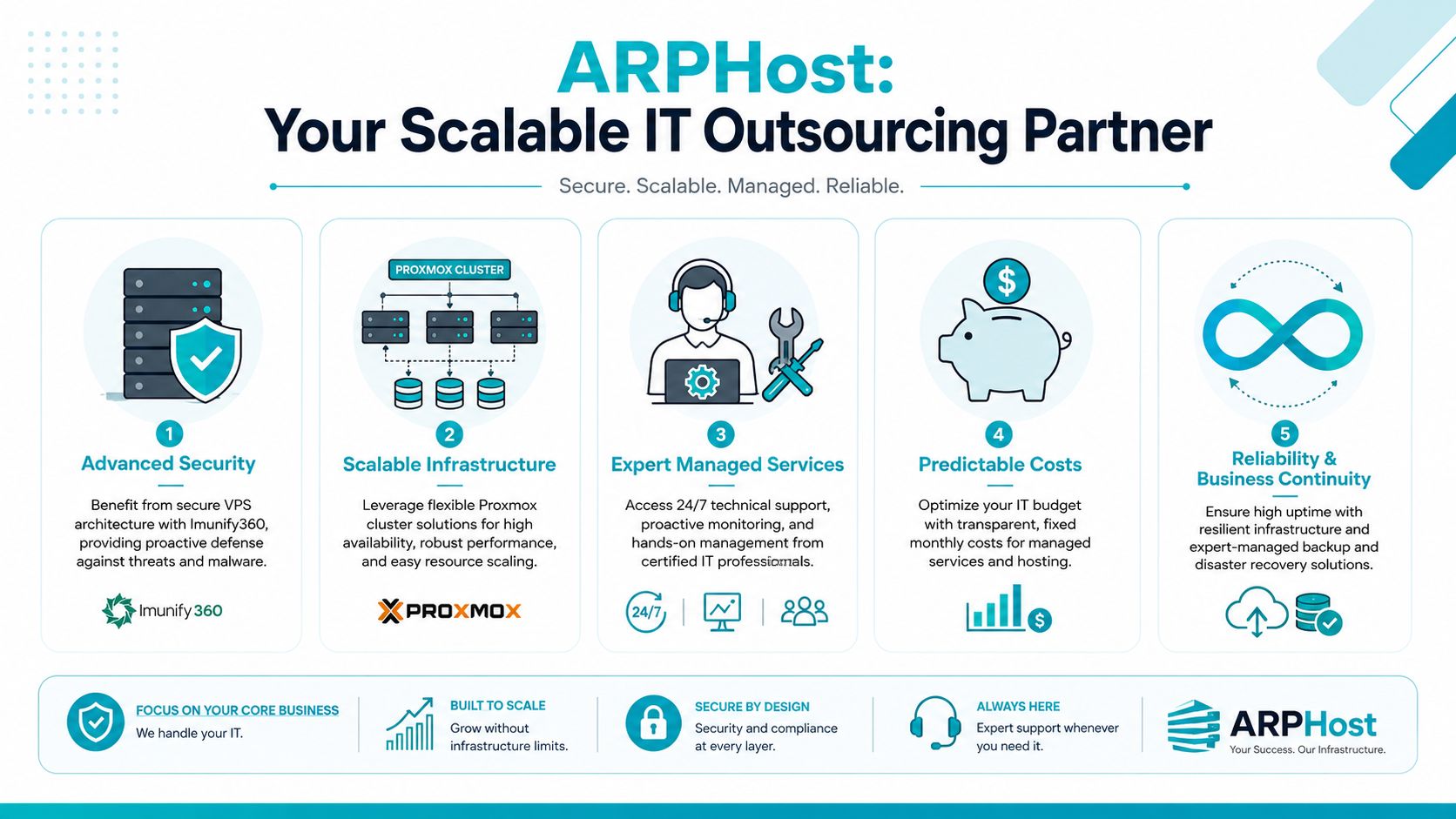
Match the platform to the workload
If the goal is simple application hosting, a VPS often makes the most sense. It keeps costs controlled and gives developers or admins root-level flexibility without the operational overhead of dedicated hardware. For teams that also need website isolation and malware protection, secure web hosting bundles that include tools like Imunify360, CloudLinux OS, and Webuzo can be a cleaner fit than stitching those layers together manually.
When the workload is heavier, the design should change.
A private cloud built on Proxmox is better suited to businesses that need stronger isolation, clustering, or migration flexibility. That matters for internal production systems, customer-facing applications, staging environments, or mixed VM and container estates.
Proxmox and bare metal for capability, not just capacity
For high-availability design, the technical basics matter. Proxmox VE 9 requires a minimum of three identical nodes to establish quorum for high availability, unless you add an external QDevice on a separate Debian system. That detail matters in real purchasing decisions because many small businesses try to force HA onto undersized two-node designs.
HA policy settings matter too. This walkthrough on Proxmox HA group recommendations shows why setting Max Restarts and Max Relocate to 1 is a sensible default. It avoids repeated automated failover loops that hide the actual hardware or network issue.
For businesses considering dedicated hardware, these workload matches are practical:
- Dual Intel Xeon E5-2690 V3. Good for Proxmox clusters, multi-tenant VPS nodes, and game server hosting where thread count matters.
- AMD EPYC 4584PX. Better suited to memory-intensive databases, AI or ML inference, and high-density virtualization where RAM headroom changes what you can consolidate.
- AMD Ryzen 9600X. A solid fit for single-tenant applications, development environments, and workloads that benefit from high clock speed more than large core counts.
A provider such as ARPHost offers relevant options here, including VPS hosting, secure web hosting bundles, bare metal servers, dedicated Proxmox private clouds, colocation, instant applications, and fully managed IT services.
Why ARPHost excels here
What stands out in a practical sense is service range. A business can start with a smaller VPS footprint, move into managed hosting, and later expand into private cloud or dedicated hardware without changing operating patterns completely.
Useful paths include:
- Start with managed VPS for application hosting, testing, or low-friction migrations
- Use secure hosting bundles when web security and control panel simplicity matter
- Move to bare metal when databases, virtualization density, or AI workloads outgrow shared compute
- Adopt dedicated Proxmox private clouds when segmentation, root access, and cluster-level control become important
- Add managed services when internal staff needs operational coverage, patching, monitoring, backup oversight, or network and VoIP administration
If you’re evaluating concrete options, these pages are the right starting points:
- Start with VPS hosting
- Explore secure VPS bundles
- View Proxmox private cloud plans
- Request managed services information
- Review available bare metal servers
Frequently Asked Questions About IT Outsourcing
What’s the difference between IT outsourcing and managed services
IT outsourcing is the broader category. It covers any arrangement where an outside party handles IT work. Managed services are a specific model within that category, usually built around recurring operational responsibility, documented scope, defined response commitments, and ongoing monitoring.
In practice, all managed services are outsourcing, but not all outsourcing is managed services.
Can we outsource only part of our IT
Yes. That’s often the smartest starting point.
Many businesses keep internal ownership of business applications, end-user relationships, and strategy while outsourcing infrastructure-heavy functions like server management, backups, firewall administration, web hosting security, after-hours monitoring, or migration engineering. That co-managed model usually creates less disruption than a full handoff.
How do we keep data secure with an outsourced provider
Start with process, not promises. Require clear access controls, documented credential handling, MFA, logging, backup procedures, and incident response rules. Then confirm those controls appear in the contract and SLA.
You should also ask practical questions. Who can access production systems? How is access reviewed? How are backups tested? What happens during a ransomware event or accidental deletion? If the provider can’t answer those cleanly, keep looking.
Is outsourcing only useful for cost reduction
No. Cost matters, but capability is often the bigger driver.
For SMBs, outsourcing can provide access to infrastructure and engineering depth that would otherwise be too expensive or too specialized to build internally. That includes private cloud operations, virtualization expertise, advanced hosting security, migration planning, and hardware platforms for compute-heavy applications.
When should we avoid outsourcing
Avoid it when your processes are chaotic and undocumented, when internal ownership is unclear, or when leadership expects the provider to “fix everything” without internal participation. Outsourcing works best when responsibilities are explicit and both sides have enough structure to operate well.
If you’re comparing providers or planning a move to managed infrastructure, ARPHost, LLC offers a practical mix of VPS hosting, secure web hosting bundles, bare metal servers, dedicated Proxmox private clouds, colocation, instant applications, and fully managed IT services. It’s a useful option for businesses that need to scale from basic hosting into more specialized infrastructure without rebuilding their entire operating model.
