


A solid set of business continuity planning steps is more than just a document you file away; it’s an active defense strategy for your entire IT infrastructure. It’s about knowing your critical systems inside and out, defining exactly how quickly you need them back online, and building a resilient architecture that can weather a storm. This approach turns a static checklist into a dynamic, real-world playbook.
Why Modern IT Demands a Business Continuity Plan
In today’s fast-paced IT environments, a business continuity plan (BCP) isn’t some dusty binder on a shelf, it’s a critical operational strategy. The consequences of being caught unprepared are both immediate and severe.
Picture this: a ransomware attack quietly encrypts your entire Proxmox VE cluster, or a critical hardware failure in your primary data center takes all your production servers offline in an instant. The fallout goes far beyond a technical inconvenience.

These aren’t just hypotheticals. Scenarios like these directly translate to lost revenue, crippled operations, and, perhaps most damagingly, a massive hit to your company’s reputation. Yet, despite these high stakes, a surprising number of organizations are flying blind. One study found that a staggering 51% of organizations worldwide had no BCP in place to handle major emergencies.
Your BCP is an Operational Playbook, Not a Document
It’s crucial to see business continuity (BC) and disaster recovery (DR) as two sides of the same coin. They work together to build a truly resilient technical strategy.
- Business Continuity (BC): This is the high-level strategy that keeps the entire business running. It covers communications, personnel, and processes, not just the technical infrastructure.
- Disaster Recovery (DR): This is the technical heart of the BCP. It’s the detailed, actionable set of procedures for restoring your IT infrastructure and data. It’s the “how-to” for recovering your Proxmox VMs, bare metal servers, and critical applications.
The goal is to elevate your BCP from a theoretical exercise into a living playbook your team can actually execute under pressure. A good plan doesn’t just react; it anticipates digital threats and provides clear, actionable steps for survival and recovery. This proactive stance is essential for modern IT, especially as businesses embrace new “always-on” operational models. You can dive deeper into these shifts by exploring the latest trends shaping always-on IT and managed services.
Think of your BCP as an early warning system. It gives you the insights to act decisively before a minor hiccup spirals into a full-blown crisis, empowering your teams to protect people, assets, and operations when it matters most.
To get started on the right foot, it helps to use a comprehensive business continuity plan checklist. This lays a solid foundation for all the technical steps that follow, making sure no part of your infrastructure gets overlooked.
Pinpoint Your Risks with an Assessment and BIA
A solid business continuity plan isn’t built on guesswork. It starts by answering two fundamental questions: what could break, and what happens to the business when it does? This is exactly what an IT-focused Risk Assessment and a Business Impact Analysis (BIA) are for. Think of them as the diagnostic tools that drive every technical decision you’ll make, from your backup strategy to your failover architecture.
The whole point is to stop worrying about vague threats like “downtime” and start identifying specific, costly failures. What’s the real-world fallout from a core Juniper switch dying or a single point of failure in your Proxmox VE cluster? Let’s find out.
Identify and Prioritize Your Technical Risks
First things first, you need to take a hard look at your IT infrastructure and catalogue every potential threat, both inside and out. Don’t be generic. “Hardware failure” is too broad to be useful. Get granular and specific.
What does that look like in practice? Instead of a vague list, your assessment should detail concrete scenarios:
- Proxmox Host Failure: A single hypervisor in your cluster goes offline. Do you have high availability (HA) configured to automatically migrate its critical VMs to another host? Or does everything grind to a halt?
- Storage Unavailability: Your main SAN or NAS drops off the network. How many services just went dark? Is your ZFS storage replicated to a secondary location, or was that your only copy?
- Network Choke Points: What happens if a core Juniper switch fails, a bad firewall rule blocks mission-critical traffic, or a construction crew severs your primary fiber link?
- Cybersecurity Nightmare: A ransomware attack gets past your defenses and encrypts your primary backup repository. This is a huge-impact event that demands a specific countermeasure, like having immutable off-site backups that can’t be touched.
For a great, systematic way to formalize this process, check out this guide on the cybersecurity risk assessment process. It’s a fantastic resource for structuring your threat identification and mitigation planning.
The goal of a risk assessment isn’t to create a world with zero risk—that’s a fantasy. It’s about figuring out which risks could actually kill your business and focusing your time and money on those first.
Translate IT Risks into Business Impact
Once you’ve got a handle on the technical weak points, the Business Impact Analysis (BIA) is where you connect them to what the C-suite actually cares about: revenue, operations, and reputation. This is how you get buy-in for your continuity budget.
The BIA simply answers the question: “If this server, switch, or application goes down, what part of the business breaks, and how much money do we lose per hour?”
You have to meticulously map your critical business functions to the specific IT systems that keep them running. For example, your e-commerce site might rely on a trio of web server VMs, a database on a bare metal server, and a dedicated VLAN for payment processing. If any one of those fails, you’re not making sales. It’s that direct.
This analysis is where you’ll define the two most important metrics in your entire continuity plan:
- Recovery Time Objective (RTO): This is your deadline. It’s the maximum amount of time a system can be down before it causes serious damage to the business. An RTO for a critical payment gateway might be mere minutes, while an internal dev server could probably wait a day.
- Recovery Point Objective (RPO): This is your data loss tolerance, measured in time. How much recent data can you afford to lose forever? An RPO of 15 minutes means you absolutely must have backups or replicas running at least that frequently.
These numbers aren’t pulled out of thin air. They’re dictated entirely by business impact. A customer-facing app that processes thousands of transactions an hour will demand a near-zero RTO and RPO. That’s what justifies the investment in high-availability Proxmox clusters and real-time data replication. On the flip side, an internal reporting tool used once a week could likely tolerate an RTO of 24 hours and an RPO of 12 hours.
To help you organize this crucial step, we’ve put together a simple framework. Use this table to map your IT services to business functions and nail down those RTO and RPO targets.
IT Service Business Impact Analysis Framework
Use this table to map IT services to business functions and define clear RTO and RPO targets for your continuity plan.
| IT Service/Application (e.g., ERP VM, Web Server Cluster) | Critical Business Functions Supported | Impact of Downtime (Financial, Reputational) | Recovery Time Objective (RTO) | Recovery Point Objective (RPO) |
|---|---|---|---|---|
Proxmox VM – SQL-DB-01 | Customer Relationship Management (CRM), Sales Order Entry | High financial loss, severe reputational damage | < 15 Minutes | < 5 Minutes |
Bare Metal Server – WebApp-Prod | Public Website, E-commerce Checkout | Immediate revenue loss, customer trust erosion | < 5 Minutes | 0 Minutes (HA) |
KVM VPS – Internal-Wiki | Internal Documentation, Knowledge Base | Moderate productivity loss, operational inconvenience | 4 Hours | 24 Hours |
Storage Array – Shared-Data | File Sharing, Departmental Project Files | Significant productivity disruption across company | 1 Hour | 1 Hour |
Filling this out is a non-negotiable first step. It transforms your continuity plan from a vague idea into an actionable, data-driven strategy that protects what truly matters.
Architecting a Resilient Recovery Strategy
Alright, you’ve done the hard part. You’ve defined your Recovery Time Objectives (RTO) and Recovery Point Objectives (RPO). Now comes the fun part: translating those business goals into a technical reality. This is where we design a recovery architecture that actually works under pressure, not just on a whiteboard.
Your strategy needs to map directly back to the priorities you set in the Business Impact Analysis (BIA). It’s all about putting your resources where they’ll make the biggest difference.
Let’s be honest, not all applications are created equal, and your recovery plan shouldn’t treat them that way. Your most critical services—the ones with near-zero RTOs—demand a rock-solid high-availability (HA) solution. For everything else, a more straightforward backup and recovery model will do the trick without breaking the bank.
This whole process builds on itself. You assess the risks, figure out the business impact, and then define your RTO/RPO. Only then can you make smart architectural decisions.
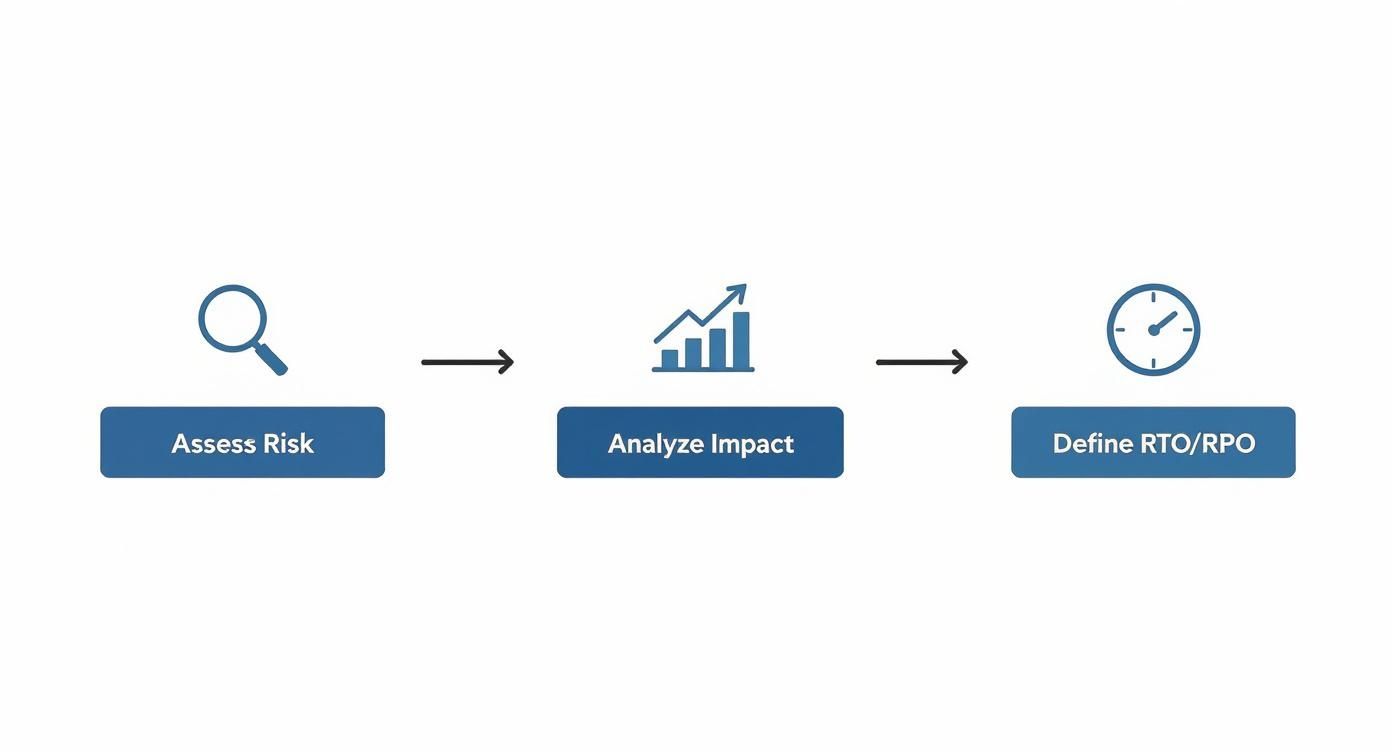
Without nailing down risk and impact first, any recovery architecture you build is just pure guesswork.
Designing for High Availability
When we talk about your most critical applications, the ones where RTOs are measured in seconds or minutes, high availability is the only answer. The goal is to build an infrastructure with enough redundancy to survive a component failure without anyone even noticing.
In a Proxmox VE environment, this means creating a multi-node cluster. When set up correctly, Proxmox HA automatically spots a failed host and restarts its virtual machines on another node in the cluster. This failover usually happens within minutes, hitting even the most aggressive RTOs.
To make a Proxmox HA setup work, you need a few key pieces:
- Shared Storage: Every node in the cluster needs access to the same storage (think a SAN, Ceph, or ZFS over iSCSI) where the VM disks live. This is what lets any node power on a VM.
- Redundant Networking: Use bonded network interfaces and redundant switches. You can’t afford to have your entire cluster taken down by a single bad cable or switch port.
- Corosync Configuration: This is the cluster’s heartbeat. You need to configure the communication protocol correctly, often with redundant rings, so nodes can reliably check on each other.
A common mistake I see is people thinking that just creating a cluster guarantees uptime. Your HA strategy is only as strong as its weakest link. If that shared storage or core network switch goes down, the whole cluster is toast. True resilience means building in redundancy at every single layer.
Implementing Asynchronous Replication for DR
High availability is great for handling localized hardware failure, but it won’t save you from a site-wide disaster like a fire, flood, or extended power outage. That’s where a proper disaster recovery (DR) site comes in, and it’s a non-negotiable part of any real business continuity plan.
For applications that can handle a slightly longer RTO, maybe 15 minutes to an hour, asynchronous replication is a fantastic and cost-effective strategy. This simply means you’re periodically copying data and VM states to a secondary location, like another private cloud or a secure colocation facility.
- Proxmox with ZFS: If you’re using ZFS for storage, you can use its powerful built-in snapshot and replication features. It’s easy to set up automated tasks to send incremental snapshots of your VMs to a remote ZFS storage pool.
- Veeam for Mixed Environments: If you’re running a mix of Proxmox, VMware, and bare metal servers, a tool like Veeam Backup & Replication is a lifesaver. It gives you a single pane of glass to manage backup and replication jobs for your entire environment to a secondary site.
This hybrid approach, combining on-premise HA with cloud or co-located DR, gives you a great balance of resilience and cost. You get instant recovery for your crown jewels and reliable, affordable recovery for everything else. For a much deeper dive, check out our complete guide on what is disaster recovery planning.
Integrating Bare Metal Servers
Don’t forget about your bare metal servers! Those performance-hungry databases or quirky legacy apps often run on dedicated hardware, and they absolutely must be part of your recovery plan.
How you handle bare metal really depends on the application itself:
- Application-Level Replication: Many database systems like PostgreSQL or Microsoft SQL Server have native replication features built right in. You can set up a secondary bare metal server at your DR site to act as a hot or warm standby, ready to take over.
- Backup and Restore: For less critical bare metal machines, a classic backup-and-restore method works just fine. This involves taking regular system-level backups and having a clear plan to restore them to similar hardware at your DR location. The RTO will be higher, but it’s simpler and much cheaper to implement.
By carefully matching the recovery method to the RTO and RPO of each service—whether it’s a VM, a cluster, or a bare metal server—you build a recovery strategy that is resilient, efficient, and makes financial sense.
Time to Implement Your Data Protection Plan
Once you’ve designed your recovery architecture, it’s time to put a rock-solid data protection strategy in place. Let’s be clear: this is about more than just scheduling a nightly backup job and calling it a day. A modern plan treats your data like the irreplaceable asset it is, building multiple layers of defense to ensure it’s always available and, most importantly, always recoverable.

This is a critical step where I see a lot of organizations stumble. The numbers don’t lie—a shocking 44% of businesses globally still don’t have a formal disaster recovery plan, leaving them completely exposed. The same research from a full market report pointed to software failures (53%), cybersecurity attacks (52%), and network outages (50%) as the top culprits for downtime. All of these directly threaten your data.
Go Beyond 3-2-1: Adopt the Modern 3-2-1-1-0 Backup Rule
The classic 3-2-1 rule (three copies, two media types, one off-site) was a great starting point, but it’s no longer enough to counter modern threats like ransomware. The industry best practice has evolved into the 3-2-1-1-0 rule, which adds two crucial layers for ransomware protection and recovery confidence.
- 3 Copies of Your Data: Your primary data plus at least two backups.
- 2 Different Media Types: Store those backups on at least two separate types of storage, like a local NAS and cloud object storage.
- 1 Copy Off-Site: Ensure one backup copy is physically separate from your primary location.
- 1 Copy Immutable or Air-Gapped: This is your ace in the hole. This copy cannot be changed or deleted, even if an attacker gets admin credentials.
- 0 Errors: Your backups must be tested, verified, and proven to have zero errors upon recovery. An untested backup is just a hope, not a plan.
Configure Your Backups for the Job
A one-size-fits-all approach to backups is a recipe for failure. You need to tailor your backup jobs to the specific workload, whether it’s a virtual machine or a bare-metal database server.
For virtual environments like Proxmox VE, you can schedule snapshot-based backups right inside the platform or use a dedicated tool like Proxmox Backup Server. This approach creates a point-in-time, crash-consistent copy of the entire VM, making a full restore a straightforward process.
Bare metal servers running databases, on the other hand, need an application-aware approach. Just taking a snapshot of the disk can lead to corrupted or inconsistent data. For these, use native database tools (pg_dump for PostgreSQL or SQL Server Management Studio for MSSQL) to create clean, consistent dumps before you send them to your backup repository.
Here’s a pro tip: use S3 Object Lock for your off-site backups. This feature makes your backup files genuinely immutable for a set period. Even if a threat actor gets into your cloud account, they can’t delete or encrypt those locked backups until the timer runs out. It’s a game-changer.
The Non-Negotiable Role of Immutable Backups
Let me be direct: immutable backups are not optional in a modern continuity plan. They are your last line of defense against ransomware.
When your primary systems and even your regular backups get encrypted, that untouched, unchangeable copy of your data is the only thing that will save you from paying a ransom or losing everything.
This is where a specialized service is invaluable. ARPHost offers immutable backup solutions that use technologies like S3 Object Lock to create a secure, off-site vault for your critical data. This directly checks off the “1-1-0” part of the modern backup rule, giving you true peace of mind.
Automate Your Backup Verification
Finally, you have to know your backups actually work. Simply seeing a “completed successfully” message in your backup logs isn’t enough. Automated verification is essential to hitting that “0 errors” goal.
You can script simple tests to handle this. For a VM backup, a script can automatically restore the latest backup to an isolated test network, power it on, and run a quick check—like pinging the machine or seeing if a key service port is open. If it passes, the script reports success. If not, it shoots off an alert for a human to investigate. This simple automation turns a theoretical backup into a proven, reliable recovery asset.
Testing and Maintaining Your Continuity Plan
A business continuity plan that only exists on paper is nothing more than a theory. It might look brilliant, with every contingency mapped out, but until you put it under real-world pressure, you have no idea if it’ll actually hold up when a crisis hits. Regular testing and maintenance are what turn that static document into a living, battle-ready strategy.
Consistent testing isn’t just a good idea; it’s a non-negotiable part of your business continuity planning steps. It’s the only way to find those hidden flaws, validate your RTO/RPO targets, and build the muscle memory your team needs to act decisively under extreme pressure.
Choosing the Right Validation Exercise
Testing doesn’t always have to mean pulling the plug on your production environment. There are several ways to kick the tires, each with a different level of intensity. The smart move is to use a mix of these to keep your plan sharp without causing unnecessary drama.
- Tabletop Exercises: This is your low-impact starting point. Get your key IT staff and stakeholders in a room and talk through a disaster scenario. For example: “A ransomware attack just encrypted our primary Proxmox cluster and the local backup repository. What’s the first thing we do?” This simple exercise is fantastic for validating your communication plan and making sure everyone knows their role.
- Backup and Recovery Drills: Time for a hands-on check of your data protection strategy. The goal is simple: can you actually restore what you’ve backed up? On a regular basis, pick a random VM or a critical database from your immutable backups and restore it to an isolated sandbox network. This confirms data integrity and proves your recovery procedures are accurate.
- Full Failover Simulation: This is the ultimate stress test for your DR architecture. During a planned maintenance window, you execute a full failover of a critical application—or even an entire site—to your disaster recovery location. This is the only way to be 100% certain your replication, network configurations, and failover automation work exactly as you expect them to.
Executing a Proxmox Cluster DR Test
Let’s get practical. Here’s a walkthrough for planning and running a failover simulation for a production Proxmox VE cluster that’s being replicated to a DR site. This checklist will help you cover all your bases.
1. Pre-Test Planning and Communication
- Define Scope and Objectives: Get specific. Are you just testing VM failover, or are you also validating network routing and application accessibility at the DR site?
- Schedule and Notify: Pick a low-impact time, like a weekend. Over-communicate the plan, the schedule, and any potential risks to all business stakeholders. Nobody likes surprises.
- Pre-Flight Checks: A week before the test, double-check that your replication jobs are healthy and that all the hardware at the DR site is powered on and fully operational.
2. Test Execution
- Isolate Production: Make sure the production environment is walled off from any actions you take at the DR site. This might mean temporarily breaking replication links to prevent any “failback” weirdness.
- Initiate Failover: Start bringing up the replicated VMs at the DR site according to your documented plan. Always start with the dependencies first, like your domain controllers and DNS servers.
- Validate Functionality: Once VMs are online, your team needs to confirm that applications are accessible and data is consistent. Run through a predefined list of application-level tests to verify everything is working.
- Document Everything: Record every step, every command, and every timestamp. Take notes on any unexpected issues, errors, or places where you had to deviate from the plan.
3. Post-Test Analysis and Improvement
- Conduct a Post-Mortem: As soon as possible, get the team together to review the test results. What went well? What didn’t? What took way longer than expected?
- Update the BCP: This is the most important step. Use what you learned to update the BCP documentation immediately. If a procedure was wrong or a contact list was outdated, fix it now while it’s fresh in your mind.
- Schedule the Next Test: Get the next one on the calendar. A good cadence is annual tests for full failovers and quarterly drills for backup recovery. This ensures the plan evolves as your infrastructure does.
The goal of a DR test isn’t to get a perfect score. It’s to find the problems before a real disaster does. A test that uncovers a flaw is a successful test, because it gives you a chance to fix it.
This continuous loop of testing and improving is what keeps a business continuity plan effective. It’s no wonder the market for these tools is booming. A recent report projected that the global business continuity management planning solution market would hit US$720.5 million, with North America alone grabbing over 30% of that share. This growth shows just how vital robust planning and validation have become. You can find more insights about this expanding BCM market on FactMR.
Your Burning Questions About Business Continuity Answered
Even after mapping out the core business continuity planning steps, a few tricky questions always pop up. We get them all the time from IT teams wrestling with this process. Let’s clear the air on the most common points of confusion.
What’s the Real Difference Between a Business Continuity Plan and a Disaster Recovery Plan?
This is, without a doubt, the number one question we hear, and the distinction is critical. Think of it in terms of scope: a Disaster Recovery (DR) plan is a highly technical, IT-centric piece of a much larger Business Continuity Plan (BCP).
- A Disaster Recovery (DR) Plan is all about the tech. Its entire focus is on restoring your IT infrastructure and data after something goes wrong. This covers the nuts and bolts of spinning up Proxmox VMs, failing over bare metal servers, and getting databases restored from backups. It answers one question: “How do we get the systems back online?”
- A Business Continuity Plan (BCP) is about the entire organization. It includes the DR plan, but it also accounts for everything else needed to keep the lights on. We’re talking about people, processes, and communication—managing staff, dealing with supply chain disruptions, keeping customers in the loop, and even moving to a temporary office. It answers the much bigger question: “How do we keep the business running?”
Bottom line: DR gets your servers humming again. BCP makes sure your employees have a place to work and your customers still know you exist.
How Often Should We Actually Test This Thing?
An untested plan isn’t a plan—it’s a liability gathering dust on a server. The right testing cadence depends on how quickly your IT environment changes and how critical your systems are.
As a baseline, you should aim for some kind of test at least annually. But in reality, a more practical approach is to break down your exercises.
- Full Failover Simulations: A full-blown migration to your DR site is the ultimate stress test. It’s disruptive, sure, but it’s the only way to truly validate your RTOs and recovery architecture. Try to run one of these once a year.
- Tabletop Exercises & Backup Restores: These are much less intense and can be done quarterly or semi-annually. They’re perfect for keeping your team’s skills sharp and, just as importantly, proving your backups are actually restorable.
Here’s the critical takeaway: You must test your BCP immediately after any major infrastructure change. Just finished a big VMware to Proxmox migration? You can’t just assume your old recovery playbooks will work. Test it. Validate it. Do it right away.
What Are the Most Common Ways a BCP Fails?
We’ve seen a lot of plans over the years, and it’s rarely a massive technical oversight that causes them to fail. It’s usually a handful of common, and completely avoidable, mistakes. Knowing these pitfalls is half the battle.
Here are the top errors we see time and time again:
- The “Set It and Forget It” Mindset: A BCP is a living document, not a one-and-done project. The single biggest mistake is writing the plan, sticking it in a folder, and never looking at it again. It quickly becomes a relic filled with outdated info and untested assumptions.
- No Executive Buy-In: If leadership isn’t on board, your plan is dead in the water. Without their support, you’ll never get the budget, resources, or authority to make it effective.
- IT and Business Goals Aren’t Aligned: Setting a four-hour RTO for a non-critical dev server is a waste of money. Likewise, assigning a 24-hour RTO to your primary e-commerce database is a recipe for going out of business.
- Vague Communication Plans: When disaster strikes, confusion is the enemy. A plan that doesn’t spell out exactly who communicates what, to whom, and through which channels will only create chaos when you can least afford it.
- Forgetting About Your Vendors: So many plans focus entirely on internal systems and completely forget about third-party dependencies. What happens if your DNS provider goes down? Your primary ISP? Your key SaaS platforms? These are all critical points of failure.
A robust, tested business continuity plan is the foundation of modern IT resilience. At ARPHost, LLC, we build and manage the resilient infrastructure that powers your BCP—from Proxmox Private Clouds and secure colocation to immutable backups that serve as your last line of defense. Protect your operations and scale with confidence by exploring our managed IT solutions at https://arphost.com.