

A Magento store can look polished, rank well, and still fail at the worst possible moment.
The usual pattern is familiar. Traffic rises because a campaign lands, an email goes out, or a product starts moving. The homepage still opens, but category pages drag, search turns erratic, admin tasks stall, and checkout becomes the first thing customers complain about. Teams often blame Magento first. More often, the problem is hosting that was never sized or tuned for Magento in the first place.
That matters because Magento is one of the few platforms where weak infrastructure doesn’t just create inconvenience. It creates operational risk. A slow catalog hurts discovery. A strained database hurts checkout. A badly configured cache turns normal traffic into a production incident. If you’re investing in design, paid acquisition, and conversion work, hosting is not a background utility. It’s part of the revenue path.
That’s also why stores working with strong marketing teams, including specialists in Magento SEO services, still hit a ceiling if the underlying server stack can’t deliver product pages quickly and consistently. Better visibility only helps if the site stays responsive when visitors arrive.
The best web hosting for magento starts with architecture, not logos on a shortlist. Before comparing providers, you need to know what kind of stack Magento needs, where shared plans break, when a VPS is enough, when bare metal becomes the safer choice, and why managed service can be cheaper than a “cheap” unmanaged plan once downtime and labor are counted.
Introduction When Good Stores Suffer from Bad Hosting
A Magento store rarely fails all at once. It degrades in layers.
First, merchandising notices admin pages taking too long. Then developers start delaying deployments because indexing and cache operations feel risky during business hours. After that, customers hit the symptoms directly. Search is slow. Cart updates hesitate. Checkout works, but not with confidence.
That kind of decline usually happens on infrastructure that was chosen for price first and workload second. Magento punishes that decision faster than lighter platforms do. A generic hosting environment might survive a brochure site or a simple CMS. It won’t stay calm under a catalog-heavy, extension-heavy store with active sessions, dynamic pricing logic, and a busy database.
The practical question isn’t “which host is cheapest?” It’s “which hosting model fits the way this store behaves under load?”
What usually goes wrong
Three mistakes show up repeatedly:
- Shared resources hide the problem until traffic hits: The store seems fine in quiet periods, then slows when neighboring workloads or your own campaign traffic compete for CPU and memory.
- Caching is half-configured: Full-page caching, object caching, and session handling exist, but they aren’t tuned as a coherent system.
- Operations are nobody’s real job: Security patches, PHP tuning, queue handling, backups, and rollback plans are treated as occasional tasks instead of continuous work.
Good Magento hosting isn’t a luxury add-on. It’s the operating foundation for search, cart, checkout, and back office work.
What a sensible buying process looks like
Start with the architecture. Then evaluate service level. Only after that should you compare brands.
That sequence saves money because it prevents overbuying the wrong thing and underbuying the right thing. Many stores don’t need a flashy enterprise contract. They do need isolated resources, the right cache layers, reliable backups, and someone accountable for keeping the stack healthy.
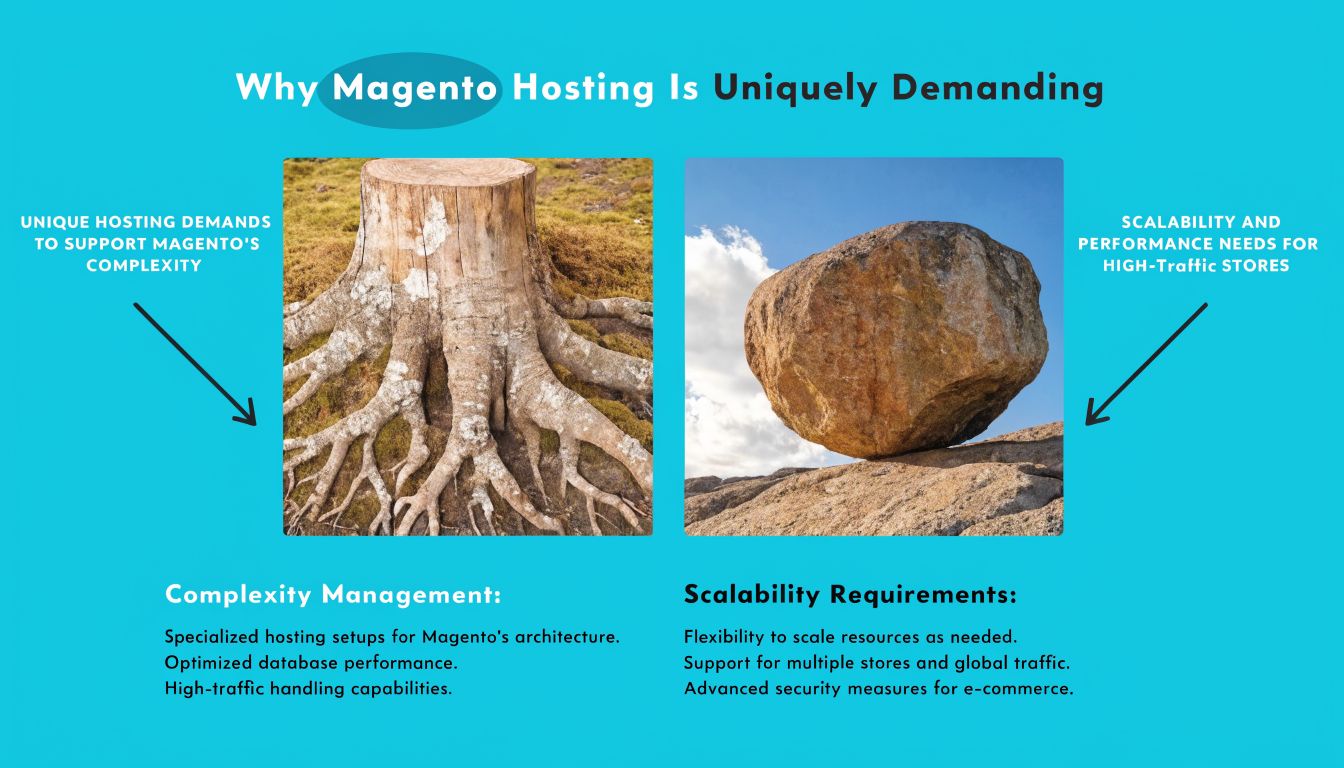
Why Magento Hosting Is Uniquely Demanding
Magento is heavier than most content platforms because almost every useful store feature adds runtime work. Layered navigation, customer groups, search, pricing rules, inventory logic, third-party integrations, promotions, and custom extensions all increase pressure on CPU, memory, storage, and database performance.
Dynamic pages and database pressure
Magento doesn’t behave like a mostly static website. Even when pages are cached, the application still depends on fast database access, session handling, search indexing, and background jobs. Product pages, category filters, cart interactions, and account actions can trigger complex query patterns.
If storage is slow or the database server is undersized, users don’t experience “a slightly slower site.” They experience hesitation at exactly the moments that affect revenue.
A single weak extension can make this worse. Poorly written modules can trigger repeated queries, heavy observers, or unnecessary backend processing. That’s why Magento hosting has to assume imperfect application behavior and still provide headroom.
PHP workers, cache layers, and concurrency
Magento also needs enough PHP worker capacity to handle concurrent activity without queues building up. If the server runs out of workers during a traffic bump, requests wait. Waiting turns into timeouts. Timeouts turn into abandoned sessions and support tickets.
This is one reason optimized stacks matter. According to Hosting.com, Magento environments using Turbo Servers can deliver page loads up to 20X faster than standard hosts, and migration benchmarks showed 10-15X faster backend performance with transaction times moving from 1,000-2,500ms to 120-180ms
That doesn’t mean every store will see the same outcome. It does show what happens when Magento runs on a stack built for it instead of a generic hosting template.
Shared hosting usually fails for structural reasons
Shared hosting is attractive because it looks simple. For Magento, it usually fails because the model itself conflicts with the workload.
- Noisy-neighbor risk: Other accounts can consume resources unpredictably.
- Restricted tuning: You often can’t control enough of PHP, web server behavior, or background services.
- Limited cache architecture: Magento benefits from a layered stack, not one-size-fits-all hosting defaults.
- Weak operational visibility: Troubleshooting is harder when you don’t have proper process and server insight.
If Magento is core to the business, treat isolated compute and storage as a requirement, not an upgrade.
Minimum thinking versus real-world thinking
A store can meet baseline installation requirements and still perform badly. The issue isn’t whether Magento can run. The issue is whether it can run during indexing, imports, campaign traffic, and peak checkout periods without degrading.
That’s the standard to use when evaluating the best web hosting for magento. Ask how the environment behaves when the store is busy, not when it’s idle.
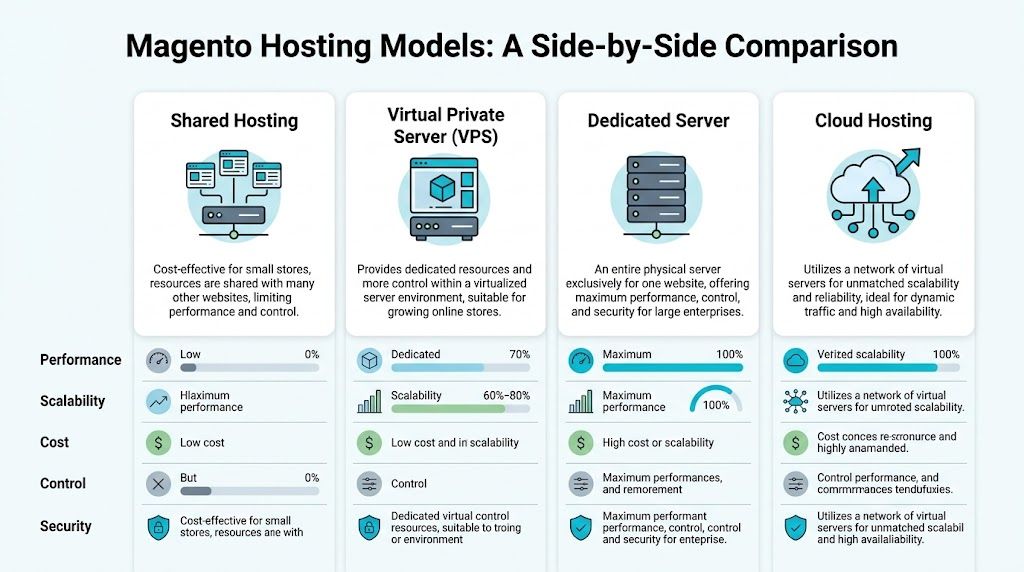
Core Hosting Models for Magento Compared
Most Magento buying mistakes happen because teams compare providers before they compare hosting models. That reverses the decision. First choose the right class of infrastructure. Then pick the company that operates it well.
Here’s the fast view.
| Hosting model | Performance isolation | Scalability | Control | Security control | Best fit for Magento |
|---|---|---|---|---|---|
| Shared hosting | Low | Low | Low | Low | Only for very limited non-production use |
| VPS | Moderate to high | Good | High | Good | Small to mid-sized production stores |
| Bare metal server | High | Moderate | Very high | Very high | High-demand stores needing consistent dedicated resources |
| Private cloud | High | High | Very high | Very high | Stores needing flexibility, segmentation, and growth without redesigning the stack |
Shared hosting
Shared hosting is the wrong default for production Magento.
It can be acceptable for a temporary dev sandbox, a rough proof of concept, or a throwaway demo. It is not a serious foundation for a live store where catalog operations, search, checkout, and cron jobs all need predictable performance.
The technical problem is not just speed. It’s unpredictability. Magento hates unpredictability.
VPS hosting
A good VPS is where many Magento stores should start.
Virtual private servers give you isolated resources, root access, and the ability to tune the stack properly. That means you can control PHP versions, workers, cache services, web server settings, and deployment practices. For many small and growing stores, that’s enough to build a stable production environment.
A VPS works well when:
- The store needs isolation: You want dedicated CPU and memory allocation rather than shared-plan guesswork.
- Traffic is growing but still manageable: You need room to scale without moving immediately to physical hardware.
- Your team needs root-level control: Extensions, queue workers, search services, and cache services need custom handling.
- You want a clean path upward: A properly built VPS can evolve into a larger VPS footprint or become part of a broader private cloud design later.
That said, not every VPS is equal. Oversold virtualization hosts create the same frustration as shared hosting, just with better branding.
Bare metal servers
Bare metal becomes the better answer when consistency matters more than convenience.
Stores with heavy catalogs, high backend activity, larger imports, demanding search workloads, or recurring campaign spikes often choose this solution. You get the whole machine. There’s no virtualization overhead to debate and no contention from other tenants.
The main advantages are simple:
- Dedicated hardware: CPU, RAM, and storage are yours alone.
- Stable performance under pressure: No neighboring workload affects your store.
- Deep tuning freedom: You can shape the environment around Magento’s actual behavior.
- Stronger security boundary: Isolation is cleaner when the hardware is dedicated.
The trade-off is operational burden. Bare metal is powerful, but it rewards teams that know how to run it properly.
Private cloud environments
Private cloud is the right model when one server is too limiting and ad hoc scaling becomes risky.
For Magento, a private cloud can separate roles cleanly. Web nodes, database resources, caching layers, staging systems, backups, and management workloads don’t need to fight inside one box. That matters when the business wants better resiliency, cleaner maintenance windows, and a more deliberate growth path.
This model is especially useful when you need:
- Segmentation: Production, staging, and utility workloads separated cleanly.
- Resource flexibility: Allocate compute where the application needs it.
- Operational discipline: Better change control, better rollback options, better resilience planning.
- Future growth: You can expand the environment instead of replacing it.
Practical rule: If your Magento team is already nervous about deploy windows, indexing impact, or campaign-day load, you’ve probably outgrown a simplistic single-server mindset.
What reliable performance looks like
Provider quality still matters, but the benchmark should be architectural fitness first. Cybernews highlighted ScalaHosting with 100% uptime and an average response time of 443ms, showing the kind of reliability and responsiveness serious Magento environments should aim for (Cybernews Magento hosting review).
Those numbers don’t mean every store should choose the same vendor. They show the standard. Fast response and uninterrupted availability are not abstract nice-to-haves for eCommerce. They’re operational requirements.
A practical decision map
Use this logic:
- Reject shared hosting for production stores.
- Choose VPS if the store is live, growing, and still fits well on a single isolated system.
- Choose bare metal when dedicated resources and performance consistency matter more than elasticity.
- Choose private cloud when the business needs segmented infrastructure and a cleaner scaling path.
That’s the primary filter for the best web hosting for magento. The hosting model should fit the store’s operational reality before the provider’s feature list gets any attention.
Managed vs Unmanaged A Critical Cost Decision
The managed versus unmanaged decision gets framed badly.
Most comparisons reduce it to “do you want convenience?” That misses the core issue. The core issue is total cost of ownership, especially for a platform like Magento where slow incident response, missed patches, or poor tuning can turn into lost sales quickly.

What unmanaged actually means
Unmanaged hosting gives you infrastructure and very little else. That can be exactly right if your team already handles:
- OS patching
- service hardening
- PHP and database tuning
- backup verification
- monitoring and alert response
- incident triage
- rollback planning
- security review after Magento or extension changes
If nobody on your team owns those tasks with discipline, unmanaged isn’t cheaper. It’s deferred risk.
TechRadar’s Magento hosting analysis called out a common problem in this market. Many hosts advertise low entry pricing, then hide 2-4x renewal hikes and add-on fees. The same analysis noted that unmanaged bare metal from providers such as ARPHost can deliver up to 40% savings versus managed plans, but only if the buyer properly accounts for the true operational cost of self-management (TechRadar Magento hosting pricing analysis).
That’s the point many buyers miss. The hardware bill is only one part of the bill.
Where managed hosting earns its cost
Managed service is worth paying for when the store depends on uptime and your internal team shouldn’t be on pager duty for infrastructure. This usually means someone else is responsible for the routine but essential work that keeps Magento stable over time.
That can include:
- Patch discipline: System updates and security maintenance happen on schedule.
- Monitoring: Issues get detected before they become customer-facing outages.
- Backup operations: Restores are practical, not theoretical.
- Performance tuning: Workers, cache behavior, and services are adjusted as the store changes.
- Escalation handling: A known operations team can respond when checkout slows or services fail.
A useful primer on the decision is this breakdown of managed vs unmanaged VPS hosting, especially if you’re trying to separate infrastructure cost from staffing cost.
The labor cost that rarely makes the spreadsheet
Unmanaged plans often win the first monthly comparison and lose the annual operational one.
A marketing team doesn’t stop work because Redis needs attention. A developer doesn’t become a systems engineer just because cron is stuck. And an online store doesn’t pause revenue expectations because patch windows were never planned.
The cheapest Magento server is often the one that creates the most expensive interruptions.
A simple TCO lens
Ask four questions before choosing unmanaged:
- Who patches the server stack and when?
- Who investigates slowdowns outside business hours?
- Who validates restores after backups run?
- Who owns security hardening after extension or platform changes?
If those answers are vague, managed service is usually the lower-risk business choice.
A short operational walkthrough on service expectations helps here:
When unmanaged does make sense
There are good reasons to go unmanaged.
Choose it when your team wants full control, already runs Linux workloads comfortably, has monitoring and backup processes in place, and prefers lower infrastructure cost over outsourced operations. For engineering-led teams, unmanaged VPS or bare metal can be the right fit.
Choose managed when the store is revenue-critical and infrastructure should behave like a dependable utility rather than an internal side project.
The Essential Magento Hosting Technology Stack
Magento performance doesn’t come from one feature. It comes from a stack of components that are configured to work together. If one layer is weak, the whole store feels unstable.

Web server and runtime layer
The web server matters because Magento spends its life serving dynamic application traffic and cached responses in parallel. NGINX and LiteSpeed are both common choices in serious Magento environments because they handle concurrency efficiently when tuned properly.
The runtime layer around PHP matters just as much. Worker counts, process handling, opcode caching, and version alignment all affect how quickly the application responds during catalog browsing and checkout.
This isn’t optional tuning. It’s baseline engineering.
Varnish for full-page caching
Varnish sits in front of the application and serves cached responses quickly for eligible traffic. On Magento stores, that usually means anonymous user requests benefit first. This reduces the amount of work the application has to do repeatedly for the same popular content.
Without a properly working page cache layer, the web and PHP tiers carry too much load. During a traffic increase, that turns into queueing and timeout behavior much sooner than it should.
Use Varnish when you want the server to spend less time regenerating content that doesn’t need regeneration.
Redis for object cache and sessions
Redis is one of the most important practical upgrades for Magento stability. It’s commonly used for session storage and cache backends because it is fast and keeps repeated lookups from leaning too hard on slower layers.
When Redis is configured well, the application spends less time doing avoidable work. That improves consistency, especially when the store has active sessions and extension-heavy logic.
Elasticsearch or equivalent search backend
Magento search quality depends on a dedicated search layer. Product discovery on any non-trivial catalog becomes painful if search is left underpowered or misconfigured.
A proper search service helps with:
- Catalog responsiveness: Search and filtered results return faster.
- Operational separation: Search processing doesn’t have to compete as directly with the web tier.
- Merchandising quality: Better query handling supports real shopping behavior.
This is one of the first places weak hosting shows. Search becomes sluggish long before the whole site visibly falls over.
CDN and edge delivery
A content delivery network helps serve static assets closer to users and reduces some origin load. It’s not a replacement for a healthy origin stack, but it’s a valuable part of a globally accessible Magento deployment.
CDNs are especially useful when a store serves buyers across multiple regions and you want assets such as images, stylesheets, and scripts delivered with less latency.
Security layers and compliance support
Magento stores process sensitive customer activity, so security can’t be treated as a plugin checklist. The hosting stack should include network controls, SSL, patching discipline, backups, and access boundaries that make compromise less likely and recovery more practical.
Scalesta’s review of Magento-focused stacks highlighted AWS-based environments using NGINX, Varnish, Redis, and Elasticsearch as a core combination for performance and availability, and also noted ScalaHosting’s SShield blocking 99.998% of threats
That stack composition is a useful benchmark because it reflects how experienced operators build around Magento’s real bottlenecks.
A healthy stack in plain terms
A solid Magento environment typically looks like this:
| Layer | Purpose | Why it matters |
|---|---|---|
| Web server | Handles incoming requests | Keeps request handling efficient |
| PHP runtime | Executes Magento application logic | Controls concurrency and response behavior |
| Varnish | Serves cached pages | Reduces repeated application work |
| Redis | Stores sessions and cache data | Improves speed and consistency |
| Search service | Powers catalog search | Makes large product catalogs usable |
| CDN | Delivers static assets globally | Improves asset delivery and reduces origin strain |
| Security controls | Protects traffic and access | Reduces exposure and supports safer operations |
For teams tuning application speed, this practical guide to improving application performance is worth reviewing alongside your hosting evaluation.
A Magento host isn’t “optimized” because it says Magento on the sales page. It’s optimized when these layers are present, tuned, and actively maintained.
Choosing Your Ideal Magento Hosting Plan with ARPHost
The right Magento plan depends less on company size labels and more on operational reality. Catalog size, extension load, deployment frequency, search behavior, peak traffic patterns, and in-house systems skill matter more than whether you call yourself a startup or an enterprise.
Liquid Web’s Nexcess offering is a useful reference point here because it shows how sharply Magento hosting can scale. Their managed plans start at $49/month for 20 concurrent users and go beyond $1,500/month for managed clusters
For startups and smaller stores
If the store is early-stage, traffic is still uneven, and the team needs control without overspending, a KVM VPS is usually the right starting point.
The priority here is clean resource isolation, root access, proper cache support, and enough room to stage growth without rebuilding the stack immediately. This is also where many teams discover that “entry-level Magento hosting” still needs disciplined setup.
Why ARPHost excels here: A VPS is a strong fit when you want isolated compute, practical control, and a path to scale without jumping straight to larger infrastructure.
A sensible shortlist for this stage:
- Use VPS hosting when you need a production-ready base with isolated resources.
- Choose secure web hosting bundles if you want a simpler managed security posture around the store.
- Keep migrations clean by moving before the store becomes operationally fragile.
For growing SMB stores
A growing Magento business usually reaches the point where “it runs” is no longer good enough. Promotions become more frequent. More staff use the admin side. Search and indexing matter more. Downtime costs more than it did six months earlier.
This is the stage where a stronger managed VPS or a move to bare metal starts making sense.
Use this profile if your store needs:
- stronger consistency during campaign periods
- more headroom for search, indexing, and admin operations
- clearer separation between business growth and infrastructure firefighting
Why ARPHost excels here: This is where managed service and better hardware stop being an upgrade and start being operational protection.
If you’re comparing vendors, this checklist on 5 key factors to consider when choosing a hosting provider is a good companion to your Magento-specific review.
For large stores and demanding operations
When the store has sustained load, heavy backend activity, stricter security expectations, or a need for segmented infrastructure, single-box thinking becomes limiting.
That’s where bare metal servers and dedicated Proxmox private clouds are the right conversation. The goal is no longer just “more power.” It’s cleaner architecture. Separate workloads. Better change control. Better operational resilience.
This is the right fit if you need:
| Need | Better fit |
|---|---|
| Maximum dedicated performance | Bare metal server |
| Segmented environments and flexibility | Dedicated Proxmox private cloud |
| Stronger control over infrastructure design | Private cloud or colocation |
| Ongoing operational support | Fully managed IT services |
Why ARPHost excels here: Dedicated infrastructure works best when the host can support both the hardware and the operational side, including scaling, monitoring, backup strategy, and day-to-day systems care.
What to match first
Before choosing any plan, answer these directly:
- Do you need root control or just a stable managed platform?
- Will the store outgrow a single VPS soon?
- Do search, indexing, and admin operations already feel strained?
- Does your team want to run infrastructure, or sell products?
Those answers usually point to the right class of ARPHost service quickly. For some stores, that’s VPS hosting. For others, it’s bare metal, colocation, or a Proxmox-based private cloud with managed support around it.
Frequently Asked Questions About Magento Hosting
Is shared hosting ever acceptable for Magento
Only for limited non-production use.
A throwaway test build or a short-lived dev copy can live there if expectations are low. A revenue-generating Magento store should not. The platform needs predictable resources, proper cache services, and enough control to tune the environment responsibly.
What are the minimum specs I should look for
Use practical minimums, not marketing minimums.
Hosting analyses aimed at Magento recommend at least 4GB RAM and 2 CPU cores for optimal performance in one review set, while other Magento-focused guidance recommends a stronger baseline around 8 vCPU, 16GB RAM, and 400GB NVMe SSD for stable eCommerce workloads in more demanding scenarios, all depending on store size and complexity. Treat the lower end as a floor and the higher end as a more realistic production target for growing stores. Earlier sections already covered why cache layers and storage speed matter as much as raw resource counts.
How do I migrate a Magento store with minimal downtime
The safest migrations are staged, tested, and boring.
A practical sequence looks like this:
- Build the target stack first: Match PHP, cache services, search, cron behavior, and SSL before moving traffic.
- Migrate data into staging: Validate product pages, admin login, search, checkout flow, and background jobs.
- Warm caches and verify services: Don’t cut over to a cold environment.
- Plan rollback before cutover: If the move fails, the return path should already be defined.
Managed migration support is valuable here because Magento cutovers are more than file copies.
Should I choose cloud, VPS, or dedicated hardware
Choose based on workload behavior and internal capability.
For Magento specifically, VPS fits many small and growing stores, bare metal fits stores that need consistent dedicated performance, and private cloud fits teams that need segmented infrastructure and a cleaner growth path.
Do I need managed hosting if I already have developers
Maybe. Developers and infrastructure operators aren’t automatically the same role.
If your developers also own Linux administration, performance tuning, monitoring, backups, and incident response, unmanaged can work. If not, managed hosting usually prevents expensive distractions and operational drift.
ARPHost, LLC helps businesses run Magento on infrastructure that matches the application instead of fighting it. If you need a practical next step, explore VPS hosting, review secure VPS bundles, compare Proxmox private clouds, or request a quote for fully managed IT services. For stores that have outgrown generic hosting, ARPHost gives you the options that matter most: KVM VPS, bare metal servers, dedicated private cloud environments, colocation, and hands-on operational support.
