


When evaluating the best managed hosting for WordPress, IT professionals must look past marketing claims and analyze the underlying technical stack. A true managed solution is not merely about enhanced support; it is an optimized infrastructure built on components like NGINX with PHP-FPM, server-level caching powered by Redis, and a hardened Web Application Firewall (WAF). These are not optional features, they represent the baseline for any enterprise-grade WordPress deployment that prioritizes performance, security, and scalability.
Defining Your Managed Hosting Needs
Before comparing providers, it is critical to define what “managed” means in the context of a high-traffic WordPress application. For technical leaders, the term signifies a specific suite of services and infrastructure optimizations that render standard hosting obsolete. A genuine managed host abstracts away the entire server environment, from OS patching to performance tuning, allowing development teams to focus on application-level tasks.
This distinction is crucial. As of 2025, WordPress powers over 43.5% of all websites, more than 522 million sites globally. In the CMS market, its dominance is even starker, holding a 61% share. This massive install base drives demand for specialized hosting, making it imperative to differentiate between a basic plan and a truly optimized, enterprise-ready environment.
Core Components of a True Managed Solution
A robust managed WordPress architecture is built on two pillars: performance and security. Stripping away the marketing jargon, the technical foundation must include several non-negotiable components that ensure low latency, high availability, and proactive threat mitigation without constant manual intervention.
Here is a technical checklist for evaluating any managed WordPress host:
- Optimized Software Stack: The server environment must be specifically tuned for WordPress. This typically means deploying NGINX for its superior concurrent traffic handling, paired with PHP-FPM (FastCGI Process Manager) for efficient PHP execution.
- Server-Level Caching: Caching must be handled at the infrastructure level, not solely by plugins. A proper managed host utilizes server-side caching like Varnish or Redis object caching to dramatically reduce database query load and accelerate page rendering.
- Integrated Security: Security must be proactive and multi-layered. An integrated Web Application Firewall (WAF) is essential for filtering malicious traffic before it reaches the application. This should be complemented by managed core updates and automated malware scanning.
- Automated Backups and Staging: Daily, automated backups with one-click restore functionality are table stakes. A dedicated staging environment is equally critical, enabling safe testing of updates, plugins, or code changes in an isolated environment without impacting the production site.
Before settling on a managed solution, it’s worth taking a moment to explore different WordPress hosting options to get a feel for the entire landscape.
A truly managed host doesn’t just provide a server; it delivers a fully optimized, secure, and supported WordPress ecosystem. The primary objective is to offload infrastructure management, allowing you to focus entirely on your application’s logic and business value.
Knowing these technical requirements is the first step. Our guide on the 5 key factors to consider when choosing a hosting provider can give you a broader framework for making the right call. With this checklist in hand, you’re ready to evaluate potential hosts from a technical standpoint.
A Look Under the Hood: Comparing Managed Hosting Architectures
When selecting a managed WordPress host, it is easy to get lost in marketing claims about “blazing-fast speeds.” However, the true differentiator lies in the architecture, the technical foundation upon which your application is built. For IT professionals, this is where the real evaluation begins.
Not all managed services are created equal. The tenancy model, virtualization technology, and network backbone are the core determinants of performance, security, and scalability. A correct architectural choice ensures genuine high availability and low latency, especially under high-traffic conditions.
Single Tenant vs. Multi-Tenant Environments
The first architectural decision is tenancy, which defines how server resources are allocated and, critically, isolated. This choice directly impacts performance consistency and the security posture of your application. Most shared and entry-level managed plans utilize a multi-tenant model.
In a multi-tenant setup, your WordPress site coexists on a server with numerous other customers, all sharing the same pool of CPU, RAM, and storage. While cost-effective, this model introduces the “noisy neighbor” problem: a resource-intensive process on another site can degrade your site’s performance. The security risks are also elevated; a compromise on one site could potentially impact others if isolation is not architecturally enforced.
A single-tenant environment, such as a dedicated server or a private cloud instance, provides exclusive access to physical or virtualized resources. This eliminates resource contention, delivering stable and predictable performance.
From a security perspective, single-tenancy is fundamentally superior. With no shared kernels or hardware access points with other customers, the attack surface is dramatically reduced. This is a non-negotiable requirement for any application handling sensitive data or operating under regulatory compliance frameworks like HIPAA or GDPR.
Virtualization: KVM vs. LXC
Virtualization is the technology that creates these isolated hosting environments, but the specific method employed has significant implications. The two dominant players in modern hosting are Kernel-based Virtual Machine (KVM) and Linux Containers (LXC).
KVM is a full virtualization solution. Each virtual machine (VM) is provided with its own complete, emulated hardware stack, including a dedicated kernel. This creates true, hardware-level isolation between tenants, making it the gold standard for security and resource guarantees. Because each KVM instance is fully independent, it can run any operating system, offering maximum flexibility.
- Key KVM Benefit: Each VM has its own kernel. A kernel-level exploit within one VM cannot affect other tenants on the same physical host.
- Performance: While there is minor overhead from hardware emulation, modern processors with virtualization extensions (Intel VT-x, AMD-V) have rendered this impact almost negligible.
LXC, conversely, is a form of OS-level virtualization or containerization. Containers share the host system’s kernel but have their own isolated user space, file systems, and network stack. This approach is extremely lightweight and efficient, offering near-bare-metal performance.
The shared kernel represents the primary trade-off. While containers are isolated, a vulnerability in the host kernel could theoretically expose all containers on that system. For this reason, KVM is the preferred choice for multi-tenant environments where strict security boundaries are paramount.
Don’t Forget the Network Backbone and Hardware
The server is only one component of the performance equation. The provider’s network infrastructure and hardware quality are equally critical for uptime and speed. An enterprise-grade network backbone should be built on redundancy, high-throughput capacity, and intelligent routing.
Look for providers that utilize top-tier networking equipment from vendors like Juniper or Cisco. They should also maintain multiple, redundant connections to major internet backbones. This ensures that an outage with one carrier will result in seamless traffic rerouting. For example, a provider utilizing BGP (Border Gateway Protocol) with multiple upstream providers can automatically failover traffic, maintaining connectivity without manual intervention.
Finally, hardware specifications are a direct indicator of performance potential. A top-tier managed host will use enterprise-class components:
- Processors: High-frequency, server-grade CPUs from Intel (Xeon) or AMD (EPYC) are essential for processing PHP requests and database queries efficiently.
- Storage: NVMe (Non-Volatile Memory Express) SSDs are the current standard, offering significantly lower latency and higher throughput than traditional SATA SSDs, resulting in faster file access and database response times.
- Memory: ECC (Error-Correcting Code) RAM is crucial for system stability, as it automatically detects and corrects in-memory data corruption.
By analyzing these architectural details—tenancy, virtualization, and infrastructure—you can look past marketing claims and accurately assess a provider’s ability to deliver a truly resilient platform for your WordPress application.
Technical Analysis of Top Managed Hosts
When selecting a managed WordPress host, it is essential to move beyond feature lists and evaluate performance under real-world conditions, such as a sudden traffic surge or a zero-day security threat. From an IT professional’s viewpoint, the decision must be based on a technical analysis of the infrastructure and service quality.
We will analyze top managed hosts across five critical pillars: performance, security, scalability, developer tools, and technical support. This framework provides a structured approach to identifying a hosting partner capable of supporting your application’s growth.
This decision tree helps visualize the very first fork in the road: single-tenant vs. multi-tenant hosting.
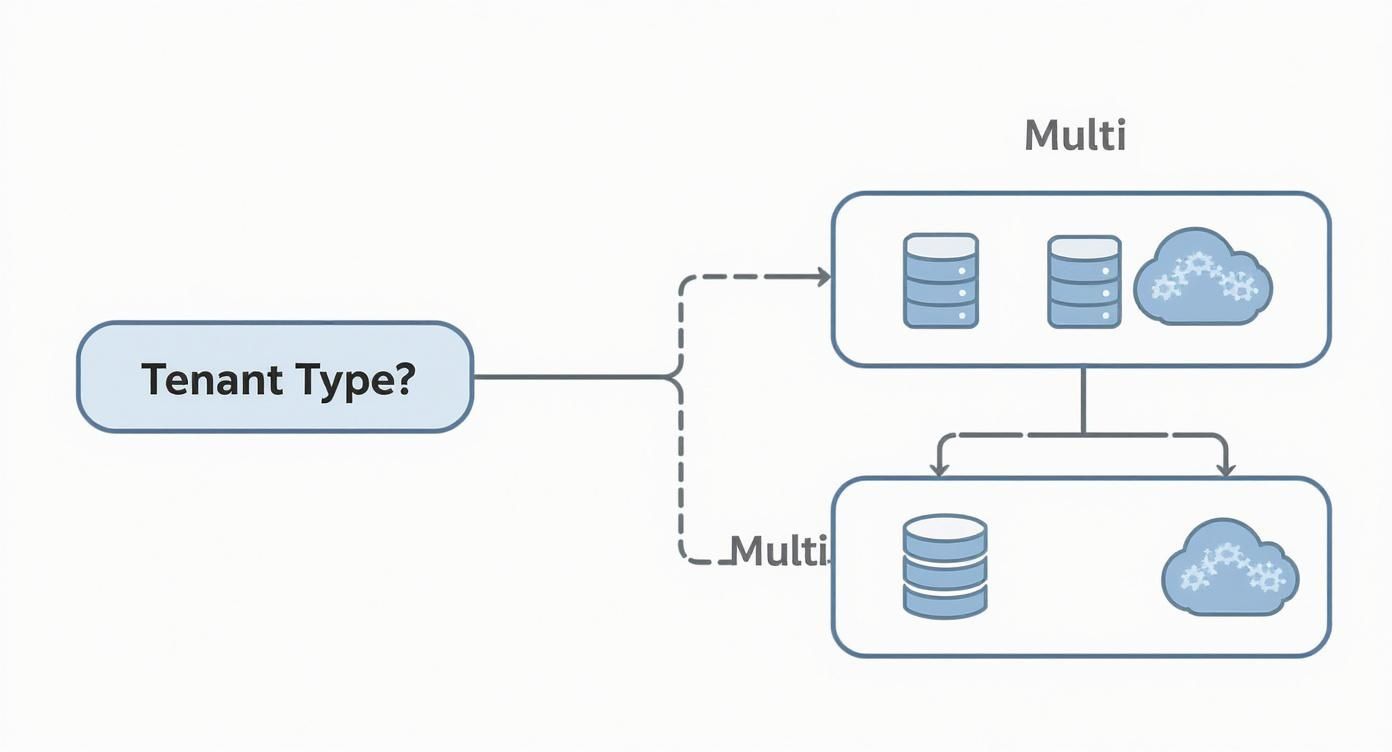
It’s a foundational choice. Your tenancy model dictates your level of resource isolation and security right from the start.
Performance and Load Handling
True performance is not just about a fast initial page load; it is about maintaining responsiveness under load. Metrics like Time to First Byte (TTFB) provide a baseline for server responsiveness, but the real test is how the host manages concurrent requests. A high-quality managed host employs a finely tuned stack—NGINX, PHP-FPM, and server-level caching like Redis or Varnish—to handle high traffic volumes without performance degradation.
Consider a scenario where a marketing campaign drives 10,000 users to your site in one hour.
- A standard managed host may rely heavily on page caching. This is effective for anonymous traffic but fails for logged-in users or dynamic actions like WooCommerce checkouts, leading to server overload, slow response times, and potential timeouts.
- A high-performance managed host utilizes tools like Redis object caching and a properly configured PHP-FPM pool. This stack efficiently processes dynamic, uncacheable requests, ensuring a fast user experience for all users.
For a deeper dive into tuning, see our guide on how to optimize website performance.
Security Implementation and Patch Management
In a managed environment, security must be proactive. A Web Application Firewall (WAF) is the first line of defense, but its efficacy depends on the quality and update frequency of its rule sets. Managed WordPress core updates are a baseline expectation. The best hosts extend this to patching the server OS and even vetting popular plugins for vulnerabilities.
An effective security posture is layered. A WAF is essential, but it must be combined with proactive malware scanning, disciplined patch management, and strict server hardening to create a truly resilient environment.
Consider this real-world scenario: a zero-day vulnerability is discovered in a popular plugin. A top-tier host’s security team will immediately deploy a custom WAF rule across their platform to block the exploit, protecting your site before an official patch is released. In contrast, less capable providers will wait for the plugin developer to issue an update, leaving your site exposed during this critical window.
Scalability and Resource Allocation Models
Scalability refers to your hosting environment’s ability to accommodate traffic growth. The underlying resource model is key. Many managed hosts use container-based systems (like LXC) that offer good isolation but often impose rigid CPU and RAM limits. Exceeding these limits results in performance throttling.
A more flexible model, often found in private cloud solutions built on KVM, allows for dynamic resource scaling. During a traffic surge, a KVM-based host can temporarily allocate more CPU cores and RAM to handle the load, then scale back down as traffic normalizes. This elasticity prevents performance degradation without requiring a permanent upgrade to a more expensive plan.
The managed WordPress hosting market is large for a reason. Businesses require optimized solutions that deliver results. For example, WP Engine hosts approximately 2.1% of all websites, including major brands like Mozilla and SoundCloud. Their success stems from offering enterprise-level features like DDoS protection and integrated CDNs, which are non-negotiable for complex, high-traffic sites.
Developer Tools and Workflow Integration
For any development team, efficiency is paramount. The best managed WordPress hosts provide tools that integrate seamlessly with modern development workflows, going beyond a simple one-click staging site.
Key developer-centric features include:
- Git Integration: Deploying code changes directly from a Git repository is essential for automating CI/CD pipelines.
- WP-CLI Access: Command-line access to WP-CLI is non-negotiable for developers who need to perform bulk operations, manage users, or execute maintenance scripts.
- SSH Access and Database Management: Direct SSH access and tools like phpMyAdmin or remote database connections provide the control needed for advanced troubleshooting and development.
The availability of these tools indicates a provider that understands professional development workflows, saving teams significant time and reducing the risk of manual deployment errors.
Technical Support and Escalation Paths
When a critical issue arises, the quality of technical support distinguishes a good managed service from a great one. The key difference is not just response time but the expertise of the first-line support and the clarity of the escalation path. Standard hosts often rely on script-based first-line agents. A premium provider connects you with a WordPress or systems expert from the outset.
Before committing to a provider, inquire about their escalation procedures. A transparent path from Tier 1 support to senior systems administrators or engineers ensures that complex issues, such as a persistent database bottleneck or a server configuration conflict, are resolved efficiently, minimizing downtime.
When a Custom Managed Solution Makes Sense
Standard managed WordPress plans are effective for many businesses, offering a balanced combination of performance and convenience. However, one-size-fits-all platforms have limitations. When an application’s requirements become highly specific or demanding, an off-the-shelf plan can become a significant bottleneck.
This is where a custom-tailored environment becomes essential. It involves moving beyond shared infrastructure to dedicated resources, granular control, and architectures designed for specific, high-stakes use cases. It is the logical next step when growth, compliance, or complexity outgrows conventional hosting.
High-Traffic E-commerce and Dynamic Sites
While managed hosting excels at caching static content, a high-traffic e-commerce store or a busy membership site operates primarily on dynamic, un-cacheable content. User-specific shopping carts, personalized product feeds, and account dashboards generate database queries and PHP processes that can quickly overwhelm a standard managed plan, especially during peak events like a Black Friday sale.
A custom solution, such as a private cloud built on Proxmox VE, directly addresses this challenge. By deploying a dedicated KVM virtual machine for the application and a separate one for the database, you achieve true resource isolation. A spike in PHP workers will not degrade database performance, ensuring the checkout process remains responsive under heavy load.
A robust architecture for this scenario would include:
- Virtualization Platform: Proxmox VE 9, providing KVM-based isolation.
- Web Server VM: A KVM instance with sufficient CPU cores, running NGINX and PHP-FPM, configured with an adequate number of workers to handle hundreds of concurrent dynamic requests.
- Database Server VM: A separate KVM instance optimized for database performance with ample RAM and high-I/O storage, dedicated to MariaDB and a Redis object cache to offload persistent queries.
- Load Balancer: A front-end load balancer to distribute incoming traffic and handle SSL termination.
This multi-VM architecture provides the necessary separation to maintain performance for dynamic, high-concurrency applications where standard caching is insufficient.
Agencies Managing Multiple Client Sites
Agencies managing a portfolio of client websites face unique challenges. Placing multiple client sites on a single, large managed plan creates a multi-tenant environment where a security breach or traffic surge on one client’s site can impact all others—a significant business risk.
A custom environment provides true client-to-client isolation. Using Proxmox VE, an agency can create separate, lightweight LXC containers for each client site. This offers kernel-level separation for processes, filesystems, and networking, creating a secure, single-tenant environment for each client.
True multi-client management requires architectural isolation, not just a unified dashboard. A custom solution with containerization or virtualization prevents the ‘noisy neighbor’ problem and ensures one client’s security issue does not become a crisis for your entire portfolio.
This setup also enables precise resource allocation. Specific CPU core and RAM limits can be assigned to each container, ensuring fair resource distribution and preventing a single site from monopolizing server resources. This model is far more professional and robust than traditional reseller hosting. For businesses seeking this level of control without the management overhead, exploring managed IT services for small business provides the necessary expertise.
Enterprises with Strict Compliance Mandates
For organizations in healthcare, finance, or government, compliance standards like HIPAA or GDPR are non-negotiable. These regulations impose strict requirements on data privacy, access controls, and network security that are often impossible to meet on a standard, shared managed hosting platform.
A custom-built private cloud on bare metal servers provides the total control needed to build a compliance-ready infrastructure. You can implement specific firewall rules using enterprise-grade hardware (e.g., Juniper firewalls), enforce strict access control lists, and deploy end-to-end encryption for data at rest and in transit. Furthermore, you have full control over the physical server location, data processing, and backup storage, ensuring compliance with data residency requirements mandated by regulations like GDPR.
Executing a Seamless WordPress Migration

Migrating a WordPress site to a new managed host is a critical operation. A flawed process can result in downtime, data loss, or performance issues. A successful migration requires meticulous planning and execution, treated as a structured project with pre-flight checks and post-launch validation.
This approach is especially important when revitalizing underperforming sites. While it is often cited that WordPress powers over 43% of all websites, many of these are inactive or abandoned. A more accurate estimate for active WordPress sites is closer to 5-7% of the web. This gap represents a significant opportunity to move a dormant project to a powerful managed environment and transform it into a valuable digital asset.
Pre-Migration Audit and Backup Strategy
A thorough pre-migration audit is non-negotiable. This process identifies potential conflicts and determines resource requirements for the new environment. Skipping this step is a common cause of migration failures.
Your audit should cover three key areas:
- Plugin and Theme Compatibility: Review all plugins and the theme for compatibility with the new host’s environment (e.g., PHP version, security policies). Many managed hosts maintain a list of disallowed plugins known to be resource-intensive or insecure.
- Database Size and Integrity: A bloated database can complicate the export/import process. Clean the database by removing old post revisions, transients, and spam comments to reduce its size for a smoother transfer.
- Resource Requirements: Analyze your current CPU, RAM, and storage usage to ensure the new managed hosting plan can accommodate your site’s load without performance bottlenecks.
Once the audit is complete, create a comprehensive backup. Do not rely solely on automated host backups for a migration. Perform a complete, manual backup of both the WordPress files and the database immediately before starting the migration to serve as a clean, independent restore point.
Manual vs. Automated Migration Tools
There are two primary methods for migrating data: manual migration using command-line tools or automated migration using a plugin. The choice depends on technical expertise and site complexity. For those new to the process, understanding the fundamentals of moving to WordPress is a valuable first step.
Manual Migration (The Sysadmin’s Choice)
For those comfortable with the command line, a manual migration offers complete control and reliability. Using tools like rsync for files and mysqldump for the database ensures a clean and verifiable transfer.
- Database Export: Use
mysqldumpto create a SQL backup. The-Cflag compresses the output, and--single-transactionensures a consistent snapshot for InnoDB tables.mysqldump -u [user] -p[password] --single-transaction -C [database_name] > database_backup.sql.gz - File Synchronization: Use
rsyncwith the-avzflags to copy WordPress files efficiently, preserving permissions and syncing only changed files.rsync -avz /path/to/local/wordpress/ user@new_host:/path/to/remote/wordpress/
Automated Migration (The Developer’s Shortcut)
Plugins like Duplicator or All-in-One WP Migration can package an entire site into a single archive for easy transfer. However, they may fail on very large sites or encounter server limitations, such as PHP execution time limits.
Key Insight: For mission-critical websites, manual migration using CLI tools is the recommended approach. It provides granular control and bypasses the potential timeouts and server issues that can affect automated plugins.
Post-Migration Validation Checklist
Transferring the files and database is only part of the process. The post-migration validation phase is critical to ensure everything functions correctly.
Complete this checklist before updating DNS records:
- Update
wp-config.php: Modify the database name, user, and password to match the new server’s credentials. - Run a Search-and-Replace: Use a tool like WP-CLI to update all absolute URLs in the database, replacing the old domain with the new one. The
--dry-runflag is useful for previewing changes.wp search-replace 'https://olddomain.com' 'https://newdomain.com' --all-tables --dry-run - Test Everything: Use the new host’s temporary URL or modify your local
hostsfile to preview the site. Verify all links, forms, and core functionalities. - Install SSL Certificate: Ensure the SSL certificate is installed and correctly configured on the new host to prevent security warnings.
- Update DNS Records: Once the site is confirmed to be fully functional, update your domain’s A records to point to the new server IP address. This is the final step to make the site live on its new managed host.
Got Questions? We’ve Got Answers
When evaluating managed WordPress hosting, several key questions frequently arise. Here are technically-sound answers to the most common inquiries to help you make an informed decision.
Getting these details right is what separates a decent hosting setup from a great one.
What’s the Real Difference Between Managed WordPress and Shared Hosting?
The fundamental difference lies in resource allocation and environment optimization. Shared hosting operates like a multi-tenant apartment building where you share utilities (CPU, RAM, bandwidth) with hundreds of others. A resource surge on one site affects all others—the classic “noisy neighbor” problem.
In contrast, the best managed hosting for WordPress provides an isolated environment, such as a container or a KVM-based Virtual Private Server (VPS). Your resources are guaranteed and not subject to contention. Furthermore, the entire software stack is specifically tuned for WordPress, with server-level caching (like Redis or Varnish) and a Web Application Firewall (WAF) integrated by default. This level of optimization and isolation is absent in generic shared hosting plans.
The primary advantage of managed hosting is the architectural shift from a shared, resource-contended model to an isolated, optimized, and dedicated environment. This is precisely why it delivers superior performance and security.
Can I Use Any WordPress Plugin I Want on a Managed Platform?
Typically, no. High-performance managed hosts are opinionated about the software running on their optimized servers. They maintain a blocklist of plugins known to introduce security vulnerabilities, cause excessive resource consumption, or conflict with their built-in performance features. For example, many caching or backup plugins are disallowed because the host provides a more efficient, server-level solution that is tightly integrated with their infrastructure.
Before migrating, always review the provider’s disallowed plugin list. This is a critical step to ensure your site’s functionality will not be compromised and to identify the platform-native alternatives they offer for caching, security, and backups.
How Does a CDN Actually Speed Up a Managed WordPress Site?
A Content Delivery Network (CDN) is essential for reducing global load times. It caches copies of your site’s static assets—images, CSS, and JavaScript files—on a distributed network of “edge” servers. When a user visits your site, these assets are served from the server geographically closest to them, which significantly reduces network latency and improves page rendering speed.
With premium managed hosting, a CDN is often deeply integrated into the platform, not just an add-on. This simplifies setup and, more importantly, automates cache purging whenever you update content. This tight integration ensures that visitors always receive the latest version of your site without manual intervention—a significant operational advantage over a third-party CDN bolted onto a standard hosting plan.
At ARPHost, we engineer custom-managed solutions that standard plans cannot accommodate. Whether you require a high-performance private cloud on Proxmox VE or a secure, compliant environment for an enterprise application, our team designs and manages infrastructure to your exact specifications. Discover our managed hosting solutions.