

You've got a growing application, a rack of servers in an office closet, and a familiar warning sign: the room is hot, the UPS is complaining, and the only network path runs through one ISP. The immediate fix isn't another fan or a larger battery. Move the equipment into a purpose-built colocation facility, then verify power density, network diversity, remote-hands coverage, and recovery procedures before you sign.
Colocation means you keep ownership and control of your servers while renting the facility systems around them, including space, power, cooling, physical security, and connectivity. The benefits of colocation are real, but they aren't automatic. You're buying engineered infrastructure, not a rack, so the decision should be treated as a buy-versus-build analysis.
Table of Contents
- What Colocation Really Means for Your Infrastructure
- Uptime and Resilience You Cannot Build in a Closet
- Power Cooling and Physical Security at Scale
- Network Diversity and Low Latency Connectivity
- Cost Control Scalability and Compliance Tradeoffs
- Real World Use Cases for SMBs and Enterprises
- How to Decide if Colocation Is Right for You
What Colocation Really Means for Your Infrastructure
A server closet usually starts innocently. One host becomes three, a switch gets added, and a small UPS sits beneath the rack. Then summer arrives, the air-conditioning struggles, a breaker trips during maintenance, or a contractor needs access to the room. Your team still owns the servers, but the surrounding environment has become the weakest part of the system.
Colocation changes that boundary. You move your hardware into a professional facility and retain responsibility for the operating system, applications, storage configuration, patching, and data. The facility operator supplies the building systems that are difficult to reproduce in an office, including conditioned power, cooling, access controls, monitoring, and network options. A plain-language explanation of colocation hosting is useful if you're deciding which responsibilities should remain with your team.
The apartment-building analogy is close, but not perfect. You own the contents of your apartment, while the building owner operates the structure, utilities, entry systems, and shared safety equipment. In a colocation facility, you own the servers and may operate your own network stack, while the provider operates the electrical, mechanical, security, and shared connectivity infrastructure.
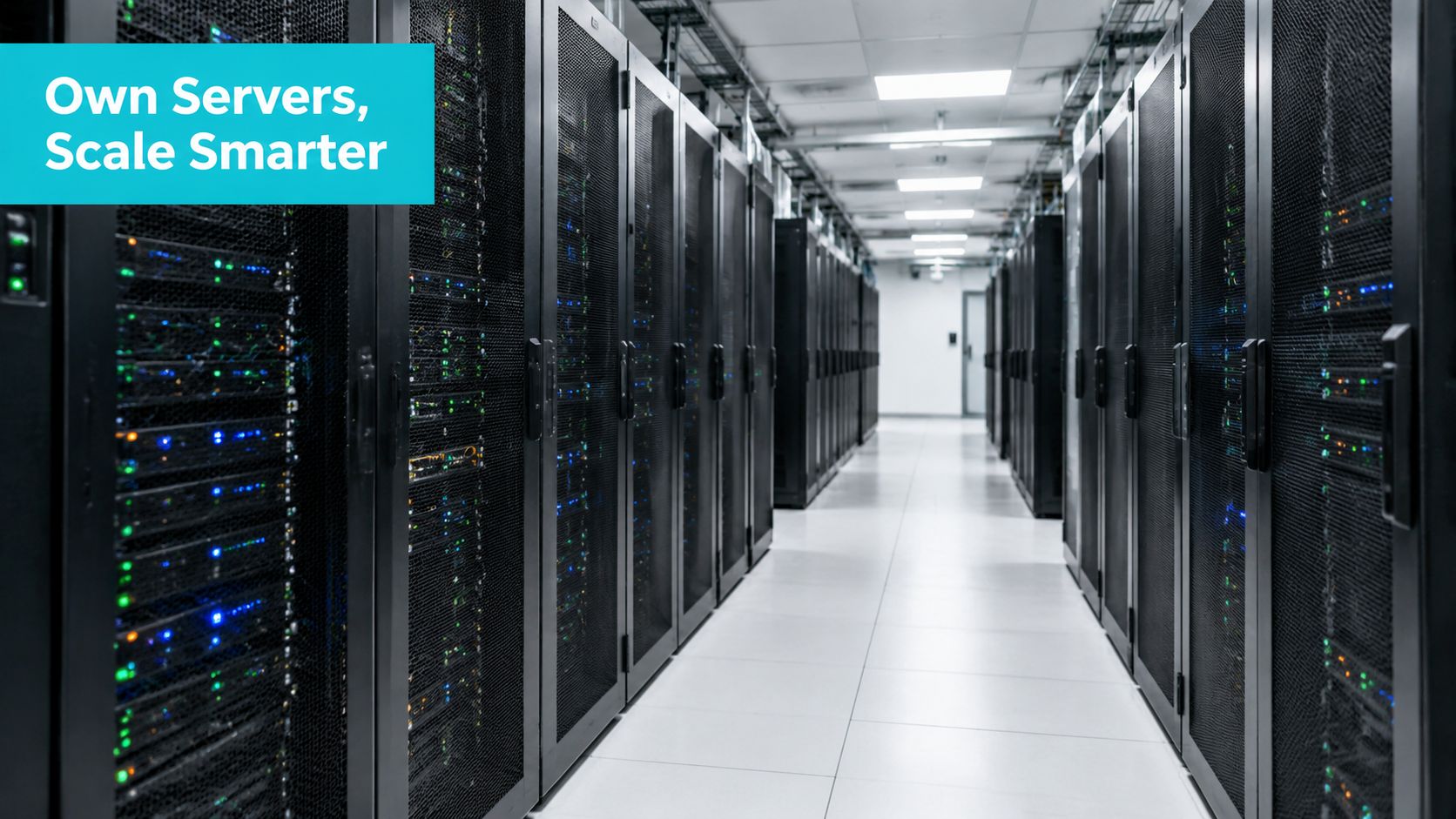
What moves and what stays under your control
A typical migration moves these assets to the facility:
- Compute hardware: Physical servers, storage arrays, firewalls, and switches travel to the rack or cage.
- Network design: VLANs, routing, firewall policy, and application paths remain under your control unless you purchase managed operations.
- Software operations: Your team continues to manage operating systems, hypervisors, databases, backups, and application releases.
- Facility operations: Power distribution, cooling, building security, generator systems, and common-area monitoring become the provider's responsibility.
Colocation fits teams that need hardware ownership, predictable physical placement, or specialized equipment that doesn't fit a fully managed cloud model. It's also useful when an office location creates avoidable risk. For a Tampa or Florida business, a properly selected facility can support regional latency and disaster recovery planning, while site selection must still account for hurricane exposure, utility resilience, and access during severe weather.
The key question is simple: do you want to build and operate the building systems, or do you want to buy access to them and concentrate on the equipment inside your rack?
Uptime and Resilience You Cannot Build in a Closet
Availability comes from removing failure dependencies one by one. A resilient colocation design separates utility feeds, UPS systems, generators, cooling paths, network entrances, and maintenance procedures so that one failure doesn't automatically become an outage.
Tier classifications provide a useful vocabulary, although the contract and actual operating procedures still matter. Tier III facilities map to 99.982% uptime, or about 1.6 hours of downtime per year, while Tier IV facilities target 99.995% uptime, or roughly 26 minutes per year, as described in colocation uptime guidance. A provider's SLA may use a different figure, including 99.99%, which allows roughly 52.56 minutes of downtime per year. Enterprise-grade colocation guidance explains that distinction.
Redundancy is a system, not a single backup device
The common patterns have specific meanings:
- N+1: The facility has one additional unit beyond the number required for the active load. A failed cooling unit or power module can be removed without immediately exhausting capacity.
- 2N: Two independently capable systems can each support the required load. This approach gives maintenance and failure isolation more room, but it also requires more infrastructure.
- UPS protection: Batteries bridge the short interval between utility loss and generator output, protecting servers from abrupt power interruption.
- Generator-backed failover: Generators provide sustained power during a utility event, provided fuel, maintenance, transfer equipment, and testing are properly managed.
- Diverse carrier entrances: Separate physical routes reduce the chance that construction damage or a local fiber cut removes every network path.
The value isn't only a higher uptime target. Redundancy contains failures and creates maintenance windows where technicians can service equipment without taking workloads offline. Colocation infrastructure guidance describes the role of N+1 and 2N design, UPS systems, generator failover, and diverse carrier paths.
Practical rule: Ask which components are redundant, then ask whether technicians can maintain them while your rack remains powered and connected.
Resilience must include recovery
A resilient primary site doesn't replace a recovery plan. If a fire, flood, regional outage, or access restriction affects the facility, your recovery design needs another location, current backups, documented dependencies, and a tested failover process.
Colocation can make a secondary site more practical because the environment can remain powered, connected, and ready for replication. That supports more achievable RTO and RPO objectives than a server in a branch office, but only if your team tests restoration and application startup rather than merely purchasing space.
Document which systems must start first, where credentials are stored, how DNS or traffic steering changes, and who approves failover. Treat the facility's uptime design and your recovery design as separate controls that must work together.
Power Cooling and Physical Security at Scale
A colocation customer avoids designing an electrical room, installing generator systems, sizing HVAC, and building a security perimeter. Those systems still cost money, but the facility shares their operating burden across tenants instead of assigning the entire capital project to one company.
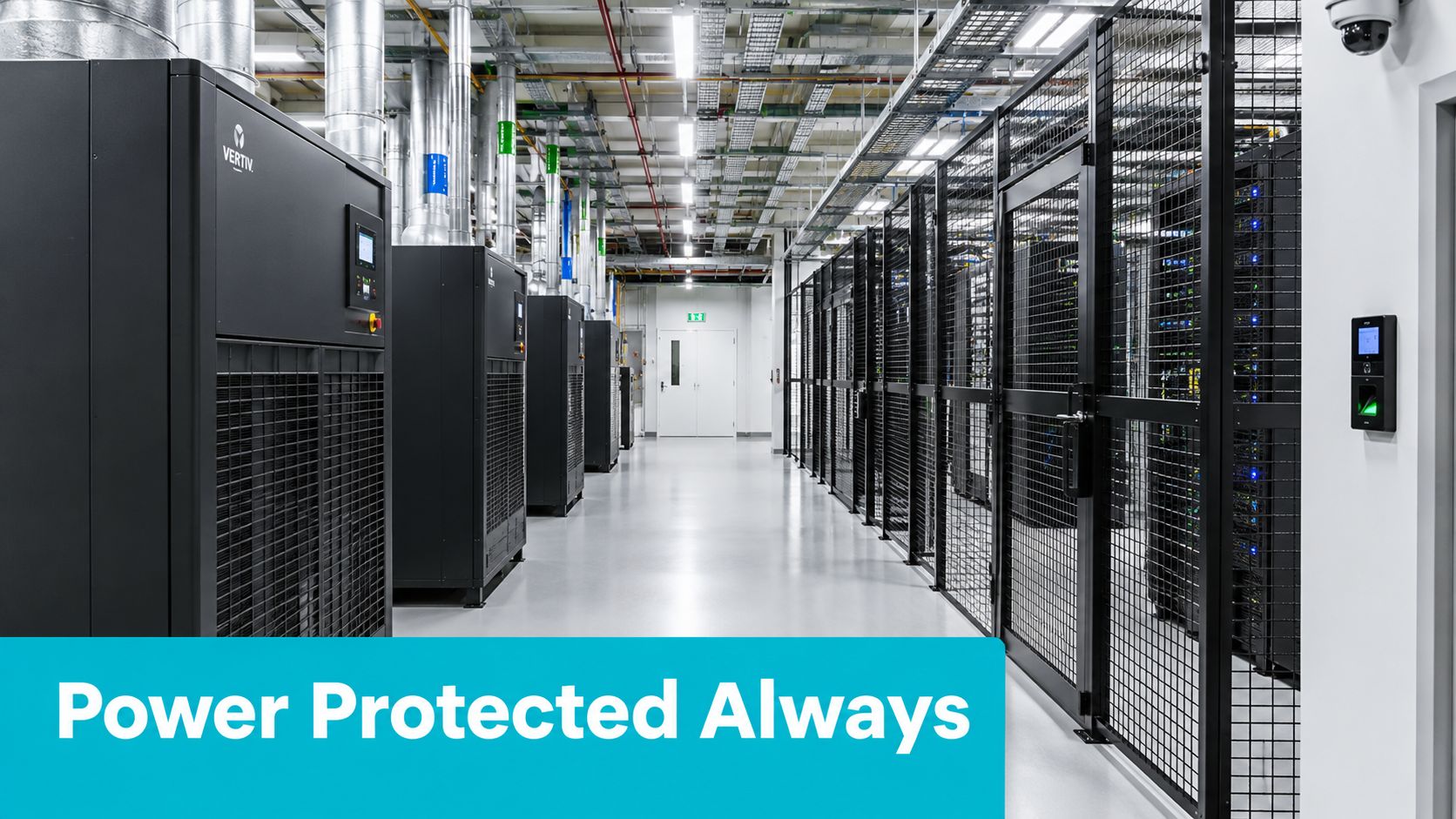
Start with power and heat
Before ordering a rack, calculate the actual electrical load of every device. Use measured draw where possible, record startup behavior, and separate the required IT load from overhead such as power conversion and cooling. High-density servers can create a heat problem before they create a space problem, so ask how the facility handles rack-level power limits, airflow, containment, and expansion.
A professional site typically coordinates:
- Power distribution: Redundant paths, protected distribution units, and maintenance procedures.
- Cooling: Precision systems designed for equipment heat rather than office comfort.
- Fire protection: Detection and suppression systems appropriate for an occupied technology environment.
- Physical access: Controlled entry, visitor procedures, cage or cabinet access, and audit records.
- Monitoring: Continuous observation of environmental and facility conditions, with escalation procedures.
Uptime Institute reported an industry-average PUE of 1.58 in 2023 and a weighted-average annual PUE of 1.54 in its 2025 survey. Because PUE divides total facility power by IT equipment power, a lower result means less overhead for cooling, conversion, and other non-IT loads. The Uptime Institute analysis explains why larger facilities often operate more efficiently than small on-premises environments.
Security has a physical layer
Network firewalls don't stop someone from opening a server chassis. Facility security should therefore cover the route from building entrance to cabinet, including access authorization, cameras, visitor records, locked cages, and procedures for technicians who aren't employees.
Your own controls still matter. Encrypt sensitive data, restrict management interfaces, separate production and administrative networks, and review access logs. Colocation improves the physical environment, but it doesn't make an unpatched operating system or exposed management service safe.
Operationally, the difference is visible in the airflow. In multi-tenant facilities, hot aisle containment and power-density planning keep exhaust heat from circulating back into server intakes. A working engineer checks rack inlet temperatures, PDU readings, and alarm history rather than assuming the room temperature tells the whole story.
The following video provides additional visual context for facility cooling and infrastructure layout.
Shared infrastructure doesn't eliminate operational responsibility. It moves building-scale engineering to a specialist operator while leaving your team accountable for the hardware and workloads it owns.
Network Diversity and Low Latency Connectivity
A single office ISP creates two separate risks. The connection may add unnecessary round trips to users, cloud regions, or partner systems, and one carrier outage can remove the only path into the business.
Carrier-neutral colocation addresses both problems through choice. A meet-me room can host multiple carriers, while cross-connects connect your rack to selected network providers or counterpart systems without sending traffic across the public internet. Carrier-neutral data center connectivity explains the model and why alternative paths matter.
Compare the network models
| Decision Factor | Single ISP Office | Carrier-Neutral Colocation |
|---|---|---|
| Carrier choice | Usually limited to providers serving the building | Multiple carrier options may be available in the facility |
| Failure behavior | One carrier incident can isolate the site | Traffic can use another connected path if the design and contracts support it |
| Latency control | Depends on the office location and public routing | Facility location, carrier selection, and private interconnection provide more control |
| Hybrid cloud design | Often depends on internet VPNs | Can use private or optimized paths where supported |
| East-west traffic | May leave the site and return through public routes | Cross-connects can keep traffic within the facility or selected private paths |
Physical distance affects propagation delay, and every additional network hop can add round-trip time, jitter, or congestion exposure. That matters for API-heavy SaaS, VoIP, database replication, interactive ecommerce, and hybrid-cloud dependencies. A nearby facility won't fix poor application design, but it can remove avoidable network distance and give engineers more control over path selection.
Design for failure, not just speed
Order connectivity as a tested architecture. Use separate carriers where the business impact justifies it, place firewall or router interfaces on independent paths, and verify that routing policy fails over as intended. A second circuit that terminates in the same conduit or uses the same upstream path may provide less resilience than its label suggests.
For cloud-connected workloads, ask which cloud on-ramps are available, whether cross-connects are supported, and how quickly additional bandwidth or ports can be provisioned. For replication, measure the actual RTT and sustained throughput between systems, then validate behavior during packet loss and carrier failure.
A low-latency path is useful only when applications use it consistently. Review DNS behavior, routing, encryption overhead, database acknowledgement settings, and monitoring alerts as part of the move.
Cost Control Scalability and Compliance Tradeoffs
Colocation doesn't always win on monthly cost. It usually wins when the value of owned hardware, facility resilience, network control, and operational predictability outweighs the cost of space, power, connectivity, and hands-on administration.
The financial distinction is between building the environment and renting access to an existing one. On premises, your company funds construction, electrical systems, cooling, security, maintenance, and the staff required to operate them. In colocation, those facility costs are shared across tenants, while you pay for the capacity and services your deployment uses. An overview of colocation operating costs and pricing factors can help organize the questions, but the quote must still reflect your measured power and connectivity requirements.
High-density workloads change the calculation
Power availability and cooling capacity can become the limiting factors for GPU systems, dense virtualization, large databases, and other high-load deployments. North American wholesale colocation asking rates for requirements between 250 and 500 kW rose 6.6% year over year to $196.25 per kW per month, according to CBRE's North America data center trends report. That figure is a market asking-rate reference, not a universal retail quote, and it shows why “colocation is cheaper” is too broad a conclusion.
Request a total-cost model that includes:
- Facility capacity: Space, committed power, metered power, and expansion charges.
- Connectivity: Internet transit, cross-connects, cloud connections, and diverse carriers.
- Hardware operations: Shipping, installation, replacement parts, warranty handling, and remote hands.
- Staffing: Travel, on-call coverage, monitoring, patching, and incident response.
- Exit conditions: Removal, migration, contract commitments, and equipment transport.
Use the workload profile to choose the model
| Decision Factor | Colocation | On Premises | Public Cloud |
|---|---|---|---|
| Hardware ownership | Customer owns and controls hardware | Customer owns and controls hardware | Provider owns the underlying infrastructure |
| Facility construction | Provider supplies the facility environment | Customer builds or adapts the facility | Provider supplies the facility environment |
| Capacity changes | Add space, power, or connectivity through the facility | Requires internal capacity and construction planning | Usually provisioned through provider services |
| Operational control | High control over hardware and software, shared facility systems | Maximum control over facility and equipment | Less control over physical infrastructure |
| Cost pattern | Recurring facility and service charges, with customer hardware investment | Large facility investment plus continuing operations | Usage-based charges and service commitments |
| Best fit | Stable or specialized hardware with facility resilience needs | Unique control requirements and sufficient internal operations capacity | Rapid provisioning, variable demand, and minimal hardware ownership |
Compliance requires the same level of precision. Colocation can support data-sovereignty requirements by placing equipment in a selected jurisdiction, but the facility location alone doesn't establish compliance. Review access controls, audit evidence, incident procedures, backup geography, subcontractors, and the legal location of connected services.
Sustainability also depends on selection and workload. A more efficient facility can reduce overhead, while high-density AI and GPU deployments increase power and cooling demand. Ask about the facility's energy procurement, grid mix, efficiency reporting, and capacity limits instead of accepting a generic green claim. Sustainability considerations for colocation describes why region, energy sourcing, and workload characteristics affect the result.
Real World Use Cases for SMBs and Enterprises
The right benefit depends on what currently fails first. A small business may need environmental control, an ecommerce company may need availability and network capacity, while an enterprise may care most about geographic recovery and governance.

A growing SMB leaving the closet
An SMB with several physical servers often reaches a point where the office is no longer a suitable facility. The team may own capable hardware, but the room lacks redundant power, controlled airflow, restricted access, and a dependable maintenance process.
Colocation preserves the hardware investment while replacing the fragile environment around it. The migration plan should include rack elevation, power measurements, cable labeling, out-of-band access, backup verification, and a maintenance window. If the team needs to reduce hardware ownership instead, a Tampa VPS environment may be a better fit for workloads that virtualize cleanly.
Ecommerce and customer-facing services
An ecommerce platform cares about more than server uptime. It needs stable connections to payment systems, databases, APIs, monitoring platforms, and support tools. Carrier diversity and carefully selected facility location can reduce the impact of a provider outage or inefficient routing, while redundant power protects the infrastructure during utility events.
SaaS and interconnection-heavy systems
A SaaS team with frequent API calls or database replication benefits when its servers sit near important users, cloud regions, or counterpart networks. Private cross-connects and cloud on-ramps can reduce dependence on public internet routing, but the engineering team should still benchmark application response, replication lag, and failover behavior before and after migration.
Enterprise recovery and Florida operations
An enterprise can use a secondary colocated site for replication and disaster recovery. A Tampa or Florida location may be useful for regional latency, local remote hands, and separation from an office deployment, but hurricane planning must be explicit. Review flood exposure, generator fuel procedures, building access during storms, utility diversity, and the distance between primary and recovery sites.
Bare metal or virtualized colocation
Choose bare metal when the workload needs direct hardware access, consistent high-core-count performance, predictable storage behavior, or specialized accelerators. Proxmox clusters, large databases, media transcoding, private clouds, game servers, and some AI inference deployments often benefit from dedicated hardware. For a managed or self-operated cluster, compare the design with dedicated bare metal server options.
Virtualized colocation is more flexible when workloads have different utilization patterns and can share a cluster safely. The decision should follow CPU, memory, storage I/O, network throughput, licensing, and recovery requirements, not a general preference for physical or virtual machines.
How to Decide if Colocation Is Right for You
Start with an inventory, not a tour. Record each server's measured power draw, rack dimensions, weight, network ports, storage dependencies, maintenance needs, and recovery role. Then answer these questions:
- Power: What is the current load, and how much headroom does the next hardware refresh require?
- Growth: Can the facility add rack space, power, ports, and cross-connects without forcing a disruptive move?
- Connectivity: Which carriers, cloud paths, and private connections does the application need?
- Compliance: Which jurisdiction, access records, audit evidence, and backup locations are required?
- Support: Who replaces failed hardware, receives shipments, escorts visitors, and responds outside business hours?
- Recovery: Can you replicate to another location, restore from backup, and meet the documented RTO and RPO?
On a facility tour, ask to see the power path, network entrance, meet-me room, cooling layout, access process, monitoring escalation, and maintenance records. Ask what happens during a utility failure and which services are included versus separately ordered.
For Tampa colocation, evaluate regional latency and remote-hands value alongside hurricane and grid-resilience procedures. ARPHost, LLC operates colocation, bare metal, VPS, Proxmox private cloud, secure web hosting, and managed IT infrastructure from Tampa, so ARPHost colocation services can be included in that evaluation when local facility access and infrastructure ownership are priorities.
ARPHost, LLC provides colocation in its Tampa facility for customers that want to retain their own servers while using professionally managed power, cooling, connectivity, and physical security. Review the ARPHost, LLC infrastructure options, then bring your measured power, network, compliance, and recovery requirements to the technical team for a fit assessment.

Leave a Reply
You must be logged in to post a comment.